Blog

  • Stop Sacrificing CRM Usability for Your Sales Process!

    The usability of a CRM tends to be the first sacrifice made when attempting to account for every sales action and task in a sales cycle. Though it may seem like a necessary sacrifice at first, you will likely come to find that the data within your CRM suffers as a result.

    More specifically, you may discover that sales reps will only enter information in your CRM at the end of a sales cycle in order to circumvent the pesky data entry experience. Not only will your forecast be inaccurate, but you will also lose the opportunity to gain valuable insights into the success of your sales process as a whole.

    Fortunately, if configured thoughtfully, you do not need to sacrifice the usability of your CRM to handle the complexity of your sales cycle (or cycles!). Below are three important things to consider during your configuration process.

    1. Quality, Then Quantity

    You’ve probably heard that a CRM should not have more than “insert number here” custom fields. But while quantity is important, quality should be your first concern. Focusing on quality will not only ensure that your fields are meaningful, but typically results in a manageable amount of fields as a result.

    For example, you may ask yourself, how do we currently segment our customers? By size? By location? A field for the answer is likely necessary in your CRM as you should be able to easily filter your prospects within your CRM by these qualifications.

    Another useful question: how would you describe your best customer or prospect, and what information do you know about them? Fields pertaining to your answer should likely be leveraged within your CRM as well.

    2. Big Buckets

    When it comes to the milestones within your sales process, quantity becomes more important. Though your sales process may be multifaceted, try separating it into fewer, larger buckets.

    For example, if there are many steps your reps – or even non-sales employees – must take in order to register a new customer, you probably don’t need a stage for each step. Instead, try a general “Customer Registration” stage with custom fields to capture each of the important steps on the way to this larger registration milestone.

    Now, with a clearer distinction between stages, and firm exit criteria between them, your sales reps will always know where they stand in their process, no matter how convoluted it may be.

    3. Goals

    Without a guiding north star, all the thought put into the configuration of your CRM could be rendered useless. Especially with a complicated sales process, your sales reps need a clear goal to refer to when things get cloudy.

    This goal should be obvious within your CRM, whether it’s on the dashboard or in reports. Some of our customers leverage the Sales Goal report, casting it live on their sales floor. No more mass data entry at the end of a deal cycle; instead, your representatives will know their goal and be motivated to enter in forecast data to see how they are tracking toward it.

    Configuring a CRM to handle the complexity of your sales cycle without sacrificing usability may seem like a daunting task. The tips above should help in the process; however, your CRM can only be as “user-friendly” as the CRM software you use.

    Moreover, your reports and forecasts are only as accurate as the data within them. Your CRM will only contain accurate data if it is easy to use. With thoughtful configuration of a user-friendly CRM, you will not only increase the accuracy of your forecast but likely your sales in general.

    By Rose Serafini via Business 2 Community.
  • The all-new Zoho Campaigns is here!

    The new Zoho Campaigns has been designed to deliver highly customized messages to your subscribers.

    Email marketing is no longer a simple, one-message-fits-all activity. Today it is a complex exercise which requires understanding your subscribers’ behavior and interests in order to see results. Targeted, relevant, and personalized messages are the way to make every subscriber feel unique.

    We developed the new Zoho Campaigns with this in mind, and it is available for all users starting today.
    Here are some of the highlights:

    A fresh new look

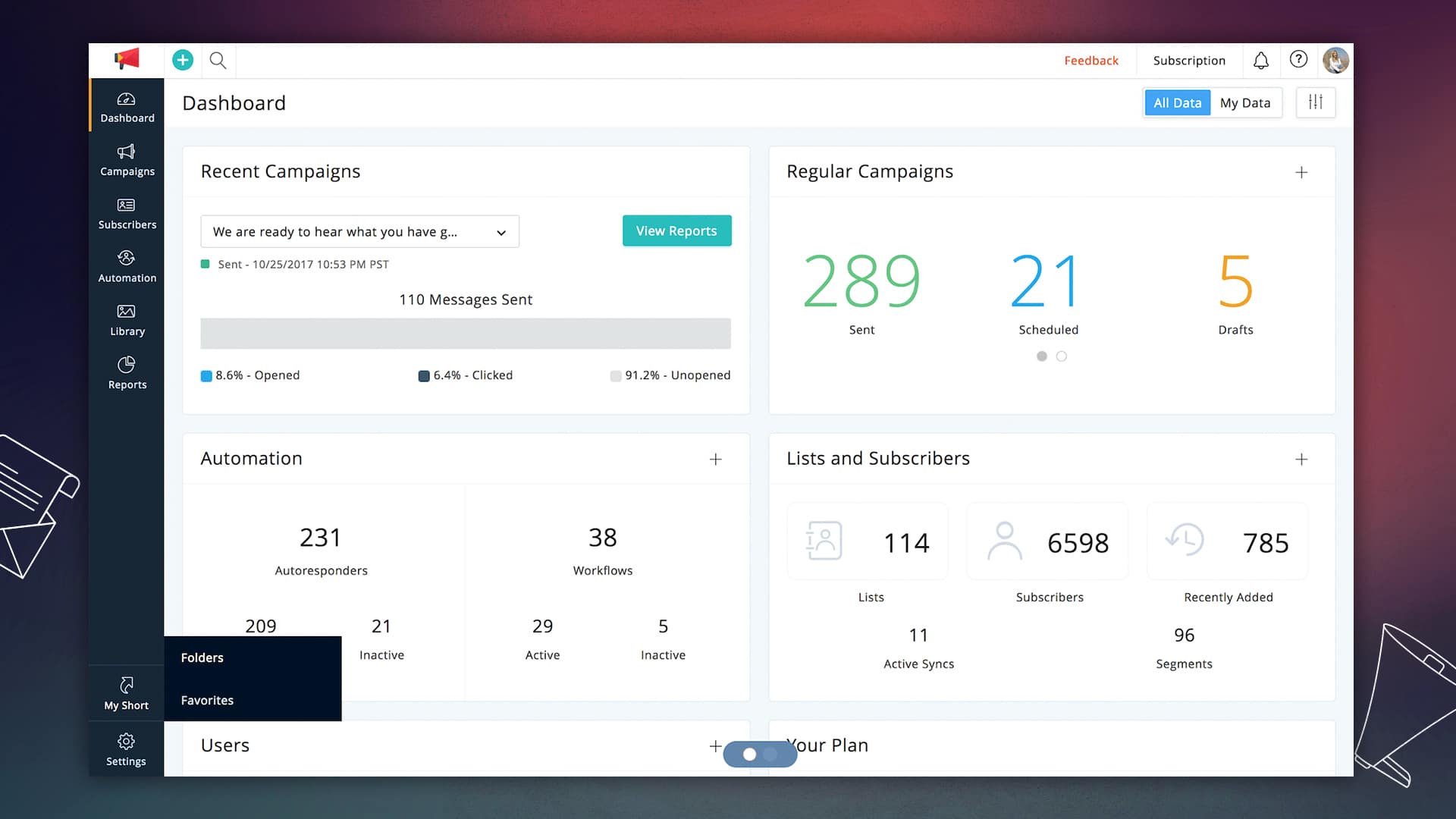
    This is the most obvious change that you will notice when you switch to the new version. Our polished interface is designed to improve the user experience and help you achieve your goals faster.

    Drag, drop, and deliver

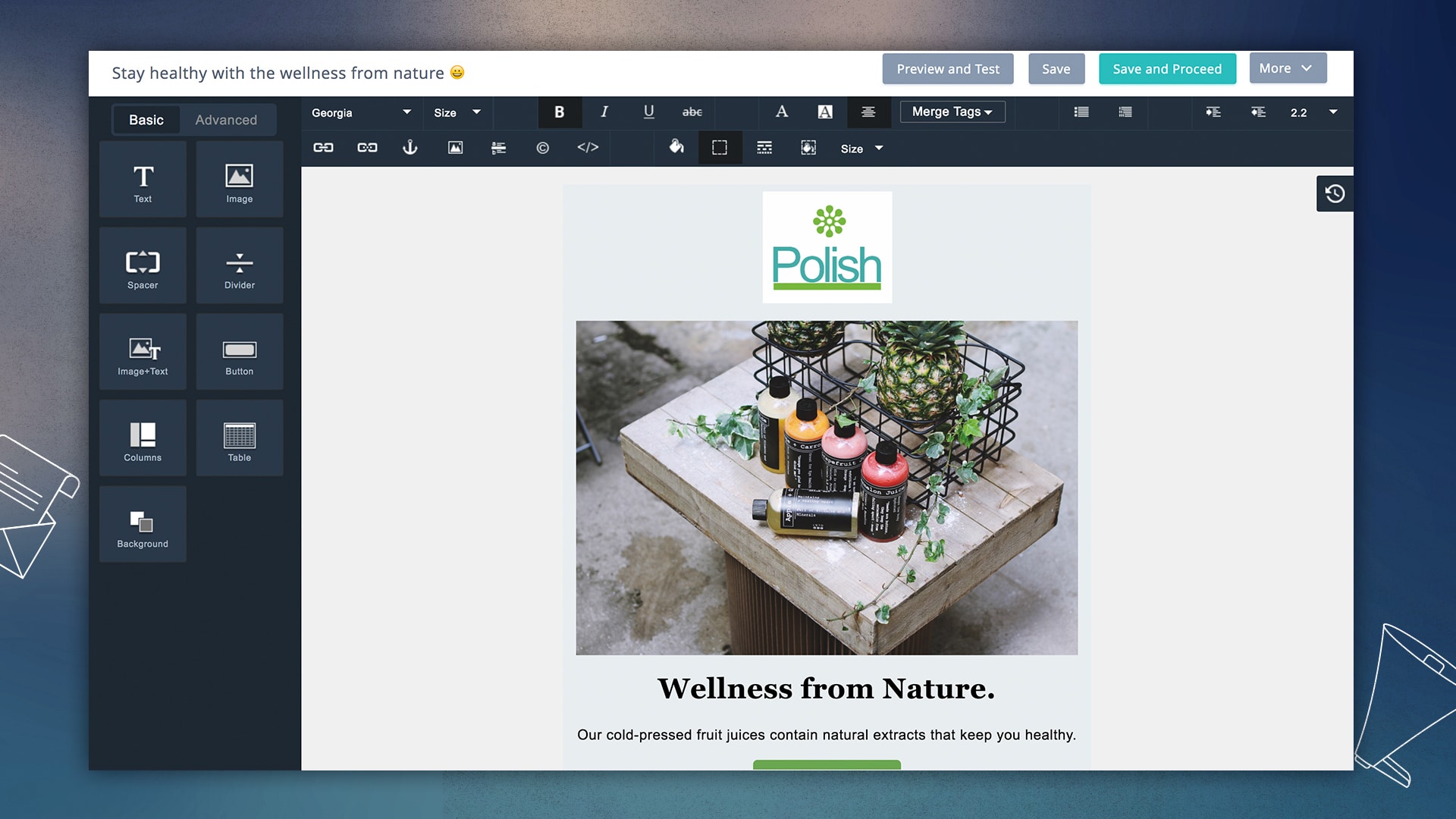
    The design of email templates is one of the primary factors that determines its success. The new editor allows for complex, responsive template designs through a simple drag-and-drop interface. The template gallery is also loaded with a number of new designs for almost every occasion.

    • Preview designs on multiple devices: We have teamed up with Litmus so you can see how your templates look on various devices and systems before sending your campaign.
    • Design to improve engagement rates: Adding pre-header text, attachments, and links to social media profiles is easier than ever now.
    • Template version: Each template iteration is saved so that you can seek the history behind your final design.

    Personalization at the time of open

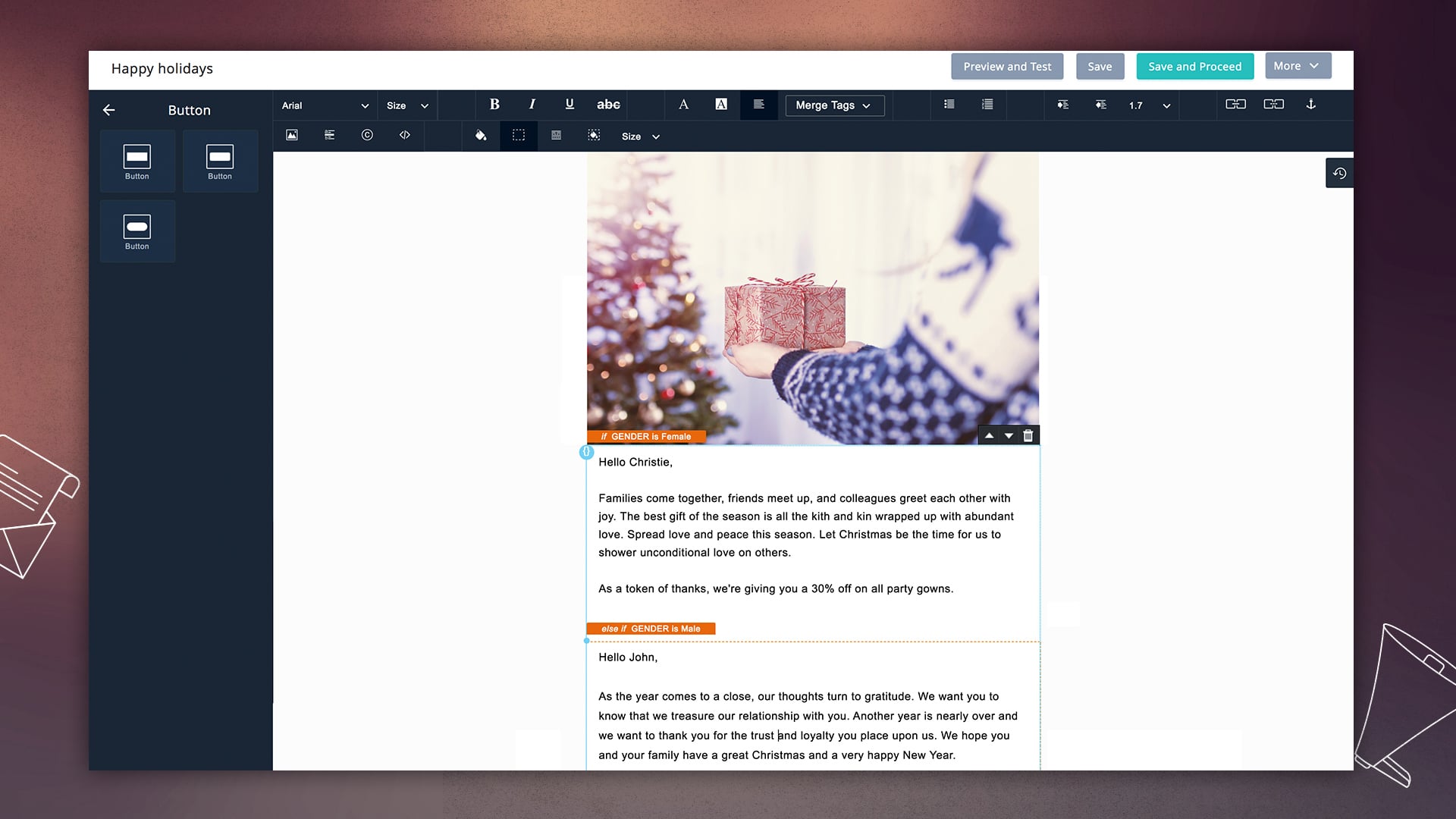
    Personalization goes beyond just the first and last names. More subscribers will engage with your email if your messages feel like they are written specifically for them. Dynamic content shows different sections of your template based on the information that you have about your subscribers.

    As a marketer, you can craft multiple messages for different users, and Zoho Campaigns shows the most relevant content for them, right when they open their email.

    Automation that works for you

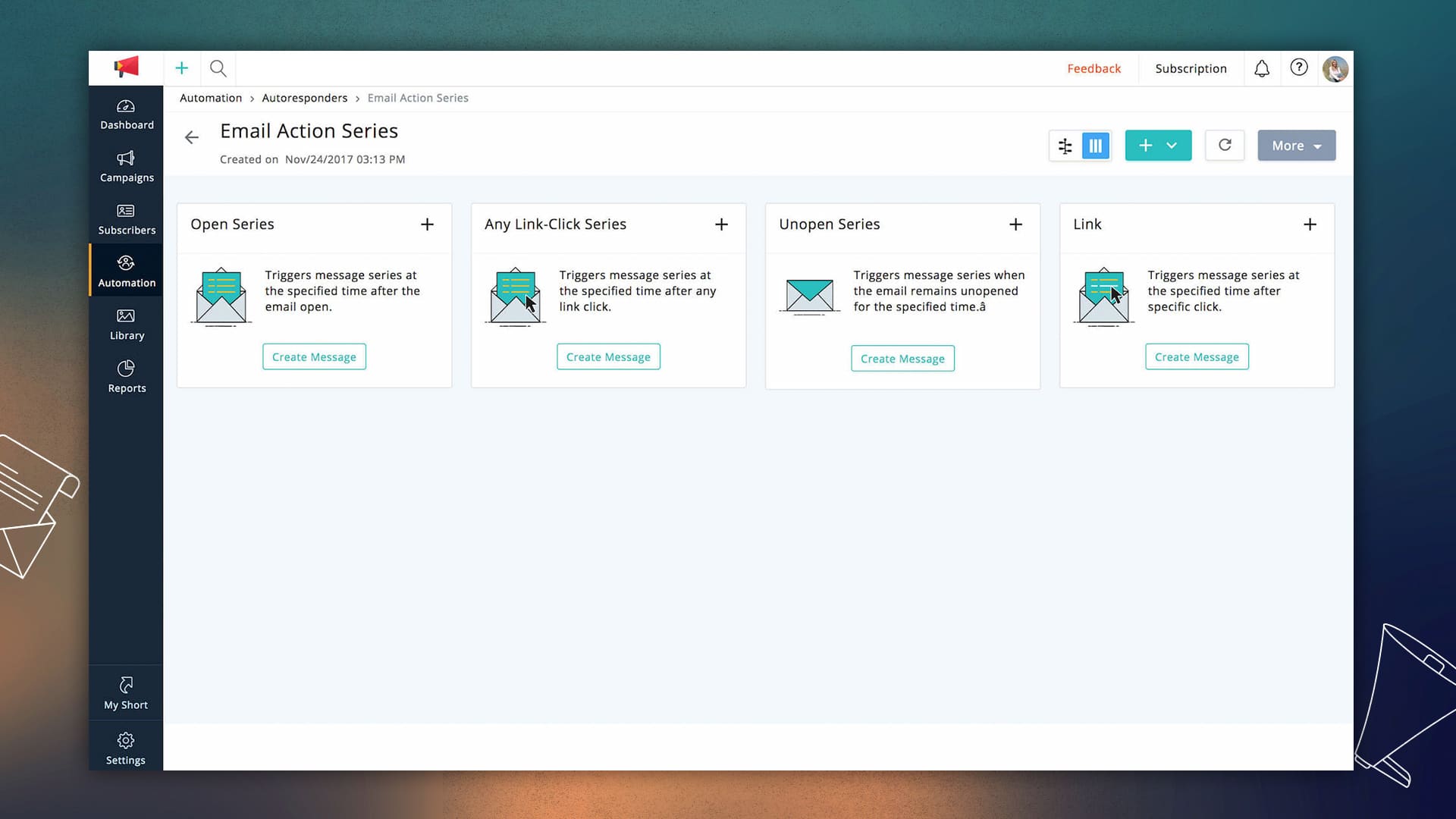
    Effective automation is a huge time-saver for marketers. We have added a number of customizable autoresponders that put email campaigns on auto-pilot. The new version has a lot more triggers and workflows that allow you to send follow-ups based on audience behavior and actions.

    Reports to help you plan your next move

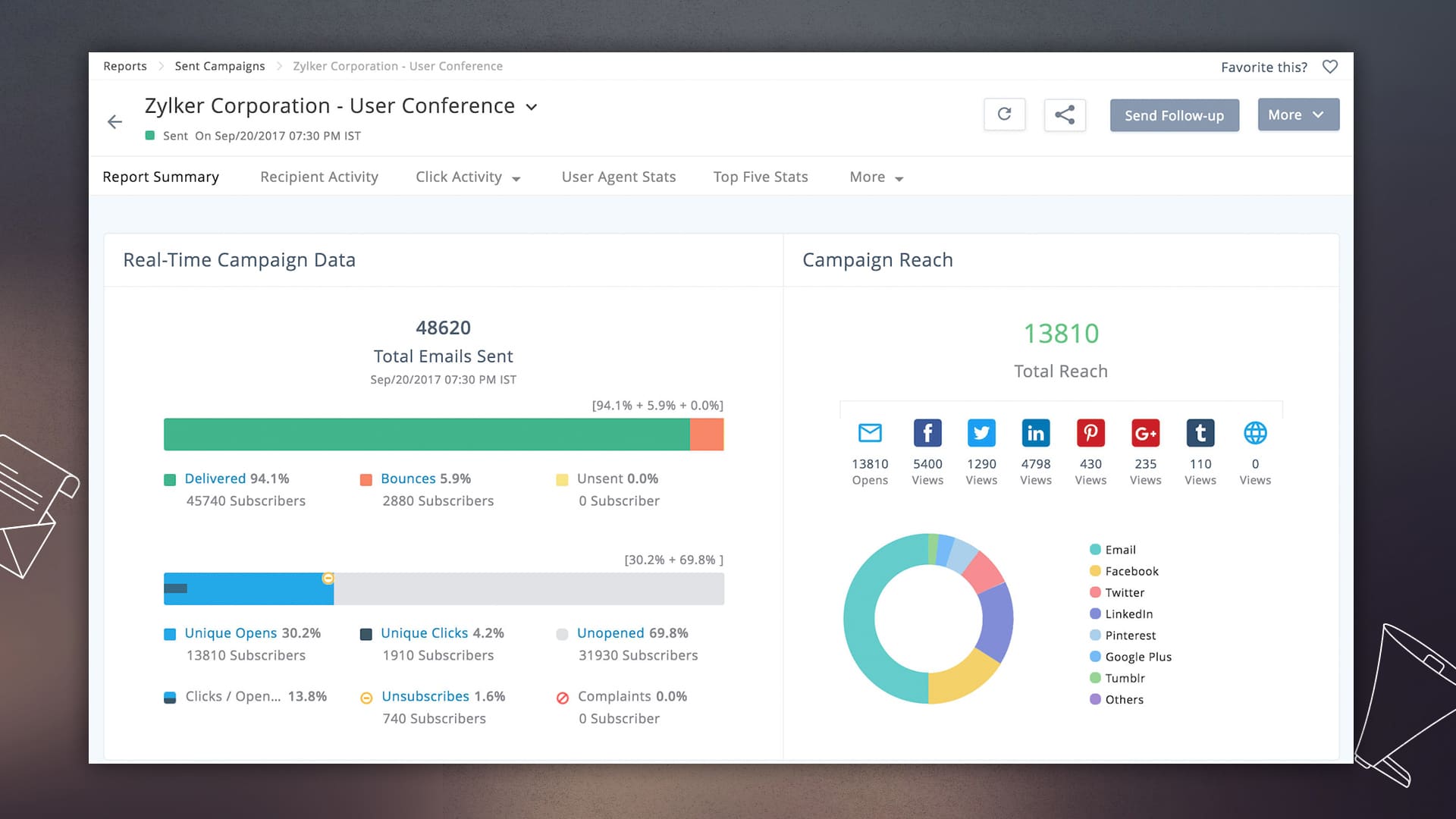
    Performance reports are most effective when they guide your actions to increase conversions. Whether it is your mailing list health or subscriber engagement, now you see detailed reports at every level of a campaign. Once your campaigns are running, the customizable dashboard shows you a summary of your email marketing performance.

    Email marketing that follows the rules

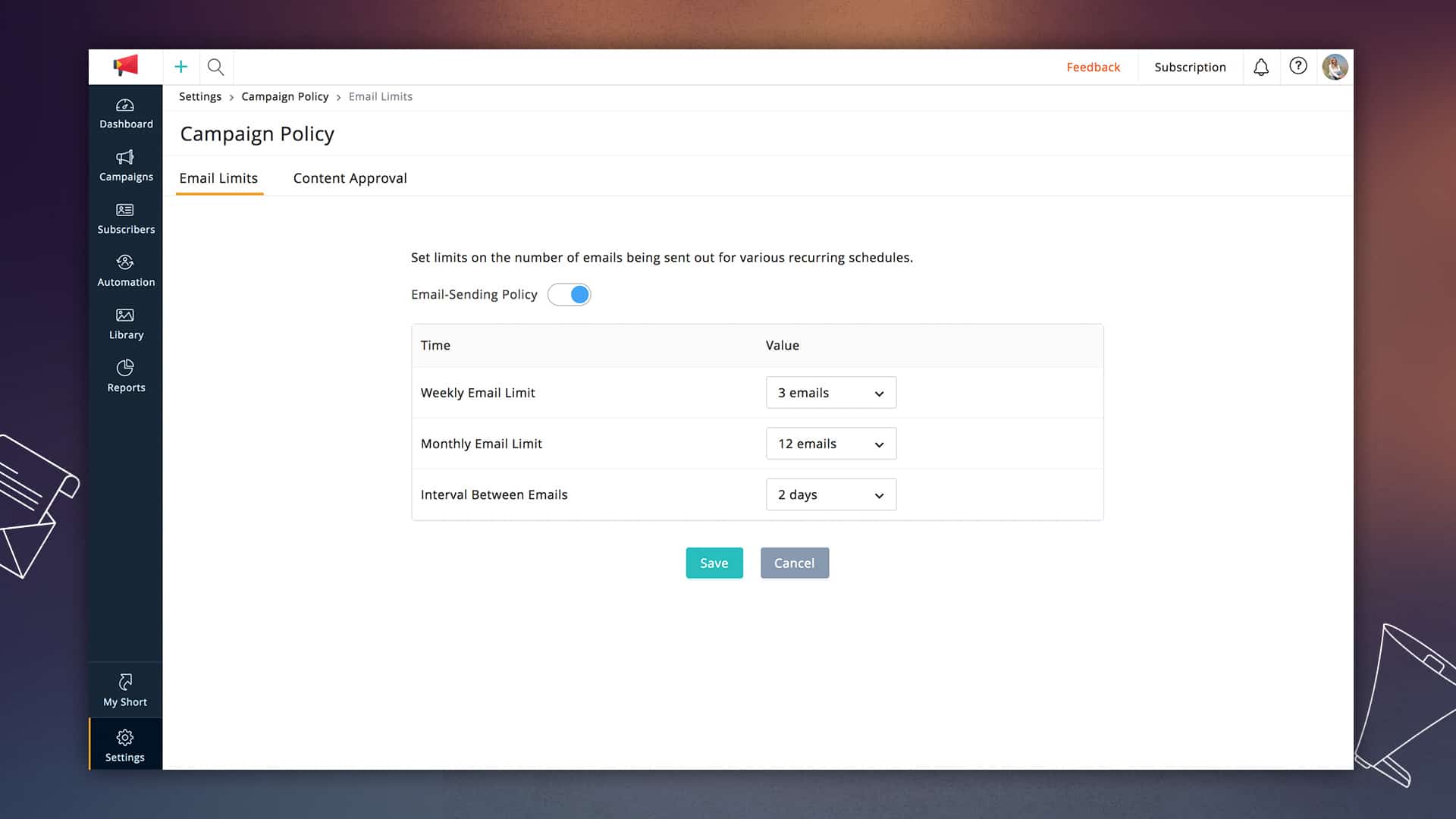
    Zoho Campaigns has always provided tools that allow marketers to conduct successful permission-based email marketing. In this latest update, we are introducing email limits that can control the number of emails that any subscriber receives in a particular period. You can set this based on what works best with your audience.

    Become more organized.

    Our updates were designed to make the marketer’s life as easy as we can make it. The new version lets you get your work done as quickly and accurately as possible.

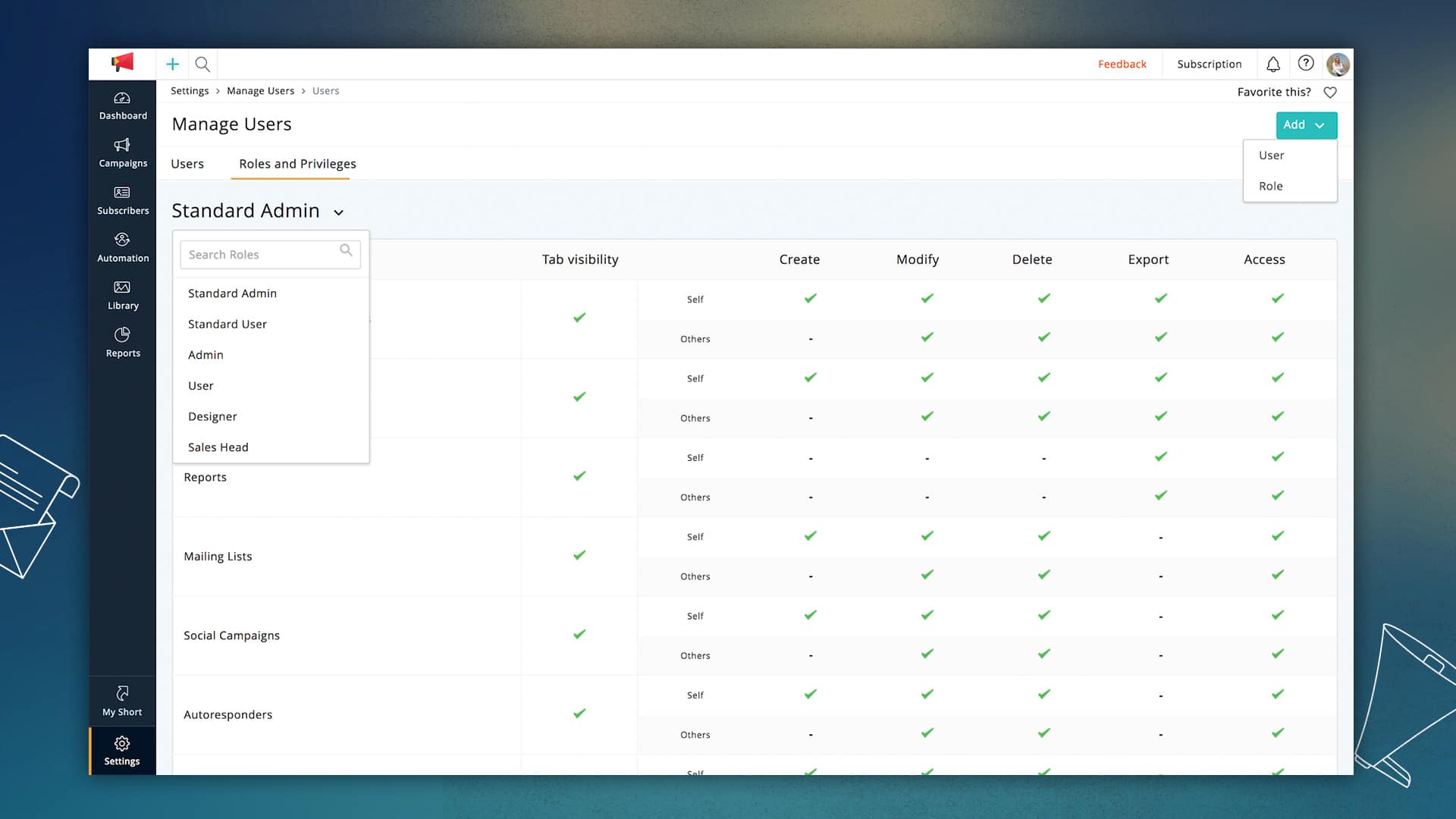
    • User roles and privileges: Now you can set permissions for different types of users working on your campaigns and define roles for each team’s unique needs.
    • Folder and Favorites: Lists, campaigns, and reports can now be grouped so that you see only relevant information. Favorite your most frequently used page in your account to reach them in just a single click.
    • Managerial Approvals: If you have more than one person working on your team, you can add managers make final decisions on your email campaigns.

    There is a lot more to explore in this updated version and plenty more to come in the days ahead. We hope you like what we have built, and as always, we would love to hear your feedback!By Sharanya R. via Zoho Blog.

  • Mejores prácticas para etiquetas de Zoho CRM

    Las etiquetas son todavía un tema relativamente nuevo en Zoho CRM y, a medida que empezamos a utilizarlas, surgen nuevas preguntas… ¿Cuándo las debemos utilizar? ¿Cómo puedo manejarlas? ¡¿Dónde viven?! Abordemos algunas de estas preguntas.

    ¿Qué son las etiquetas?

    Las etiquetas o tags son una de las nuevas funciones incluidas en la actualización del 2018 de Zoho CRM. Pueden ser fácilmente asignadas a cualquier récord para búsquedas e informes rápidos. Échale un vistazo a su documentación para información más detallada. Aunque es tentador empezar a usar esta nueva y genial herramienta para encontrar esos récords difíciles de buscar con filtros y parámetros regulares, es importante evaluar cómo los usamos.

    ¿Etiquetar o no etiquetar?

    Hemos encontrado que las etiquetas son muy buenas para la información persistente sobre el récord, pero no tanto para la información que está sujeta a cambios eventualmente. Veamos un par de escenarios:

    Sí: Usar etiquetas para identificar grupos de récords importados

    Las etiquetas pueden ser una gran manera de encontrar esos nuevos potenciales o leads que importaste durante tu último empuje de marketing. Puedes hacer esto en vez de depender de una combinación de “Fuente del potencial» (Lead Source) y “Fecha en que fue creado” (Date Created), o añadiéndolos a una campaña.

    El beneficio de usar etiquetas para este escenario es que podemos hacer múltiples importaciones en diferentes días y el filtro siempre será el mismo.

    No: Usar etiquetas como “ayudantes de estatus”

    Nos hemos encontrado con situaciones en donde nos hemos sentido obligados a usar etiquetas para identificar fácilmente a aquellos potenciales que hemos señalado como valiosos o calificados, simplemente porque crear un filtro lo suficientemente específico puede ser engorroso. Pero los filtros están ahí por una razón. Los estatus están sujetos a cambios y eso es muy importante. No podemos catalogar un récord como “Calificado” o “Caliente” para siempre porque en algún momento esto no aplicará.

    Sin embargo, sí puedes usarlos en combinación con la regla anterior para identificar los récords con un estatus de “Calificado” dentro de una lista particular.

    Sí: Usar etiquetas para crear una lista preparada manualmente

    Algunas campañas requieren una selección manual de récords, quizás para un anuncio o una prueba de A/B. las etiquetas pueden ser grandiosas para marcar fácilmente estos récords una vez han sido identificados. Selecciónalos desde el “List View”, luego añade una etiqueta y ¡ZAS! Listo. Ahora sabemos que estos récords pertenecen a un pequeño grupo fijo.

    No obstante, ten en cuenta que si en un futuro quieres añadir récords nuevos a esta lista, tendrás que hacerlo manualmente. De la misma manera, no podrás removerlos automáticamente. Asegúrate siempre de usar esta nueva etiqueta junto a filtros para monitorear los estatus.

    No: Usar las etiquetas para monitorear eventos

    Los eventos pueden ser como los estatus: no son permanentes. Sólo ocurren una vez y luego expiran, o puede que no ocurran del todo. Da seguimiento a otra información a través de su asociación ya hecha. Hacer este tipo de récords puede ser más engorroso, pero es la mejor manera de hacerlo.

    Si usas una etiqueta como una curita una sola vez, terminarás con mucho más de lo que esperabas.

    Otras preguntas

    ¿Dónde puedo ver todas mis etiquetas?

    Para ver y manejar todas las etiquetas que has creado para un módulo, visita el módulo y desde el botón de herramientas ( • • • ), en la esquina superior derecha, selecciona Manage Tags.

    Es importante recordar que las etiquetas existen por módulo. Puedes tener el mismo nombre de etiqueta a lo largo de los módulos, pero no están directamente conectados.

    Desde este menú podrás:

    • Buscar
    • Crear
    • Editar
    • Borrar
    • Ver el número de récords asociados a una etiqueta

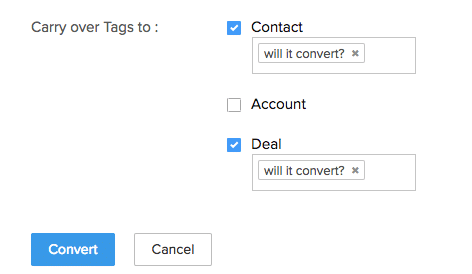
    ¿Las etiquetas nos llevan a la conversión de potenciales (Lead Conversion)?

    ¡La respuesta es sí! Observa la siguiente captura de pantalla:

    Las etiquetas sí nos llevan a ello. Sin embargo, es importante tener en cuenta que esa NO es la conducta por defecto y tienes que especificar el récord al que lo llevarás: contactos, cuentas y/o potenciales.

    Esto es un paso importante, al igual que también es importante que usemos las etiquetas con moderación para evitar abarrotar nuestros récords con ellas.

This site is registered on wpml.org as a development site. Switch to a production site key to remove this banner.