Category: zoho one

  • Forbes Reviews Zoho One’s Unification Capabilities

    As we recently announced, Zoho One has released its 21st version with many interesting and advanced updates that have caught the attention of many, including Forbes. In this article, we summarize what Forbes had to say about this unified and cloud-based suite of more than fifty integrated business applications.
    Image via Zoho

    SaaS Updates

    Forbes mentions that Zoho One has several benefits, which include offloading application management, updates to the vendor, and having a subscription model tied to resource usage. Moreover, updates in the SaaS model are instantly available to all. This means that new features are evaluated quickly, so you have nothing to download nor install. This gives calmness to customers because they know that their technology is current.

    Forbes highlights that it’s easier to deliver “superior customer engagement and operational excellence” when all the enterprise applications are in a unified platform since it reduces customization costs and complex integrations. Also, a unified platform with a single data source and reporting solution is ideal when organizations are turning to big data, AI, and machine learning applications. Greater security is another benefit that unified systems offer within a SaaS environment to enable business processes, consistent governance, approvals, and more.
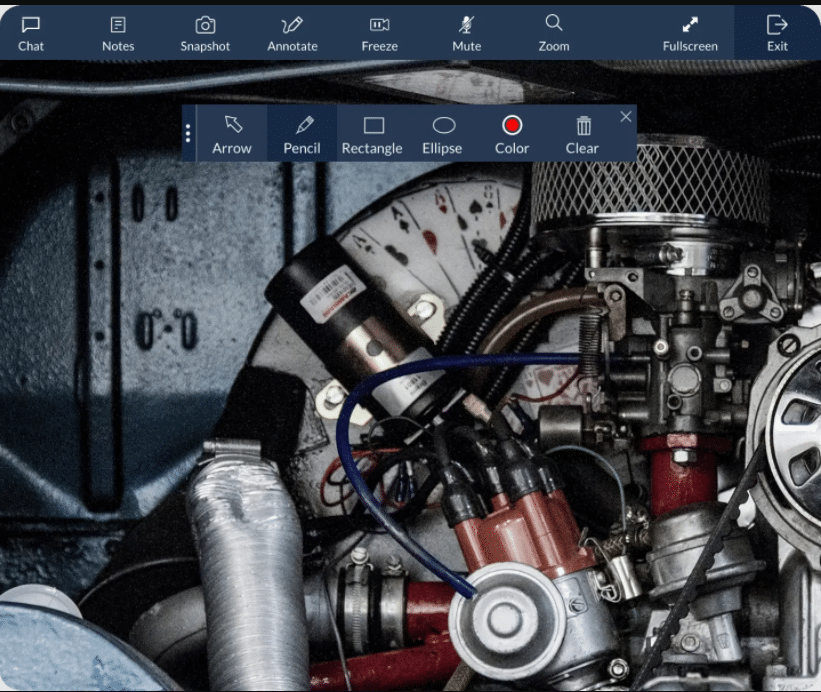
    A glimpse of Zoho Lens. (Image via Zoho)

    New and pandemic-aware improvements

    Because customers depend on more on digital channels to sell products nowadays, Zoho released Zoho Commerce in Zoho One to allow customers to grow an online business. With Zoho Commerce you can build a website, take orders, process payments, track inventory, manage shipping, market your brand, and analyze data in the online store.

    Moreover, Zoho added three new applications to the Zoho One suite to make remote collaboration easier and improved: Zoho Lens (for field service technicians to help solve problems faster and reduce on-site visits with augmented reality), Zoho Learn (a knowledge and learning management platform designed to capture and retain the team’s expertise and build training programs), and Team Inbox (a shared inbox for teams that eliminates the need for cc’s and duplicate responses).

    Another new app in Zoho One is Data Prep, which is powered by AI and discovers errors in data from multiple sources.
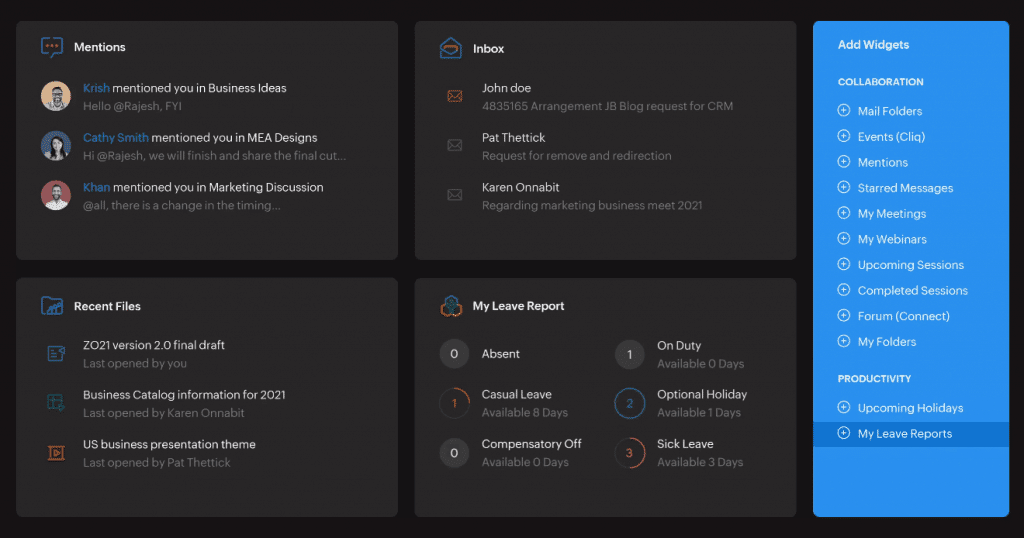
    Zoho One’s customizable dashboard allows to view and arrange all the data your business needs, thanks to 50+ smart widgets. (Image via Zoho)

    New and better services

    Forbes also emphasizes the 1500+ pre-built reports and dashboards in Zoho One to help synthesize data. As soon as the data in the CRM system, help desk, or a third-party application, all of it is understood and brought into analytics, and then populated into the pre-built reports. Regardless of technical abilities, Zoho has made it easier for any customer to obtain reports with natural language processing.

    With that in mind, the new back-end service called Work Graph creates a graph mapping out the different connections between an individual, the contacts, projects, and conversations with others across numerous tools like email and chat.

    Meanwhile, Mobile Applications Management enables IT to manage devices remotely, and it includes the automatic assignment and installation of specific applications to certain users, updating the operating system, and mandating security policies.

    Org Dictionary is another new tool in Zoho One. It’s a unified dictionary for the organization that is used across all writing pieces and different applications that will come to be specific to the organization.

    Forbes’ Conclusion of Zoho One

    Forbes concludes their review on Zoho One by praising their unified user interface that allows to look and move around all of the suite’s applications. This is provided by unified navigation, calendar, and a dashboard with over 50 pre-built widgets that span the entire business operations, always personalized on the home screen of each user. “These changes improve the overall experience of Zoho One as more streamlined and efficient,” states Forbes. “Third-party integrations are now unified and can be brought into the Zoho One ecosystem allowing access to all applications, whether Zoho or third-party.”

    To read the full article, click here.

    Are you looking to optimize or implement Zoho One in your company? Then click here and sign up for a free trial of Zoho One.

  • Zoho One Expands and Revamps with New Technology

    Zoho One, the unified and cloud-based operating system for business, has revealed a major update in its 21st version. This one includes five new apps, three new services, and seven major platform enhancements.

    Image via Zoho

    Raju Vegesna, Chief Evangelist at Zoho, said the following statement about the new Zoho One”

    “The experience that employees, customers, partners, and suppliers get when dealing with businesses is typically a reflection of how that business and its systems are structured internally. Today, the majority of systems are disconnected as a result of siloed solutions offered by vendors. Unification of a business requires unification of the underlying systems, which can then provide a truly unified experience, internally and externally, along with unified insights. Zoho One was created with this vision and keeps expanding its unbeatable value with new additions and improvements year over year.”

    The improvements to this operating system include the following:

    Unified and Real-time Insights

    • Embedded and Conversational BI: Zoho One now features embedded and conversational analytics that enables decision makers to submerge into their data and gather cross-departmental insights with natural language commands using Zia Insights. 1,500+ pre-built analytics reports and dashboards are provided for quicker and more precise critical business decisions.
    • Data Preparation: DataPrep, powered by machine learning, helps business users integrate, model, cleanse, transform, enrich, and catalog data. It also allows an integration with Zoho Analytics or a third-party app for newly discovered insights.
    • Work Graph: Zoho’s new back-end service, according to them, is “an industry-first for business software, maps interactions between people, resources, systems, and processes by studying signals and their strength across the board to build a business-wide work graph that is specific to each individual within the organization. The result of a work graph will be seen in the day-to-day productivity of users across various apps.”
    • Enterprise Search: Now powered by Zia, this actionable, organization-wide search now understands natural language requests. This will lead to more accurate data discovery across teams and functions.
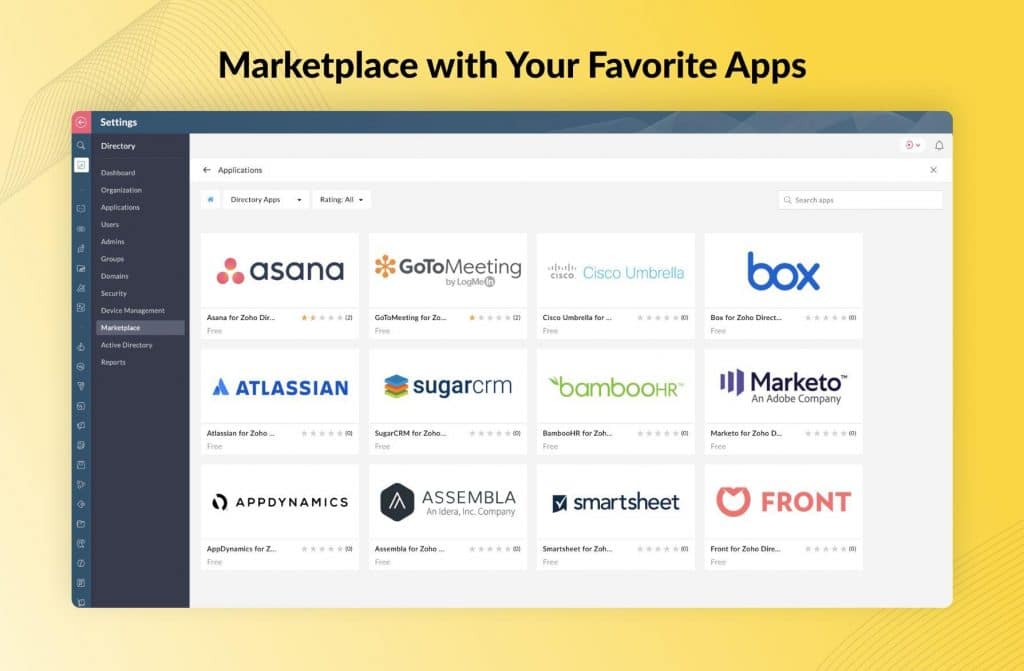
    Zoho One already integrates with more than 1,000 third-party solutions on Zoho Marketplace. (Image via Zoho)

    More Efficient Operations Scalability and Management for Volatile Scenarios

    • Mobile Application Management (MAM): Zoho One now includes enterprise-grade Mobile App Management capabilities. Admins can effortlessly add and manage all of their users’ devices for improved insight, specific app permissions and policies, locking and wiping devices remotely, and more.
    • Zoho Commerce: The addition enables retailers to build online shops without hassle and with the tools needed to create a website, accept orders, track inventory, process payments, manage shipping, market their brand, and analyze data. Plus, it integrates with third-party payment gateways.

    Solid Employee Experiences Regardless of Location

    • Zoho Learn: This just-released app is a learning management tool that enables interactive training programs and assessments with Zoho’s course builder, and it was made for nurturing employee growth.
    • Zoho Lens: This app gives remote assistance and guidance to employees through augmented reality (AR) via real-time AR annotation, VoIP and text chat, and more. This ensures improved communication and collaboration in a remote-work setting.
    • TeamInbox: A shared email inbox between teams aimed to eliminate task duplication and streamline email conversations in one central place.
    • Org Dictionary: Another industry-first, this service provides a central dictionary for the entire organization. It automatically incorporates the employee name and other sources offering a central and stable diction across various Zoho applications and users.

    Unified and Personalized Experience with Context

    • Unified Console, Dashboards, and Smart-Stack UI: Employees can see their apps, services, and dashboards in one view with centralization across calendars, navigation, among others.
    • Customizable Dashboard with Pre-Built Widgets: This offers users visibility across the organization in a single view with the ability to go deeper with just one click away.

    The Zoho One platform already integrates with more than 1,000 third-party solutions on Zoho Marketplace and now expands integration with 100+ telephony providers to enable seamless communications between stakeholders. Moreover, Zoho One includes a comprehensive platform for developers and business users to create, extend, and integrate. The platform includes Canvas, Zoho Creator, and Catalyst.

    To read the full article, click here.

    Are you looking to optimize or implement Zoho One in your company? Then click here and sign up for a free trial of Zoho One.
  • Case Study: Zoho One Streamlines a Business

    With over 40 apps under its belt, Zoho One has become an excellent operating system alternative for businesses. Zoho One is a unified suite of business and productivity applications from Zoho to manage sales, marketing, customer support, finance and operations, human resources, custom solutions, and more. Because we know you’d like to learn more about how Zoho One can help you, here’s a video testimonial of Rablab, a digital marketing agency based in Canada. In the video, some of the company’s employees share how Zoho One helped their business thrive thanks to its streamlined and time-saving processes. Watch the video or read the following transcript*.

    Nicolas Rabouille, Co-founder/Project Management

    I’m a partner and Project Manager at Rablab. What we do is ad placement. We run Adwords [Google] ads, Facebook ads, we do SEO. When someone has a website and needs more visibility, we give them the visibility that they need. We used to have lots of different tools for accounting, for project management. We started with Trello but it got out of hand really fast because we have over 150 clients.

    Francis Jobidon, Co-founder/Key Account Manager

    We’re like lawyers. Our business is a business of time and we were losing so much time everywhere being across two or three platforms. Having Zoho One helped us scale way, way faster.

    Nicolas Rabouille, Co-founder/Project Management

    [Using other platforms] was really expensive because we had to subscribe to monthly fees to each of those tools, so since we moved on to Zoho we got everything in the same place. It’s really streamlined for business because Zoho basically manages our whole business.

    Francis Jobidon, Co-founder/Key Account Manager

    Before we had Zoho, the biggest client that made us realize the need for a great one-stop-shop tool was Vans. We were managing their campaign across Canada and we didn’t have the feeling that we were on top of before Zoho. Using Zoho helped us nail it down and deliver on the right things we needed for this project. We saw it right after we started using Zoho. We’re able to be more in control of the onboarding process and the sales process. Everything was seamless and really helped us take that step towards being a major agency, even though we’re still small but we’re still growing. That tool really helped us give a structure that maybe wasn’t there before.

    Patrick Cousineau, Business Development

    I absolutely can’t complain. It’s very, very nice because I was sort of dipped gradually into the Zoho world or the whole Zoho experience. The basic CRM is the one I use the most, simply because as far as customers, the day-to-day, the tracking, we take notes. We can track quotes, emails, phone calls. We can keep the contact information and so forth. It’s just a place where we can place a whole bunch of information that’s really important for us to have close at hand, not only on the laptop or desktop version, but on our phones as well.

    Nicolas Rabouille, Co-founder/Project Management

    We use [Zoho] Projects to manage all over projects. With Zoho now, we can really track time for each and every project. All of our clients are based on recurring business, so every 1st of the month we send them an automated bill that is programmed in Zoho Books. That really helped us save a lot of time every month doing the billing because we used to pass about eight or ten hours every month just to do manual billing for each client and now it’s all automatic with Zoho. We also use modules for contacts, deals, prospects, so we have a clear pipeline of every prospect we meet and every quote we send. This allows us to have a clear view of where the client is in their pipeline and if it’s a closed deal, or a cold or hot lead. So, we get a really clear view of what’s coming in the next few weeks and months; a good overview of prospective clients and this is really, really good for us.

    Francis Jobidon, Co-founder/Key Account Manager

    I would recommend Zoho to anyone. We had previously tried three or four CRM tools at the same time for sales and project management, but Zoho is the best one-stop-shop we have tried by a mile, so I would recommend it anytime.

    *Transcript edited for clarity.

    Are you considering implementing Zoho One in your business? Then click here and sign up for a free trial of Zoho One.
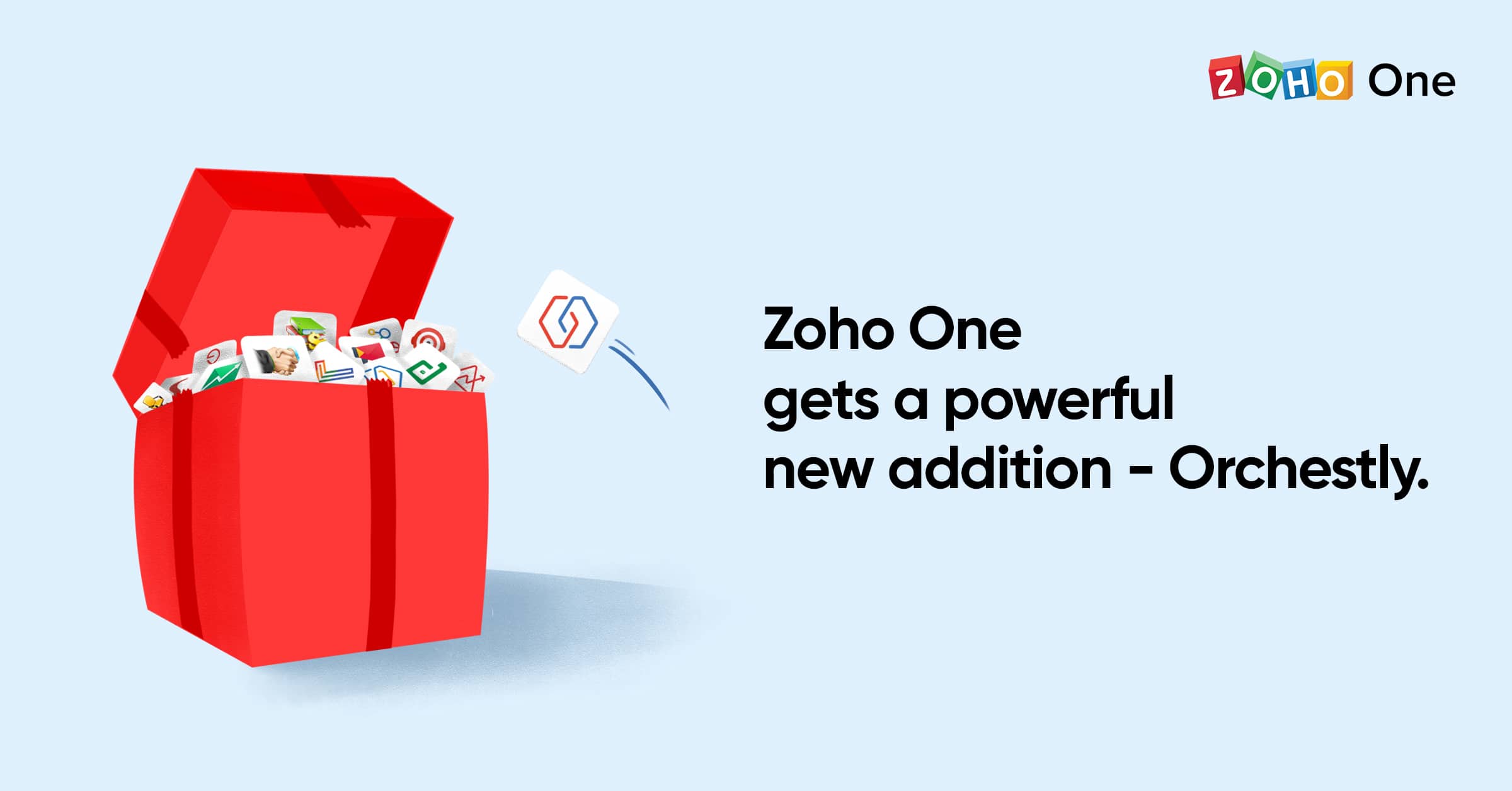
  • Zoho One Adds Zoho Orchestly Platform

    Another innovative addition from Zoho has arrived: Zoho Orchestly! This addition is part of Zoho One, the Zoho platform that has more than 45 Zoho products and services. Zoho Orchestly is a business orchestration platform that helps automate workflows, enforce compliance, provide visibility, and cut out inefficiencies. In Orchestly, you can view and track information flowing through the various apps of Zoho One, as well as third party applications. In other words, this makes business workflows to run smoothly, no matter how complex the process might be.

    Image via Zoho

    How Zoho Orchestly Works?

    Here’s an example of how a team might use Orchestly: a marketing agency that runs on Zoho One and builds websites for its clients has the following workflow:

    • Team brainstorming ideas and options. This can happen in Zoho Connect groups, Zoho Cliq channels, or via face-to-face meetings.
    • A content writer creates the content in Zoho Writer. This is reviewed and needs approval by the editorial team, who collaborates in the same Zoho Writer document.
    • The job moves to a central design team using Zoho Desk to manage requests. Then it goes to a development team which uses Zoho BugTracker to log issues and track progress.
    • The content manager needs to review and approve the website before it can be delivered to the client.

    Such workflows involving multiple systems within Zoho are common nowadays. If the communication between the different teams is only done via email or calls, things may become chaotic. Therefore, information can be lost and/or mixed. It can be challenging for the person responsible for this entire workflow to know the status of a particular job and where the bottlenecks are.

    Zoho Orchestly allows the marketing agency to create a blueprint for the new website workflow with simple drag and drop options and no coding. Now each new website request would create a new “job” that would pass through the above predefined steps.

    The right persons can be assigned to the different stages so that they (and only they) can get alerted at the right time and act. You can command actions, such as requiring the link to the Zoho Writer document to be attached when sending it to the editor. It is also possible to pull the relevant information from the various other systems involved (in this case, Zoho Connect, Zoho Cliq, Zoho Writer, Zoho Desk, and Zoho BugTracker) and display it in Orchestly. Lastly, you can also get workflows and insights from reports and charts.

    To learn more about Zoho Orchestly, read the full article on Zoho’s blog.

    Are you looking to implement Zoho One in your company? Then click here and sign up for a free trial of Zoho One.

  • How Can Zoho One Help Small Businesses?

    Picture this: you own a small business. As you already know, no matter the size of a business, it will always have its own challenges and sacrifices. You start dealing with the fact that small businesses have less human and technology resources. Therefore, you must maximize them to their fullest potencial to avoid bottlenecks that might slow down processes and profit-earning activities. That leads you to look for solutions, which might lead you to answers… but with a question mark.

    Image by Tim Mossholder via Pexels

    A challenge that your business might run into is data management. When most businesses start, they purchase single applications that include office tools, marketing, CRM, communications, among others. However, there’s a catch: every application must be integrated with the other ones or function as a standalone product, and either option will be less efficient. This is the moment when you might feel like panicking, but stay calm! There is a very practical solution.

    That need for integration inspired the creation of Zoho One a few years ago. This software’s mission is to give businesses an integrated solution with applications that work together smoothly in a continuous way. An integrated software eliminates the problems caused by using standalone applications, resulting in streamlined company operations. This happens by giving everyone (including decision makers) increased visibility of all the processes and accurate, updated information in real time on any device. This will avoid misinformation and/or misunderstandings within the team.

    Zero misinformation and lots of happiness within the team thanks to Zoho One! Yay! (Image by Rawpixel via Pexels.)

    All those benefits lead to this conclusion: you will save money and increase productivity in your business by implementing the Zoho One integrated system. You won’t have to buy and install (among other steps) different standalone applications and you will spend less money on IT. Remember that when you save money on one area of your business, you can use it for another one or for unforeseen expenses. Pretty awesome, eh?

    If you’d like to learn more about Zoho One and the benefits of integrated systems, check the full article.

This site is registered on wpml.org as a development site. Switch to a production site key to remove this banner.