Zoho Campaigns can help you do more besides saving time and efforts. In this webinar from our partner Zoho, you’ll learn how to make your email marketing smarter with the help of Zoho Campaigns. Click play and learn the Zoho way!
Are you thinking about using Zoho Campaigns for your email marketing campaigns? Visit our Zoho Advanced Partner page to learn how we can help you.
Ah, the wonderful world of email marketing campaigns! In a fast-paced, full-of-contents internet world, email campaigns are always a challenge. Anyone who has worked with email campaigns must’ve asked her/himself: Will my content work? Will I get a gazillion of unsubscribes as bad karma for all the email listings I’ve unsubscribed from? Will anyone read my emails?!?! Well, like Yoda would say in his reverse syntaxis: Fear do not! We have summarized some cool tips from our friends and partners at Zoho to improve email campaigns. Read them you must!
Image from rawpixel.com via Pexels
1. Have Healthy Mailing Lists
Yes, even mailing lists can have health issues as well! If you keep stagnant lists for too long, you may get more bounces after sending new campaigns. Be always on the lookout for email addresses that are no longer in use and remove them from your lists. This will prevent not only constant bouncing, but also inaccurate and poor campaign reach reports.
2. Testing, Testing!
They say “Practice makes perfect,” but guess what? Running tests makes perfect as well! As much as it may hurt to admit it, delivering the right contents isn’t always that easy. Your email campaigns will be the darlings of your targets’ inboxes when your subject line and campaign content resonate with them. One way of doing tests is the A/B testing method. This involves sending two versions of the same campaign to a small number of your recipients. According to the reach of each version, use the one that performed better and send it to the rest of your subscribers.
Image from rawpixel.com via Pexels
3. Get Targeted Outreach by Creating Segments
In order to send targeted and relevant email messages, you must segment your list of email subscribers. Use specific criteria to group your recipients, which will save you lots of time. The most common criterion is geography, since you will be able to send emails based on your recipients’ time zones. This will result in unique opens and clicks, as well as improve your campaign statistics in general. You should also pay special attention to the patterns of email opens based on dates and hours.
4. Send Emails in Batches
Have you thought that there’s no such thing as too many email subscribers? Well, there is! Start batching your email campaigns before sending them. Do this by segregating your list into batches. Then, after sending the email to the first batch, analyze how many opens and clicks have been made. Therefore, you’ll know how to proceed with your other batches. Also, tracking the links in the campaign is a must so you can see how many subscribers have clicked and visited the link.
Image from rawpixel.com via Pexels
5. Content Must Speak for Your Brand
Contents should always be engaging and crisp, just like your company! Don’t create long emails. Instead, opt for emails that are visually-appealing, which will generate more opens and clicks. You can do all of this by keeping your ideas simple. Your campaign must encourage your recipients to take action, which is the ultimate goal.
Now that you’ve read these life-changing tips, go ahead and conquer the world with your email campaigns! We are rooting for you!
To read more, visit Zoho to access the full article.
Are you thinking about using Zoho Campaigns for your email marketing? Visit our Zoho Advanced Partner page to learn how we can help you.
The world of email marketing can be quite tricky. However, if done properly and by following the right guidelines, you’ll be able to successfully reach and engage your audience to obtain the desired results. Recently, Salesforce published some useful explanations and tips about email deliverability, which we summarize in this article.
Image from Pixabay via Pexels
What is the Difference Between Deliverability and Delivered Rate?
These two aspects are very important when it comes to sending marketing emails. Therefore, it is a key factor to know the meaning of each. Deliverability measures where and if your emails land in a customer’s inbox. This means that if you have poor deliverability, your customers won’t receive your email messages, so obviously they won’t be able to see them.
Meanwhile, the delivered rate measures the number or percentage of emails that don’t have a hard or soft bounce. Unlike deliverability, the delivered rate doesn’t consider where the message was placed in the inbox.
Emails Also Have a Reputation
It might sound strange, but that’s how it is! Email deliverability is very important in the strategy of marketing emails. This depend on the email sender reputation score, which determines if your subscriber will either receive or not your email messages. The Internet Service Providers (ISP) determine, according to multiple data points and factors, if they will accept or reject an email message. These data points also decide if the message will be placed in the inbox or in the spam folder.
Image by rawpixel.com via Pexels
So, how can we protect the sender reputation? Salesforce suggests the following:
Use double opt-in and reactivation campaigns, which ensure that the email address belongs to a real person.
Remove from your subscription lists those email addresses that are invalid or that do not respond to the messages.
Create interactive and actionable emails. The more your customers click and interact with your message, the higher your sender reputation score will be.
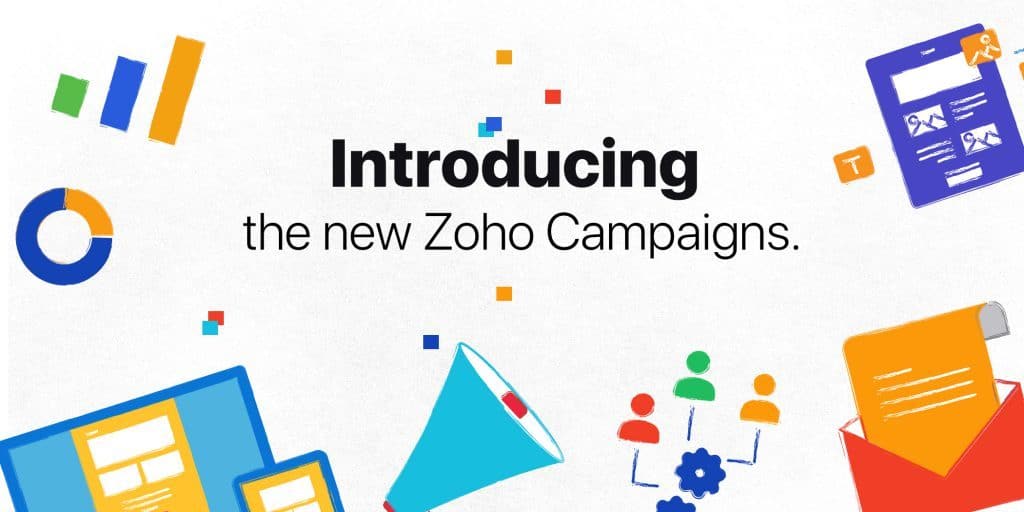
The new Zoho Campaigns has been designed to deliver highly customized messages to your subscribers.
Email marketing is no longer a simple, one-message-fits-all activity. Today it is a complex exercise which requires understanding your subscribers’ behavior and interests in order to see results. Targeted, relevant, and personalized messages are the way to make every subscriber feel unique.
We developed the new Zoho Campaigns with this in mind, and it is available for all users starting today.
Here are some of the highlights:
A fresh new look
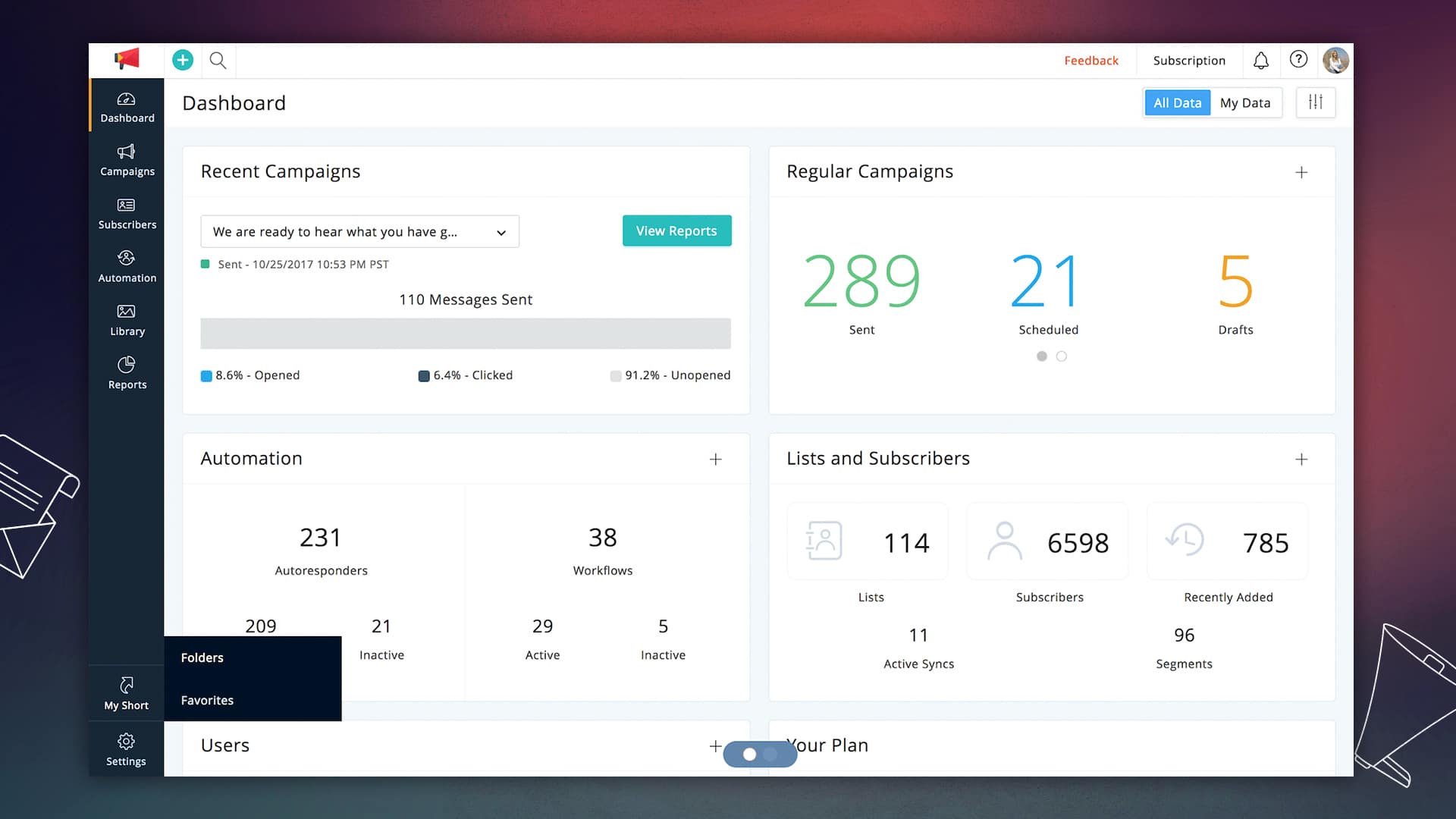
This is the most obvious change that you will notice when you switch to the new version. Our polished interface is designed to improve the user experience and help you achieve your goals faster.
Drag, drop, and deliver
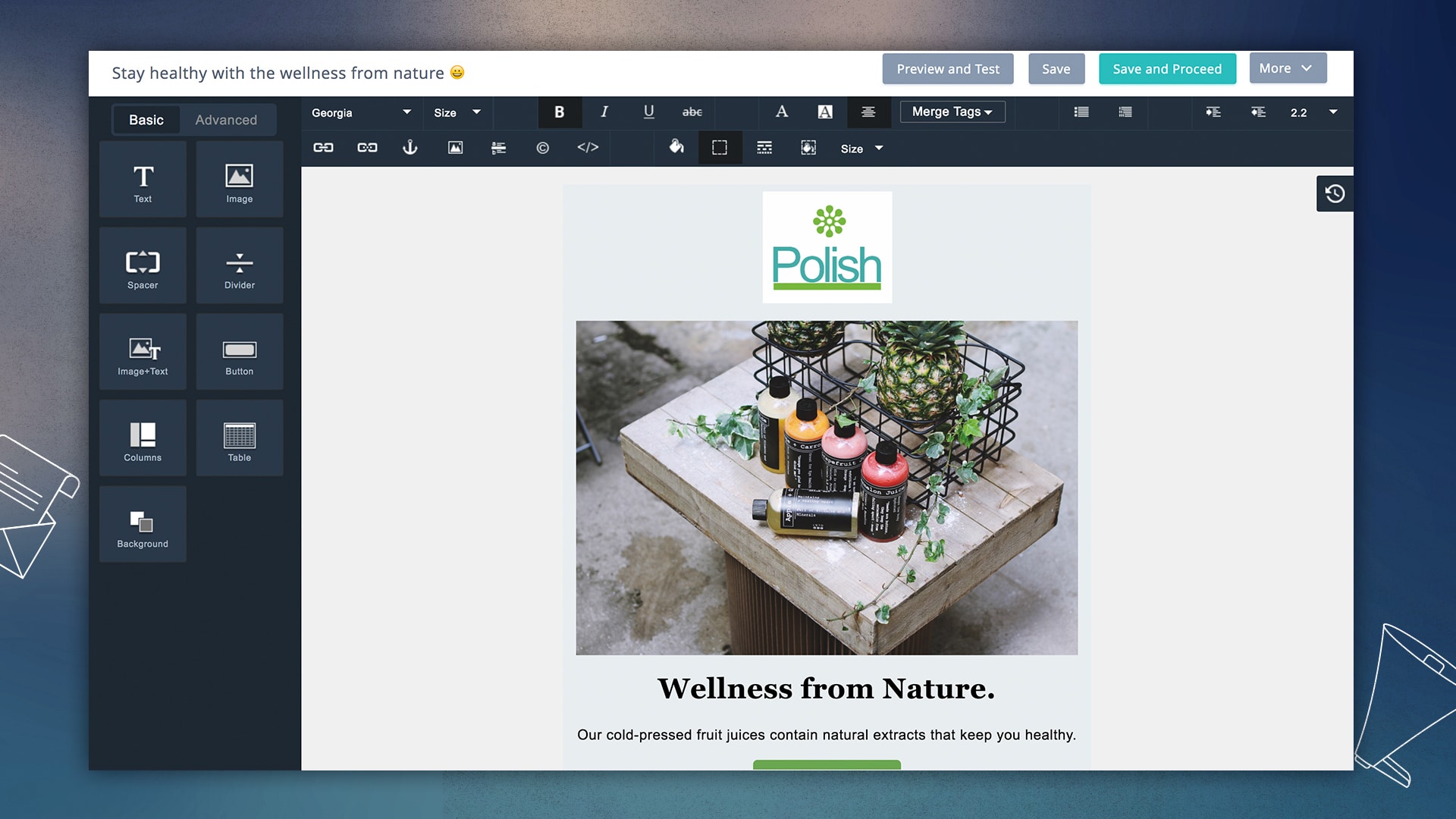
The design of email templates is one of the primary factors that determines its success. The new editor allows for complex, responsive template designs through a simple drag-and-drop interface. The template gallery is also loaded with a number of new designs for almost every occasion.
Preview designs on multiple devices: We have teamed up with Litmus so you can see how your templates look on various devices and systems before sending your campaign.
Design to improve engagement rates: Adding pre-header text, attachments, and links to social media profiles is easier than ever now.
Template version: Each template iteration is saved so that you can seek the history behind your final design.
Personalization at the time of open
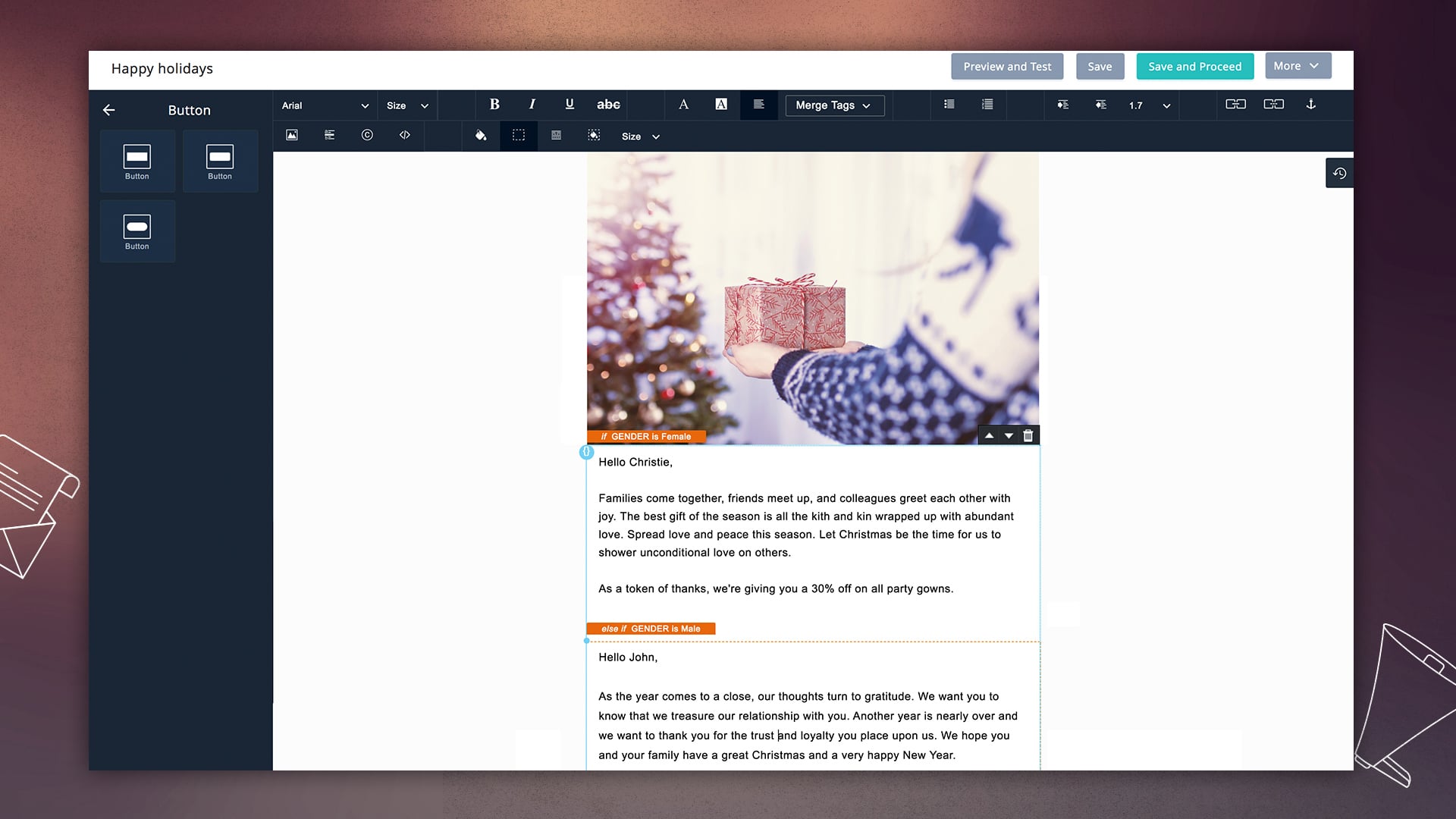
Personalization goes beyond just the first and last names. More subscribers will engage with your email if your messages feel like they are written specifically for them. Dynamic content shows different sections of your template based on the information that you have about your subscribers.
As a marketer, you can craft multiple messages for different users, and Zoho Campaigns shows the most relevant content for them, right when they open their email.
Automation that works for you
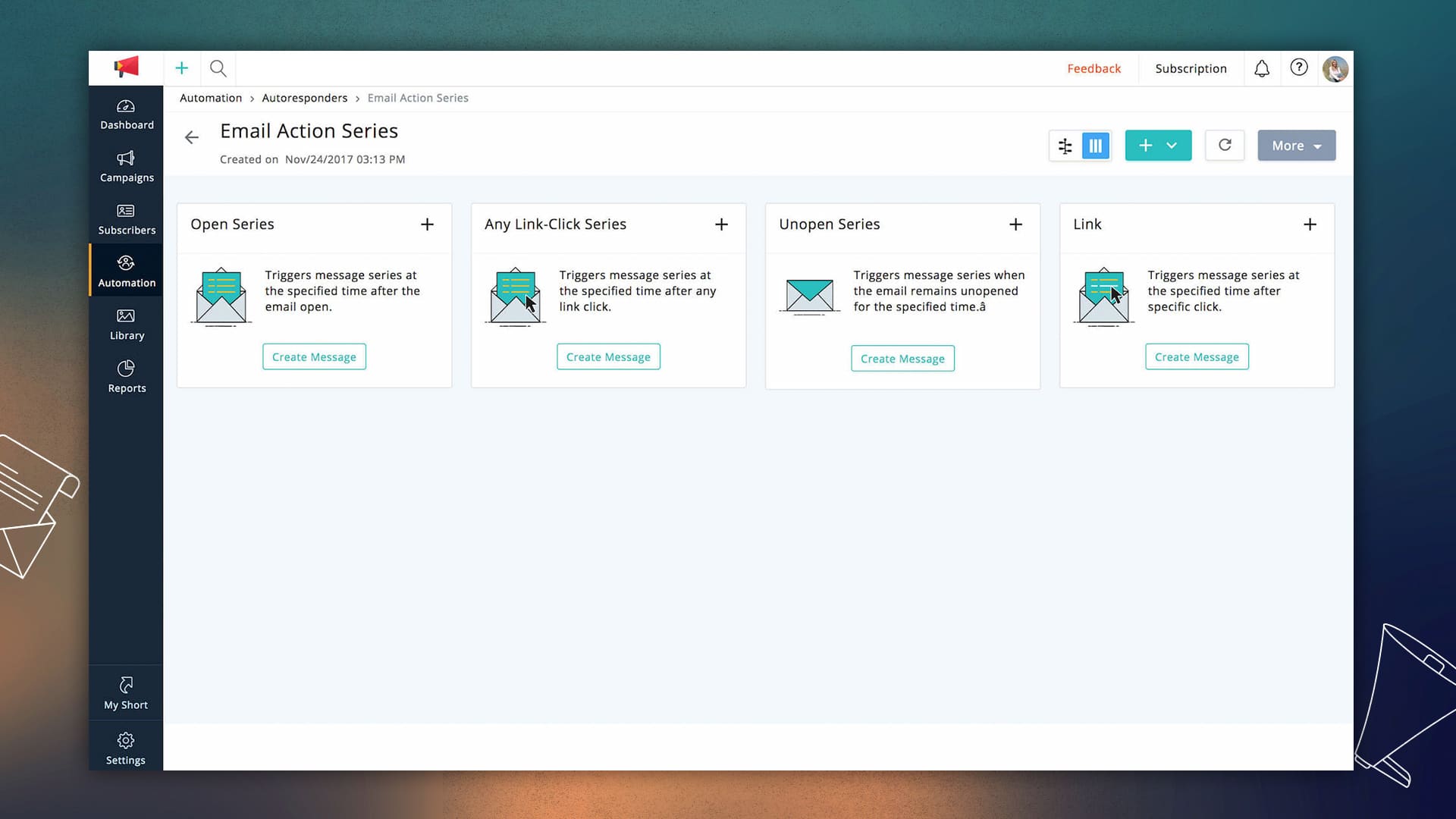
Effective automation is a huge time-saver for marketers. We have added a number of customizable autoresponders that put email campaigns on auto-pilot. The new version has a lot more triggers and workflows that allow you to send follow-ups based on audience behavior and actions.
Reports to help you plan your next move
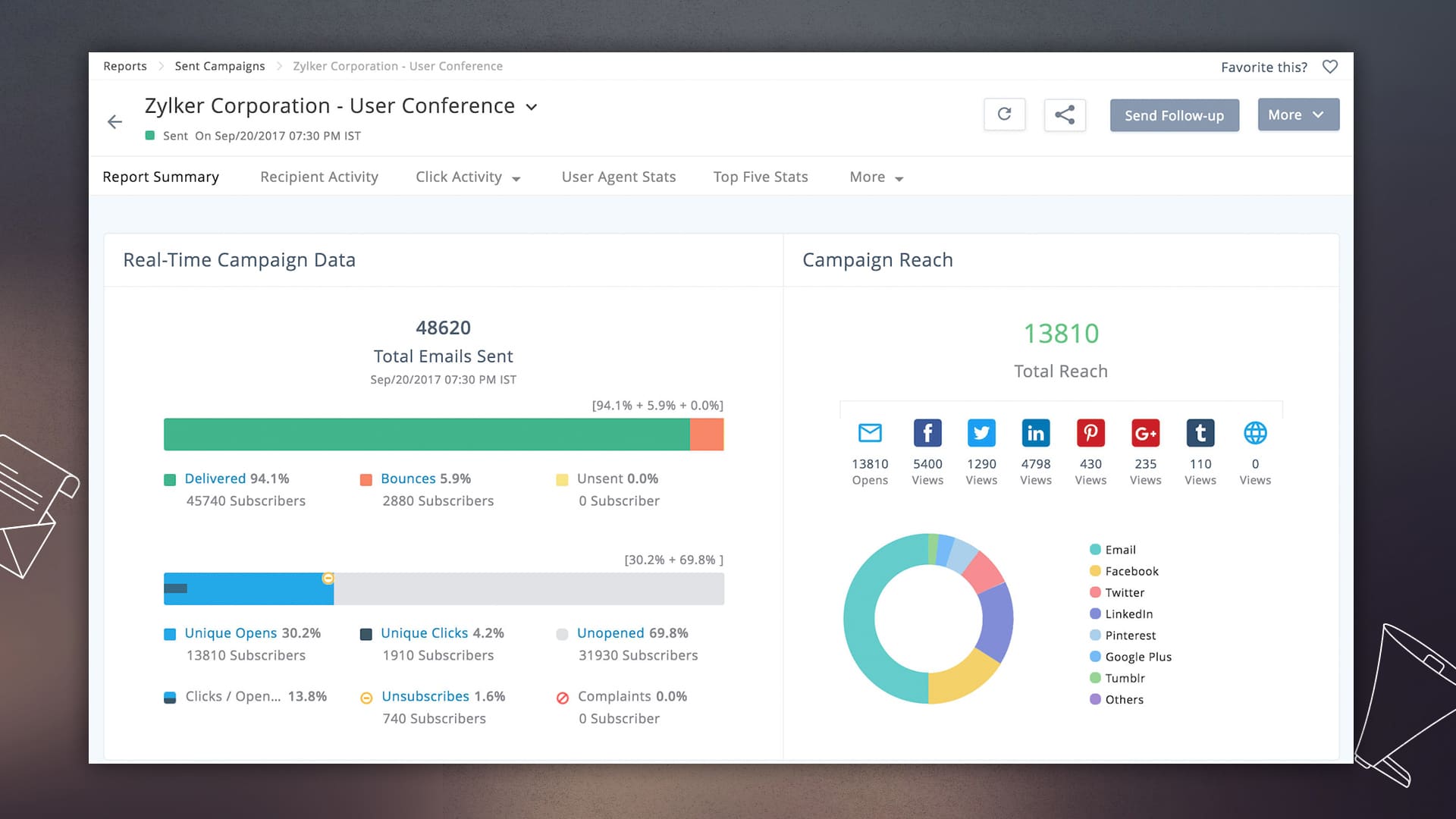
Performance reports are most effective when they guide your actions to increase conversions. Whether it is your mailing list health or subscriber engagement, now you see detailed reports at every level of a campaign. Once your campaigns are running, the customizable dashboard shows you a summary of your email marketing performance.
Email marketing that follows the rules
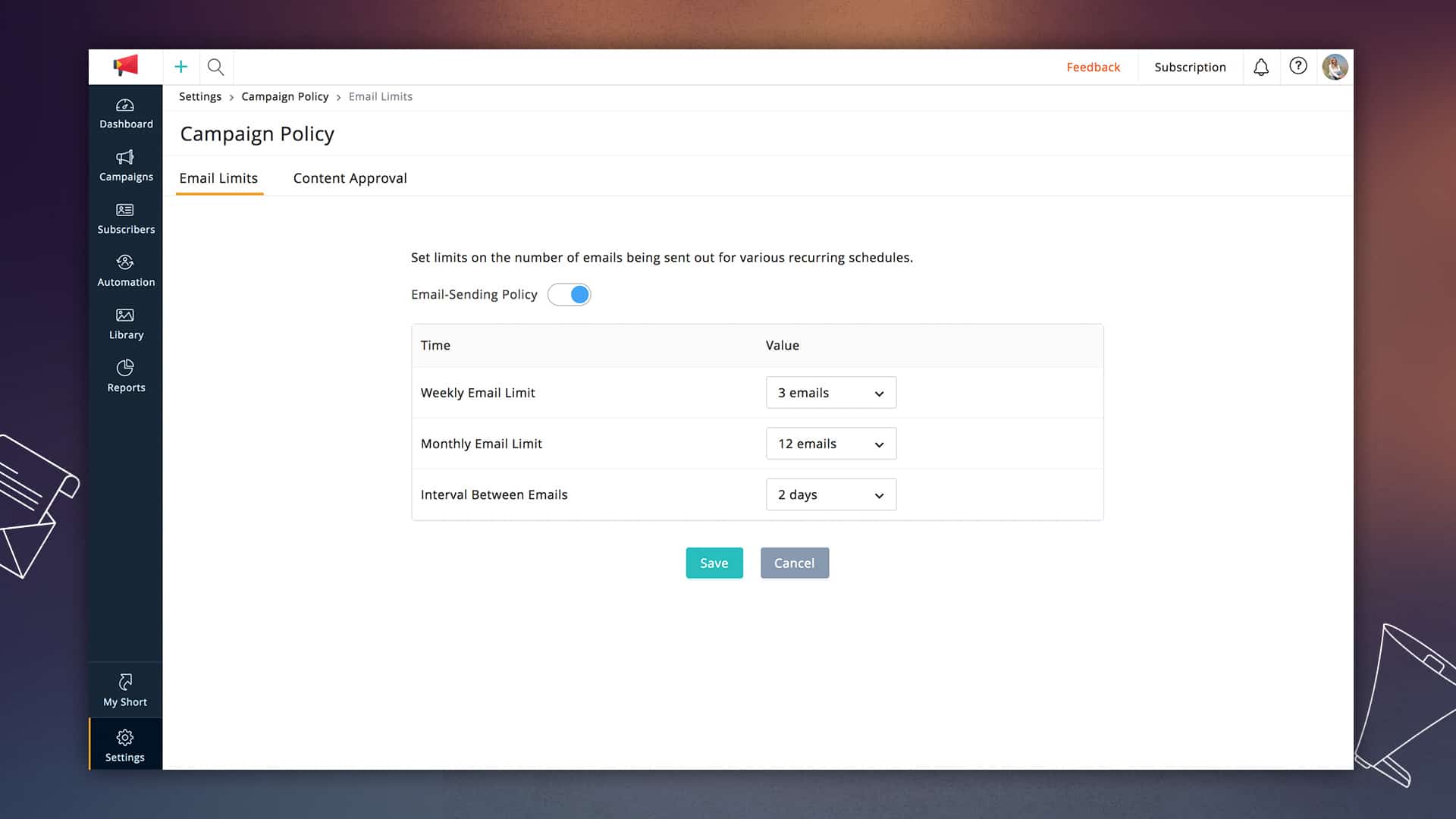
Zoho Campaigns has always provided tools that allow marketers to conduct successful permission-based email marketing. In this latest update, we are introducing email limits that can control the number of emails that any subscriber receives in a particular period. You can set this based on what works best with your audience.
Become more organized.
Our updates were designed to make the marketer’s life as easy as we can make it. The new version lets you get your work done as quickly and accurately as possible.
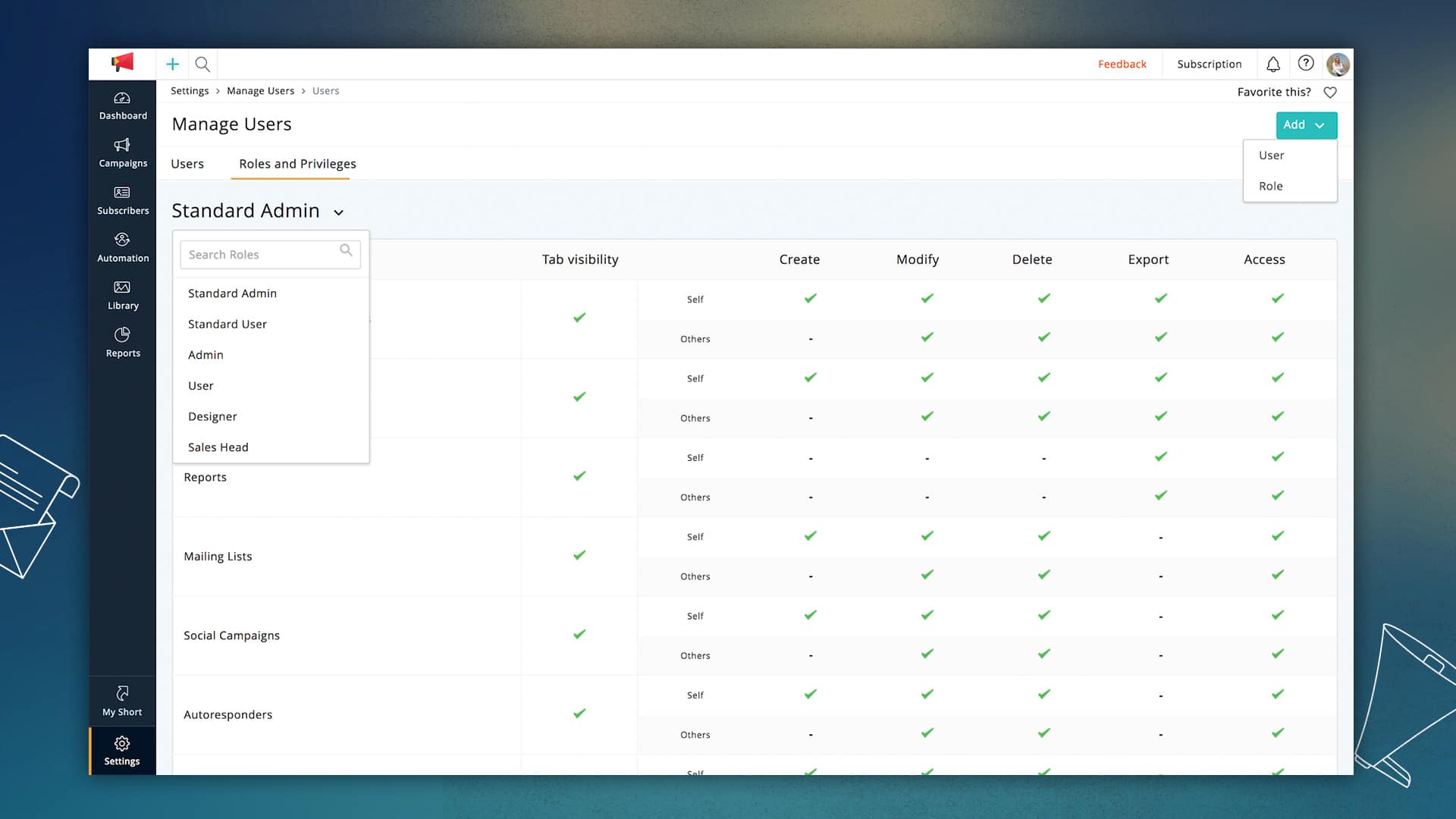
User roles and privileges: Now you can set permissions for different types of users working on your campaigns and define roles for each team’s unique needs.
Folder and Favorites: Lists, campaigns, and reports can now be grouped so that you see only relevant information. Favorite your most frequently used page in your account to reach them in just a single click.
Managerial Approvals: If you have more than one person working on your team, you can add managers make final decisions on your email campaigns.
There is a lot more to explore in this updated version and plenty more to come in the days ahead. We hope you like what we have built, and as always, we would love to hear your feedback!By Sharanya R. via Zoho Blog.
This site is registered on wpml.org as a development site. Switch to a production site key to remove this banner.