Category: Blog

  • Tami: Your unified AI operations agent

    Ask Tami about business, Zoho, Artificial Intelligence, or InterConnecta 👇🏻

    Smart management, faster decisions, measurable impact.

    Tami, the unified AI agent for business intelligence and automation, connects systems, automates tasks, and smoothly scales operations. It’s not just another bot or one-off solution: it’s the flagship tool in our suite of AI agents, designed to coordinate workflows, interpret real-time data, and deliver tangible value in every interaction.

    The challenge: disconnected systems, scattered data, slow decisions

    Modern companies operate with multiple tools: CRM, support systems, collaboration platforms, HR software, and more. Each serves its purpose, but they’re rarely connected seamlessly, causing bottlenecks, duplicated tasks, and lack of visibility for decision-making.

    Tami was created to solve that problem. It’s a smart agent that acts as a central brain, connecting data, people, and processes to achieve more synchronized, automated, and effective operations.

    What does Tami do?

    Tami interprets, executes, and coordinates. That means:

    • Detects what the customer or team needs right now
    • Activates the necessary agents or tools depending on the process
    • Assesses the impact of each action, delivering metrics and insights for continuous improvement

    Instead of multiple chats or open windows, Tami offers a single conversational interface where you can:

    • Raise a ticket
    • Request a report
    • Coordinate tasks between teams
    • Automate workflows across CRM, Desk, Projects, Finance, Human Resources, Documentation, and more

    Integrations that enable results

    Tami connects natively with tools like:

    OpenAI • Zoom • Zoho CRM • Zoho Desk • Zoho Projects • Zoho People • Zoho Analytics • Zoho WorkDrive • Salesforce • MS Teams • GitHub • QuickBooks, and many more.

    This allows it to act as a connector of systems and workflows, eliminating friction between platforms and centralizing decision-making.

    Skills that make the difference

    Tami combines intelligence, action, and context to turn automation into real results.

    • Connects and interprets real-time data without moving it from one app to another
    • Activates and coordinates smart agents such as:
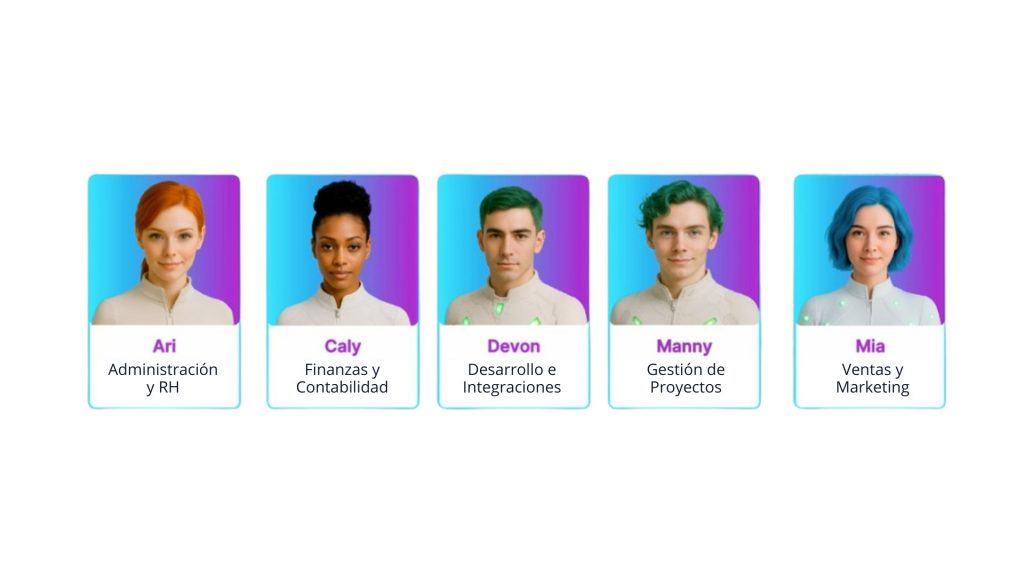
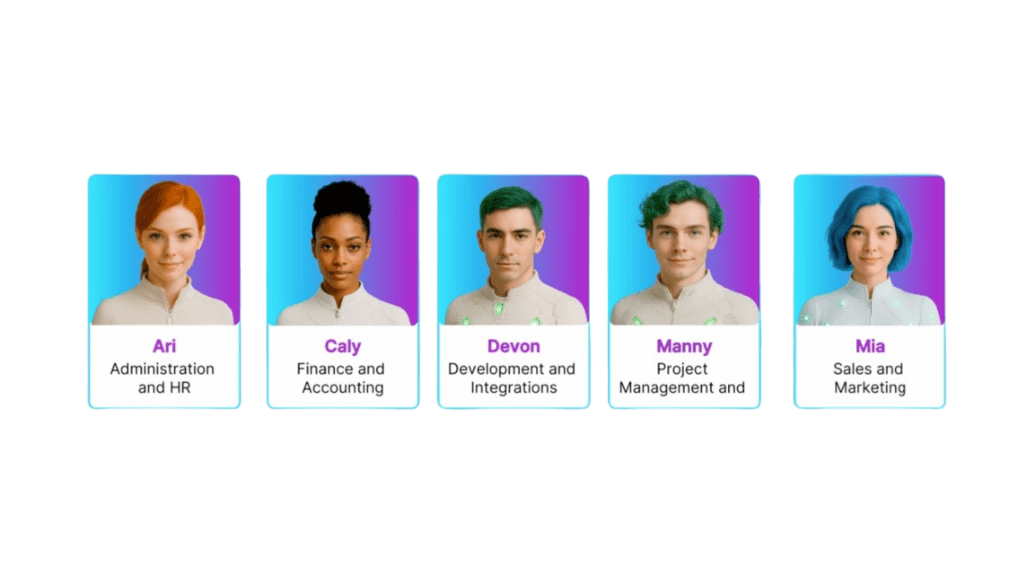
      • ARI (training and user follow-up)
      • CALY (smart financial management)
      • DEVON (support for development teams)
      • MANNY (technical support automation)
      • MIA (sales summaries and analysis)
    • Coordinates tasks end to end without human intervention
    • Detects patterns, suggests solutions, and adapts based on results
    • Learns from every interaction and continuously improves

    An agile and strategic model

    Tami doesn’t need long implementations or complex technical dependencies. Its rollout is based on three clear phases:

    🔹 Discovery
    Analyzes your processes, detects bottlenecks, and finds improvement opportunities.

    🔹 Configuration
    Connects your tools, activates the necessary agents, and defines initial workflows.

    🔹 Optimization
    Adjusts based on results and scales the solution into new areas or business models.

    What makes Tami unique?

    Tami does not replace your current tools; it enhances them. It becomes:

    • Your operational control center
    • Your manager of specialized agents for each need
    • Your solution for executing end-to-end tasks from a single interface
    • Your source of actionable and repeatable results
    • Your platform for scaling solutions by industry, team, or client type

    Real use cases  

    Each case shows how Tami keeps your operations coordinated, seamless, and always moving forward.

    “Tami summarizes meetings and updates the CRM” → MIA activated
    “Tami manages onboarding and sends legal documents” → ARI activated
    “Tami detects sprint blockers and assigns new tasks” → MANNY activated
    “Tami explains the latest commit and updates technical documentation” → DEVON activated
    “Tami compares budgets and triggers alerts for variances” → CALY activated

    Measurable results for your business

    ✔ 40% less operational response time
    ✔ 70% of repetitive tasks automated
    ✔ Lower workload for support, sales, and project teams
    ✔ Faster decision-making

    A product designed to scale: Tami learns from your operation, identifies repeatable processes, and lets you turn them into packaged solutions. From a single need, you can evolve into a full suite of business agents.

    If you believe your operation could benefit from a more connected and intelligent management approach, you can explore how Tami works in your own environment.

    And try it yourself!

    Benefit available in our Enterprise Manager Portal for InterConnecta customers.
  • Smarter hiring: How Artificial Intelligence works in Zoho Recruit

    Finding the ideal candidate takes time. Reviewing hundreds of resumes, comparing profiles, following up, and making objective decisions can become a long and exhausting process. But what if you could rely on artificial intelligence to simplify everything without compromising quality or judgment? In Zoho Recruit, this is already a reality thanks to the integration with Zia, Zoho’s intelligent assistant.

    What exactly does AI do in Zoho Recruit?

    Zia, Zoho’s AI assistant, does not replace the recruiter—it enhances them. It is designed to understand what each vacancy requires, thoroughly analyze applicant profiles, and offer helpful recommendations at every stage of the process.

    Here are some tasks Zia can already help you with in Zoho Recruit:

    1. Instantly post job openings

    With AI Assist, drafting job postings is no longer a slow task. You can generate complete descriptions in seconds by simply entering a few key details or writing a custom request. Once ready, you can publish them to multiple job boards from a single place, streamlining the entire process without compromising content quality.

    2. Automatic resume filtering

    Zia analyzes the key data from each resume and compares it to the job requirements. It detects relevant skills, experience, education, and other factors that influence selection, eliminating unsuitable profiles from the start. This significantly reduces the time spent on repetitive tasks.

    3. Smart candidate suggestions

    When you post a job or add a new vacancy, Zia reviews your database and suggests candidates who could be a good match—even if they didn’t apply directly. These recommendations are based on real matches between the profile and the vacancy, not just on keywords.

    (imagen via zoho)

    4. Match scoring

    One of the most valuable features: each candidate receives a score reflecting how well they fit the position. This score considers multiple factors, from technical skills to prior experience and cultural fit, helping to prioritize interviews objectively.

    (image via zoho)

    5. Success predictions

    Beyond identifying who fits the role, Zia can also help you estimate who is most likely to advance in the process or even stay with the company. This enables more strategic hiring decisions.

    Real benefits for your team

    The implementation of AI in recruitment processes not only speeds things up but also improves decision quality. By automating more operational work, recruiters can focus on what really matters: getting to know candidates, evaluating their potential, and strengthening relationships with hiring teams.

    Additionally, by eliminating unconscious biases and applying consistent criteria, a fairer and more data-driven selection process is achieved.

    A help, not a replacement

    Zia does not replace human judgment—it supports it with useful, organized, and contextualized information. Its integration within Zoho Recruit is a demonstration of how artificial intelligence can naturally integrate into the daily operations of any HR team, without requiring advanced technical knowledge.

    Artificial intelligence in recruitment is no longer a promise for the future. With Zoho Recruit, you can start taking advantage of it today to make your processes simpler, faster, and more effective.

    Want to explore how this technology can be adapted to your organization? Write to us and we’ll help you evaluate it with no obligation.

  • Case Study: Integration of Zoho CRM, Zoho Analytics and QuickBooks for advanced financial management

    A client with active business operations needed to optimize access to and analysis of their financial information, especially related to invoices generated and stored in QuickBooks. The goal was to consolidate this data into their CRM system and obtain detailed reports for decision-making.

    Challenge
    The company managed its business processes in Zoho CRM, but financial tracking of customers (such as payments, outstanding invoices, and itemized details) was in QuickBooks, making it difficult to have comprehensive visibility from a single system. Additionally, they needed to present the information clearly and visually for different profiles within the organization.

    Implemented Solution
    Through a custom integration between Zoho Analytics, Zoho CRM, and QuickBooks, a solution was developed that enables:

    • Viewing all invoices associated with a customer directly from their record in the CRM.
    • Creating a link within the Deals module in Zoho CRM that connects to a specially designed Zoho Analytics dashboard.
    • Displaying detailed information such as:
      • The total amount payable by the customer.
      • Monthly payment history and the evolution of billed amounts.
      • Status of each invoice: paid, pending, and payment dates.
      • Items included in each invoice, with their respective description and value.

    Results

    • 360° financial visibility from the CRM, without needing to access QuickBooks directly.
    • Time savings in searching for and analyzing invoices.
    • Better business decision-making thanks to the availability of up-to-date financial data.
    • Increased collaboration between sales and finance teams, with unified access to information.

    This integration represents a key advancement for companies using Zoho and QuickBooks in parallel. The solution allows financial and commercial data to be centralized, strengthens customer tracking, and generates dynamic reports with business intelligence tools like Zoho Analytics.

    If your company is interested in implementing a similar solution, integrating Zoho tools, or optimizing your financial and commercial systems, we invite you to contact us. Our team is ready to analyze your needs and create a personalized strategy to boost your efficiency, visibility, and growth. Let’s work together.

  • Zoholics USA 2025: Zoho shapes the future with collaborative intelligence, automation, and integrated platforms

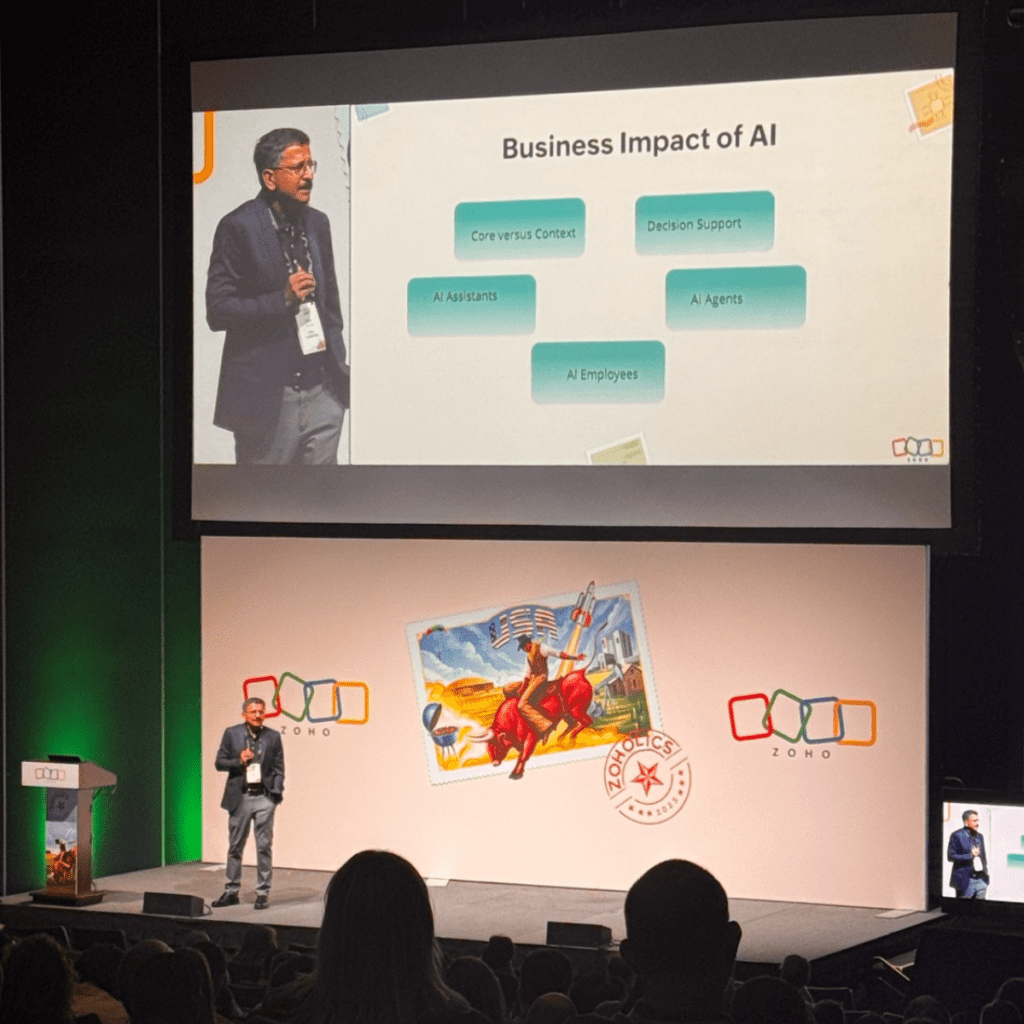
    From May 13 to 15, the city of Houston became the stage for one of the most anticipated events in the tech ecosystem: Zoholics USA 2025. Over three days, executives, partners, developers, and users from around the world gathered at the George R. Brown Convention Center to discover Zoho Corporation’s latest launches, strategic direction, and future vision. We were present with the InterConnecta team, joining the global Zoho community to experience first-hand the innovations and conversations shaping the future of business technology. The event delivered a clear message: artificial intelligence, cross-functional collaboration, and a unified customer experience are the pillars on which Zoho is building the future of enterprise software.

    Below, we share the most important highlights and announcements that defined this year’s edition of Zoholics.

    Zia Agents: A new era of enterprise AI

    Another major announcement was the launch of Zia Agents—intelligent, autonomous agents designed to operate across the Zoho ecosystem. These agents can automate complex tasks, collaborate with one another, establish hierarchies, and adapt to diverse business contexts.

    Zoho also introduced:

    • Agent Studio, a low-code/no-code environment to build custom agents
    • Agent Marketplace, where teams can deploy ready-made agents or share their own with the community

    Zia Agents are already available for areas like customer service, HR, inventory, sales, marketing, and data management. Integration with third-party apps is also on the roadmap.

     Tony Thomas, Co-founder and Zoho USA CEO

    Beyond CRM: AI across the Zoho ecosystem

    During the event, Zoho unveiled new Zia capabilities across various apps, including:

    • Zoho Writer: PDF/document analysis, contract summary, date extraction
    • WorkDrive: Folder and media content analysis, voice and video search
    • Zoho Projects: Auto-task generation based on file content
    • Zoho Mail: Smart email summaries, contextual thread search by customer or deal, inbox prioritization
    • Zoho CRM: Chat-based workflow creation, field suggestions in new modules, time zone-sensitive automations

    Generative and conversational AI is now deeply embedded into the user experience, making it easier than ever to create, customize, and analyze business data.

    CRM for Everyone: Democratizing the Customer Experience

    One of the most notable announcements was the general availability of Zoho CRM for Everyone, now enhanced with advanced AI-powered capabilities. This evolution expands access and customization of CRM across all departments—sales, marketing, operations, finance, legal, HR, support, and more—making it a truly cross-functional platform for managing the customer experience.

    With features like Team Modules, Connected Records, and Connected Workflows, Zoho aims to break down departmental silos. Each team can tailor their CRM view, collaborate through integrated processes, and maintain full customer context throughout the entire journey.

    The key differentiator: the integration of Zia, Zoho’s AI engine, which enables users to:

    • Build modules and workflows using natural language
    • Design custom interfaces from uploaded images (Canvas Builder)
    • Configure permissions and generate reports through simple text prompts

    All of this is available starting at $9 per user/month, with AI included at no extra cost (excluding the free edition).

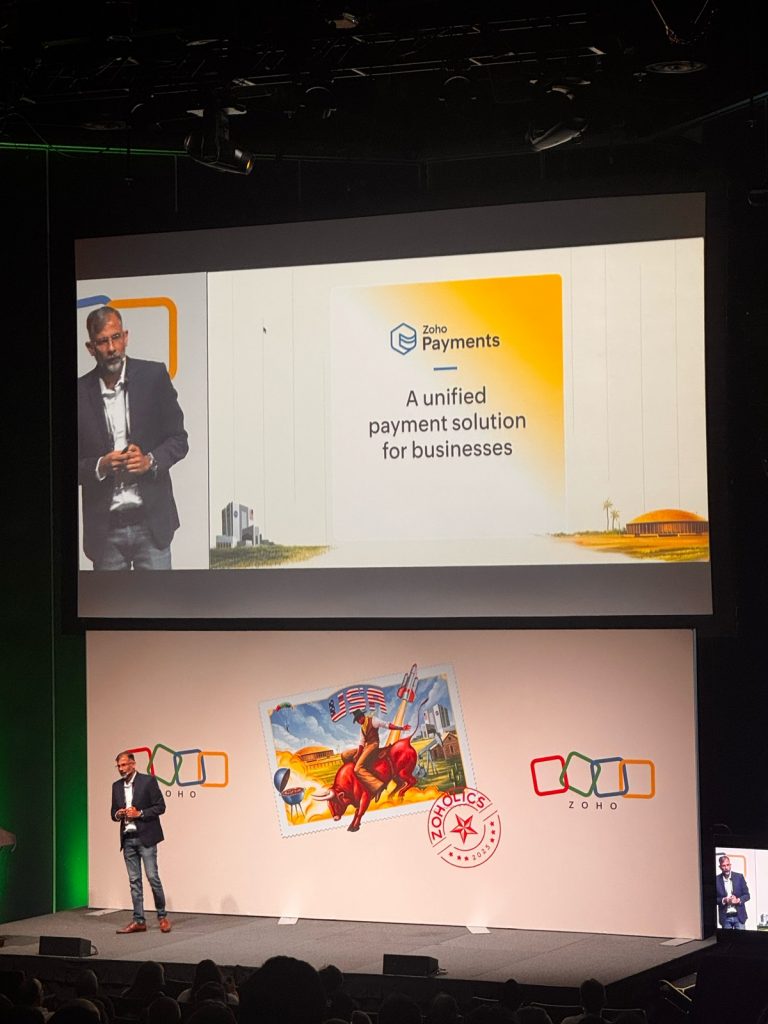
    Zoho Payments: A unified payment solution arrives in the U.S.

    Zoho announced the U.S. launch of Zoho Payments, a native solution that allows businesses to accept online payments via credit cards (over 135 currencies) and ACH transfers.

    Fully integrated with Zoho’s finance, sales, marketing, low-code, and collaboration apps—and also compatible with third-party systems via API—Zoho Payments simplifies cash flow management with features like automated reconciliation, hosted checkout pages, and detailed transaction visibility.

    Pricing is competitive: 2.9% + $0.30 for domestic cards, plus 1.5% for international cards.

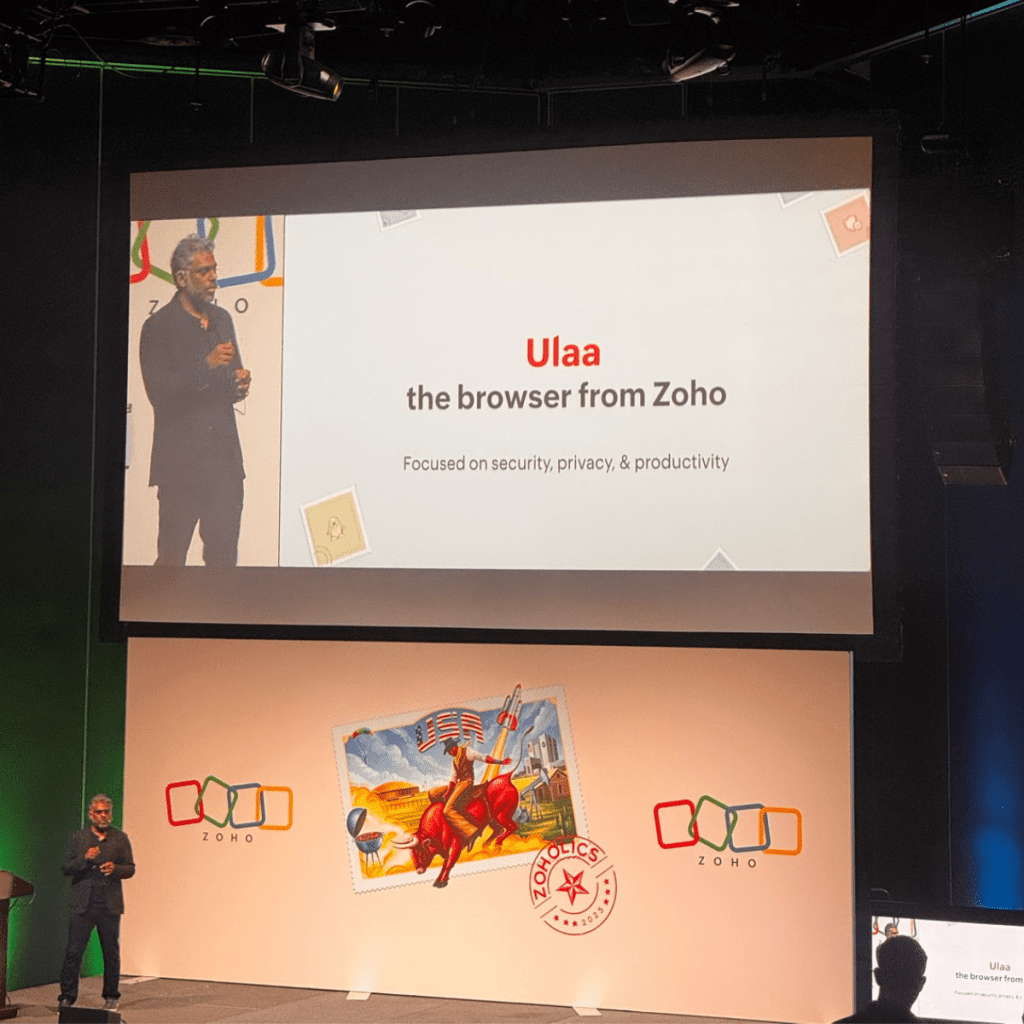
    Ulaa Enterprise: Privacy, productivity, and security in a corporate browser

    The new enterprise version of Ulaa, Zoho’s privacy-first browser, strengthens its commitment to security. This edition includes:

    • Built-in Data Loss Prevention (DLP)
    • Centralized policy and user behavior controls
    • Phishing protection and unsafe content blocking
    • Zia-powered productivity features such as smart tab organization and website categorization

    Based on Chromium, Ulaa Enterprise supports mobile devices and gives IT teams centralized control over the browsing experience.

    RajĂş Vegesna, Zoho Chief Evangelist

    Vani: Visual collaboration at the core of modern work

    Zoho also highlighted Vani, its new visual collaboration platform. With an infinite canvas, smart templates, built-in video conferencing, voice notes, and prebuilt kits for departments like marketing, design, and product, Vani brings communication and ideation into a single shared space.

    It’s a bold move to replace fragmented tools like Slack, Zoom, whiteboards, and email—offering a more visual, fluid, and context-aware collaboration experience.

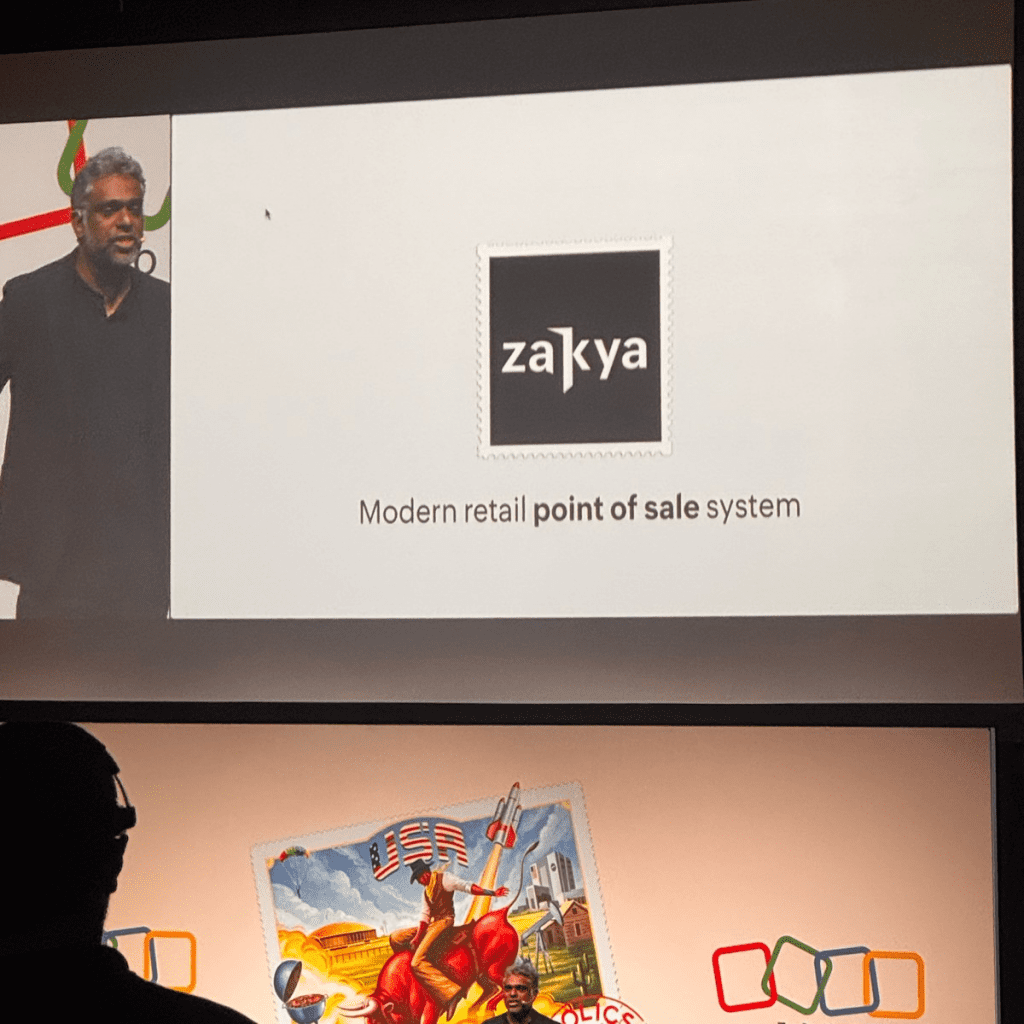
    Zakya: PoS Solution for emerging retail

    Continuing its global expansion, Zoho introduced Zakya, a point-of-sale (PoS) solution designed for small and mid-sized retail stores. Available in 10 Indian languages, Zakya offers:

    • Inventory management
    • Offline and mobile billing
    • Integration with payment gateways (Razorpay, Pine Labs, PhonePe) and logistics platforms (AfterShip, EasyPost)
    • A unified web dashboard for customers, transactions, and vendors

    Conclusion: An integrated, accessible, and future-ready vision

    Zoholics USA 2025 made it clear: Zoho is not just competing with traditional enterprise suites—it is creating a new category altogether: a complete operating system for business, rooted in collaboration, automation, and intelligence.

    With its ethical, cost-efficient approach to AI, proprietary infrastructure, and growing ecosystem (over 55 apps and 100+ million users), Zoho is positioning itself as one of the most coherent, accessible, and forward-thinking players in the global enterprise software landscape.

    If your company is exploring new ways to leverage Zoho to transform its processes, enhance customer experience, or implement intelligent AI-driven solutions, our team would be happy to help.

    We have extensive experience in custom implementations, workflow automation, app integrations, and strategic support across the entire Zoho ecosystem.

    👉 Want to talk with us?
    Get in touch and discover how we can work together to optimize your processes, empower your team, and make the most of everything Zoho has to offer.

  • IC Assistants: the New Generation of Artificial Intelligence Applied to Zoho

    The New Frontier of Productivity with Zoho and AI
    For years, at InterConnecta we’ve helped hundreds of companies automate and optimize processes with Zoho. But now we’ve taken a step further: we are developing our own intelligent virtual assistants, trained to interact with the real processes of our clients.

    This suite of assistants, called IC•Assistants, was designed to integrate natively with the Zoho ecosystem and also with tools like Notion, Zoom, and internal knowledge sources, delivering quick, precise, and actionable responses for key processes in sales, support, and project management. Each assistant solves specific tasks with a practical and results-oriented approach.

    Throughout May, we started testing them internally within our sales, projects, and support teams. And the results are promising.

    What is IC•Assistants?
    IC•Assistants is a suite made up of various virtual assistants, each with its own name, personality, and specific functions. Unlike typical generic bots, these agents are designed to act as true specialists in their area:

    How to Access the Assistants
    The IC•Assistants suite is designed to scale according to each company’s needs and digital maturity. That’s why we’ve defined three access levels:

    Level 1 – Free Access via the Customer Portal
    All InterConnecta clients will be able to use basic query assistants directly from their support portal, without any prior configuration. Ideal for answering common questions, consulting documentation, or checking the status of their tickets.

    Level 2 – Connection with Your Own Data
    This level allows the assistants to access specific information from your company, such as CRM records, tickets, meetings, and documents. It requires personalized integration and enables contextualized responses that understand your operations and customers.
    Level 3 – Assistants That Perform Tasks
    At this level, assistants not only respond—they act. They can send emails, log data in Zoho CRM, assign project tasks, or trigger automated flows, all autonomously. It’s intended for companies seeking real automation with immediate operational impact.

    Which Assistants Are Included in the Base Mode?
    From the beginning, IC•Assistants will offer a set of functionalities available in the Base Model, accessible to all users from the Customer Portal. These five assistants are enabled at this first level:

    • MIA – Sales Summary Assistant
      Organizes sales information, structures sales tasks, and recommends best practices in CRM and Zoho Desk.
    • MIA – Meeting Analyzer
      Summarizes key meetings, identifies opportunities and pending tasks, and suggests immediate actions to move forward.
    • DEVON – Desk Assistant
      Centralizes ticket, document, and process information. Ideal for support or post-sales teams handling multiple workflows.
    • ARI – Training Model
      Guides the selection and use of IC Academy courses, explaining formats, certifications, and options by role or industry.
    • TRIAGENT – Triage Assistant
      Analyzes the context of the query and automatically selects the most suitable assistant to respond accurately.

    Each of these assistants can be used immediately with basic functionalities and is designed to solve common needs quickly.

    Tested Within InterConnecta
    This month, we began a controlled internal use phase, where various InterConnecta teams interact with the assistants in real tasks:

    • The sales team used MIA to analyze ongoing opportunities and adjust follow-up messages.
    • In projects, MANNY helped centralize data from open tickets, pending tasks, and customer questions without needing to review multiple sources.
    • And the support team tested TRIAGENT’s effectiveness in channeling incoming queries and activating the most suitable agent in each case.

    In all cases, feedback has been measured and recorded, helping us fine-tune the assistants before their official release.

    Initial Metrics: Real Impact
    Even during testing, we’re already seeing concrete benefits:
    🔹 +50% conversion in leads when using MIA for personalized follow-ups.
    🔹 –25% operational time reported by PMs using MANNY to centralize their information.
    🔹 +37% improvement in strategic decisions when using TRIAGENT to automatically assign the most suitable assistant in critical situations.

    Why Is This Implementation Important?
    Because it represents a new step in our value proposition: we not only implement Zoho—we now enhance Zoho’s use with personalized artificial intelligence. And, as always, we test it in-house first.

    IC•Assistants will be available to our clients very soon. If you’d like to be among the first to try it, contact us.

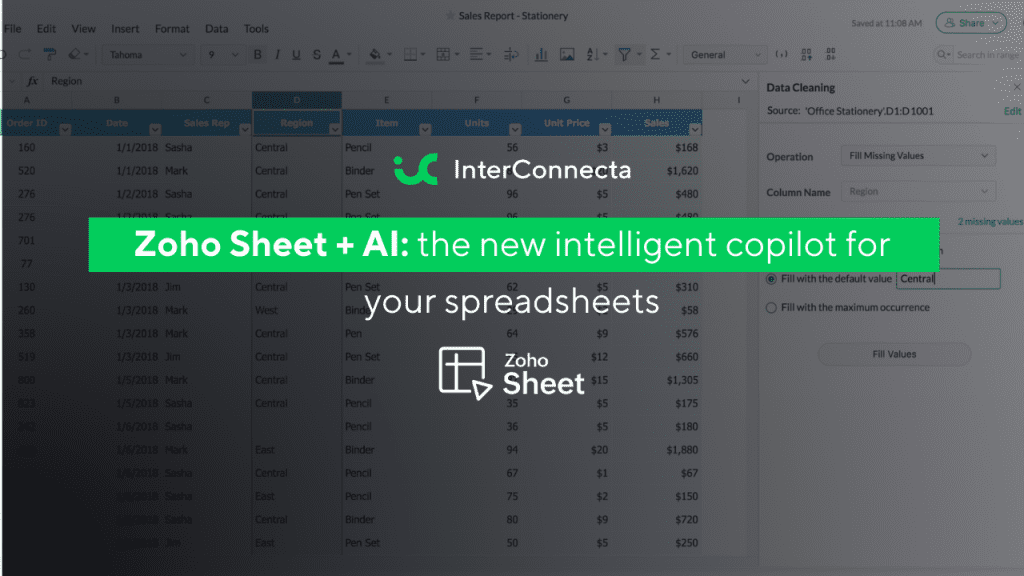
  • Zoho Sheet + AI: the new intelligent copilot for your spreadsheets

    Zoho Sheet continues its evolution as a productivity tool by integrating innovative artificial intelligence (AI) features, designed to optimize data management and facilitate global collaboration.

    1. Data from Picture: digitize data from images

    The Data from Picture feature allows you to convert images of printed tables or screenshots into editable spreadsheet data. This tool uses AI to recognize text and numbers, eliminating the need for manual data entry and reducing human errors.

    (image via zoho)

    2. Pattern Fill: automate data entry with patterns

    With Pattern Fill, Zoho Sheet detects patterns in the data and automatically fills in the remaining cells. Whether it’s splitting names, reformatting dates, or extracting key information, this feature speeds up repetitive tasks without complex formulas.

    (image via zoho)

    3. Built-in Translation: remove language barriers

    The new Translation feature allows you to translate text within the spreadsheet into more than 70 languages directly, without using external tools. This facilitates collaboration in multilingual teams and global data management.

    (image via zoho)

    4. Zia: your smart assistant for data analysis

    Zia, Zoho’s AI assistant, offers automated analysis, generates charts and pivot tables, and answers data-related questions. With OpenAI integration, Zia can also generate formulas and macros, providing a deeper and more personalized data analysis experience.

    (image via zoho)

    5. Data connection and dynamic templates

    The Data Connection feature allows you to sync contextual data from external services like Zoho CRM, Books, or Projects. Meanwhile, Merge Template simplifies working with bulk dynamic data records, allowing you to link source files and customize data presentation.

    6. Interface and mobile experience enhancements

    Zoho Sheet has revamped its font library, introduced customizable themes, and added Data Bars for more effective data visualization. Additionally, the Android and iPad apps have been updated to provide a smoother and more functional experience on mobile devices.

    What does this mean for your organization?

    AI capabilities in Zoho Sheet reinforce a trend seen across the Zoho ecosystem: smart automation as a competitive differentiator. If your team handles large volumes of data or needs to speed up decision-making, these tools can make a significant difference in your workflow.

    Learn more about AI in Zoho

    If you’re exploring how AI enhances Zoho, here are more articles that might interest you:

    🚀 Zoho Creator + AI: the fastest and smartest development team ever

    🔍 How to gain AI insights on users in Sprints using a Zoho Sheet view

    💡 Form creation optimization with AI in Zoho Forms
    🌍 Zoho Connect & Zia: A smarter and more connected workspace
    📢 AI in Zoho Cliq: The new era of business communication
    📊 Zoho Analytics 6.0: The future of AI-powered data analysis
    🎯 Agile customer support with AI in Zoho Desk

    At InterConnecta, as a Zoho Premium Partner, we support companies of all sizes in implementing smart solutions that fully leverage the AI capabilities of the Zoho ecosystem. If you’d like to talk about how to adapt these tools to your organization, we’re here to help.

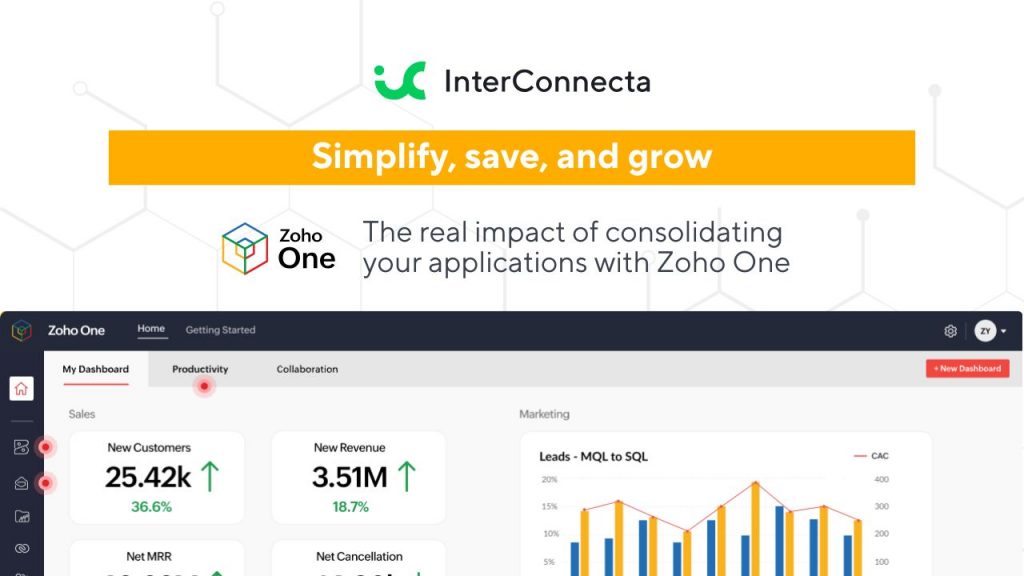
  • Simplify, save, and grow: The real impact of consolidating your applications with Zoho One


    Many companies face the challenge of managing multiple applications for different functions such as sales, marketing, finance, and human resources, which can lead to high costs and fragmented processes. This is where Zoho One emerges as a comprehensive solution, offering a unified platform that promises to simplify operations and reduce costs. In this article, we will explore the cost and benefit differences between using multiple applications and choosing Zoho One.

    1. Licensing and subscription costs

    When a company uses multiple applications, each one typically requires an individual license or subscription. These costs can add up quickly, especially if tools for CRM, email marketing, project management, and more are needed. With Zoho One, businesses can access over 45 applications with a single subscription, potentially leading to significant savings on licensing costs.

    2. Integration and workflow

    Using multiple applications often means that data must be manually transferred between platforms, which can be error-prone and time-consuming. Zoho One offers seamless integration among its applications, enabling a more efficient workflow and reducing the need for manual intervention.

    3. Support and maintenance

    Managing multiple applications also means dealing with different support providers, which can complicate issue resolution. With Zoho One, businesses have a single point of contact for support, simplifying the maintenance and troubleshooting process.

    4. Scalability and flexibility

    Zoho One is highly scalable, allowing businesses to add or remove applications as their needs evolve, without complications. This provides a level of flexibility that is hard to achieve when managing multiple applications from different providers.

    5. Productivity benefits

    By consolidating applications into a single platform, Zoho One enables teams to work more collaboratively and efficiently. Real-time visibility into operations and the ability to automate routine tasks can significantly boost productivity.

    Choosing Zoho One over multiple applications can not only reduce costs but also enhance operational efficiency and productivity. For businesses looking to streamline their operations and maximize their resources, Zoho One offers a comprehensive solution worth considering.


    [Request a free trial here]


  • How to gain AI Insights on users in Sprints with Zoho Sheet view

    Would you like a clear, real-time view of your team’s performance? Understanding how your team members contribute can make a difference in efficiency and achieving organizational goals. Zoho Sprints has integrated Zia, Zoho’s AI assistant, into the user sheet view of the workspace, providing detailed analytics on user activity and performance.

    Accessing the Sheet View with Zia

    To take advantage of this feature, follow these steps:

    1. Navigate to the Settings section in Zoho Sprints.

    2. Select “Workspace Users” under the User Management category.

    3. In the top dropdown menu, choose “Sheet View.”

    In this view, you’ll find a complete list of all users in a spreadsheet format. You can navigate using the keyboard, edit permitted values, and use autofill by dragging cells. To access the sheet menu and toolbar, click on the expanded view. Zia is available in the right panel to provide detailed insights.

    Business Use Cases

    Here are some ways an IT organization can use Zia in Zoho Sprints to gain AI-powered insights:

    1. Monitoring Users by Geographic Location

    (image via zoho)

    Zia provides a graphical representation of the user distribution across different locations in your organization.

    • To obtain this insight, select all fields in the “Geographic Location” column and click on Zia.

    • This helps you understand your user base, evaluate remote work options, and plan location-specific events.

    2. Identifying Skill Distribution

    (image via zoho)

    Understanding the skill distribution among users is crucial for optimizing resource allocation and identifying skill gaps.

    • This is particularly useful when planning hiring strategies across various teams.

    • To visualize this data, select all fields in the “Skill Set” column and click Zia.

    3. Analyzing Users by Profiles and Roles

    Zia tracks the number of users across different profiles and roles, displaying the data in pie chart segments.

    • This helps you analyze role diversification and the ratio of users in various profiles.

    • To access this insight, select all fields in the “Roles” or “Profiles” columns and click Zia.

    Similarly, you can analyze all user-related fields using Zia’s AI capabilities to gain real-time insights. This feature empowers you to make data-driven decisions based on accurate insights about your team’s composition and performance.


    Try Zoho Sprints for free today and take advantage of Zia’s intelligent analytics to optimize your team’s management. Start making a difference now!

    Discover More About AI in Zoho

    Since you’re exploring how AI enhances Zoho, here are more articles that might interest you:

    💡 Optimize Form Creation with AI in Zoho Forms
    🌍 Zoho Connect & Zia: A Smarter, More Connected Workspace
    📢 AI in Zoho Cliq: The New Era of Business Communication
    📊 Zoho Analytics 6.0: The Future of AI-Driven Data Analysis
    🎯 Agile Customer Support with AI in Zoho Desk

  • How AI in Zoho Forms is transforming form creation

    In an environment where digital transformation is key to success, Zoho is at the forefront by integrating artificial intelligence (AI) into all its applications. This innovation not only optimizes business operations but also redefines how organizations manage their processes. At InterConnecta, we are excited to showcase how AI in Zoho Forms is revolutionizing form creation and management, enabling businesses to be more efficient and quickly adapt to market demands.


    Innovation in form creation

    Form creation is no longer a tedious task thanks to the introduction of AI in Zoho Forms. This new functionality automates the form-building process, making it a seamless and efficient experience. With AI’s assistance, form assembly happens almost automatically, allowing businesses to focus on what truly matters.


    Speed and efficiency: from minutes to seconds

    For companies managing multiple forms, the traditional manual setup method can be a challenge. AI in Zoho Forms changes the game by enabling users to create fully functional forms in seconds with just a simple command. This shift not only enhances productivity but also allows organizations to respond swiftly to their operational needs.


    Describe your needs selectedImg

    (image vĂ­a zoho)

    and watch your form get generated

    selectedImg

    (image vĂ­a zoho)


    Customization without compromise

    A common concern with automation is the potential loss of control. However, AI in Zoho Forms strikes the perfect balance between automation and customization. While AI handles the heavy lifting, users retain full control to refine and adjust every detail, ensuring the final product perfectly aligns with specific requirements.


    Benefits for everyone

    Whether you’re a business owner, an HR professional, or a marketing specialist, AI helps you save time, reduce effort, and deliver impactful results. Imagine launching a flash sale with an order form ready instantly or streamlining customer engagement with minimal effort. The possibilities are endless.


    Leverage the power of AI

    At InterConnecta, we are committed to leveraging innovative solutions like AI in Zoho Forms to optimize our clients’ project management processes. Experience the power of AI today and see how your next form is just one command away.


    Try Zoho forms for free

    Discover how AI in Zoho Forms can transform your form management. Take advantage of the free trial to explore its advanced features and optimize your processes. Start today!

  • How Green Computing can save your business thousands

    Every day, businesses rely more on technology to sustain their operations, yet few stop to assess the economic impact of maintaining traditional, unsustainable systems. Inefficient data centers, uncontrolled energy consumption, and outdated infrastructures not only harm the environment but also represent significant hidden costs.


    A technology infrastructure that does not prioritize sustainability generates unnecessary expenses in electricity consumption, maintenance, and equipment replacement. Additionally, in a context where environmental regulations are increasingly strict, the risk of penalties and losing sustainability-conscious customers directly affects a company’s financial results.

    What is Green Computing and why is it the solution?

    Green computing, or sustainable computing, is a way of leveraging technology to minimize its environmental impact while optimizing efficiency. This includes using more efficient data centers, designing infrastructures that harness renewable energy, and migrating to sustainable cloud solutions.


    Unlike traditional systems, green computing not only reduces energy and operational costs but also enhances business performance by enabling greater flexibility, scalability, and process efficiency. Companies that have implemented these solutions report significant savings, along with a positive impact on their reputation.

    The hidden costs of not adopting sustainable technology


    Operating with traditional technologies means not only high operational costs but also:

    • Higher energy consumption: Inefficient data centers and servers are among the largest sources of energy expenses for businesses.
    • Brand reputation impact: More and more customers value companies committed to sustainability. Ignoring this trend can result in a loss of competitiveness.
    • Risk of penalties: Environmental regulations are becoming stricter, and companies that fail to meet sustainable standards may face fines.
    • Scalability limitations: Unsustainable infrastructures are often less flexible and require frequent investments to keep up with market demands.


    How Green Computing can save you thousands

    Adopting sustainable technology is not just an ethical decision but also a strategic one that can generate considerable savings. Here are some concrete examples:

    • Energy cost reduction: Green cloud data centers can save up to 40% in energy consumption thanks to the use of renewable energy and efficient designs.
    • Lower maintenance expenses: By operating in the cloud, businesses eliminate the need to maintain costly physical infrastructures.
    • Resource optimization: Green computing solutions often offer pay-as-you-go models, allowing businesses to spend only on what they need.


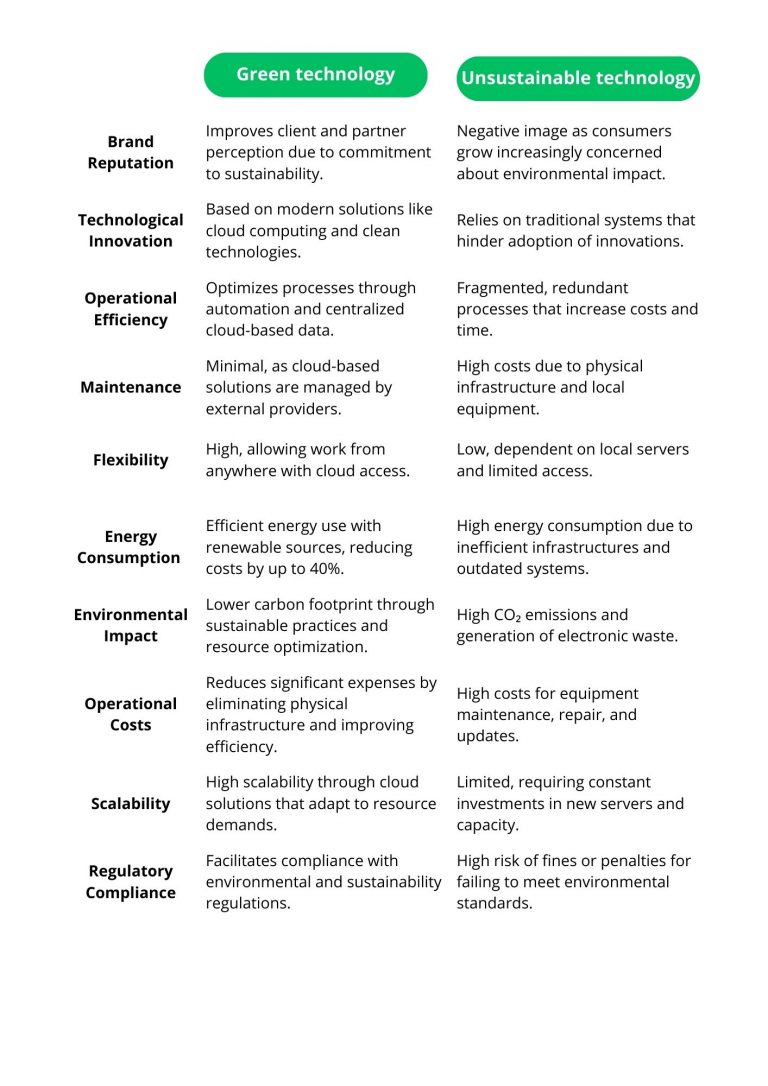
    This comparison chart illustrates how green technology can transform your business compared to the limitations of unsustainable technology. Factors like energy consumption, operational costs, and regulatory compliance show how opting for sustainable solutions not only reduces environmental impact but also optimizes resources and improves business competitiveness.

    Where to start?

    Adopting sustainable technology doesn’t have to be complicated. These steps can help you transition to more responsible and efficient practices:

    • Evaluate your technological footprint: Conduct an audit to identify the areas with the highest energy consumption or waste generation. Use tools like carbon footprint calculators to detect inefficiencies and hidden costs you can optimize.
    • Migrate to green cloud solutions: Choose cloud service providers that use renewable energy and have sustainability certifications. This will not only reduce your environmental footprint but also optimize operational costs and improve scalability.
    • Train your team: Ensure your team understands the importance of technological sustainability. Provide practical training and guides to adopt best practices, fostering a culture aligned with your environmental goals.
    • Monitor and adjust your processes continuously: Implement systems to measure the impact of your new technologies and seek continuous improvements. Regularly evaluate energy consumption and optimize configurations to maximize efficiency.
    • Engage your customers and partners: Share your sustainability progress with clients and partners. This will not only strengthen your reputation but can also inspire others to adopt responsible practices.

    Save money while protecting the planet

    Unsustainable technology may be costing your business thousands without you even noticing. Adopting solutions like green computing will not only help you reduce costs and comply with environmental regulations but also enhance your ability to compete in a market that increasingly values responsible practices.

    Want to learn how your business can start saving while contributing to a greener future? Contact us to explore personalized solutions that boost both your sustainability and profitability.

    Zoho One: An All-in-One Solution for Technological Sustainability

    One of the most effective ways to integrate sustainability into your business is through all-in-one platforms like Zoho One. This business suite not only centralizes all your company’s operations in the cloud—eliminating the need for multiple on-premises systems—but also optimizes resources and significantly reduces energy consumption.

    By enabling businesses to operate more efficiently with interconnected tools for sales, marketing, finance, and more, Zoho One facilitates sustainable growth while reducing operational costs. Additionally, as a cloud-based solution, it leverages the benefits of green computing, helping you meet your sustainability goals while improving your business performance.

    Start your free trial of Zoho One [here].


This site is registered on wpml.org as a development site. Switch to a production site key to remove this banner.