Author: user

  • Zoho News Catch-Up: What´s news in Zoho Sign, Meeting, PageSense and Desk, Zoho Tables Launch, Kiosk Studio, Zoho Crm Awards

    Welcome to our catch-up, where you’ll be in the know of all the latest Zoho updates in one place!


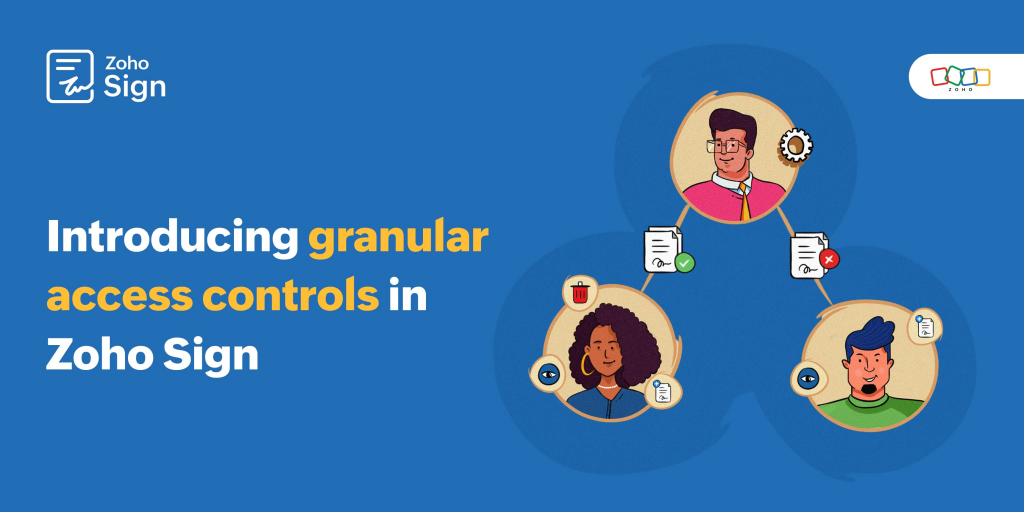
    Zoho Sign introduces Granular Access Controls
    (Image via Zoho)

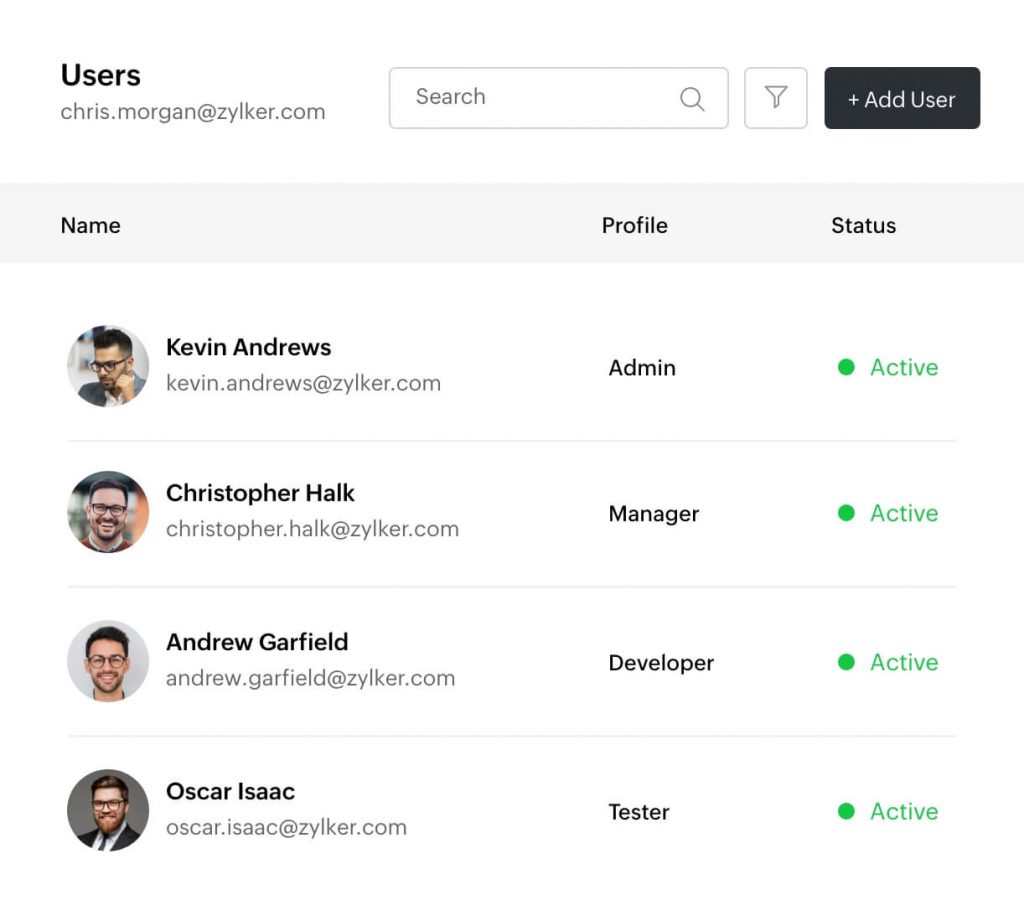
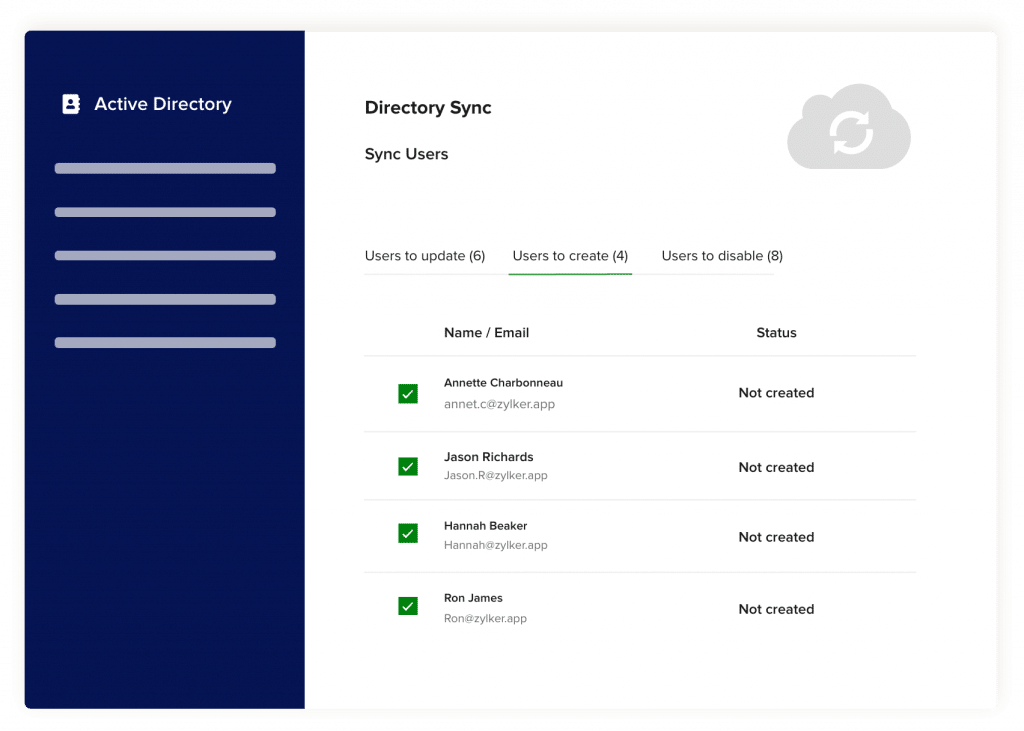
    Zoho Sign presented a revolution in document management through its new Users and Control system, which combines granular access controls with roles, profiles and user groups, don’t miss it!

    This innovation significantly enhances customization and security, offering a more adaptable and efficient solution for the specific needs of each organization.

    Administrators can now assign specific responsibilities to each user, improving accuracy and productivity in the management and sharing of enterprise data in a more detailed way, including inviting and deleting users, as well as customizing data visibility and managing documents and templates.

    How does this benefit your company?

    The  new  controls  make  it  easier  to  customize  document  workflows,  increasing  security, accountability  and  operational  efficiency.  This  not  only speeds up the approval process but also strengthens customer relationships by minimizing the time spent on the manual signature process.

    With these controls, you can set up predefined workflows for legal documents, ensuring confidentiality and providing an clear audit log.

    (Available in all paid plans)

    Official launch of Zoho Tables

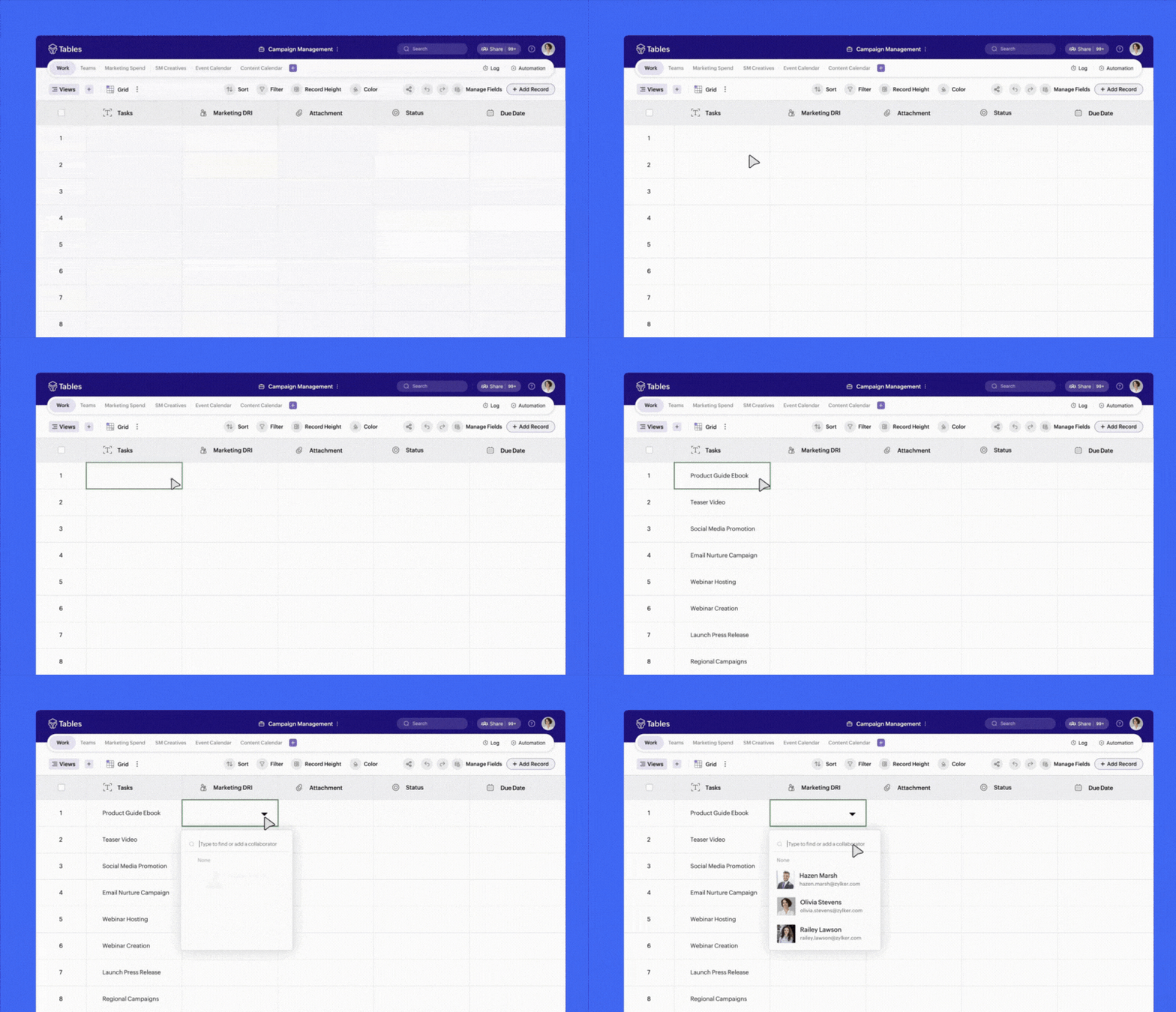
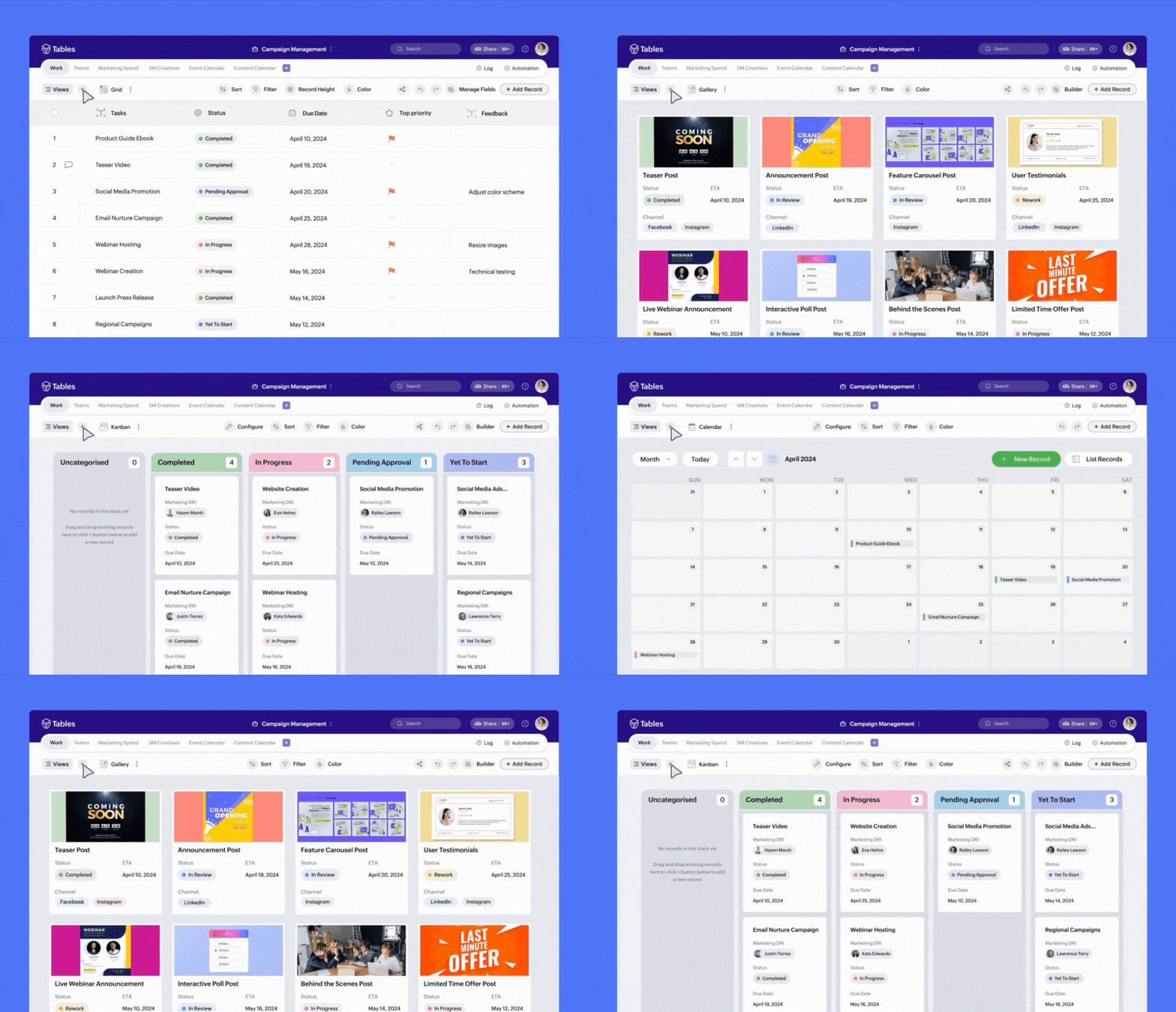
    After a successful testing period, Zoho finally announced the move from Beta to Official for the Zoho Tables work management application. Learn more about this powerful application!

    (Image via Zoho)

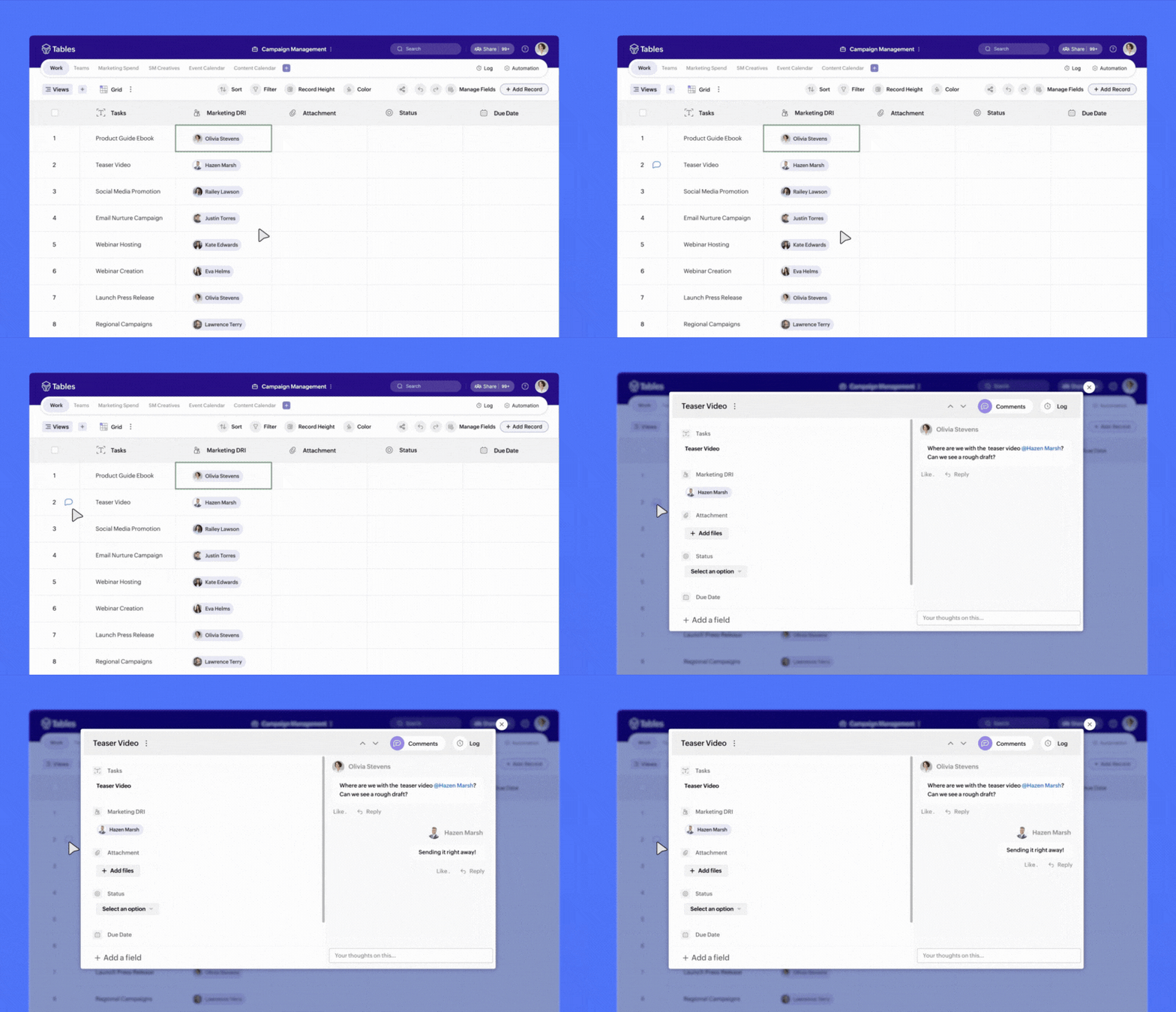
    It is a tool that allows you an effective work management through:

    • Automation and simplification of processes

    • Contextual collaboration

    • Structured and organized work data.

    (Image via Zoho)
    (Image via Zoho)
    (Image via Zoho)

    Why choose Zoho Tables?

    Unlike other tools, Zoho Tables allows you to:

    • Collect and organize data efficiently
    • Establish relationships between data
    • Automate workflows with ease

    Ideal for all

    If you don’t yet have a centralized application, rely on spreadsheets, or are looking to optimize the use of sophisticated tools without exorbitant costs, Zoho Tables is for you.

    Outstanding functionalities

    • Real-time task management and collaboration
    • Storage and structuring of any type of work data
    • Workflow automation and advanced analysis with ML

    Whether for managing marketing campaigns, inventory operations, or technical support analytics, Zoho Tables adapts to a wide range of applications, providing valuable insights to make informed decisions.

    New Multiportal Support in Zoho Meeting

    With the new feature, administrators will be able to manage and access several organizations  from  a  single  point  of  contact.  This  facilitates  navigation  between different portals within the same interface, enhancing connectivity and efficiency in communications and workflows.

    Note:  Although  a  user  can  be  a  super  administrator  in  only  one  organization, this options enables the possibility of occupying member or administrator roles in other organizations.

    How to create a new organization

    1. Log in to your Zoho Meeting account.

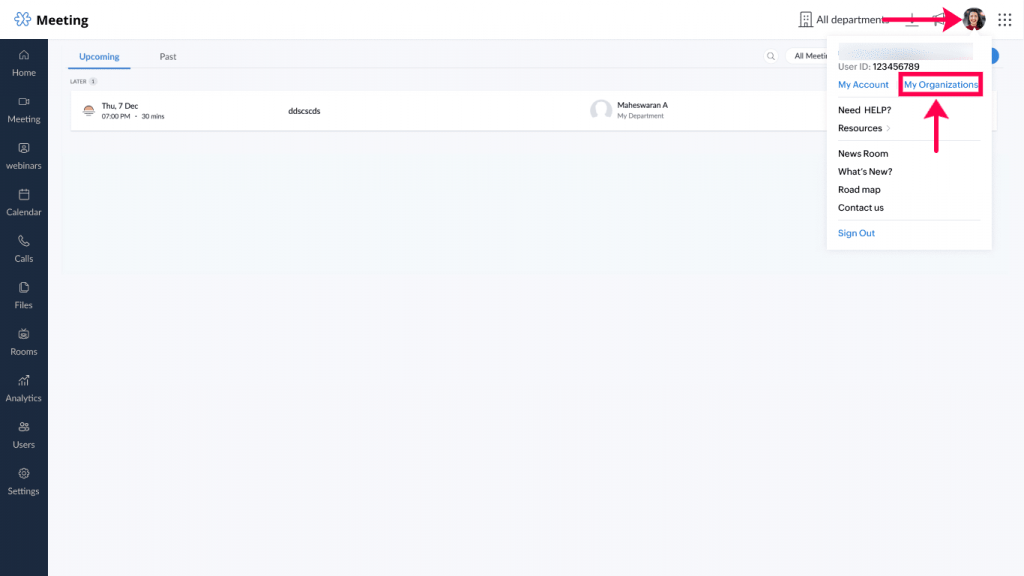
    1. Click on the profile avatar and then select My Organizations.
    (Image via Zoho)

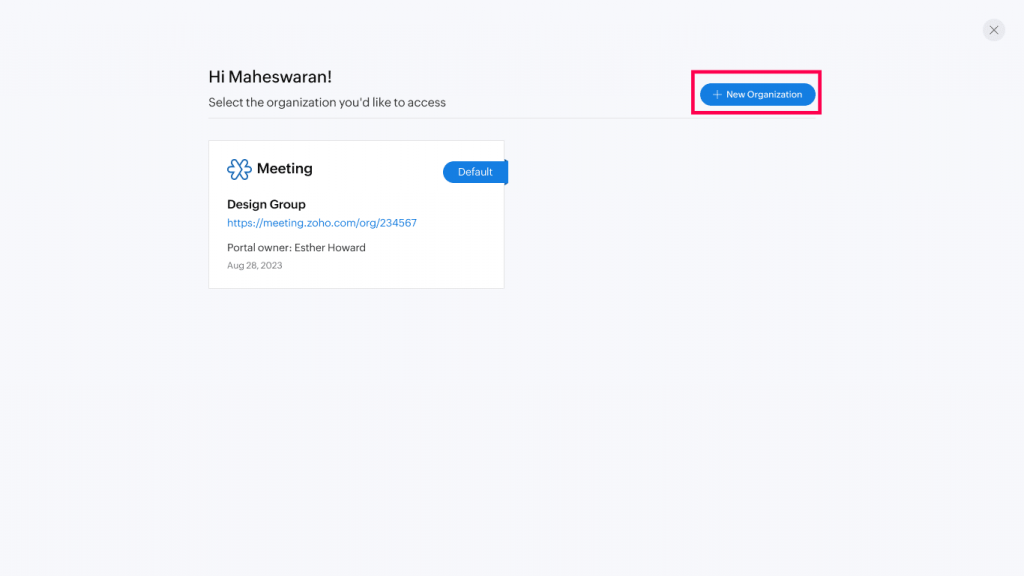
    1. Click on New organization.

    (Image via Zoho)

    1. In the Create Organization pop-up window, enter the name of the organization and click Create.


    How to change the Organization’s name

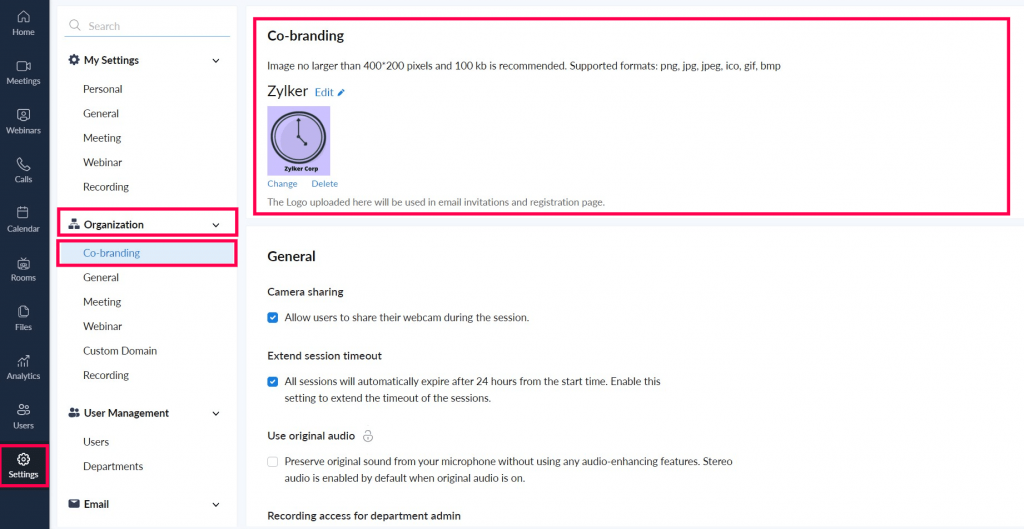
     It is not possible to edit the organization name in the tile, but to edit it, follow these steps:


    1. In Settings  -> Organization -> Co-branding

    You can edit the portal name and change the portal logo from here.
    (Image via Zoho)

    How to invite someone to your organization  

    1. Go to Configuration-> User Management-> Users-> Add Users.

    1. Click on Add users.

    1. Enter the person’s e-mail address and user name.

    1. Select the department, role and license type for the user.

    1. Click on Add.


    Note:  The  super  admin  user  is  the  only  one  who  can  invite  users  from  an  external organization.  The invited user receives an email with a link to the to join their organization. You cannot have super administrator privileges in multiple organizations.


    How to switch between portals

    1. Click on the profile avatar and then My Organizations.

    1. Click on the link in the required tile to switch to the desired organization.
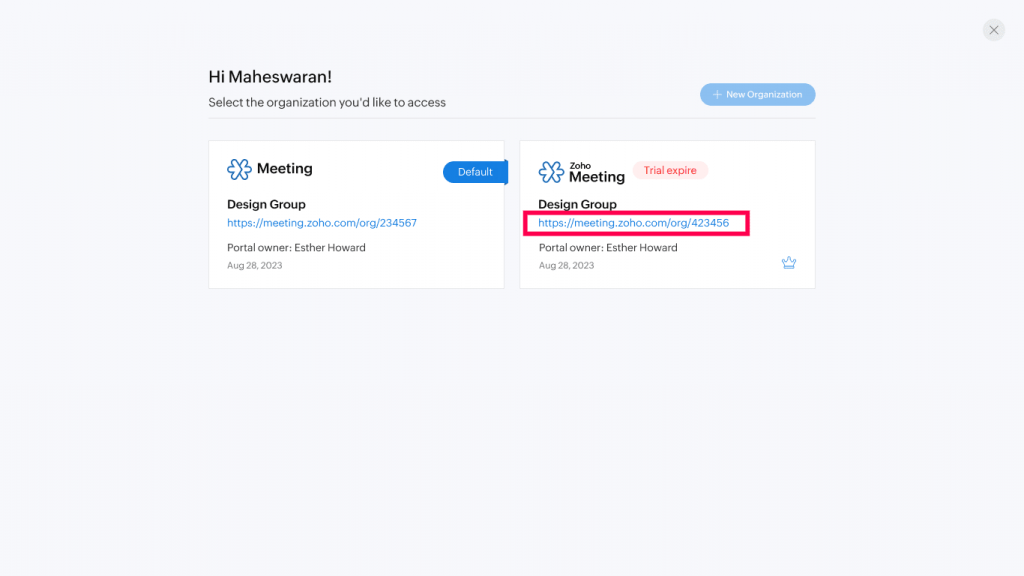
    (Image via Zoho)

    How to set a default organization to be the one that opens when you log in:

    1. Log in to your Zoho Meeting account.

    1. Click on the profile avatar -> My organizations.

    2. Hover over the organization you want to set as default and click Set as default.
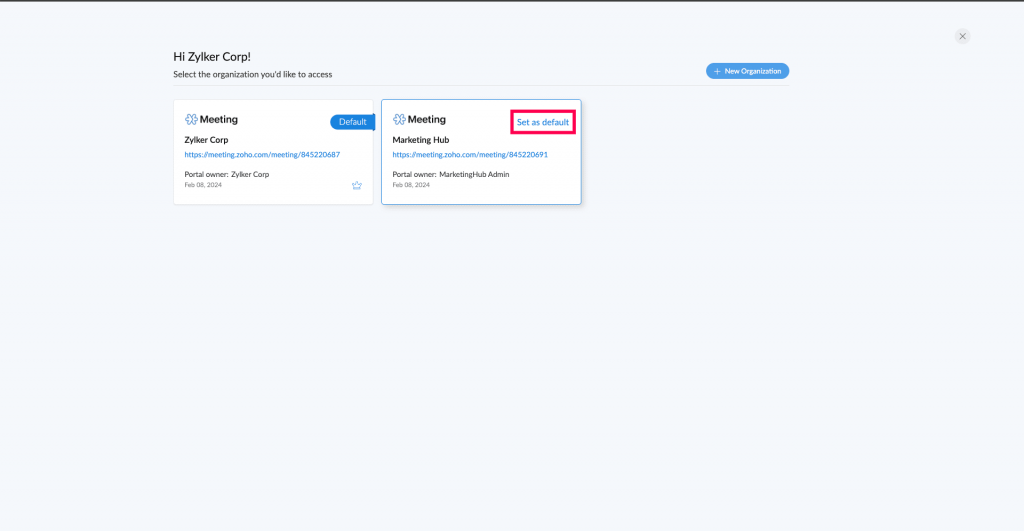
    (Image via Zoho)

    Note: Zoho Meeting’s multi-portal feature is not available if you use the service within a Zoho package and not as a standalone product. In addition, this feature does not synchronize data between accounts. It is not possible to delete a portal directly, even as a super administrator; it is required to assign another super administrator before retiring and contacting support for removal. Licenses for each portal are required, and new organizations start on an enterprise trial edition by default.

    Zoho PageSense joins OpenAI GPT-3

    Companies will be able to automatically generate compelling text for titles, CTAs, banners and other elements for their web site using:

    • Intelligent recommendations based on AI

    • Creation of multiple options of the text you want to enhance using “Generate”.

    • Content translation into all major languages
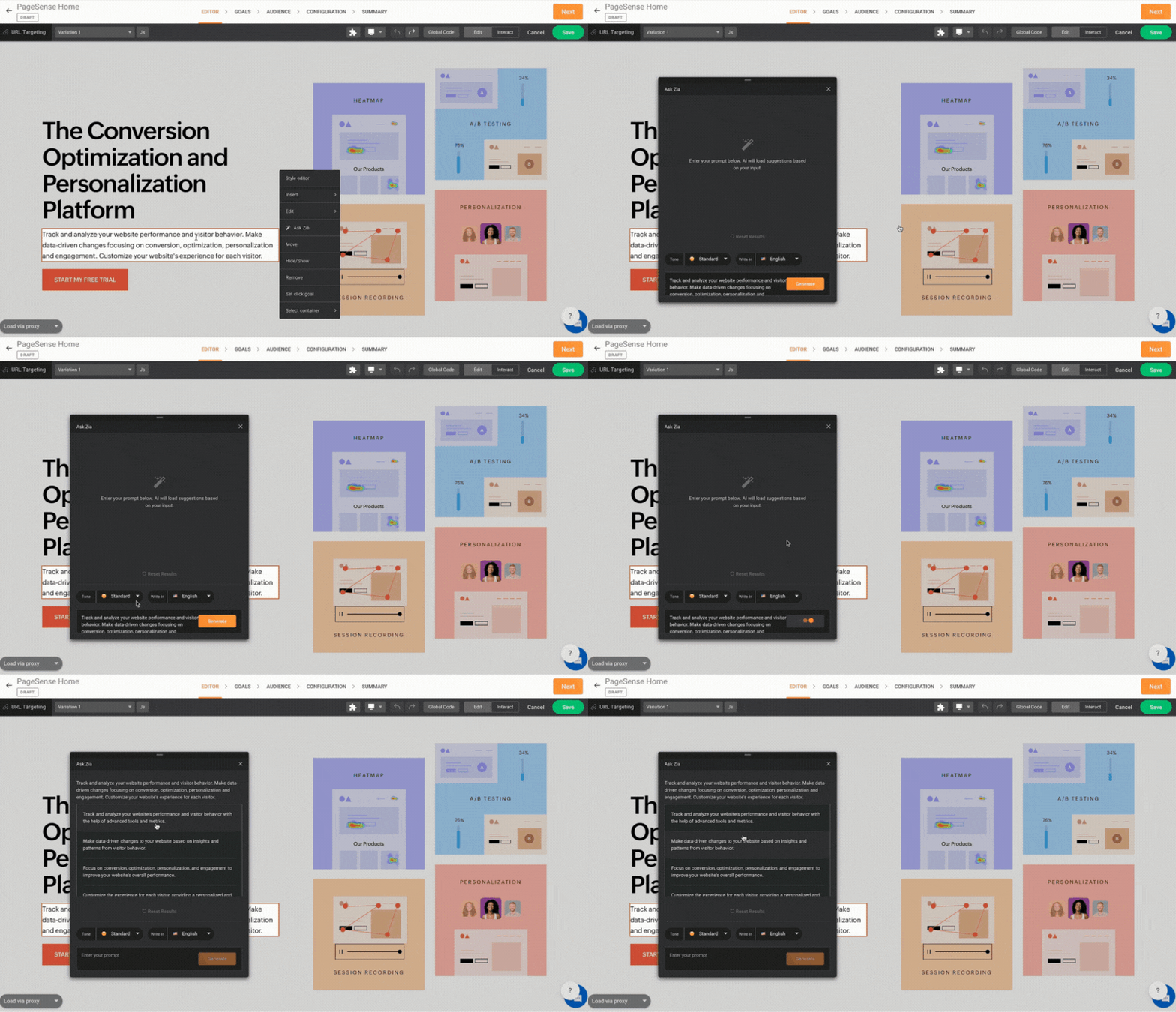
    (Image via Zoho)

    They  will  also  be  able  to  perform  A/B  testing  to  optimize  the  effectiveness  of  the content and better reach the desired audience.

    All you need is an Open AI account and your website perfectly integrated with Zoho PageSense.

    Kiosk Studio now available to all users

    With Kiosk Studio, administrators can quickly create custom capabilities (called Kiosks) and make them available to all CRM users.

    They can do this using the Kiosk Generator, a codeless interface that allows users to develop  capabilities  by  using  some  basic  building  blocks.


    • Administrators can make changes to the standard configuration by setting up custom modules, custom fields, multiple channels, canvas pages, wizards, translations and more.

    Some Kiosks use cases:

    To make it easier for sales reps to execute tasks after making a call
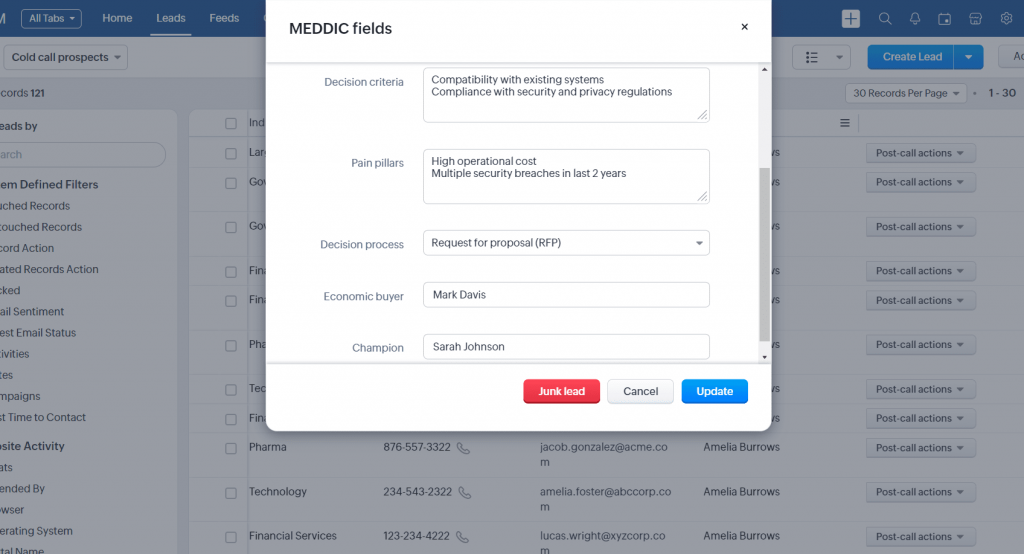
    (Image via Zoho)

    To offer personalized sales guides to representatives, improving their performance
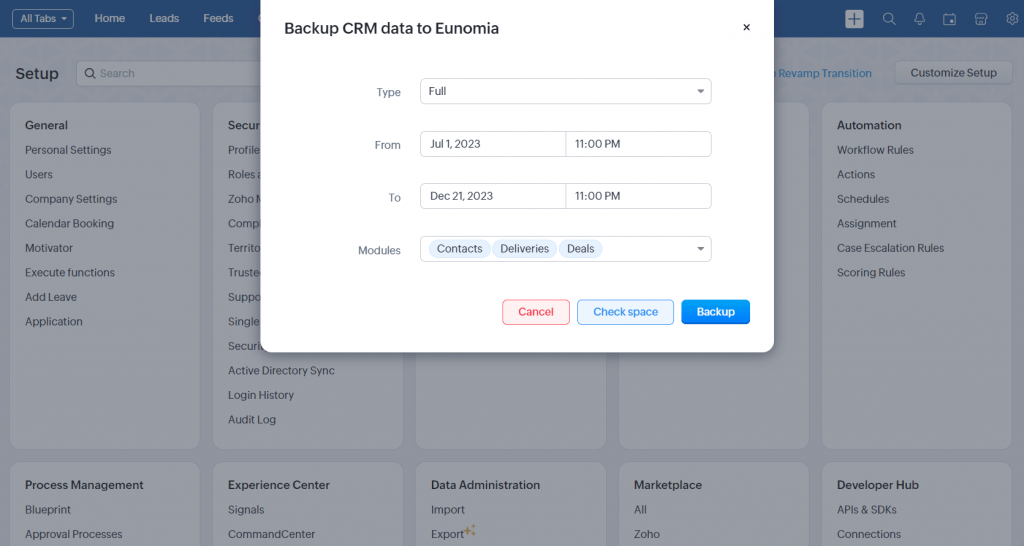
    (Image via Zoho)

    Useful capabilities for CRM administrators
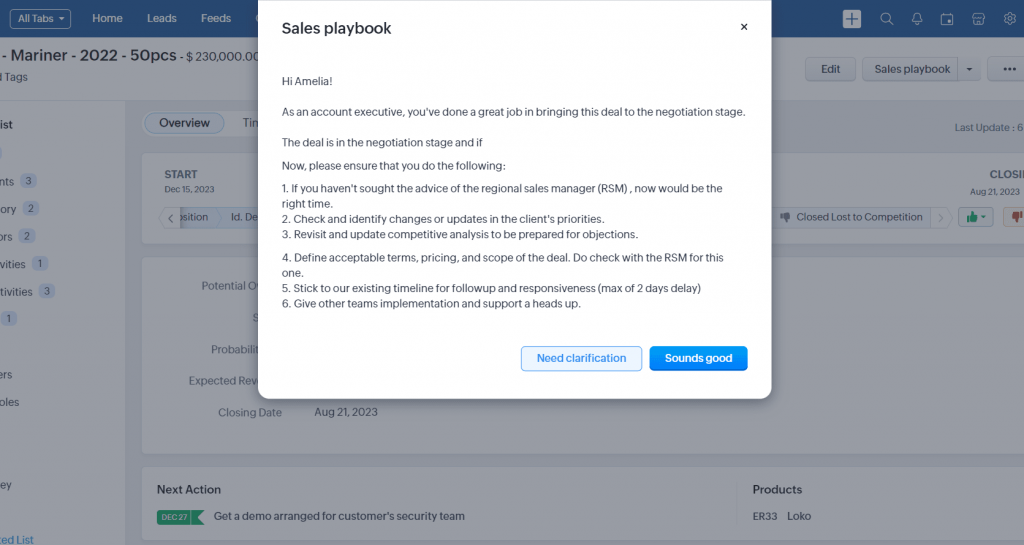
    (Image via Zoho)

    New functionality in Zoho Desk: Design rules and validation with Regex

    Regular expressions (Regex) can now be implemented in design and validation rules. This new functionality allows you to create more flexible rules when designing and validating forms.

    What is Regex?

    Regex is a language that allows you to match and search text according to specific patterns, making it easy to create rules for input fields such as phone numbers and email addresses. This ensures accurate data collections, saving time and effort.

    Benefits of using regular expressions

    • Increased efficiency: Allows you to search for specific patterns quickly.

    • Improved accuracy: Facilitates search specification, reducing errors.

    • High reusability: The patterns created can be used in different contexts.


    Regex in design rules

    By integrating Regex into design rules, patterns can be defined to format data correctly. This is useful to determine the behavior of the form according to the data entered, avoiding the creation of multiple criteria.


    (Image via Zoho)

    Regex in validation rules

    Using Regex in validation allows you to verify that user entries match specific formats, rejecting those that do not conform. This ensures that only valid entries are accepted, preventing errors or security risks. A practical example is to validate e-mail formats by means of regular expressions.


    (Image via Zoho)

    Zoho CRM celebrates two great awards this month

    Zoho CRM has received two distinguished awards this month, reaffirming its excellence in the CRM arena:

    CRM #1 in the CX Awards 2024

    Winning the title of Best CRM Platform, an award that highlights its dedication to providing a superior experience to its users.


    Zoho CRM: Worthy of Your Business – by SaaSworthy

    Zoho CRM was chosen as the most worthy CRM platform for the first quarter of 2024. This award recognizes the richness of features, flexibility, affordability and ease of use, factors that distinguish us among more than 400 platforms evaluated.

    Our congratulations to Zoho! Once again, we are proud to be a Zoho Partner.

    Zoho Webinar

     Master Business Budgeting with Zoho Books 

    Skyrocket your instant messaging engagement with AI chatbots | Zoho SalesIQ

    Maximising CRM Productivity and Data Management with Zia  

    Do you want to add these new features to your Zoho system? Let’s work together! Learn more about our Zoho consulting services and contact us for a free consultation.
  • Zoho News Catch-Up: ZOHO CRM Q1 2024 Update, What’s New in ZOHO Desk, SPF and DKIM Records

    Welcome to our catch-up, where you’ll be in the know of all the latest Zoho updates in one place!


    Zoho CRM: First Quarter 2024 Update

    In this first quarter of 2024, Zoho CRM announced a series of updates and improvements designed to further empower your business. From smoother integration with third-party tools to new capabilities for customizing and optimizing your workflow, these updates are designed to deliver a richer and more efficient experience. Let’s take a look at the new features!

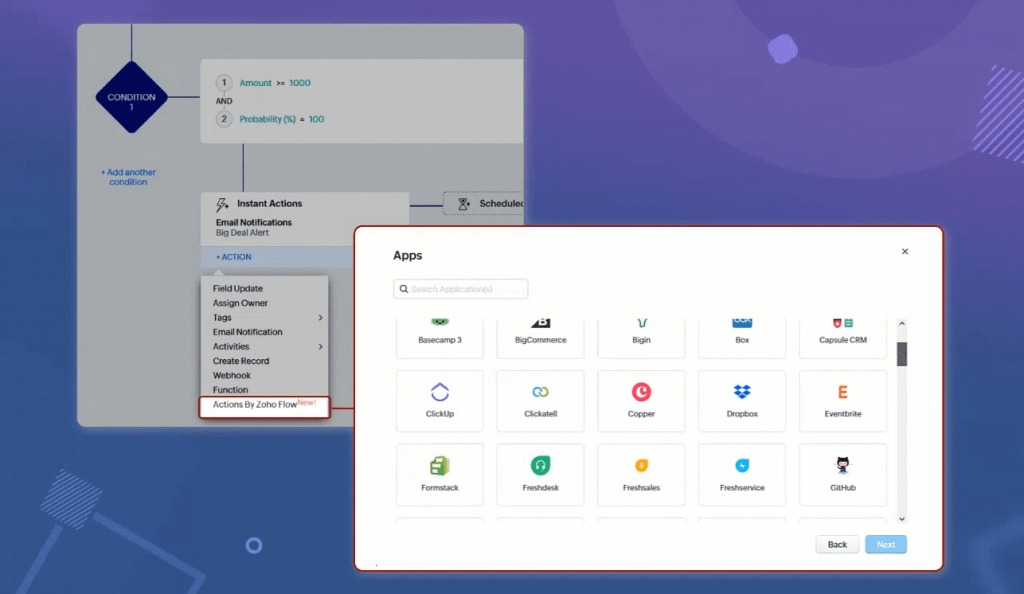
    Actionable insights in third-party tools: Zoho Flow Actions lets you perform actions as part of your workflows using newly added options under the Actions menu of Zoho CRM workflows. All you need to do is select which application you want to perform the action in and then choose the action.

    (Image via Zoho)

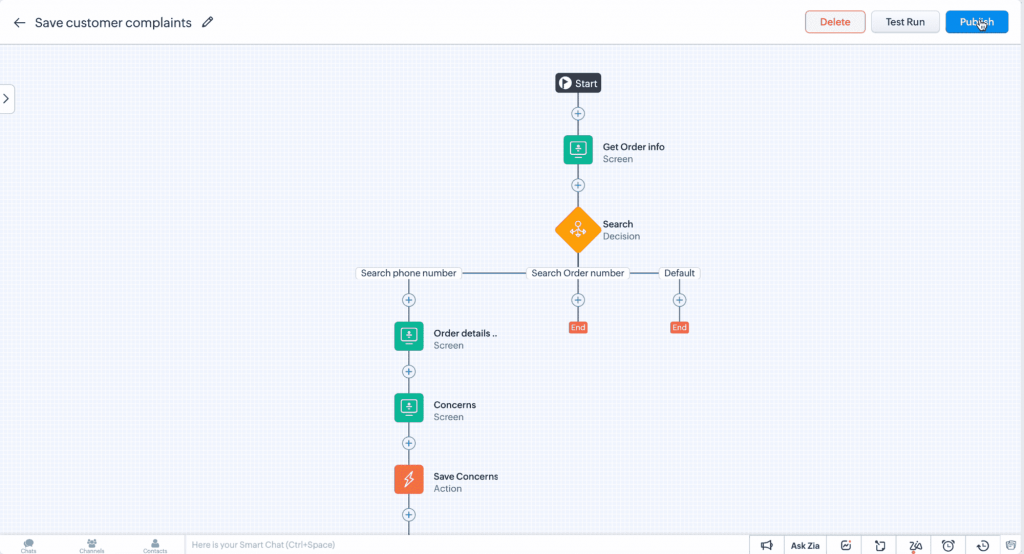
    Building winning sales flows: Create custom functionalities within Zoho CRM that align with your unique business requirements with Kiosk Studio, a no-code interface that allows you to develop capabilities using basic building blocks, i.e., screens, decisions, and actions. You can import data from all CRM modules, create custom screens containing fields that are not available elsewhere in CRM, perform actions for records across CRM, trigger webhooks, and execute custom functions.

    (Image via Zoho)

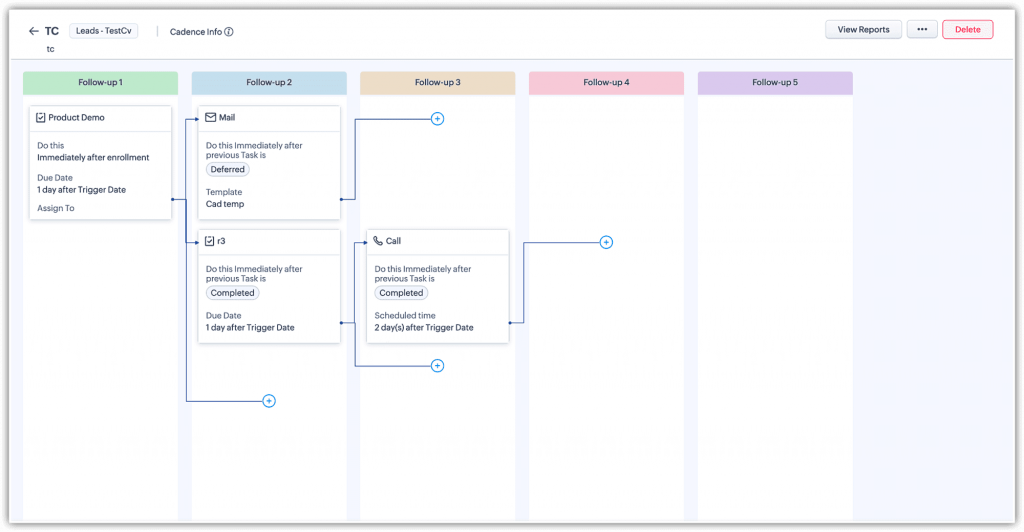
    Perfect follow-ups guaranteed: Optimize customer follow-ups through automation and personalization of interactions with Cadences. Create automated sequences of actions based on customer responses, improve targeting by eliminating records that have already met their goals, and use multiple communication channels for follow-ups. Additionally, it provides detailed analytics to evaluate campaign performance and adjust follow-up strategies as needed.

    (Image via Zoho)

    CPQ update (functionality that allows businesses to quickly create and send personalized quotes to customers): introduced guided selling, which helps sales reps generate accurate quotes by using predefined questionnaires to identify customer needs and suggest the most suitable products, streamlining the sales process.

    More control over your fiscal year: You can now choose from seven custom models. These models divide the year into quarters and weeks, offering formats such as 4-4-5, 4-5-4, and 5-4-4, ideal for industries that need to align their accounting with specific monthly and annual comparisons. The update makes it easier to adapt to the needs of each business, with automatic adjustments to reports and forecasts when setting a new fiscal year.

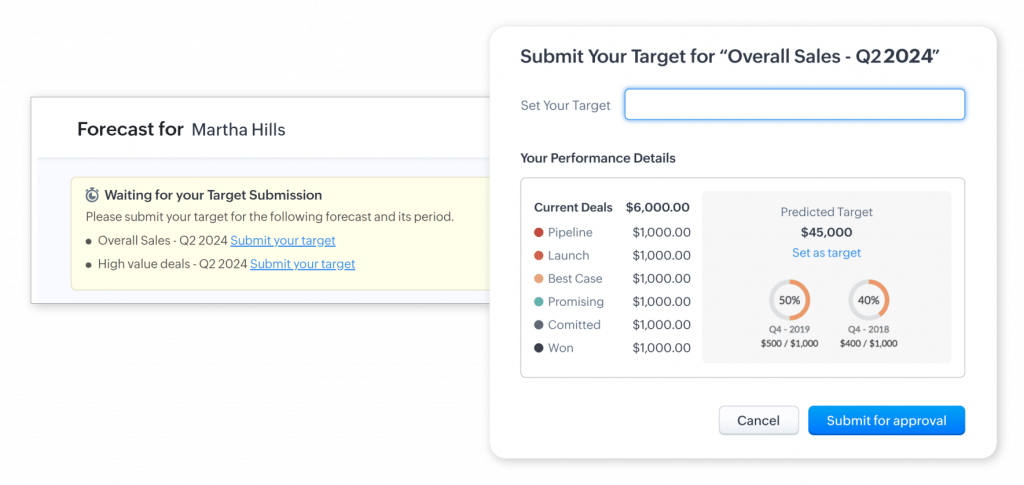
    Bottom-up forecasting model: allows users to define individual goals for more accurate and flexible forecasting. These goals can be managed by managers, accumulating to form the organization’s overall forecast. This update facilitates planning that is more aligned with actual goals and empowers the sales team to focus their efforts effectively.

    (Image via Zoho)

    Rich text formatting: You can now highlight important information using bold, italics, and underline, organize data with bullets and numbered lists, and make visible changes using strikethrough. This tool enriches the presentation of data and allows for deeper customization in the way information is displayed.

    Efficient currency management: Access to multi-currency functionality for trial edition users, allowing up to five currencies. Specific permissions can now be assigned to non-admin users to manage currencies, organize currencies by status. Additionally, when a currency is deactivated, it is notified that it will not be available for creating records, replacing any record creation action with the local currency.
    New ways to interact with Web Forms: You can now interact with your customers through direct links and QR codes, making it easier to collect data without the need to host the form on a web page. It is now possible to redirect customers to a thank you page or display a personalized message after submitting their data.

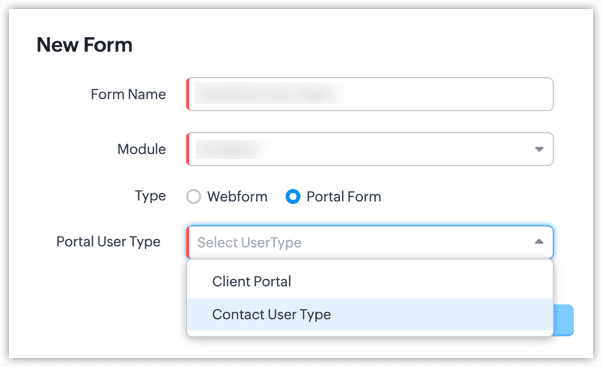
    Simplified self-service: Improved portals allow for the creation of dedicated registration forms for partners, suppliers, or customers, which can be hosted on web pages. Additionally, automate welcome emails and require OTP authentication to secure access.

    (Image via Zoho)

    Email management improvements:

    • 500 GB storage limit per organization or 5 GB per user.
    • Administrator view to manage email storage usage.
    • User view to control personal storage space.
    • Mandatory domain authentication to improve sender reputation.
    • Improved bounce management, classifying them as temporary or permanent.
    • Email credibility dashboard to monitor and improve sending practices.
    • Ability to associate multiple contacts with a deal to centralize email communications.
    • Send and manage emails from the Vendors module.
    • Implementation of OAuth authentication for email relay, increasing security and simplifying configuration.

    (Image via Zoho)

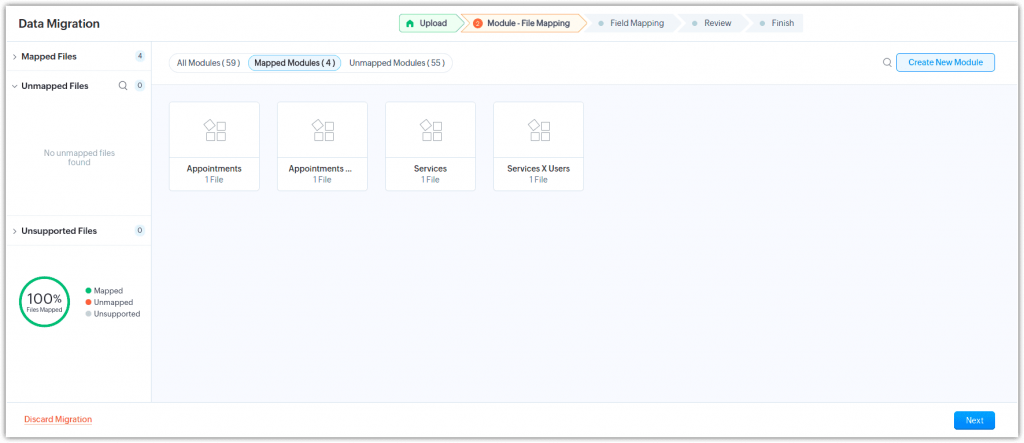
    Migrate Services and Appointments modules between CRM accounts: You no longer have to worry about recreating or transferring data from the Services and Appointments module from one CRM account to another. Zoho has introduced migration support for the Services and Appointments modules, which streamlines the entire process through a series of clear and simple steps.

    (Image via Zoho)

    Customer churn prediction: Zoho CRM has integrated with Google Analytics, allowing Zia to analyze customer online behavior to identify risk factors and more accurately predict those who are likely to churn. This helps businesses implement effective corrective measures to retain customers in the long term.

    Anomaly notifications: Zia can now automatically identify deviations in key metrics within Zoho CRM, such as a drop in leads, without the need for special configurations.
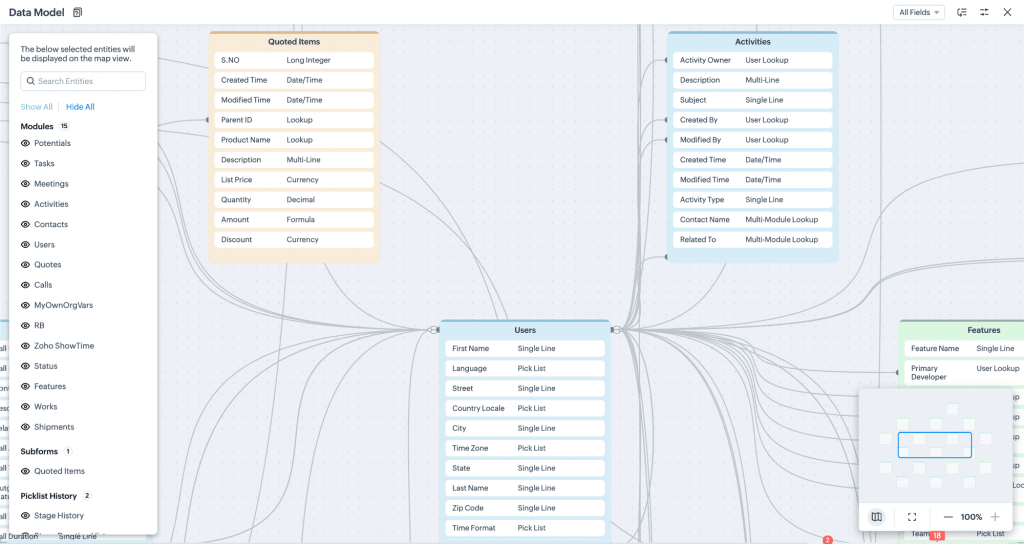
    Visualize how data is connected in Zoho CRM: The new Data Model feature in Zoho CRM allows you to visualize how modules, fields, subforms, and picklists are interconnected, providing a clear understanding of the relationships between data.

    (Image via Zoho)

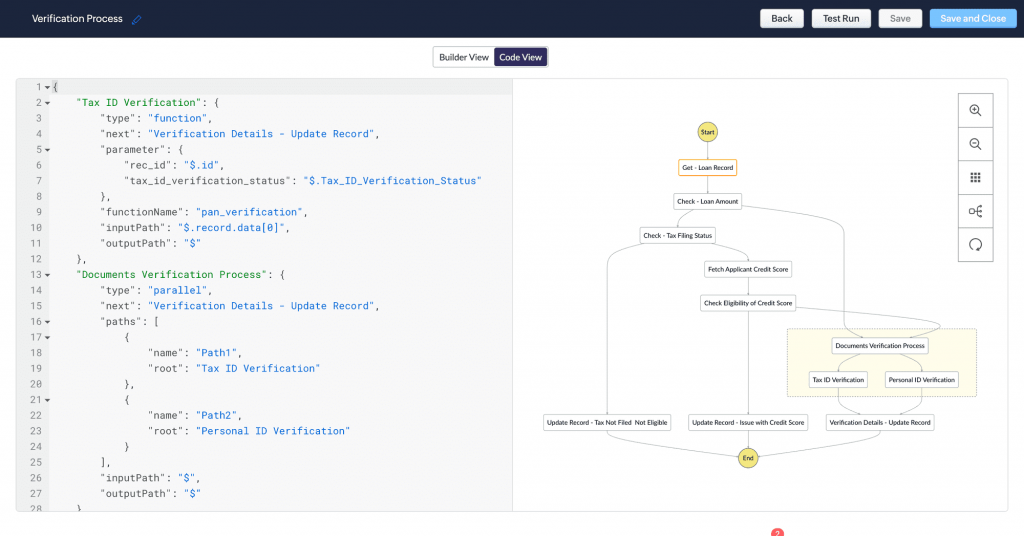
    Orchestrating complex processes with Circuits in Zoho CRM: The built-in solution makes it easy for developers to create, debug, and reuse custom functions through a state machine-based interface, even allowing for expansion to microservices. This tool significantly improves the efficiency of task orchestration and integrates seamlessly with existing automations. Currently available only in the US, EU, and IN DC.

    (Image via Zoho)

    Maximizing GraphQL data efficiency in Zoho CRM: GraphQL offers an advanced methodology for extracting specific data from Zoho CRM, allowing for more precise queries and reducing bandwidth usage by minimizing the data transferred. Available in the Ultimate edition of Zoho CRM, it promises significant optimization in data management.

    Improvements to Zoho CRM calendar: These include synchronization with Zoho Calendar and Zoho Recruit Calendar, automatically reflecting meetings or events in the CRM calendar and marking them as unavailable. Additionally, all assigned tasks can now be tracked directly from the CRM calendar, making it easier to manage and organize daily activities.

    ZIA enhancements:

    • Expanded support for enrichment: Now available for all modules and more fields.
    • Competitor widget: Allows you to monitor and filter mentions of competitors.
    • Competitor in workflow: Automates actions based on competitor mentions.
    • Ask Zia search suggestions: Offers personalized search queries.
    • Call highlights: Highlights key details in call transcripts.
    • And more!

    Zoho Desk also introduced its 2024 updates

    Zoho Desk ’24 introduces a series of significant improvements in automation, customization, ticket management, security, and mobile experience, all with the goal of optimizing customer service. Don’t miss out!

    AI and Automation

    • Zia field predictions: Zia, Zoho’s AI assistant, improves ticket management by analyzing data to predict relevant fields, such as priority and category, after analyzing 500 tickets. If predictions are incorrect, manual feedback improves their accuracy in the future. Available in the Enterprise edition.

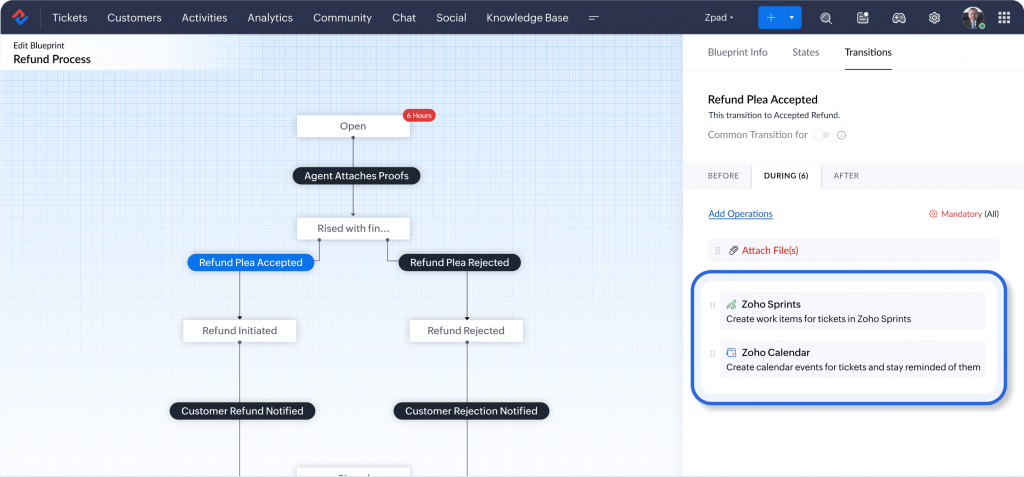
    • Blueprint Widgets: You can create Blueprint flows to define specific stages and actions that tickets must go through as they move through the support process. You can now order actions through Zoho, third-party, or custom widgets. By adding a widget to your flow, you can define your own parameters for the process.

    (Image via Zoho)

    • Sequential round robin assignment: Evenly distributes incoming tickets to available agents in a particular order. Agents take turns resolving and each agent receives their fair share of tickets, keeping the workload balanced. The rule configuration and agents selected during configuration determine the sequence in which agents receive tickets. Edition availability: Professional and Enterprise.

    • Custom support plans and contracts: Zoho Desk introduces the ability to prioritize customer requests based on selected support plans, allowing you to offer custom plans that vary in number of tickets allowed or unlimited support. Edition availability: Enterprise.

    Customization

    • Custom modules: Allow you to capture data in a way that makes sense for your business and adapt to information that doesn’t fit perfectly into Zoho Desk’s standard modules. You can create multiple modules tailored to your specific processes, name them as needed, and easily customize field names through a simple drag-and-drop interface.

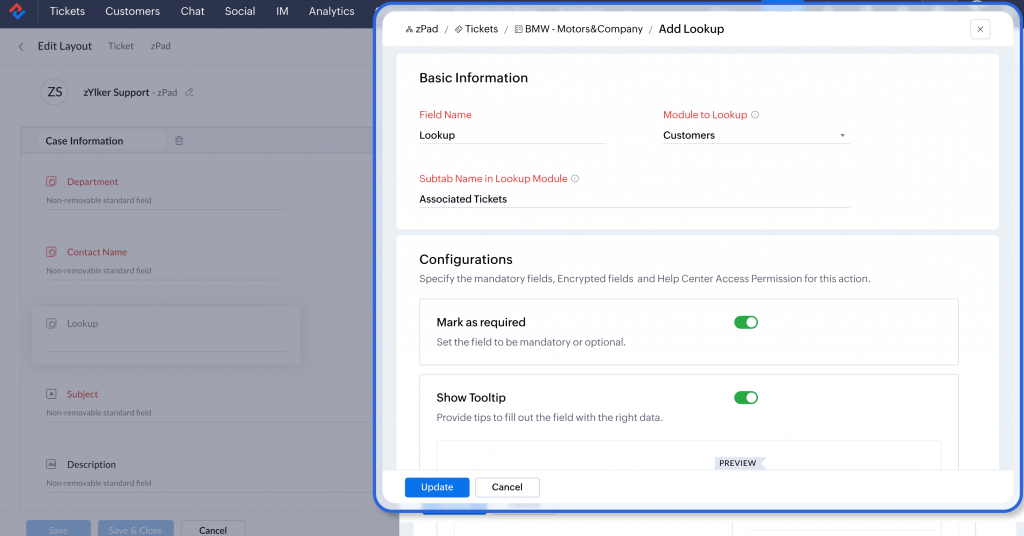
    • Field enhancements: Includes a new custom field type, the lookup field, which makes it easy to relate different modules, allowing you to link records and easily access related information. (Edition availability: Professional and Enterprise). In addition, the use of RegEx in design and validation rules has been implemented to ensure the accuracy of the data entered, such as specific formats for phone numbers, thus improving the usability of the system. (Edition availability: Enterprise)

    (Image via Zoho)

    Ticket experience

    • Associated tickets: Allows you to associate these secondary tickets with the main ticket, each specialized team can focus on their respective areas of expertise while collaborating to resolve the overall issue.

    • Scheduled responses: You can schedule automatic responses for your customer based on time zone, date, with the flexibility to edit, reschedule, or delete it at any time.

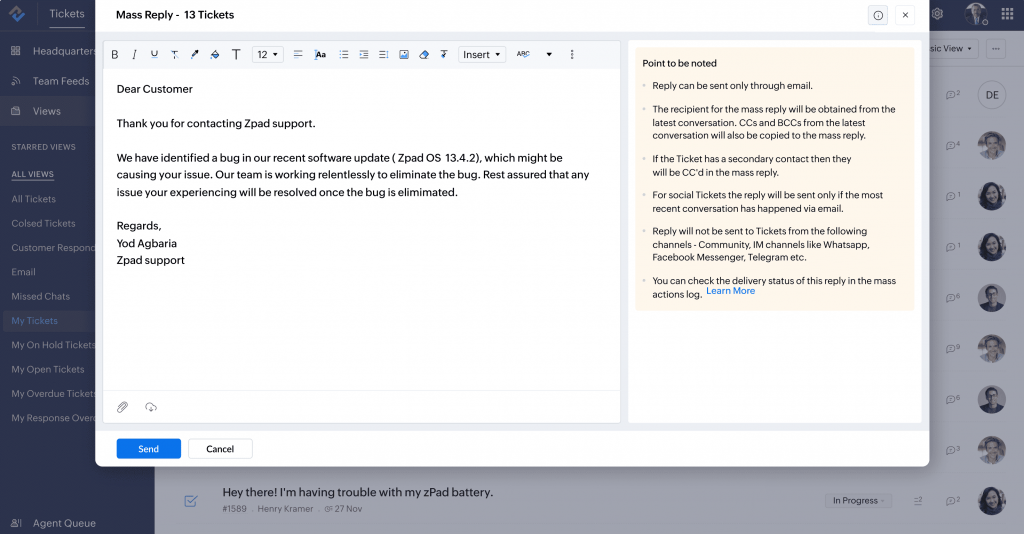
    • Bulk responses: The new bulk response feature allows you to address multiple tickets with a single response. It not only saves time but also ensures consistency in communication when you receive large volumes of tickets.

    (Image via Zoho)

    Data administration

    • Audit log: Provides a detailed history of user actions within the software, such as updates, additions, and deletions. This makes it easy to identify and fix bugs, revert unwanted changes, and evaluate the efficiency of processes. It will be available for more features in the future. Available in the Enterprise edition.

    • Sandbox environment: Provides a safe space to test changes, such as ticket routing, without affecting the current operation or customer perception. Allows teams to experiment with customizations and adjust workflows and automation rules before final implementation. Available in the Enterprise edition.

    The essentials of email security: SPF and DKIM Records

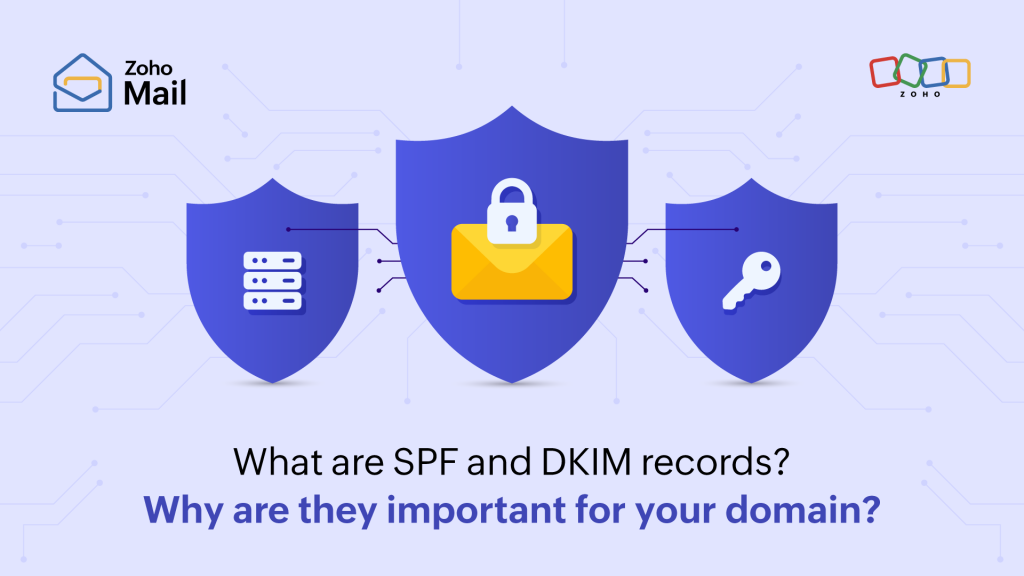
    In the realm of digital identity, two pillars uphold the integrity and security of our email communications: SPF (Sender Policy Framework) and DKIM (DomainKeys Identified Mail) records. These technologies are vital for any entity that wants to secure its domain and ensure the effective delivery of its emails. In this digital age, where email remains the most authentic and reliable communication channel, understanding and correctly applying these records is not only recommended, but essential.


    What are SPF and DKIM records?

    The SPF record allows domains to specify which servers are authorized to send emails on their behalf, thus minimizing the risks of identity theft and phishing. For its part, DKIM adds a layer of authentication through a digital signature that verifies the origin and integrity of the email, assuring recipients that the message is legitimate and has not been altered in transit.

    The importance of configuring SPF and DKIM records correctly

    Implementing these records on your domain is crucial for a number of reasons:

    • Improved email delivery: Ensures that your messages reach the inbox, avoiding spam filters.

    • Protection against phishing and identity theft: Helps protect your recipients from possible fraud.

    • Compliance with mass sender policies: With the recent announcement by Google and Yahoo, email authentication becomes a mandatory requirement, reinforcing the need to adopt these practices.

    Tips for effective email delivery

    In addition to configuring SPF and DKIM records, it is vital to adopt responsible email sending practices:

    • Avoid unsolicited cold emails that could mark your domain as spam.

    • Restrict sending bulk emails without proper authentication.

    • Use email services that promote good practices, such as Zoho Mail, which prevents the use of its platform for sending spam.

    The DMARC policy: An additional step towards security

    Configuring a DMARC (Domain-based Message Authentication, Reporting, and Conformance) policy allows you to obtain detailed information about who is sending emails on behalf of your domain. This makes it easy for you to adjust your SPF and DKIM records as needed and take action against unauthorized use of your domain.

    Implementing SPF and DKIM records, along with a DMARC policy, not only improves the security and delivery of your email communications, but also protects your online reputation. At a time when major email platforms are tightening their authentication requirements, making sure your domain complies with these practices is not only a security measure, but a necessity to ensure the continuity and effectiveness of your business communications.

    Zoho Webinar


    Getting started with Zoho Projects


    Introduction to Zoho Sprints

    What is putaway? Zoho Inventory for you and me

    Do you want to add these new features to your Zoho system? Let’s work together! Learn more about our Zoho consulting services and contact us for a free consultation.


  • Zoho News Catch-Up: New Zoho QEngine, Sheet Gets 2024 Update, Bigin’s Latest Features

    Welcome to our catch-up, where you’ll be in the know of all the latest Zoho updates in one place!

    New Zoho QEngine: Software for Test Automation

    (Image via Zoho)

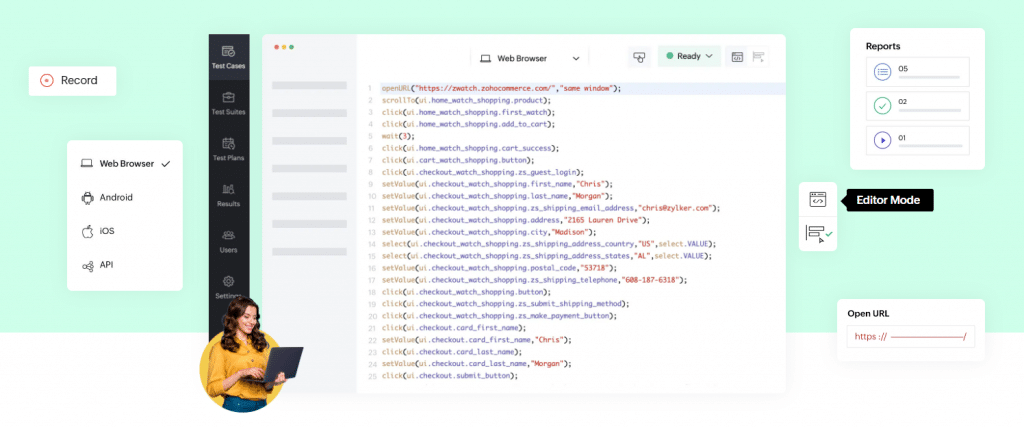
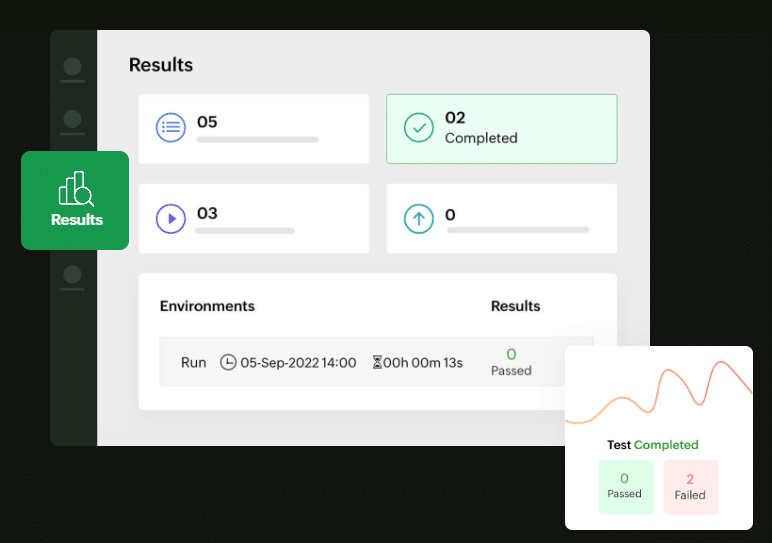
    ‌Now QA Analysts and IT heads can manage all test cases throughout platforms in one place with Zoho QEngine’s no-code, low-code, and manual coding features. Create, develop, manage, and execute automated functional tests while collaborating with your team. This new test automation software is everything you need to run your entire testing lifecycle.

    The unified capabilities of Zoho QEngine allows for testing in web applications, mobile applications, and API. It has the following features:

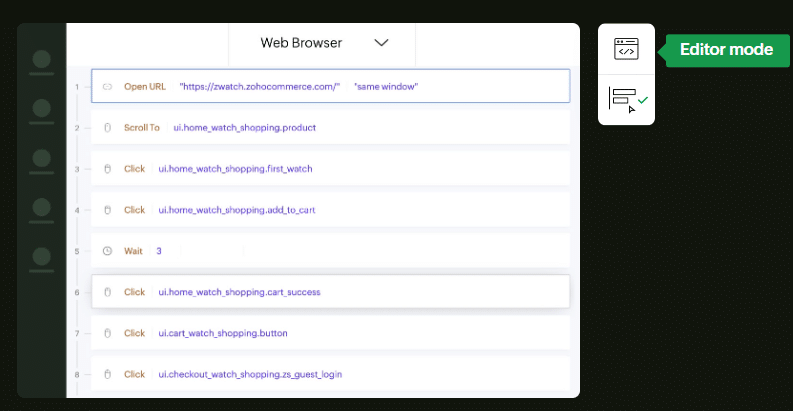
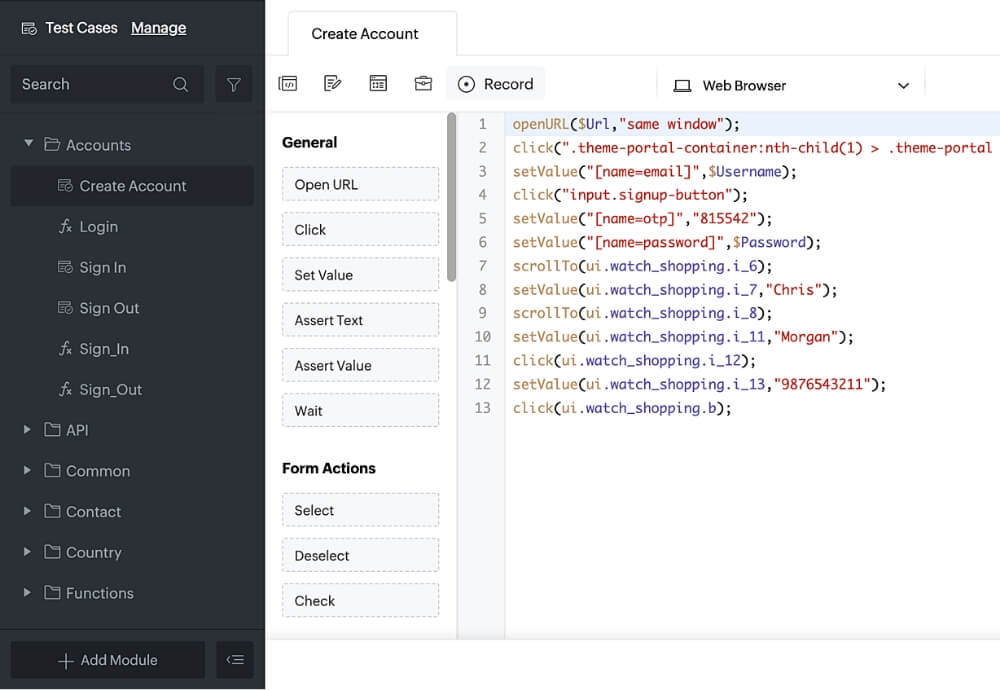
    • Build test cases: Create test cases with Zoho QEngine’s low-code builder, no-code recorder, and pro-code editor with simplified syntax similar to Java and JavaScript.
    (Image via Zoho)
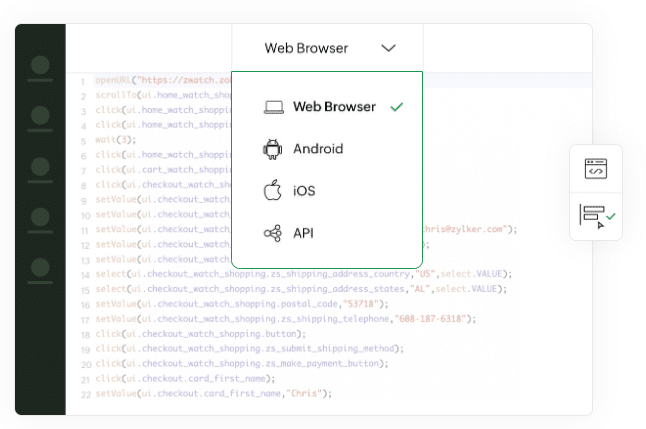
    • Manage test cases: Modules of multiple test cases can be created and implemented in any browser or platform. The cross-platform management of test cases allows exhaustive testing for web, Android, iOS, and API in the same project window.
    (Image via Zoho)
    • Execute test cases anywhere: Execute your test cases on the cloud, local server or hybrid cloud. Run test cases in a secure, serverless environment. One-click test-plan scheduler runs for multiple test suites and cross-platforms. For offline test case execution, Zoho QEngine’s Agents functionality lets you execute tests on local machines running on different operating systems.
    (Image via Zoho)
    • Collaborate with user approvals: QA managers can review test cases before giving the approval to deploy. Admin, Manager, Tester, and Viewer roles can be assigned to users. Users can also utilize the comments feature to communicate real-time during test case creation.
    (Image via Zoho)
    • View results with Reports: The report feature has a dashboard that captures the entirety of your test case results, along with reasons for failure with in-built reports. This allows efficient debugging and error tracking.
    (Image via Zoho)

    Zoho Sheet ’24: Universal Data, Automated Analysis, and Synced Themes

    This new version lets you transform your spreadsheets into dynamic sheets, with tight integrations that help data flow from other Zoho services. Updates include automated analytic and formatting suggestions, themes for your files, and more. Let’s take a look at the new features!

    • In-sync data connections: Add live data to spreadsheets from Zoho services (like Zoho CRM, Books, and Analytics) or from URLs. Keep your data synced automatically with Data Connections.
    (Video via Zoho)
    • Merge templates: Create and share automated records with dynamic fields mapped to other Zoho services like CRM, Forms, and Creator.
    (Video via Zoho)
    • OpenAI functionalities in Zia: Receive contextual answers about your data, build formulas and macros, or create a table from scratch in a few seconds, thanks to Zoho Sheet’s integration with OpenAI.
    (Image via Zoho)
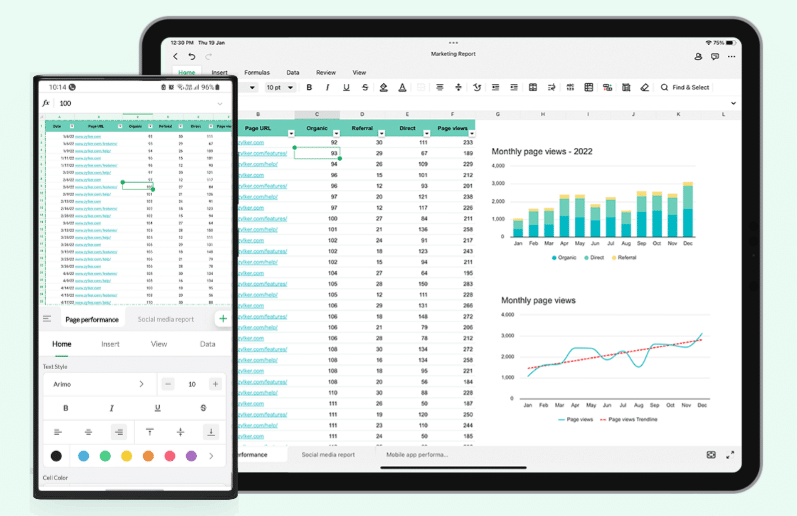
    • Powerful mobile apps: Get Zoho Sheet’s app for iPad, and the revamped Android app for smartphones and tablets. Work seamlessly from anywhere.
    ((Image via Zoho)

    Zoho Sheet ’24 also includes a font library, data bars, predefined tables, themes, and history editing.

    Zoho Bigin: New Activity Options for Workflows

    (Image via Zoho)

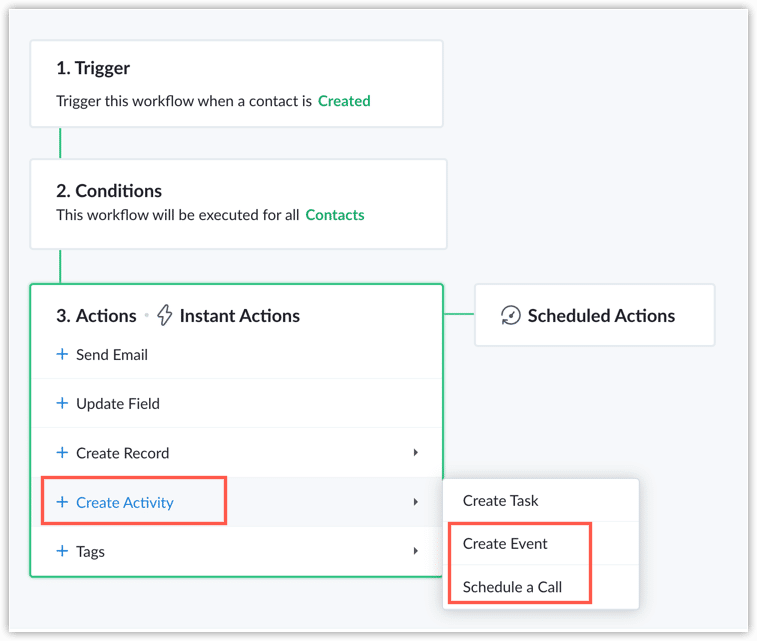
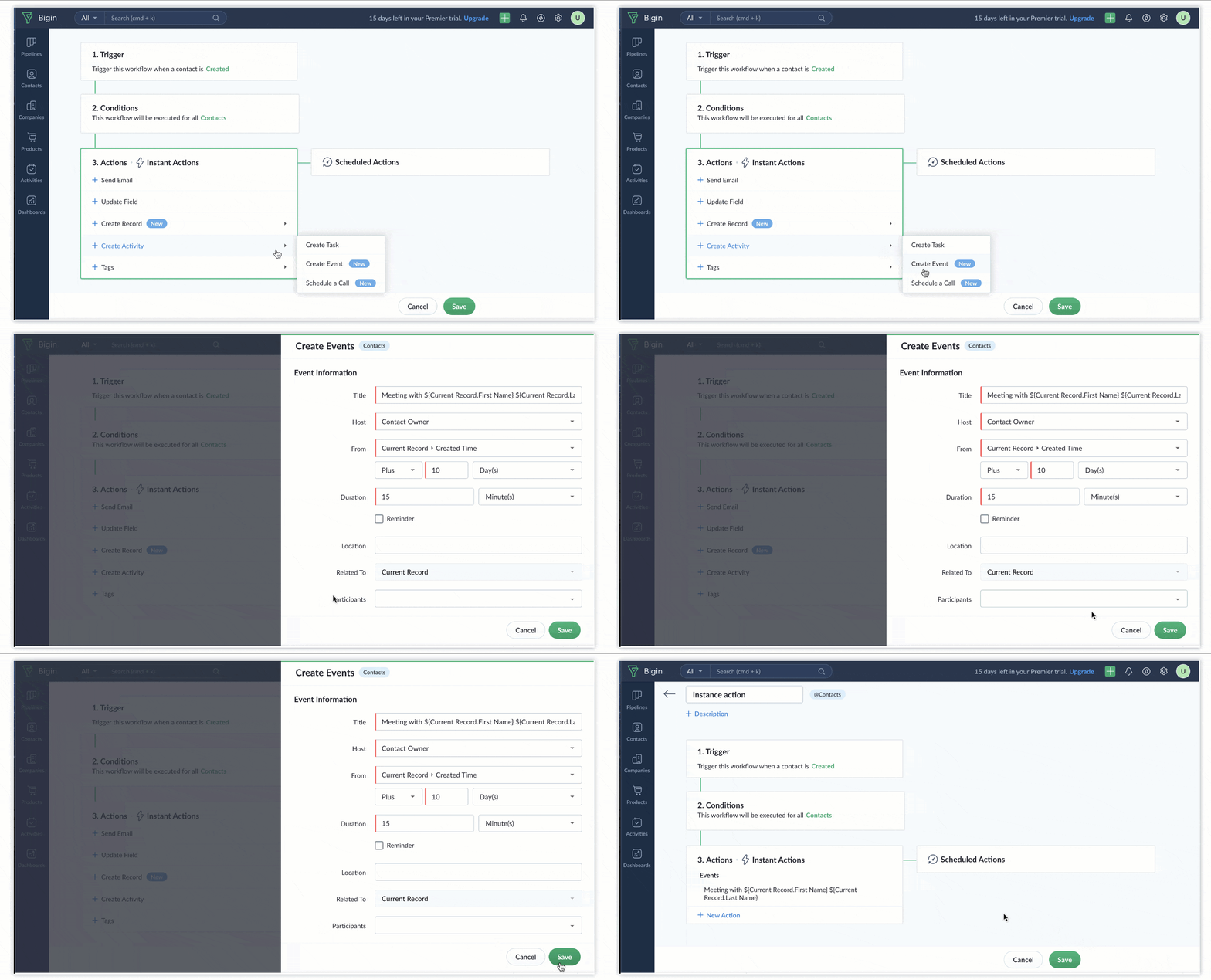
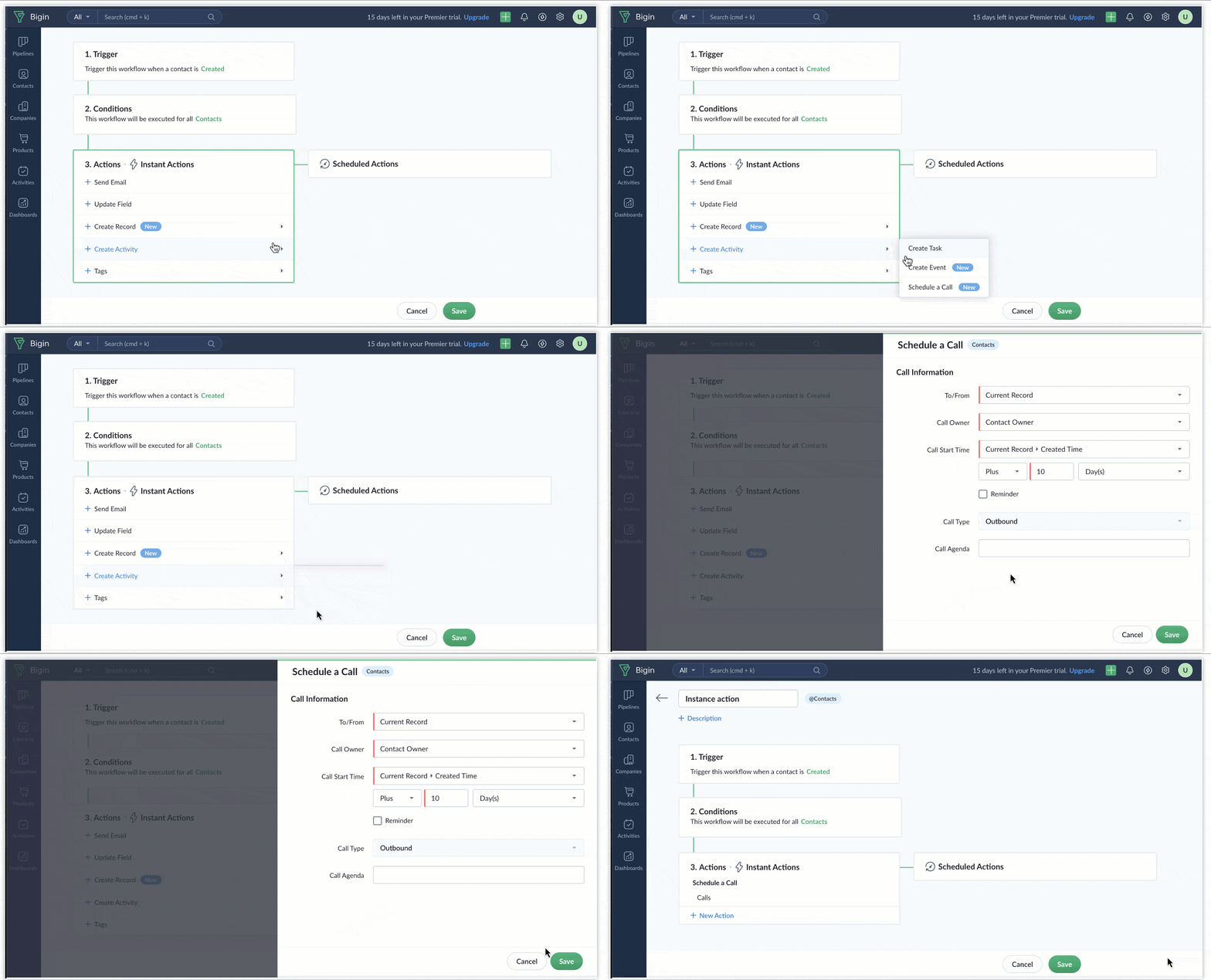
    Two new dynamic actions have been added to Zoho Bigin’s workflow functionality: Create Event and Schedule a Call. These actions are designed to improve your workflow processes and bring more efficiency to your operations. Create Event and Schedule a Call are exclusively accessible within the Instant Actions feature.

    Create Events

    (Image via Zoho)

    This action works with a range of supported modules, including Pipelines, Contacts, and Companies. In other words, you can effortlessly create events related to these modules, making it easier to manage your schedules and important appointments.

    Schedule a Call

    (Image via Zoho)

    Made for anyone who needs to schedule calls as part of their workflow, this action is a game-changer. It’s designed specifically for the Contacts module, making sure that you can automatically schedule phone calls with your contacts without effort.

    Note: These new actions are compatible with the Express, Premier, and Zoho One editions.

    Webinars from Zoho

    Prioritize and Personalize Your Marketing and Selling Efforts with Zoho CRM 

    Zoho Sign: How Can Digital Signatures Increase Customer Experience in a Hybrid Work World

    Data Cascading in Zoho Analytics

    That’s all for now, IC readers! Happy holidays, and may you have a wonderful and thriving 2024!

    Want to add these new features to your Zoho system? Let’s work together! Learn more about our Zoho Consulting Services and request a free consultation.
  • Zoho News Catch-Up: CRM’s Autumn 2023 Update, Marketing Automation 2.0, Analytics’ Updates, Social’s Inbox

    Welcome to our catch-up, where you’ll be in the know of all the latest Zoho updates in one place!

    Zoho CRM Launches Autumn 2023 Update

    The latest update of Zoho CRM includes many new and exciting features for its users. We have prepared an overview of them so you can explore the enhancements and make the most of your CRM experience. Let’s take a look!

    Path Finder

    (Image via Zoho)

    Zoho CRM has added another vital component to CommandCenter to complete the journey builder: Path Finder. It allows you to generate visual maps illustrating the different routes your customers follow throughout their interaction with your company. You can identify and cover all possible paths, so it enables you to build a more holistic customer journey and deliver meaningful interactions at every stage.

    Templates for Your WhatsApp Messages

    (Image via Zoho)

    Generate templates for various message categories, including transactional and marketing communications.

    Pricing Updates for Zoho CRM Portals

    Portal user licenses are now $5 per user per month, the new lowest price. This pricing applies to all portal user license purchases, effective next payment cycle for existing users.

    (Image via Zoho)

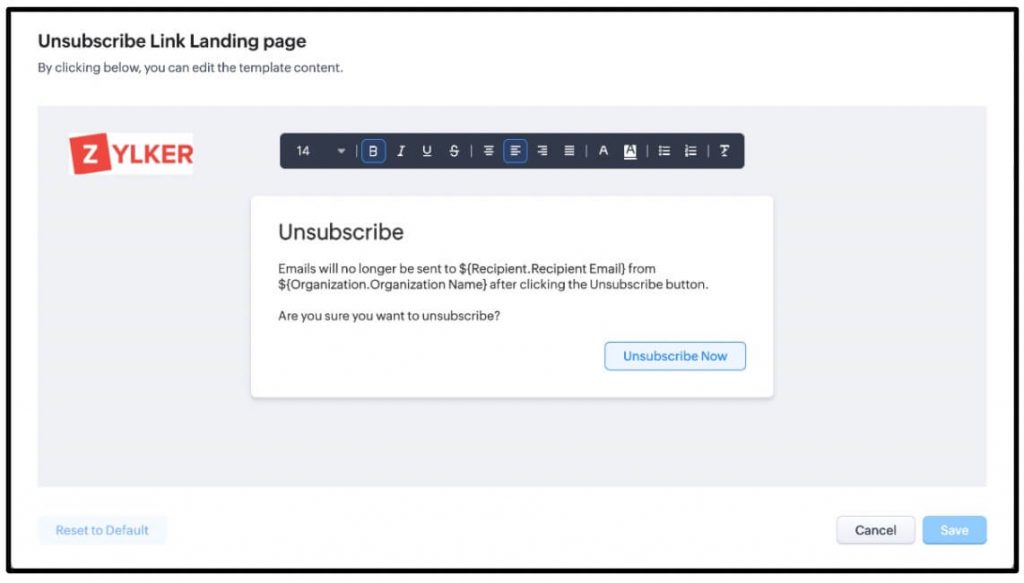
    Personalize Your Unsubscribe Landing Page

    (Image via Zoho)

    Utilize merge fields to personalize the content on both the unsubscribe and immediate confirmation pages your customers see.

    Improvements to Your Home Pages and Dashboards

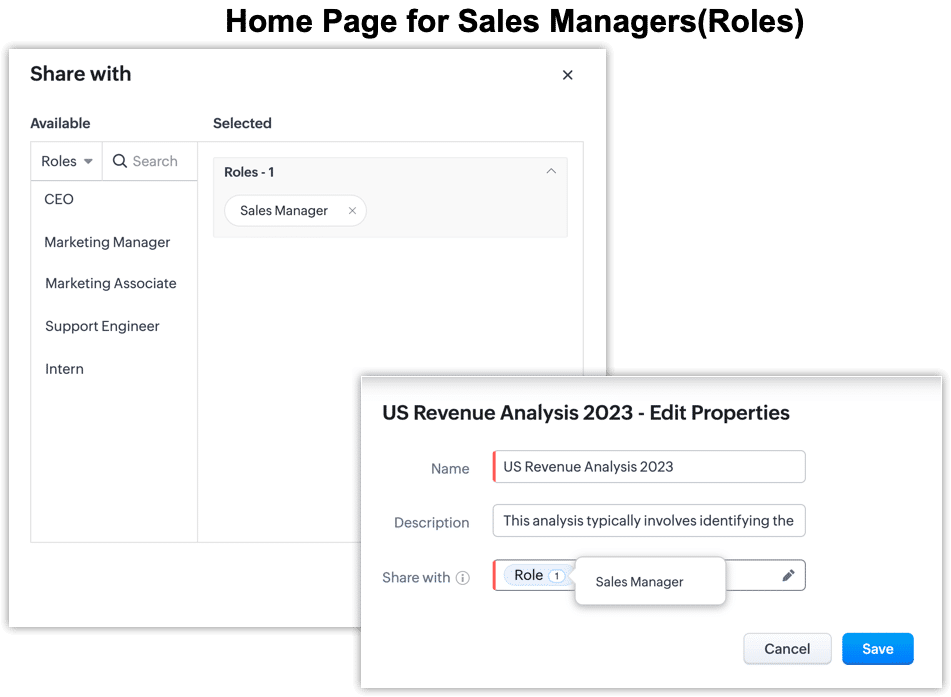
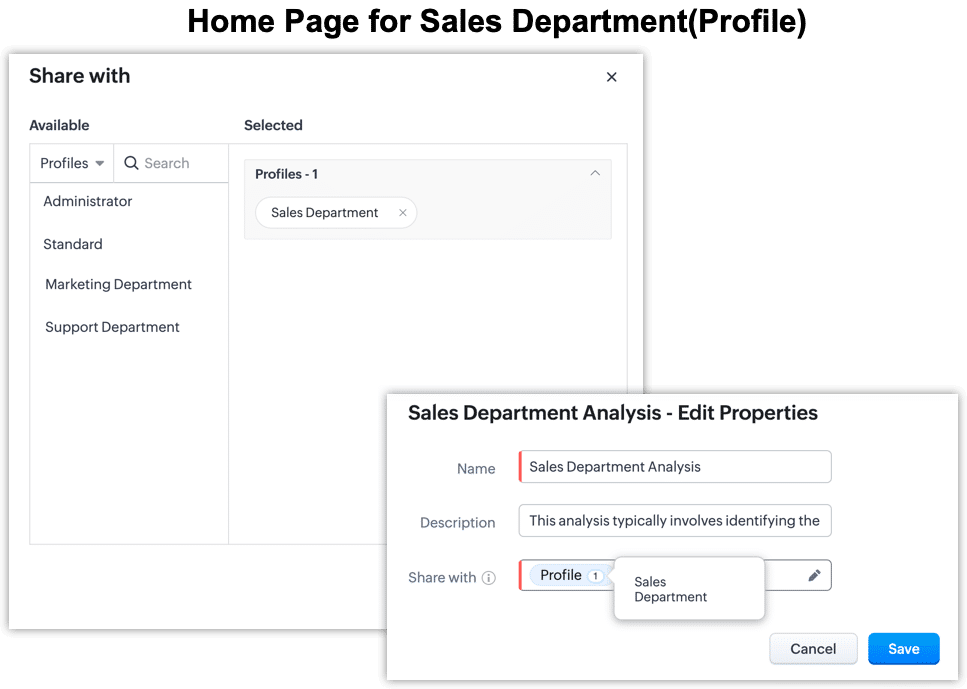
    • Profile-based home page sharing: Share home page components based on a user’s profile, giving your users more comprehensive insights into their activities.
    • Access multiple home pages: Users can now access up to 10 home pages, including up to five based on their roles and an additional five based on their profiles.
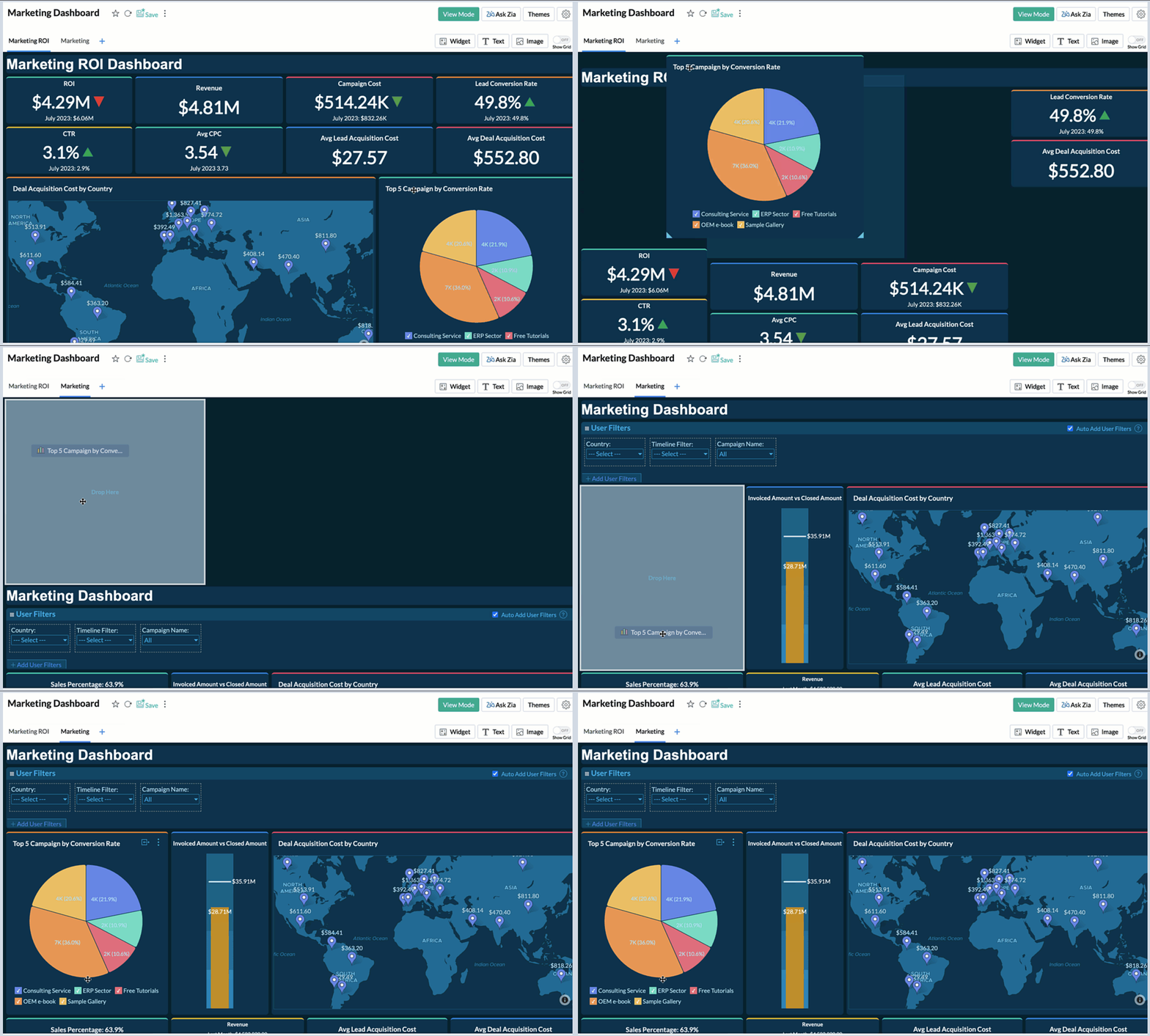
    • Dashboard support in copy customization: Duplicate analytics configurations from source accounts to target accounts for your dashboards, with certain restrictions.
    (Image via Zoho)
    (Images via Zoho)

    Lookup Filters

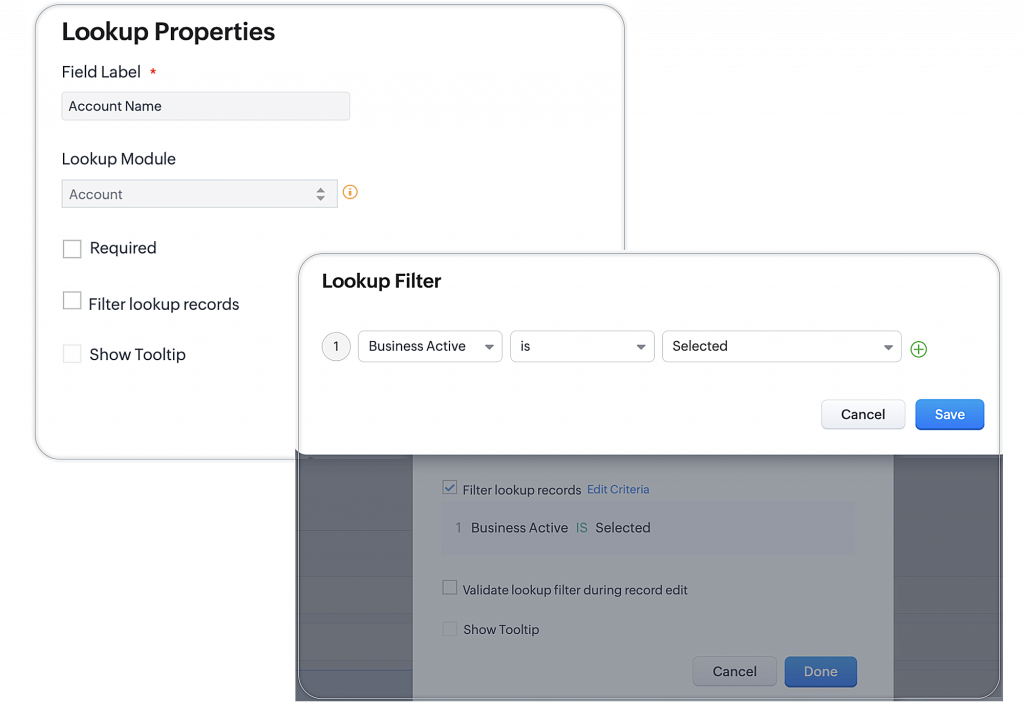
    With lookup filters, admins can ensure that your sales team has access to the correct records when they perform a lookup by defining the right conditions.

    (Image via Zoho)

    Threshold for Assignments 

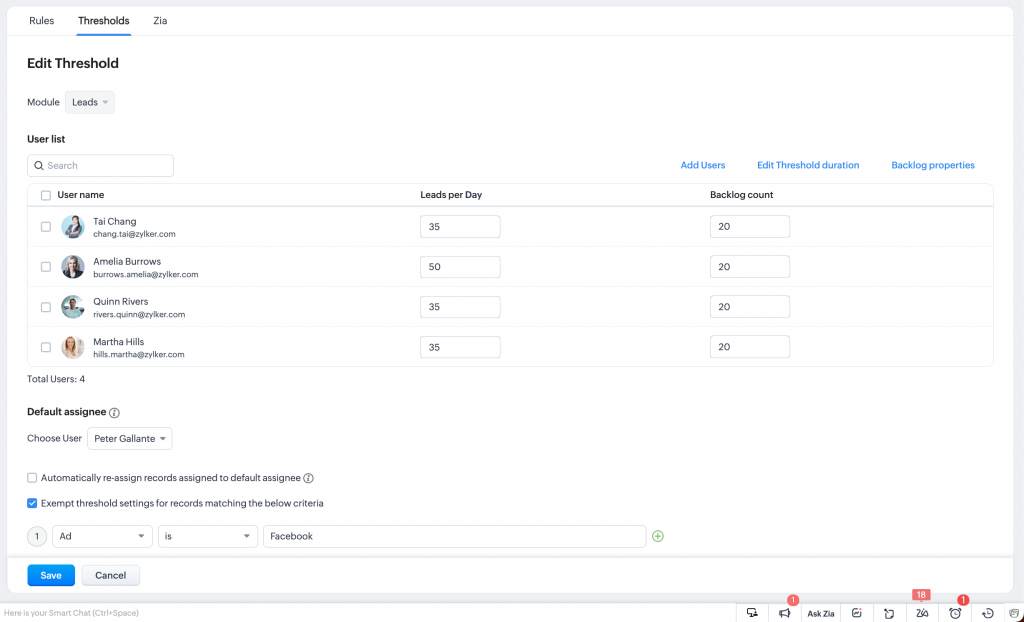
    Set thresholds on the amount of records that can be assigned to each rep in your business. Now you can set limits on record assignment, set limits on backlogs, and enable automatic reallocations.

    (Image via Zoho)

    Voice Recording Fields in the Calls Module

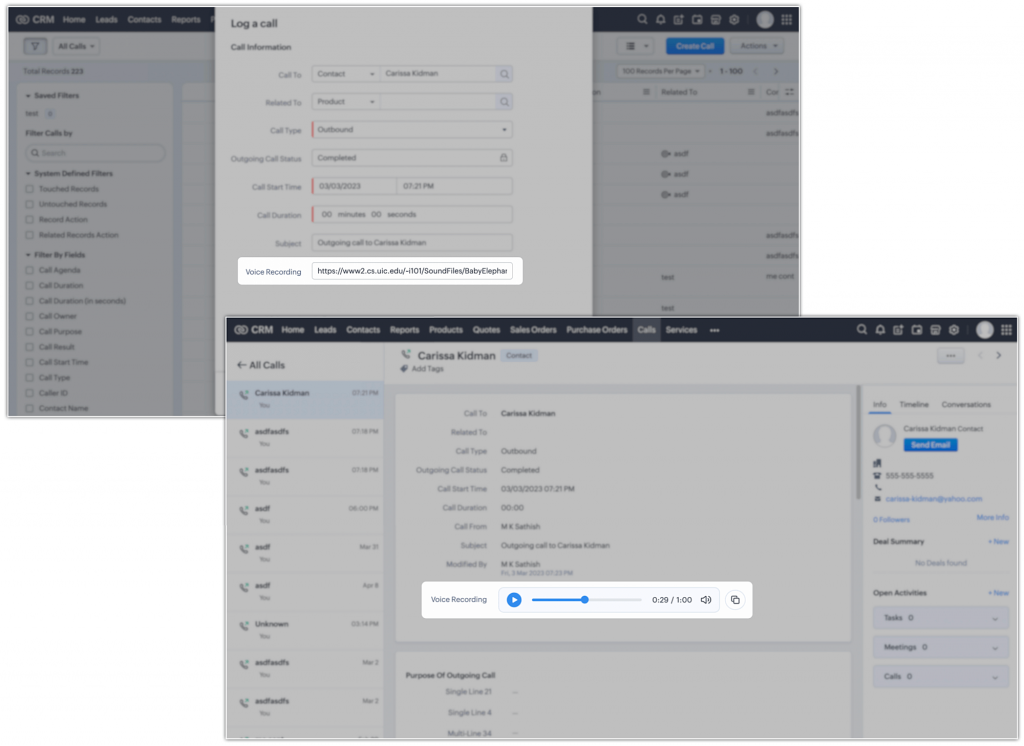
    Add links to your call recordings, which will then render as an audio player so you can listen to and analyze conversations. Also, you can define who can see and interact with this field for an added layer of security.

    (Image via Zoho)

    Mail Merge Updates

    (Image via Zoho)

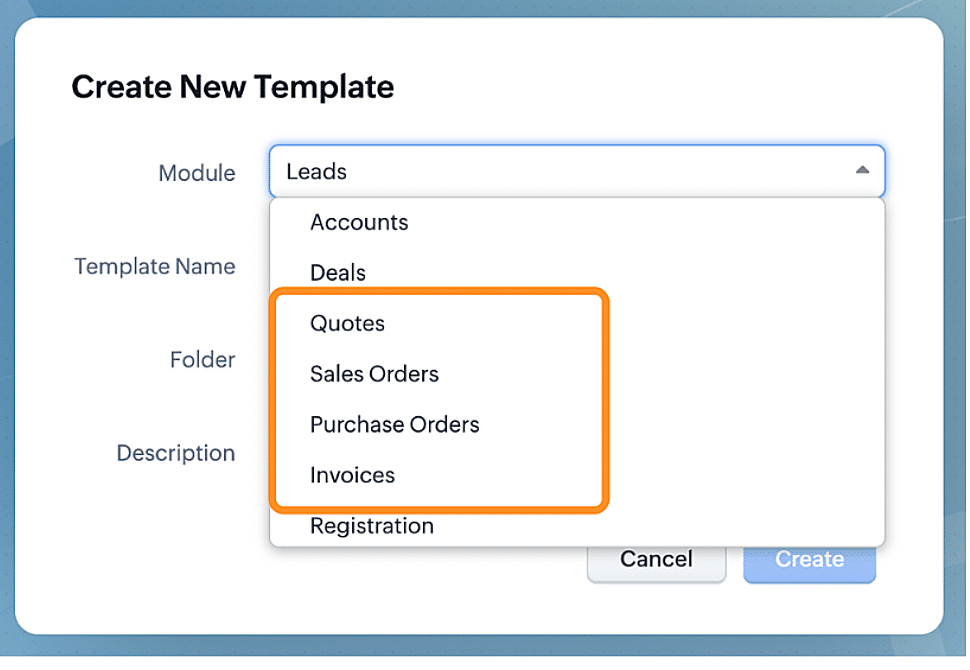
    The integration of Zoho CRM’s Mail Merge and Zoho Writer allows you to customize and share documents with your customers. Through the use of merge fields, you can seamlessly merge CRM data with pre-existing templates, eliminating the need to create new templates for each document. Generate personalized quotes; agreements; terms and conditions; contracts; among others.

    AI is Everywhere

    Through Zia —Zoho’s virtual artificial intelligence assistant— you’ll witness advanced AI capabilities integrating into various functions throughout Zoho CRM, including:

    • Suggestions for users’ assignment
    • Lead scoring based on diverse factors
    • Recommendations for existing records
    • Segmentation of your recommendations
    • Context for next best experiences
    • Failed activities metrics for best time to contact
    • Subject line suggestions
    • Suggestions in webform A/B testing

    Strategy Influencer

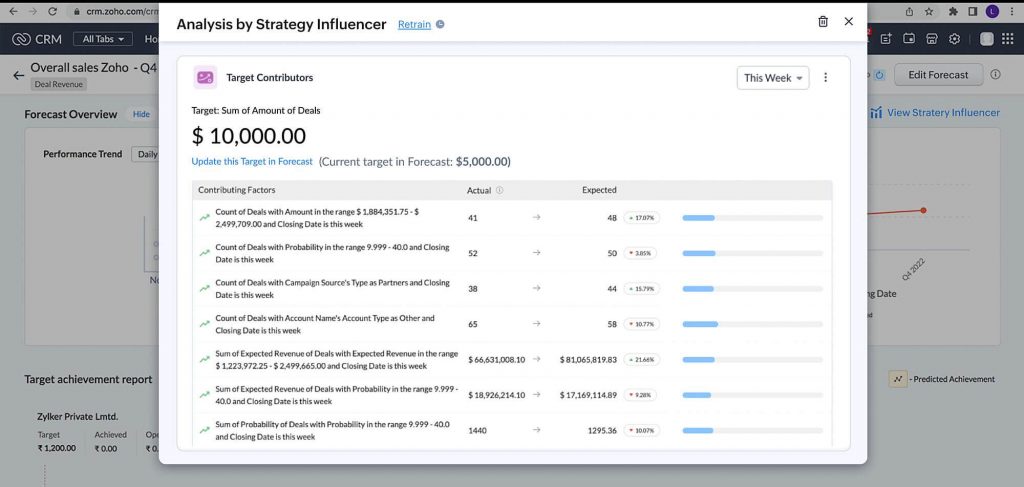
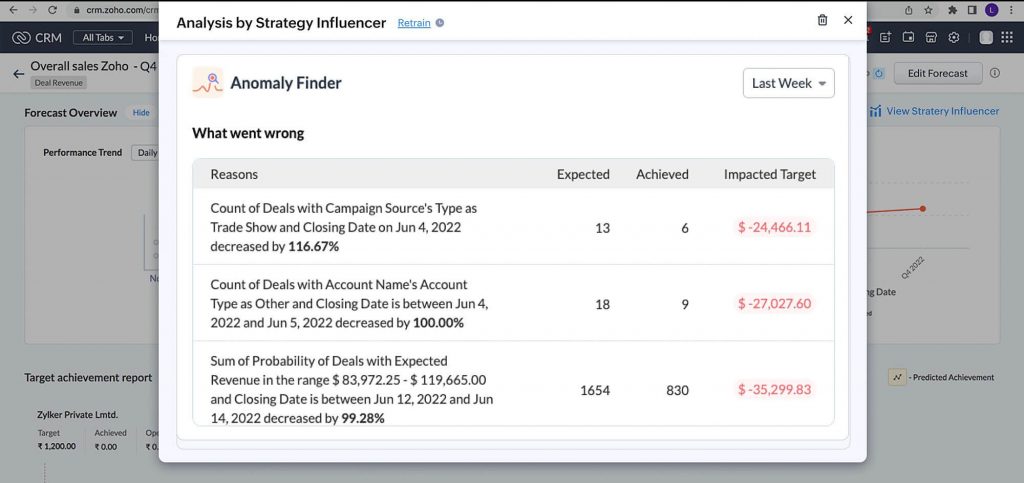
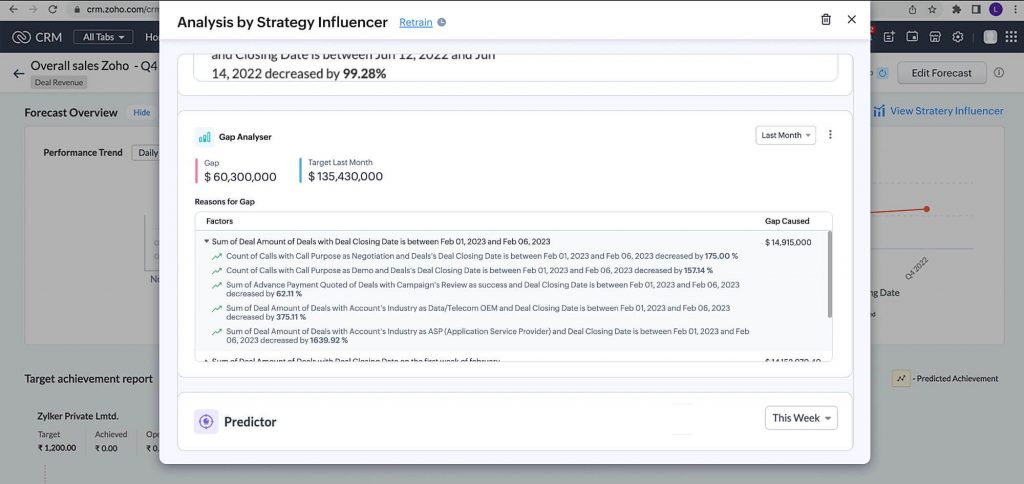
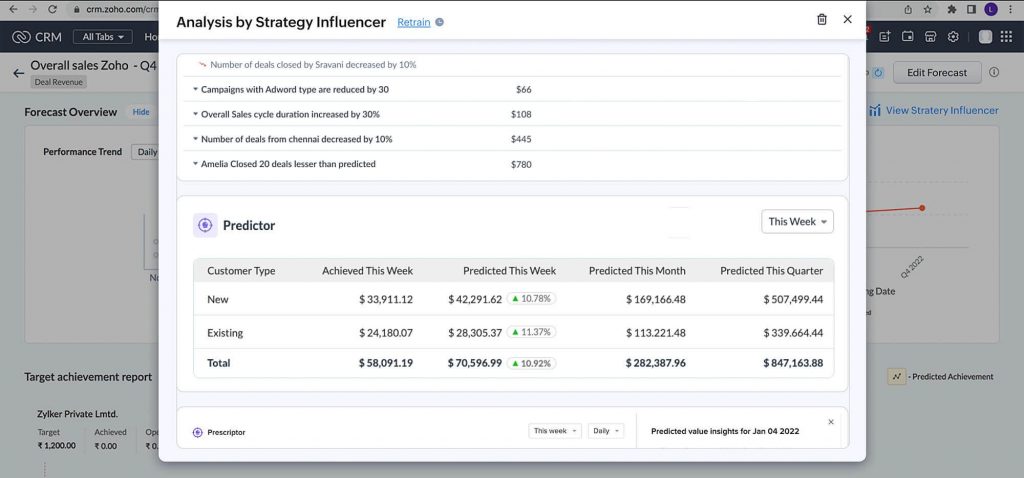
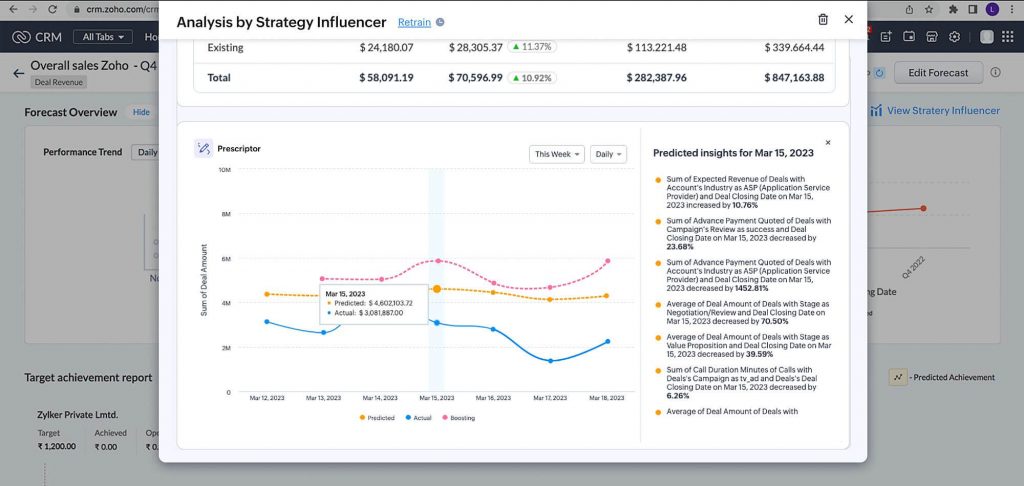
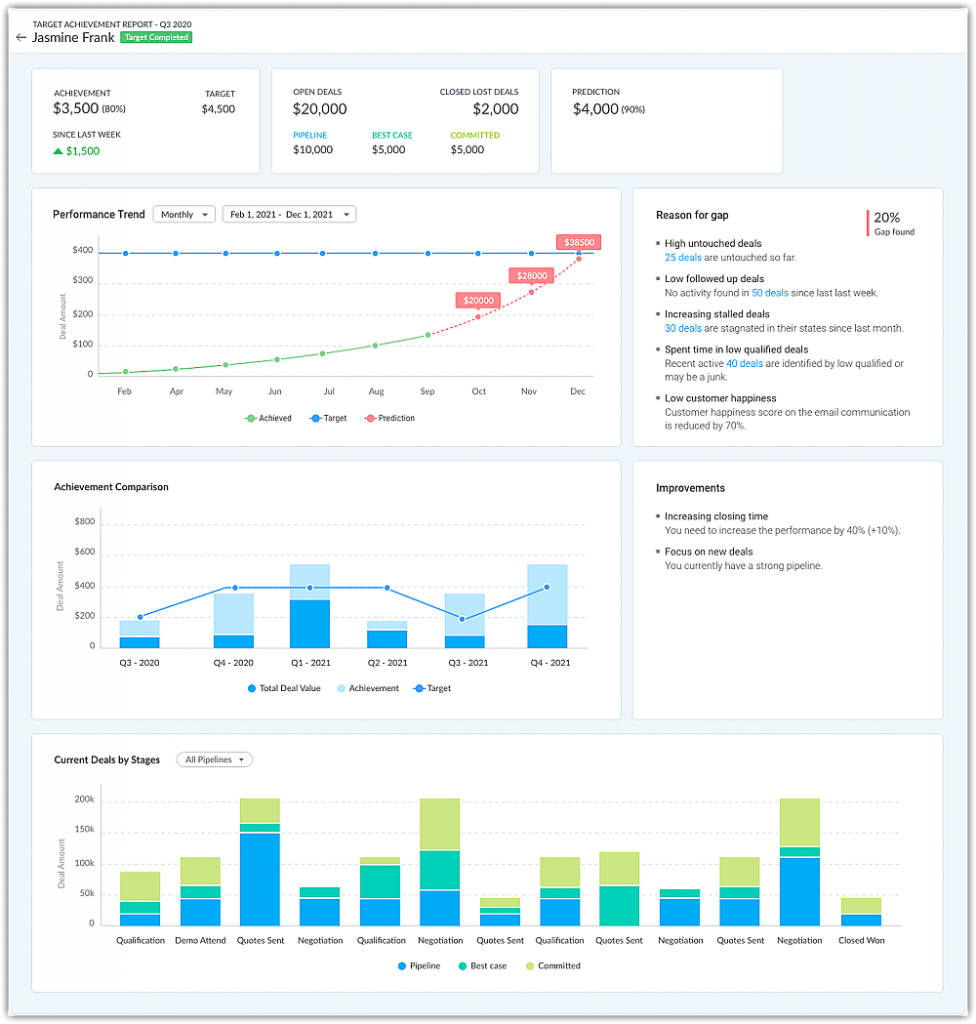
    Zoho CRM’s Strategy Influencer introduces comprehensive analytics, providing a holistic view of your organization’s trends and patterns. It offers insights like projected targets, anomalies, explanations for unmet goals, and strategies to reach your objectives, empowering you to gain a deep understanding of your business performance and craft effective strategies for improvement.

    Target Contributors

    (Image via Zoho)

    Anomaly Finder

    (Image via Zoho)

    Gap Analyzer

    (Image via Zoho)

    Predictor

    (Image via Zoho)

    Prescriptor

    (Image via Zoho)

    Performance Analysis in Forecasting

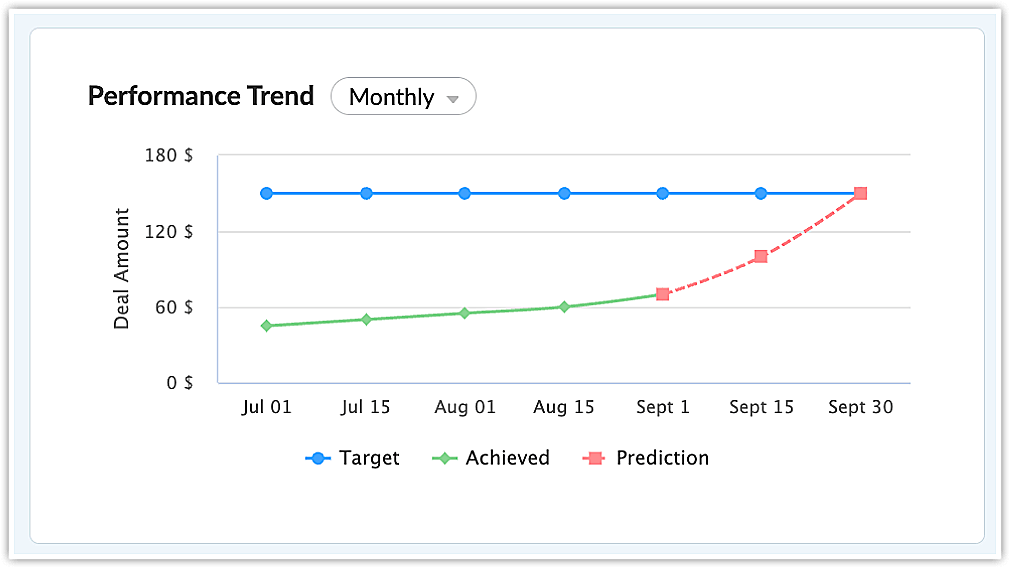
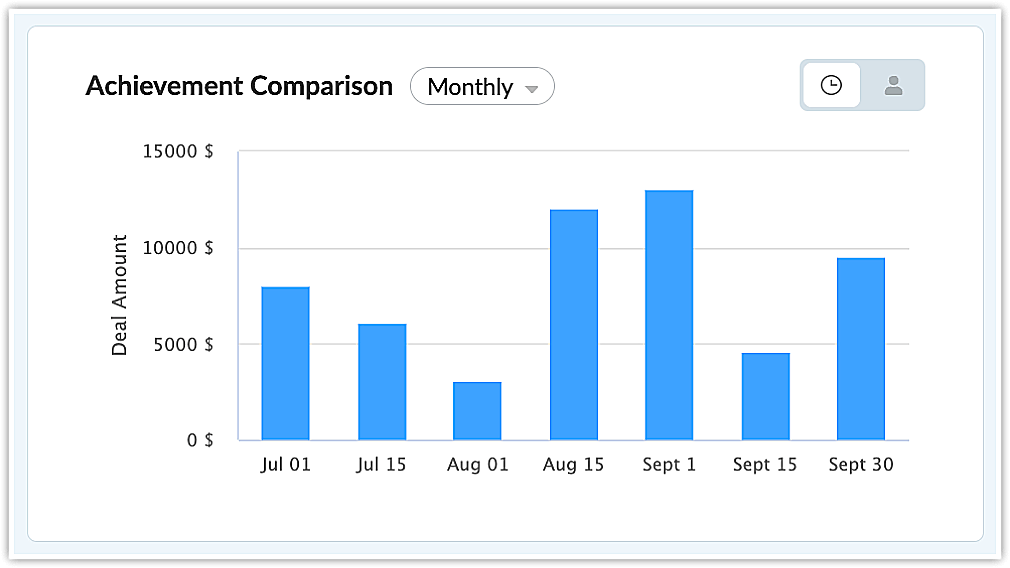
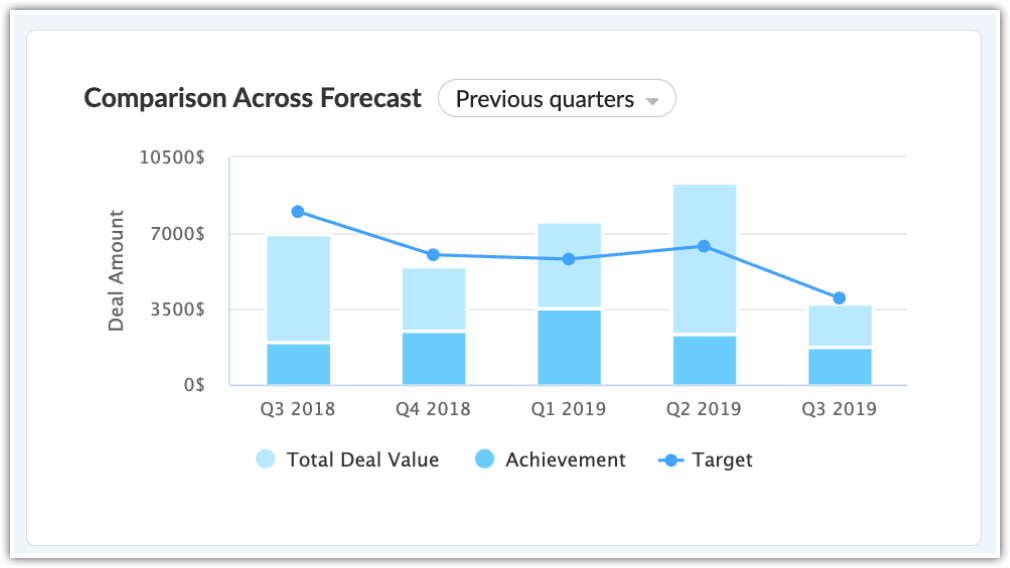
    Forecasting in Zoho CRM empowers businesses to establish and strive to achieve their targets, with newly introduced tools for sales teams to enhance their sales performance analysis. The new tools are Performance Trends, Achievement Comparison, Comparison Across Forecasts, and User Performance Page.

    (Image via Zoho)
    (Image via Zoho)
    (Image via Zoho)
    (Image via Zoho)

    Custom Forecasting Categories

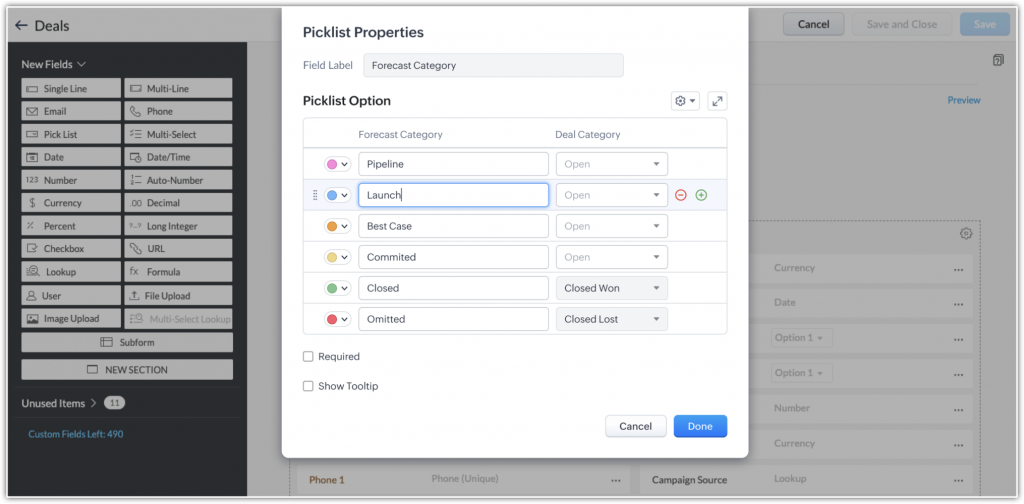
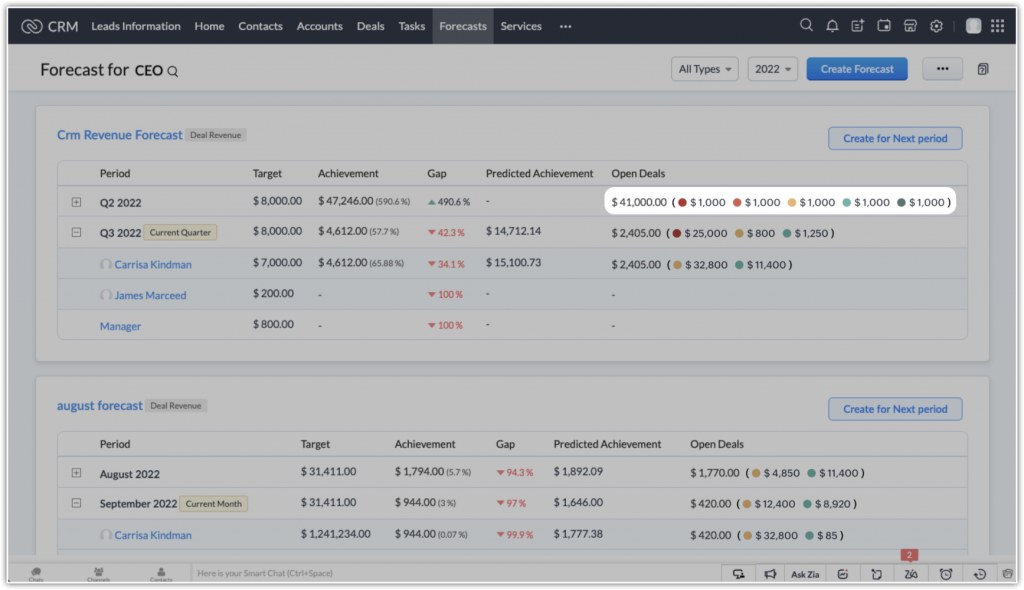
    You now have the alternative to create two custom categories. Moreover, you can change the color that represents each category (except closed deals). These new categories and the updated colors will be reflected throughout various locations, including forecast creation, target achievement reports, forecast performance reports, and user performance reports.

    (Image via Zoho)
    (Image via Zoho)

    Improvements to Find and Merge, and Deduplication

    To streamline the removal of duplicates from your system, improvements have been introduced to Zoho CRM’s deduplication system: customization of search parameters and support for deals and custom modules.

    Custom Domain Mapping

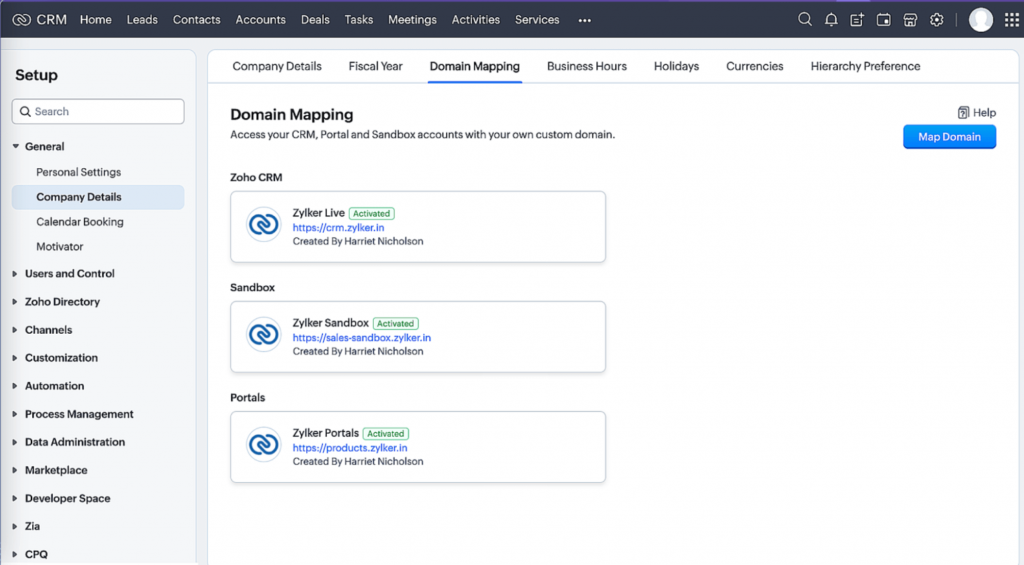
    This ensures consistent branding and credibility when customers engage with your business on Zoho’s platforms. This allows you to access the efficiency of the Zoho CRM system under your company’s brand name. For instance, instead of using crm.zoho.com, your CRM account can be rebranded to your sales team’s identity, like sales.zylker.com.

    (Image via Zoho)

    Zoho Marketing Automation Launches Version 2.0

    Attention, marketers: Zoho Marketing Automation is finally here! Check out the new and exciting features:

    Sleek New Design

    (Image via Zoho)

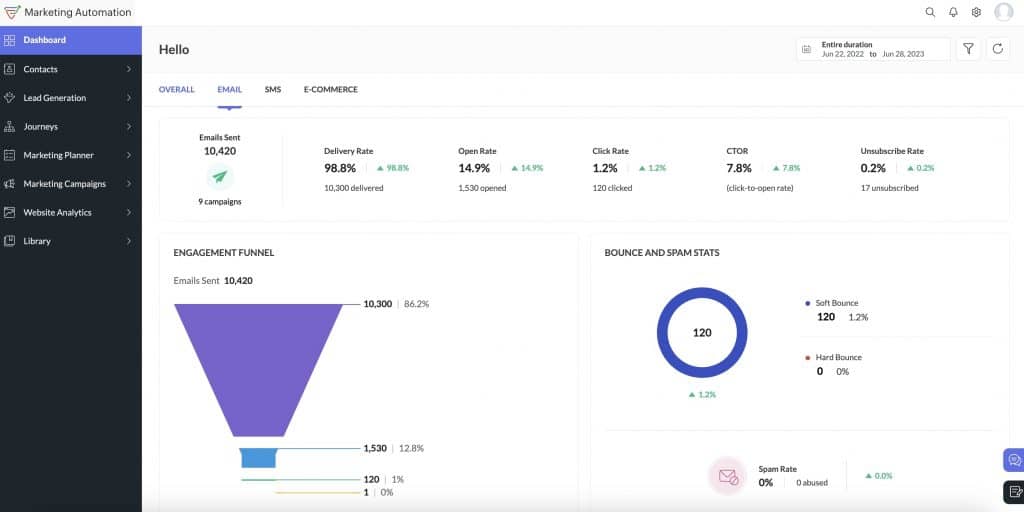
    Zoho Marketing Automation (ZMA) has undergone a complete transformation in terms of its visual design and user experience, featuring a cleaner, modern look, improved navigation, and better accessibility to essential information. This revamped UI is aimed at providing users with a more efficient and effective experience, ultimately benefiting your business.

    Landing Pages

    (Image via Zoho)

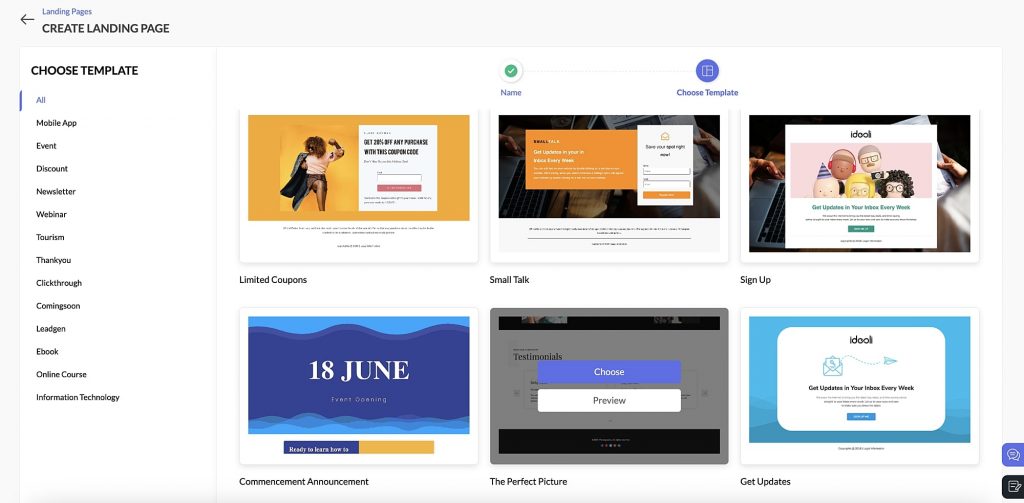
    With ZMA 2.0, there’s no need for a separate landing page builder. You can effortlessly design, create, and publish attractive landing pages with ZMA’s user-friendly visual editor. This code-free builder empowers marketers to craft pages on the go while efficiently managing forms and leads that drive conversions.

    Customer Journey Automation

    (Image via Zoho)

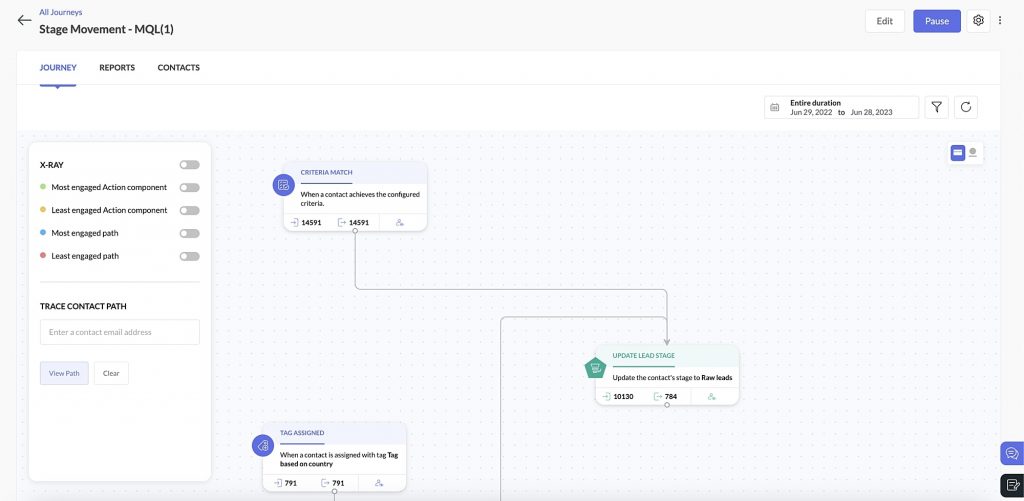
    Put marketing efforts on autopilot with easy-to-use workflows. Marketers can seamlessly create complex, multi-step workflows to automate intricate marketing processes. ZMA has also introduced the capability for users to edit live journeys at any time, eliminating the need to create new versions.

    Segmentation Engine

    With over 260 computed fields, ZMA’s segmentation capabilities have evolved substantially. Slice and dice data with precision, which enables more targeted campaigns and a focus on the most promising prospects.

    Multichannel Engagement

    (Image via Zoho)

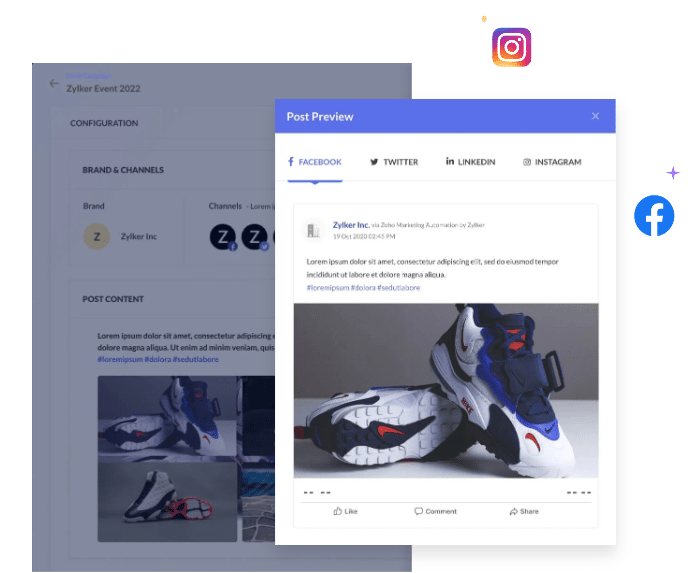
    Integrate email, social media, SMS, web, and offline channels into your marketing campaigns to ensure your message reaches customers where they are most active.

    Personalized Campaigns

    (Image via Zoho)

    Customize your message based on lead behavior, preferences, and demographics, delivering a highly personalized experience that resonates with your audience.

    Marketing Planner

    (Image via Zoho)

    The all-new planner allows marketing teams to plan, collaborate, and orchestrate campaigns from a single hub. Marketers can collaborate with team members, share best practices, and measure ROI against the set budget.

    Analytics and Reporting

    (Image via Zoho)

    Monthly marketing reviews become effortless as you gain access to detailed insights for each campaign while keeping an eye on the bigger picture. Use ZMA 2.0 to track performance, measure ROI, and make data-driven decisions to fine-tune your marketing strategy.

    Note: The migration process for existing users will start in Q1 2024. Zoho has chosen this period so holiday campaigns will not be at risk of disruption.

    Zoho AnalyticsUpdates

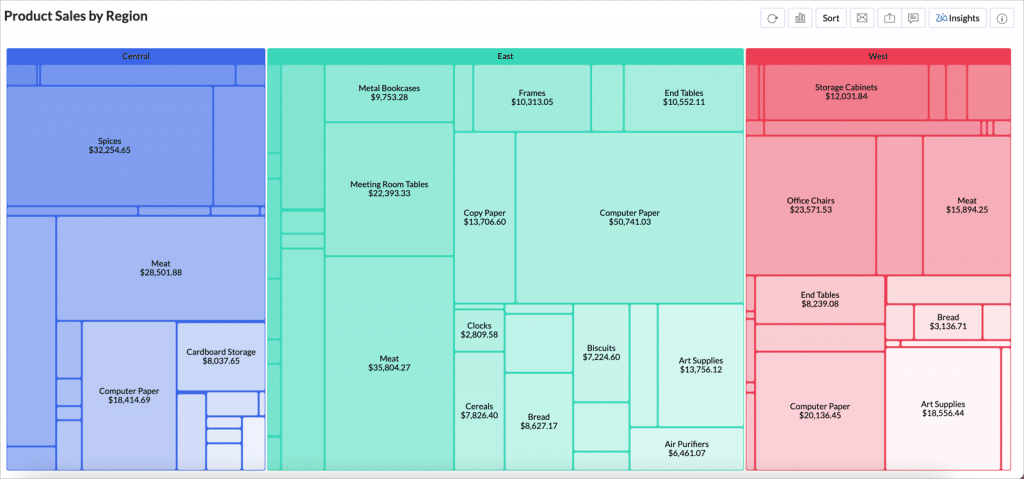
    Tree Map Chart

    Explore your data hierarchically with ease and uncover trends with precision.

    (Image via Zoho)

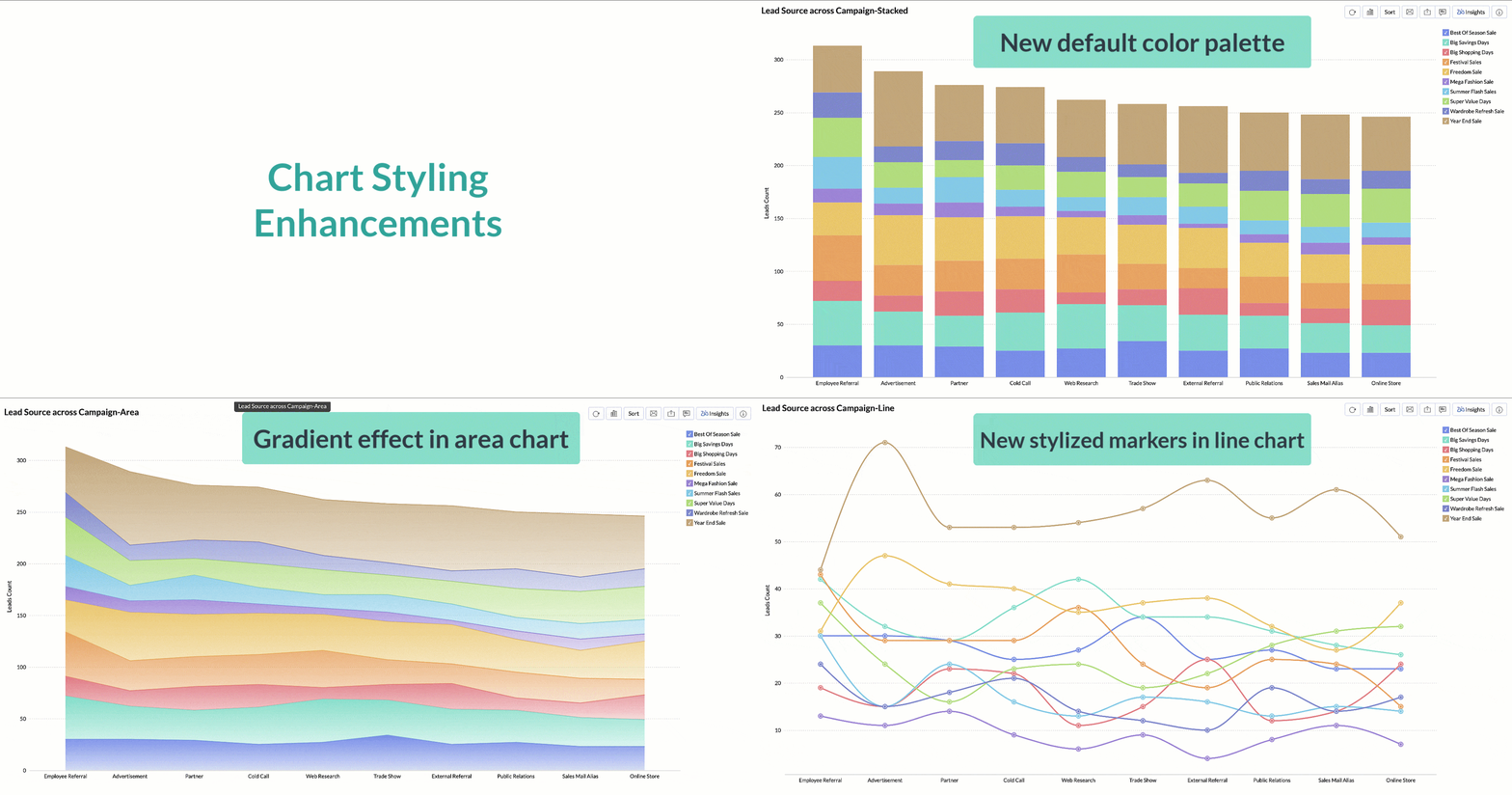
    Chart Styling Enhancements

    Experience a new level of data visualization with these improvements that align with current global design trends. Discover a fresh default color palette, captivating area chart gradient effects, stylized markers for scatter, line, area, and web charts, dotted gridlines, and a cleaner view achieved by removing the Y-axis line.

    (Image via Zoho)

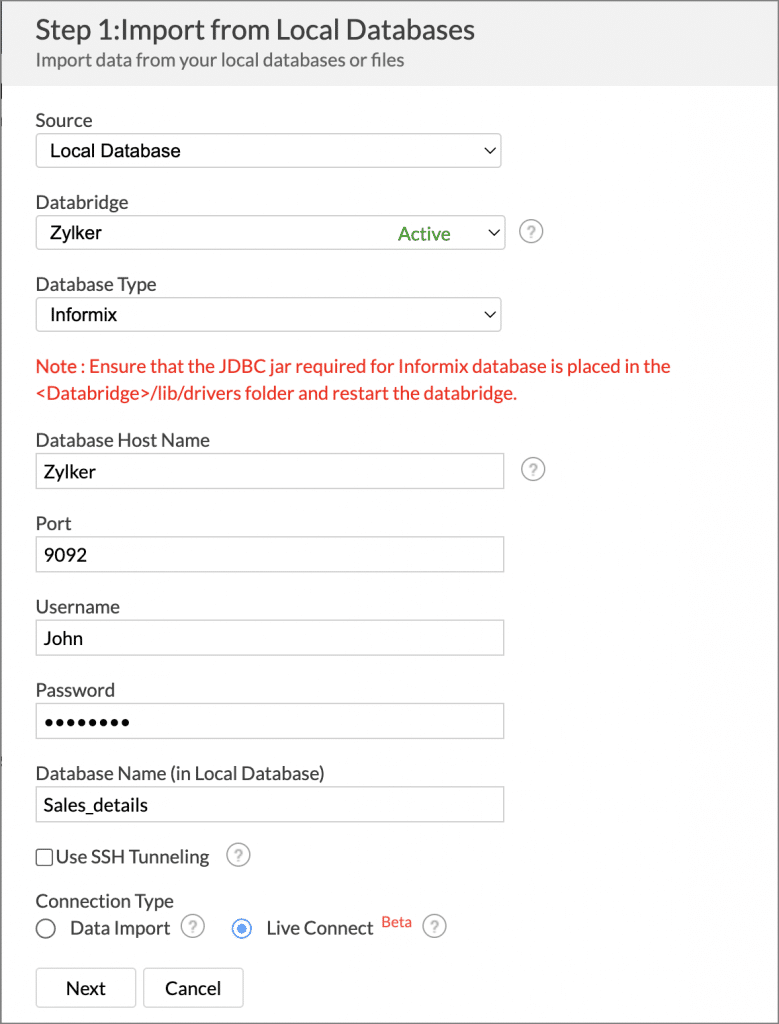
    IBM Informix

    Zoho Analytics now supports live connect for IBM Informix database. Live connect enables real time data analysis as any changes in the source are immediately reflected.

    (Image via Zoho)

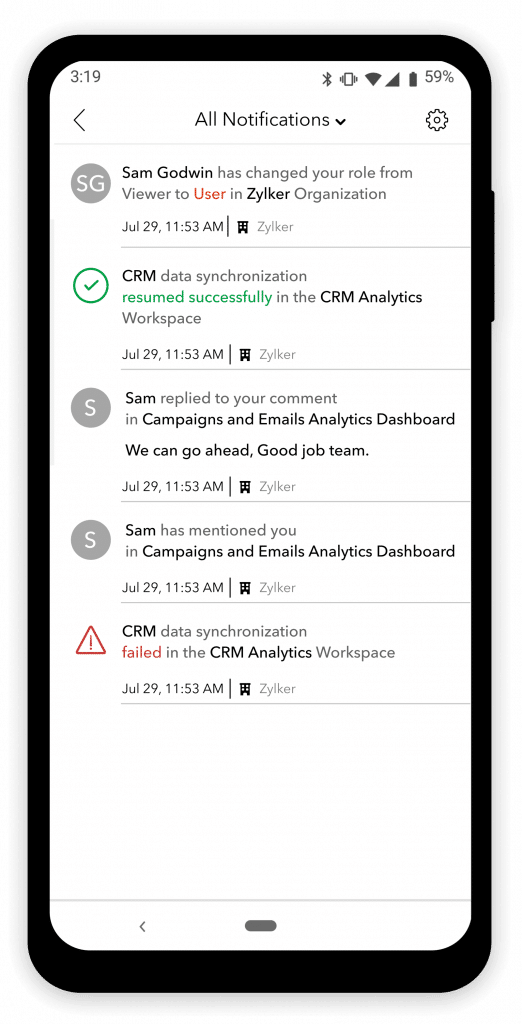
    New Notification Types in Zoho Analytics – Dashboards App

    (Image via Zoho)
    • Integration Actions: Receive status notifications for data integration in your workspaces.
    • Manage User Actions: Keep informed about user management and access control actions.
    • Account Actions: Stay updated on critical activities related to your Zoho Analytics account.

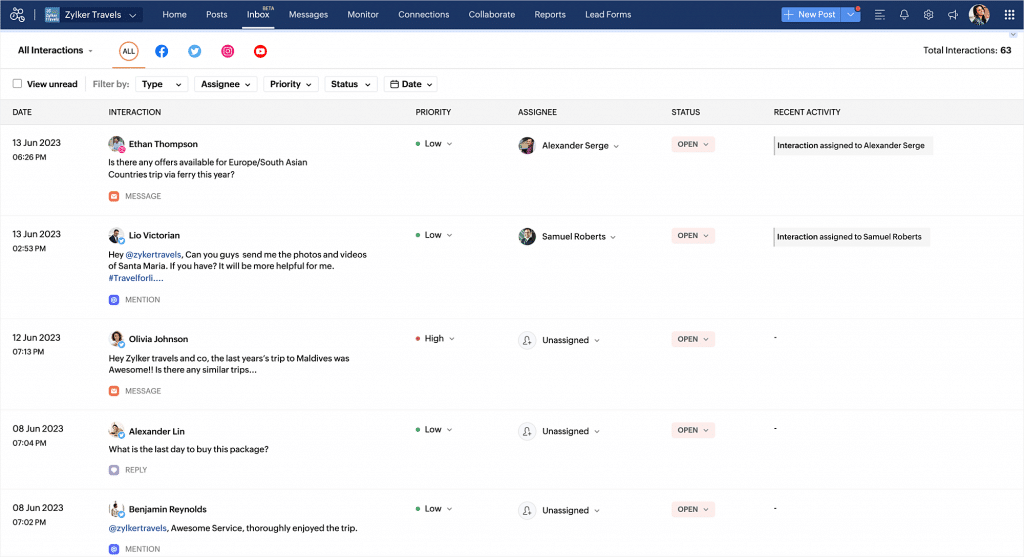
    Introducing Inbox in Zoho Social

    (Image via Zoho)

    With Inbox, all your social media interactions are now available in one place. View, monitor, and respond to all your messages, comments, reviews, @mentions, and questions.

    Here’s what you can do with Inbox’s features:

    • Track interactions across social media channels
    • Reply to interactions with Zia (generative AI powered by ChatGPT)
    • Assign interactions to your team by creating assignment rules
    • View history of interaction between the user and the brand
    • Follow and share an interaction
    • Group interactions using views

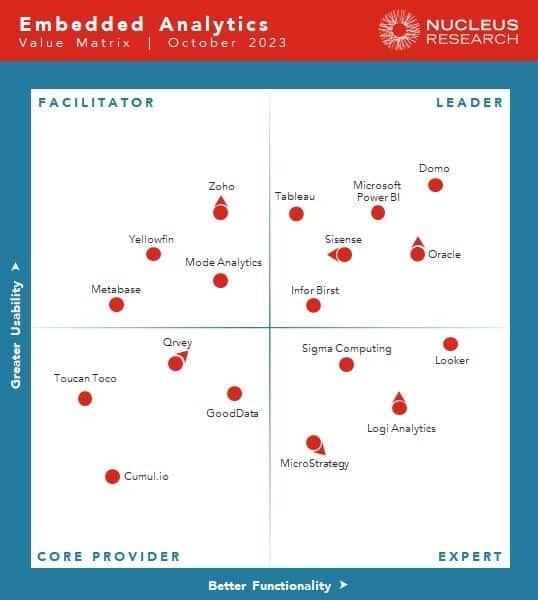
    Zoho Named Facilitator in Nucleus Research’s 2023 Embedded Analytics Technology Value Matrix

    (Image via Nucleus Research)

    Zoho Analytics is maintaining a strong presence in Nucleus Research’s Embedded Analytics Technology Value Matrix, achieving the Facilitator status thanks to its enhanced usability and functionality.

    Zoho Webinars

    Zoho FSM Product Demo Webinar

    Sending Interview Invites Using Zoho Sign’s Extension for Zoho Recruit

    Zoho SalesIQ: AI in Customer Service – The Present and the Future

    That’s all for now, IC readers! See you soon for more Zoho updates from InterConnecta!

    Want to add these new features to your Zoho system? Let’s work together! Learn more about our Zoho Consulting Services and request a free consultation.
  • Zoho News Catch-Up: New Billing App, Zoho Compatible with Apple’s Latest Updates, CRM’s Email Credibility Dashboard

    Welcome to our catch-up, where you’ll be in the know of all the latest Zoho updates in one place!

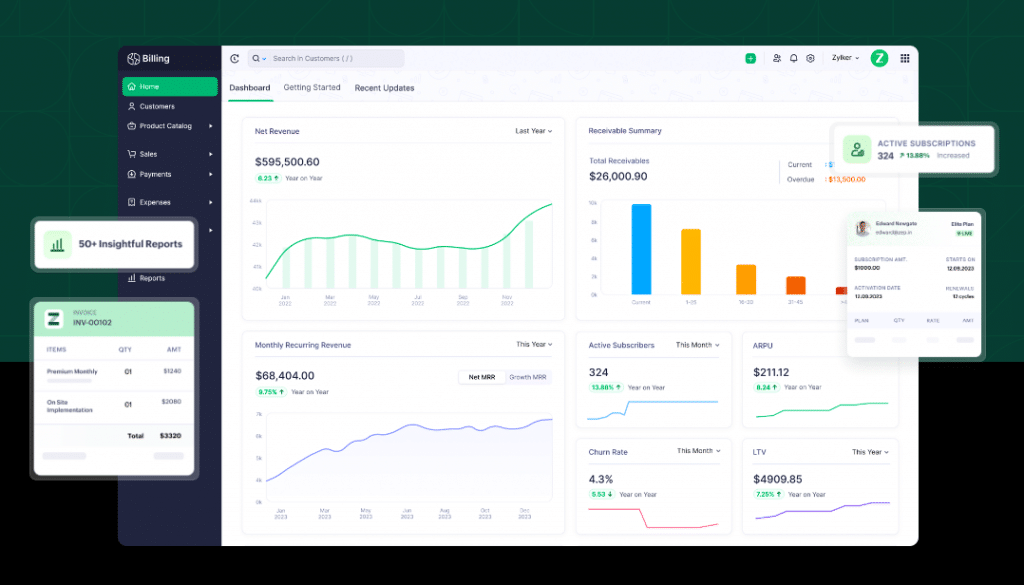
    Zoho Billing: A New Billing Solution

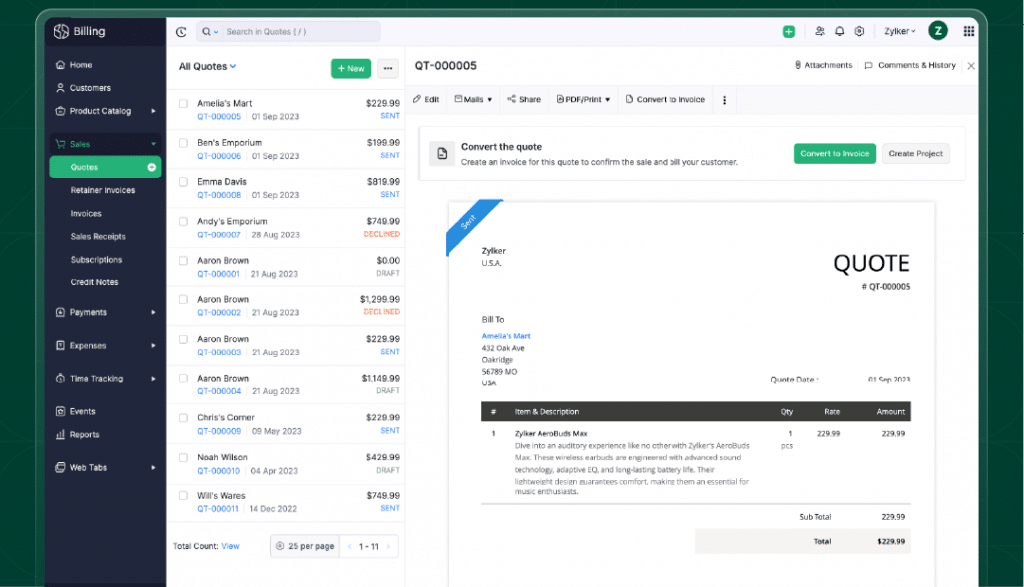
    (Image via Zoho)

    Zoho Billing is an end-to-end billing solution created to streamline billing for companies of all sizes. It was built on the foundation of Zoho Subscriptions, which means that Zoho Billing will replace it with significant innovations in billing capabilities that have the purpose to empower growing businesses. Its capabilities go from quote creation to revenue collection, and everything in between.

    Let’s explore the features of Zoho Billing:

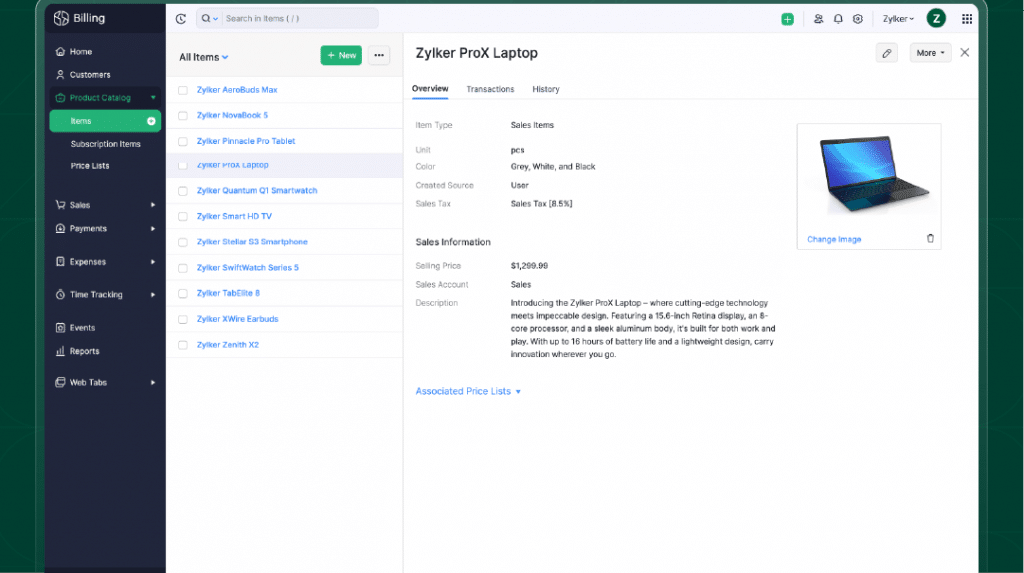
    Flexible Product Management

    (Image via Zoho)

    Zoho Billing offers your business the freedom to explore different pricing strategies and packaging options. Whether you prefer flat fees or à la carte options or prefer tier, volume, or custom pricing structures, Zoho Billing has the solutions you need. It also empowers you to attract potential customers and motivate existing ones by providing discounts, freemiums, and trial offers.

    Billing Success

    Zoho Billing seamlessly manages all aspects of billing, from generating quotes to collecting payments, whether they are one-time or recurring. The project billing feature empowers you with versatile billing methods, giving you the flexibility to set a fixed cost for project completion or bill based on project hours, task hours, or staff hours, ensuring customized invoicing for your unique project requirements.

    With metered billing, it ensures equitable charges based on actual usage, even in complex scenarios. Zoho Billing provides customizable invoice templates and flexible billing options, enabling you to customize invoices to specific needs, whether it’s based on geography or billing entity.

    Collect Payments on Time

    (Image via Zoho)

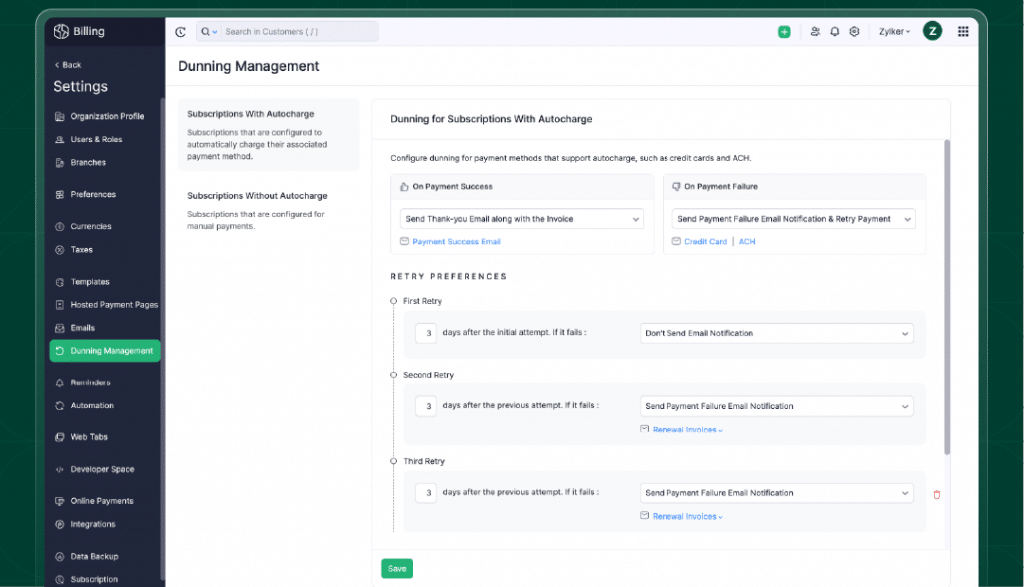
    Zoho Billing ensures efficient cash flow for businesses through various payment methods, including credit cards, ACH, banking, cash, and checks. Zoho Billing’s PCI-compliant hosted pages allows you to avoid the trouble of building compliant payment web pages to get paid securely. Zoho Billing’s automated payment reminders and tailored payment retry options safeguard against customer attrition, ensuring on-time payments.

    Enhanced Customer Lifecycle Experience

    (Image via Zoho)

    Zoho Billing equips your business with the tools to automate and tailor every stage of the customer lifecycle. It enables you to create customized quotes and provide personalized free trials to engage prospective clients, simplifying their progression from trial to paid plans. Oversee all aspects of the subscription journey, including upgrades, downgrades, and cancellations. Empower your customers with an intuitive, self-service portal for accessing account details, invoices, payments, and subscription management.

    Comprehensive Business Reports

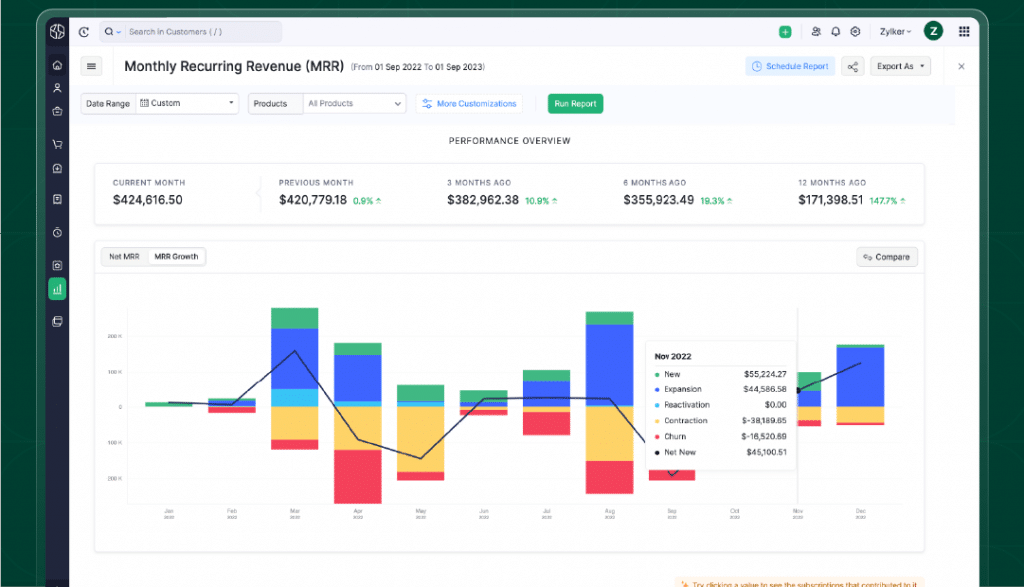
    (Image via Zoho)

    Zoho Billing offers a comprehensive suite of more than 50 reports, covering a spectrum of data, from summarizing unpaid transactions to providing intricate subscription insights like net revenue, MRR, churn rate, ARPU, LTV, and cohort analysis. Easily dissect and categorize data with advanced filtering options based on time, target groups, and geographic locations. Transform data into a strategic asset, which enables informed decision-making and gives you a competitive edge.

    Integrations and Plugins

    (Image via Zoho)

    Zoho Billing provides a robust suite of prebuilt integrations to connect front-office and back-office tools like accounting and inventory management with Zoho CRM, Zoho Inventory, and Zoho Books. It also comes with a plug-and-play option to connect with productivity, communication, and analytics apps with over 20 installable plugins.

    Note to existing Zoho Subscription users: Per Zoho, existing Zoho Subscriptions users’ account history, transactions, records, and workflows will remain intact. There will be no changes to the features of their current plan.

    Zoho’s Suite of Apps Is Compatible with Apple’s iOS 17, iPad OS 17, and MacOS Sonoma Updates

    Interactive Widgets

    These widgets are set to enhance user engagement by enabling direct interaction with their favorite apps right from their home screens. Apps such as Zoho Notebook, Zoho Sign, Zoho Expense, and Zoho OneAuth seamlessly complement this feature, empowering users to accomplish tasks, send signing reminders, and access OTPs conveniently through the widgets.

    Boost Productivity with Spotlight Integration

    Complete tasks from your home screen using app shortcuts in Spotlight Search. Access specific features within Zoho’s apps quickly, such as managing sign-ins, viewing OTP codes, using the intelligent sign-in through OneAuth, and instantly accessing frequently used modules no need to navigate through the entire Zoho One app—. When searching for apps, you can create invoices, log timesheets, or start a timer directly from the Top Hit section in Zoho Books, Zoho Invoice, and Zoho Billing.

    Share and Collaborate with SharePlay

    Connect with friends, family, or colleagues in real-time. Zoho Bigin makes full use of SharePlay to foster a dynamic collaborative space, allowing multiple users to brainstorm email content together, edit messages, attach files, and add those final touches seamlessly. Meanwhile, Zoho Notebook enables users to share File Cards during FaceTime calls, improving the collaborative experience further.

    Generate Realistic 3D Models

    Object Capture stands out as one of the most dynamic features in Zoho’s apps like Zoho Bigin and Zoho Inventory. These apps harness the power of augmented reality (AR) to provide you the capability to generate lifelike 3D models, encompassing everything from products to architectural floor plans. This innovation removes the necessity of outsourcing such tasks, allowing you to perceive your products as if they were physically present.

    Improved Photo Picker and Tooltips

    Zoho apps have integrated two additional compatible technologies: Photo Picker and TipKit. With the integrated Photo Picker feature, you can effortlessly select and update profile images within Zoho Directory and OneAuth.

    Also, tooltips elevate your app interaction by delivering valuable tips and recommendations tailored to your usage habits, particularly if you’re new to Zoho’s applications. This functionality is thoughtfully integrated into apps such as Zoho One, Zoho Doc Scanner, Zoho Directory, and more.

    Add-Ons

    In iOS 17, StandBy mode introduces an entirely new full screen experience for Zoho’s apps. With Zoho Sign, users can effortlessly send, sign, and monitor documents while in StandBy mode. Access OTPs in real-time through the OneAuth authenticator and gain valuable app insights from the Zoho One business suite app, all within StandBy mode. Additionally, Zoho Desk’s Ticket Stat view enables customer service agents to promptly review open and overdue tickets directly from the idle home screen.

    The improved AutoFill function allows you to confidently add annotations to documents and PDFs using the saved details from your contacts. This capability extends to completing PDFs and documents within your File Cards in Zoho Notebook, as well as annotating scanned documents in Doc Scanner.

    Exclusive Features for iPad and Apple Watch

    Lock Screen Widgets and Live Activities are now available for iPads, offering enhanced compatibility with Zoho’s applications such as Zoho Books, Zoho Invoice, Zoho Desk, Zoho OneAuth, and Bigin. Easily add widgets and complete tasks directly from your Lock Screen and Home Screen with just a few taps.

    Here are some additional detailed videos to learn how the Apple updates impact Zoho Desk and Zoho Expense:

    Zoho CRM: Link Emails from Contact Roles to a Deal

    (Image via Zoho)

    In organizations where all users have adopted the latest email configuration, they will have the ability to associate their users’ email discussions with contact roles to corresponding deals, similar to how email conversations with contacts are linked to deals.

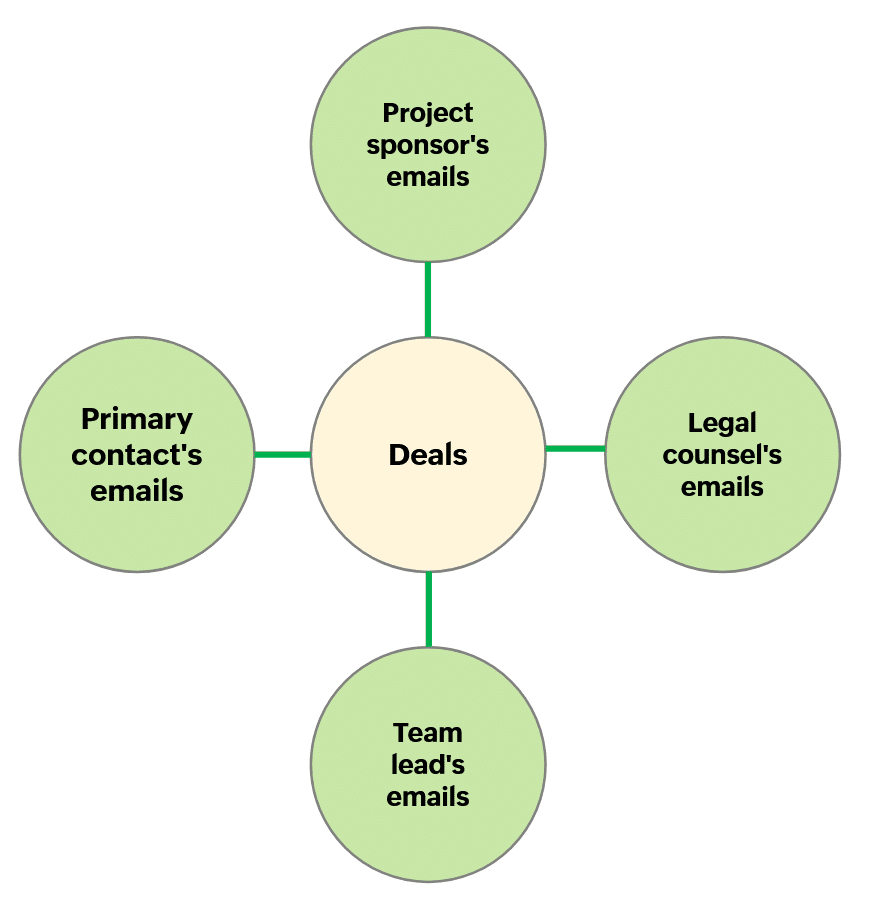
    Viewing and Linking Emails from Multiple Contacts to a Deal

    During the sales process, your sales team interacts with many members from your customer’s organization, including:

    • Your sales champion
    • Project sponsor
    • Purchasing manager
    • IT team lead
    • Accountant
    • Legal counsel
    • Department managers
    • Team leads
    • Executive leaders
    • Contractors, among others

    Now, you can associate multiple contacts to a single deal. There would be a single, primary contact and the rest would be added as contact roles.

    The interactions with these contacts usually happen via email. In the past, you could only view and link incoming emails from the primary contact with a deal. There was no provision to view or link the emails from the rest of the stakeholders (contact roles).

    Zoho CRM’s Solution

    You can now view emails sent from contact roles within a deal’s record. Furthermore, you’ll be able to link those emails to that deal.

    Now you’re able to review previous email exchanges and understand the evolution of discussions, decisions, and negotiations. Additionally, it gives you easy access and reference to the entire conversation history, assuring that all relevant information is available instead of scattered across individual inboxes.

    Check this demo to see this feature in action:

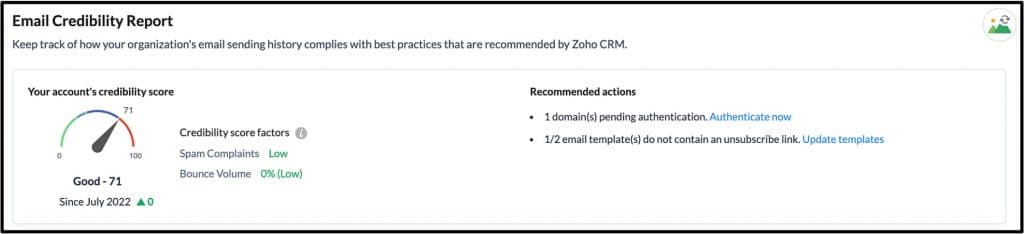
    Zoho CRM’s Email Credibility Dashboard

    (Image via Zoho)

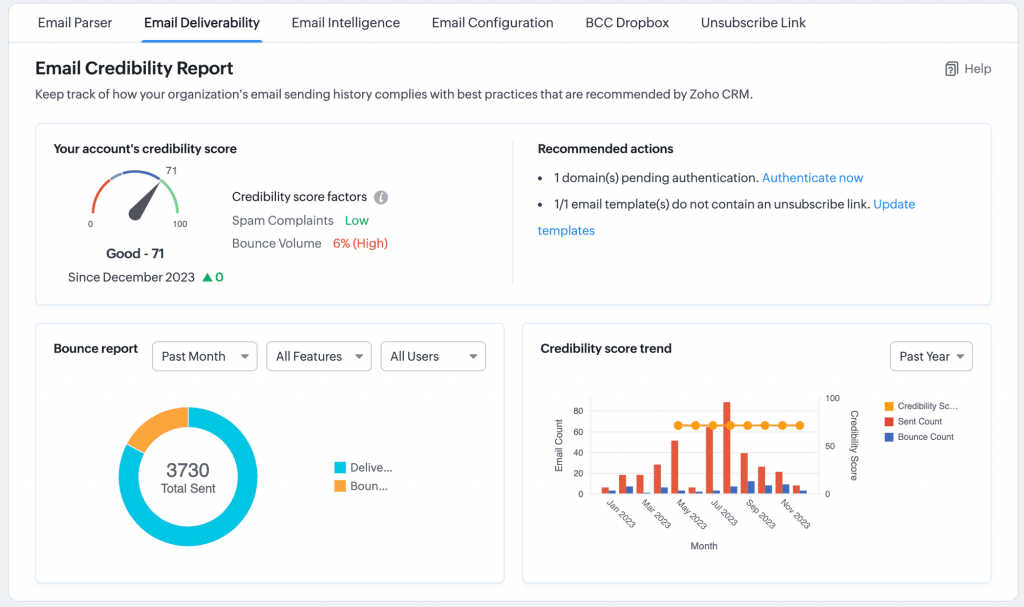
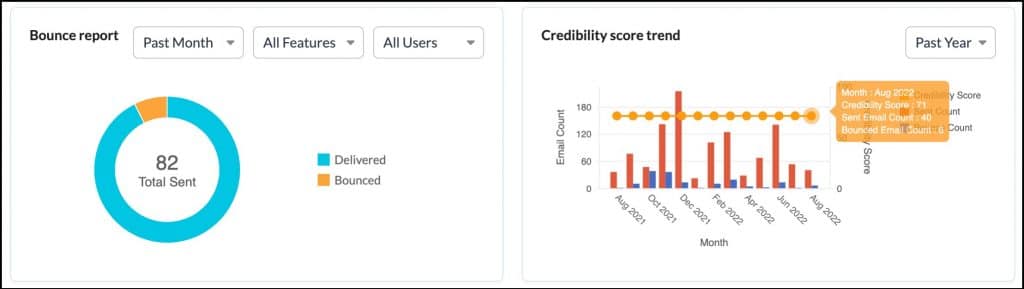
    The Email Credibility Dashboard empowers Zoho CRM administrators to monitor their organization’s email sending practices and facilitates the implementation of domain authentication and email delivery best practices. An email credibility report comprises graphical representations of your credibility score, bounce report, and trend report, enabling you to effectively manage bounce rates and reduce spam complaints. This tool also supports adjustments to your email sending configuration by incorporating Zoho CRM’s recommended changes.

    This feature will be available to administrators in all Zoho CRM paid editions, under Setup > Emails > Email Deliverability, in the Email Credibility tab. This dashboard generates an Email Credibility Score for each organization within Zoho CRM, which is determined by their email sending practices. It also provides recommendations to admins on actions they can take to enhance their scores.

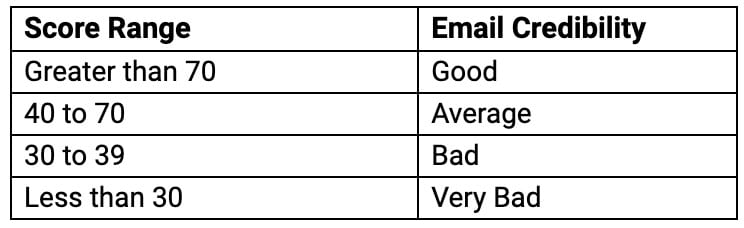
    The credibility score is a numerical rating ranging from 1 to 100, with any score surpassing 70 regarded as favorable.

    Below are the score ranges:

    Scores are computed by evaluating the accumulation of spam complaints and the volume of bounces observed over time for each customer account. The guidance provided to admins for enhancing their scores encompasses actions like incorporating an unsubscribe link in all email templates, authenticating email sending domains, and routinely purging their mailing list, among other measures.

    Moreover, the dashboard will assist admins in comprehending the breakdown of email bounces received by their account, categorized by users and CRM features (for example, mass emails and workflow emails). It will also present dedicated charts illustrating how their credibility score has evolved over a specific timeframe.

    (Image via Zoho)

    Furthermore, the credibility score assigned to accounts helps the Zoho CRM team in identifying accounts with subpar email sending practices. This enables Zoho to allocate email infrastructure and IPs strategically, ensuring that emails sent by accounts demonstrating good email practices receive priority delivery treatment. This proactive approach prevents the negative impact of a few accounts with poor practices that happen to share the same infrastructure.

    Improvements in Zoho Analytics Dashboard

    Moving Views Between Dashboard Tabs

    You now have the capability to effortlessly move views between tabs within a dashboard. This feature streamlines the process of reorganizing views within a multi-tab dashboard.

    (Image via Zoho)

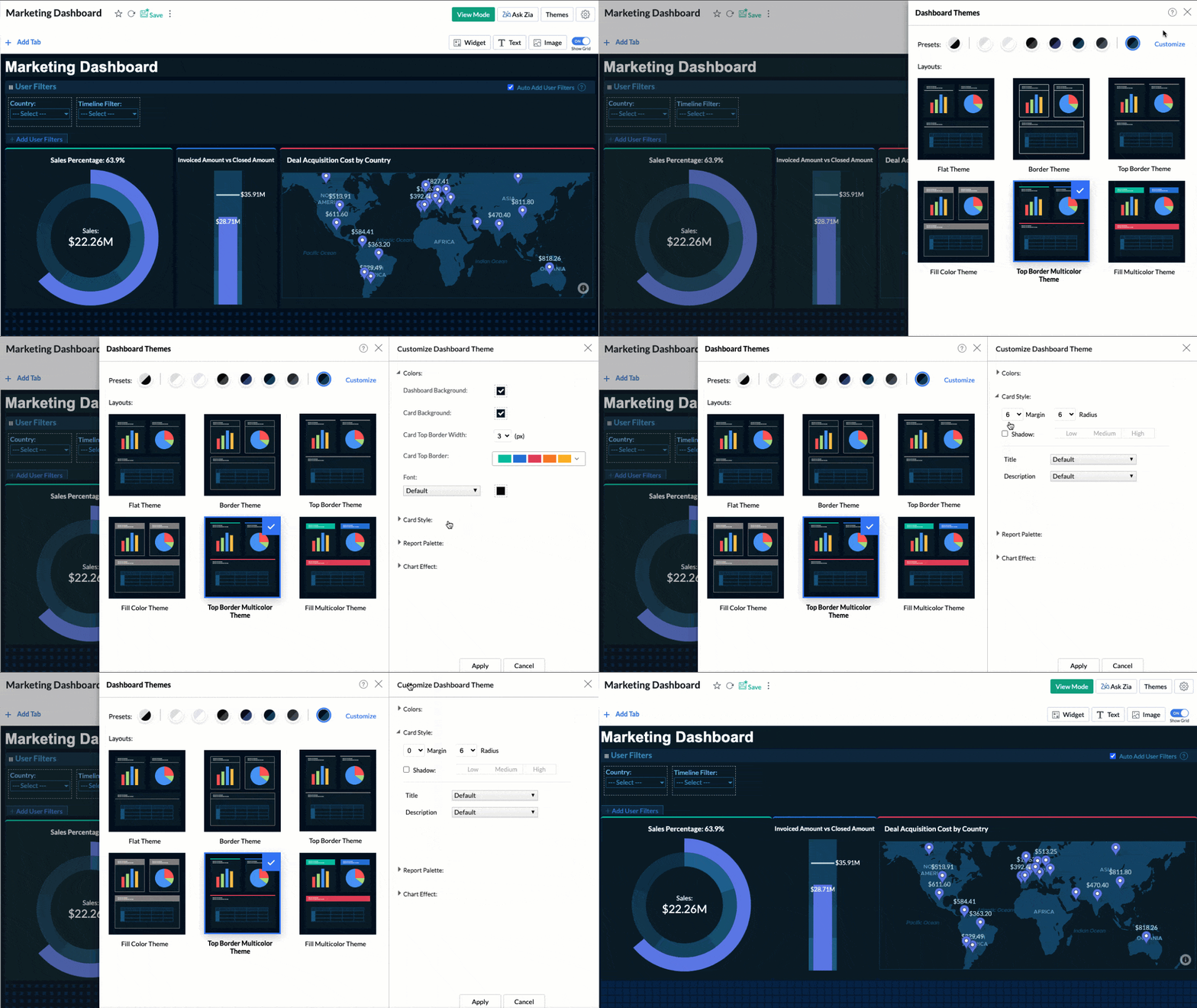
    Set Margin Between Cards

    With the Dashboard Custom Theme update, you can now set the card margin anywhere between 0 and 10. This enhancement provides the flexibility to position cards at your preferred spacing. In the past, there was a minimum space maintained between views, but now you have the freedom to place them without any gaps.

    (Image via Zoho)

    Webinars from Zoho Projects

    Project automation: Focus on the Work Only You Can Do

    Automate every step of your project to save time and work on things that matter to you the most. Set up elaborate workflows and reduce delays with Zoho Projects.

    Click here to register.

    Custom function: Code Your Way to New Possibilities

    Do you have unique requirements that make you wish you could expand the functionality of Zoho Projects? Create your own functions with our next-level automation feature.

    Click here to register.

    That’s all for now, IC readers! See you soon for more Zoho updates from InterConnecta!

    Want to add these new features to your Zoho system? Let’s work together! Learn more about our Zoho Consulting Services and request a free consultation.
  • Zoho News Catch-Up: New Zoho FSM; Updates for Desk, Analytics, and WorkDrive; Zoho Reaches 100 Million Users

    Welcome to our catch-up, where you’ll be in the know of all the latest Zoho updates in one place!

    New Product Launch: Zoho FSM for Streamlining Field Operations

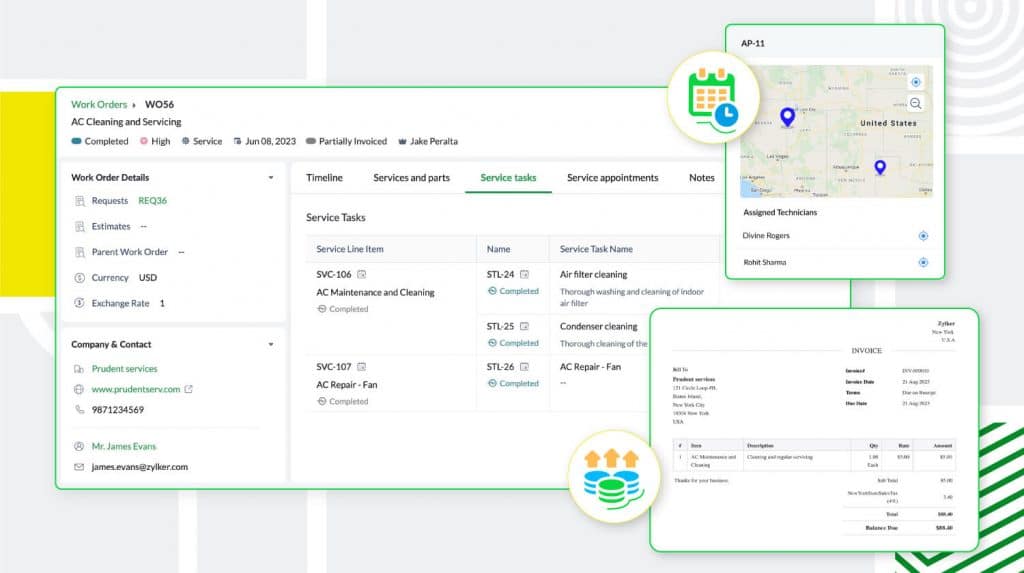
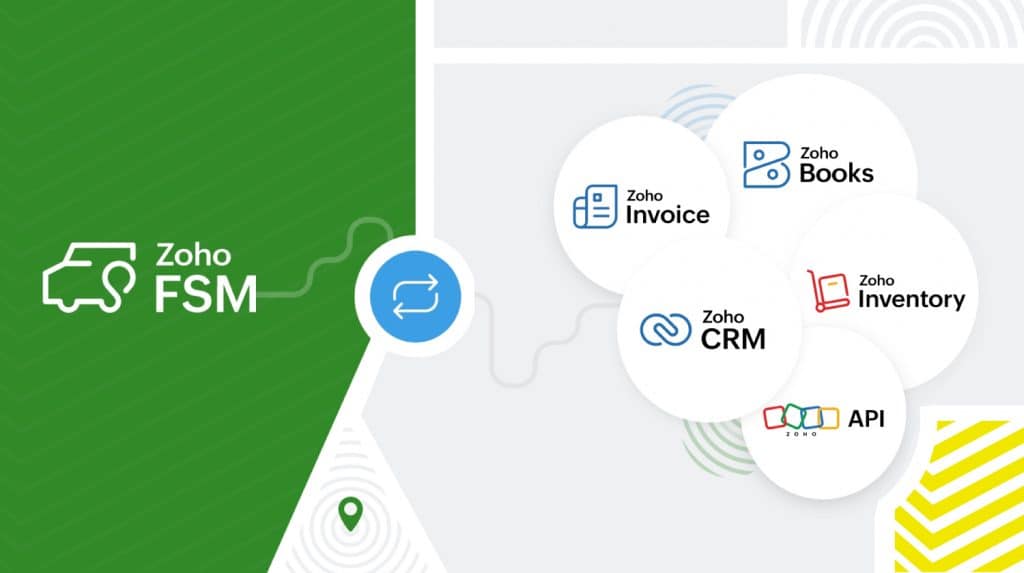
    Zoho FSM is a robust field service management platform designed to enhance all aspects of your business, including work order management, customer management, scheduling, workforce management, billing, payments, and inventory management. Also, it offers customization options and integration capabilities to cater to different industries.

    Key Benefits of Zoho FSM

    Manage all Operations Within a Single Platform

    (Image via Zoho)

    Zoho FSM optimizes service processes from request to billing, including work order creation, agent tracking, and invoice creation, and versatile billing options. It also supports multiple currencies, region-specific taxes, and many online payment gateways.

    Enable Efficient Communication and Collaboration

    (Image via Zoho)

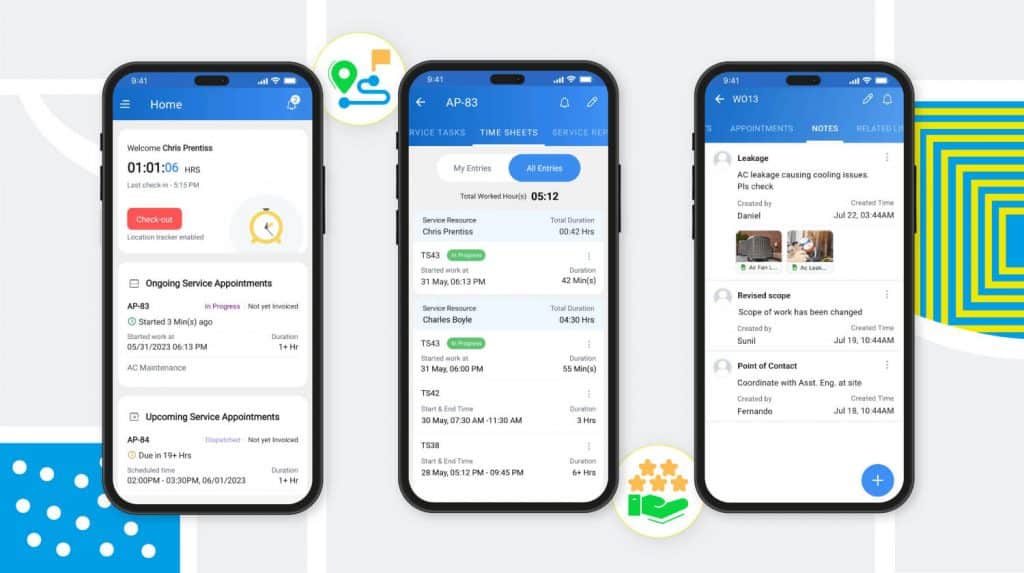
    Using the Zoho FSM mobile app, field agents can stay connected with the team by sharing real-time location updates, travel logs, timesheets, and time-off information, all while on the move. Moreover, the app gives agents comprehensive details about the customer and the requested service, and allows them to include notes and photos directly from the job site.

    To enhance customer communication, the mobile app enables automatic updates to be sent at every service stage, and field agents can also send service reports and gather customer feedback after completing their work.

    Boost Productivity Through Improved Workforce Management

    (Image via Zoho)

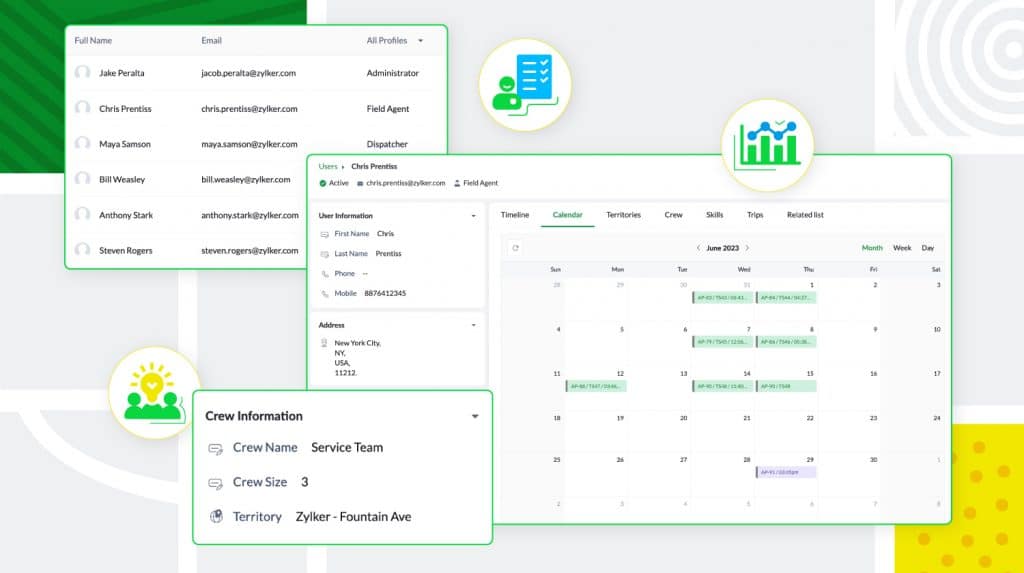
    Zoho FSM offers a versatile multi-user environment for effective team management. It includes default user profiles like Call Center Agents, Dispatchers, Field Agents, Limited Field Agents, and Administrators, ensuring secure access levels. Additionally, it supports customized profiles to match organizational needs. Field agents can be organized by territory and skills, while dispatchers can create conflict-free schedules with insights into daily tasks, trips, and leaves, enhancing overall workforce management.

    Tailor And Expand Zoho FSM to Align with Your Specific Business Requirements

    (Image via Zoho)

    This new app allows you to personalize the platform and add extra functionality. It supports automation through workflow rules that can trigger various actions, such as automated email notifications, field updates, or custom functions for seamless integration with third-party applications.

    Zoho FSM integrates with other Zoho and third-party applications to ensure the organization runs seamlessly. Zoho FSM is powered by the Zoho Finance Suite, which handles billing and payments. It supports branded invoicing, multiple currencies, and region-specific taxes.

    Meanwhile, the Zoho FSM extension for Zoho CRM allows the merging of sales and field service. In Zoho CRM, you can access FSM records within their relevant context, and you have the capability to create new service requests, work orders, and assets directly from different CRM modules.

    Finally, the integration with Zoho Inventory assists in identifying and monitoring inventory across multiple warehouses, guaranteeing that agents consistently possess the necessary parts for their tasks. Furthermore, Zoho FSM offers REST APIs for seamless integration with third-party applications.

    If you would like to implement Zoho FSM in your business, contact us now.

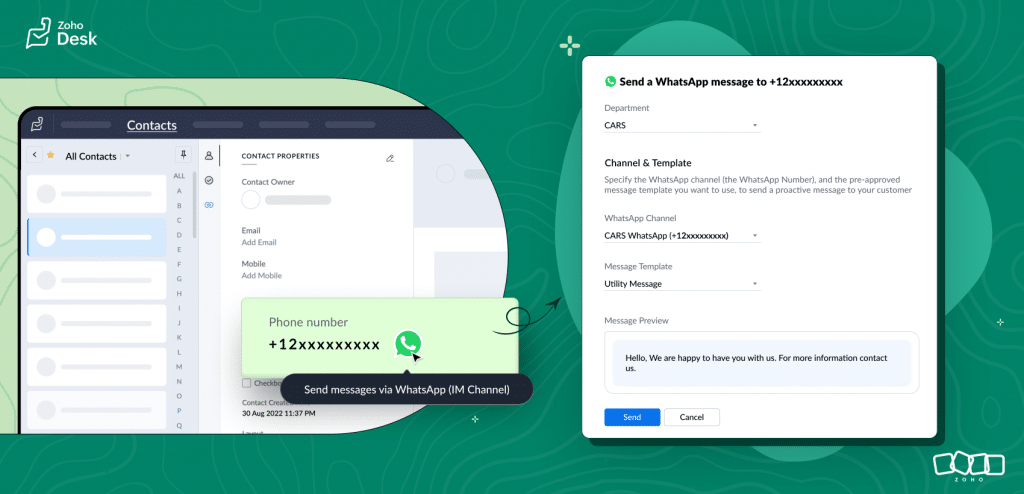
    Send Outbound Messages from Zoho Desk Via WhatsApp

    (Image via Zoho)

    For outbound messaging on WhatsApp, you can use a template message, which is a pre-approved and customized message designed for sending customer notifications.

    How to send a template message from the Contacts module:

    1. Open the Contacts module.

    2. Find the contact you want to message.

    3. Tap on the contact’s name to open the contact’s detail view.

    4. On the contact’s detail view, tap the WhatsApp logo next to the phone number (mobile number). This will open the messaging dialog box, where you can select the template message from the available list.

    5. Check the preview. Then, click on Send.

    How to send a template message from the Tickets module:

    1. Open the Tickets module. Then, find the ticket you want to send a WhatsApp message to.

    2. Tap on the ticket to open the ticket’s detail view. Then, tap the WhatsApp logo next to the phone number (mobile number) under the Contact Info. This will open the messaging dialog box, where you can select the template message from the available list.

    3. Check the preview. Then, click on Send.

    Zoho Analytics Updates

    Enhanced Geo Visualization – Static State Map

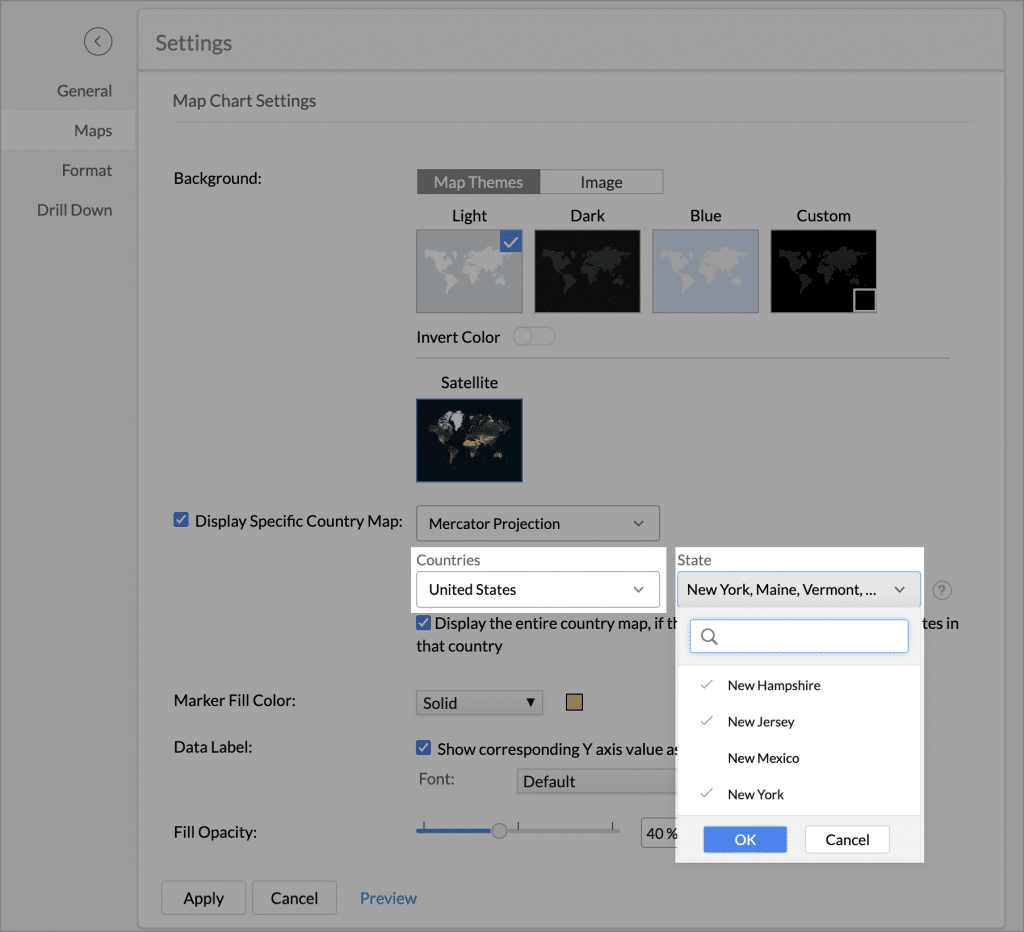
    You now have the option to generate a geo map focusing on a specific state of a country when your data includes information related to a particular state.

    Follow these steps to display state map:

    1. Select the Display Specific Country Map checkbox.

    2. Choose the type of Projection from the projections drop-down.

    3. From the Countries drop-down, select the Country which you want to visualize.

    4. The State drop-down shows the list of states in the chosen country. You can select one or more states from the list.

    (Image via Zoho)

    5. Click on the Display the entire country map checkbox to showcase the political representation of the state map within the encompassing country map.

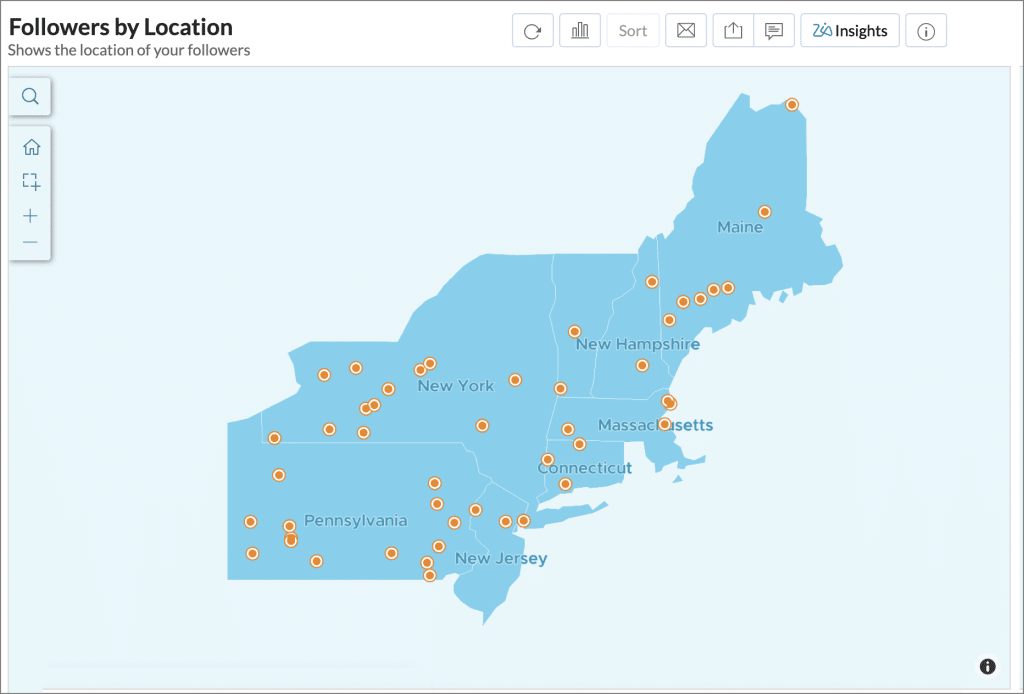
    The following map shows the analysis of the Followers based on Location in the North Eastern parts of United States of America:

    (Image via Zoho)

    Zia Insights – Legend Filters

    Zia Insights now provides dynamic information based on the selected legend filter available in the report.

    (Image via Zoho)

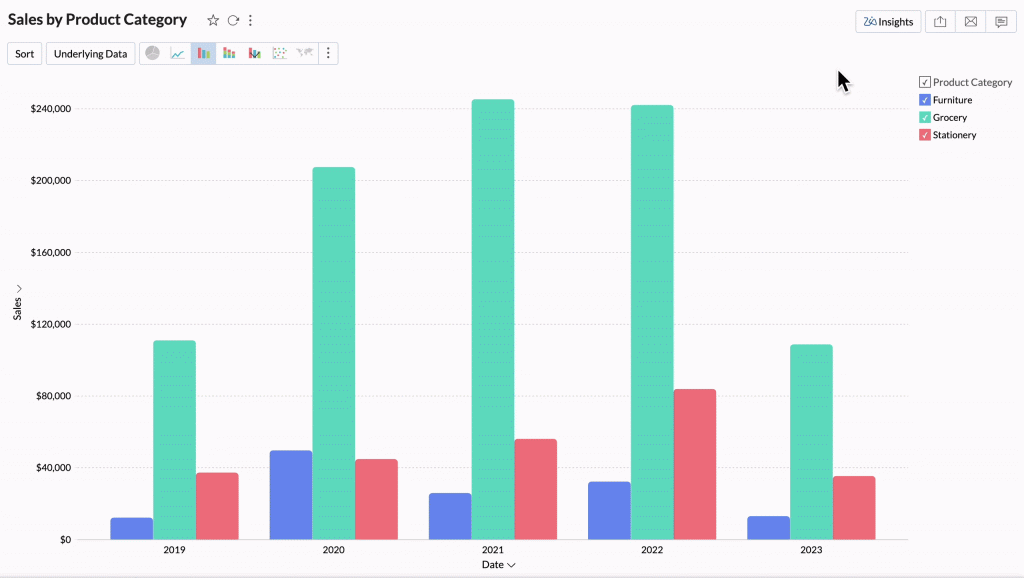
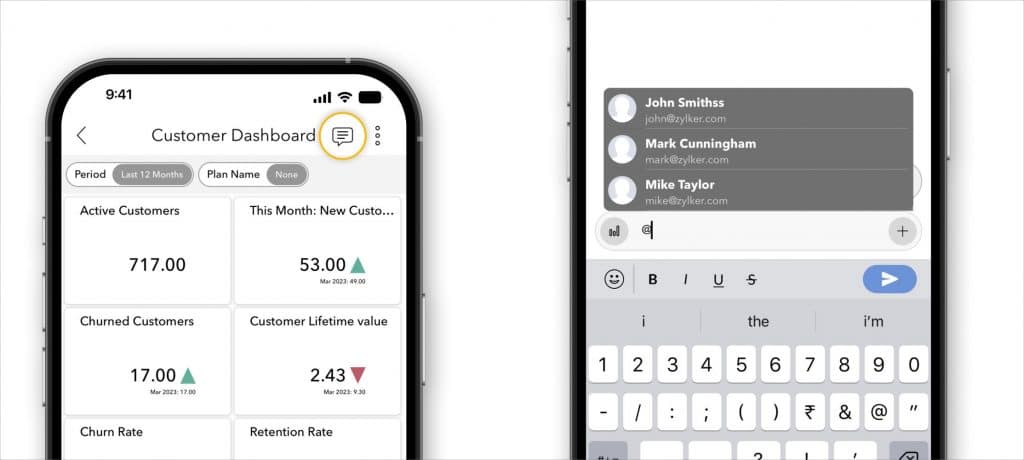
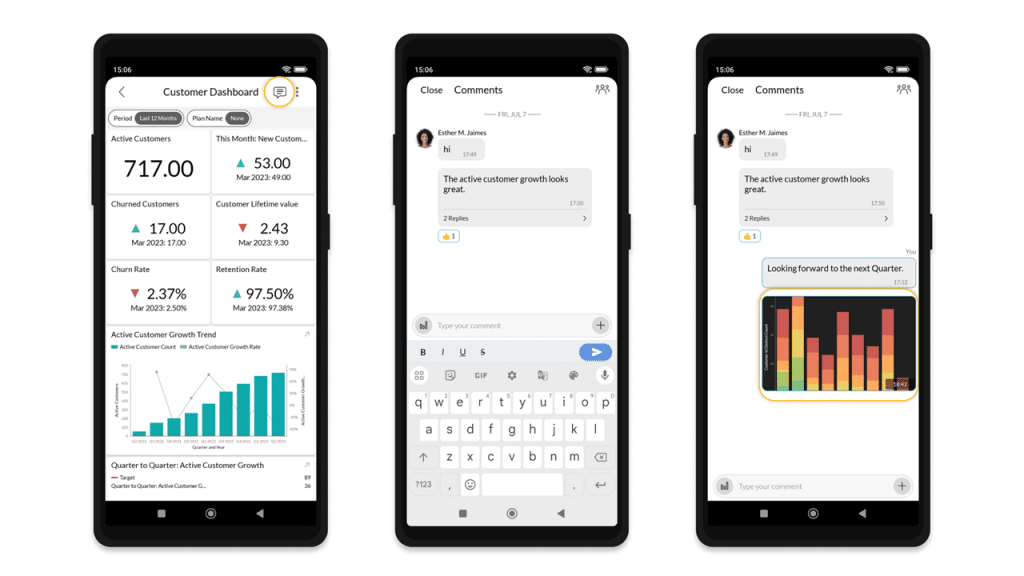
    New Comments Feature in Zoho Analytics’ Dashboards App

    (Image via Zoho)

    This feature enables team collaboration and on-the-go decision-making. It provides interactive features like tagging users for attention, liking messages, and attaching files, among others.

    Note: To allow users to comment, share the dashboard with them and make sure they have the Allow Commenting permission.

    How to comment on a Dashboard:

    1. Open the Zoho Analytics – Dashboards app.

    2. Locate and open the dashboard where you want to comment.

    3. Tap on the Comment icon at the top right corner of the dashboard. You’ll be able to enter your comment in the space provided.

    4. For more detailed comments, click on the plus sign icon [+] on the right side of the comment box. You can select and attach images, screenshots, or documents related to your comment.

    (Image via Zoho)

    Zoho WorkDrive: Upload Large Files in Segments

    (Video via Zoho)

    The process of uploading large files has been improved by breaking them into smaller segments or chunks, and uploading them individually. This enhances the upload experience and reduces the challenges often associated with large file uploads. Now, you can upload without worrying about slow or unreliable internet connections, and easily resume uploads after an interruption.

    Large File Uploads

    (Video via Zoho)
    • The file upload limit has been increased to 250 GB for Business Edition users, making it easier to upload large project files.
    • Starter Plan: Users can upload a single file of up to 10 GB.
    • Team Plan: Users can upload a single file of up to 50 GB.
    • Business Plan: Users can upload a single file of up to 250 GB.
    • Zoho One Bundle (WorkDrive): Users can upload a single file of up to 250 GB.
    • Zoho Workplace Bundle (WorkDrive): Users can upload a single file of up to 10 GB.

    Pause and Resume Feature

    Uploading in segments allows for the resumption of interrupted uploads. If an upload is paused or terminated due to network problems or user actions, it can be resumed from the last successfully uploaded segment. This guarantees data integrity and eliminates the necessity to initiate the entire upload process from the beginning.

    Notes:

    • Currently, users have the option to manually pause and resume the upload if the file size is greater than 1 GB.
    • If a user pauses the upload or experiences a network issue causing the upload to pause, they must resume it within 7 days. Otherwise, they’ll need to restart the upload process.

    Slow Internet Connectivity

    (Video via Zoho)

    Uploading files in chunks is specifically useful when the internet connection is slow or unreliable. If an upload fails, click on the Retry button in the File Upload pop-up window. Only the failed segments will be reuploaded here instead of the entire file. This saves time and benefits users with lower bandwidth.

    Notes:

    • Uploading files in chunks support is currently available only on Zoho WorkDrive’s web platform and WorkDrive TrueSync application. This feature will be available in the near future.
    • Uploading files in chunks is not supported on the Desktop Sync application.

    Zoho Reaches Milestone of 100 Million Users

    (Image via Zoho)

    Major congratulations are in order for Zoho, who recently announced that they now have 100 million users (and counting!). Zoho achieved this milestone as the first self-funded SaaS company, following its achievement of $1 billion in annual revenue last year.

    In a statement, Sridhar Vembu, CEO of Zoho Corporation, expressed the following:

    “I want to thank all of our customers for trusting us with their business and helping us reach 100 million users worldwide. This is an impressive milestone for any organization, but it’s particularly sweet for us as a bootstrapped company that’s never raised external capital. And we are not done yet. We have an impressive innovation pipeline covering the next 10 years, investing in deep technologies to serve billions of users around the world. We’re working towards it, and we want to thank all of you for your continued support.”

    Cheers to all the great people at Zoho! Once again, we are extremely proud of being a Zoho Partner.

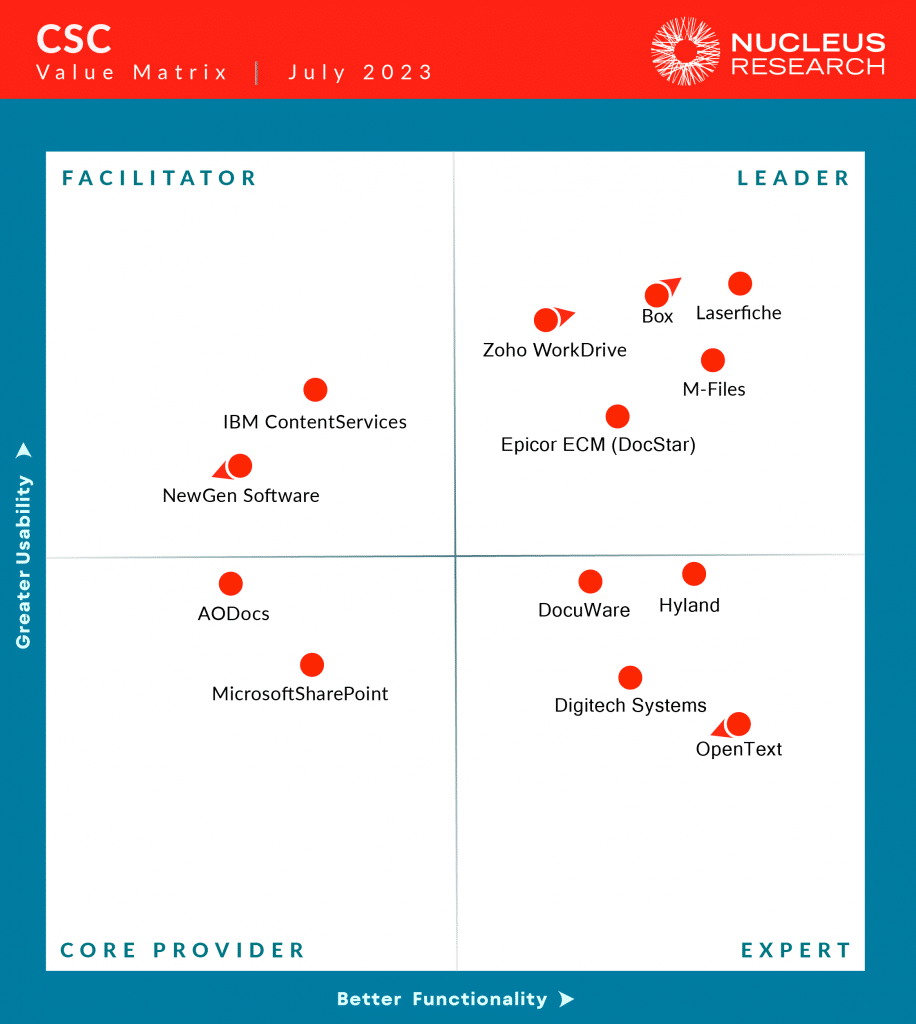
    Nucleus Research recognized Zoho WorkDrive as Leader in the 2023 Content Services and Collaboration Technology Value Matrix

    (Image via Nucleus Research)

    Nucleus Research releases its Technology Value Matrix once every year in its core research areas. They analyze the metrics from actual end-user experiences and places vendors in four different categories: Leaders, Experts, Facilitators, and Core Providers.

    In 2021, the research firm introduced the Content Services and Collaboration Value Matrix. And for two consecutive years, WorkDrive positioned itself as a Facilitator.

    With the release of the 2023 CSC Value Matrix, WorkDrive has now entered into the Leader segment, which highlights WorkDrive’s evolution toward increased functionality. This acknowledgment demonstrates the platform’s ongoing enhancements and unwavering dedication to both comprehensive data security and user-friendliness.

    Webinars for Zoho Projects

    From data to decisions: Reports illuminate the way forward

    Discover the significance of visualizing a project’s progress and key metrics through Zoho Projects’ reports, empowering you to make informed, data-driven choices.

    Click here to register.

    How to harness the power of teamwork and collaboration using Zoho Projects

    You will learn effective strategies for promoting immediate information-sharing, facilitating feedback exchange, and accelerating decision-making among your team members through the use of Zoho Projects.

    Click here to register.

    That’s all for now, IC readers! See you soon for more Zoho updates from InterConnecta!

    Want to add these new features to your Zoho system? Let’s work together! Learn more about our Zoho Consulting Services and request a free consultation.
  • Zoho News Catch-Up: Updates for CRM and Campaigns; Analytics Integration with Google Analytics 4; Recruit and WhatsApp integration

    Welcome to our catch-up, where you’ll be in the know of all the latest Zoho updates in one place!

    Zoho CRM Improves Finding and Merging Duplicate Records

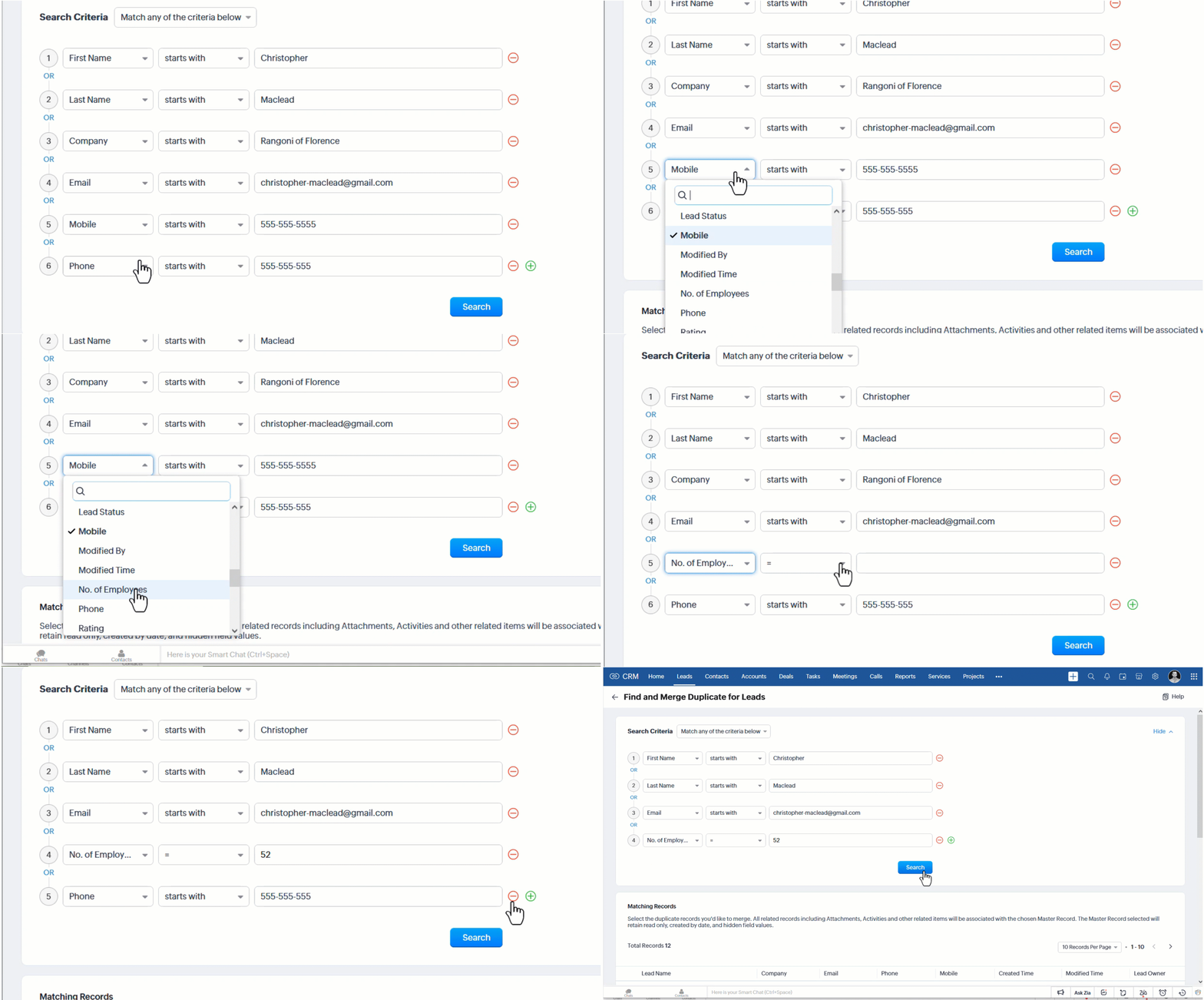
    In Zoho CRM, you can prevent duplicate records by designating specific fields as unique. If duplicates still occur, you can easily handle them by either using the Find and merge option or the Deduplicate records feature. Both of these options now have the following enhancements:

    Modify the fields used in your search criteria (available to all users)

    Previously, in the Find and Merge feature, you couldn’t select the fields you used to search for duplicate records. The latest update lets you select the fields you want, as well as add and remove fields. This feature helps you identify and address duplicates that may have otherwise gone unnoticed.

    (Image via Zoho)

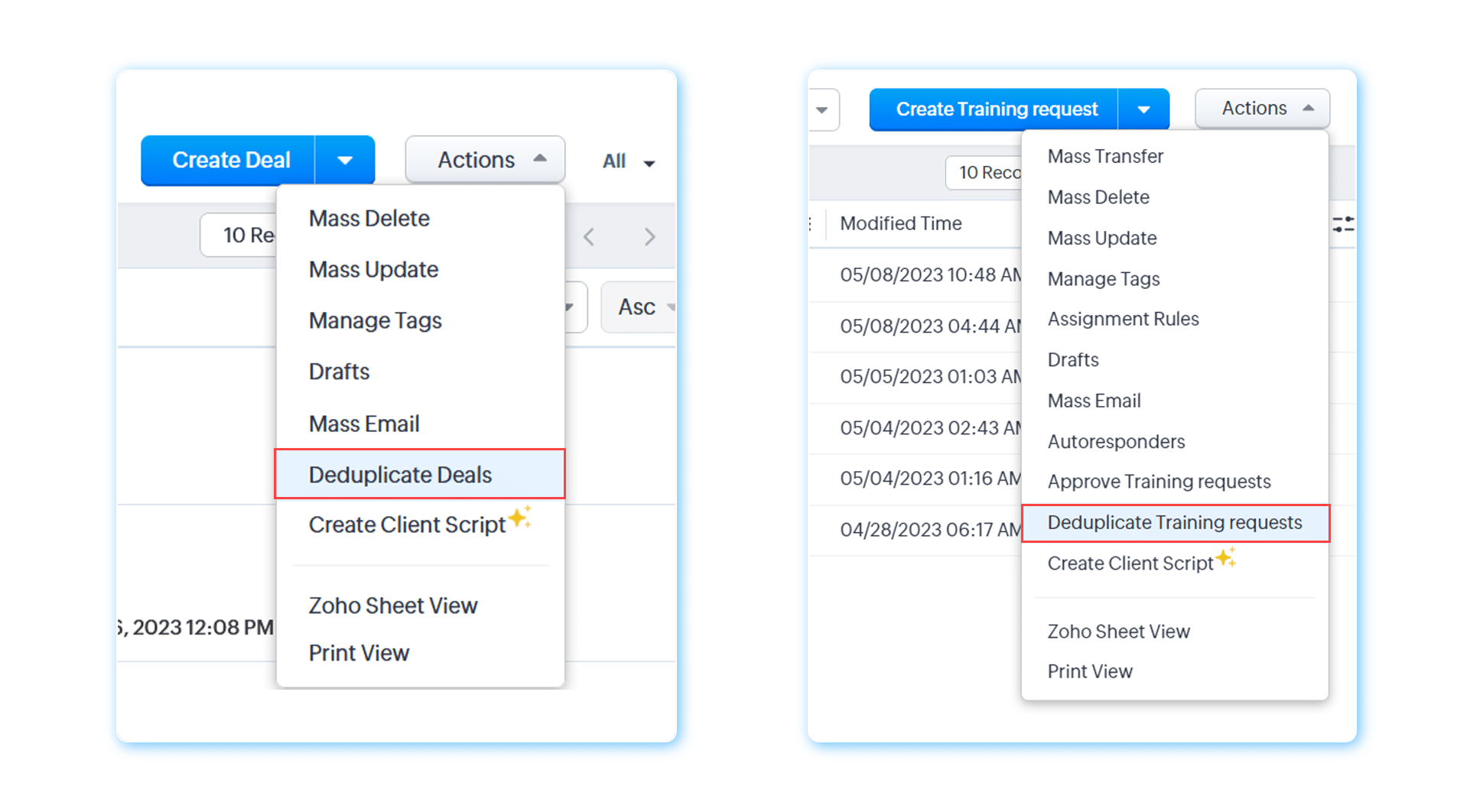
    Manage duplicate records in Deals and custom modules

    In the past, these options (Find and Merge and Deduplicate Records) were available only in the Leads, Accounts, Contacts, and Vendors modules. Now, you can use them in Deals and custom modules, so duplicates can be removed more efficiently across your Zoho CRM.

    (Image via Zoho)

    Previously, the Created time and Created by fields were filled with values from the master record. Now they’ll be populated with the values found in the oldest record among the records being merged (All users).

    Notes:

    • This feature is being released by Zoho in a phased manner. It will be available to all users soon.
    • Find and merge is available in all editions, while Deduplicate records is available in Professional edition and above.

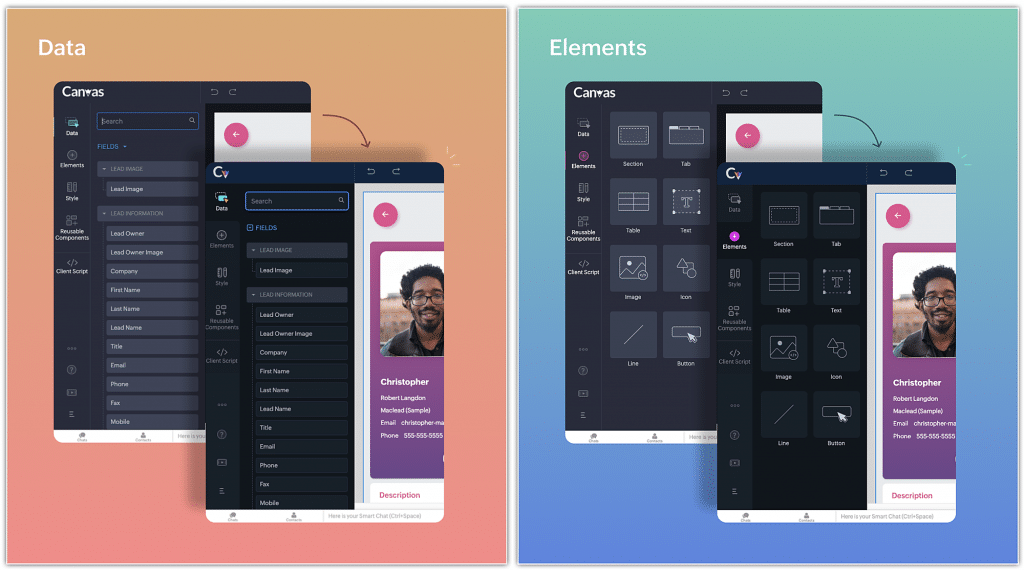
    Zoho CRM’s Canvas Builder Releases Enhancements

    The following features have been added:

    • Tab component enhancement
    • Builder zoom feature
    • Radius handlers
    • Width/height indicator
    • Builder UX/UI improvements
    • Tool usability improvements

    Check these details and images from some of the new features:

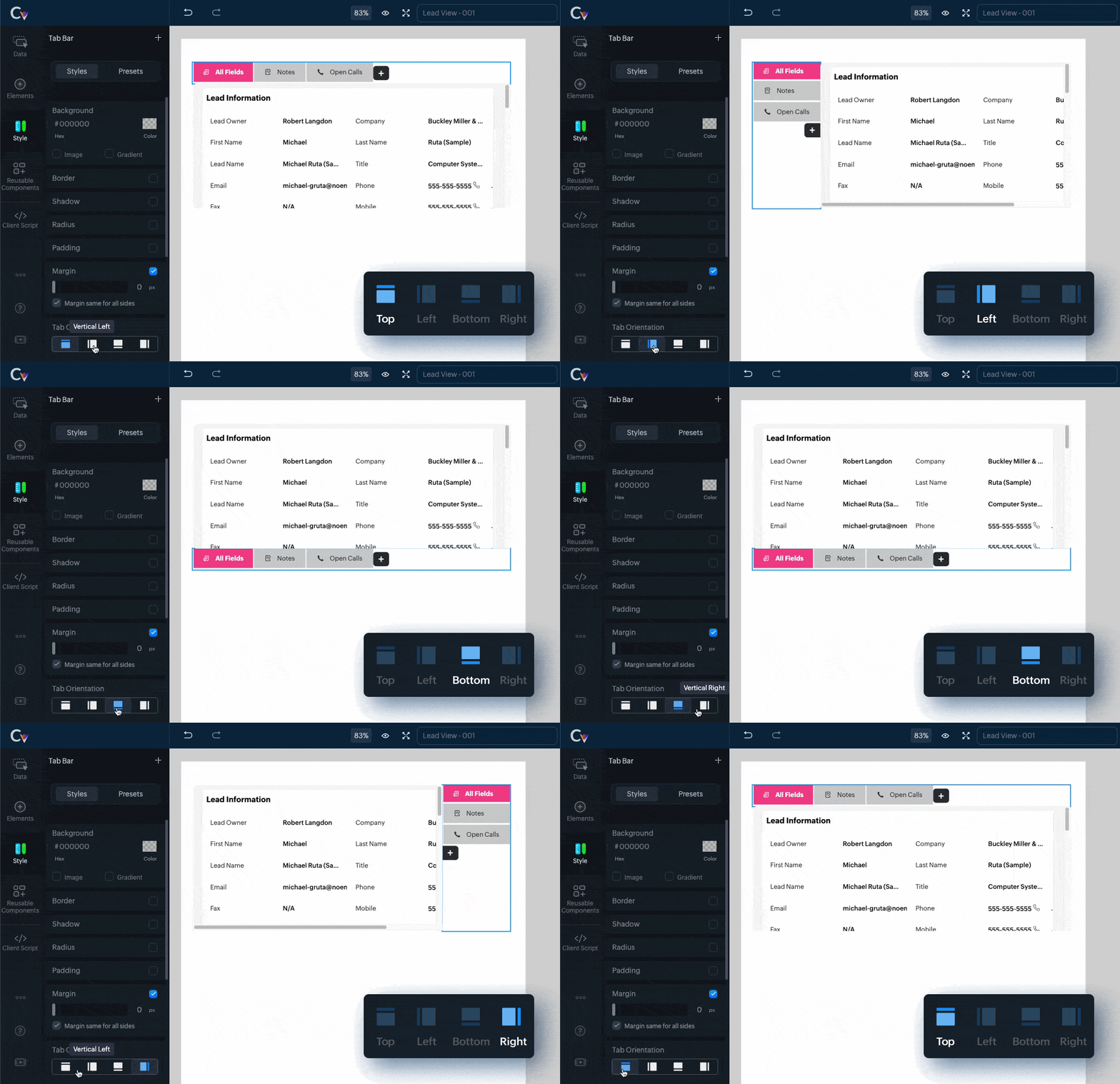
    Tab Component Enhancement

    Effortlessly customize the orientation of tabs, besides editing tab names, placing tab icons, and taking advantage of improved tab navigation controls.

    Easily configure tab orientation by choosing from options like horizontal top, horizontal bottom, vertical left, and vertical right.

    • Edit tab names by double-clicking and save your changes by pressing the Enter key.
    • Move tab icons to the top or left using the tab item context menu.
    • Merge or split tab navigation icons for better control.
    (Image via Zoho)

    Builder Zoom Feature

    It allows you to adjust the zoom level of the builder area, giving you more control over the visibility and precision of your design. Here are the various methods you can use to zoom in and out:

    • Pinch zoom (for trackpads and touchscreens)
    • Command + mouse wheel (Mac users: Hold the command key while scrolling the mouse wheel to zoom in or out. Windows users: Hold the control key and scroll the mouse wheel.)
    • Command + plus (+)  
    • Command + minus (-)
    • Zoom dropdown: The Canvas Builder provides a convenient zoom dropdown menu accessible from the canvas-top-container. This dropdown menu offers predefined zoom options that you can choose directly.

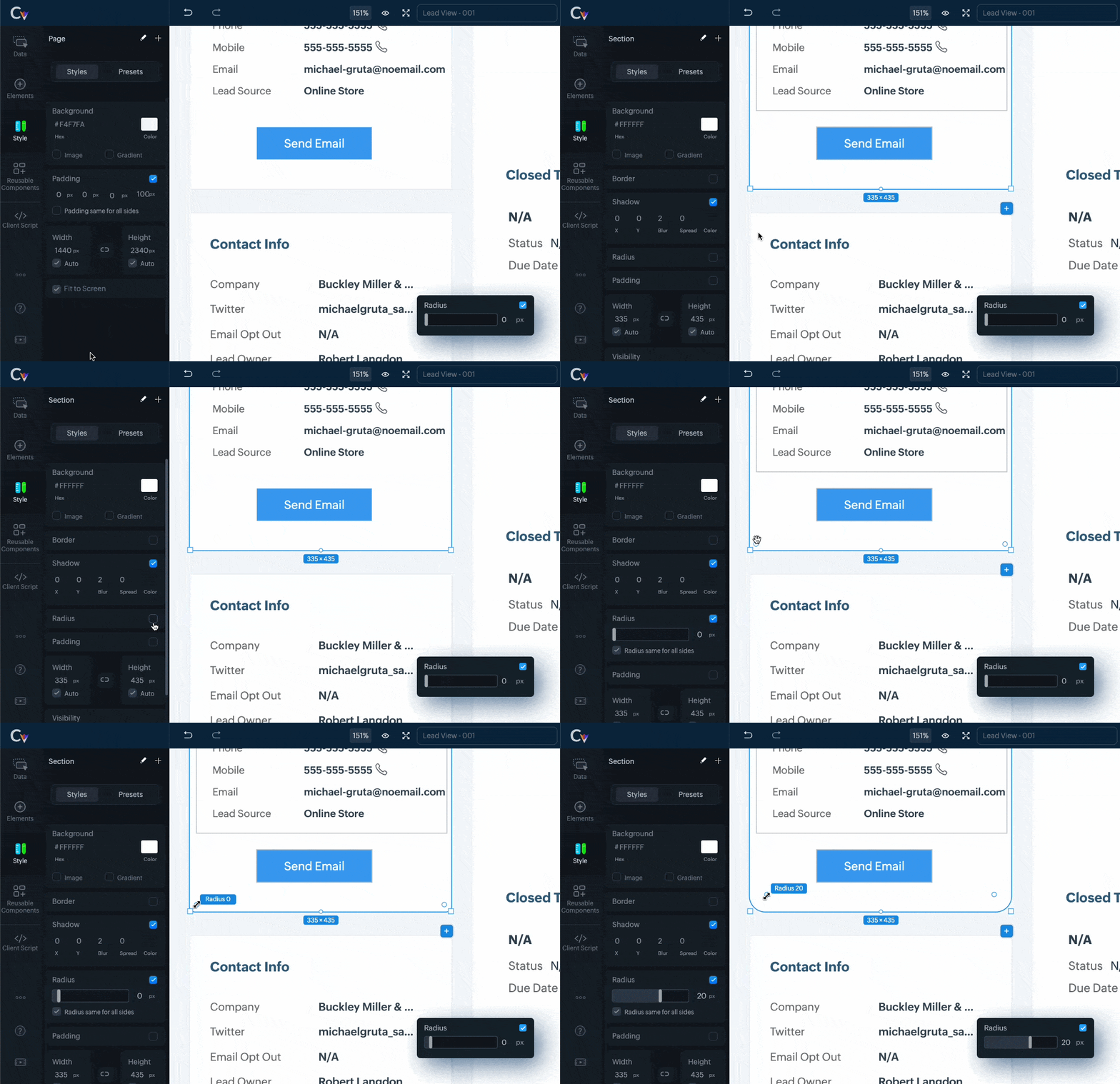
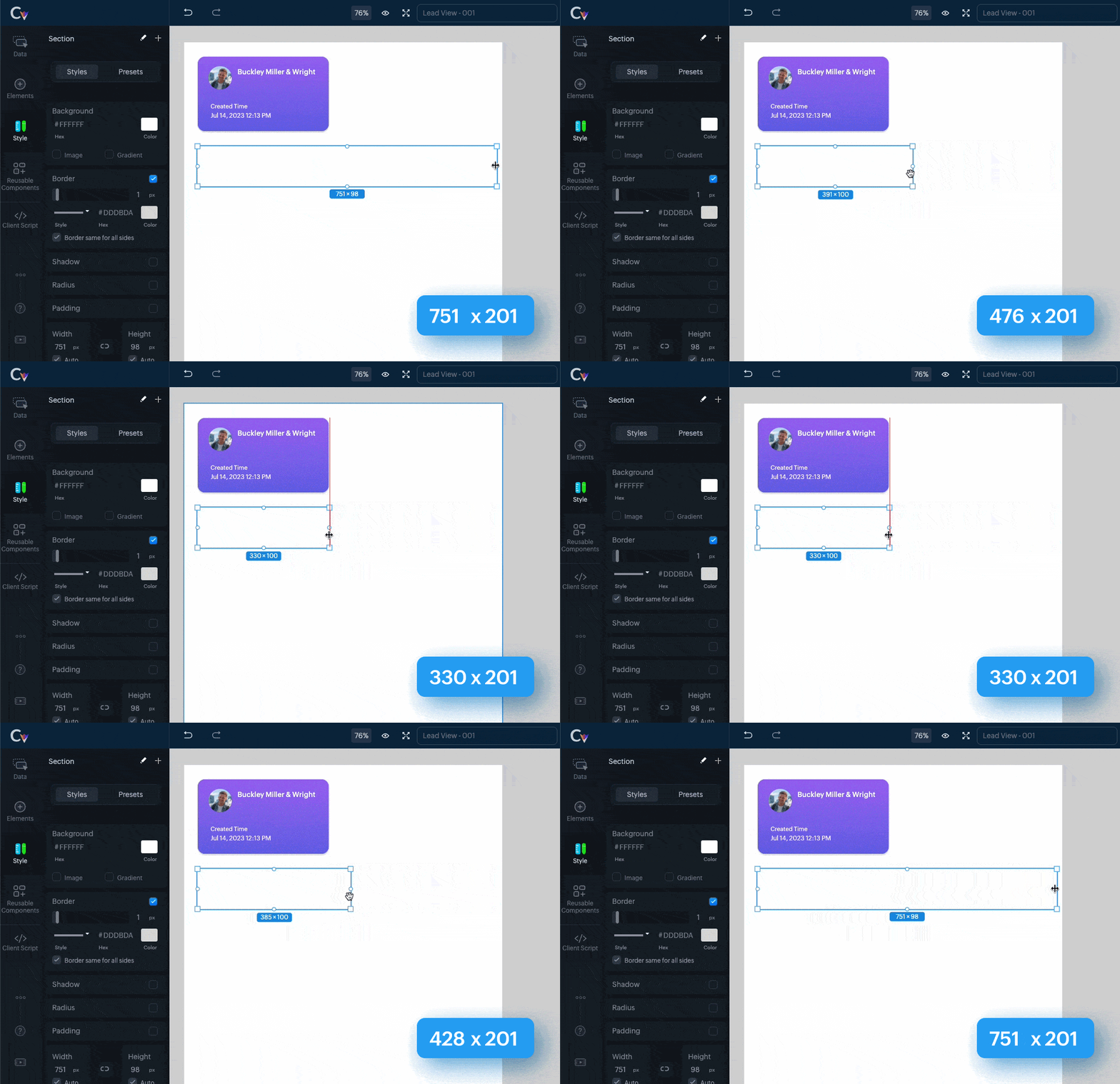
    Radius Handlers

    (Image via Zoho)

    Width/Height Indicator

    (Image via Zoho)

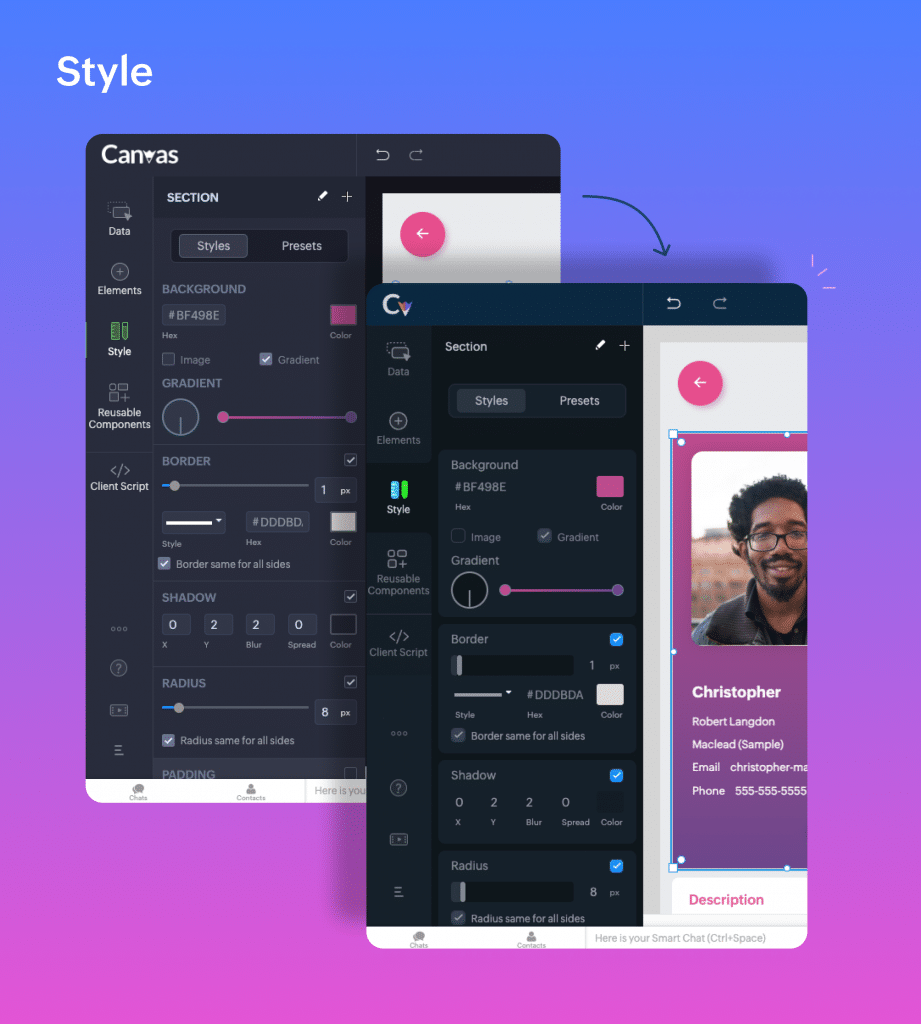
    Builder UX/UI improvements

    (Image via Zoho)

    Improved style tab

    (Image via Zoho)

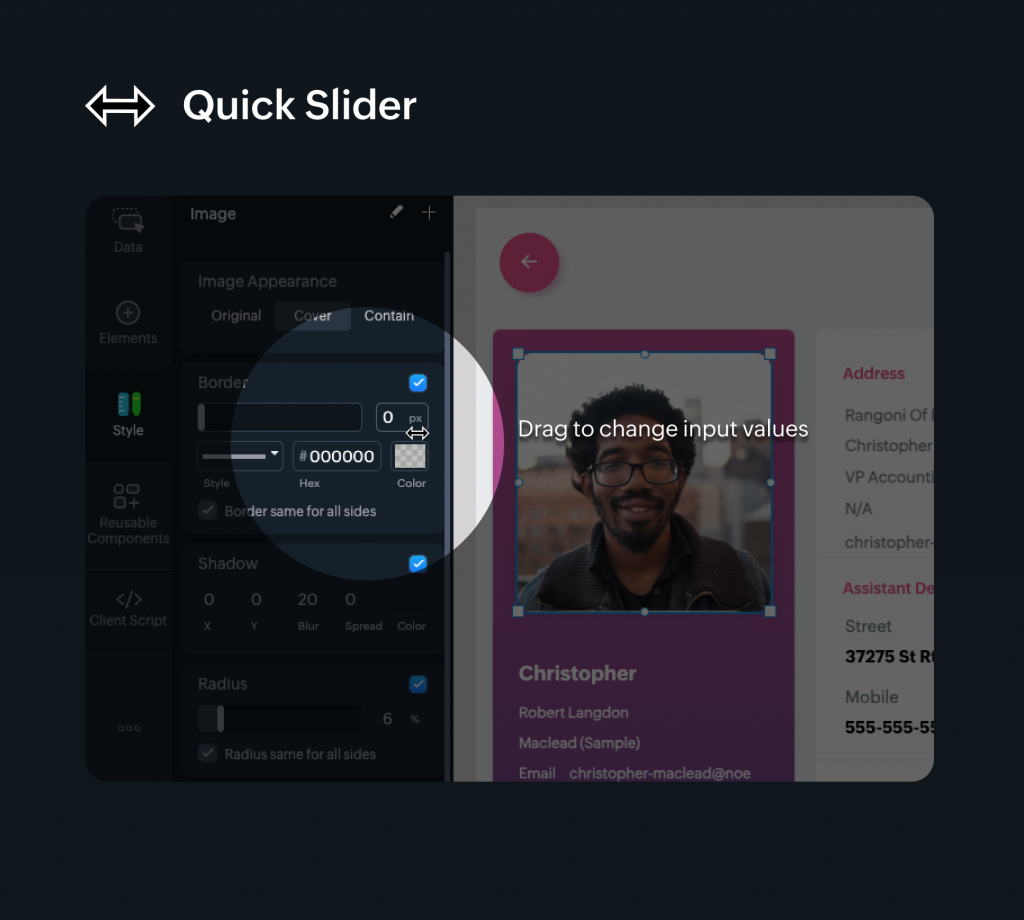
    Drag text in the input boxes

    (Image via Zoho)

    Zoho Campaigns Streamlines Integrations; Revamps Roles and Privileges; and Introduces Workspace

    Starting August 10th, 2023, the following updates will take place:

    Integrations

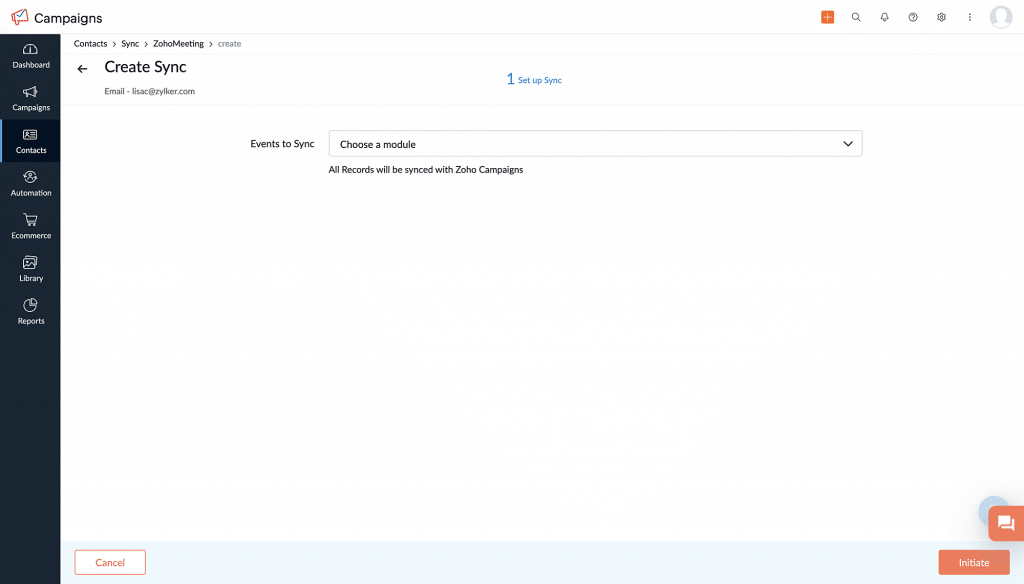
    These will be moved to the organization level. Only the admin of your Zoho Campaigns account (and the other application to be integrated) will have the authority to perform integrations and syncs. Each integration will be limited to one sync.

    By having one admin perform integrations and managing one sync per integration, the process becomes organized, decluttered, and less confusing, leading to more consistent data.

    (Image via Zoho)

    When accessing the Integrations page within the product, you’ll see a warning message indicating that migration is required. Click on the message and select Migrate Now to initiate the migration process. You’ll be presented with information to review. Once done, click Proceed to continue. For the next step, select an existing organization account to set up the sync. This is similar to how you’ve been initiating syncs in the existing version of Zoho Campaigns.

    Roles and Privileges

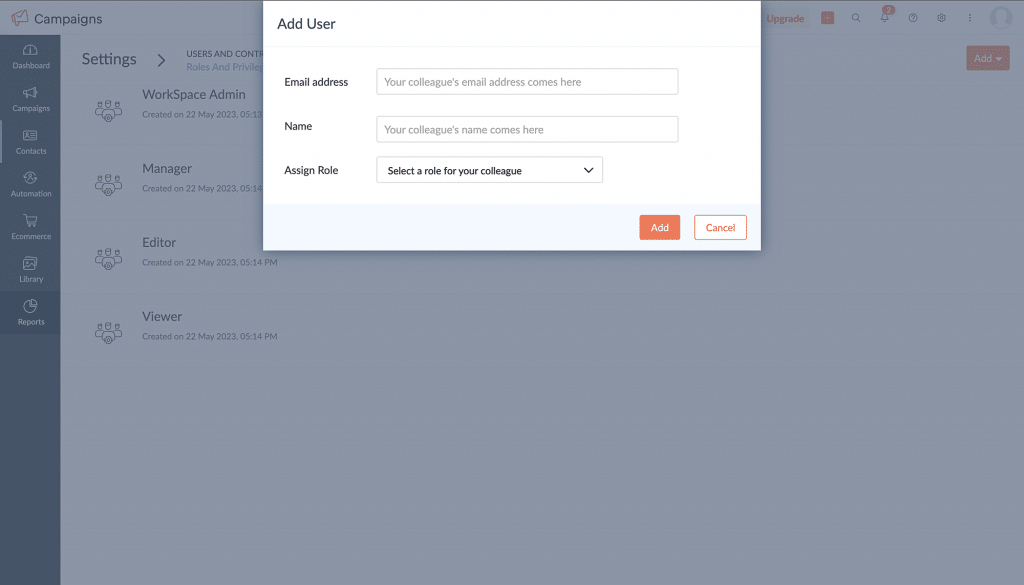
    Zoho Campaigns now provides four default roles: Admin, Manager, Editor, and Viewer. If you have already created additional roles in your account, those will be migrated to the new setup. Admins retain the ability to create new roles and adjust their privileges, while default roles are not editable.

    (Image via Zoho)

    Workspace for Marketing Teams

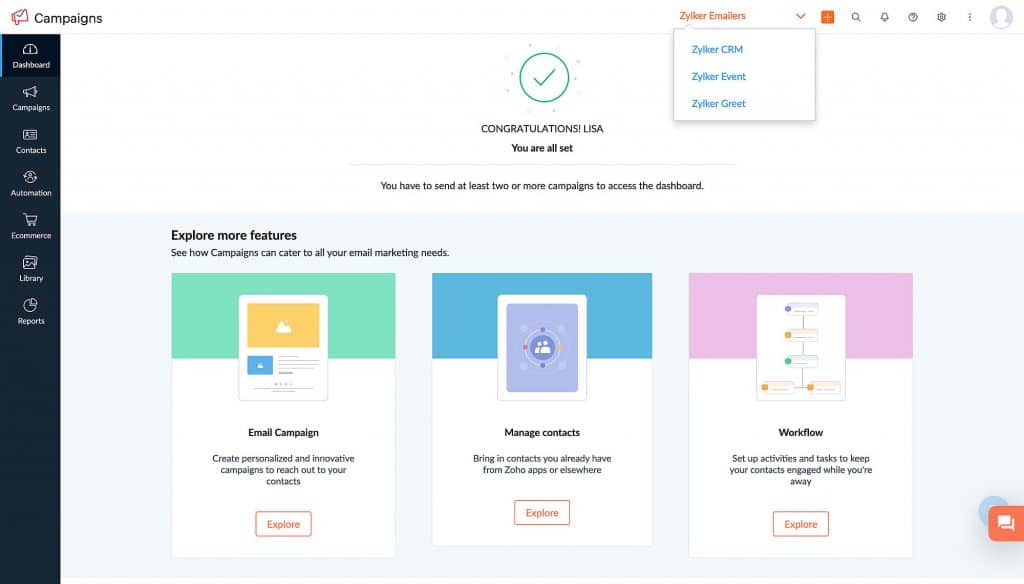
    A workspace is a separate space within Zoho Campaigns to create and organize campaigns and workflows. It allows organization admins to create multiple spaces within one account, which can be accessed by multiple individuals. Admins determine who can access each workspace based on the specific needs of the business.

    (Image via Zoho)

    Workspace in Zoho Campaigns provides the following:

    • A practical solution for organizing and managing different aspects of your business within a single account.
    • It streamlines your marketing activities, assigns appropriate user access, and maintains data integrity across various departments or business units.
    • Storage of campaigns and workflows. Contacts and users will have restricted access to them.
    • Admins can add all contacts or contacts matching a given criteria into a workspace.
    • Users can have one role in one workspace and a different role in another workspace.
    • If you’re an admin and would like to set up workspaces for your account, navigate to Settings > Users and Controls > Workspace.

    Note: This feature is only available for Professional edition accounts.

    Zoho Analytics Adds Feature to Set Up What-If Analysis Over Forecast Data

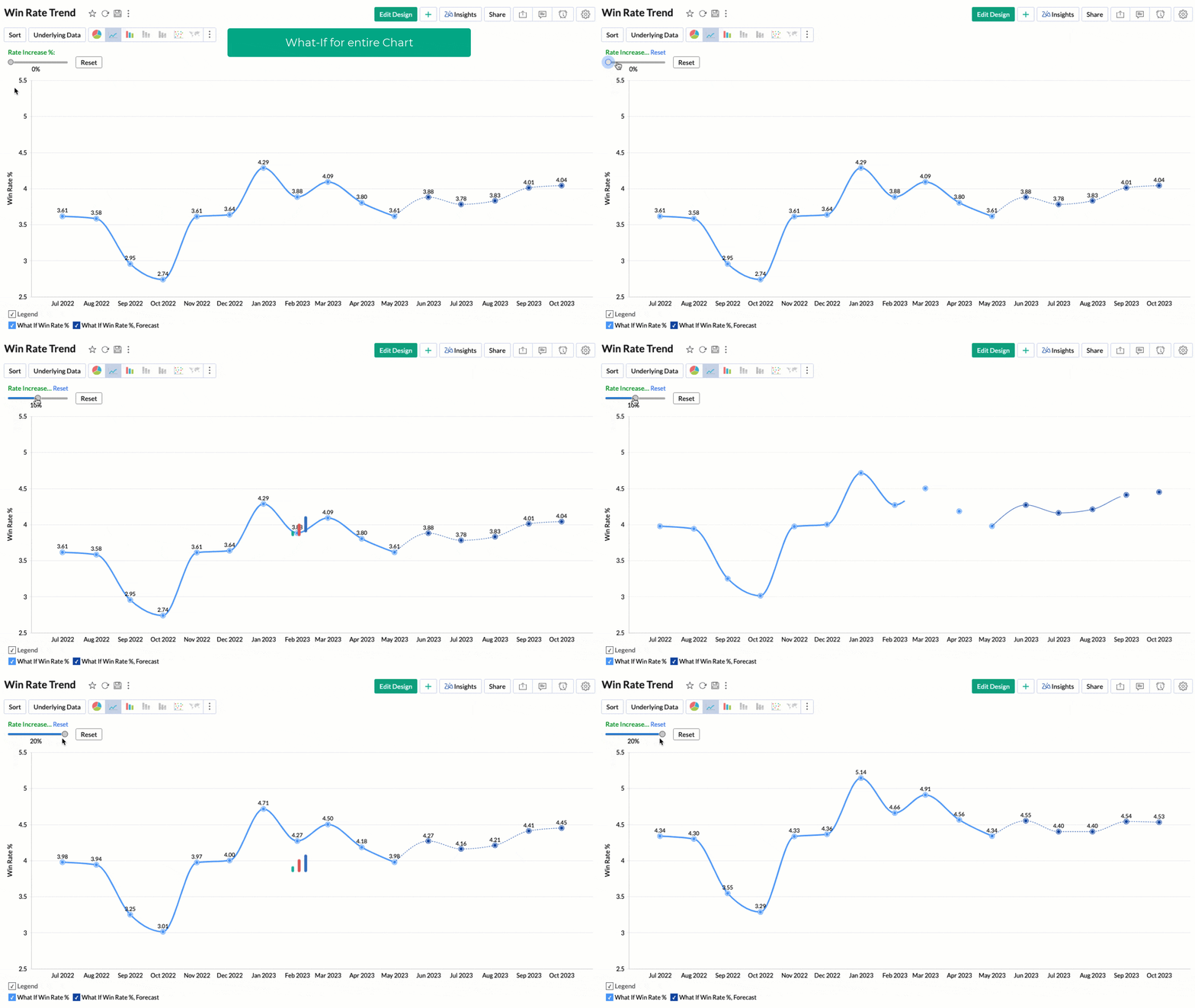
    Zoho Analytics now enables you to perform What-If Analysis exclusively on forecasted data, rather than applying it to the entire report as previously done. This enhancement offers more precise and targeted functionalities for conducting What-If Analysis within the platform.

    Zoho Analytics’ What-If Analysis lets you measure the difference in outcome when one or more variables change. Applying Forecast over a What-if metric column helps you see how the forecasted values will change.

    The process of setting up a forecast for What-If Analysis is similar to configuring any other chart. When using What-If Analysis, the changes made will be applied to the entire chart, encompassing both existing data and the forecasted data.

    (Image via Zoho)

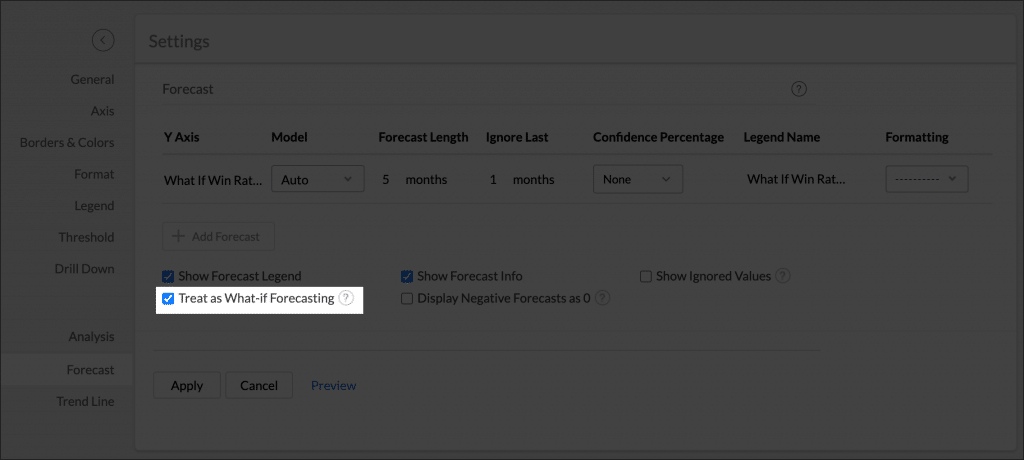
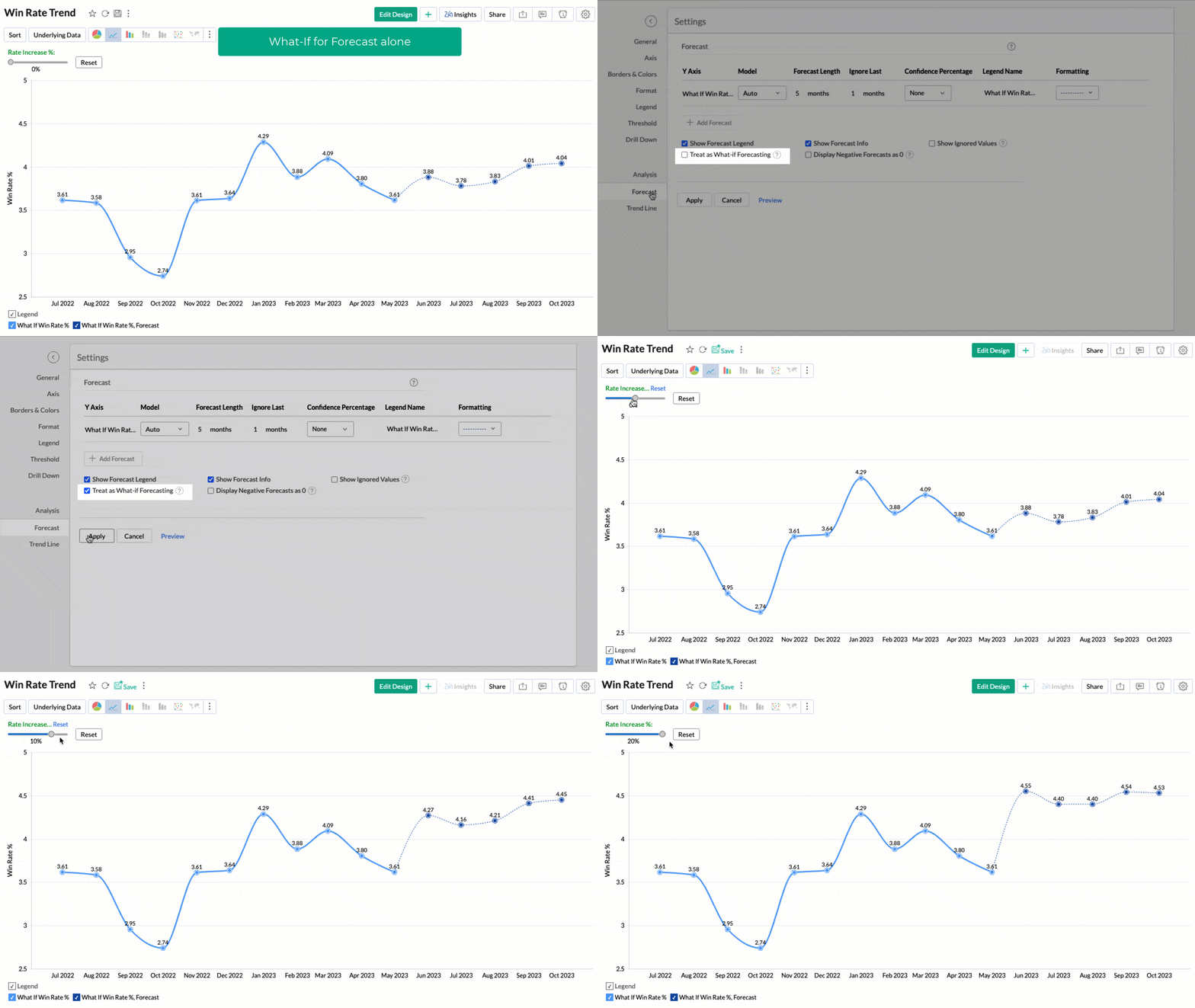
    You can choose to apply the What-if factor over the forecasted data alone by selecting the Treat as What-if Forecasting checkbox.

    (Image via Zoho)

    The upcoming screen showcases What-If Analysis exclusively applied to forecast data:

    (Image via Zoho)

    Zoho Analytics and Google Analytics 4 Integration

    (Image via Zoho)

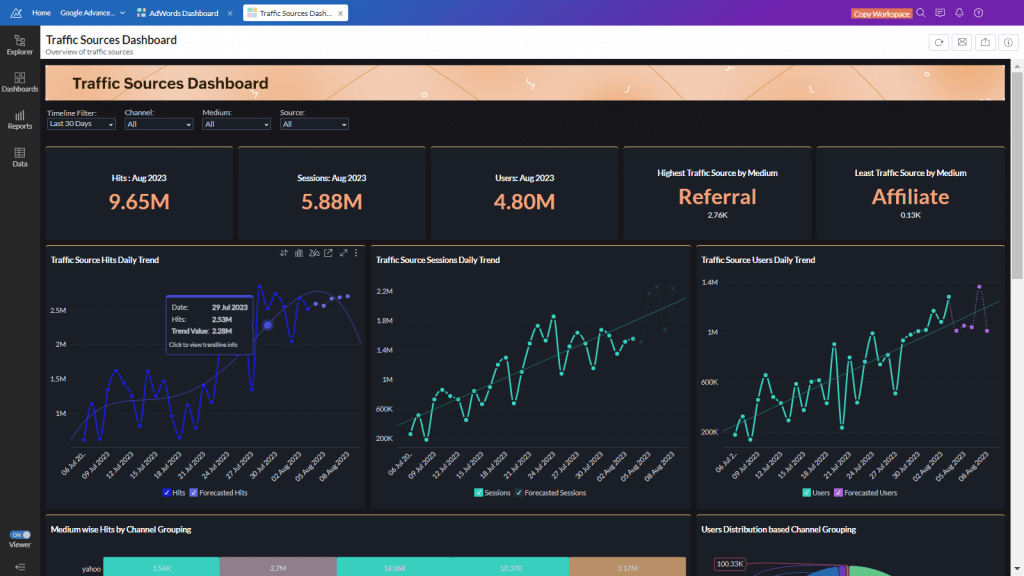
    Analytics gives you the tools to harness the power of GA4 data through sophisticated reporting and advanced analytics. Thanks to this seamless integration, you have the freedom to analyze and dissect your GA4 data in any way you desire, while closely monitoring crucial web traffic KPIs tied to your SEO/SEM campaigns.

    With this integration, you can do the following:

    • Create your own reports and dashboards based on not only your GA4 data, but also by blending data from other data sources.
    • Share reports and dashboards with your colleagues.
    • Set up Alerts to get notifications on key business metrics.
    • Schedule and email your reports at your convenience.
    • Export your reports as PDF, HTML, Excel, CSV, and image files.
    • Embed your reports on websites, blogs, etc.
    (Image via Zoho)

    Check the sample dashboards here to see the Zoho Analytics and Google Analytics 4 integration in action.

    Zoho Recruit Integration with WhatsApp

    (Image via Zoho)

    Recruiters can benefit from this integration in the following ways:

    • Direct and Instant Communication: Establish real-time communication channels with candidates, ensuring faster responses.
    • Rich Media and Interactivity: Share multimedia content, conduct video interviews, and enhance the recruitment experience.
    • Centralized Communication and Data Management: Simplify data handling and improve collaboration among team members by integrating WhatsApp with the talent acquisition system.
    • Enhanced Efficiency and Productivity: Streamline communication channels, boosting overall recruitment efficiency and productivity.

    Messages Module in Zoho Recruit

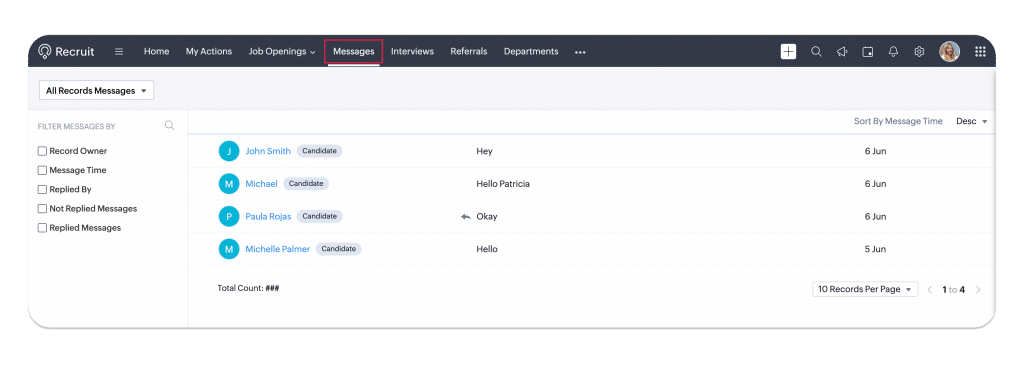
    Once WhatsApp is integrated with Zoho Recruit, a new module called Messages is added. This module stores conversations, attachments, activity timelines, candidate information, and sent emails. Users can view a list of conversations, snapshots of messages, and filter records. Also, clicking on a message opens a conversation view page divided into three sections for clarity and easy navigation.

    (Image via Zoho)

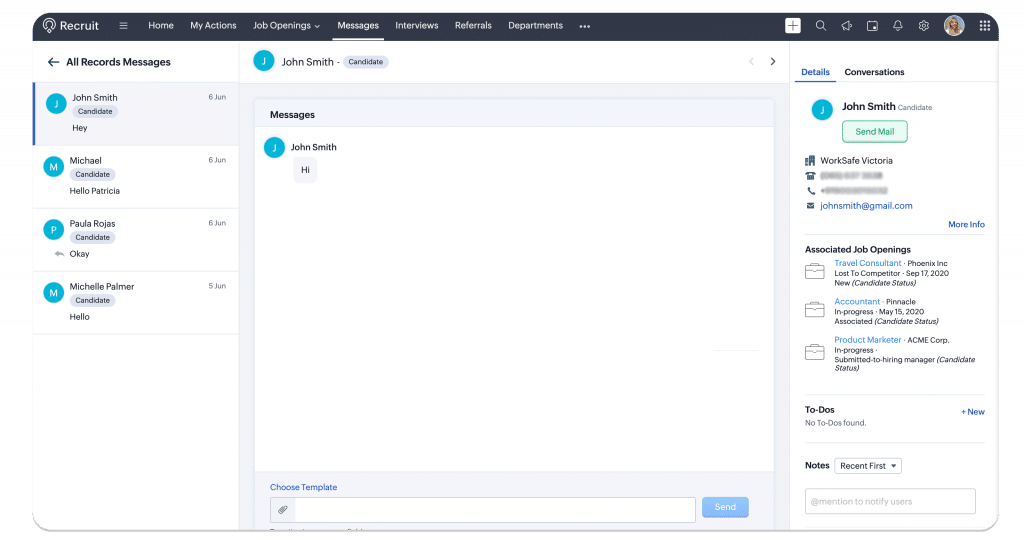
    The left side panel will display a list of text messages from all candidates. When clicking on the arrow near All Records Messages,you will be redirected to the messages list view.

    The center panel is the main area where the Recruit user will enter the message to respond to the candidate. It includes the Attachments icon to attach a file and an option for custom templates.

    The right side panel contains the Info and Conversation sections.

    (Image via Zoho)

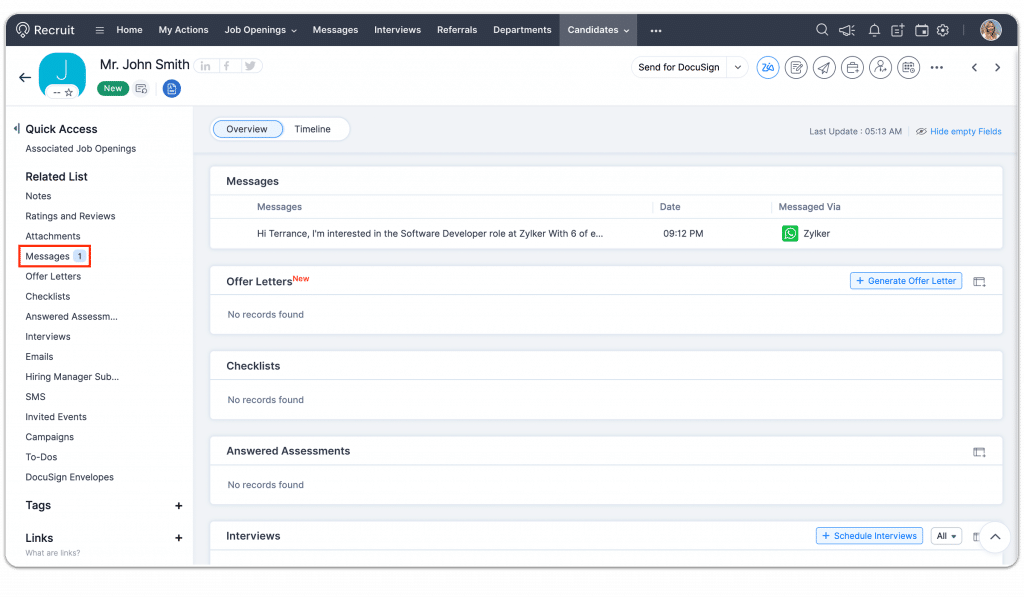
    Finally, all messages received will be found either in the Candidates or Contacts modules, depending on the account preference set during configuration. When a message is received, it will be automatically associated to the candidate or contact and can be accessed from the Messages related list.

    (Image via Zoho)

    Zoho Webinars

    Advanced Zoho CRM Analytics

    In this webinar, you’ll learn how to effectively analyze your Zoho CRM data using Zoho Analytics. With this add-on, you can enhance your sales team’s efficiency, gain insights into win/loss rates, make sales predictions, and unlock numerous other capabilities.

    Click here to register.

    Webform Analytics and A/B Testing

    Discover how to track and enhance webform performance to optimize lead generation from your website.

    Click here to register.

    That’s all for now, IC readers! See you soon for more Zoho updates from InterConnecta!

    Want to add these new features to your Zoho system? Let’s work together! Learn more about our Zoho Consulting Services and request a free consultation.
  • Zoho News Catch-Up: CRM’s Query Component and New Extensions; Books for Discontinued QuickBooks; Analytics’ Updates; Facebook Reels on Social

    Welcome to our catch-up, where you’ll be in the know of all the latest Zoho updates in one place!

    Zoho CRM: Query Component in Wizards for Smarter Data Gathering

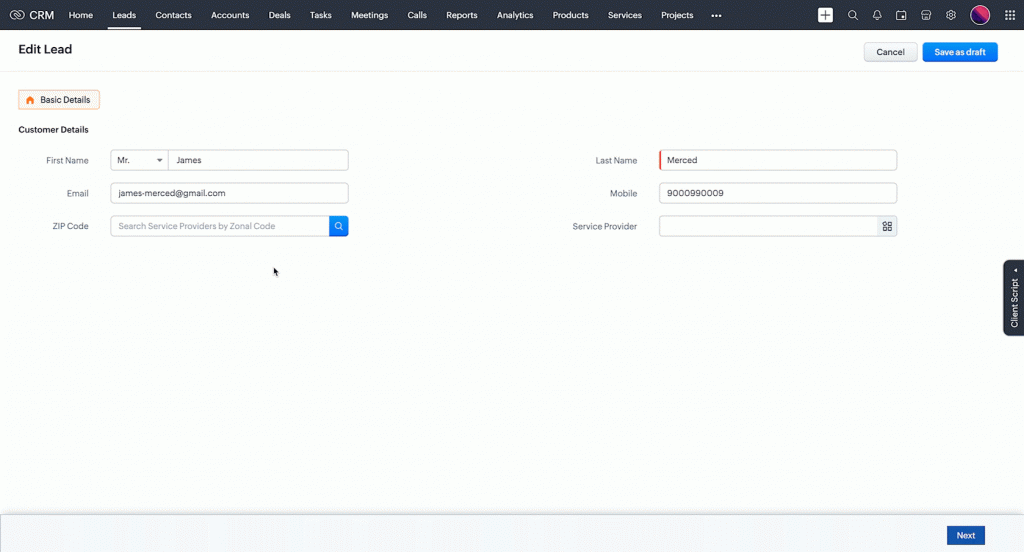
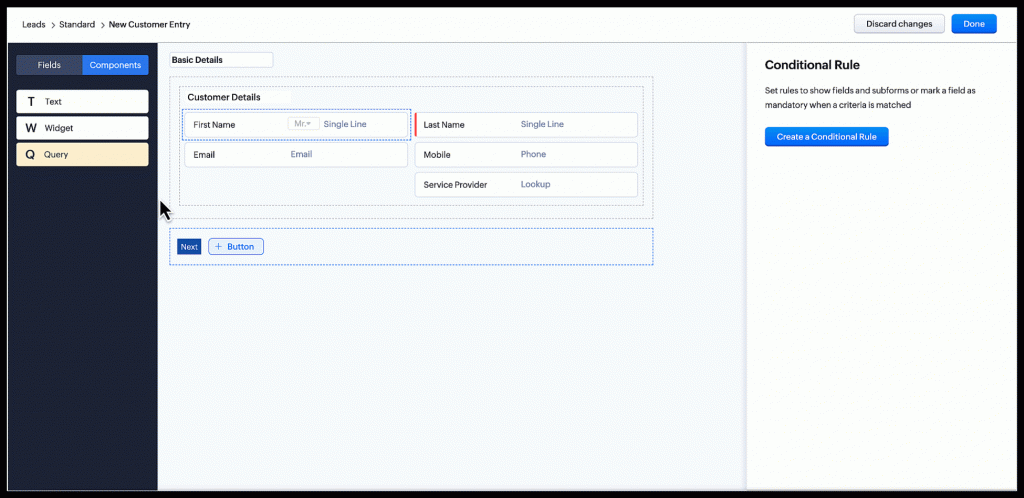
    The Query component in Wizards helps users to manage and gather data more efficiently by providing predetermined actions based on the results of a search query. The Query component operates as a search field with a search parameter and a preset comparator, which is then matched against a field in the current or related module. To do so, enter your search criteria and the Query component will perform actions based on the results.

    (Image via Zoho)

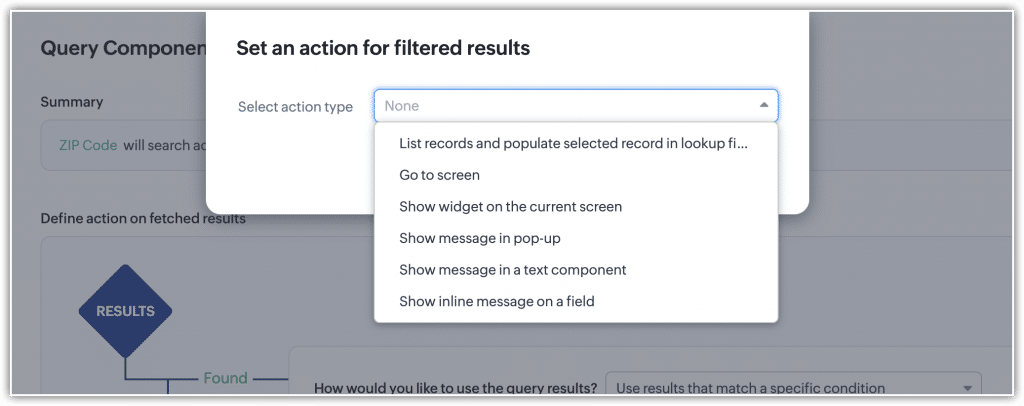
    When finding matching records, you can configure actions like the following:

    • Selecting a record from eligible options and save it in a lookup field
    • Navigating to a specific screen
    • Displaying widgets or popup messages
    • Displaying in-line messages within a field
    (Image via Zoho)

    If the search cannot find any matching records, the Query component gives the flexibility to create new records in the current or related modules, besides the actions described above.

    Each action inside the Query component can include static sub criteria, which lets you determine when the action should be triggered.

    Also, the Query component can be repurposed throughout any wizard within the same module. Though the Actions section can be customized, the target field and comparator properties of the Query component stay consistent.

    Functionalities of the Zoho CRM Query Component

    The Query component has many functionalities that can be used in numerous ways. For instance, the system can check for free delivery availability when a user enters a pin code, and the resulting message can be displayed inline to the field or in a pop-up. Likewise, the component can be used in the web check-in module, in which the query is designed to find the passenger with a specific PNR in the passenger module and associate them with the check-in module status.

    (Image via Zoho)

    Notes:

    • Only one query component is allowed per screen, whereas each wizard can hold up to five query components.
    • A maximum of 3 query components can be created per module.
    • Each screen of the wizard should include only one query component.

    New Extensions for Zoho CRM in Marketplace

    Checklist For Zoho CRM

    • It allows Zoho CRM administrators to enable a checklist in the detail view page of a record below the business card.
    • Available for Zoho CRM’s native system modules.
    • You can create a checklist based on a module (a single checklist for all records) or based on a picklist field (checklist items can be configured based on each picklist value in the field) in the module.
    (Image via Zoho)

    WhatsApp Button Messenger

    • Send personalized messages with a name or other CRM data to leads and contacts by clicking just one button.
    • Create message templates and easily use them for Leads and Contacts.
    • Automate WhatsApp message sending to Leads and Contacts records in Zoho CRM with one click.
    • Create multiple message templates that use merge fields. This eliminates the need for manually typing out individual letters or messages.
    (Image via Zoho)
    (Image via Zoho)
    (Image via Zoho)
    (Image via Zoho)

    Next Action Business Card Widget

    Get a comprehensive overview of all your upcoming activities associated with a particular record, so you won’t have to switch between different modules or views to get a whole picture of your agenda.

    Features:

    • Consolidated View: Easily view all upcoming activities associated with a record in a single, intuitive business card view.
    • Task Management: Keep organized by viewing upcoming tasks alongside scheduled calls and meetings.
    • Time-Saving Efficiency: Save valuable time by getting rid of the need to navigate through different modules to access relevant information.
    • Proactive Planning: Stay ahead of your schedule by visualizing and prioritizing tasks in advance.
    (Image via Zoho)

    Our Resources for Discontinued QuickBooks Desktop 2020

    As you may have heard, QuickBooks Desktop 2020 is now discontinued. This means that all 2020 versions of QuickBooks Desktop Pro, QuickBooks Desktop Premier Accountant Edition, QuickBooks Desktop for Mac, and QuickBooks Enterprise Solutions v20 will no longer provide live technical support, including for QuickBooks Desktop integrations. This includes QuickBooks Desktop Payroll, QuickBooks Desktop Payments, and online bank feeds. Moreover, all discontinued versions are no longer receiving the latest critical security patches and updates, as well as critical security updates to protect your data. Meanwhile, QuickBooks Desktop Point of Sale 19.0 will be affected after October 3, 2023.

    If you’re still using any of the QuickBooks’ discontinued software mentioned above, we strongly recommend taking security measures in order to protect your data. The best solution is a migration from QuickBooks to Zoho Books, which is one of our many services. Zoho Books is a cloud-based and multidepartment accounting software for finance management and business workflow automations. It can be easily integrated with other Zoho and third-party apps like Zoho CRM, Zoho Analytics, Zoho Expense, Zoho Inventory, PayPal, Stripe, 2checkout, Authorize.net, Mercado Pago, Zapier, GSuite, OneDrive, Dropbox, and many others. Also, we offer support through our Zoho Maintenance and Support Program.

    Click here to learn more about Zoho Books and our best practices for implementations, including migrations from QuickBooks to Zoho Books.

    Zoho Analytics: New Advanced Analytics Connector for ShipStation

    (Image via Zoho)

    Advanced Analytics for ShipStation Connector is designed to provide robust data analysis and reporting capabilities. It includes 50+ hand-picked reports and dashboards that provide deep insight into your order and shipping management data. This connector brings all the capabilities of Zoho Analytics to ShipStation users.

    The connector will benefit you by gaining valuable insights by analyzing your ShipStation data to make informed decisions; improve operational efficiency; and to easily track shipping, logistics processes, and product order patterns.  

    Features:

    • A full-featured business intelligence (BI) and reporting tool that can break down the ShipStation data to create any reports/dashboards you need.
    • Creation of your own reports and dashboards based on your ShipStation and by blending data from other data sources.
    • Sharing reports and dashboards with your colleagues.
    • Configuration of Alerts to receive notifications on key business metrics.
    • Schedule and email your reports whenever you want.
    • Export reports as PDF, HTML, Excel, CSV, and image files.
    • Embed reports on websites, blogs, among others.
    (Image via Zoho)
    (Image via Zoho)
    (Image via Zoho)

    Note: Users in any paid plan of ShipStation along with a paid plan of Zoho Analytics, Zoho CRM Plus or Zoho One can subscribe to this connector. Users with the Administrator roles can configure this connector.

    Zoho Analytics: Restore Deleted Views from the Dashboard

    The ways to handle deleted views from Dashboard are now improved. If a view present as part of a dashboard is deleted, you can now choose to restore or remove it from the dashboard.

    Click on Restore to restore the view from the dashboard by hovering the mouse over the deleted view. Then, click the Restore icon on the top right.

    Remove the view from the  dashboard, by clicking the Close icon of the deleted view.

    (Image via Zoho)

    Publish Facebook Reels Right From Zoho Social

    (Image via Zoho)

    You can now upload, schedule, and analyze your Facebook reels within Zoho Social. This includes planning sets of reels on your Zoho Social calendar and scheduling them for later. Here’s the 411:

    Technical Requirements:

    File Format MP4, MOV
    Dimensions Minimum of 540 x 960
    Aspect Ratio 9:16
    Duration 60s
    File Size No limitations
    Audio CODEC No limitations
    Video CODEC No limitations
    Audio Bitrate No limitations
    Video Bitrate No limitations
    Frame Rate No limitations

    Note: Reels can be published from the New Post and the Customize Content editor on Zoho Social. You can use the customize content editor to publish different content across social media channels at once.

    How to Publish Reels on Facebook

    1. Click on + New Post or Customize Content.

    2. Enter the caption for your reel. You can also click Compose with Zia to use the generative AI for creating content based on prompts.

    3. Click the Image icon and attach the reel from Desktop, Media Library, Cloud Picker, or design on Canva.

    (Image via Zoho)

    4. Select the Post as Reel in Facebook checkbox.

    5. Click Post Now. You can also choose other publishing options to schedule the reel for a later date and time.

    All published reels can be viewed from Posts Tab > Published Posts. Then, select Facebook and switch to the Reels tab.

    View Statistics

    After reels are published from Zoho Social, you can see various stats and analyze the performance.

    • Likes: Total number of likes on the reel.
    • Comments: Total number of comments on the reel.
    • Shares: Total number of times the reel has been shared.
    • Reel Duration: Total duration of the reel in seconds.
    • Views: Total number of views for the reel.
    • Play Count: Total number of times the reel has been played. This excludes all the replays.
    • Total View Time: Total amount of time the reel has been viewed. This includes all the replays.
    • Average View Time: Average amount of time the reel has been viewed. This includes all the replays.

    How to View Stats

    1. Go to Posts tab > Published Posts and select the Facebook icon.

    2. Click the Reels tab.

    3. Select the reel and go to Post Stats.

    (Image via Zoho)

    Zoho Webinars

    Help Desk and Live Chat: The Integration You Need to Provide the Best Support Experience

    This webinar will compare the pros and cons of help desk and live chat software. Also, the hosts will discuss how the tools can provide a wholesome support experience, the need for their integration, and the additional features and benefits.

    See the agenda and register here.

    Leveraging Zoho Cliq’s Capabilities as a Platform for Unified Communications

    See how Zoho Cliq can help boost customer engagement and streamline collaboration by unifying all your communications into one platform,through phone system integrations and more.

    See the agenda and register here.

    That’s all for now, IC readers! See you soon for more Zoho updates from InterConnecta!

    Want to add these new features to your Zoho system? Let’s work together! Learn more about our Zoho Consulting Services and request a free consultation.
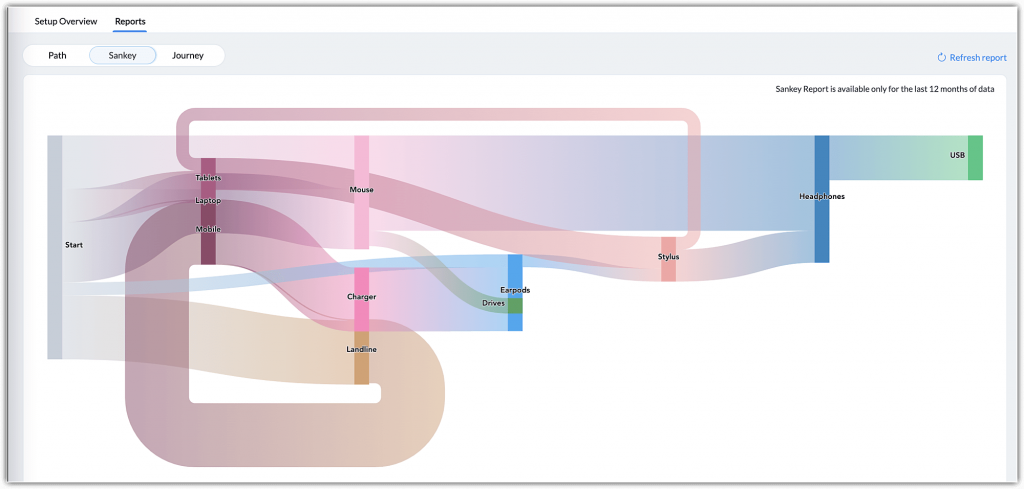
  • Zoho News Catch-Up: Analytics’ Tutorials and New Features; Ulaa Browser; AI-Powered Transcriptions and Keynotes in Desk

    Welcome to our catch-up, where you’ll be in the know of all the latest Zoho updates in one place!

    Resources: Our Zoho Analytics + ChatGPT Tutorials

    As you may have seen in our blog, Zoho recently announced their integration with OpenAI’s ChatGPT, which extends to many Zoho apps, including Zoho Analytics. As part of our video resources library, we have created these videos to show you how the integration of Zoho Analytics with ChatGPT can help you get the most of your data:

    Discover and Import Public Datasets with ChatGPT for Zoho Analytics

    Turn Your Questions into Complex SQL Queries with ChatGPT for Zoho Analytics

    Create Formulas with Natural Language in ChatGPT for Zoho Analytics

    To watch our latest tutorials and Zoho updates, subscribe to our YouTube channel

    Zoho Launches Ulaa

    Zoho Corporation has recently entered the internet browser category with the release of Ulaa: an internet browser centered on protecting user privacy and personal data, as well as upgrading the way people work online. Ulaa puts users in control of their data. It is built on Chromium, an open-source browser project from Google. However, Ulaa offers additional security features that Chromium doesn’t have. Let’s take a look at this and other features:

    Privacy Protection While Browsing the Web

    Ulaa protects you from privacy abuse and high-risk cybersecurity threats with blocked tracking, zero browser monitoring, and a multi-tier ad blocker. This is possible with the following features:

    • Anonymized Statistics: Data that enters Ulaa’s servers from your device cannot be mapped back to the user to identify individual users. According to Ulaa, they can never track down your device’s IP address, your location, or snoop on what you’re browsing.
    • Auto Reset Browser Ids: Ulaa adds an additional layer of protection to your data by resetting all unique identifiers like Browser Randomized ID and Profile UID each time you open your browser. By generating new randomized IDs, Ulaa grants greater anonymity, so it feels like using a new installation every time the browser is launched.
    • Geographical Data Isolation: Although users can access information from any place in the world, all that data is restricted to the legal geographical boundaries of the country they are located in. This ensures compliance with data protection regulations, such as the GDPR.
    • Zero Troublesome Ads, Social Media Annoyances, and Third-Party Sneaking: Ulaa provides an ad-free experience with its EasyList filter, blocking ads and unwanted content. It also uses Peter Lowe’s Ad and Tracking Server List to block spam, spyware, and malware. The Fanboy Annoyances List removes pop-ups and clutter for faster, cleaner webpages. With the EasyPrivacy filter, Ulaa protects personal data by blocking all forms of tracking and ensuring a secure browsing experience.
    • No Social Media Trackers and No Targeted Ads: Social media companies like Facebook, Twitter, and LinkedIn place trackers on other websites so they can follow what you do and see online. Ulaa offers enhanced tracking protection to block social media trackers from following your online activity. This ensures your private web activity remains private and prevents targeted ads. Also, Ulaa includes an adblocker; auto updates; a 24-hour security patch policy; and protection from adware, crypto miners, and malicious websites.

    Multiple Browser Modes

    • Personal Mode: This default browser mode allows users to enjoy complete privacy protection. They can view their browsing history, search records, favorite pages, and cookies data without having to sign in to Ulaa. This mode enables secure logins into user accounts, prevents ads, and maintains online privacy.
    (Image via Zoho)
    • Work Mode: Browsing with this mode boosts productivity and helps you stay focused on the work at hand by blocking distracting websites. A strict and enabled adblocker protects you from intrusive ads, possible phishing attacks, and more.
    (Image via Zoho)
    • Kids Mode: This family-friendly browser mode provides a safe online space for children to browse, learn, play games, and explore content. It includes a unique Learning On The Go feature to engage children into learning. The mode has content filtering to prevent access to inappropriate content, while Parental Control allows parents to block specific websites. The Child Lock requires a password to enter or exit the mode, ensuring a safe environment for the child at all times.
    (Image via Zoho)
    • Developer Mode: This mode is designed for web developers and testers. It allows inspection of HTML elements, CSS styles, and JavaScript, while also tracking requested assets and monitoring loading times.
    (Image via Zoho)

    Built for Productivity

    For better organization and less distractions, Ulaa includes a tabs manager, smart tabs grouping, a note-taking space, password manager, smart dashboard, screen capture, and multi-device sync.

    Ulaa is now available for Mac, Windows, iOS, Android, and Linux.

    Zoho Analytics: Incremental Fetch for Databases

    With this feature, you can import only the newly added records in the databases to Zoho Analytics without fetching the whole dataset every time. This could be beneficial while working with large datasets, while saving time.

    To import data using incremental fetch, Zoho Analytics needs the following:

    • A column or field that helps in identifying the new records or rows in the table. This could be a sequential number column like ID, date, or a date and time column.
    • How to import the new records into the table. You can append the new records to the table, or add records and replace them if the records already exist.

    Note: Incremental fetch is available for all plans and is currently supported only for databases.

    How to Configure Incremental Fetch

    You can configure incremental fetch while scheduling an import. Follow these steps to configure it:

    1. Select the tables you wish to import.

    (Image via Zoho)

    2. Configure the Import Settings. Click Schedule this Import.

    (Image via Zoho)

    3. In the Import Synchronization Settings pane that opens, select Only new/modified records from the What Data to Fetch drop-down menu.

    4. All the numeric data type columns will be listed. Select the column that helps to identify the new records.

    5. Select How do you want to import the data.

    • Add Records at the End: Choosing this will append the new records to the end of the table.
    • Add Records and Replace if Already Exists: Updates the existing records in the table and appends the new records at the end of the table.

    6. Select a Column to match the existing records if you have chosen Add Records and replace if existing option from How do you want to import section. Click Next.

    (Image via Zoho)

    7. The Synchronization settings pane will open. Choose the interval in which you would like to synchronize your data. You can also schedule a periodic fetch (daily, weekly, or monthly) to import all the data.

    (Image via Zoho)

    While configuring incremental fetch for multiple tables, select the column that helps in identifying the new records for each table, as shown in the image below.

    (Image via Zoho)

    Zoho Meeting: AI-Powered Transcription and Keynote Generation

    Zoho Meeting has leveraged the power of generative AI to transform the way you connect and collaborate with your teams, thanks to the introduction of auto-generated transcripts and keynotes. The purpose is to have seamless online meetings in which AI will easily capture the essence of your discussions, thus smoothing information retrieval and post-session follow-ups.

    AI-Powered Transcripts

    All of your online meeting and webinar recordings can be converted with ease into thorough and accurate transcripts. ZLabs —Zoho’s in-house research and development unit— has worked on the transcript feature that automatically and quickly converts your sessions’ speeches to text.

    AI Powered Keynotes

    Zoho Meeting uses Zia —powered by OpenAI— to auto-generate keynotes of your meeting and webinar sessions from session transcripts. Save time and get a quick recap of sessions by transforming hours of discussions into short key points.

    Also, the integration of Zoho Meeting with Zia analyzes the session transcript, identifies crucial information, and displays it in an organized way. This ensures that key insights will not be lost, while freeing you from having to sit through entire session recordings.

    Prerequisites for Auto-Generated Transcripts and Key Notes

    • Auto transcription for recordings is enabled under Recordings in the account settings.
    • Zia is installed on your Zoho Meeting account’s Integrations page.

    How it Works?

    Once the prerequisites above have been fulfilled, you can auto-generate AI-powered transcripts and keynotes by just clicking a button.

    Browse the Recordings tab in your Zoho Meeting account and choose a recorded session that you would like transcribed. Click View Transcript from the More (three vertical dots) option to view auto-generated transcripts and keynotes for the specific session. Then, quickly copy transcripts and keynotes, or download them for future reference.

    (Image via Zoho)

    Transcript view:

    (Image via Zoho)

    Transcript view with recording:

    (Image via Zoho)

    Benefits of Using Auto-Generated Transcripts and Keynotes

    • Time-saving and efficiency: Automatically generate keynotes of meetings and webinars.
    • Accessibility and reference: Share keynotes with other stakeholders who may have missed a meeting or webinar.
    • Decision-making and accountability: Quickly review key topics, decisions, action items, and any other significant details discussed during the meeting or webinar.

    Note: This Zia integration is currently only available in the US data center, but Zoho has announced they will set it up same in other data centers very soon.

    Zoho Unveils Zoho Directory

    (Image via Zoho)

    Zoho Directory is a secure platform for workforce identity and access management. It allows you to authenticate your employees, authorize them to access cloud apps and devices, and manage their interactions with Zoho Directory.

    Who Can Use Zoho Directory?

    • IT Admins: Enable without difficulty the right apps for the right employees.
    • Employees: Safely log in to office applications from anywhere.
    • Managers: Get the whole picture of your workplace identity.

    Zoho Directory’s Features

    • Single Sign-On: Access all apps from one secure login, and set free your employees from multiple passwords.
    • Multi-Factor Authentication: Protect your system from cyber-attacks through secure factors like QR codes, time-based OTPs, and passwordless biometric verification.
    • Reports and User Behavior Analytics: Track employee usage across applications, get clear insights, prepare reports, and identify security threats.
    (Image via Zoho)
    • Active Directory Sync: Continue to use your Microsoft Active Directory identities and extend them to multiple cloud applications.
    (Image via Zoho)
    • 350+ Integrations: These will help you to connect your apps seamlessly. Amongst them are Slack, Dropbox, Evernote, GitHub, SurveyMonkey, Tableau, and Trello.

    Zoho Desk: New Accessibility Icon Simplifies Navigation and Makes it Easier

    For easier navigation to different visual and content control options for an optimized browsing experience, you can now use the Accessibility Control icon at the bottom bar in Zoho Desk. One click on the icon will allow users will be redirected to the control panel in which they can set their preferences.

    To Access the User Accessibility Controls:

    1. Go to your Zoho Desk homepage and click on your avatar in the top-right corner.

    2. From the user info panel, select Preferences.

    3. Scroll down and select Accessibility Controls.

    (Image via Zoho)

    That’s all for now, IC readers! See you soon for more Zoho updates from InterConnecta!

    Want to add these new features to your Zoho system? Let’s work together! Learn more about our Zoho Consulting Services and request a free consultation.
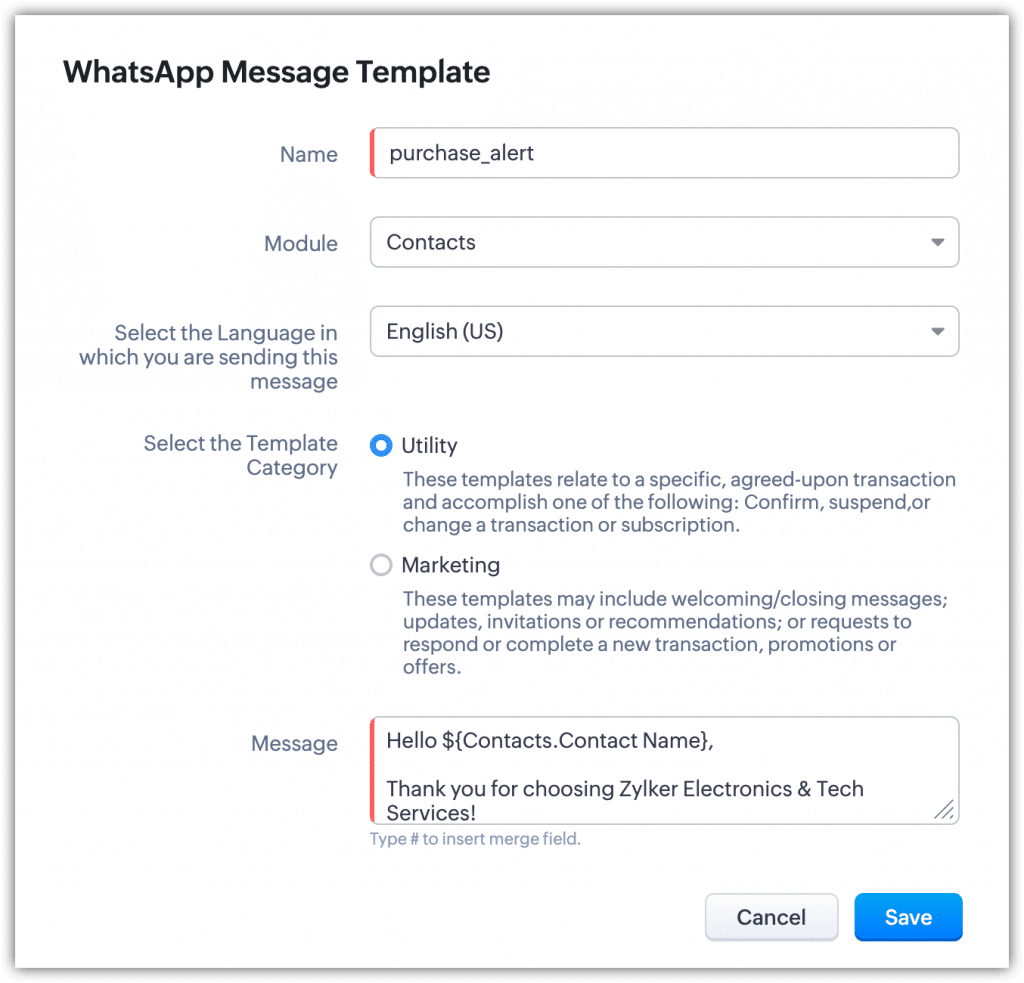
  • Zoho News Catch-Up: Zoho + OpenAI Integration, CRM Connector for DataPrep, Updates for Campaigns, Recognitions from Gartner and Nucleus Research

    Welcome to our catch-up, where you’ll be in the know of all the latest Zoho updates in one place!

    Zoho Integrates with OpenAI

    (Image via Zoho)

    Zoho Corporation just announced the integration of their apps with OpenAI technology, thus joining the latest wave of global companies that have embraced this game-changing trend. Zoho has combined Zia’s existing AI capabilities with ChatGPT to provide optimal support for businesses. ChatGPT is specifically designed to comprehend and generate more coherent and contextually suitable responses to user inquiries in natural language.

    The following are some examples of what the Zoho CRM and OpenAI integration provides:

    • Content generation based on provided keywords
    • Summaries of lengthy content
    • Identification of the content tone
    • Sentiment analysis
    • Rephrasing content with improved grammar
    • Enhancement of titles and headings
    • Creation of relevant responses to text inputs
    • Retrieval of contextually relevant content

    You can employ OpenAI throughout Zoho apps like CRM, Desk, Social, Mail, Assist, SalesIQ, Notebook, Meeting, DataPrep, Writer, Analytics, Cliq, LandingPage, and Site 24X7. For more details and to learn how to enable this integration, visit our comprehensive blog article.

    Zoho CRM Connector for Zoho DataPrep

    The connector helps businesses manage sales data better. You can use it to create end-to-end data pipelines, schedule data cleanups/backups, and more. Take a look at its features:

    Data Sync

    (Image via Zoho)
    • Bring in data from 50+ sources: Google Drive, Dropbox, Microsoft Excel, Azure, Amazon Redshift, among others.
    • Apply 250+ transformations.
    • Export using Zoho CRM Connector.
    • Use schema validation and prevent data model mismatch.

    Data Clean-Up

    (Image via Zoho)
    • Maintain high integrity of Zoho CRM data and optimize sales processes.
    • Schedule bulk clean-up of CRM data.
    • Schedule data cleansing during non-business hours.
    • Normalize data in real time.

    Data Migration

    (Image via Zoho)
    • Migrate data from other CRM systems like Salesforce, Hubspot, Microsoft Dynamics, Sugar CRM, Pipedrive, among others.
    • Fix errors and standardize data before migrating to Zoho CRM.
    • Remove inconsistencies and duplicates during migration.

    Data Back-Up

    (Image via Zoho)
    • Schedule back-ups of your Zoho CRM data to data warehouses like Snowflake, Amazon RDS, and Amazon s3.
    • Enable disaster recovery of CX data in case of emergencies.
    • Use backed up data for analytics and downstream processes.

    Zoho Campaigns Updates: Merge Tag, Footer, and Autoresponder Migration

    Merge Tag

    Any custom field that you create within your organization will automatically be available as merge tags. This will make it easier for you to choose an appropriate tag from the available options instead of creating a new one from scratch each time. For example, when you add the sender’s name, you can choose a merge tag from the default available options in the drop-down list.

    (Image via Zoho)

    Consequently, Zoho Campaigns will no longer offer the capability to create new merge tags. However, any previously created merge tags will remain available for you to use.

    Footer Migration

    Adding a footer to your email campaign is now easier: you can easily select the footer from the template editor without having to switch tabs.

    (Image via Zoho)

    Also, the Header and Footer update option in Settings will still be accessible from your account for a limited time. This lets you view your existing footers and incorporate them in your campaigns as needed. Nonetheless, editing them will not be possible.

    Autoresponder Migration

    The autoresponders feature has been discontinued to streamline the system. According to Zoho, they have made sure that every action/scenario that was achieved with autoresponders can also be accomplished through workflows. So, a migration option will be available in the near future, allowing you to convert your existing autoresponders to workflows. For now, you will be able to access the autoresponder feature as usual.

    Zoho Analytics Recognized as Niche Player in 2023 Gartner® Magic Quadrant™ for Analytics and Business Intelligence Platforms

    (Image via Gartner)

    Zoho Analytics has been awarded this recognition for the second year in a row thanks to the following, according to Gartner:

    • Unified business analytics: Users can integrate data from a broad range of LOB applications. Zoho Analytics comes with hundreds of domain-specific prebuilt reports and dashboards. The smart data blending capability allows users to automatically blend data across LOB applications to offer end-to-end business insights.
    • Composable analytics vision: Since 2022, Zoho Analytics has a pluggable microservices architecture that lets buyers use their own services when deploying in preferred cloud providers such as Microsoft, Google, and AWS. The marketplace approach facilitates users with low-code/no-code experience to gather the fundamental components from rich prebuilt contents, like e-commerce analytics using Shopify.
    • Zoho opportunities: Zoho has 80 million existing SaaS users, which speeds up Zoho Analytics’ adoption with the platform effect. Organizations can buy any Zoho apps and easily integrate them with Zoho Analytics. Nucleus Research notes that, specifically, Zoho is well-positioned to enable users to move beyond reporting and analysis towards true decision intelligence. This is because of the integration with business apps, as well as Zoho’s strength in collaboration: one of the three new significant capabilities added in 2023.

    Read the full Gartner report here.

    Zoho CRM Named Leader in Nucleus Research for CRM Technology Value Matrix 2023

    (Image via Nucleus Research)

    For the third year in a row, Zoho CRM has received this distinction —which was also obtained in 2021 and 2022— that solidifies once more Zoho CRM’s position as one of the top choices by global companies when it comes to CRM software.

    Here are some of the capabilities from Zoho CRM that Nucleus Research highlighted:

    • Zoho manages its own private cloud infrastructure, which allows its solutions to be easily scalable while giving customers ownership of their data.
    • The Zoho CRM Analytics mobile app offers users access to analytics dashboards, KPIs, and progress toward different sales objectives. The app also supports multiple sales pipelines and workflow automation to streamline repetitive sales outreach processes and enable different strategies.
    • CommandCenter —Zoho’s advanced automation tool— enables users to map and capture the entire customer experience through connected apps.
    • Zoho’s ability to provide a comprehensive suite of solutions that can be tailored to meet the specific needs of different companies has helped to solidify its position as a leader in CRM software.
    • Zoho’s strong value proposition and commitment to improving Zoho CRM’s product offering have made it a preferred software for organizations that need to increase their CRM capabilities.

    Nucleus Research concludes their study with the following statement about Zoho CRM:

    “Zoho has been awarded the highest score for usability in the 2023 CRM Value Matrix, recognized for its extensive range of functionality, customizable features, and notably user friendly interface. In recent years, Zoho has shifted its focus to cater to larger organizations, and this shift has not gone unnoticed by Nucleus. Today, Zoho is a feasible option for organizations of all sizes. The platform’s unified data model, use of private cloud infrastructure, and quick deployment options make it an attractive choice for businesses seeking to partner with Zoho.”

    Read the full Nucleus Research report here.

    Zoho Webinars

    Zoho CRM: New Functionalities in Forecasts, Analytics, and Domain Mapping

    Zoho CRM Dashboard Components That You Can Leverage

    That’s all for now, IC readers! See you soon for more Zoho updates from InterConnecta!

    Want to add these new features to your Zoho system? Let’s work together! Learn more about our Zoho Consulting Services and request a free consultation.
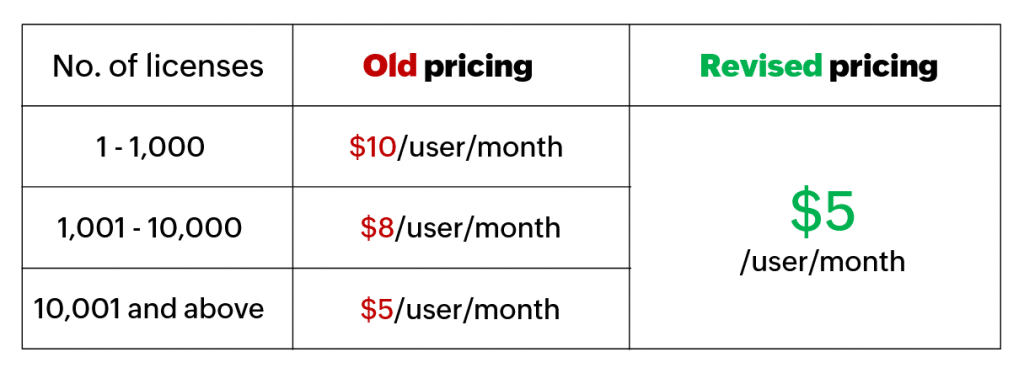
This site is registered on wpml.org as a development site. Switch to a production site key to remove this banner.