Author: user

  • Stop Sacrificing CRM Usability for Your Sales Process!

    The usability of a CRM tends to be the first sacrifice made when attempting to account for every sales action and task in a sales cycle. Though it may seem like a necessary sacrifice at first, you will likely come to find that the data within your CRM suffers as a result.

    More specifically, you may discover that sales reps will only enter information in your CRM at the end of a sales cycle in order to circumvent the pesky data entry experience. Not only will your forecast be inaccurate, but you will also lose the opportunity to gain valuable insights into the success of your sales process as a whole.

    Fortunately, if configured thoughtfully, you do not need to sacrifice the usability of your CRM to handle the complexity of your sales cycle (or cycles!). Below are three important things to consider during your configuration process.

    1. Quality, Then Quantity

    You’ve probably heard that a CRM should not have more than “insert number here” custom fields. But while quantity is important, quality should be your first concern. Focusing on quality will not only ensure that your fields are meaningful, but typically results in a manageable amount of fields as a result.

    For example, you may ask yourself, how do we currently segment our customers? By size? By location? A field for the answer is likely necessary in your CRM as you should be able to easily filter your prospects within your CRM by these qualifications.

    Another useful question: how would you describe your best customer or prospect, and what information do you know about them? Fields pertaining to your answer should likely be leveraged within your CRM as well.

    2. Big Buckets

    When it comes to the milestones within your sales process, quantity becomes more important. Though your sales process may be multifaceted, try separating it into fewer, larger buckets.

    For example, if there are many steps your reps – or even non-sales employees – must take in order to register a new customer, you probably don’t need a stage for each step. Instead, try a general “Customer Registration” stage with custom fields to capture each of the important steps on the way to this larger registration milestone.

    Now, with a clearer distinction between stages, and firm exit criteria between them, your sales reps will always know where they stand in their process, no matter how convoluted it may be.

    3. Goals

    Without a guiding north star, all the thought put into the configuration of your CRM could be rendered useless. Especially with a complicated sales process, your sales reps need a clear goal to refer to when things get cloudy.

    This goal should be obvious within your CRM, whether it’s on the dashboard or in reports. Some of our customers leverage the Sales Goal report, casting it live on their sales floor. No more mass data entry at the end of a deal cycle; instead, your representatives will know their goal and be motivated to enter in forecast data to see how they are tracking toward it.

    Configuring a CRM to handle the complexity of your sales cycle without sacrificing usability may seem like a daunting task. The tips above should help in the process; however, your CRM can only be as “user-friendly” as the CRM software you use.

    Moreover, your reports and forecasts are only as accurate as the data within them. Your CRM will only contain accurate data if it is easy to use. With thoughtful configuration of a user-friendly CRM, you will not only increase the accuracy of your forecast but likely your sales in general.

    By Rose Serafini via Business 2 Community.
  • The all-new Zoho Campaigns is here!

    The new Zoho Campaigns has been designed to deliver highly customized messages to your subscribers.

    Email marketing is no longer a simple, one-message-fits-all activity. Today it is a complex exercise which requires understanding your subscribers’ behavior and interests in order to see results. Targeted, relevant, and personalized messages are the way to make every subscriber feel unique.

    We developed the new Zoho Campaigns with this in mind, and it is available for all users starting today.
    Here are some of the highlights:

    A fresh new look

    This is the most obvious change that you will notice when you switch to the new version. Our polished interface is designed to improve the user experience and help you achieve your goals faster.

    Drag, drop, and deliver

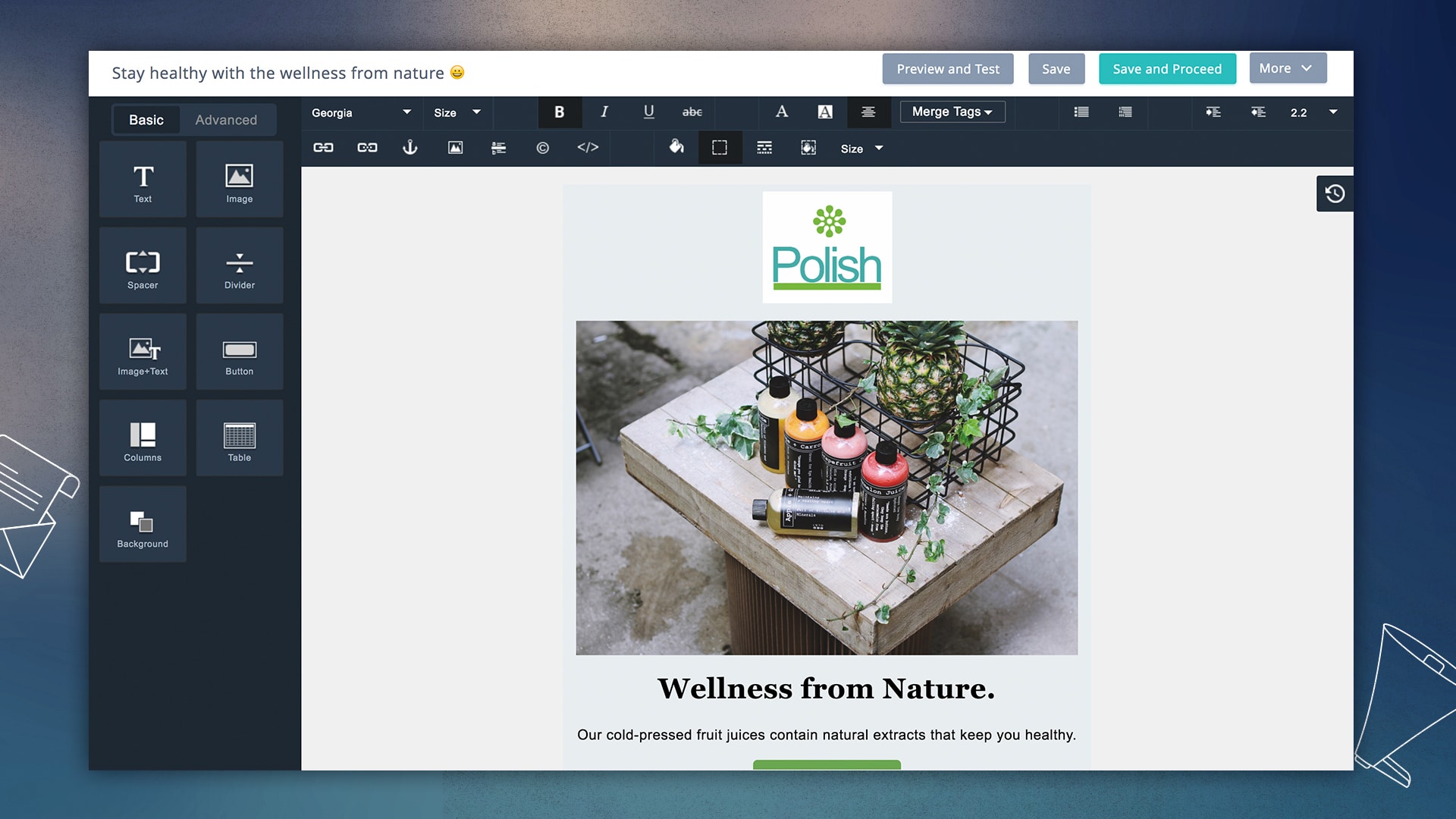
    The design of email templates is one of the primary factors that determines its success. The new editor allows for complex, responsive template designs through a simple drag-and-drop interface. The template gallery is also loaded with a number of new designs for almost every occasion.

    • Preview designs on multiple devices: We have teamed up with Litmus so you can see how your templates look on various devices and systems before sending your campaign.
    • Design to improve engagement rates: Adding pre-header text, attachments, and links to social media profiles is easier than ever now.
    • Template version: Each template iteration is saved so that you can seek the history behind your final design.

    Personalization at the time of open

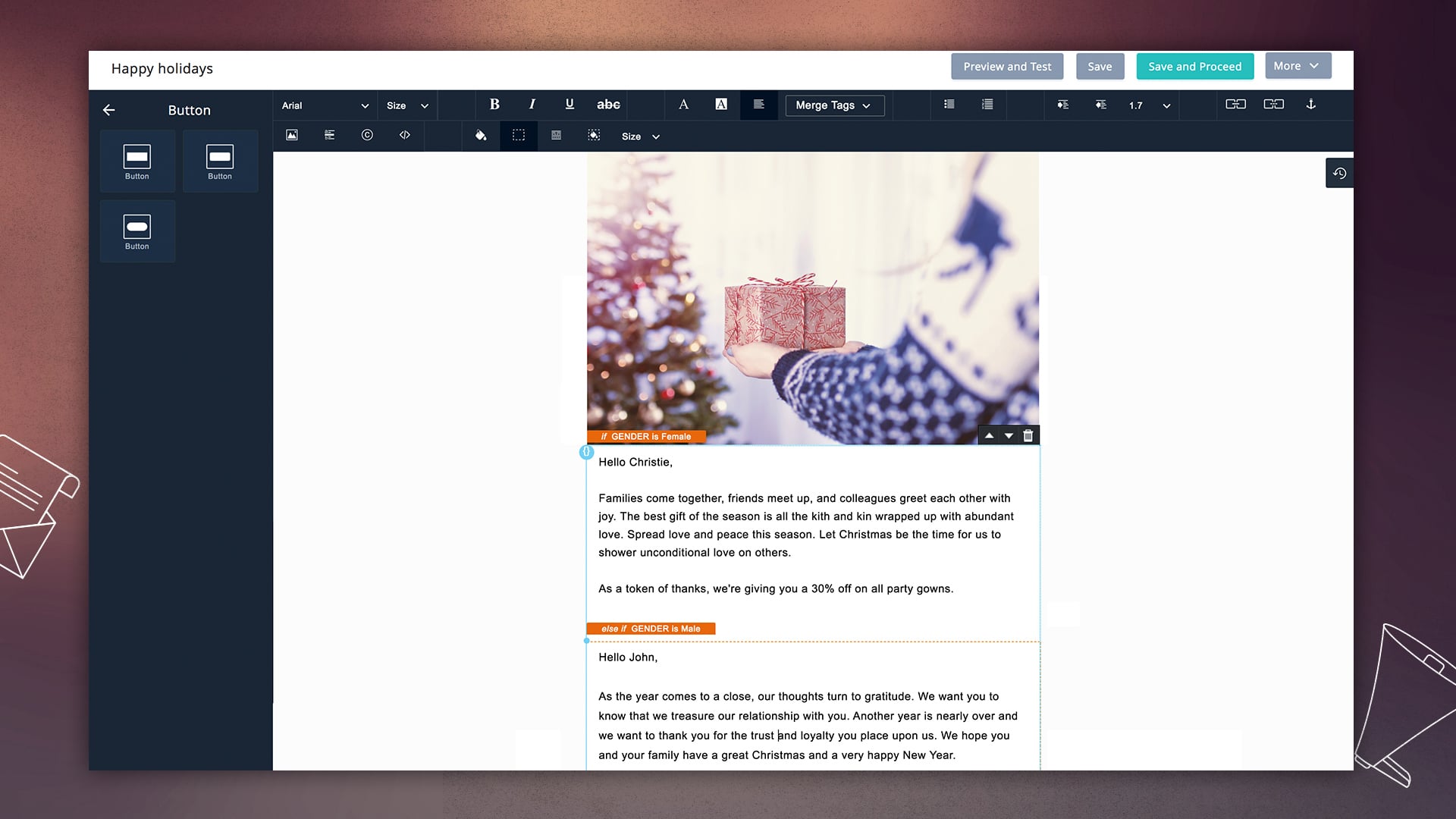
    Personalization goes beyond just the first and last names. More subscribers will engage with your email if your messages feel like they are written specifically for them. Dynamic content shows different sections of your template based on the information that you have about your subscribers.

    As a marketer, you can craft multiple messages for different users, and Zoho Campaigns shows the most relevant content for them, right when they open their email.

    Automation that works for you

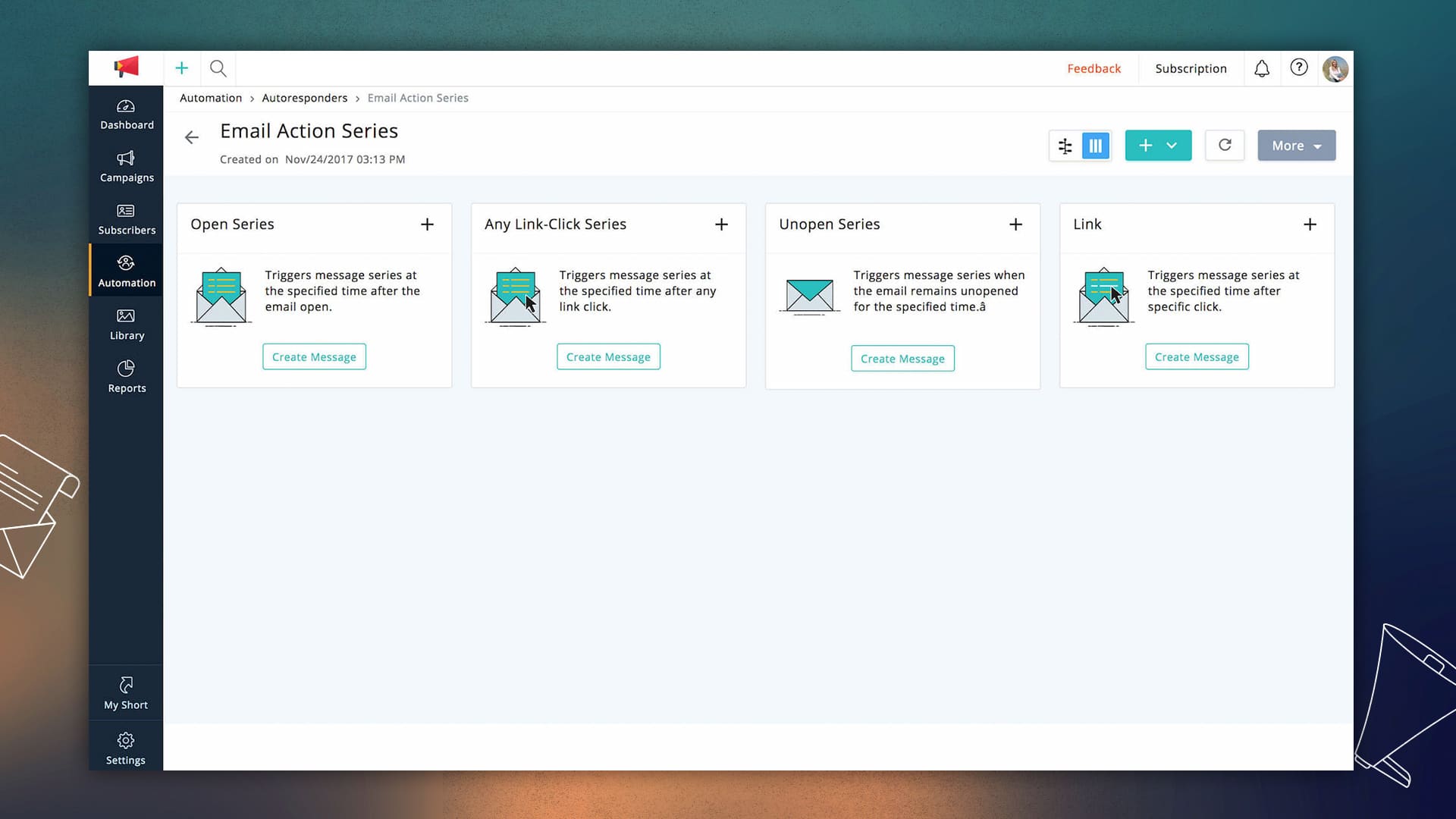
    Effective automation is a huge time-saver for marketers. We have added a number of customizable autoresponders that put email campaigns on auto-pilot. The new version has a lot more triggers and workflows that allow you to send follow-ups based on audience behavior and actions.

    Reports to help you plan your next move

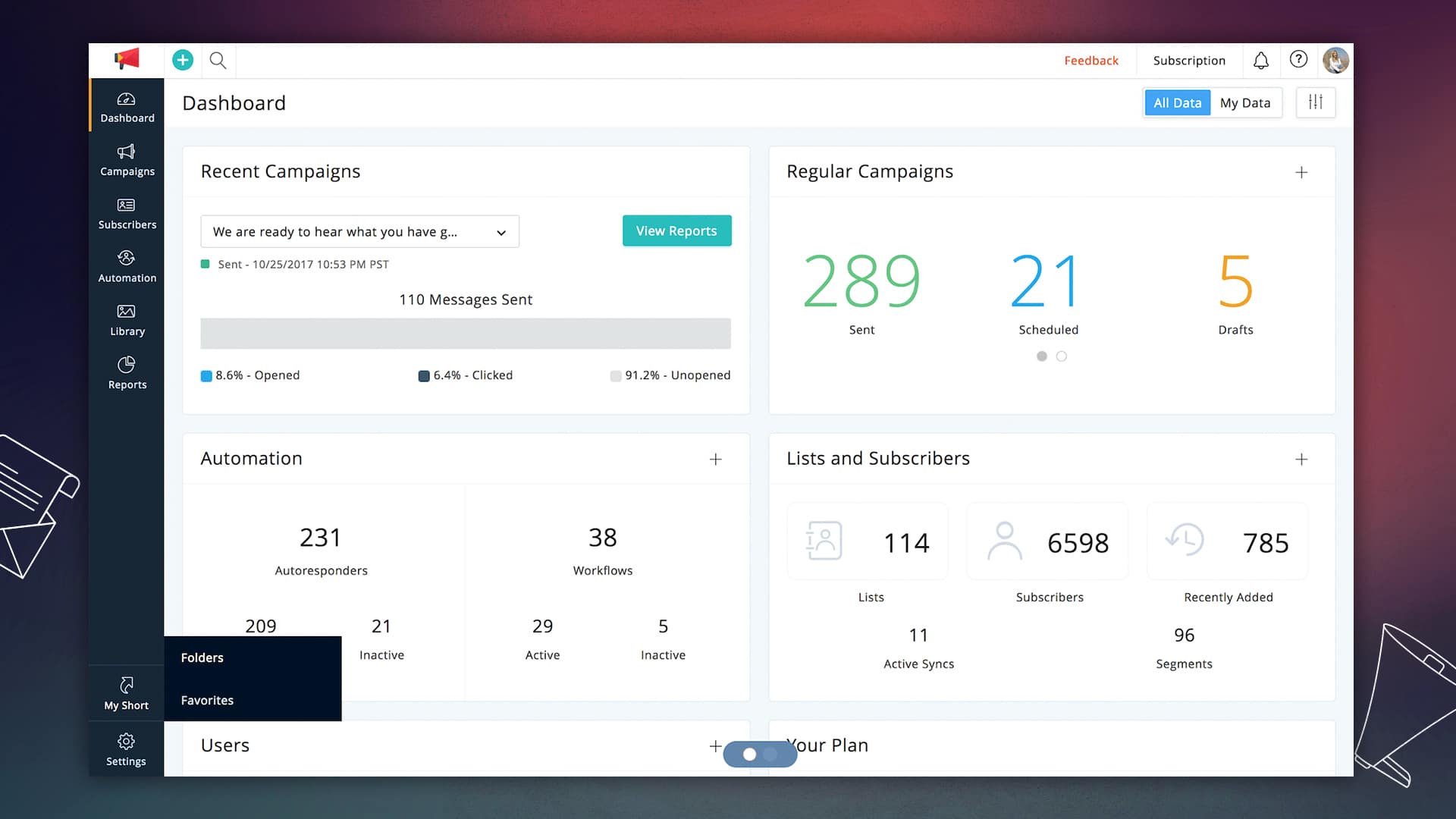
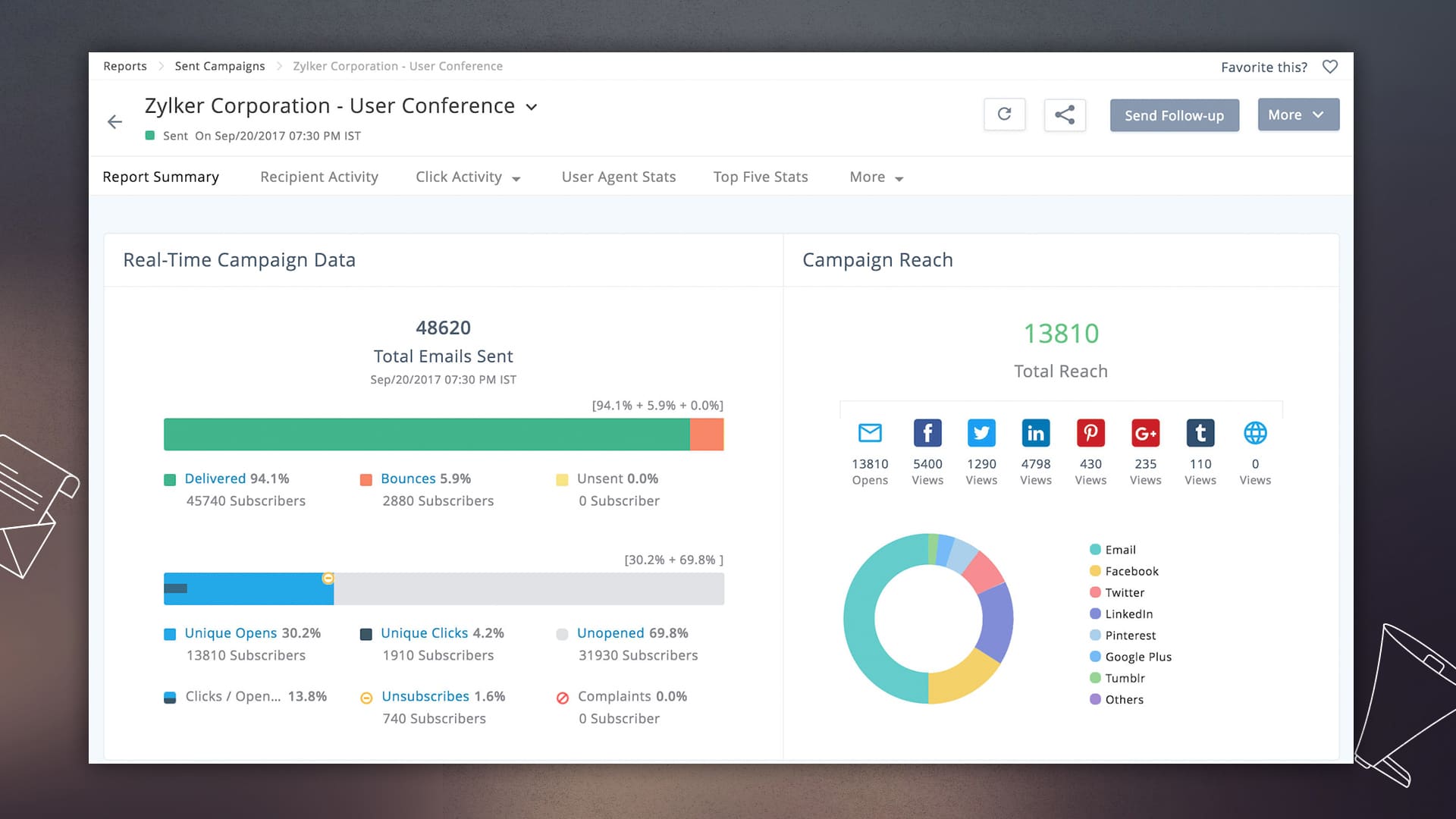
    Performance reports are most effective when they guide your actions to increase conversions. Whether it is your mailing list health or subscriber engagement, now you see detailed reports at every level of a campaign. Once your campaigns are running, the customizable dashboard shows you a summary of your email marketing performance.

    Email marketing that follows the rules

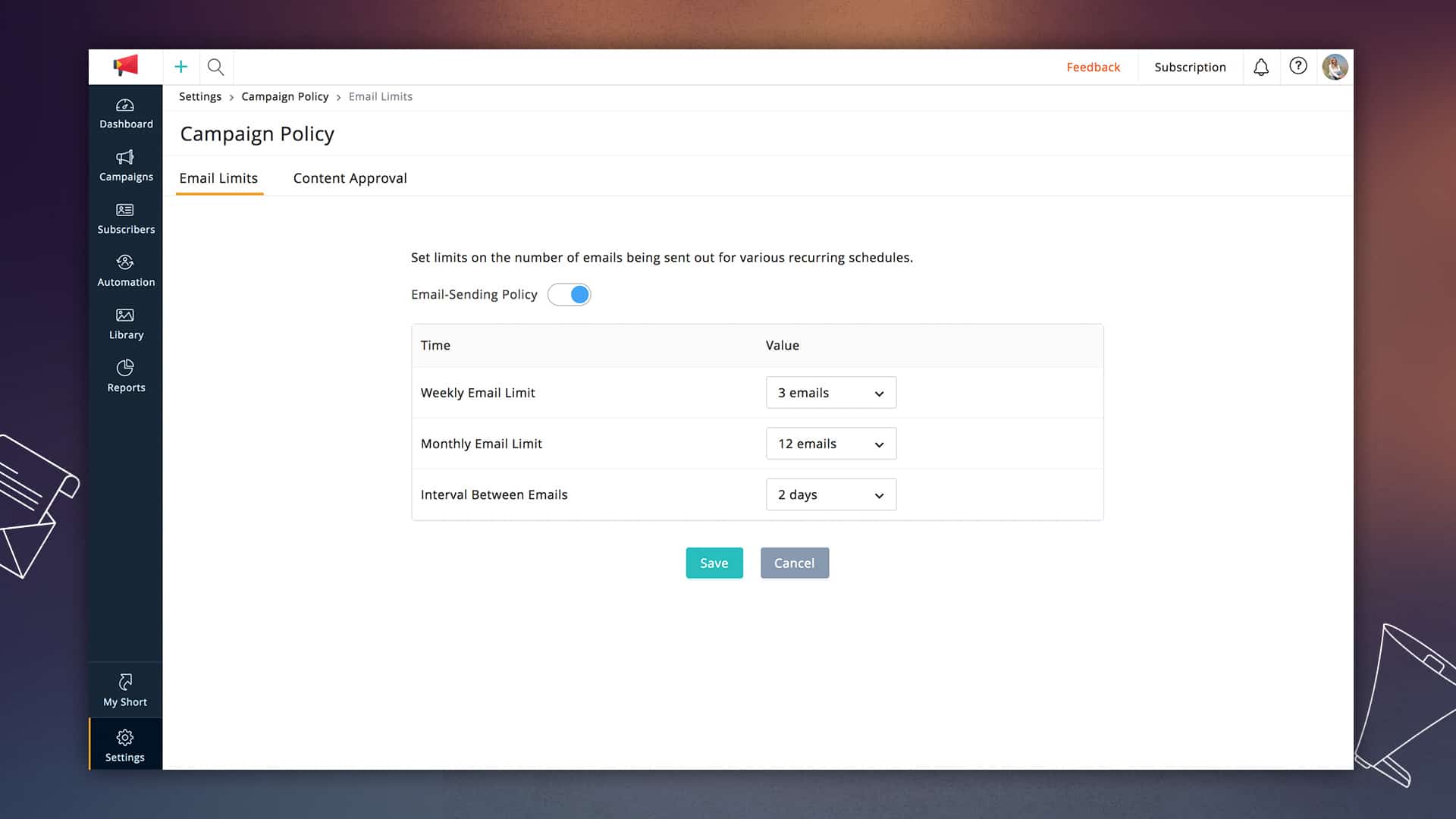
    Zoho Campaigns has always provided tools that allow marketers to conduct successful permission-based email marketing. In this latest update, we are introducing email limits that can control the number of emails that any subscriber receives in a particular period. You can set this based on what works best with your audience.

    Become more organized.

    Our updates were designed to make the marketer’s life as easy as we can make it. The new version lets you get your work done as quickly and accurately as possible.

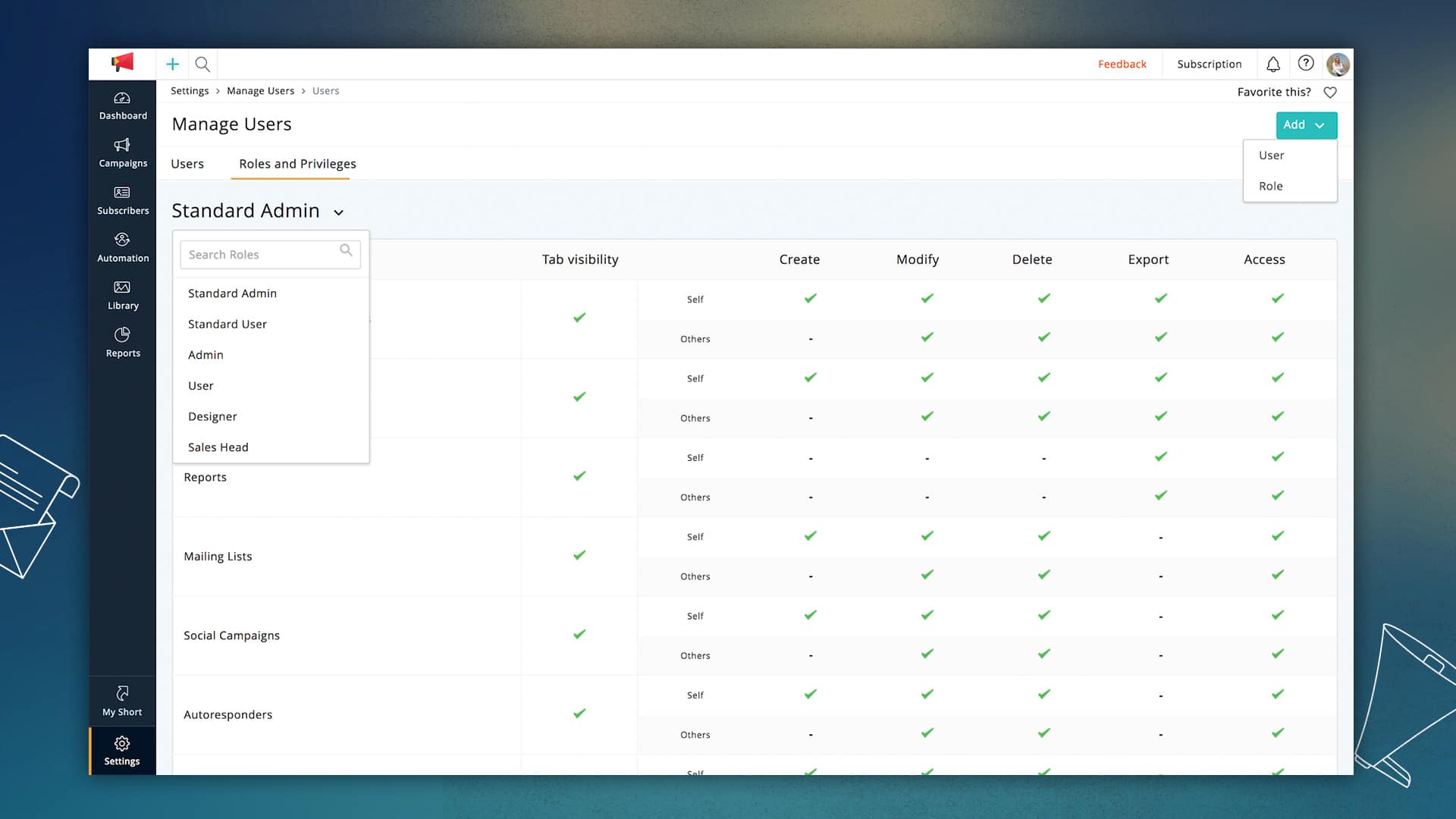
    • User roles and privileges: Now you can set permissions for different types of users working on your campaigns and define roles for each team’s unique needs.
    • Folder and Favorites: Lists, campaigns, and reports can now be grouped so that you see only relevant information. Favorite your most frequently used page in your account to reach them in just a single click.
    • Managerial Approvals: If you have more than one person working on your team, you can add managers make final decisions on your email campaigns.

    There is a lot more to explore in this updated version and plenty more to come in the days ahead. We hope you like what we have built, and as always, we would love to hear your feedback!By Sharanya R. via Zoho Blog.

  • Best Practices for Zoho CRM Tags

    Tags are still a fairly new topic in Zoho CRM and as we begin to use them, new questions come up… When to use them? How can I manage them? Where do they live!? Let’s address some of these questions:

    What are tags?

    Tags are one of Zoho CRM’s new features introduced in their 2018 update. They can be easily assigned to any record for quick searching and reporting. Check out their documentation for more detailed information. While it is tempting to start using this cool new feature to find those pesky records that can be so hard to track with regular filters and parameters, it’s important to evaluate how we use them.

    To tag or not to tag?

    We have found that they’re great for Persistent information regarding the record, but not so much for information that is bound to change eventually. Let’s review a few scenarios:

    Do: Use tags to identify groups of imported records

    Tags can be a great way to easily find those new leads that you imported during your last marketing push. Instead of relying in a combination of “Lead Source” and “Date Created” or by adding them to a Campaign. These are methods we have used in the past, but neither is fast or 100% accurate.
    The benefit of using tags for this scenario is that we can do multiple imports, over different days, and the filter will be the same.

    Don’t: Use tags as a “Status Helpers”

    We’ve run into situations where we’ve felt compelled to use tags to easily identify those leads that we have identified as valuable or qualified, simply because creating a filter specific enough can be cumbersome. But filters are there for a reason. Statuses are bound to change, and that’s very important. We can’t label a record as “Qualified” or “Hot” forever because at some point this will no longer apply.
    You can however use them in combination with the rule above to identified the records with a status of “Qualified” within a particular list.

    Do: Use them to create a manually built list

    Some campaigns require manual selection of records, perhaps for an announcement, or an A/B test. Tags can be great for easily marking these records once they have been identified. Select them from the list view and then add a tag. BAM! You’re done. We know these records now belong to a small fixed group.
    Keep in mind however that if you want to add new records to this list in the future, you will have to do it manually. The same way, you won’t be able to automatically remove them. So always be sure to use this new tag along with filters to keep track of statuses.

    Don’t: Use them to keep track of events

    Events can be much like statuses; they’re not permanent. They happen once, and then have expired — they may not even happen at all. Keep track of other information through their already built association. Building these type of reports can be more cumbersome but it is the better way of doing it.
    If you use a tag as a band-aid once, you’ll end up with a lot more before you know it.

    Other questions
    Where can I see all my tags?

    To view and manage all the tags you’ve created for a module visit the module and from the Tools ( • • • ) button, on the top right corner, select Manage Tags.
    It’s important to remember that tags exist on a per module basis. You can have the same tag name across modules, but they’re not directly connected.

    From this menu you’ll be able to:

    • Search
    • Create
    • Edit
    • Delete
    • View the number of records associated to a tag

    Do Tags carry over on Lead Conversion?

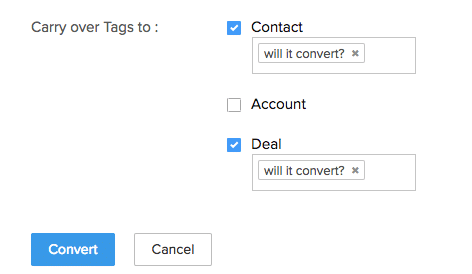
    The simple answer is yes! Checkout the following screenshot:

    Tags do carry over, however it’s important to keep in mind that is NOT the default behavior and you have to specify what record to carry it over too: contacts, accounts, and/or deals.

    This is an important step as it is important that we use them sparingly to avoid cluttering our records with tags.

This site is registered on wpml.org as a development site. Switch to a production site key to remove this banner.