Author: user

  • All-in-One CRM: The New Standard

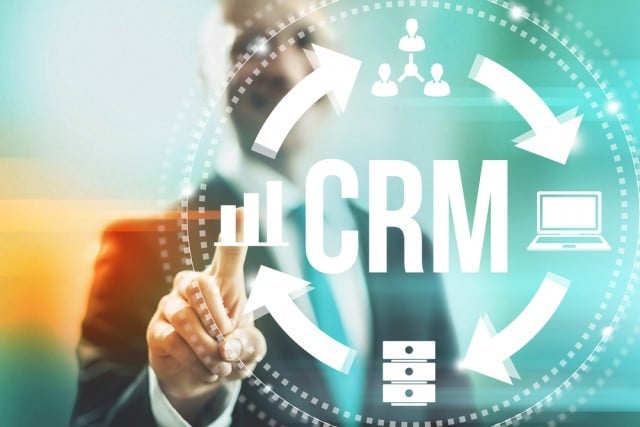
    Image by Mikko Lemola via Shutterstock

    The conversation around CRM (customer relationship management) is always shifting. Over the past several years, we’ve seen cycles of increased focus on enterprise CRM technology and strategy and periods where the conversation has largely centered on the ways in which small and midsized businesses (SMBs) can utilize these tools to compete with larger corporations. At times we’ve seen a lot of buzz around CRM technology in specific industries (real estate, insurance and financial services comes to mind) and yet there’s also been a push toward customization and adaptability, particularly in the SMB space, for the CRM to flex to fit the needs of the specific business — regardless of their vertical or geographic location.

    This is all part of the ebb and flow of the technology as providers race to meet the evolving needs of the day’s business landscape. However, there has been one sizable shift which has developed slowly but is really picking up steam in 2019 — and that is the move toward all-in-one CRM solutions.

    When was the last time you read an article, saw a news item or held a conversation or planning meeting about your business’s CRM needs that focused solely (or even primarily) on contact management? More than likely, not any time in recent memory. Instead, any discussion of CRM today will almost invariably include a focus on additional connected tools and services that businesses are increasingly expecting to see included as part of the broader CRM solution.

    And there’s good reason for all the chatter about all-in-one CRMs. For starters, they provide more features that help improve customer interactions that, in turn, can lead to increased transactions if utilized correctly. They can help improve communication — both between the business and its customers and between departments like sales, customer service, tech support, R&D and the organizations management. Last but not least, bundling additional features into an all-in-one CRM can help drive the price down significantly.

    CRM providers have caught on and are beginning to position themselves as all-in-one solutions ready to handle all your business’s needs, both now and as you grow in the future. However, upon closer inspection this isn’t always the case. Many CRM providers will add a tool here, a feature there and try to pass their technology off as all-inclusive. But if you’re considering adopting an all-in-one CRM solution, there are a variety of features you’ll want to make sure the product you’re looking at has covered to make sure your business will be able to benefit from all the opportunities that come with a truly comprehensive platform.

    First, you’ll want to make sure any all-in-one CRM you evaluate is built on solid, easy to use contact management technology. While many CRMs are looking to stretch into supporting sales, marketing and other business functions, the reverse can be true as well. If the tool you’re looking at doesn’t appear to have a well-built contact management dashboard that easily captures and displays all of your essential customer info, understand that this may be a marketing or sales-based tool that is adding in a layer of contact management functionality rather than using this core CRM technology as its basis.

    Next, take a look at the automation technology included in the software. A recent Forrester report revealed that marketers have already spent more than $11 billion on automation solutions — and are projected to more than double that spending by 2023. With both current and projected adoption rates this high, marketing and sales automation technology is becoming increasingly vital in any all-in-on CRM solution. And it’s no surprise, the right automation tool can help maximize the efficiency and impact of email marketing campaigns and provide insight into website, marketing and sales material engagement. An effective marketing automation tool natively integrated into your CRM can help accelerate sales and provide the boost you need to scale your business quickly.

    Additionally, if you’re looking for a robust, all-inclusive CRM solution, be sure to evaluate the platform’s predictive analytics technology. Understanding the most effective course of action throughout each touchpoint with a current or prospective customer is an essential component of effective CRM technology in today’s business environment. As your customer moves through the sales funnel, your CRM should be able to tell you — based on both your interactions with that specific customer and similar interactions with others — the best way to communicate with them to ultimately produce a sale.

    Finally, get a feel for the API of a prospective CRM and whether or not the platform is designed to seamlessly accommodate valuable third party applications. No single CRM can have everything natively built into their solution. Therefore, it’s essential that any CRM purporting to be an all-in-one solution be able to deliver high value platform integrations with third party solutions to help deliver a truly comprehensive tool that provides the highest level of utility for the end user.

    All-in-one is indeed the future of CRM and this technology will increasingly be relied on to serve as the hub of a business’s sales, marketing and customer experience efforts. However, not all CRMs are equal and they aren’t all ready for that future today. Take some time to consider how your existing CRM, or the solution you’re evaluating, measures up against these touchpoints for true all-in-one capabilities and you should have no trouble finding the right technology for your business.

    *Source: https://betanews.com/2019/07/18/all-in-one-standard-in-crm/

    Are you thinking about using Zoho CrM for your business? Visit our Zoho Advanced Partner page to learn how we can help you.

  • Zoho Campaigns: Intelligent Email Marketing (Video)

    Zoho Campaigns can help you do more besides saving time and efforts. In this webinar from our partner Zoho, you’ll learn how to make your email marketing smarter with the help of Zoho Campaigns. Click play and learn the Zoho way!

    Are you thinking about using Zoho Campaigns for your email marketing campaigns? Visit our Zoho Advanced Partner page to learn how we can help you.

  • 5 Tips for Sending Email Campaigns

    Ah, the wonderful world of email marketing campaigns! In a fast-paced, full-of-contents internet world, email campaigns are always a challenge. Anyone who has worked with email campaigns must’ve asked her/himself: Will my content work? Will I get a gazillion of unsubscribes as bad karma for all the email listings I’ve unsubscribed from? Will anyone read my emails?!?! Well, like Yoda would say in his reverse syntaxis: Fear do not! We have summarized some cool tips from our friends and partners at Zoho to improve email campaigns. Read them you must!

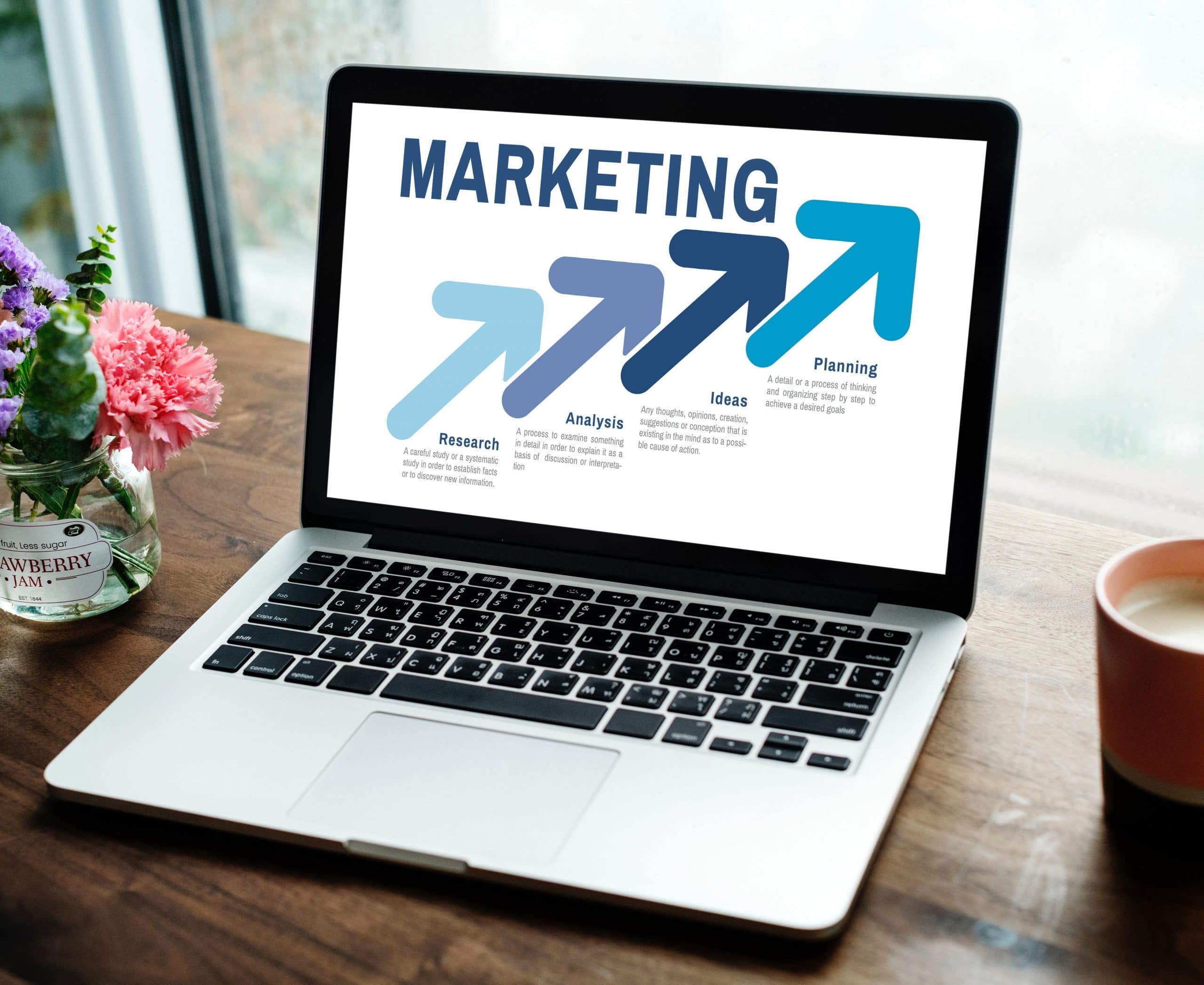
    Image from rawpixel.com via Pexels

    1. Have Healthy Mailing Lists

    Yes, even mailing lists can have health issues as well! If you keep stagnant lists for too long, you may get more bounces after sending new campaigns. Be always on the lookout for email addresses that are no longer in use and remove them from your lists. This will prevent not only constant bouncing, but also inaccurate and poor campaign reach reports.

    2. Testing, Testing!

    They say “Practice makes perfect,” but guess what? Running tests makes perfect as well! As much as it may hurt to admit it, delivering the right contents isn’t always that easy. Your email campaigns will be the darlings of your targets’ inboxes when your subject line and campaign content resonate with them. One way of doing tests is the A/B testing method. This involves sending two versions of the same campaign to a small number of your recipients. According to the reach of each version, use the one that performed better and send it to the rest of your subscribers.

    Image from rawpixel.com via Pexels

    3. Get Targeted Outreach by Creating Segments

    In order to send targeted and relevant email messages, you must segment your list of email subscribers. Use specific criteria to group your recipients, which will save you lots of time. The most common criterion is geography, since you will be able to send emails based on your recipients’ time zones. This will result in unique opens and clicks, as well as improve your campaign statistics in general. You should also pay special attention to the patterns of email opens based on dates and hours.

    4. Send Emails in Batches

    Have you thought that there’s no such thing as too many email subscribers? Well, there is! Start batching your email campaigns before sending them. Do this by segregating your list into batches. Then, after sending the email to the first batch, analyze how many opens and clicks have been made. Therefore, you’ll know how to proceed with your other batches. Also, tracking the links in the campaign is a must so you can see how many subscribers have clicked and visited the link.

    Image from rawpixel.com via Pexels

    5. Content Must Speak for Your Brand

    Contents should always be engaging and crisp, just like your company! Don’t create long emails. Instead, opt for emails that are visually-appealing, which will generate more opens and clicks. You can do all of this by keeping your ideas simple. Your campaign must encourage your recipients to take action, which is the ultimate goal.
    Now that you’ve read these life-changing tips, go ahead and conquer the world with your email campaigns! We are rooting for you!

    To read more, visit Zoho to access the full article.

    Are you thinking about using Zoho Campaigns for your email marketing? Visit our Zoho Advanced Partner page to learn how we can help you.
  • InterConnecta Hosts the First Zoho Meetup in Perú

    The evening of June 12th, 2019, was very important and memorable for us at InterConnecta, since we hosted in Lima with our partner Zoho the first Zoho User Group in Perú. Under Zoho Meetup, we joined to the Zoho Community initiative. This community includes 30 countries and more than 100 cities with 150,000 active members who, throughout the year, conduct meetups sponsored by Zoho. Also, Zoho has more than 45 million users in more than 180 countries.

    The Zoho User Groups are gatherings with the purpose of networking and sharing ideas with professionals from different fields, Zoho experts, and local Zoho partners. Here we’ll tell you with words and images everything that happened there.

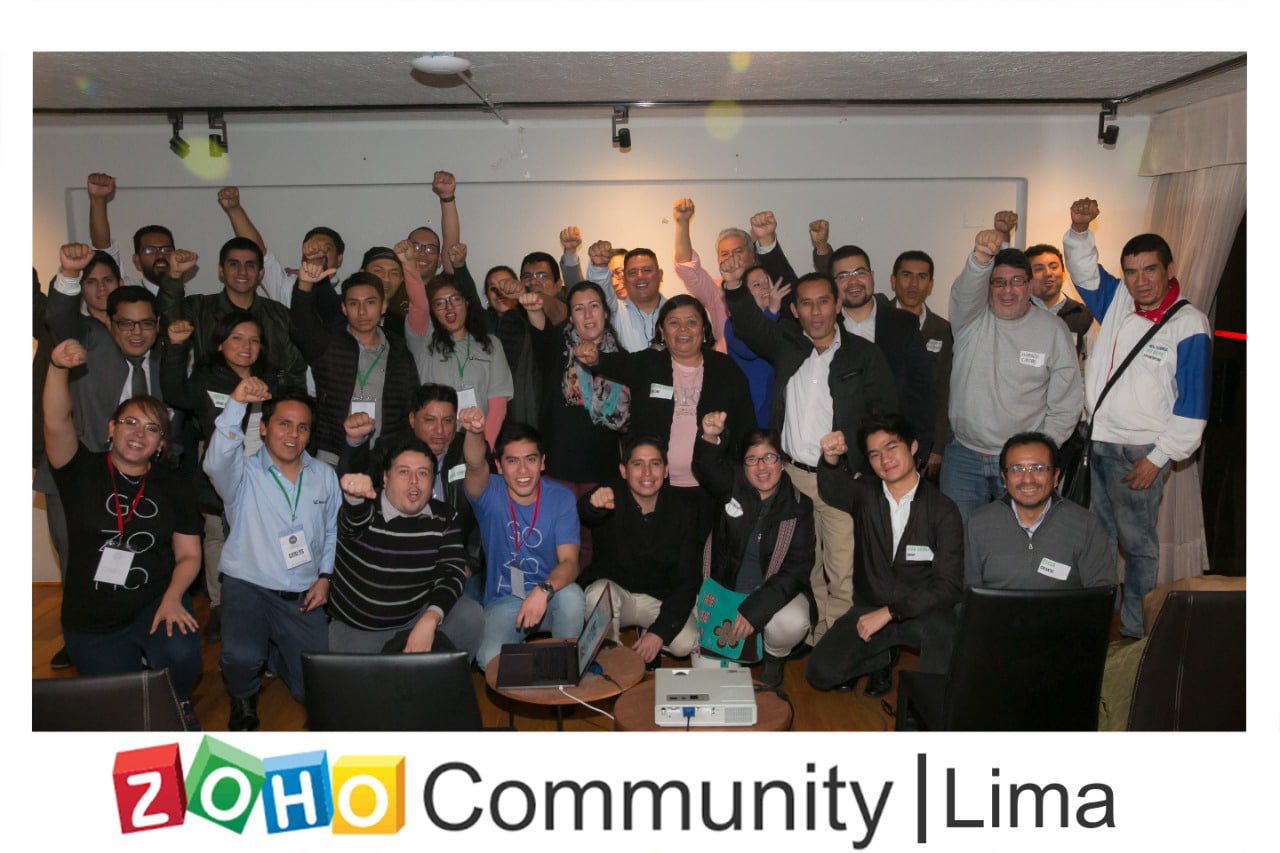
    The teams of InterConnecta and Zoho with our guests.

    The place chosen for our Zoho Meetup was Selina, in Miraflores, which is a cozy and relaxed space with a mixture of modern and rustic touches. We were joined by guests from different industries: some were our customers and others were persons who wanted to learn more about Zoho.

    The lively soiree started with an introduction from our our team about InterConnecta’s history since its beginnings in 2008, passing through obtaining our certification as Zoho Authorized Partners in 2013 and our certification as Zoho Advanced Partners in 2019. The reason for this was the sales increase in Perú, which positioned it at the top #6 Latin American country in sales, plus 30% of Zoho’s sales in Perú come from Zoho partners. Products like Zoho CRM, Zoho Workplace, Zoho One, Zoho CRM Plus, and Zoho Desk have the highest demand in Perú.

    Then, Zoho took the stage with Tamara Arruñada, Marketing & Events Manager of Zoho, to explain what the Zoho Community and the User Groups are about. Minutes later, our team took the stage again to explain the different aspects of Zoho CRM: processes, customization, the challenges when adopting Zoho, and the reports generated by Zoho. Also, our team talked about the use of Zoho CRM in Peruvian businesses from different industries and our experience as Zoho partners in Perú.

    The audience, which was very excited because of our partner’s offerings while enjoying the event, had an active participation by expressing themselves and asking questions regarding the functioning and customization of Zoho CRM. Those questions were answered by the Zoho representatives.

    The meetup’s highlight was when some of our customers shared their testimonials as Zoho users. They expressed their initial fears and challenges, and how satisfied they ended up being with the Zoho products. All these stories had in common the quality and easy usage of the Zoho solutions, and how much they helped them organize their businesses to obtain more reach and earnings. One of the most impressing testimonials came from Miguel Palacios, from GBS Perú, in which he said:

    “The investment in Zoho has generated for us a return on investment in a ratio of 4:1. This means that we have been able to generate income equivalent to four times the starting investment.”

    After the testimonials, we took a break with our guests for networking and savoring a varied menu of appetizers, lemonade, and sodas. Our attendees enjoyed Peruvian food, sushi, and vegetarian options while exchanging impressions and information to contact each other later. The relaxed atmosphere of the place contributed to the collaborative attitude between the guests, which represents Zoho’s collaborative spirit as a company and as a solutions provider.

    After the break, Francisco Sandoval, a Zoho representative, made an exclusive presentation of the company’s next launches (stay tuned to this blog to learn about them, since they’re top secret for now!). The night ended with surveys and surprise bags from Zoho to our guests and a group photo, which is shown above.

    All of us who participated at the event ended up delighted with everything that happened and the result: a collaborative and pleasant space filled with interconnected professionals who look for solutions to improve their business operations. We thank Zoho for the honor of choosing us to host the first Zoho Meetup in Peruvian lands, our guests who owned the evening, and Selina for allowing us to celebrate this magnificent gathering in such a magical place.

    See you at the next event!

    Are you looking for Zoho CRM solutions for your business? Visit our Solutions page for more information.

  • Zoho CRM: Deprecation and Sunset of API V1

    We have important news about your Zoho CRM! Last year, via email, we informed our customers that version 1 of the API from Zoho CRM would be deprecated due to the launch of version 2, which was launched in February 2018. The deprecation of version API 1.0 already happened on December 31st, 2018, while its sunset date will be on December 31st, 2019. Here we explain how this affects your Zoho CRM.

    Image by Christina Morillo via Pexels.

    Deprecation Date of Version 1.0: December 31, 2018

    • Issue fixes, API support, and enhancements for version V1 (meaning the previous version) will not be taken up beyond the deprecated date. All the V1 API methods will be marked as deprecated.
    • The V1 APIs used in your existing code will still work even beyond the deprecated date, and will become non-operational only after the Sunset Date mentioned below

    Sunset Date of Version 1.0: December 31, 2019

    All old API methods will not be operational beginning on this date. This means all your codes written based on V1 will stop working.

    What Do You Need to Know About API 2.0?

    The latest version of Zoho CRM APIs rolled out on February 2018. That is a major upgrade on the existing APIs which includes changes in API call methods, output responses, and more. The new APIs use simple HTTP methods like GET, POST, PUT and DELETE. Data format for input and responses are the same, i.e JSON objects. This makes it possible to send or fetch large amounts of data with greater accuracy as compared to the XML format.

    The latest version of Zoho CRM’s API can do the same as the previous version and much more. We recommend that you begin to use the new APIs, since the previous version is already deprecated. For more information, click here to consult Zoho’s help documentation.

    Zoho CRM Features That Use API V2.0

    • OAuth2.0: This protocol allows you to share specific data with any application while keeping your usernames and passwords private. This protocol provides users with a secure and easy way to use authentication.
    • Connections: The Connections feature is a simple authentication mechanism used to invoke any third party applications’ REST APIs and get access to your authenticated data from your functions or widgets.
    • Functions: Zoho CRM Functions help you to update the data in related CRM modules or third-party applications by executing simple program scripts. With functions, you can program scripts using Deluge Script (powered by Zoho Creator), associate them to workflow rules, custom buttons, related lists, schedules, and more.

    What does API V2.0 has that Version 1.0 doesn’t?

    • Better security using OAuth 2.0, which comes with scope for each API call. This ensures that even if tokens were disclosed it can’t be misused, since the tokens are valid only for an hour. We have also added multi-DC support.
    • The daily limit of API calls have been revised and expanded to 100,000 calls per day. (For the Ultimate Edition, the limit is 200,000 per day).API V2.0 follows REST standard and facilitates easy JSON parsing, in which all APIs follow a similar response structure.
    • There is a new API dashboard for better usage analysis.
    • API Names have been introduced so that the changes in names (labels) of custom fields and custom modules won’t affect your existing integrations.

    Click here to consult Zoho’s documentation about API Transition and Differences to migrate your existing API V1 code base to API V2.0.

    It’s important to keep in mind the dates and facts mentioned in this article. That way, when the time arrives, your team won’t be surprised by this update and you’ll be able to continue your business operations without problems.

    Do you need help to secure your Zoho CRM with this update? Visit our Contact page and call or write us so we can help you.

  • Notes About Email Deliverability

    The world of email marketing can be quite tricky. However, if done properly and by following the right guidelines, you’ll be able to successfully reach and engage your audience to obtain the desired results. Recently, Salesforce published some useful explanations and tips about email deliverability, which we summarize in this article.

    Image from Pixabay via Pexels

    What is the Difference Between Deliverability and Delivered Rate?

    These two aspects are very important when it comes to sending marketing emails. Therefore, it is a key factor to know the meaning of each. Deliverability measures where and if your emails land in a customer’s inbox. This means that if you have poor deliverability, your customers won’t receive your email messages, so obviously they won’t be able to see them.

    Meanwhile, the delivered rate measures the number or percentage of emails that don’t have a hard or soft bounce. Unlike deliverability, the delivered rate doesn’t consider where the message was placed in the inbox.

    Emails Also Have a Reputation

    It might sound strange, but that’s how it is! Email deliverability is very important in the strategy of marketing emails. This depend on the email sender reputation score, which determines if your subscriber will either receive or not your email messages. The Internet Service Providers (ISP) determine, according to multiple data points and factors, if they will accept or reject an email message. These data points also decide if the message will be placed in the inbox or in the spam folder.

    Image by rawpixel.com via Pexels

    So, how can we protect the sender reputation? Salesforce suggests the following:

    • Use double opt-in and reactivation campaigns, which ensure that the email address belongs to a real person.
    • Remove from your subscription lists those email addresses that are invalid or that do not respond to the messages.
    • Create interactive and actionable emails. The more your customers click and interact with your message, the higher your sender reputation score will be.

    To learn more about email deliverability, visit Salesforce’s blog.

    If you need to improve your email deliverability, visit our Solutions page.

  • Zoho Integrates Notebook and Mail

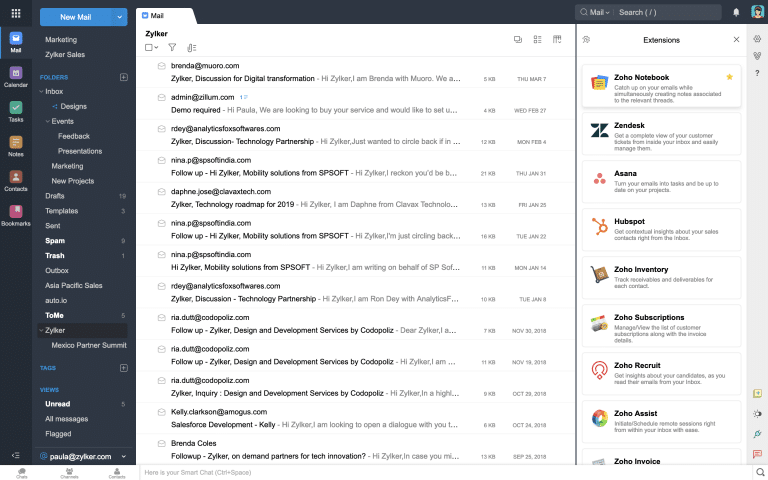
    Our partner Zoho has delivered the world another cool integration that makes life easier and more beautiful. If you have Zoho Mail, you can now access your notes directly from your mailbox! Not only with Notebook within Mail you won’t need to have keep around another tab, but this also opens up many possibilities that will help you improve your productivity and creativity. Let’s see how this can be done!

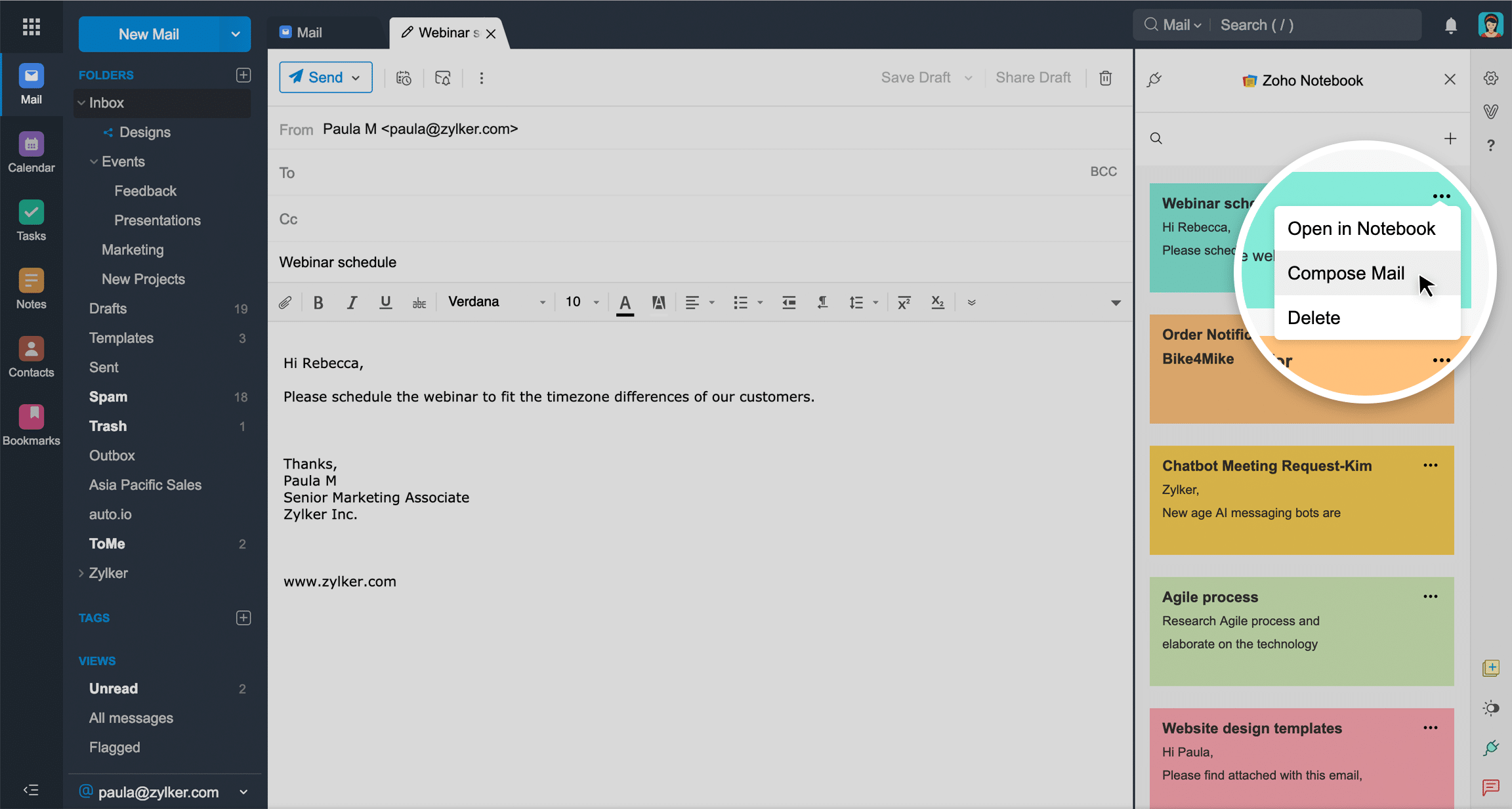
    Do you feel the need to spill and save your thoughts? The Zoho Notebook and Mail integration allows you get a note card’s content into the Compose Mail section. In other words, you can email your thoughts, plans, and/or ideas to others, all from the same place!

    Send your notes to others within your inbox via the “Compose Mail” option.

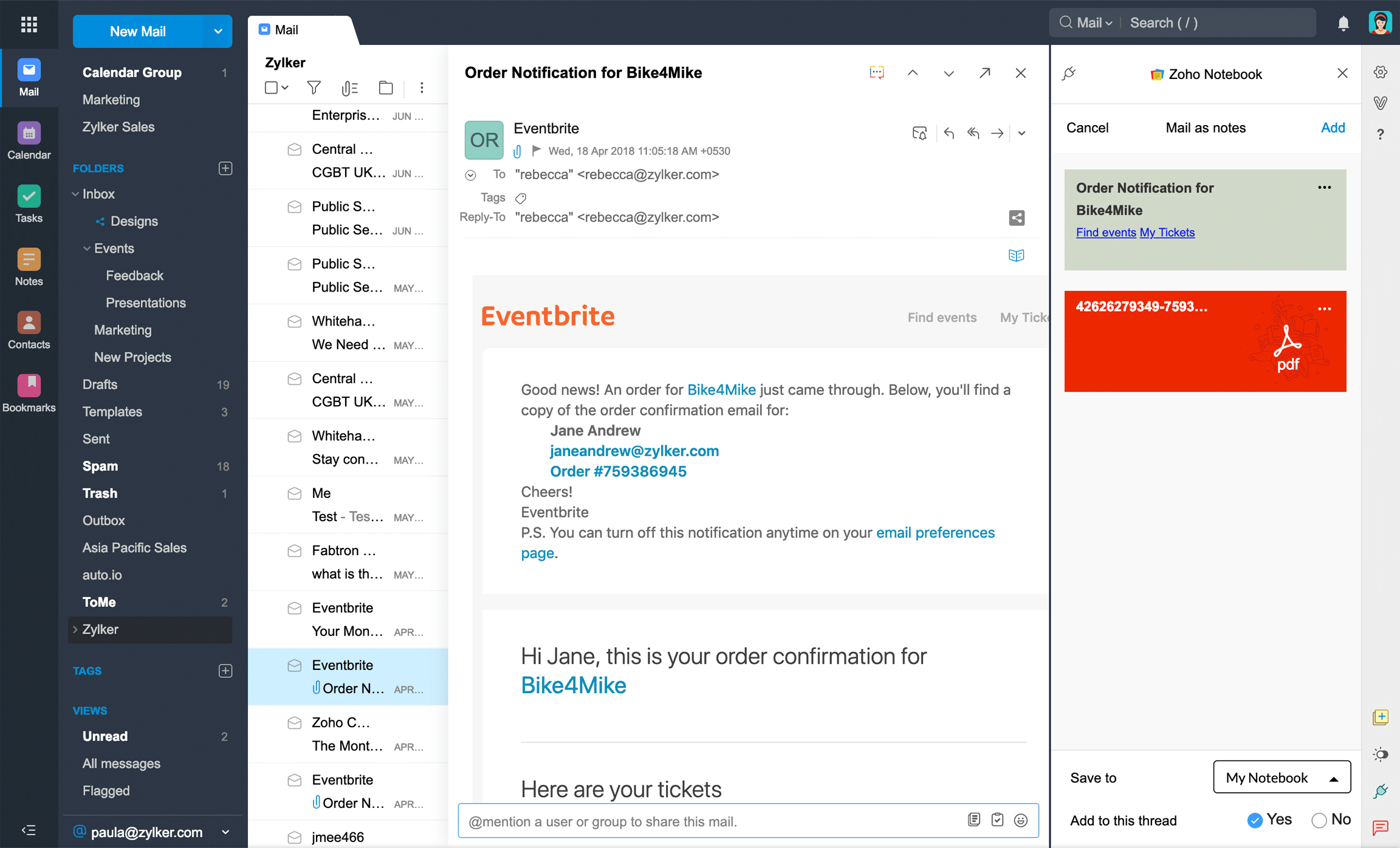
    Another feature is that you can turn important emails as note cards. This will save you time by viewing them at any moment instead of searching endlessly throughout your inbox.

    The Zoho Notebook and Mail integration lets you turn emails into note cards.

    Last but not least, you can now also associate notes with email conversations. If you have some important details in an email conversation, you can make a note of that in a note card and associate the note with the original email thread.

    According to Zoho, they will be making improvements to the Notebook and Mail integration. We can’t wait to see how this integrates with other systems, and we hope they will work on a Notebook integration with Zoho CRM as well. Fingers crossed!

    To learn more, read the full article at Zoho’s blog.

    Do you have issues with your Zoho integrations or would you like to know more about them? Visit our Solutions page to learn how we can help you.

  • Zoho MarketingHub: A New Platform for Marketing Campaigns

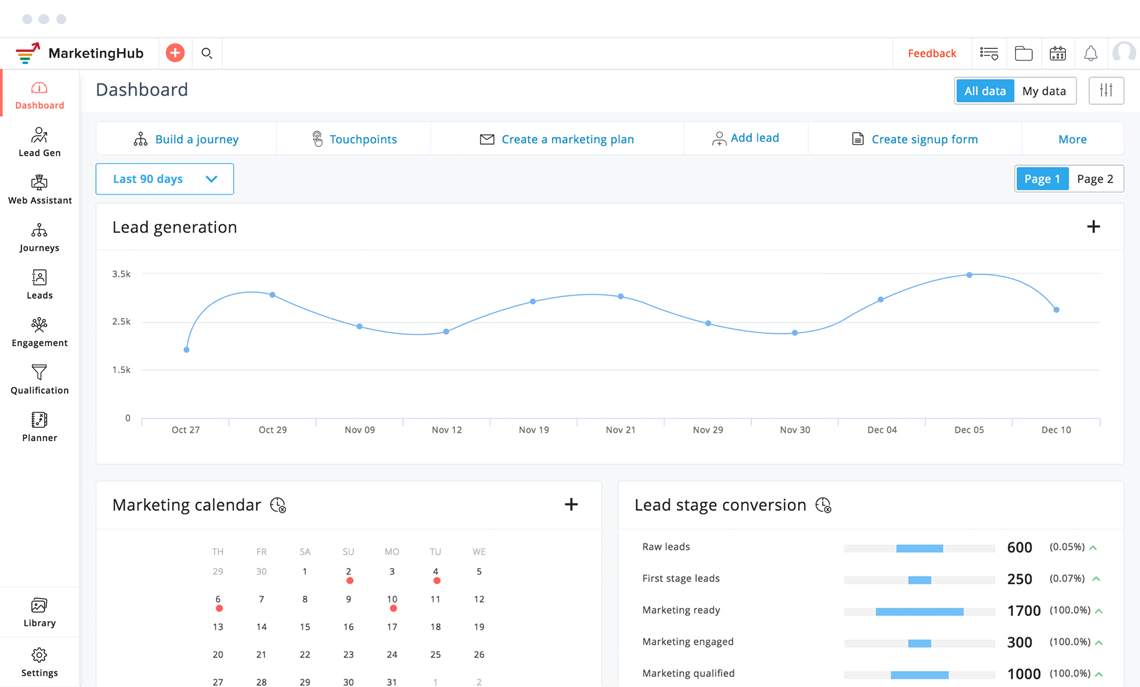
    Last week, we were in Texas at the 2019 edition of Zoholics Austin, which was hosted by our partner Zoho. Like the true Zoholics we are, we were mega excited just to be there! But our excitement grew with all their announcements: their headquarters relocation from Pleasanton, California, to Austin; and the launch of Commerce Plus and MarketingHub.

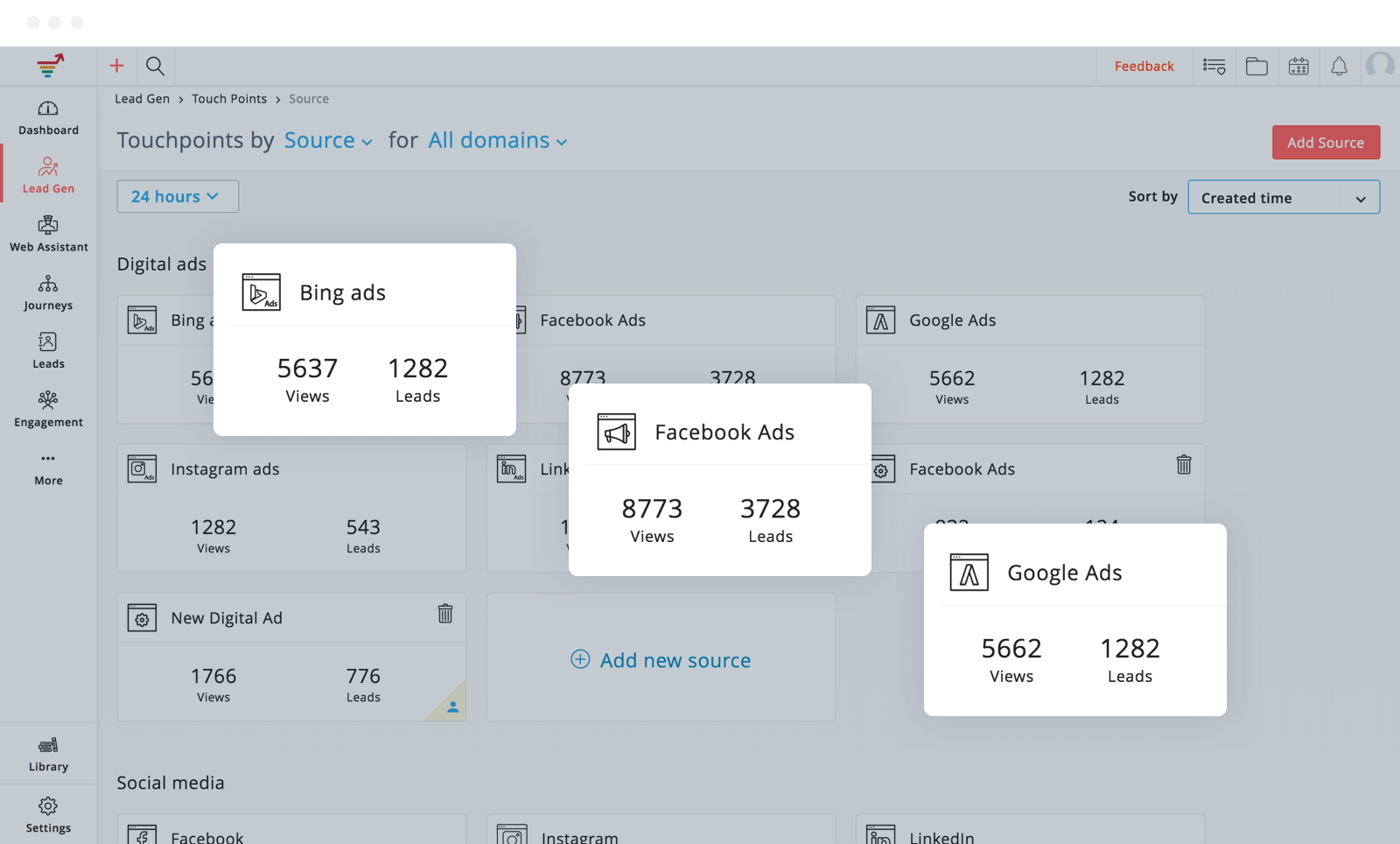
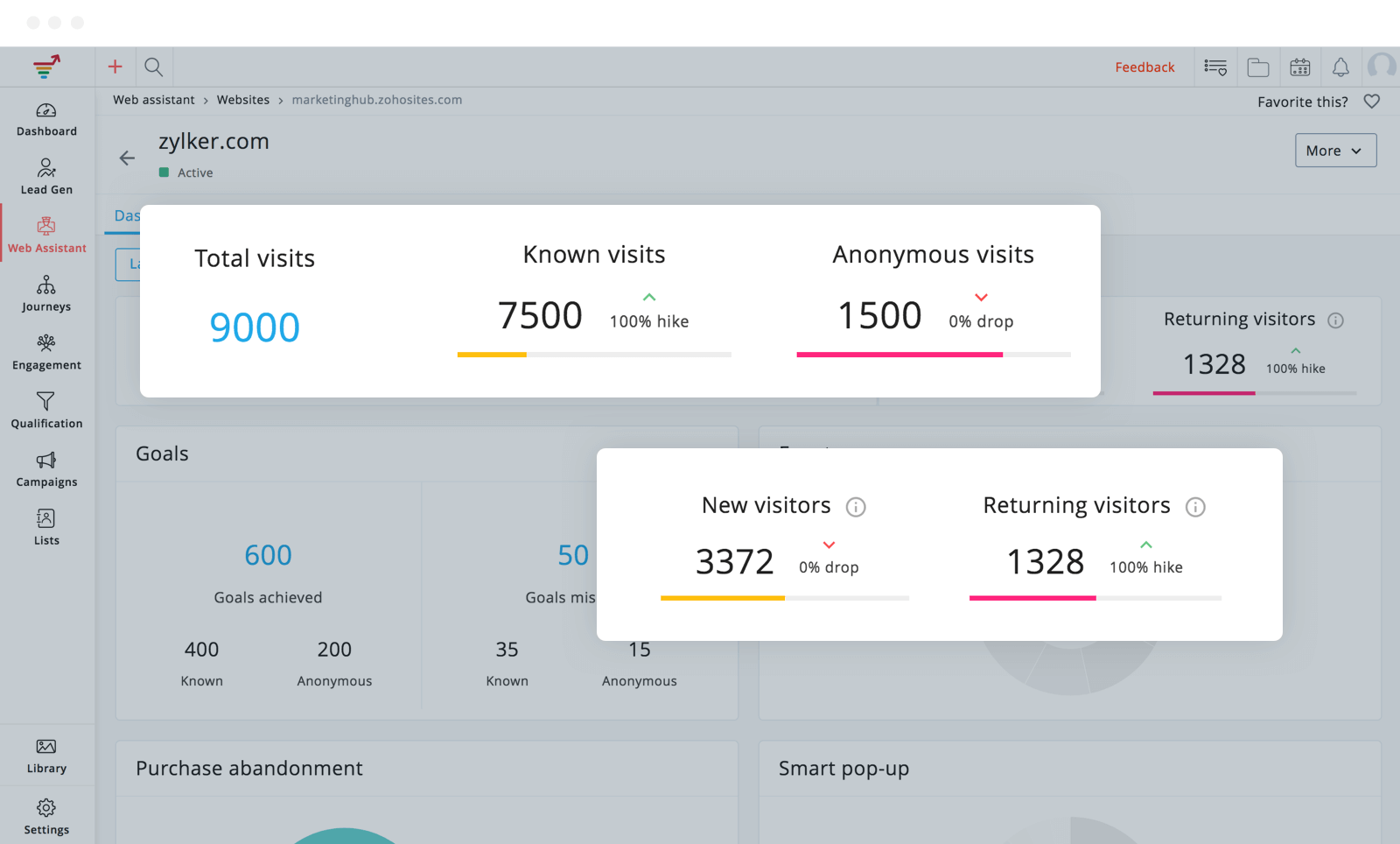
    A look at the new Zoho MarketingHub.

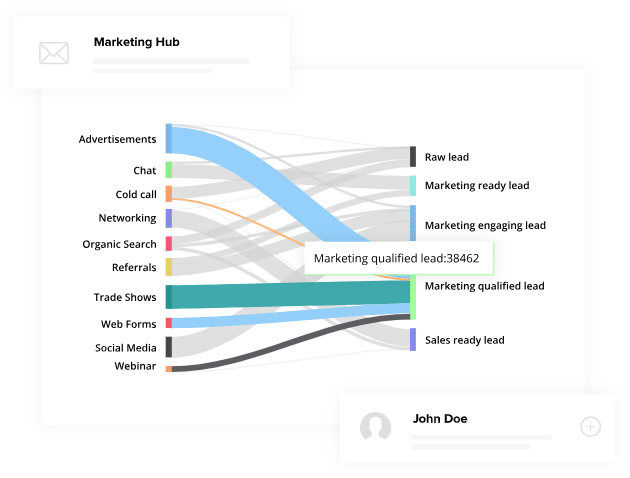
    Zoho MarketingHub is a new platform that fulfills the need for marketing coordination across the proliferating digital marketing channels. Furthermore, it lets marketers create personalized journeys for prospects. These journeys are based on the prospects’ diverse intermediate responses to the campaigns that engage them (email, social, mobile, web, and event marketing). This results in the execution of personalized marketing on an outstandingly large scale. And to make things even more exciting, MarketingHub is integrated with Zoho CRM! If you ask us, this sounds very awesome!

    Besides Zoho CRM, MarketingHub is also integrated with many other Zoho apps as well, like Zoho Campaigns, Zoho Social, Zoho Survey, among others. And just when we thought we couldn’t ask for more, we can! Why? Because MarketingHub also has integration with Facebook, LinkedIn, and Twitter. This is definitely music to our ears.

    Raju Vegesna, Zoho’s Chief Evangelist, explained that with MarketingHub, they “offer applications for every marketing channel. MarketingHub, which is built on the same technology stack as our other marketing apps, pulls together and pre-integrates all these applications across channels, enabling marketers to focus on creating excellent campaigns instead of juggling marketing tools.”

    Here are some highlights that we also liked about MarketingHub:

    • It provides a multichannel marketing experience by supporting over 20 marketing channels, and they all work in an effortless and unified manner.
    • A look at the new Zoho MarketingHub.
    • Full automation of marketing functions based on the customer’s behavior. For example, if a customer deserts their shopping cart, MarketingHub can generate a text reminder and even a personalized email with the items left in the cart.
    • Integration with several third-party applications like Shopify and Eventbrite, among others. Also, a pre-integration with Zoho CRM or other third-party applications allows marketers to access existing customer data or enter the data of new and qualified leads.
    • Built-in elements like forms, journeys, and templates.
    • Advanced analytics that provide to the marketers full visibility throughout the channels. With all those cool features, there is no doubt that this new platform can help make work easier!

    To learn more about the new Zoho MarketingHub, click here.

  • Perfectly Balanced: Marketing Automation and Personalization

    When we hear the word automation, we immediately think of soulless robots and/or processes. However, if properly mixed, marketing automation and personalization can be “perfectly balanced, as all things should be,” like an infamous villain says. This will help to maximize the business objectives without making common mistakes associated to both areas. But, how to do it? We’re about to find out!

    Photo by RawPixel via Pexels

    What’s the Problem?

    First of all, let’s identify the problems. The first one is that when it comes to automation, many want artificial information (AI) to solve everything, which is not possible. To do that, they would need tons of way more information than the one retrieved by marketers and stronger security measures that block malicious access. For technology that is made to evolve, it’s very difficult to do at this point.

    Meanwhile, the second problem is the old-fashioned, personalized communications, which are hard to do in an increasingly digital world. Not everyone wants physical junk mail or phone calls at an inconvenient moment, yet, at the same time, a personal touch is crucial in order to effectively deliver the message to customers and to get good results.

    This doesn’t look like a soulless robot, though! (Image by RawPixel.com via Pexels)

    What’s the Solution?

    Use data to segment your audience beyond titles and industries. Create a different message for different groups of people. That way, you can make sure that the right content is going to the right audience. After personalizing your communications, use an email automation platform to deliver the targeted messages to suitable recipients.

    Also, add small personalization hacks to automated processes. You can do this by going beyond email messages and making requests for calls or social media connections.

    Last but not least, make personalized touches throughout automated workflows. Tell salespeople to reach out personally after sending connection requests. The consumer will feel like they are dealing with a human being and not a soulless robot.

    To read more details about perfectly balanced marketing automation and personalization, read the full article here.

  • How Can Zoho One Help Small Businesses?

    Picture this: you own a small business. As you already know, no matter the size of a business, it will always have its own challenges and sacrifices. You start dealing with the fact that small businesses have less human and technology resources. Therefore, you must maximize them to their fullest potencial to avoid bottlenecks that might slow down processes and profit-earning activities. That leads you to look for solutions, which might lead you to answers… but with a question mark.

    Image by Tim Mossholder via Pexels

    A challenge that your business might run into is data management. When most businesses start, they purchase single applications that include office tools, marketing, CRM, communications, among others. However, there’s a catch: every application must be integrated with the other ones or function as a standalone product, and either option will be less efficient. This is the moment when you might feel like panicking, but stay calm! There is a very practical solution.

    That need for integration inspired the creation of Zoho One a few years ago. This software’s mission is to give businesses an integrated solution with applications that work together smoothly in a continuous way. An integrated software eliminates the problems caused by using standalone applications, resulting in streamlined company operations. This happens by giving everyone (including decision makers) increased visibility of all the processes and accurate, updated information in real time on any device. This will avoid misinformation and/or misunderstandings within the team.

    Zero misinformation and lots of happiness within the team thanks to Zoho One! Yay! (Image by Rawpixel via Pexels.)

    All those benefits lead to this conclusion: you will save money and increase productivity in your business by implementing the Zoho One integrated system. You won’t have to buy and install (among other steps) different standalone applications and you will spend less money on IT. Remember that when you save money on one area of your business, you can use it for another one or for unforeseen expenses. Pretty awesome, eh?

    If you’d like to learn more about Zoho One and the benefits of integrated systems, check the full article.

This site is registered on wpml.org as a development site. Switch to a production site key to remove this banner.