Author: user

  • CRM in 2020: Trends and Predictions

    As the business world keeps moving into digital processes, it’s always a good idea to see what’s in store for Customer Relationship Management (CRM) technology. Learning about trends and technological advances is a great way to know the value of what CRM can do for your business. Just in 2017, the CRM software market took the top spot as the biggest software market. Even more so, the expectation is for the CRM market to reach $81.9 billion by 2025. With numbers like these, CRM trends are definitely something to watch out for.
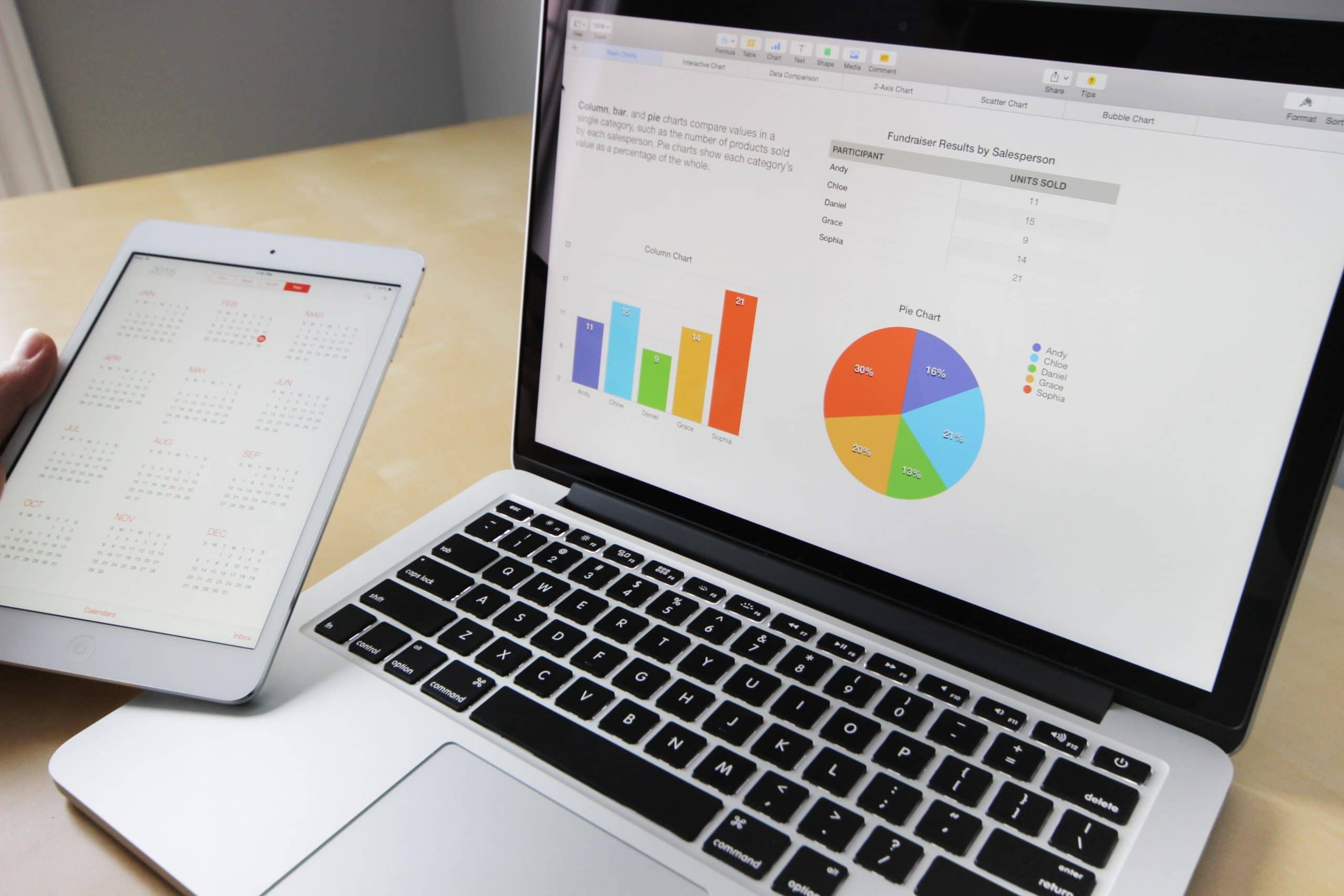
    Image from Pixabay via Pexels

    Merge of CRM with Big Data and AI-Powered Analytics

    CRM trends are moving towards the ability of big data and customer data platform softwares to collect and analyze customer data from many touchpoints, like contact centers, marketing campaigns, sales, and social media. The most advanced CRM software has evolved to make a connection between big data and strategies. These CRM tools will soon deliver to companies data-driven insights of their customers. This will result in marketing and customer retention strategies that can be fueled by accurate customer data.

    Another thing that companies can expect is CRM platforms that employ artificial intelligence for analytics. This drives predictive analytics, which enhance the capabilities of the CRM software to offer forecasts from the data collected. With AI-powered analytics, CRM tools can deliver real-time insights on customer behavior. This can identify buying patterns that can be transformed into conversion opportunities.

    One-Channel Instead of Omnichannel

    2020 trends show an increasing movement towards a single-channel approach to CRM. According to CRM experts, communication channels will be merged into a single piece of software that has the capability of handling all channels. For sales and customer service agents, they won’t have to switch anymore between multiple channels to maintain communication with customers. This allows to put more focus on making a connection with customers, which is crucial now more than ever as customers keep turning more and more into interacting with brands. Also, advanced CRM technology can improve and smooth out internal operations.

    Furthermore, it might be possible that, in the future, companies will have a channel-less CRM strategy, all thanks to artificial intelligence. Now this is something Back to the Future never predicted!

    CRM and the Internet of Things

    Experts are confident that the Internet of Things (IoT) will keep making considerable improvements in terms of how CRM is done. It is estimated that in 2025, IoT devices will increase to the amount of 39 billion. Advanced CRM systems have been taking advantage of that by integrating connections to IoT feeds from devices. If you’re wondering how this works, smart devices can offer lots of insights on customer use. That way, companies can utilize those insights to deliver better customer service and personalized marketing campaigns.

    Mobile and Social CRM Get a Push

    The developments in mobile technology and the need for constant connectivity that customers have are showing a push for CRM platforms to offer more mobile features. Experts predict that more CRM systems will deliver a full experience in devices that have an internet connection, like tablets and smartphones. At the same time, these systems won’t compromise the security of user data, even though they’re providing complete functionality. And, clearly, social media’s predominance drives a widespread implementation of social CRM.

    Improved Customer Experience

    This trend was also predicted for 2019 and it continues to build the future of CRM for its users and the customers of those users. The most successful CRM systems will have a more user-friendly interface so it can be easier to use with a simpler data access and analysis. Experts also say that there will be CRM features that will let sales and customer service agents to initiate contact with customers in a more convenient way.

    With an easier use of CRM, companies will be able to provide a more personalized and improved customer service. Customers’ needs will be fulfilled accordingly and they will be further guided into the marketing funnel.

    Customized CRM for Vertical Markets

    The growth of CRM will cause platforms to be more niche-oriented. We might even see the development of new systems targeted to vertical markets, while existing vertical CRM will have more advanced features. Industries like finance, healthcare, and manufacturing, which are highly regulated, might soon be able to choose from a variety of CRM platforms with built-in functions to guarantee that companies meet all the industry regulations.

    Integrations Will Make CRM More Powerful

    CRM companies like Zoho are constantly adding important integrations for streamlined functionality in businesses, which enhance productivity and a better use of data for nurturing leads and customers. Soon, CRM platforms will have more advanced integrations with different data sources and other third-party software to offer even more customer information and an expansion of platform functionality. The integration with other business systems and data sources like marketing automation and analytics software will allow CRM platforms to track external interactions with customers. This will result in companies getting a unified view of the customer journey and a delivery of data that’s more relevant and, therefore, functional.

    New CRM Users From a Younger Generation

    While millennials take over the workplace, the user base of CRM software has begun shifting to a younger generation of workers. 28% of millennials think that the usage of CRM software is critical for a business to succeed. Meanwhile, only 18% of Generation X and 9% of Baby Boomers share that thought. This trend could possibly be more influenced by the fact that nowadays businesses are more centered in technology. In addition, freelancers have proven to be a growing segment of CRM users, since more freelancer tools are offering CRM features.
    With all these trends and technological developments, there is no doubt that the future is CRM.

    To read more CRM trends, read the full article here.

    Are you considering implementing Zoho CRM in your business? Visit our Zoho Premium Partner page to learn how we can help you.
  • Zoho One Adds Zoho Orchestly Platform

    Another innovative addition from Zoho has arrived: Zoho Orchestly! This addition is part of Zoho One, the Zoho platform that has more than 45 Zoho products and services. Zoho Orchestly is a business orchestration platform that helps automate workflows, enforce compliance, provide visibility, and cut out inefficiencies. In Orchestly, you can view and track information flowing through the various apps of Zoho One, as well as third party applications. In other words, this makes business workflows to run smoothly, no matter how complex the process might be.

    Image via Zoho

    How Zoho Orchestly Works?

    Here’s an example of how a team might use Orchestly: a marketing agency that runs on Zoho One and builds websites for its clients has the following workflow:

    • Team brainstorming ideas and options. This can happen in Zoho Connect groups, Zoho Cliq channels, or via face-to-face meetings.
    • A content writer creates the content in Zoho Writer. This is reviewed and needs approval by the editorial team, who collaborates in the same Zoho Writer document.
    • The job moves to a central design team using Zoho Desk to manage requests. Then it goes to a development team which uses Zoho BugTracker to log issues and track progress.
    • The content manager needs to review and approve the website before it can be delivered to the client.

    Such workflows involving multiple systems within Zoho are common nowadays. If the communication between the different teams is only done via email or calls, things may become chaotic. Therefore, information can be lost and/or mixed. It can be challenging for the person responsible for this entire workflow to know the status of a particular job and where the bottlenecks are.

    Zoho Orchestly allows the marketing agency to create a blueprint for the new website workflow with simple drag and drop options and no coding. Now each new website request would create a new “job” that would pass through the above predefined steps.

    The right persons can be assigned to the different stages so that they (and only they) can get alerted at the right time and act. You can command actions, such as requiring the link to the Zoho Writer document to be attached when sending it to the editor. It is also possible to pull the relevant information from the various other systems involved (in this case, Zoho Connect, Zoho Cliq, Zoho Writer, Zoho Desk, and Zoho BugTracker) and display it in Orchestly. Lastly, you can also get workflows and insights from reports and charts.

    To learn more about Zoho Orchestly, read the full article on Zoho’s blog.

    Are you looking to implement Zoho One in your company? Then click here and sign up for a free trial of Zoho One.

  • Zoho Reaches 50 Million Business Users

    Zoho Corporation has announced that they hit another historic milestone by achieving the number of 50 million business users around the world. The timing for this news is parallel to the Zoho’s considerable growth, which now has 10 data centers across the globe. These data centers support more than 45 different applications that help businesses located in more than 180 countries.

    According to Zoho in their press release, because of the high global demand that the company is experiencing, they are “redoubling its efforts to provide the best, most unified platform, services, and applications in the industry.”

    Another announcement made by Zoho is the introduction of WorkDrive, which provides online file management across all the Zoho business applications. This allows single storage, unified search, and contextual integration, among other integrated capabilities. In regard to what Workdrive can do, Vijay Sundaram, Zoho’s Chief Strategy Officer, said:

    “A content collaboration platform must understand the context of the documents it stores. A proposal may turn into a sales contract and then into a service level agreement. […] WorkDrive creates a common, unified file system across all business processes, so the business context is easier to understand and preserve, making the system significantly more valuable to the customer. This unique type of a solution can only come from a vendor who also offers the business applications.”

    Congratulations to Zoho Corporation for achieving such an important milestone! Here’s to 50 million more!

    To read Zoho’s press release in its entirety, click here.

    Are you considering the implementation of a Zoho product in your company? Click here to learn more and try for free the Zoho products that we offer.

  • Manage Data and Much More With Zoho Analytics (Video)

    If you’re considering the implementation of Zoho Analytics in your business but aren’t sure what this data analytics software can do for you, then you’re in the right place! The following video presents a short and precise presentation of Zoho Analytics’ features. However, if you’re in a public place and forgot your earphones (wild guess!), you can read some of the video’s highlights that we have compiled to satisfy your curiosity, which you can read after the video.

    Zoho Analytics’ Video Highlights

    • Zoho Analytics lets you import data, create visualizations of data, and share insights and collaborate with your colleagues. This enables you to make data-driven business decisions.
    • Because data comes from different sources and a variety of forms, Zoho Analytics lets you connect to a wide range of data sources like locally stored files, cloud drives, local or cloud data bases, popular business apps, and your own custom apps.
    • You can, for example, upload Excel sheets with data. Zoho Analytics identifies all types of data and columns, and imports the file. This is all placed in a spreadsheet style interface.
    • Zoho Analytics has an easy to use drag-and-drop interface. It also has different visualization options: customizable charts (40 types, to be exact), pivot tables, popular views, KPI widgets, and interactive and visually appealing dashboards.
    • Deep analytics capabilities that will enable you to extract powerful insights out of your data. Zoho Analytics can interpret your data and autogenerate reports and dashboards. This allows forecasting and predicting capabilities. You can also ask questions in natural language and get analytical answers instantly. Furthermore, you can set up data alerts to be notified of any changes to your key business performance indicators or targets.
    • You can privately communicate with colleagues and business associates in Zoho Analytics and control data access through fine-grained permissions.
    • Comment on reports and see the entire commenting history. You can also share your views in private groups or with a wider audience using various publishing options: generate URLs for standalone access to any report or dashboard; or generate reports in CSV, Excel, PDF, HTML, and image files, or as a Zoho Sheet, and send them via email.
    • Last but not least, you can see all the insights in your computer, tablet, or cell phone.

    Are you looking to implement Zoho Analytics in your company? Click here and sign up for a free trial of Zoho Analytics.

  • Zapier Integration for Zoho Desk: Lots of Apps for Lots of Tasks

    Nowadays, it’s common for companies to use many products for different tasks. Therefore, it is crucial for those products to integrate flawlessly and without a hassle. When it comes to integrations, Zoho apps always open a window of possibilities to ease the workload. The Zoho Desk software for customer support, which is a context-aware help desk, is no exception.

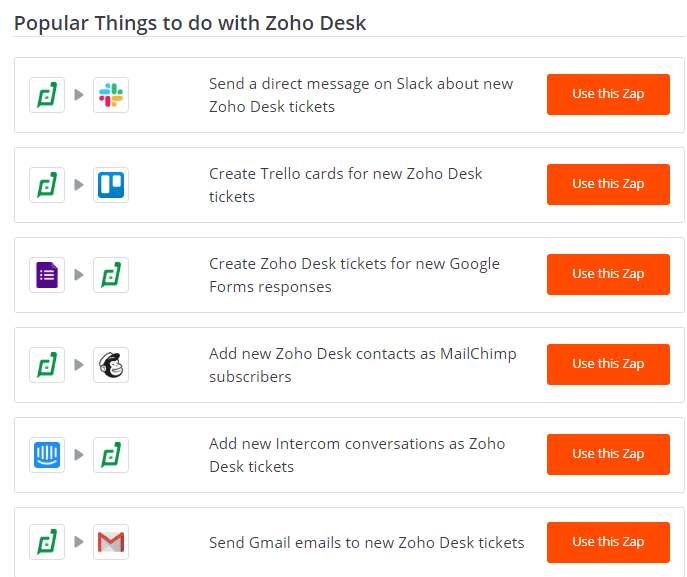
    Some of the integrations from Zapier for Zoho Desk. (Screenshot from https://zapier.com/apps/zoho-desk/help)

    In order to allow apps to better communicate with each other, it is recommended to use the Zapier integration for Zoho Desk, since it is an easy alternative for such process. This will avoid setting up workflows manually: a complex process that requires technical skills.

    Many helpful automations can happen with the Zapier and Zoho Desk integration: Zapier lets you automate manual tasks like converting emails or social media posts into tickets. It also allows you to add comments, send replies, and create contacts within Zoho Desk using your CRM data, project management software, or any other relevant tool. These functions will let you focus on meeting deadlines and delivering timely customer service. To name a few examples of this, your Gmail messages can be automatically converted into tickets in Zoho Desk and get notifications of them on Slack, and new customers can be automatically added to your Mailchimp mailing lists, among others.

    How the Zapier Integration Works

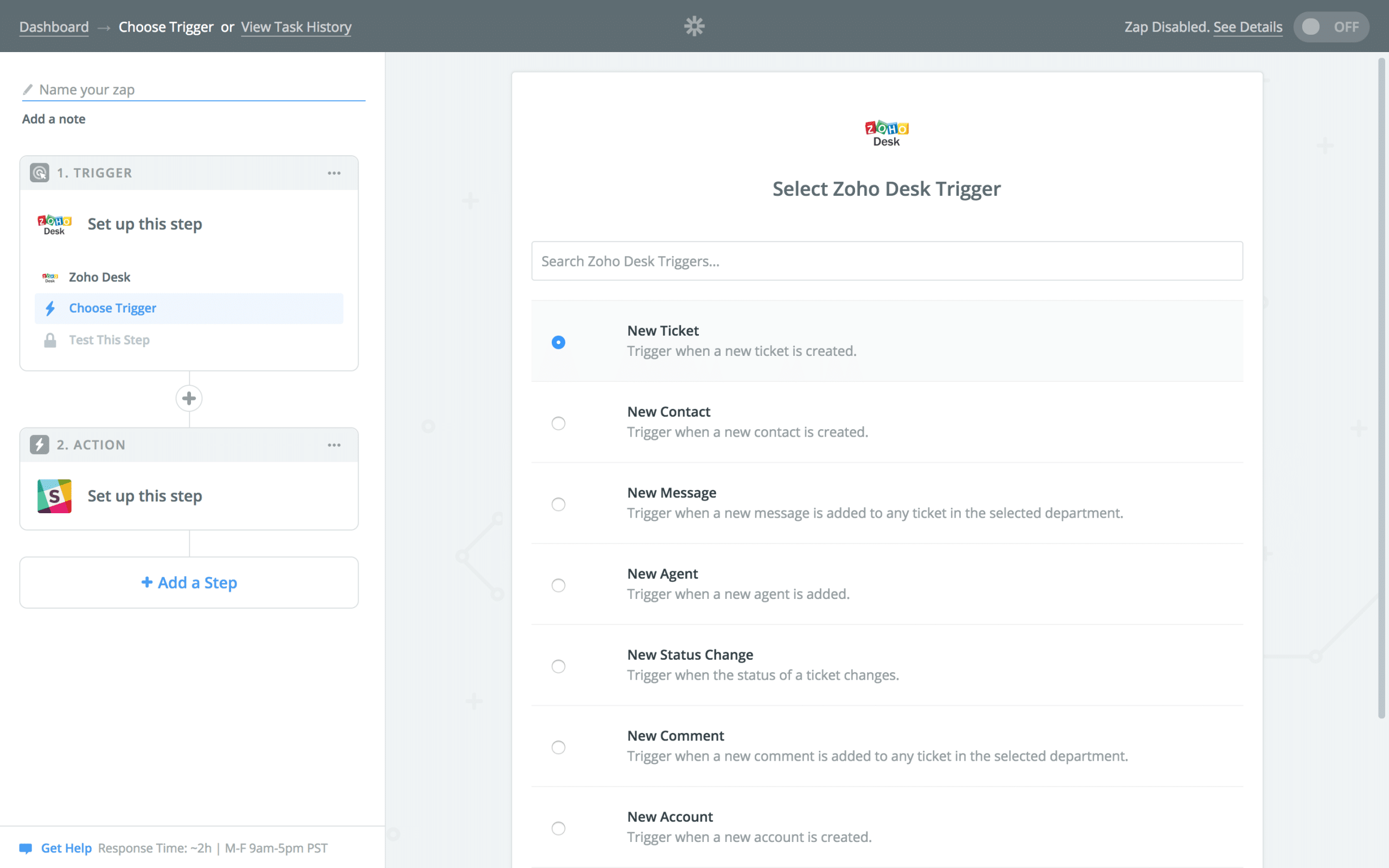
    In order for the “magic” to happen, Zapier uses a “trigger-action” structure. This means that actions trigger or cause an effect as soon as they happen. For instance, when new tickets are created on Zoho Desk, you will get an immediate notification in your Slack channel. The ticket creation is the trigger, whereas the Slack notification is the action.

    Zapier uses a “trigger-action” structure for Zoho Desk.

    There are many integrations that can be done with Zapier and Zoho Desk. One of them is Zoho Desk and Gmail, which allows you to add another channel to send notifications about tickets to agents. Another one is between Zoho Desk and Intercom, in which Intercom chat conversations can be converted into tickets. You can also convert a Zoho Desk ticket into a project card in Trello.

    To read more about other Zapier integrations for Zoho Desk, visit the Zoho Blog and the Zoho Community.

    Are you looking to implement Zoho Desk in your company? Then click here and sign up for a free trial of Zoho Desk.

  • Connect to Many Data Sources With Zoho Analytics

    When looking for technology solutions for businesses, one of the main concerns is connectivity between applications. This is because business data is now distributed in online/offline applications, cloud storage services, databases, flat files, and web feeds. Therefore, it is a must to have a Business Intelligence and data analytics software that can connect seamlessly all your applications. A great option for this is Zoho Analytics, which goes beyond reporting and analysis and lets you automatically data sync with periodic schedules. Let’s look at all the integrations that Zoho Analytics can do for you.

    The Essential Integrations

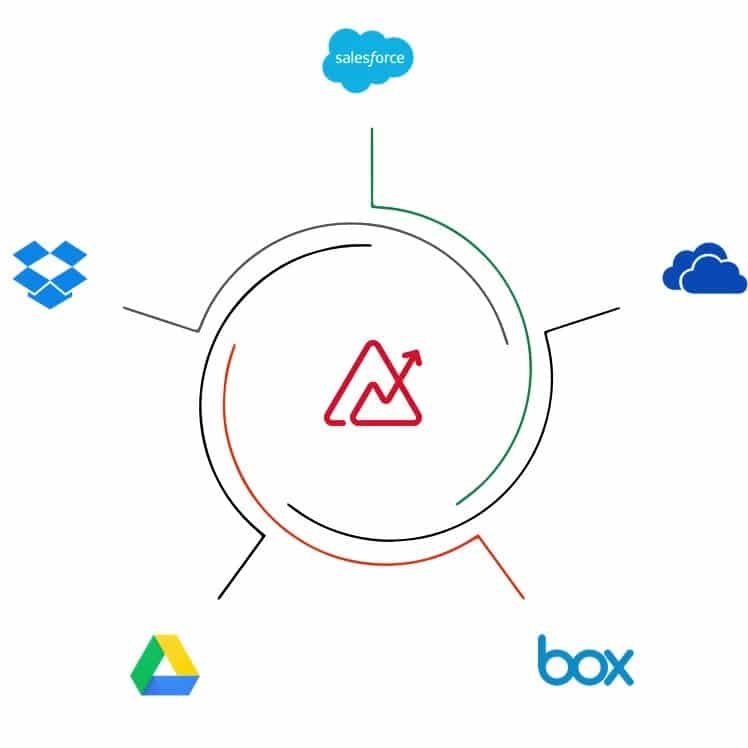
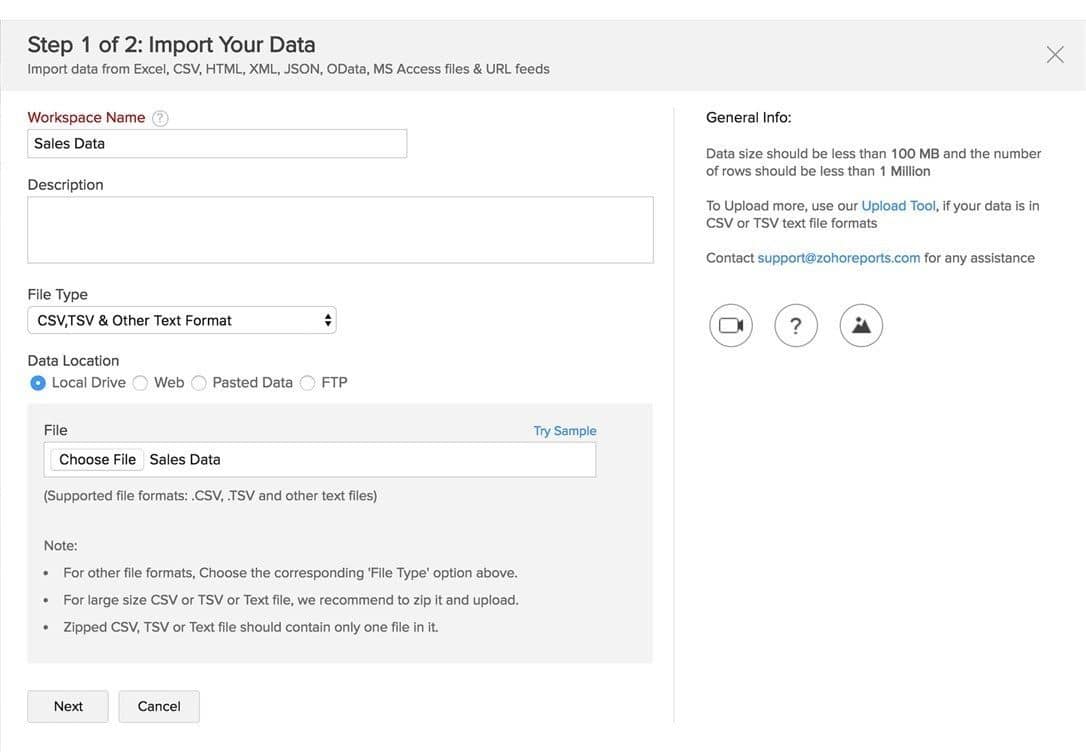
    Zoho Analytics allows you to import data from different file formats and web/URL feeds. CSV, XLS, XLSX, JSON, TSV, HTML, and XML are just some of the file formats. You can also easily upload data from major cloud storage vendors like Zoho Docs, Google Drive, Microsoft OneDrive, Dropbox, among others. All can be set up with automatic synchronization. When it comes to multiple databases, you can synchronize/upload data not only from popular relational databases, but also from NoSQL databases. Your databases can be setup either locally (behind a firewall) or hosted or in the cloud.

    Sales

    Zoho Analytics integrates with many sales analytics applications like Zoho CRM (which you can visually analyze its data right away using Zoho Analytics), Salesforce, Microsoft Dynamics CRM, and HubSpot CRM. You can also import data from CRM solutions like Pipedrive CRM, Insightly CRM, and Base CRM into Zoho Analytics using Flatly.

    Zoho Analytics allows you to import data from different file formats like CSV, XLS, XLSX, JSON, TSV, HTML, and XML.

    Marketing

    Emails, internet ads, social media, and surveys are now a standard when it comes to digital marketing campaigns, which is why Zoho Analytics can be integrated to many marketing analytics alternatives to make your campaign monitoring easier. Email marketing apps include Zoho Campaigns (which, connected with Zoho Analytics, lets you deeply analyze your data to improve your email marketing strategy for effective conversions) and MailChimp. Google’s marketing tools Google Analytics and Google Ads, as well as Bing Ads from Bing, can be connected to Zoho Analytics to track your email campaigns. In the survey field, you can connect Zoho Survey, SurveyMonkey, and SurveyGizmo; while in the social media field, Facebook, Twitter, and YouTube can be connected.

    Finance and eCommerce

    In the finance area, three Zoho products can be connected to Zoho Analytics: Zoho Books, Zoho Subscriptions, and Zoho Inventory. Other integrations include QuickBooks, Xero, and Stripe. Meanwhile, eCommerce platform Shopify can also be integrated.

    Project Management, Helpdesk, and Human Resources

    Integrate project management software Zoho Projects and Teamwork Projects. Track desk metrics by connecting helpdesk software Zoho Desk, ManageEngine ServiceDesk Plus, ManageEngine SupportCenter Plus, Zendesk, and Teamwork Desk. Improve your HR operations by connecting Zoho Analytics with Zoho Recruit and Zoho People.

    Wait, and There’s More?!

    Yes, there is! Last but not least, Zoho Analytics lets you connect with Zoho Creator, Zoho BugTracker, and APIs.

    As you can see, Zoho Analytics is flexible enough to have plenty integrations which, if you ask us, is very convenient to get the most insights for your business’ different processes. And when that takes place, success is bound to happen. Isn’t that exciting?

    To learn more about Zoho Analytics’ data connectors, click here.

    Are you looking to implement Zoho Analytics in your company? Then click here and sign up for a free trial of Zoho Analytics.

  • Zoho Desk Implementation Cuts Customer Service Time In Half

    The lubrication manufacturing company Lubrication Engineers knew that, as a large company, they needed to streamline their customer service functions. That made them try Zoho Desk, which brought outstanding results to their operations. Watch this testimonial to see how Zoho Desk made a huge impact on their customer service.

    Paul Grimes, VP of Marketing

    “I’m Paul Grimes and I get the honor today of representing Lubrication Engineers in Wichita, Kansas. I’m the VP of Marketing. Lubrications Engineers has been a company that’s been around since 1951 and we make lubrication reliability products and distribute them throughout the world. Zoho Desk, so we started playing around with the tool and we went ‘This is an incredible tool!’ So we started with our customer service functions. We’ve been up and running on our customer service functions now for almost 90 days. Through that process, we’ve literally gotten rid of old spreadsheet processes and really streamlined our customer service functions. We’re so excited by what’s happening with [Zoho] Desk that we are going to develop a technical desk side as well, and we figure this is gonna really streamline our customer service on a technical level when it comes to our lubricants and our applications.”

    Jill Kelley, Customer Service Manager

    “Zoho Desk has made the biggest impact on the Customer Service Department that we’ve ever had. I used to do a lot of different manual spreadsheets and things. Zoho Desk has taken all of that, put it into one place where the whole company can access that information anytime they want, get rid of all these spreadsheets that­­­─ a lot of people get duplicate spreadsheets of everything. With this process in place, it has cut our customer service time almost in half.”

    Casey Tristan, IT Systems Support Manager

    “We did not have a means to track items that went through our Customer Service Department. Once you implement it, you start to see all these other processes that you have, that you think, ‘Man, we can put that into [Zoho] Desk or we can put that into Zoho creator.’ Zoho solving problems for us that we didn’t even know we had… It’s been great and, yes, I recommend Zoho all the time.”

    Jill Kelley, Customer Service Manager

    “Oh, I definitely recommend it! It can do so much for your company. Now that we have Zoho, it has changed my life. I am not kidding.”

    Are you looking to implement Zoho Desk in your company? Then click here and sign up for a free trial of Zoho Desk.

  • Get to Know Zoho CRM (Video)

    Digital transformation is in full swing! Are you already in that wave? Or are you considering it? If so, this short introductory video from our partner Zoho will give you a taste of how their CRM works. Zoho CRM is an online Customer Relationship Management (CRM) software that lets you manage your sales, marketing, and customer support in a single system. Click play to learn more!

    Source: https://www.youtube.com/watch?v=1QT5jvM7z3M

  • Zoho Desk Gets Recognition From Gartner

    Great news from Zoho Desk have arrived! Our partner Zoho recently announced that Zoho Desk is the recipient of the Gartner Peer Insights Customers’ Choice for CRM Customer Engagement Center for August 2019.

    According to Gartner, a leading research and advisory company, this is “a recognition of vendors in this market by verified end-user professionals.” In order to make sure that evaluations are fair, the criteria from Gartner is rigorous when recognizing vendors with a high customer satisfaction rate.

    Many IT professionals have expressed in product reviews their satisfaction with Zoho Desk. This application is the industry’s first context-aware help desk software that helps businesses focus on customers.

    Regarding the Gartner distinction, the Zoho Desk team expressed in their blog that they take “great pride” in it, “as customer feedback continues to shape our products and services.”

    At InterConnecta, we are beyond happy and thrilled about this news from our partner Zoho, and we are proud to have such a great product like Zoho Desk as part of our offerings. Congratulations!

    Click here to read the full article in Zoho’s blog.

    Are you looking to implement Zoho Desk in your company? Then click here and sign up for a free trial of Zoho Desk.

  • Zoho Analytics Case Study: 100% Customer Satisfaction

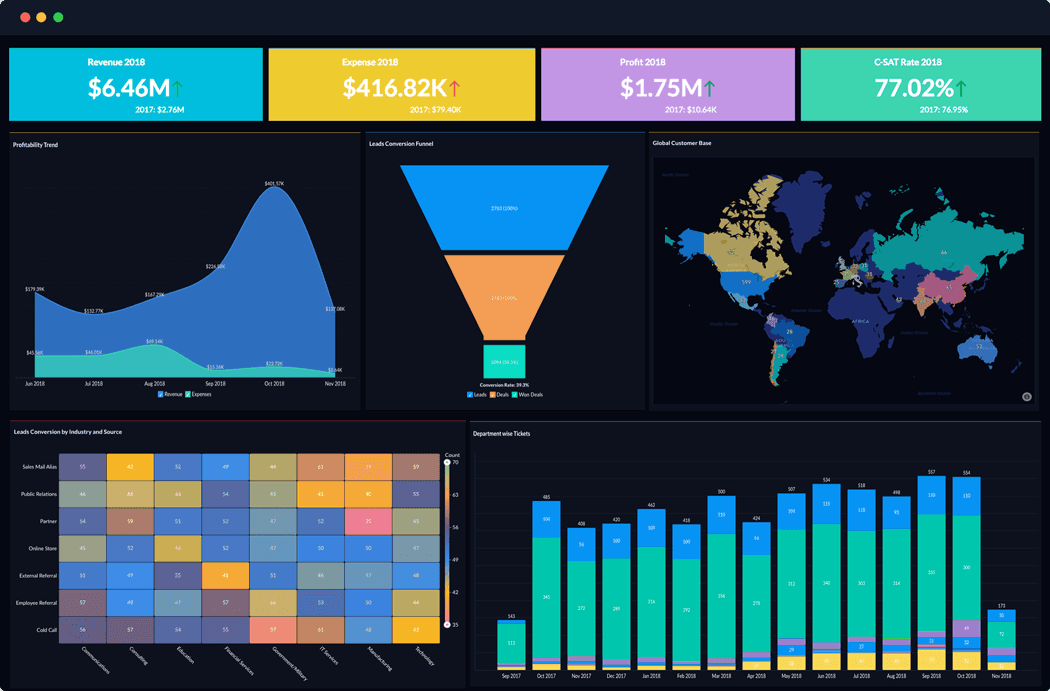
    Great products bring great results. The applications of our partner Zoho are a clear example of that. With that in mind, we present you a recently published case study by Zoho, which details the success story of the company Mitrefinch after using Zoho Analytics.

    A dashboard from Zoho Analytics. (Image via Zoho)

    The Challenge

    Mitrefinch, a company based in the United Kingdom, provides global Workforce Management solutions for public and private organizations that need to monitor and manage their workforce while controlling labor costs.

    The company needed to develop a customer program strategy, focused on improving customer experience. For this, deep insights into customer support metrics were needed. Because Mitrefinch has complex sets of data that are generated from their global customer support functions, its analysis was very challenging. That was something that Microsoft Excel, which was their BI tool, couldn’t handle. That lead them to try Microsoft Power BI, but the results weren’t convincing. Mitrefinch needed to find a solution that could integrate and merge colossal amounts of data. And this was not just from Zoho Desk, their support solution, but also from in-house databases and Salesforce.

    So, in summary, Mitrefinch needed a solution that could do the following:

    • Integration and blend of data from all data sources without manual intervention.
    • The analysis and creation of insightful and segmented customer support dashboards by country, region, and customers
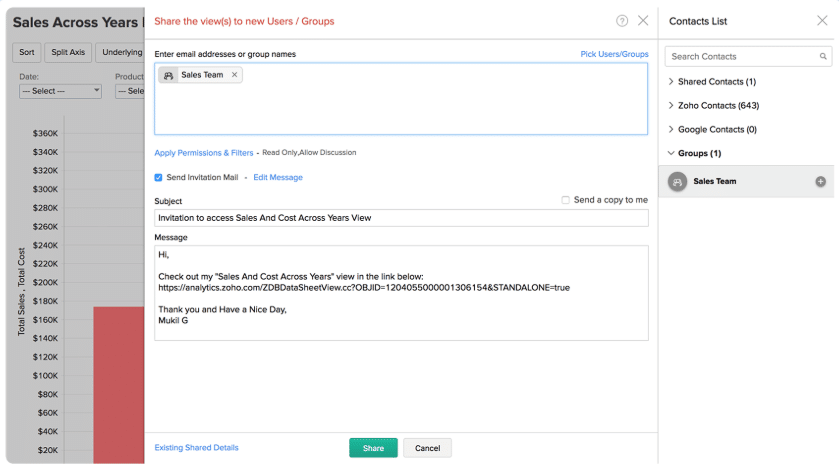
    • The enabling of global and secured report sharing with user-based permissions.

    Sharing reports option in Zoho Analytics. (Image via Zoho)

    Zoho Analytics’ Solution

    Mitrefinch was already a Zoho Desk customer when they discovered Zoho Analytics. The company thought that Zoho Analytics could be an ideal solution, since most of their support data was in Zoho Desk. Therefore, the integration between them would be quick to configure. And it was! According to Mitrefinch, the “integration between Zoho Desk and Zoho Analytics was seamless. Within minutes, customer support data was imported into Zoho Analytics and analysis got done.”

    Thanks to Zoho Analytics, the company can now pull data from Zoho Desk, Salesforce, and in-house databases. This allows Mitrefinch to analyze and create weekly support team reports, global KPI reports, and KPI dashboards. All of these are segmented by country.

    Regarding Zoho Analytics’ dashboard widgets, Mitrefinch found them helpful and appealing, with 33 widgets and 16 reports created for two key dashboards: internal and external.

    Because of all the benefits gained from using Zoho Analytics, Mitrefinch identified gaps in customer experience and was able to focus on them.

    Drumroll for the Results, Please!

    Thanks to Zoho Analytics, Mitrefinch achieved the following:

    • The scores for Mitrefinch’s customer satisfaction increased from 80% to 100%.
    • The first call resolution time decreased from 20 hours to just 7 hours.
    • The company leadership liked the 100% transparency in support metrics. These were not possible before the implementation of Zoho Analytics.
    • A powerful analytics platform for the analysis of all customer information and the derivation of insights in short notice.

    Without a doubt, Zoho Analytics was a huge success for Mitrefinch, and we love Zoho success stories like this one!

    To read the full Zoho Analytics case study, click here.

    Are you looking to implement Zoho Analytics in your company? Then click here and sign up for a free trial of Zoho Analytics.

This site is registered on wpml.org as a development site. Switch to a production site key to remove this banner.