Author: user

  • Benefits of Using CRM in Businesses

    Customer Relationship Management (CRM) systems have been around for years and they’re here to stay. These are constantly renewed to integrate and optimize the business operations that companies have on a daily basis. However, there is still a percentage of them that do not have a cloud-based CRM and are limited by software that is not integrated, causing employees a delay in information access. According to Grand View Research, 91% of companies with ten or more employees use CRM; while the pandemic significantly accelerated the demand for CRM, whose value reached $52.64 million in 2020, according to Fortune Business Insights.

    Image by Pixabay via Pexels

    Image by Pixabay via PexelsThat said, not having a based-cloud CRM at this point is a huge disadvantage for any business, especially in times where remote accessibility is equally necessary for employees and customers. Although spreadsheets, for example, are always available on computers, they do not have all the required functions to keep customer information organized and up-to-date. Therefore, they do not offer a complete context of the status of each lead or deal.

    If you’re still thinking about implementing a CRM in your business, we will break down the following benefits that you can get with it:

    Centralized Database

    A CRM gathers all your customers’ information in a single place. Data such as name, company, deals, call and/or email history, purchased products, support requests, among others, are displayed in each customer profile. This offers total context to you and your agents in order to know the situation of each customer at any time, and without having to search throughout different files.

    Complete and Refined Information

    There’s no question that avoiding duplicates and incomplete information in a document is very difficult and time-consuming. It can even contribute to making mistakes and lowering productivity. Systems like Zoho CRM allow you to mark required fields to reduce misinformation and human error. It is precisely this last factor the reason why CRMs can detect if the data was previously recorded, thus avoiding duplicates or allowing the merging of records to keep only one with the correct data.

    Connection Between Marketing and Sales

    Marketing and sales always go hand in hand, which is no exception in the CRM. This system integrates your marketing and sales channels, and allows you to quickly add new prospects to your database.

    An example of this integration is that you can connect your CRM to a form within your web page to add all the records to your database. In addition, you can integrate it with the contacts’ social network profiles and email addresses to add new records from these channels. Thus, you will be able to have complete visibility of those channels with higher conversion rates, follow closely the ROI, and constantly gain new potentials.

    CRM allows you to connect your phone service to contact your customers from it. Image by SHVETS production via Pexels

    Farewell to Missed Calls!

    Connect your phone service to contact your customers from your CRM. You can also set reminders to ensure follow-up to all leads and contacts. One of the advantages of Zoho CRM is that besides that option, it also allows you to integrate it with various applications —such as WhatsApp— to contact your customers through their preferred channels.

    Automate to Save Time

    Thank goodness for automation! You can automate routine tasks like lead assignment or sending emails. This way, your team will save time and can focus more on serving their customers and closing more deals.

    Clarity in Sales Processes

    A CRM system allows you to minimize errors in the new team members’ training through the Blueprints function in Zoho CRM. This allows to detail the sales process within the platform and pushes the team to follow all the steps of the blueprint, in order to achieve a uniform and functional process.

    Automatic Reports and Forecasts

    The CRM allows you to create monthly, quarterly, annual reports or any period of time by selecting the dates you need to see. In addition, you have the option of scheduling them so that the people you select receive them periodically via email. Another very useful function is to obtain monthly or quarterly sales forecasts at any time.

    CRM Systems Allow You to Work from Anywhere

    Zoho applications allow you to access your CRM from any device connected to the internet, including your mobile phone with the Android and iOS application. Thanks to this accessibility, your teams can work remotely and consult the information they need no matter where they are.

    Sales and Customer Retention Increase

    In conclusion, all the advantages of CRM result in having more time to contact and better serve prospects and customers. This translates into more sales and greater customer retention, thus achieving the success of your business and your team.

    To see the original source of this article, click here.

    Do you need help with your Zoho CRM or are you considering implementing it in your business? Contact us or sign up for a Zoho CRM trial.

  • Live Chat: A Great Tool to Increase Customer Engagement

    You’ve probably seen it now in most web pages: a cute and small chat window asking you how they can help you. In fact, you’re seeing it now in our website! It’s most likely that you already have a live chat in your business’ website by now. If you do, high five! If you don’t, you definitely need to keep reading this article, because you might be losing some great leads right now!

    Image by Andrea Piacquadio via Pexels

    Live chats in websites are not something new, yet they have been on the rise this past decade. According to Software Advice, it has been estimated that over 85% of businesses will have live chat support by 2022. Meanwhile, live chats have the highest customer satisfaction level at a whopping 73% and customers who use live chats spend 60% more per purchase.

    Even though the average customer learns about your business from a variety of sources, it is essential to expand how they contact you and not limit yourself to only one medium. Now more than ever, it has been proven that customers need the convenience of chatting with your business from the interface they know best.

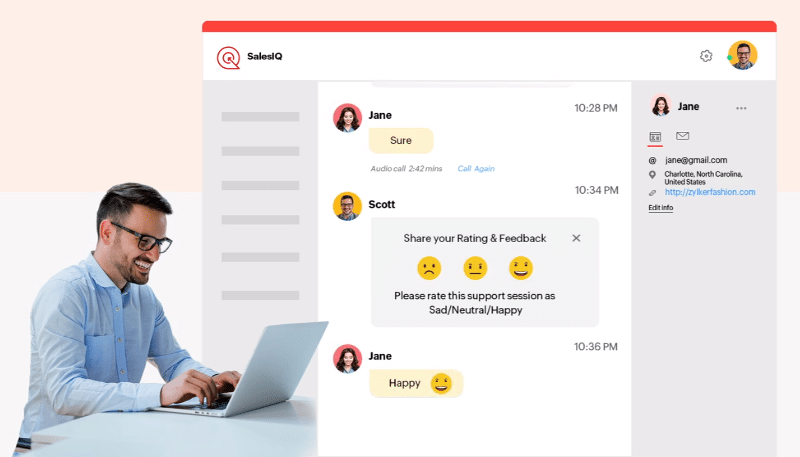
    A live chat solution like Zoho SalesIQ supports multiple channels that allow your prospects and customers to instantly reach you from their favorite apps and without any hassle. Plus, it lets you integrate your marketing, sales, and support departments in order to meet their respective objectives: plan their strategy and target audiences; track leads, interact, and close deals faster; and provide instant resolution to customers.

    Let’s now explore the different channels you could integrate with Zoho SalesIQ and learn how they can help your business to keep thriving.

    Live Chat on Your Business’ Website

    Although your website is the first impression a visitor gets about your online presence, even an exquisitely crafted page won’t convert your online audience into customers if it doesn’t include a way for them to connect with you. Zoho SalesIQ allows you to customize the live chat messenger to your contents and set it on your website with just a copy-paste to provide your prospects a great way to reach you.

    Image via Zoho

    Mobile SDK

    Without a question, anything that involves customer engagement, including your live chat, must be optimized to be used in mobile phones without a hitch. According to Software Advice, more than 50% of live chat queries come from mobile devices. So, when you use a live chat solution, make sure that it’s properly configured and optimized for mobile and tablet users. We can’t stress enough how important this is.

    Facebook Messenger

    Facebook is crucial when it comes to customer interaction. According to Statista, at the end of 2019, the Facebook Messenger app had more than 130 million users in the United States. Trends suggest that this number will reach 138.1 million by the end of 2022. Therefore, you need to take advantage of the largest networking software to increase your market reach while also being a trustworthy source for prospects to reach out to you.

    The integration of Zoho SalesIQ’s with Facebook Messenger lets your followers to chat with your business. You can easily set up Facebook Messenger as a channel in SalesIQ so your agents can reply quickly and more efficiently to Facebook messages from a single dashboard.

    Telegram Messenger

    This one is another great option for a more personal experience. Zoho SalesIQ allows you to configure and customize a Telegram bot. That way, your customers can contact you directly from Telegram instead of looking up for your website.

    To read the full article, click here.

    Are you looking to implement a live chat on your website or optimize your customer service channels? Then click here to learn about customer service apps from Zoho, including Zoho SalesIQ.

  • InterConnecta is Featured in Zoho Partner Spotlight

    In celebration of Zoho Corporation’s 25th anniversary, Zoho Latin America has published the Zoho Partner Spotlight video series to share their partners’ testimonials about their experiences selling and implementing their popular business apps. InterConnecta had the honor to be one of the chosen partners to share their testimonial.

    Image via Zoho

    Alin Suárez, cofounder of InterConnecta, spoke with Zoho about many topics, including how they got to know Zoho, what InterConnecta has achieved by being a Zoho partner, how they feel about Zoho’s philosophy, and what impresses their customers about Zoho the most. Regarding the growth that InterConnecta has experienced by working with the India-based software company, Suárez highlighted how being partners has helped them to take their operations beyond the United States by opening offices in Perú and Puerto Rico. On this, Suárez pointed out the following:

    “[Our expansion] was a great achievement alongside Zoho’s growth. It’s inevitable that Zoho keeps growing and that we grow as partners as well. This has significantly benefited us, too.”

    Major congratulations to Zoho on their 25th anniversary! For InterConnecta, it’s an immense pride and honor to be a Zoho partner.

    Are you interested in learning more about Zoho’s applications or implementing them in your business? Then reach out to us by clicking here. We’ll be happy to help!

  • Zoho CRM Releases Canvas: The First CRM Design Studio

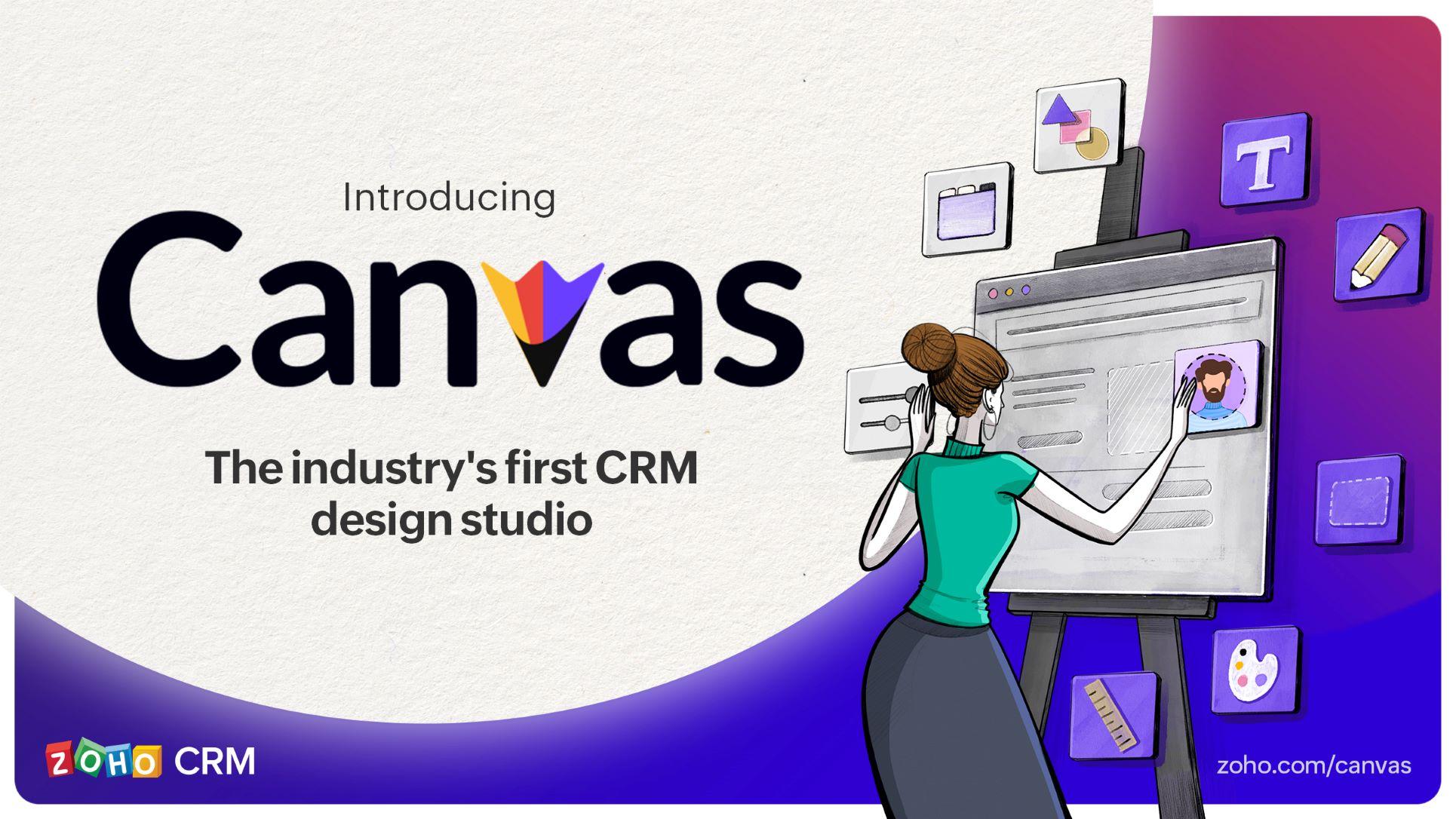
    Zoho Corporation has just released a groundbreaking update for their Zoho CRM platform that changes the way CRM users in different teams view their data: Canvas for Zoho CRM, a no-code, drag-and-drop design studio built into Zoho CRM. This marks a milestone for the software company, since Canvas is the first design studio in the CRM industry.

    Image via Zoho

    Canvas for Zoho CRM —which comes right on the heels of the Zoho Analytics 5.0 launch— allows users to change how data is displayed by creating contextual and immersive experiences for their teams. This has the purpose of catering to the unique needs of each industry and business. Because CRM software is used by many teams within each organization, each team has different goals, methods, and requirements that need to be met by their CRM.

    “[…] Canvas [is] our ambitious approach to create the gold standard of CRM experience.” —Zoho Corporation

    Without further ado, here’s how it all works:

    Drag-and-Drop Editor

    Zoho CRM’s look can now be redesigned without writing any code at all. So, anyone without developer abilities can create Canvas views with the intuitive drag-and-drop creation process. Canvas also offers the option of creating a design from scratch or picking a template.

    Broad Formatting Options

    Canvas has multiple formatting options to personalize your Zoho CRM like never before. Some of these are changing font colors, merging fields, padding adjustment, spacing refinement, and switching to tabs.

    Efficient Views

    As another way to improve user experience, Canvas allows what to show and what to hide. This feature reduces clutter while helping users to find key information instantly. Meanwhile, the placement and the look of each field can be changed for better visibility (which includes changing the colors). In addition, Canvas allows rule creation, in-line field edition, widgets, and the assignment of views based on roles.

    Canvas is available at no extra cost and by default in all paid editions of Zoho CRM (from Standard to Ultimate), as well as for Zoho CRM in Zoho CRM Plus and Zoho One.

    To read the full article, click here.

    Do you need help with your Zoho CRM or are you considering implementing it in your business? Contact us or sign up for a Zoho CRM trial.

  • Five Tips to Thrive in eCommerce

    In today’s world, consumers invest their time and money between brick and mortar stores, online shopping with store pickup, and conventional eCommerce. According to Vijay Sundaram, Chief Strategy Officer at Zoho Corporation, consumers have transformed into ominichannel consumers. In other words, they now only make purchases and do their research before buying in various platforms. This has caused them to be more demanding, which has pushed retailers into a battle to keep their attention and loyalty.

    With the objective of helping businesses to be successful in the era of the omnichannel consumer, we have summarized the following tips from Sundaram:

    Image by Nataliya Vaitkevich via Pexels

    Create In-store Points of Sale and Orders

    This will allow your customers to interact with your brand, try products, explore, and buy in innovative ways. A PDV system can offer personalized services, like order history, etc. This has the capability of offering suggestions that allow comparisons and convenient reordering, which will tell your customers that your business knows their preferences.

    Offer Multiple Payment Options

    Customers need payment options: credit and debit cards, “cash-based” cards, among others. It’s essential to ensure that each option is secure and trustworthy (with encoding, among others). It’s also recommended to use VPN to block cybercriminals from accessing the website and stealing sensitive information, including credit cards.

    Other Shipping Options

    You can do this through an integration with multiple shipping providers. Provide your customers options that go from free shipping (which can take some additional time) to express shipping (to an additional cost). Varied options will help satisfy the different needs that your customers have.

    Be Clear About Your Sales Channels

    You must configure your online store to sell through the channels that your business requires. Among those are the integration of your eCommerce platform, third-party marketplaces (Etsy, Amazon, etc.), and physical sales channels —even if they’re only used to create brand awareness—

    Use Artificial Intelligence Tools

    AI has become more present in businesses’ commercial processes and analytics, so it’s no longer a complex topic or a ghost from the future. Now, many software providers are integrating AI in their solutions, since it provides a quick and efficient way of analyzing their customers’ navigation and purchase behaviors.

    AI offers information about the buying experience from start to finish: it discovers and solves problems, it helps to understand why visitors abandon the website and don’t finalize their purchases, and it detects shipping and return problems.

    Sundaram concludes that it’s crucial to create an eCommerce store according to present standards and everchanging trends. So, it’s important to keep up to date with industry news and trends, and technological advances that could be integrated to your business. In addition, it’s advisable to maintain the habit of following websites that offer an excellent customer experience, which is described by Sundaram as “the heart of every business.”

    To read the full article (in Spanish), click here.

    Are you looking to implement or improve your online store? Click here to learn about Zoho Commerce and other business applications from Zoho to optimize your sales processes.

  • Zoho Launches Zoho Analytics 5.0: A Modern Self-Service BI & Analytics Platform

    Three years after launching their 4.0 version, Zoho Corporation has just unveiled Zoho Analytics 5.0 with new and game-changing functionalities and updates. These are aimed at providing a platform that has more advanced business intelligence (BI) capabilities than its predecessors. Here’s the breakdown on what the Zoho Analytics 5.0 Platform now offers.

    Image via Zoho

    The Basics

    The Zoho Analytics 5.0 Platform consists of the following:

    • Zoho Analytics: A self-service BI and analytics software on the cloud, on premise, embedded, and deployable in public clouds.Zoho
    • DataPrep: An augmented data preparation and management service on the cloud.
    • Zoho Analytics Embedded BI: Offers ISVs and developers to integrate Zoho Analytics seamlessly into their product/solution offering.
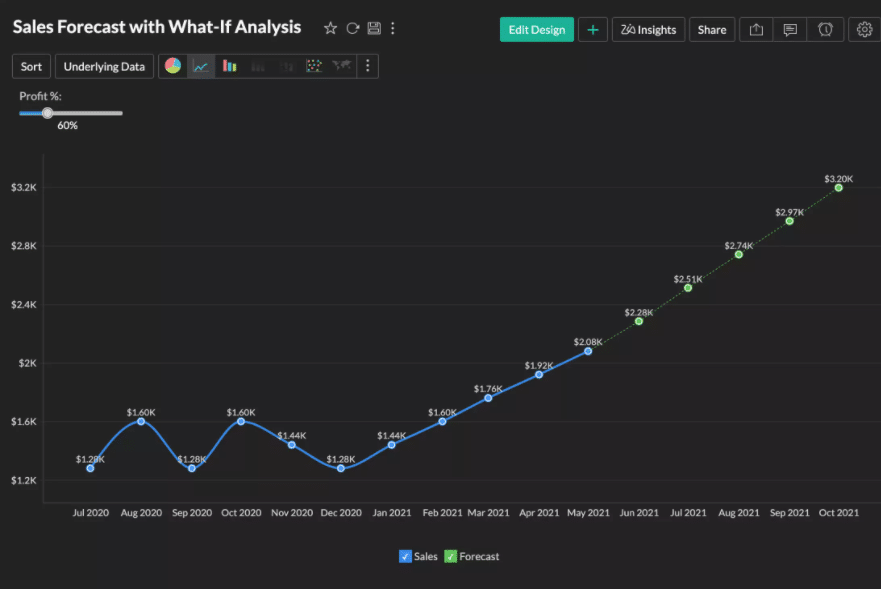
    • Zoho Analytics Marketplace: Allows partners and third-party vendors to build analytics apps on top of Zoho Analytics and market in Zoho Marketplace. Additionally, Zoho Analytics Native Apps, apps built by Zoho, and natively embedded within third-party apps, and available in their marketplaces, are included.What-If Analysis: one of the new features in Zoho Analytics 5.0. 
    What-If Analysis: one of the new features in Zoho Analytics 5.0. (Image via Zoho)

    The Capabilities

    Zoho DataPrep

    This service allows users to connect, prepare, cleanse, transform, model, and catalog their data. Although Zoho DataPrep is available as a standalone product, it is integrated with Zoho Analytics as well. Users of Zoho Analytics can use Zoho DataPrep from within Zoho Analytics. According to Zoho, this greatly improves the ETL (extract-transform-load) capabilities of Zoho Analytics, since it allows to connect, clean, transform and enrich data from inside Zoho Analytics.

    Augmented Analytics

    AI and ML technologies will now assist users to get them faster, better, and powerful insights from their data. This includes Ask Zia, Zoho’s AI assistant. Users can hold conversations with Zia to get answers, relevant reports, and dashboards. At the moment, Zia understands English and Spanish (in Beta). Zia Insights provides instant insights through smart narratives by just clicking a button. Also, other augmented capabilities like what-if analysis, cognitive analytics, and new forecasting models are being incorporated.

    Data Stories

    This new feature comes through an integration with Zoho Show. It allows to create immersive analytical presentations by embedding reports and dashboards with visual elements into slides. Meanwhile, specific portals with purpose-built analytics can be created thanks to an integration with Zoho Sites. These portals can be shared insights within the user’s organization.

    New Business Application Connectors

    Zoho Analytics already provided easy connectors with more than 50+ popular business applications that have pre-built reports and dashboards. Now, Zoho Analytics 5.0 introduces seven new connectors for Bigin, Zoho Sprints, Exact Online, Jira, LinkedIn Pages, ServiceNow, and WooCommerce.

    New Dashboards Mobile Application

    The launch of 5.0 introduces an entirely immersive native app: Zoho Analytics – Dashboards. It helps users to have quick access and analyze dashboards, and obtain insights on the go.
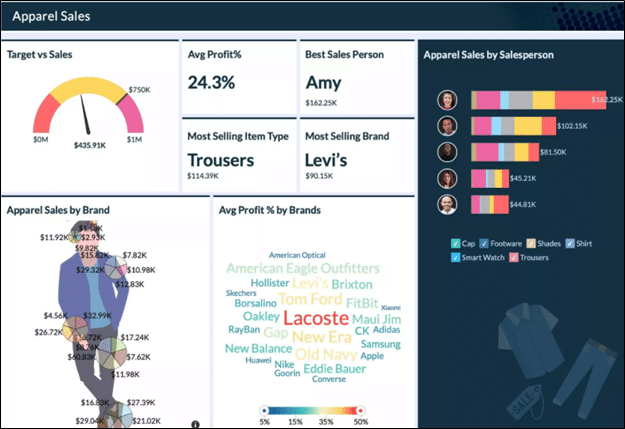
    Zoho Analytics 5.0 also includes more than 60 features such as client portal, tabbed dashboards, import templates, windowing and granularity functions, viewer mode, word cloud chart, custom image background charts, KPI dial widgets, night mode, among others.

    To read the full article, click here.

    Are you looking to implement Zoho Analytics in your business? Click here and sign up for a free trial of Zoho Analytics.

  • Zoho Launches Zoho Contracts

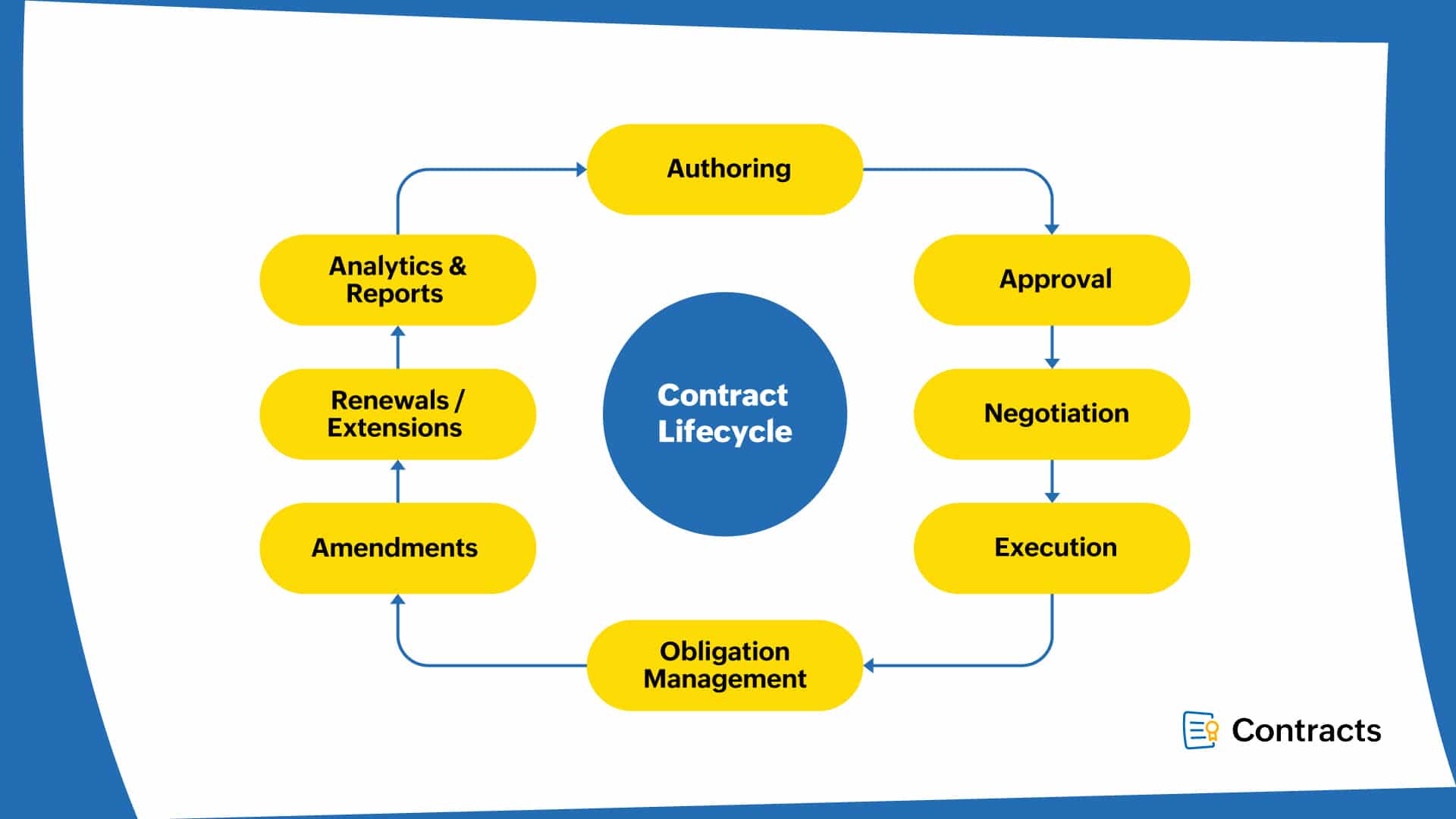
    Zoho Corporation has just added a new member to its family of business applications: Zoho Contracts, a Contract Lifecycle Management (CLM) software. This also adds legal as a new category to their offerings, which already include sales, marketing, finance, and human resources.

    Image via Zoho

    According to Zoho, what inspired to develop this CLM software is the fact that contracts are an integral part of businesses. “If businesses are equipped with the right contract management software to manage them, they can transform contracts from static documents into strategic assets,” stated the software company. Because regulatory measures, global supply chains, and sales models change rapidly in the business landscape, the India-based company identified an opportunity to create a CLM software that can keep up with such a fast-paced scenery.

    “This state of flux demands digital contracts that can be easily accessed and amended. A powerful contract management software lets you automate and streamline contract processes and unlock the real potential within them. With CLM, legal teams can save a significant amount of time that can then be invested in high-value tasks,” said Zoho.

    The objective of Zoho Contracts is to enable better business outcomes by streamlining the entire contract lifecycle, improving governance, mitigating business risks, and promoting cross-functional integrations. All these processes have easy functions to make it all happen. For example, one of the functions to improve governance is activity tracking. This allows the users to track all activities on three different levels: contract level, user level, and stage level (approval, negotiation, signature).

    Image via Zoho

    Another available feature in Zoho Contracts is a document editor that has advanced document assembly capabilities, plus all the collaborative editing, contextual commenting, and fillable field features available in Zoho Writer. Also, Zoho Contracts comes pre-integrated with Zoho Sign, a software for digital signatures. This has the purpose of speeding up that pivotal stage of the contract lifecycle without complications.

    For now, the first version of Zoho Contracts supports the integration with Zoho CRM, but the company has more Zoho and third-party integrations planned for the future. This includes adding it to the Zoho One bundle.

    To read the full article, click here.

    Are you interested in learning more about Zoho’s applications or implementing them in your business? Then reach out to us by clicking here. We’ll be happy to help!

  • Three Current CRM Trends for Better Engaging Your Customers

    Despite being a 30-year-old technology, the CRM (customer relationship management) industry keeps growing at an astonishing rate. It has proven to be the core of all companies, even more so during the pandemic. Using CRM software enables businesses to have 360-degree views of customers in real time. This allows to push customer experiences that are personal, in context, and trustworthy. To achieve that, check out the following CRM trends that can help you improve customer engagement:

    Image by Jenny Ueberberg via Unsplash

    Multichannel Engagement

    It’s been a while since customers have moved towards digital self-service for sales and to get customer service. There’s now a shift within that category: engagement is moving away from businesses’ websites and their digital channels to third-party, digital touchpoints like asynchronous messaging channels, voice apps, social media, and gaming consoles.

    A great case study for that is David’s Bridal. This retailer made $30,000 in sales with a chat system in the first couple of weeks after launch. Now, in 2021, companies are testing conversational commerce to achieve contextual engagement that is consistent over any touchpoint or channel, whether it’s owned or not.

    Customer Hyper-Personalization

    Because customers anticipate an engagement that’s tailored according to their preferences, context, history, and intent; they need to receive contents, connections, journeys, and offers that are extremely personal and made with cutting edge resources. These experiences are now being built by companies throughout slim channel sets and stages in the customers’ journeys. Information like buying indicators, social data, relationship graphs, demographics, and life events is now incorporated into those journeys. This is done with the purpose of deepening relationships with customers, stimulating loyalty, and engaging customers in a unique way.

    An Empowered Customer Frontline with Customer Data and Insights

    Two key elements in the success of a company are renewals and expansions, particularly in times of economic uncertainty. Therefore, companies must give special attention to adequate deployment, onboarding, and ongoing customer success to push predictable revenue.

    According to a survey by Forrester, the chief customer officer (CCO) will rise by being responsible for post-purchase activities, particularly at B2B companies. 59% of the CCOs interviewed by Forrester stated that revenue growth is a high or essential business priority. Because the lines of CRM technologies, customer success, and onboarding are now blurring, this will deliver a better view to all frontline staffs of the customer’s value to the company and qualities that influence a stir. So, democratized customer data and insights will be available when and where any frontline employee needs them, like in office productivity tools or collaborative workspaces. Moreover, there will be an arise of new CRM licensing models that center on software consumption.

    To read the full article, click here.

    Do you need help with your Zoho CRM or are you considering implementing it in your business? Then click here and sign up for a Zoho CRM trial.

  • Technology Will Play an Important Role in Reactivating Tourism

    As we’ve already seen, the pandemic has affected many industries, with tourism experiencing a huge impact. Cancellations of national and international flights, massive events postponed because of mobility restrictions, and restaurants closing were some of the factors that affected growth and productivity in the tourism industry.

    Image by Ketut Subiyanto via Pexels

    “When the crisis landed in concrete examples, we found that all the airline companies showed major financial setbacks boosted by the strict health measures and fear of people using their services, mostly. For example, Latam Airlines registered net losses of $4,545 million dollars in the last year, which confirms the strong impact of the pandemic,” said Raju Vegesna, Chief Evangelist at Zoho Corporation.

    Therefore, the industry’s worries are more than valid. According to the World Travel & Tourism Council, the tourism sector represents 10.4% of the global economic growth and it generates about 319 million job openings, which is equivalent to 10% of employment in the world.

    To achieve a strong comeback from the tourism industry, it is necessary to strengthen the implementation of new technologies to reduce the risks that still remain, offer more trust to travelers, and optimize the travel experience in its entirety with high-end technologies, like the ones disclosed below.

    Contactless Systems

    What used to be a mere novelty has now become a necessity. It is recommended to avoid that tourists have any physical contact with all kinds of devices, like touchscreens, payment terminals, or computers for registration. To accomplish that, digital platforms in the cloud can be implemented to allow travelers to get self-services for all the operations through apps or QR codes. Other key digital services are hotel bookings and flights that guarantee the required capacity.

    CRM Platforms

    When reactivating tourism, it’ll be imperative to have CRM (Customer Relationship Management) platforms to identify in a deeper way the consumer patterns of customers to anticipate their needs, with the purpose of elaborating strategies to diversify and supplement services. This will allow to learn the users’ requirements and to offer them customized experiences based on their needs.

    Apps for Commercial Operations Management

    It must be kept in mind that the wellbeing of the work staff is essential for a company’s productivity. Nowadays, technology and app integrations allow the industry to monitor the workers’ health with the purpose of avoiding future infections of COVID-19.

    “History has demonstrated that after crisis periods, new phases of sustained growth arrive. I’m sure that reactivating tourism will be a reality, as long as growth routes are designed with technology opportunities as a central axis,” added Vegesna.

    To read the full article, click here.

    Are you considering implementing Zoho CRM in your business? Then click here and sign up for a free trial of Zoho CRM.

  • Zoho MarketingHub Gets Rebranded as Zoho Marketing Automation

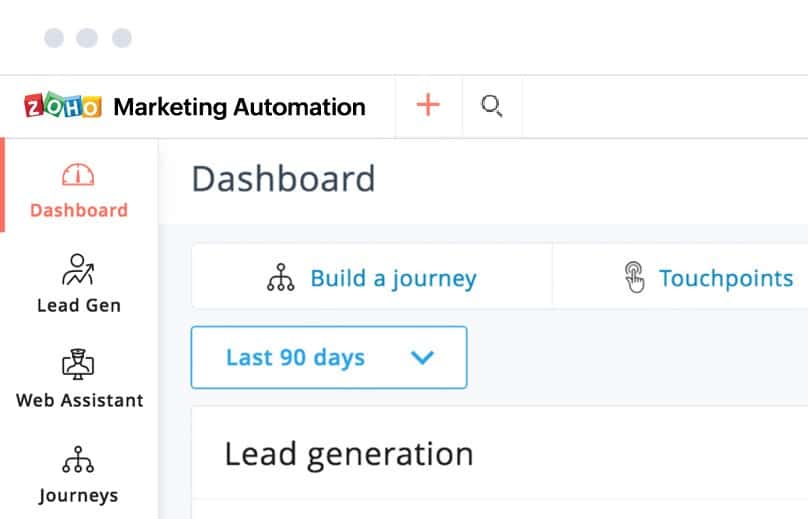
    Zoho Corporation has taken the decision to rebrand Zoho MarketingHub, one of their most popular applications, as Zoho Marketing Automation, for “better global recognition and connection.”

    Image via Zoho

    In a written statement, Zoho highlighted that their marketing app’s stance will remain unchanged by keeping the “same vision, mission, and values.” They also stated the following:

    “Zoho Marketing Automation is still an all-in-one marketing automation software with the functionalities of distinct marketing tools providing a seamless multichannel experience.”

    Zoho also assures their customers that their quality and functionality will not be affected, and they advise anyone who is using the Zoho Marketing Automation WordPress plugin to update it. Meanwhile, all other automations and integrations will be intact.

    However, this one is just the first one of big changes that will occur to the product, which includes “new and refined features” that will be announced soon.

    To read the full article, click here.

    Are you looking to implement Zoho Marketing Automation or other tools that can help your marketing efforts? Then click here to learn more.

This site is registered on wpml.org as a development site. Switch to a production site key to remove this banner.