Welcome to our update, where you’ll stay up to date with the latest Zoho news in one place!
- Zoho CRM gets a revamp with AI, WhatsApp in Cadences, export improvements, and the new CommandCenter 2.0
- User-based calendars, issue rules, and automation improvements in Zoho Projects Q3 2025 update
- Zoho FSM and Zoho CRM: key integration to connect field and sales teams seamlessly
- New billing, reconciliation, and reporting features arrive in October to Zoho Books
- Audio call support in the classic widget ends in December 2025 in Zoho SalesIQ
- Webinars on Desk, CRM and Books
Zoho CRM gets a revamp with AI, WhatsApp in Cadences, export improvements, and the new CommandCenter 2.0
Zoho released its Q3 update for CRM 2025 with significant improvements to optimize workflows, automations, and user experience.
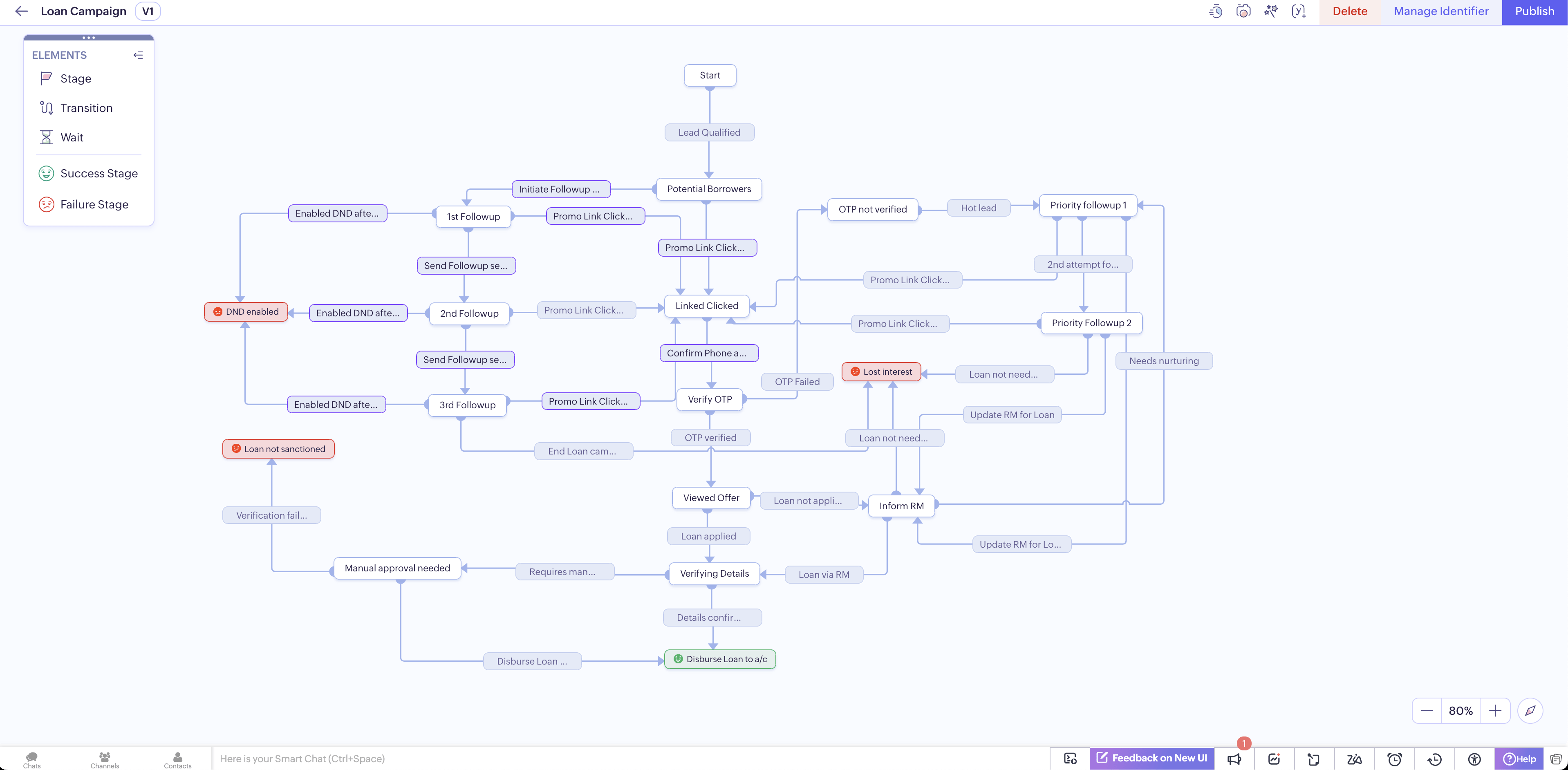
1. CommandCenter 2.0
- Redesigned interface and more intuitive controls.
- “Stages” (formerly “states”) are no longer limited to a module; you can move records between stages using signals that capture events from various sources.
(image via Zoho)
- Identifiers allow dynamic linking of records throughout the customer journey.
- Transitions based on SLAs, retroactive actions, and clear goal definitions for each journey.
- “End stages” can be tagged with sentiment (positive, negative, neutral) for additional context.
2. Canvas Improvements
- New grid component for automatically aligning data without needing to drag manually.
- Ability to define breakpoints for adapting layout to different screen sizes.
- Set Tab focus direction in custom views to navigate fields logically.
3. Cadences with WhatsApp support and new limits
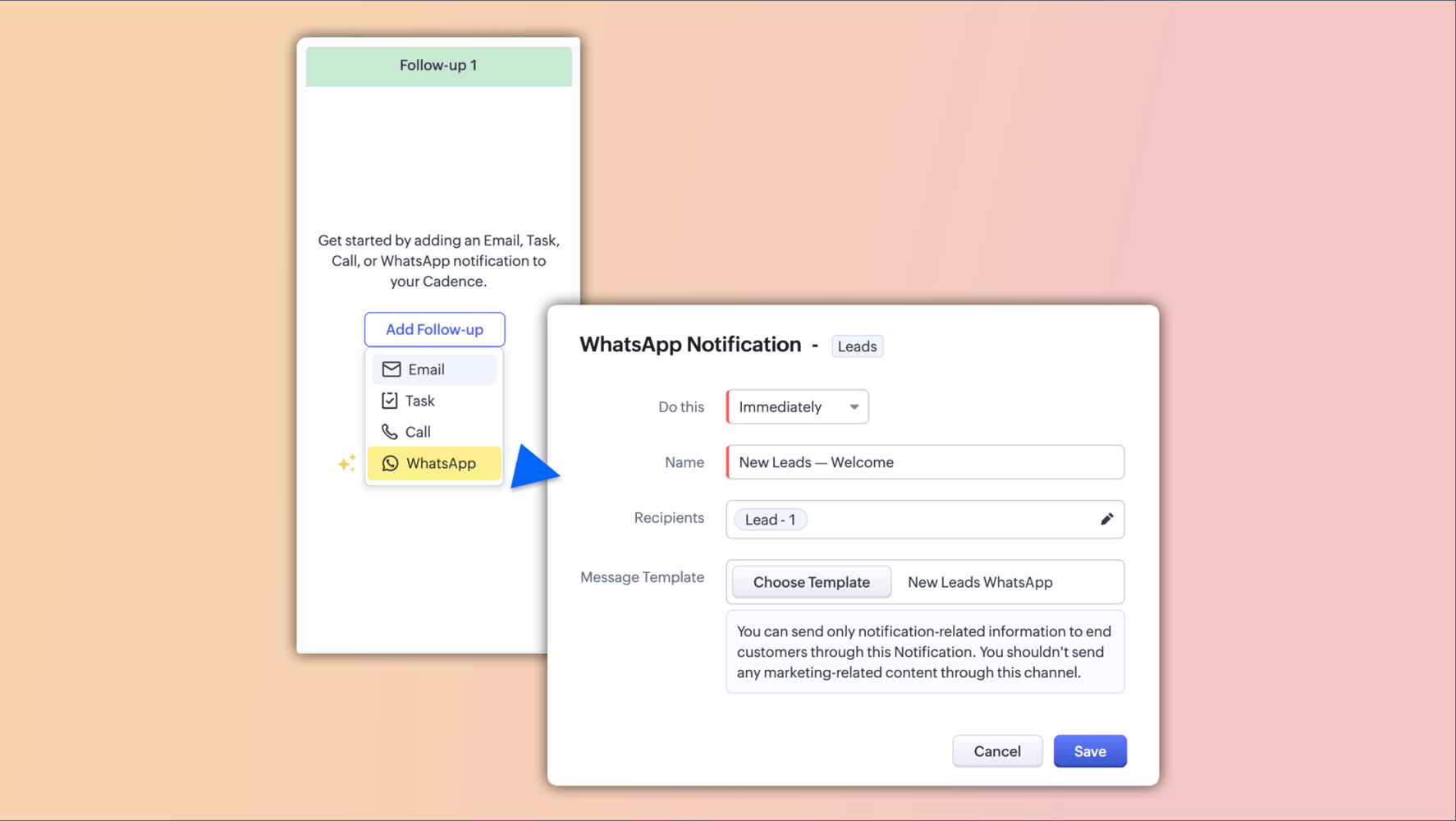
- You can now include WhatsApp follow-up steps within your cadences.
(image via Zoho)
(image via Zoho)
- Automatic control of record progression or exit depending on whether the message was delivered or failed.
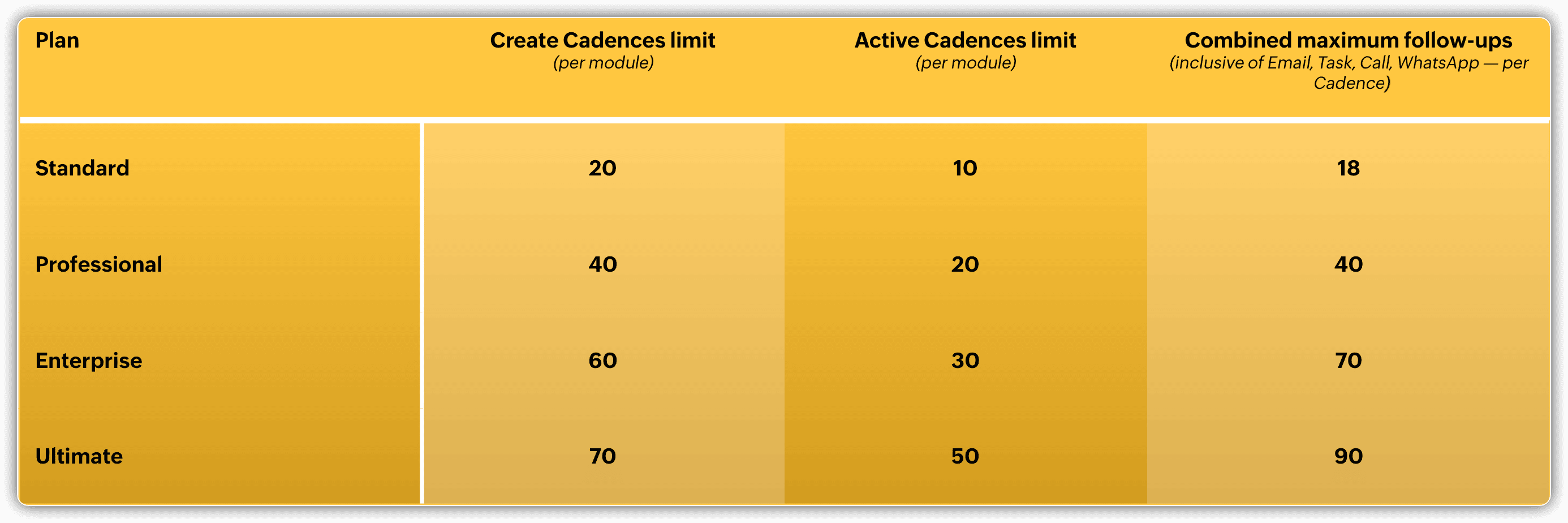
- New follow-up limits: no more per-type limits, now a more flexible overall total.
4. Scoring and prioritization with enhanced AI
- Unified experience for setting up manual and automated (Zia) scoring rules in one place.
- New parameters: intent signals, sentiment, and emotion — integrating Voice of the Customer (VoC) factors.
- Different score types: lead health, engagement, attributes, conversions.
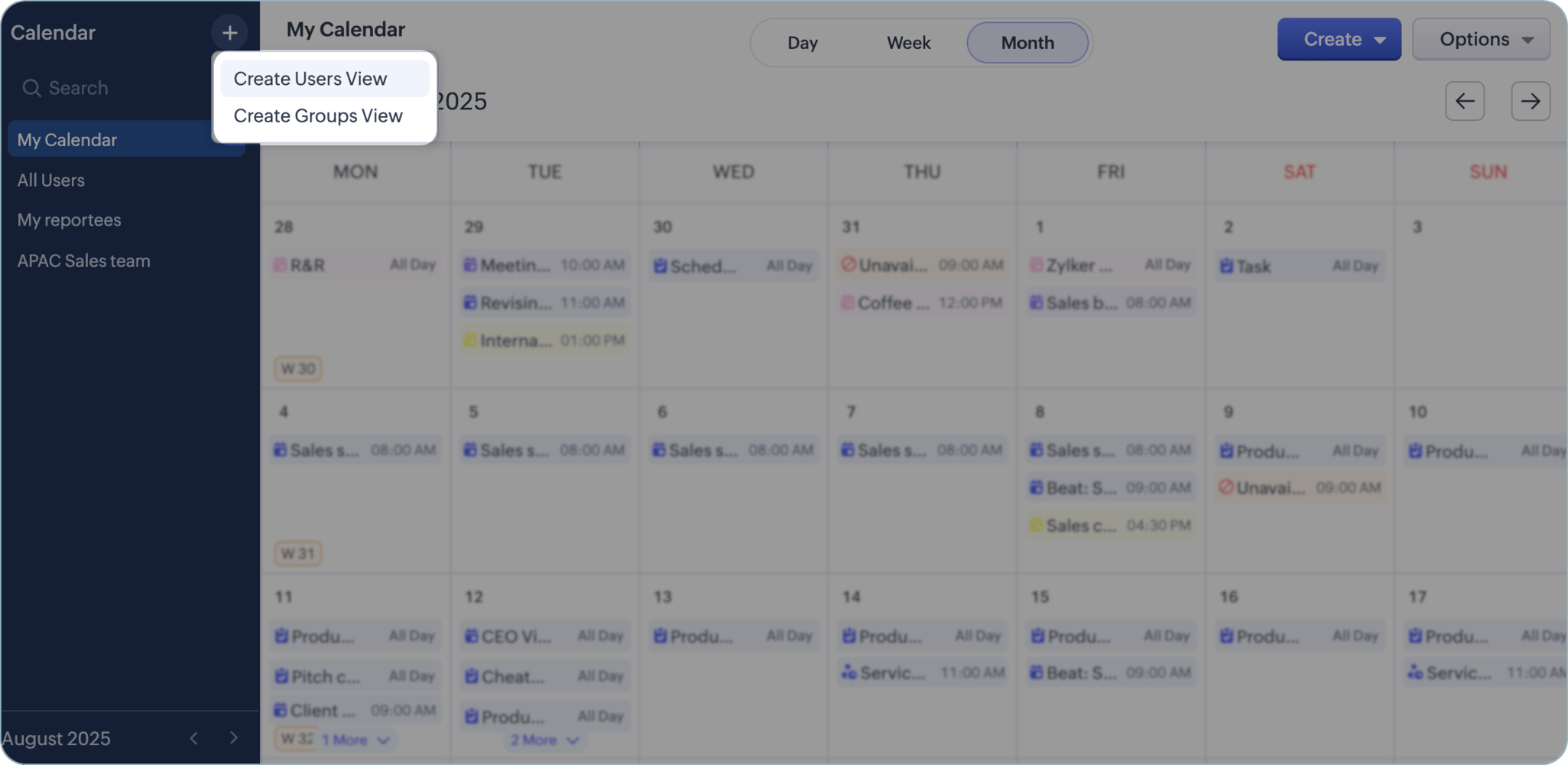
5. Redesigned Calendars
- Individual and group views, distinctive icons for activity types, clearer organization.
(image via Zoho)
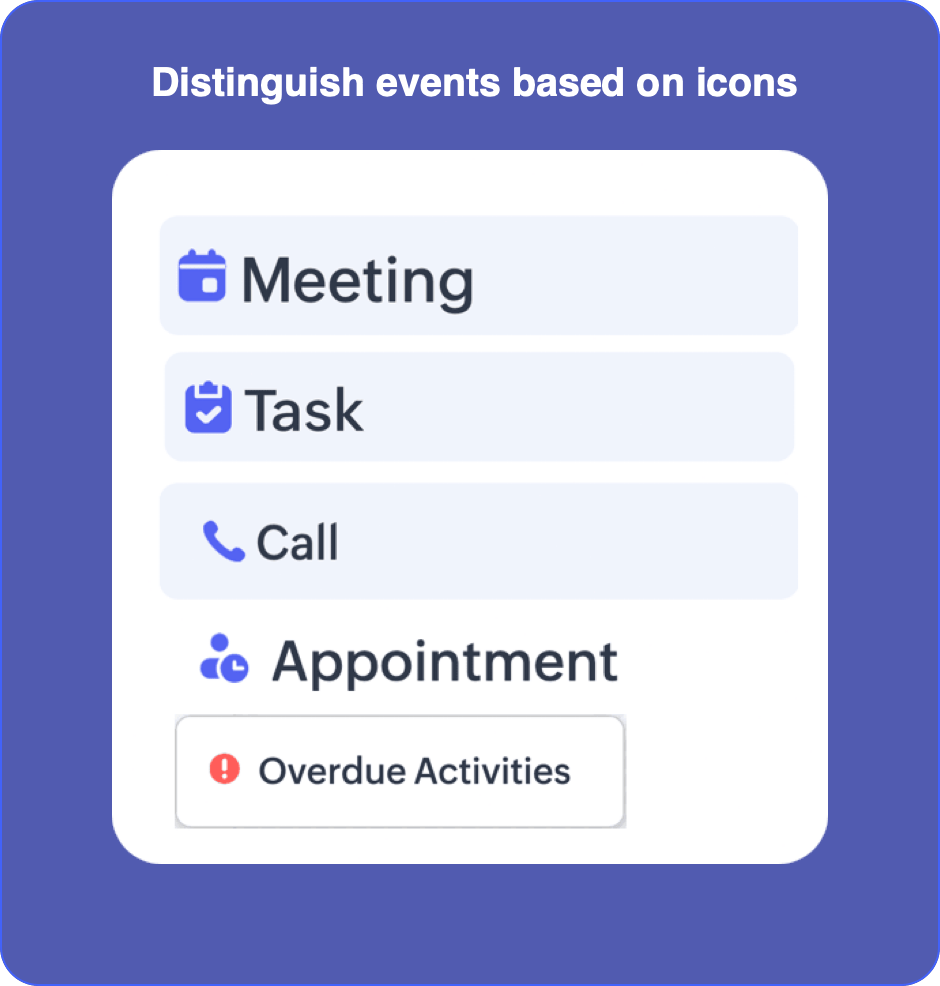
(image via Zoho)
- Week labels, simplified views when many activities are present, and integrated search.
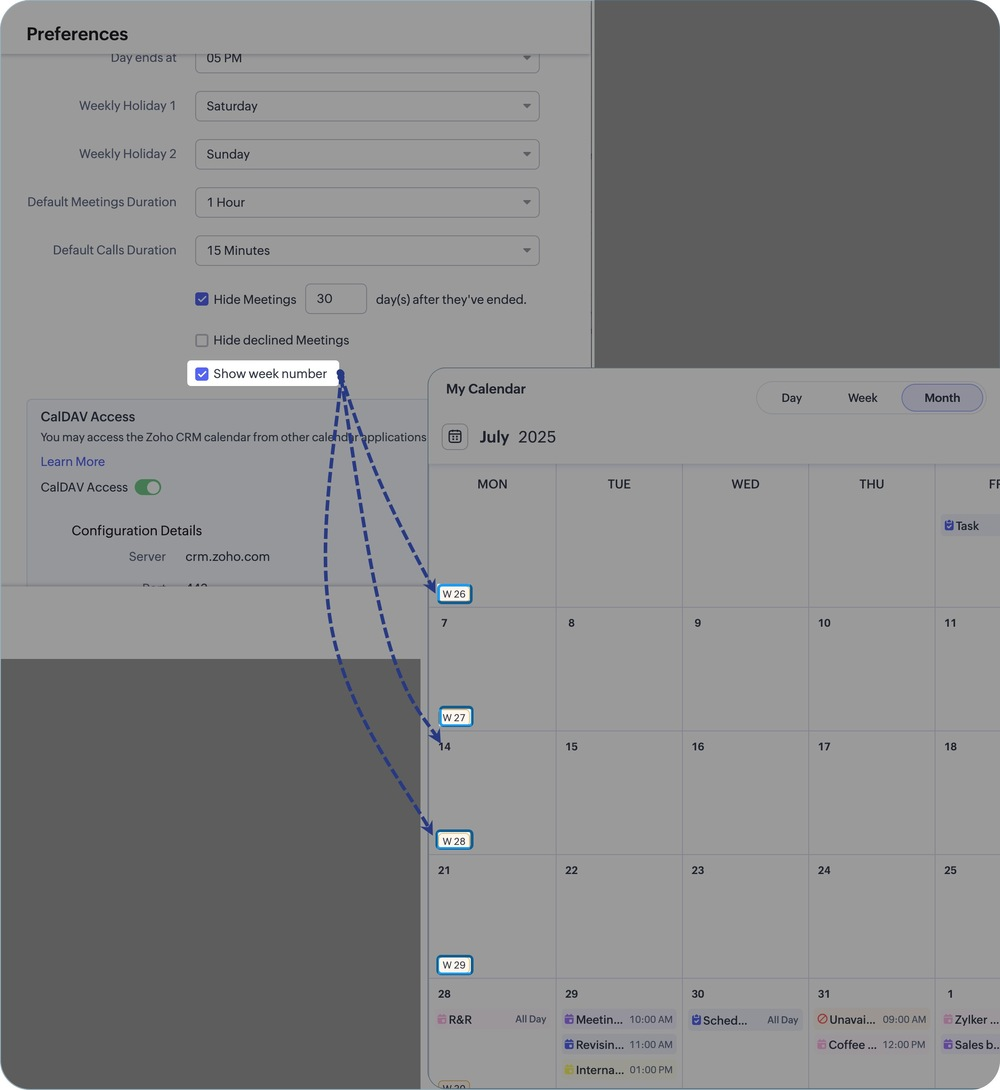
(image via Zoho)
6. More Controlled Exports
- Export available in XLSX (up to 50,000 records) in addition to CSV.
- Ability to choose character encoding in CSV.
- Option to exclude record ID or select specific records when exporting.
7. Visibility Control for Interactions / Timeline
- You can now define by profile who can view interaction history and activities.
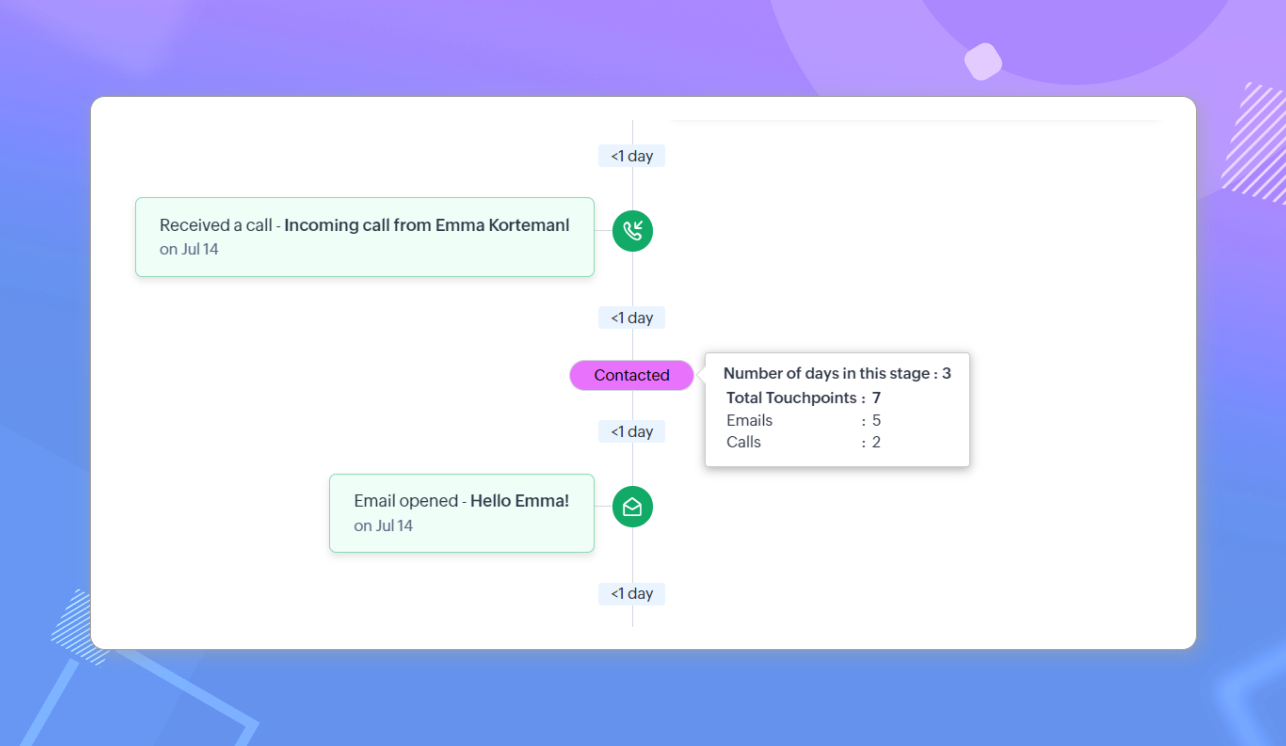
(image via Zoho)
8. Integration with Outlook / Office 365 via Graph API
- New integration based on Microsoft Graph API, more secure and future-ready.
- Maintains compatibility with IMAP/POP, but designed for a more modern ecosystem.
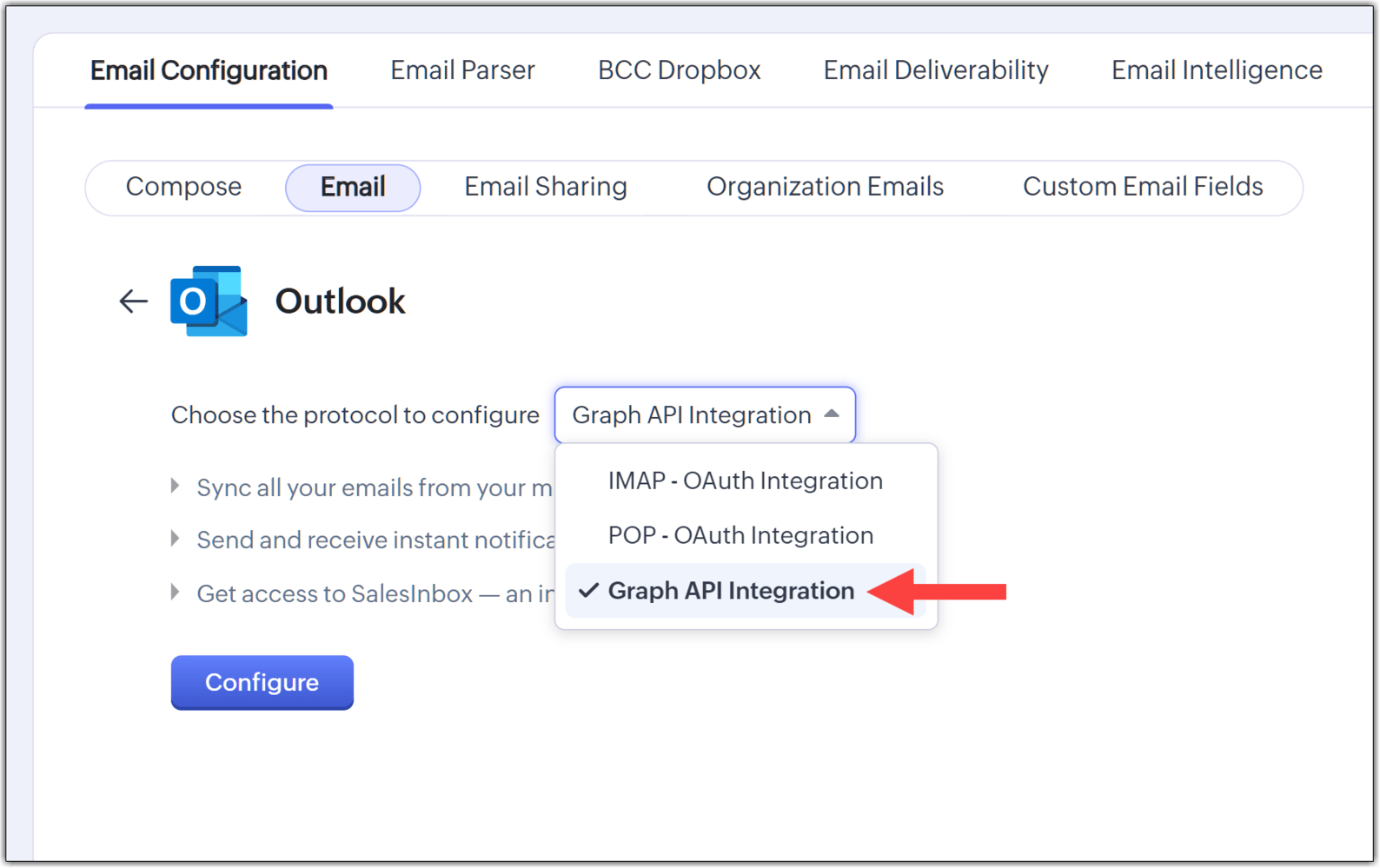
(image via Zoho)
User-based calendars, issue rules, and automation improvements in Zoho Projects Q3 2025 update
Zoho Projects highlights its most important updates from Q3 — don’t miss them!
User‑based Calendar
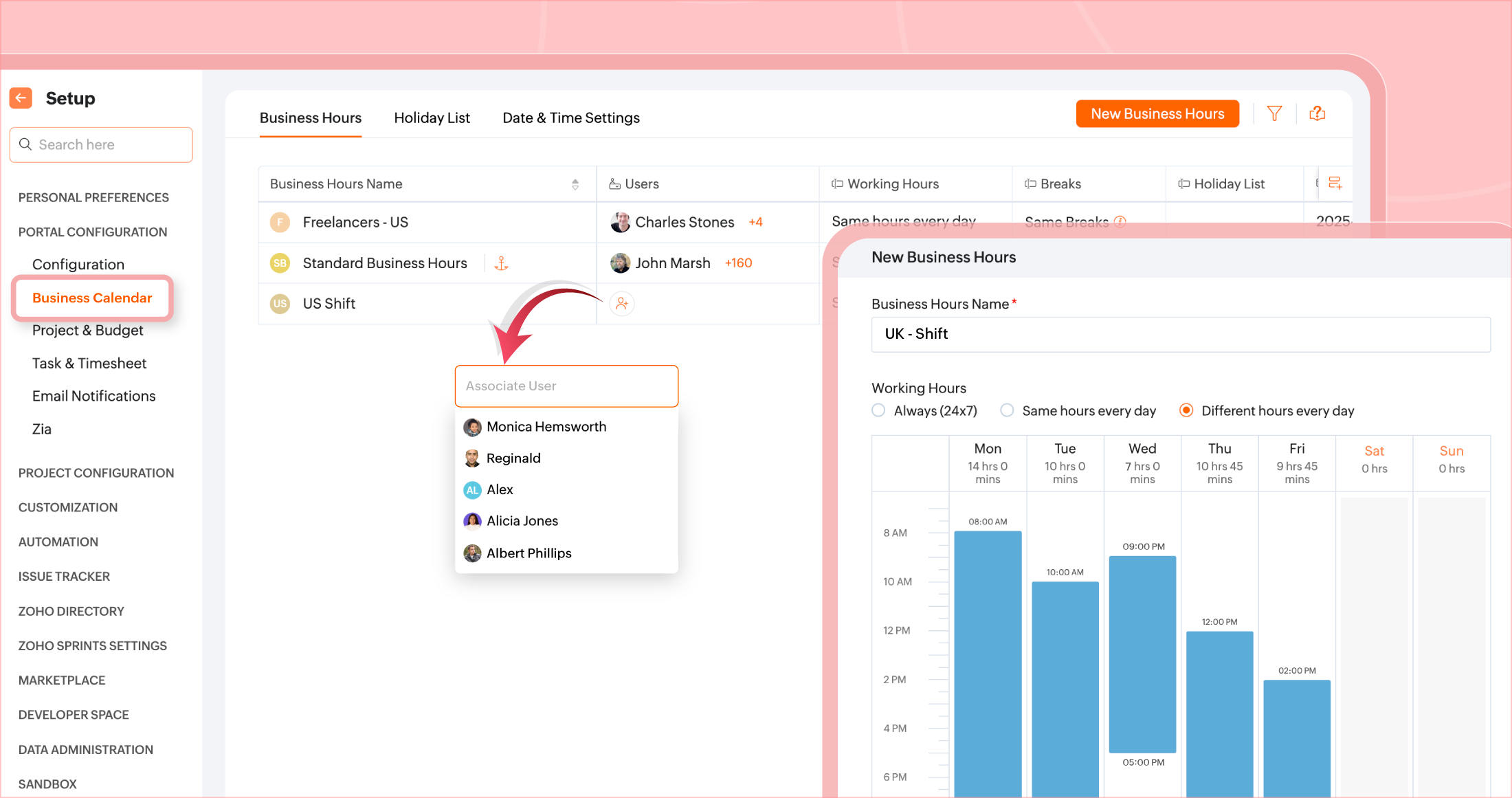
Different business calendars can be set for each user depending on their location. Additionally, each user can configure their break hours for better time management.
(image via Zoho)
Layout Rules for issues
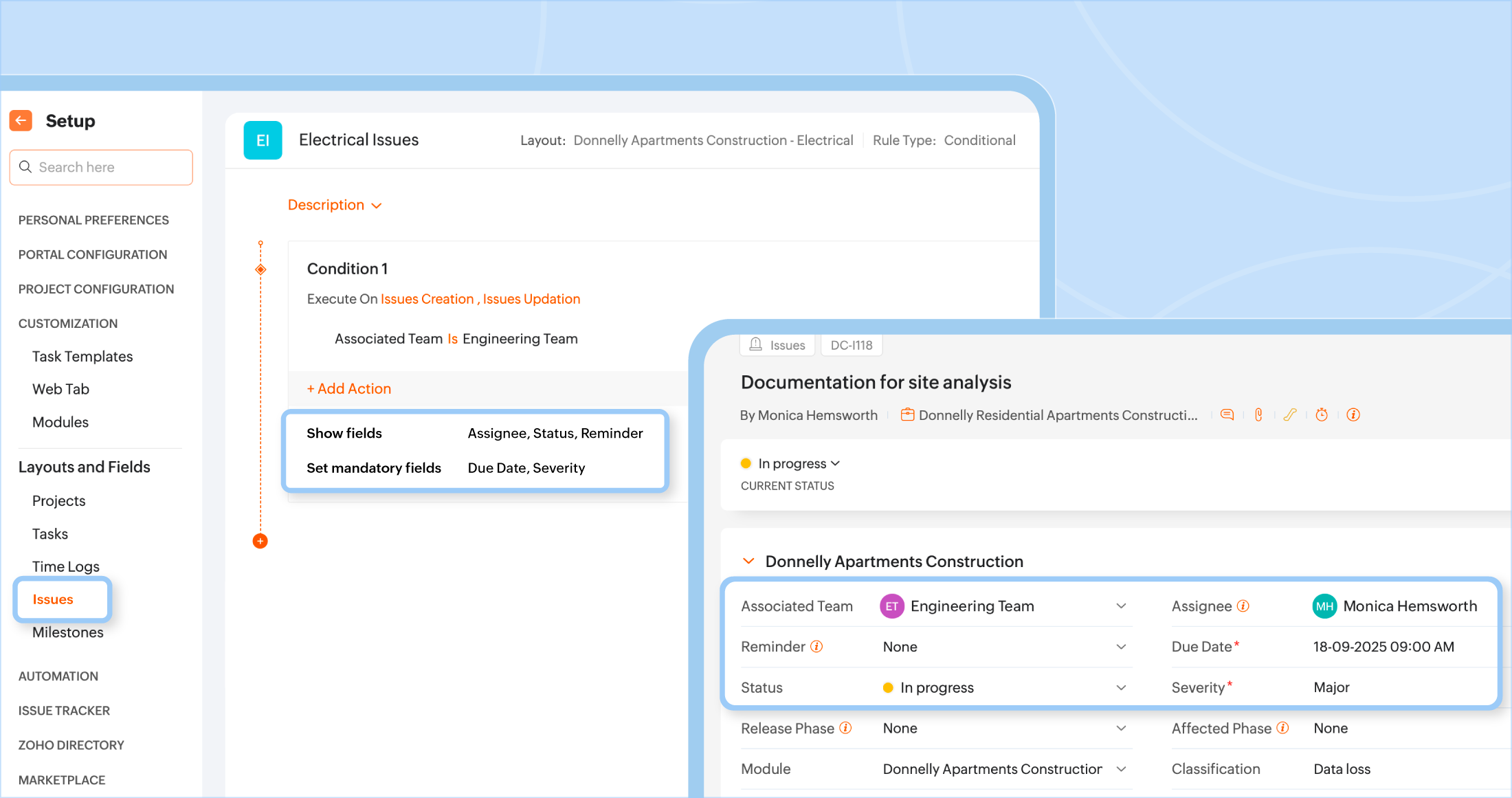
Issue fields can now be shown or hidden based on conditions tied to other field values. This allows for more dynamic and relevant interfaces.
(image via Zoho)
Quarter Day Time Off
New option to request time off in quarter-day increments (first, second, third, or fourth quarter).
Recycle Bin for all modules
Projects, tasks, issues, milestones, templates, task lists, etc. can be moved to trash and recovered within 30 days.
Specific filters in Time Logs
The time sheets module (now renamed Time Logs) allows filtering entries by task, issue, or general logs.
Color coding by module
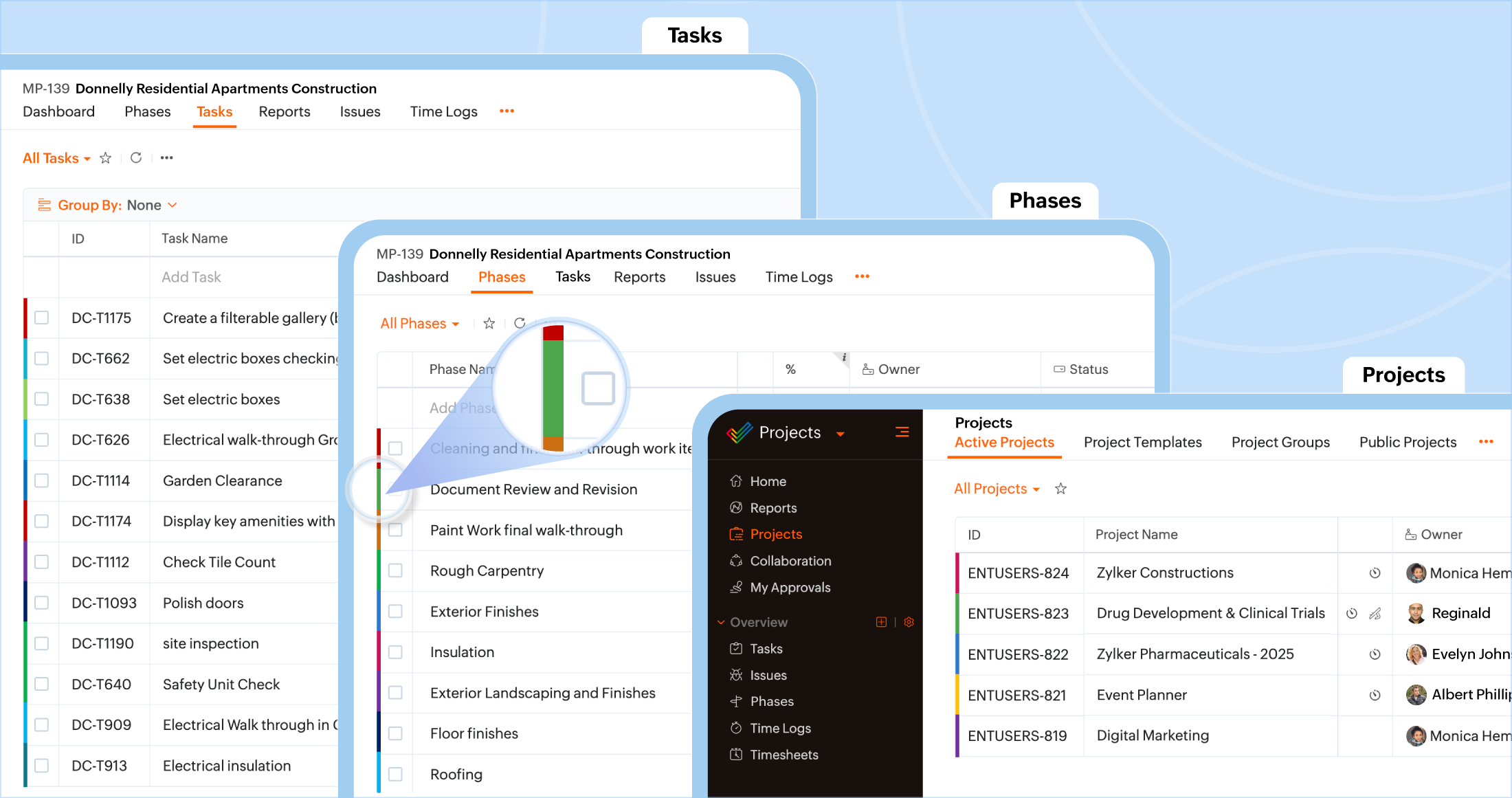
Different colors can be assigned to each module (Projects, Tasks, Phases, Task Lists) for quicker visual identification.
(image via Zoho)
Export of Issues and Phases
Project issues and phases can now be exported manually or on a schedule based on custom intervals.
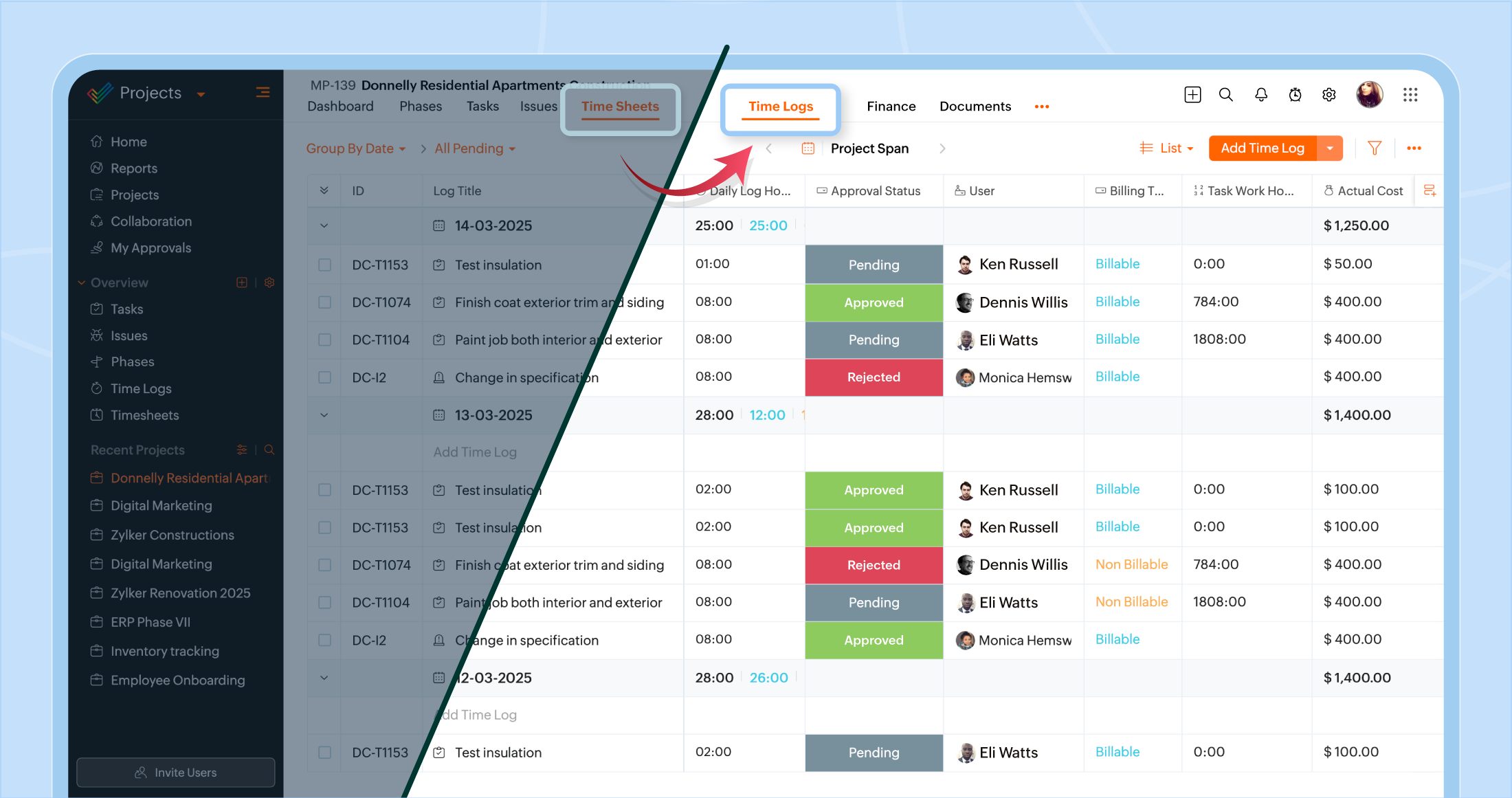
Renaming: Timesheets → Time Logs
The functionality remains the same, only the name has changed. Tracks hours worked on tasks or issues during the day.
(image via Zoho)
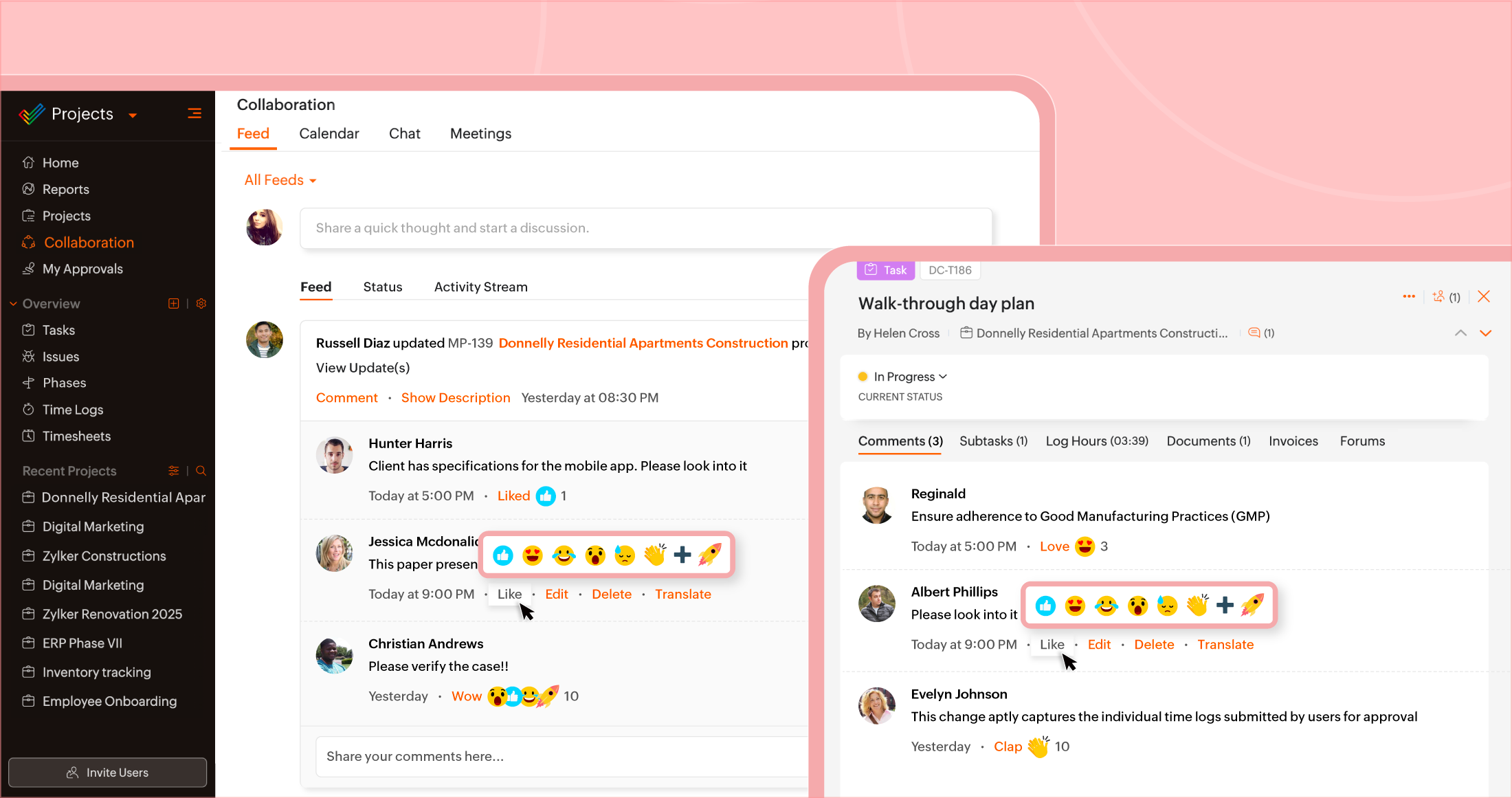
Comment Reactions
Comments now support emoji reactions (like thumbs up, surprise, etc.) to express yourself without needing to type a reply.
(image via Zoho)
Task Grouping
Tasks can now be grouped using default or custom fields to display more organized and filtered structures.
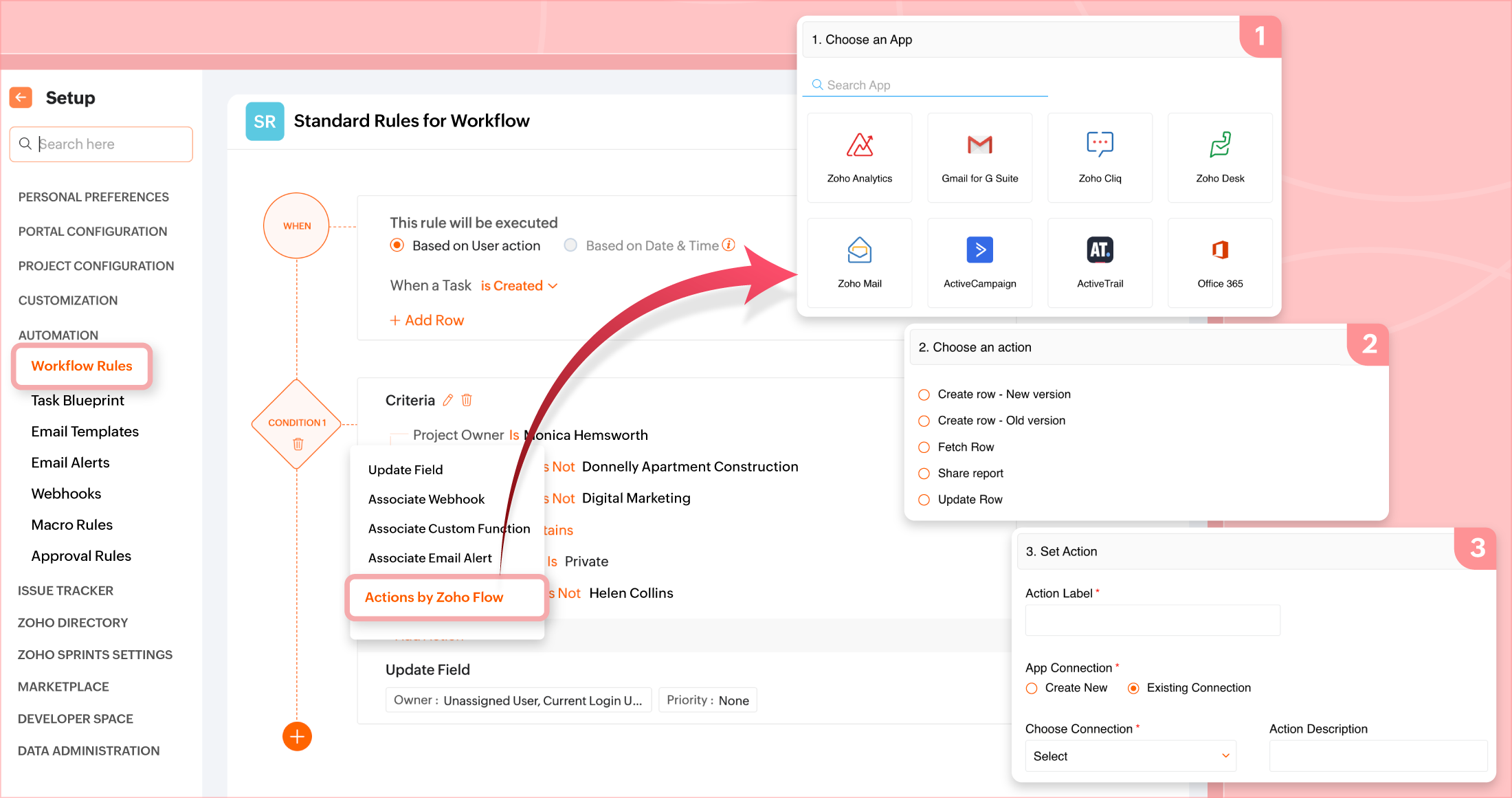
Integration with Zoho Flow
Workflow rules or blueprints can now include Zoho Flow actions to connect tasks/projects with external apps and automate more complex processes.
(image via Zoho)
Reusable task lists in project templates
You can now add task lists from an existing project directly to the template of another project.
Long URL field
In addition to the short URL field, a long URL field is now supported (up to 1000 characters), and short URLs can be converted to long ones.
Zoho FSM and Zoho CRM: key integration to connect field and sales teams seamlessly
Zoho has announced a direct integration between Zoho FSM (Field Service Management) and Zoho CRM, designed to close the gap between sales and field service teams, enhancing the customer experience holistically.
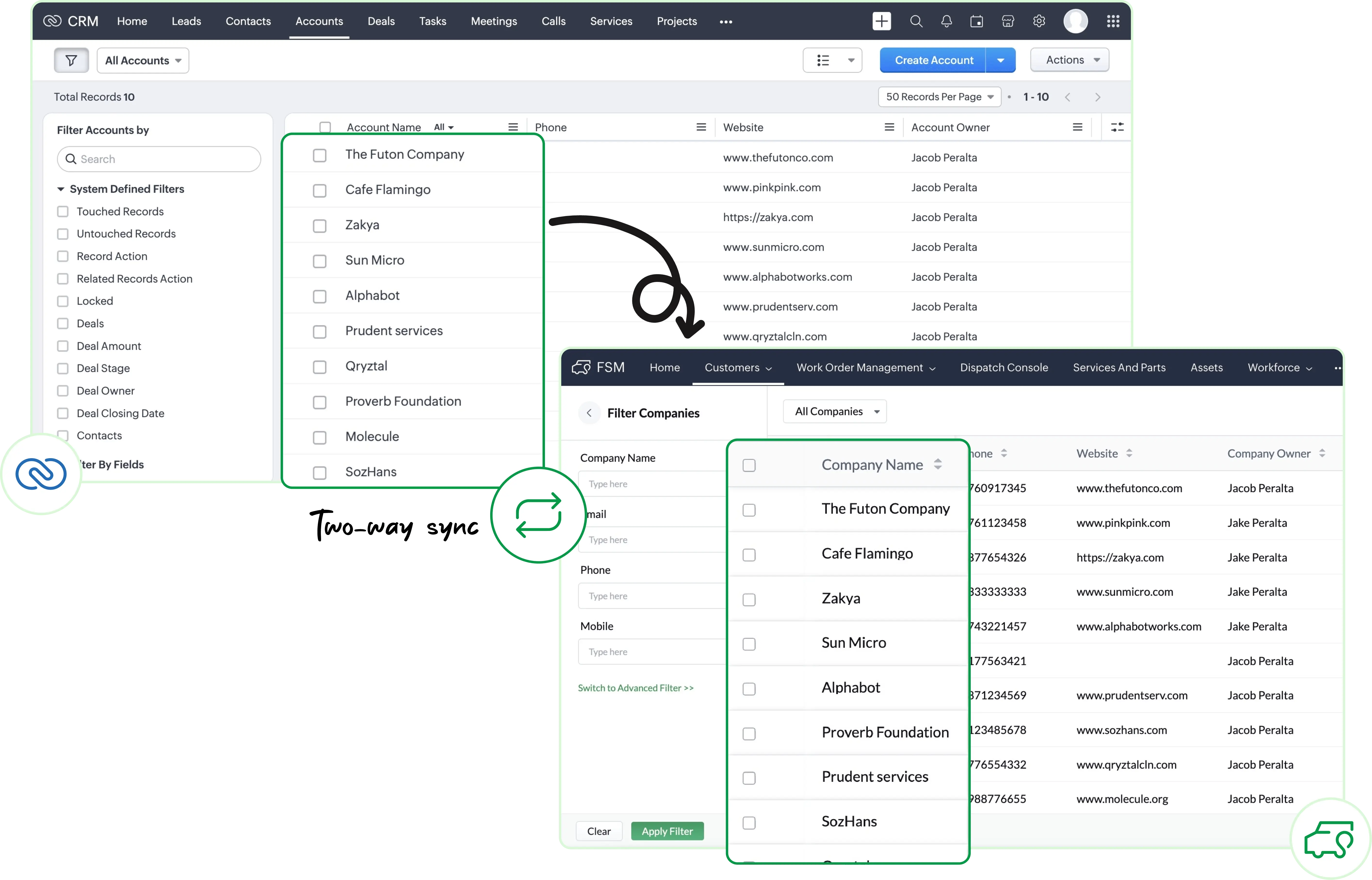
Key data synchronization
Accounts, Contacts, and Products modules are automatically synced between CRM and FSM, eliminating duplicate work and ensuring consistency.
Access service history from CRM
You can now view service requests, work orders, estimates, and scheduled appointments directly in Zoho CRM, linked to each customer. This gives sales teams full visibility into post-sale support status.
(image via Zoho)
Seamless conversion between modules
Deals in CRM can be easily converted into service records in FSM — from requests to work orders. You can also convert products into assets, allowing you to track them via FSM’s maintenance module.
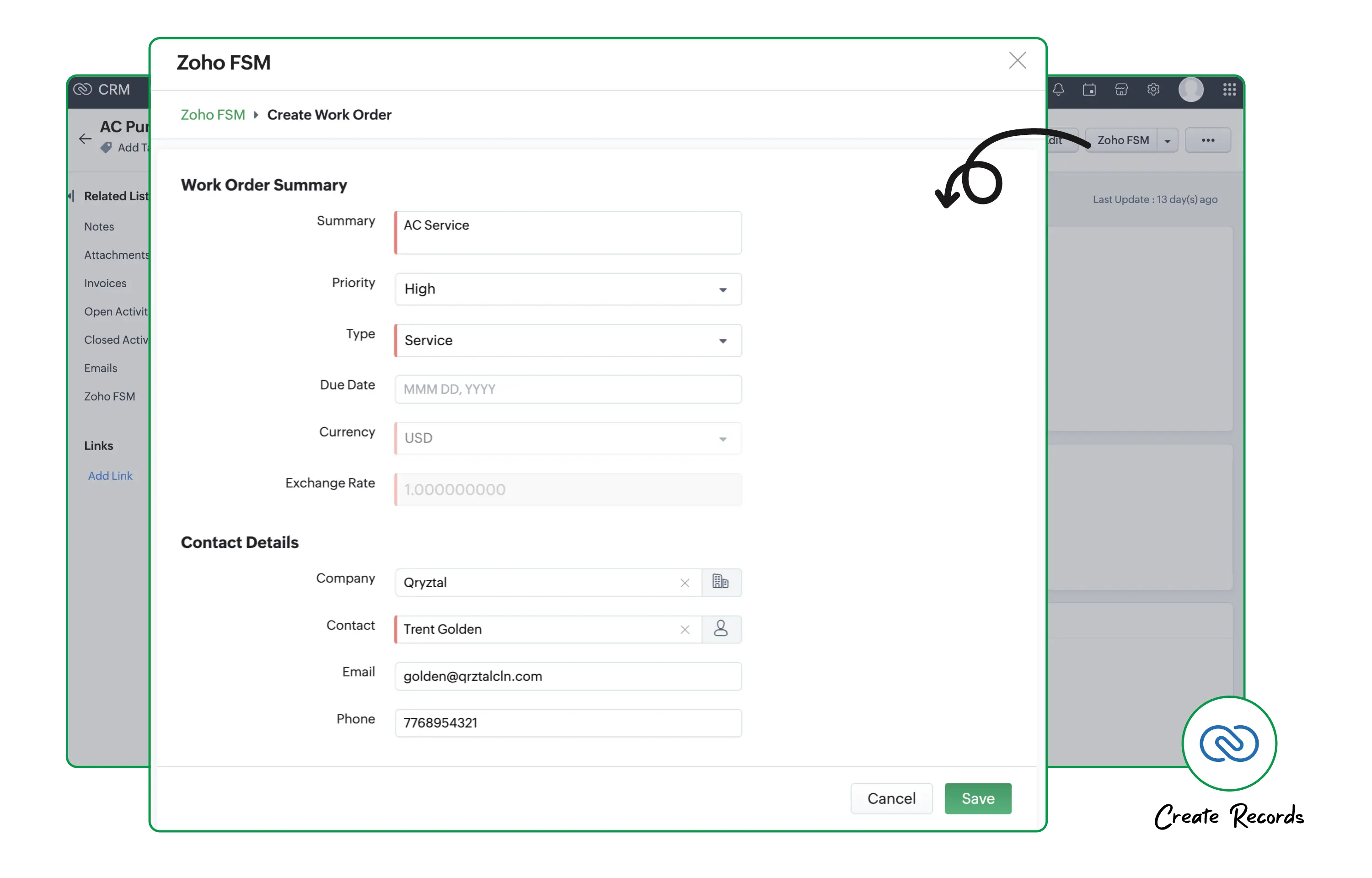
Actions from one place
From within CRM, you can not only view but also create new FSM records related to a customer, without leaving the sales environment.
(image via Zoho)
A more integrated customer experience
With this integration, sales teams have access to service status, and technicians are aware of the customer’s previous context — enabling a more collaborative and personalized approach.
New billing, reconciliation, and reporting features arrive in October to Zoho Books
Zoho Books launched key new features this month to enhance the accounting, visual, and operational experience:
Support for Apple devices
Full support for iOS 26, iPadOS 26, macOS 26, and watchOS 26.
WebForms
You can now create web forms connected to custom modules to collect information from internal or external users.
Payment statuses
New statuses added: Draft, Paid, and Cancelled — visible in views, searches, and reports.
Invoice cancellation and correction (France edition)
Allows you to void erroneous invoices and automatically generate new ones.
Graphical report display
Available in Australia and Europe instances.
Bank integration (UK)
Direct feeds via Token.io, with no limit on PayPal accounts.
Cloning custom reports
Duplicate and edit existing reports easily.
PDF file name customization
Define prefixes, suffixes, and dynamic variables in file names.
Zoho Inventory improvements (add-on)
More complete bulk update, replenishment preferences, visible bin stock, fast serial entry, and more.
Useful extras
Attach files to custom modules, location lookup fields, image fields, and new limits on check payments (UK).
Audio call support in the classic widget ends in December 2025 in Zoho SalesIQ
Zoho announced that as of December 31, 2025, support for audio calls in the old Live Chat widget will be discontinued.
This is a mandatory action for those still using the older version of the widget, as after this date, the voice call functionality will no longer be available.
It is recommended to upgrade to the new SalesIQ Live Chat widget to continue using audio calls and avoid interruptions to that support channel.

Leave a Reply