Welcome to our update, where you’ll find the latest Zoho news all in one place!
- Zoho Analytics introduces Q3 2025 product updates
- Effortless timesheet approvals: new multilevel rules in Zoho Projects
- Zoho CRM extends timeline: now supports API updates and module uploads
- Write clearer recruitment notes with Zia AI in Zoho Recruit
- Zoho Desk now allows data export with advanced and fully customizable options
- Webinars on CRM, IOT and Desk
Zoho Analytics introduces Q3 2025 product updates
Zoho Analytics introduces key new features in its Q3 2025 update. These enhancements are designed to empower decision-making, optimize data preparation, and deliver an even more integrated analytics experience.
Ask Zia is now a comprehensive conversational agent
Ask Zia is now a more powerful analytics assistant: it enables you to build and automate data pipelines, generate smart visualizations, and offer suggestions based on automatic diagnostics—all through natural language, with no need for coding. It can now be embedded in other environments and supports advanced customization via the new MCP Server.
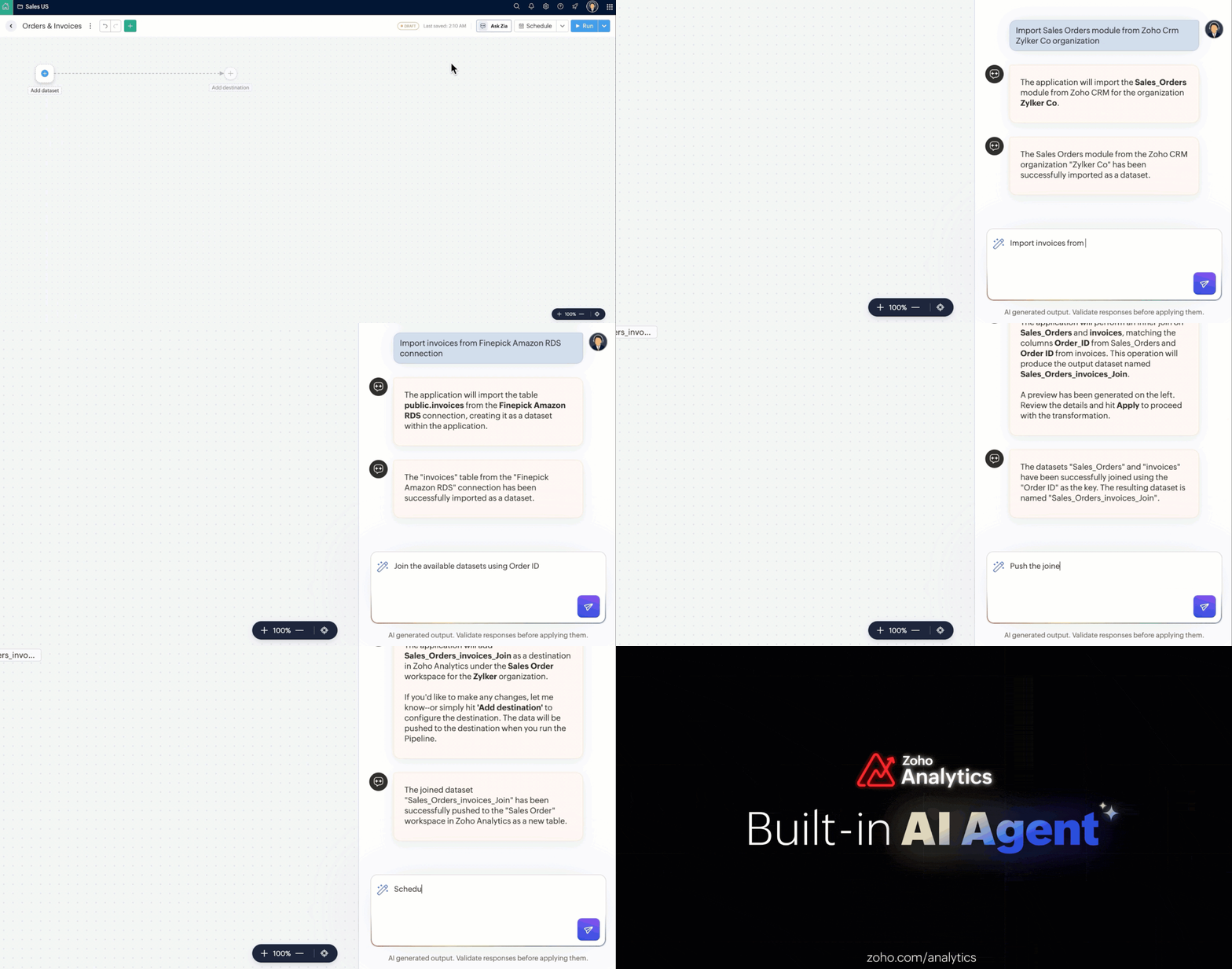
(image via Zoho)
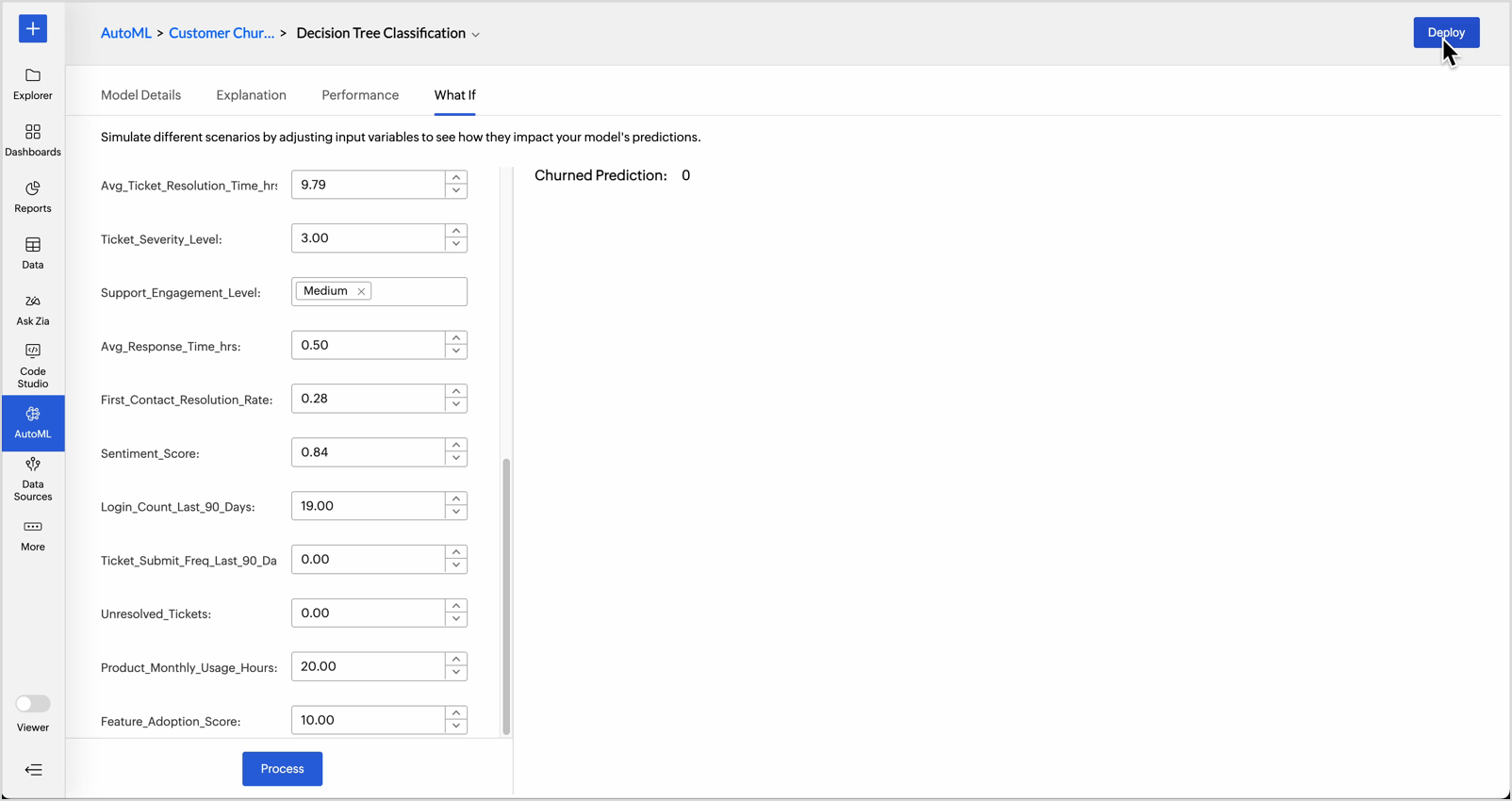
What-if simulations in AutoML
You can now test different scenarios by adjusting key variables and see how they impact the model results—without needing to retrain it. A key tool for anticipating critical decisions with greater accuracy.
(image via Zoho)
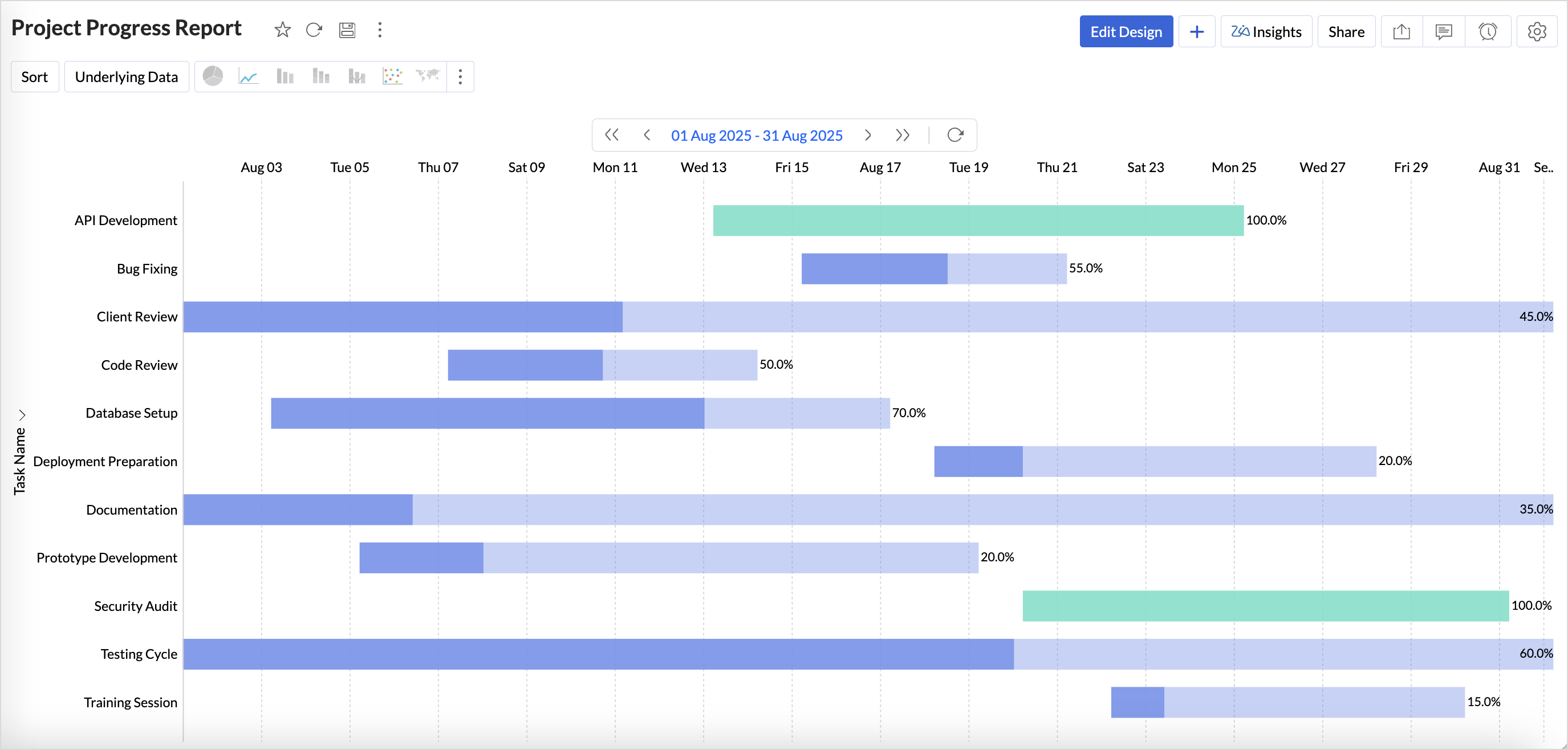
New visualization type: Gantt chart
Ideal for monitoring project progress, this visualization clearly displays tasks, dependencies, and progress in a visual way. Includes status-based customization and enhanced aesthetics.
(image via Zoho)
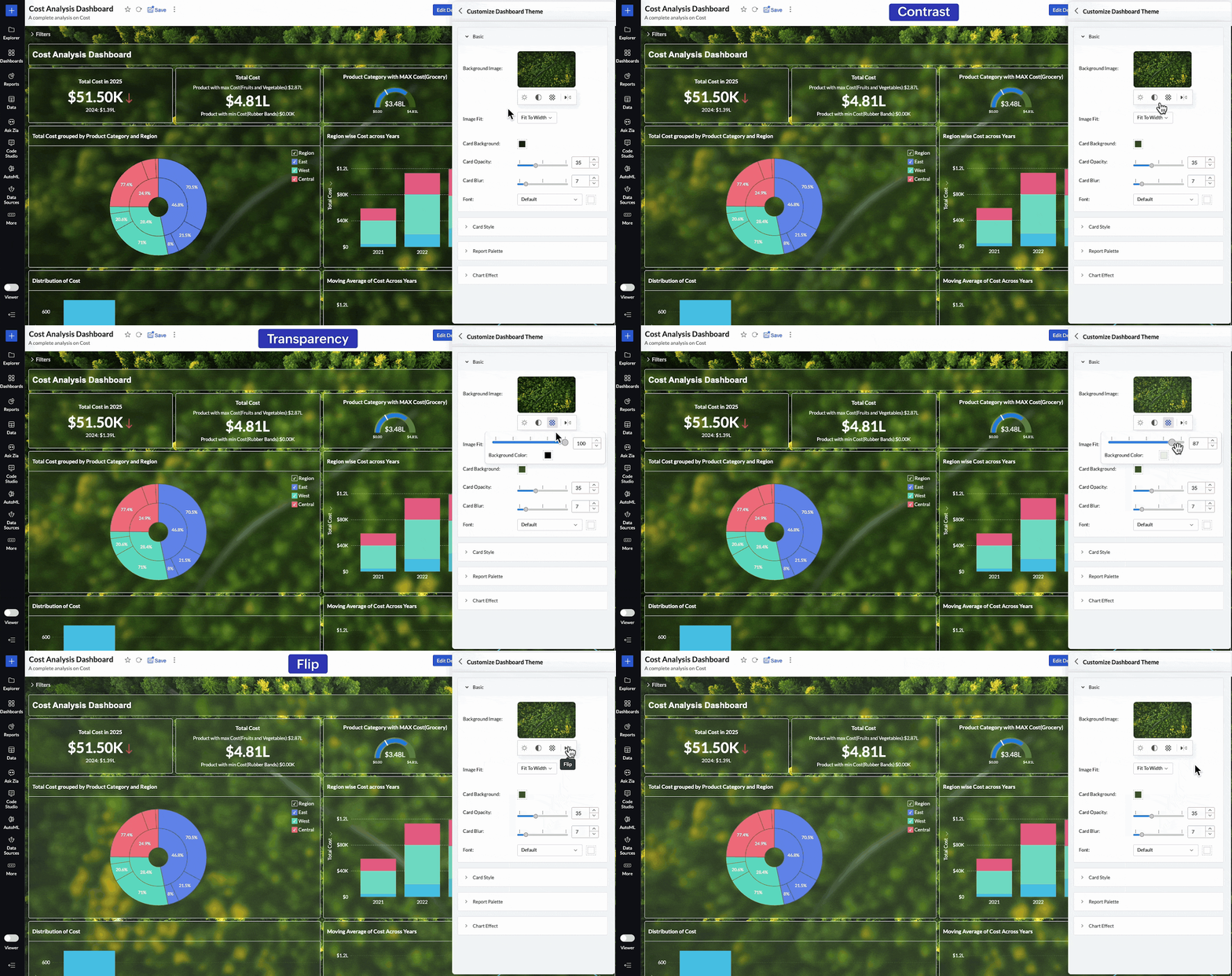
More personalized dashboards
You can now adjust background images in dashboards—control brightness, contrast, opacity, and orientation to match your organization’s visual identity.
(image via Zoho)
Access control via invitations
User management improves with a new invitation-based model. You can invite collaborators from general settings, the workspace, or directly when sharing a report.
Increased data connectivity
Zoho Databridge now supports a wider range of file types, including Excel, JSON, and statistical formats.
It adds compatibility with Parquet and Avro files.
For more complex environments, it now supports NoSQL databases like Apache Cassandra, simplifying the analysis of hierarchical structures.
Mobile app with access traceability
From the Zoho Analytics app, you can now see which users have viewed specific reports and dashboards. A key improvement for traceability, security, and usage control.
Effortless timesheet approvals: new multilevel rules in Zoho Projects
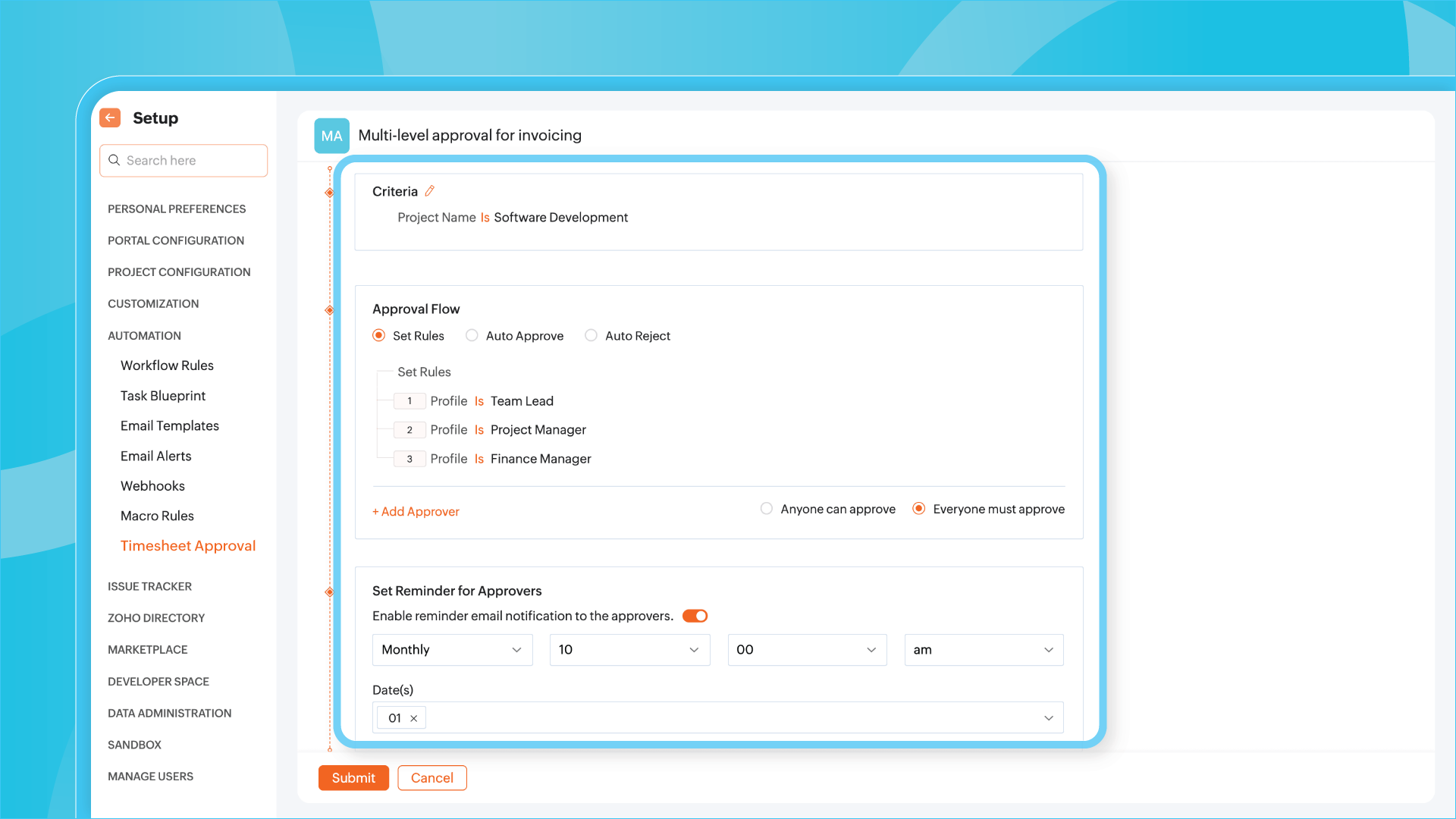
Zoho Projects introduces a key enhancement for teams managing time and complex projects: you can now configure multilevel approval flows for timesheets, offering greater control and flexibility in validating logged work.
(image via Zoho)
Automate validations based on your own rules
You can set specific conditions for each approval level—for example, a timesheet may need to be reviewed first by a team leader, then by a department manager. This logic can be applied by project, employee, or even number of hours worked.
(image via Zoho)
Dynamic and customizable flows
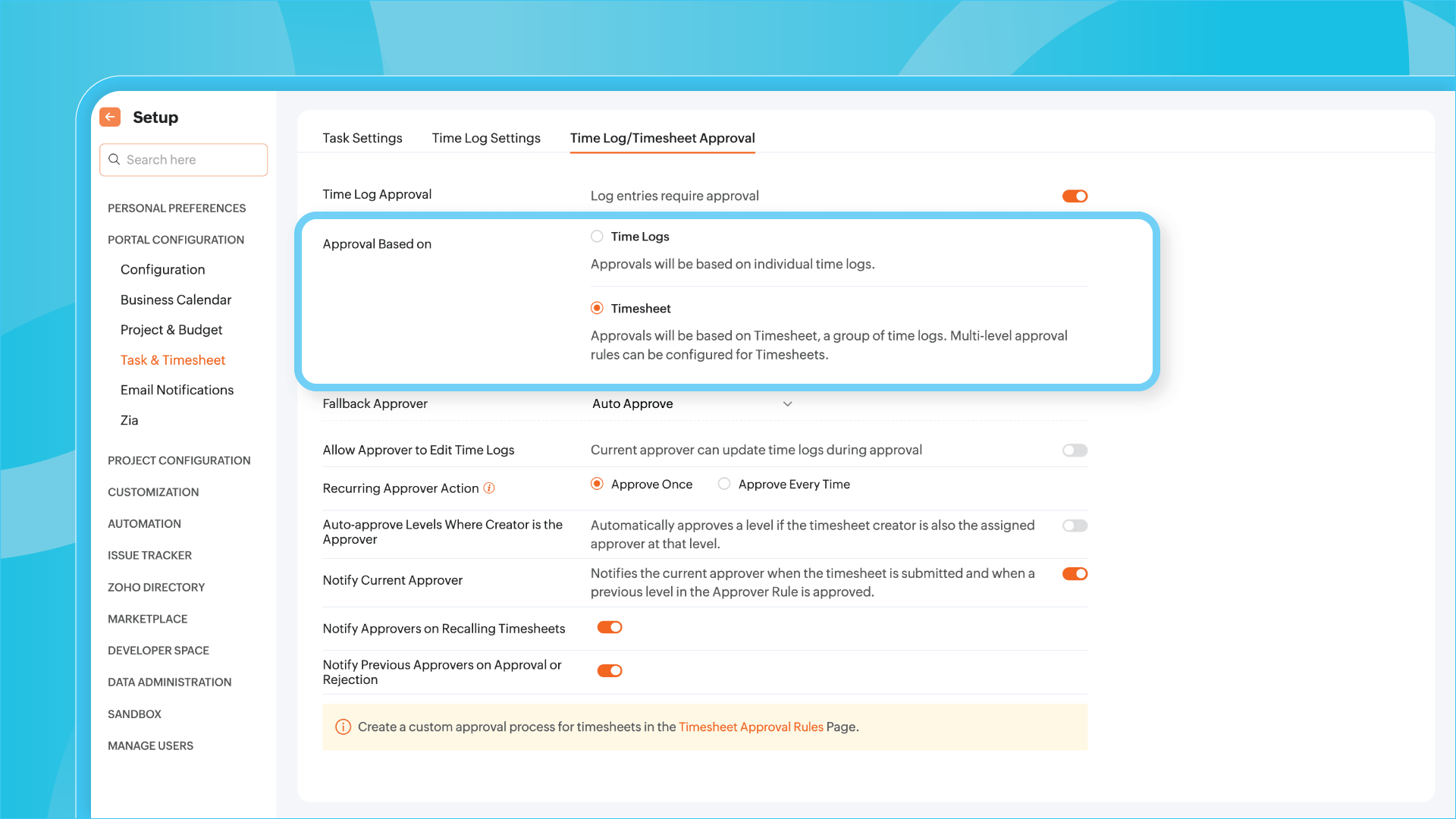
The new flows let you define automated actions depending on the outcome of each approval stage: whether it’s approved, rejected, or a revision is requested, the system responds accordingly. You can also apply different rules to different projects without duplicating configurations.
Visibility and traceability at all times
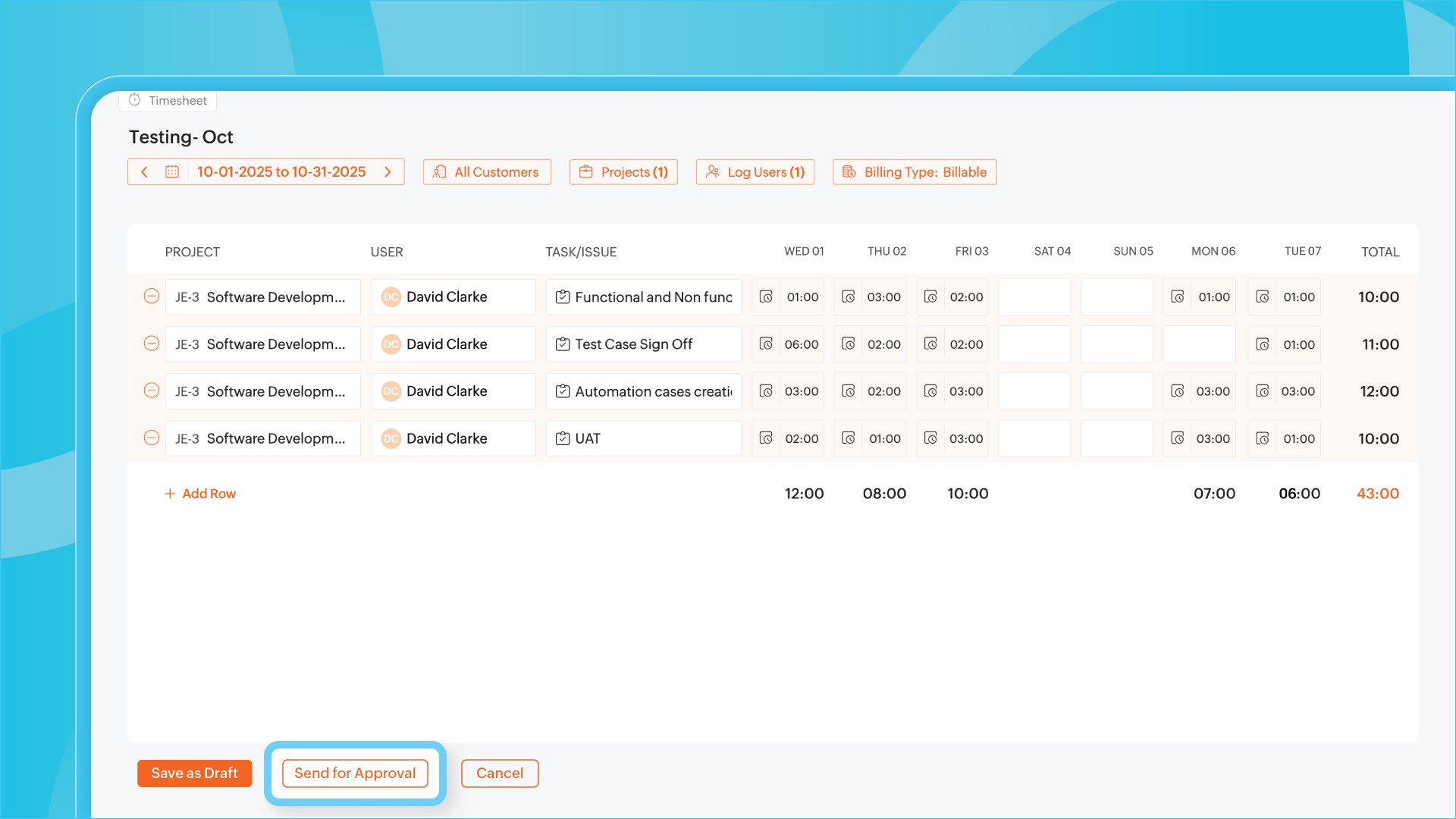
Each approver will receive notifications as needed, and the approval history will be recorded for auditing and tracking. This ensures transparency without adding friction to the process.
(image via Zoho)
Zoho CRM extends timeline: now supports API updates and module uploads
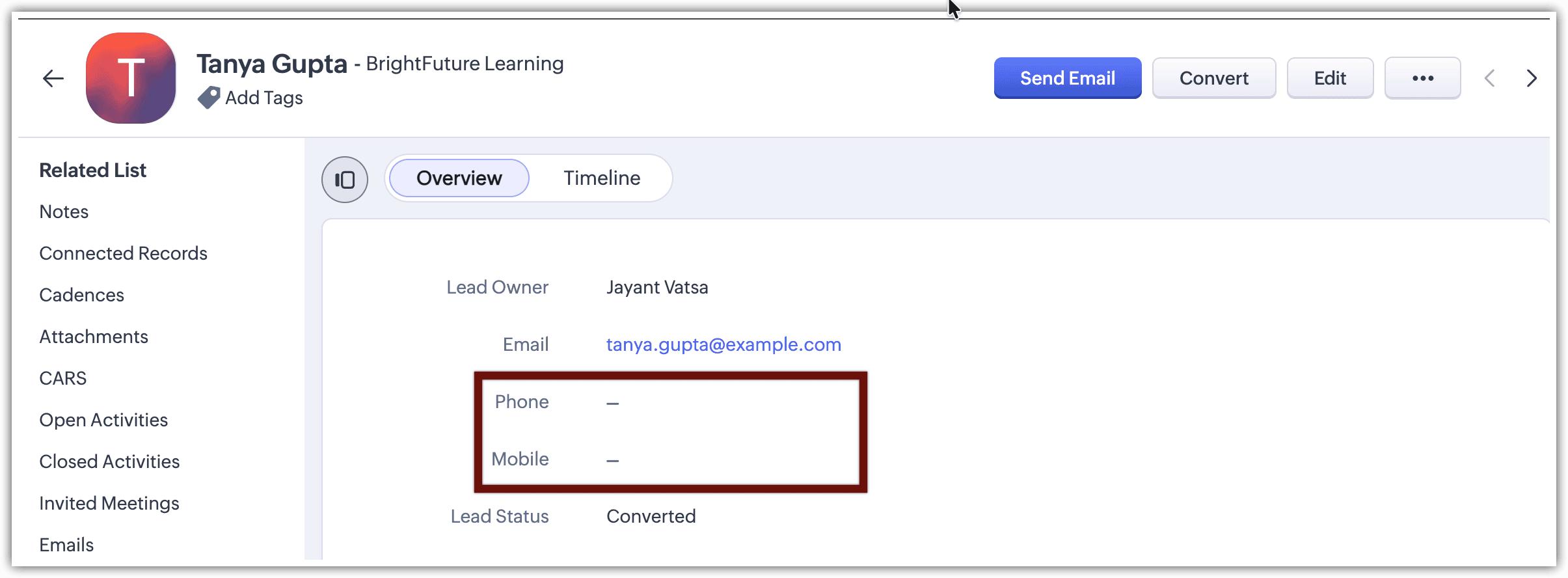
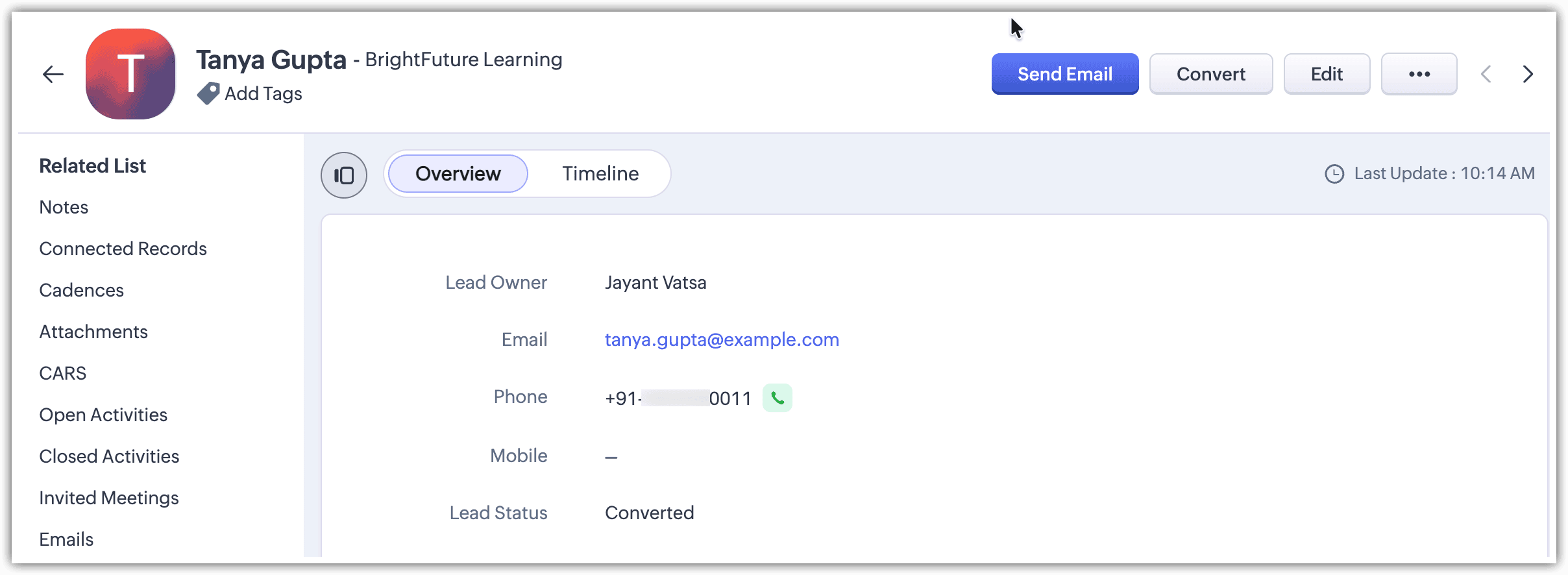
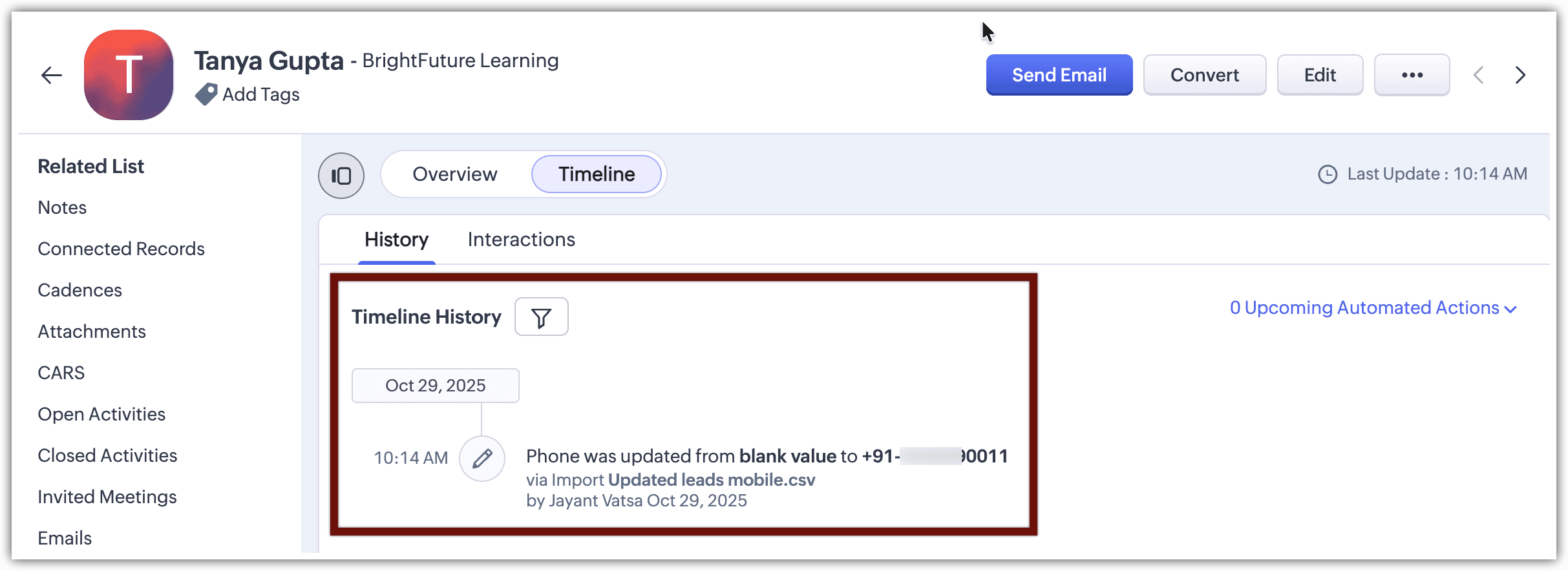
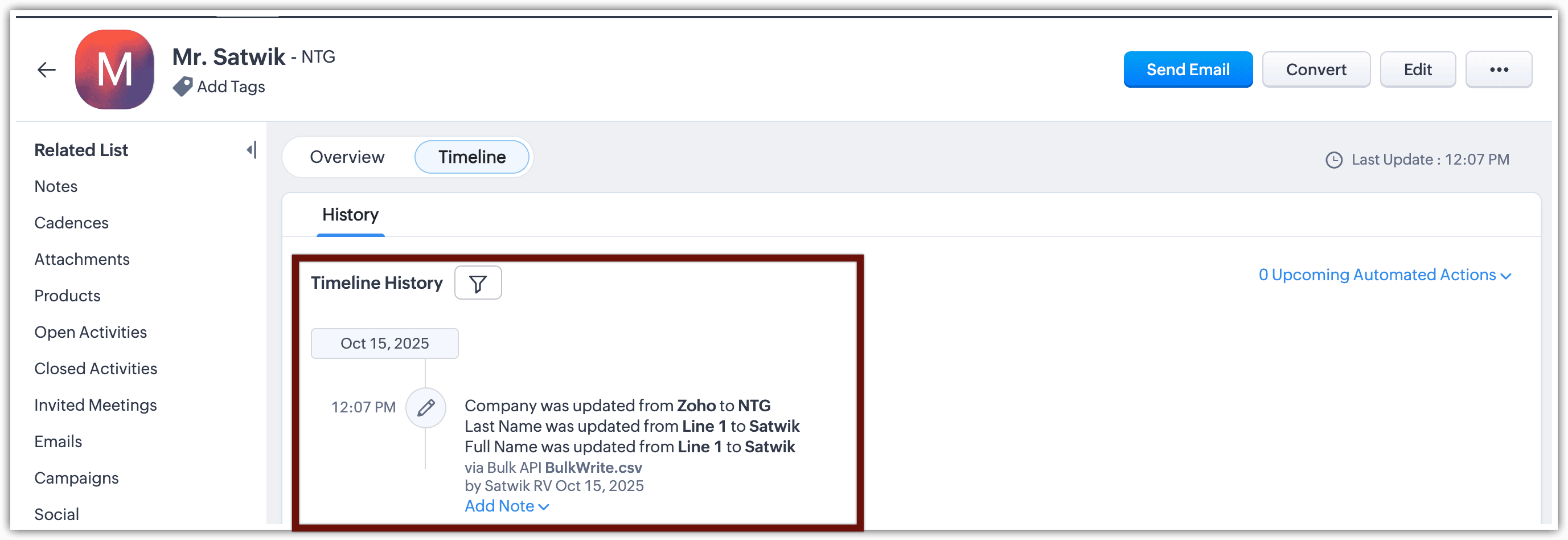
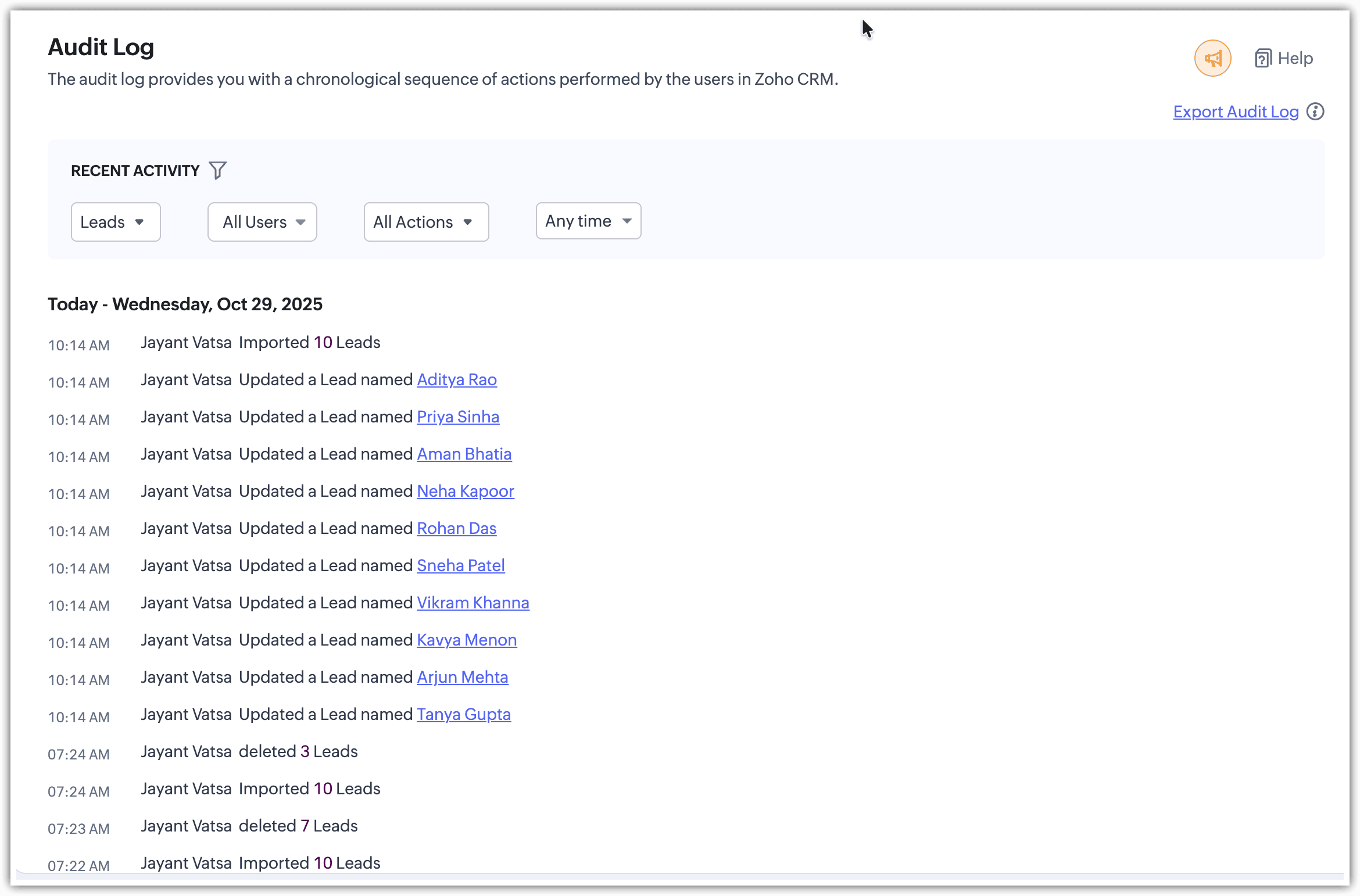
The timeline feature in Zoho CRM is now more powerful than ever. This tool, which allows you to track every change made to a record, now also includes updates made via API and bulk data imports.
Greater traceability, even in automated processes
With this enhancement, you can monitor timeline changes from the following sources:
– API updates (including Bulk Write API)
– Bulk record imports from other modules
This allows full visibility of changes, regardless of whether they were manual or automated.
(image via Zoho)
(image via Zoho)
(image via Zoho)
(image via Zoho)
(image via Zoho)
Available in custom modules
This feature is available in both standard and custom modules. Each entry in the timeline clearly shows the source of the change, helping you understand the data flow in complex environments.
Write clearer recruitment notes with Zia AI in Zoho Recruit
Zoho Recruit enhances its notes functionality with the integration of Zia AI Assist, allowing hiring teams to generate clearer, more professional, and non-redundant comments.
Polished notes in less time
Zia is now available when creating notes on any record—candidates, job openings, or clients. Simply enter key ideas, and Zia transforms them into a coherent, professional text ready to save or share.
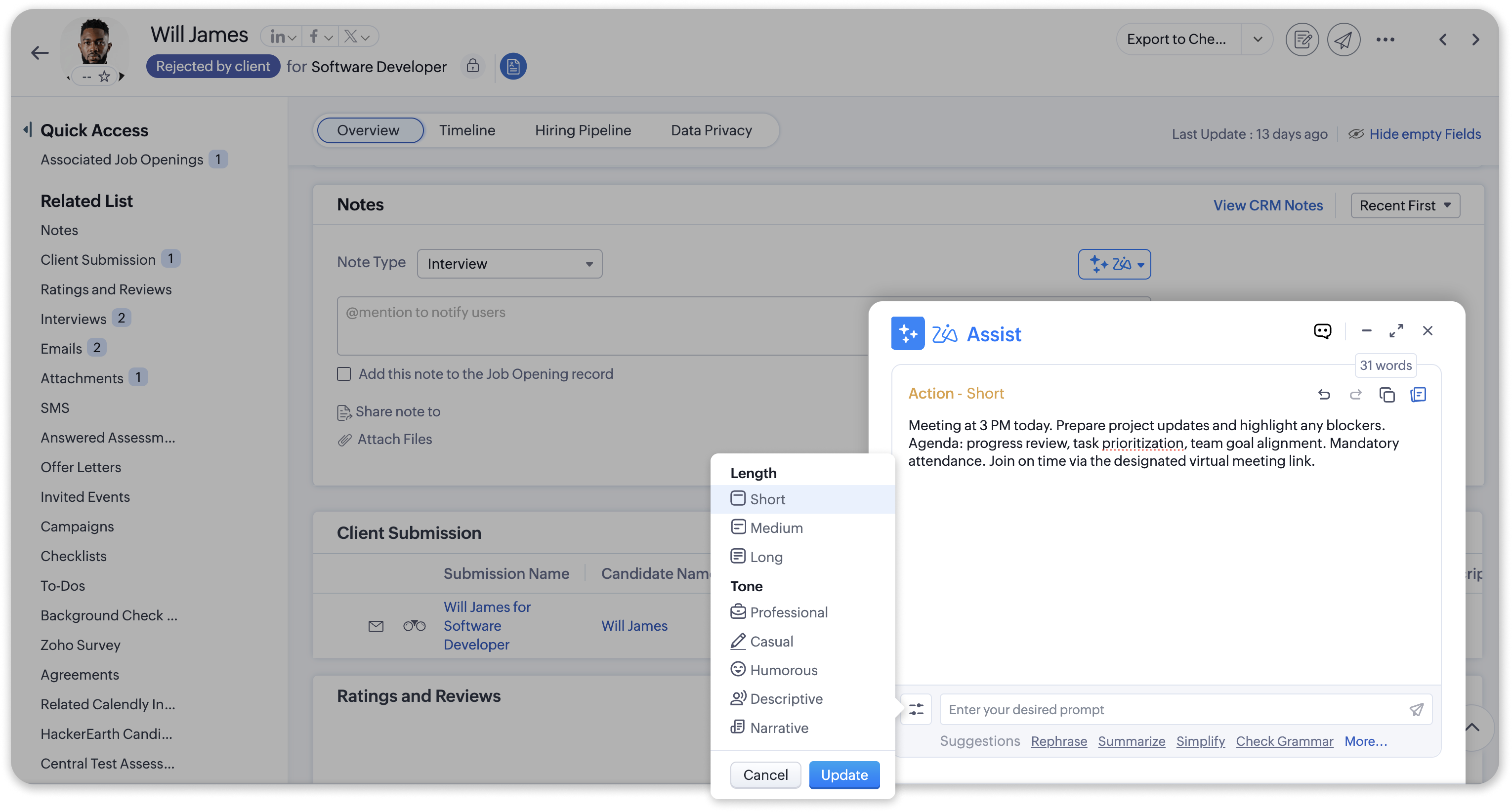
(image via Zoho)
New command: Remove redundancy
A new option has been added specifically for notes: “Remove redundancy.” This feature cleans up the text when there are repetitive or similar comments, keeping only the relevant information.
Practical applications in the workflow
– After interviews: turn scattered thoughts into a clear, professional summary.
– In meetings with clients: generate structured and understandable notes.
– For internal updates: transform bullet points or rough notes into consistent, collaborative text.
Zoho Desk now allows data export with advanced and fully customizable options
Zoho Desk introduces a completely redesigned export interface that incorporates advanced features for more precise, efficient, and user-tailored data extractions. This enhancement is ideal for users needing backups, migrations, or specific analyses.
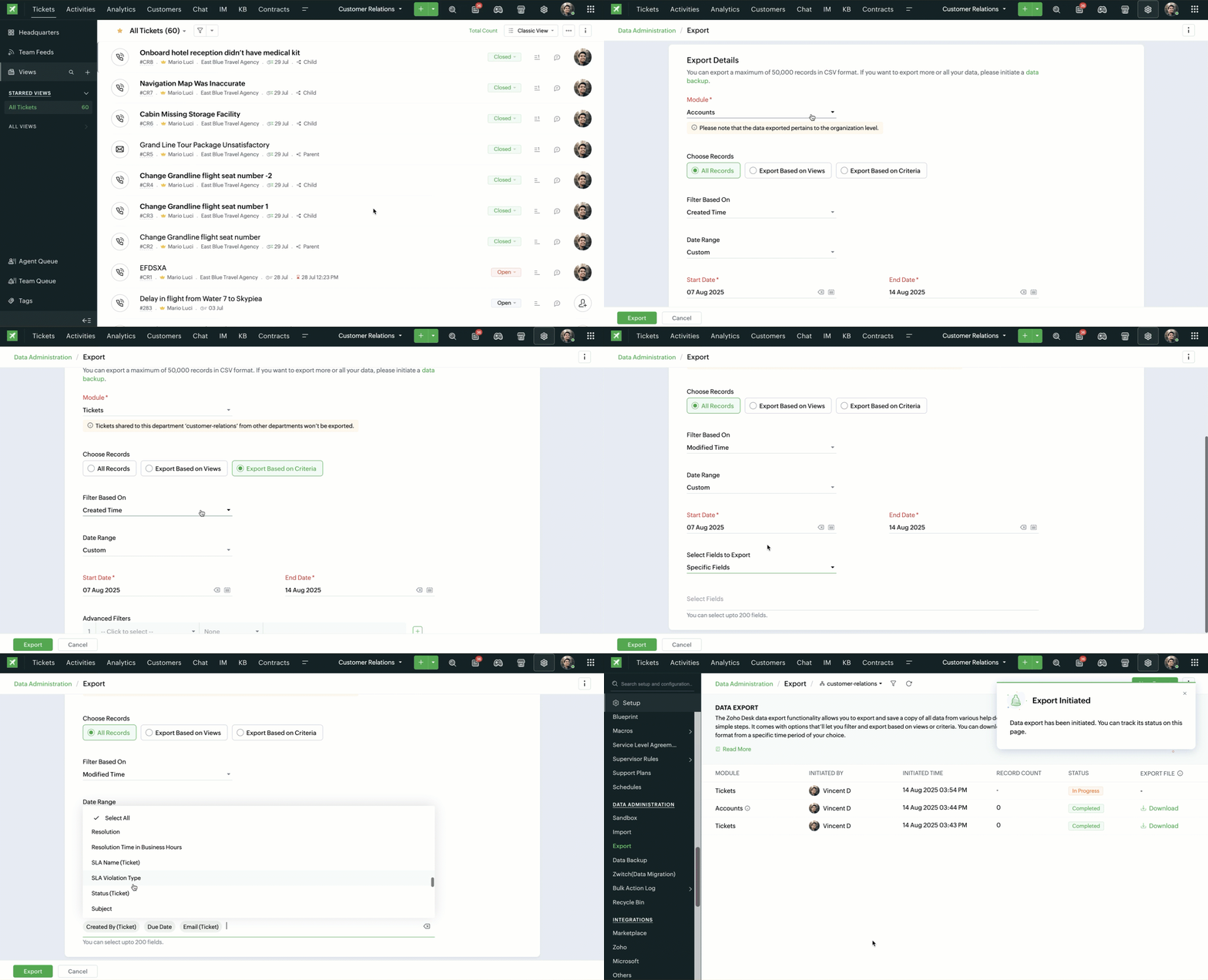
(image via Zoho)
- ● Export records based on custom criteria: No need to export an entire module anymore. You can now define specific criteria such as high-priority tickets from last month or recently onboarded agents.
- ● Select specific fields: Export only the fields you need. Choose all fields, specific ones, or exclude some—even if they belong to different layouts.
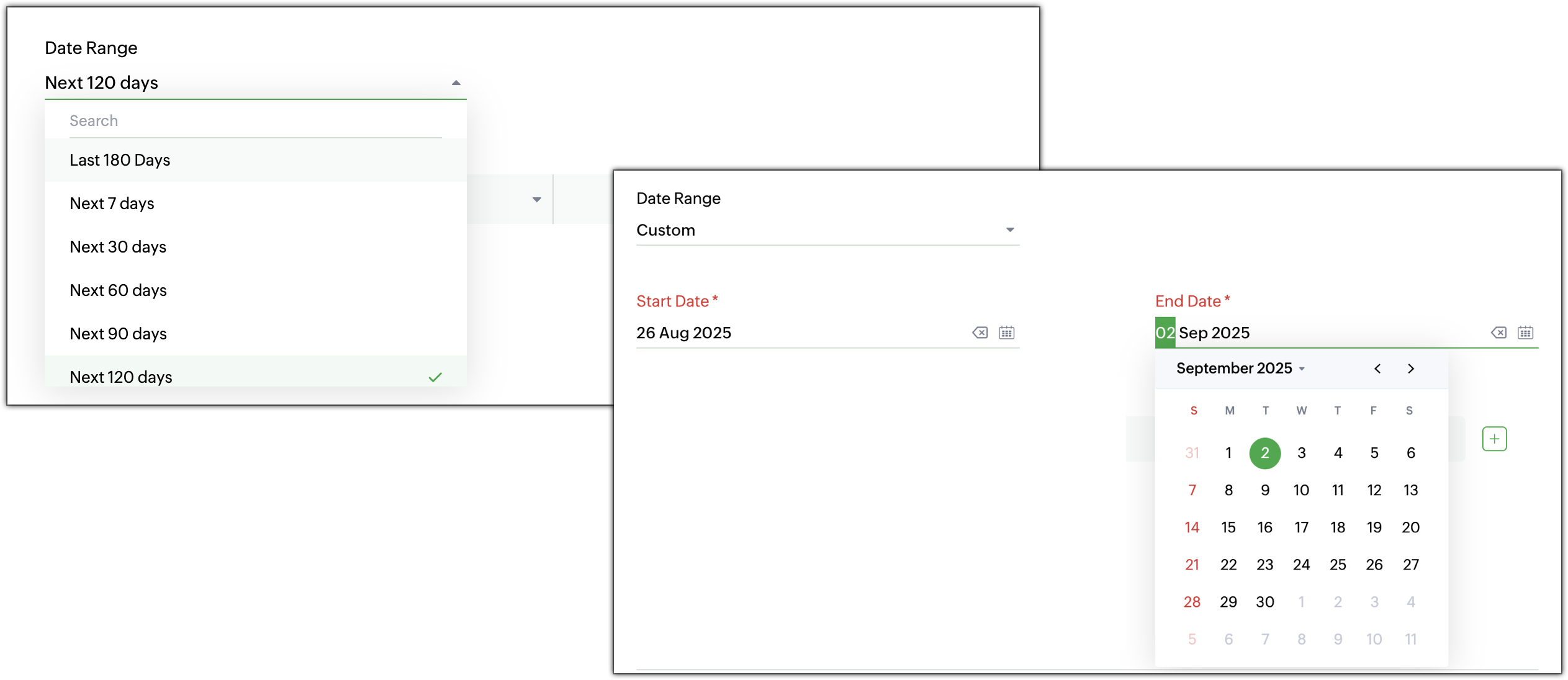
- ● Date and time filters: Filter by creation, modification, closure, or resolution date. Choose from predefined or custom ranges depending on your analysis needs.
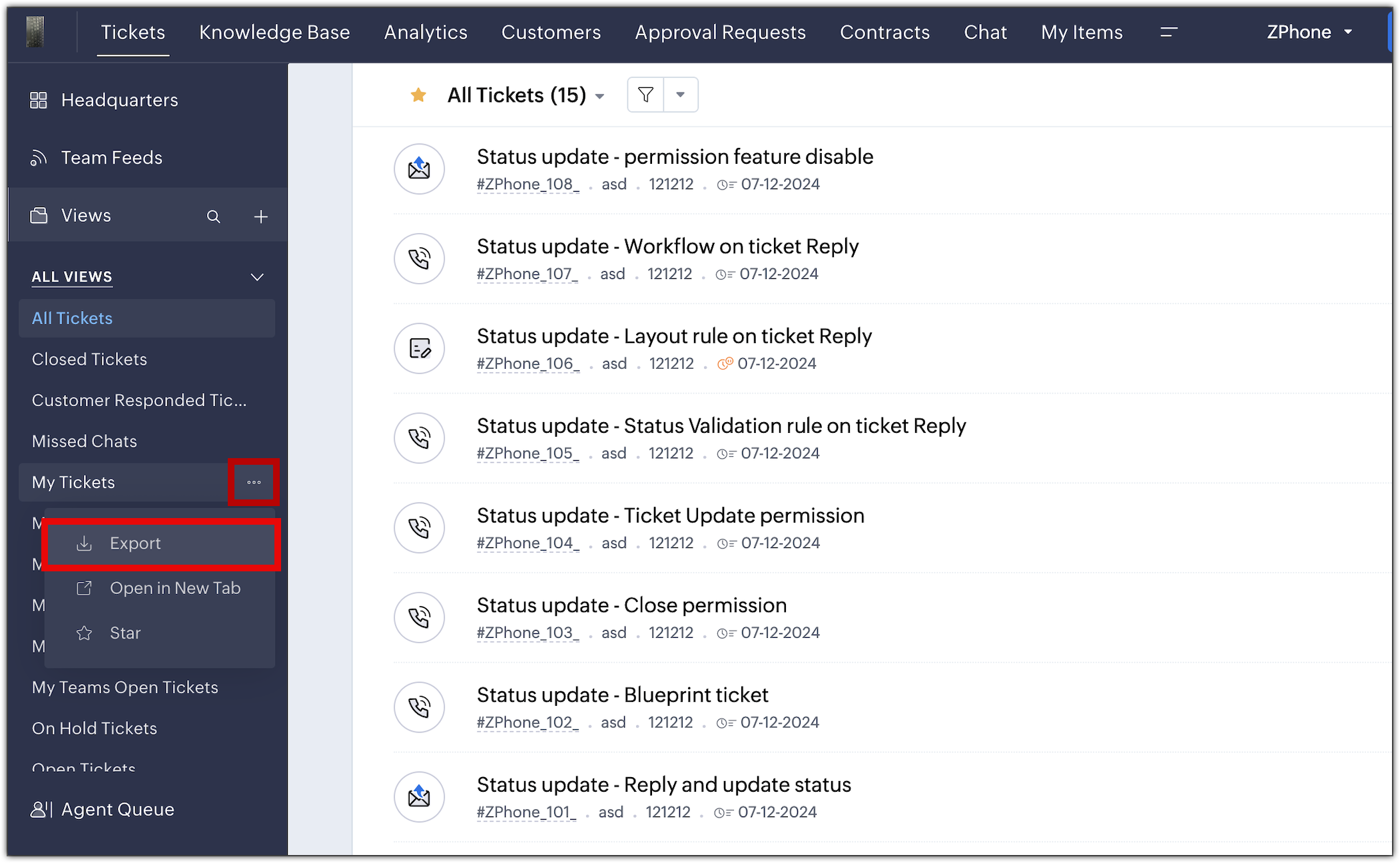
- ● Export from list views: Export directly from standard or custom views in the module without having to reconfigure filters.
- ● Higher export limit: The limit has increased from 3,000 to 50,000 records per export. For larger volumes, you can use Zoho Desk’s backup feature.
- ● Redesigned export history page: You can now view details like number of records, export time, and download links in a cleaner and more intuitive interface.
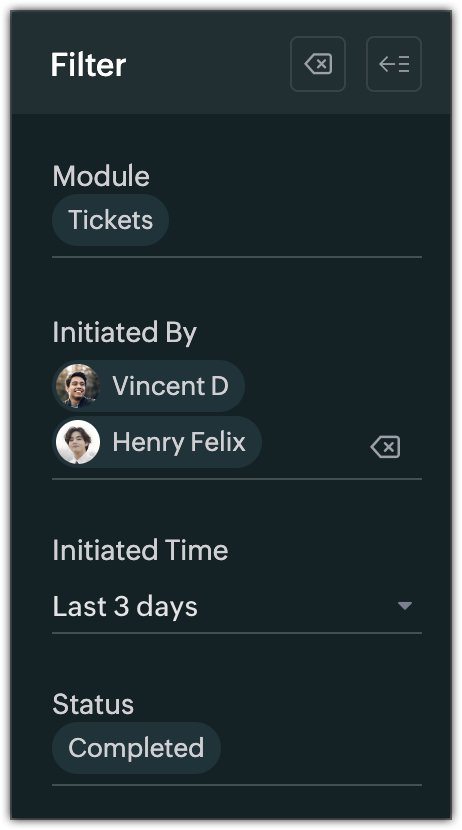
- ● Export history filters: Find previous exports by applying filters by module, user, date, or status (In Progress, Completed, or Failed).
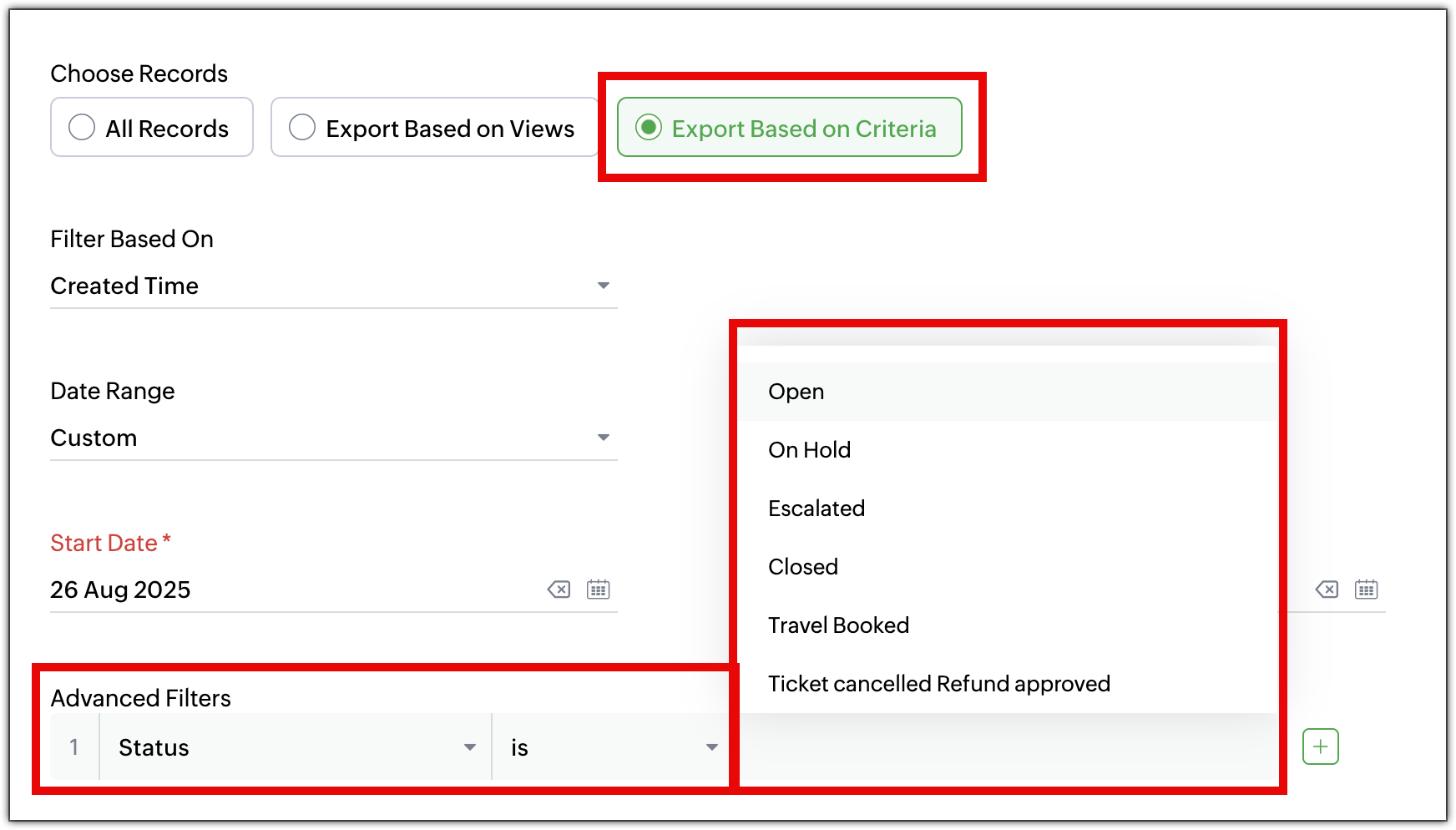
(image via Zoho)
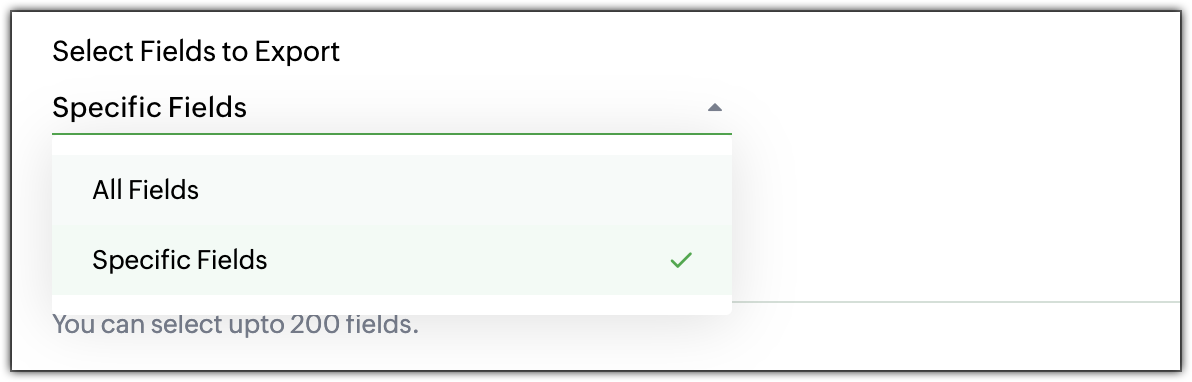
(image via Zoho)
(image via Zoho)
(image via Zoho)

(image via Zoho)
(image via Zoho)
Webinars on CRM, IOT and Desk
Custom Artificial Intelligence in Zoho CRM
Introduction to Zoho IOT
Response Bots and Generative Artificial Intelligence in Zoho Desk
Want to add these new features to your Zoho system? Let’s work together!
Learn more about our Zoho consulting services and contact us for a free consultation.

Leave a Reply