Welcome to our update, where you’ll find the latest news from Zoho all in one place!
- Clearer and more consistent emails in Zoho CRM
- More control in talent selection: candidate blocking in Zoho Recruit
- Zoho Analytics expands analysis and connectivity capabilities
- Zoho Sheet enhances data entry and collaboration
- Zoho Mail for Android improves calendar management
- Webinars on IoT, Creator, and Zoho One
Clearer and more consistent emails in Zoho CRM: new font types and default replies
Zoho CRM expands the email editor options, allowing you to customize the format of emails sent from the platform and maintain clearer and more consistent communication with clients and contacts.
New font types and sizes when composing emails
You can now select different fonts and adjust their size directly when composing an email in Zoho CRM, helping present messages in a more organized manner aligned with your organization’s communication style.
(image via Zoho)
(image via Zoho)
Default reply configuration
Zoho CRM now includes the option to set default replies when responding to emails. This feature is useful in recurring conversations, as it allows reuse of base texts without having to rewrite them from scratch.
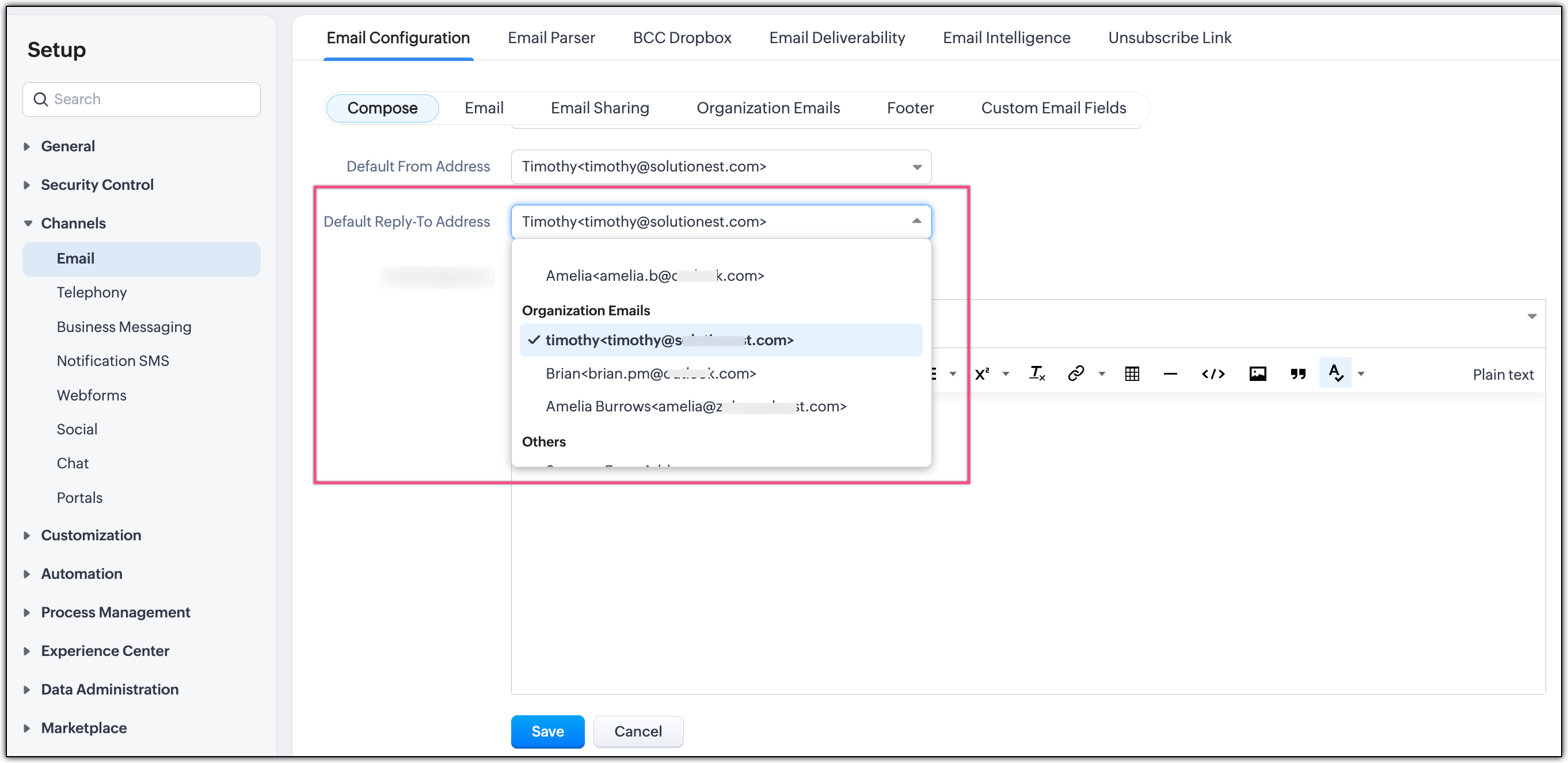
(image via Zoho)
Integrated formatting in CRM workflow
The new formatting and reply options are available within the regular email composition process, with no extra steps, making them easier to adopt and helping maintain consistency in communications managed through Zoho CRM.
More control in talent selection: you can now block candidates in Zoho Recruit
Zoho Recruit introduces a new feature that lets you block candidates directly from the platform, preventing certain profiles from being considered in future recruitment processes.
Account-level candidate blocking
You can now mark a candidate as blocked, preventing them from being added or considered in new hiring processes within the Zoho Recruit account. This action applies globally and not just to a specific vacancy.
(image via Zoho)
Automatic prevention in new processes
Once blocked, the system prevents the candidate from being reused in new offers or recruitment flows, helping reduce operational errors and maintain consistency in the criteria defined by the recruitment team.
Controlled management from the candidate profile
Blocking is managed directly from the candidate’s record, maintaining history without deleting prior information and allowing traceability of decisions made.
How to block a candidate
Path: Candidates / Applications → Details → More options (⋯) → Block Candidate
When blocking, you can add comments to document the context. These comments are saved as Notes and are visible under the Candidate Blocked tag.
How to unblock a candidate
Path: Candidates / Applications → Details → Unblock / Revert → Unblock
(image via Zoho)
Availability: Candidates and Applications modules; Free, Standard, Professional, and Enterprise plans; Staffing Agency and Corporate HR editions.
Zoho Analytics ends the year with new analysis and connectivity capabilities
Zoho Analytics introduces a set of updates aimed at expanding its analytical capabilities, improving data connectivity, and strengthening export and extensibility options on the platform.
Automatic analysis of multiple related tables
Zoho Analytics now allows you to automatically analyze data from multiple related tables, reducing the need for manual configurations when creating reports and dashboards.
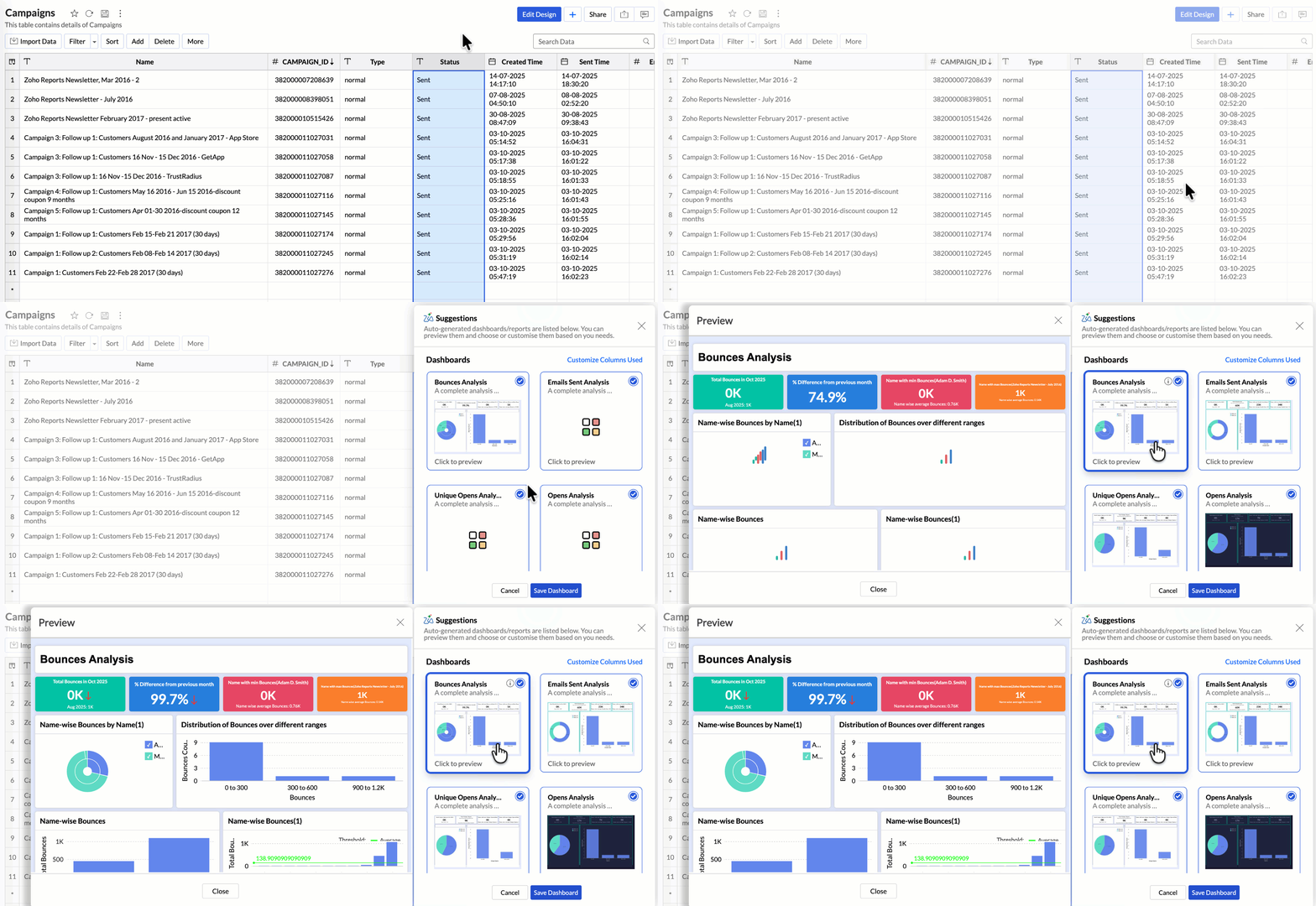
(image via Zoho)
Updates in Zia and integrated LLMs
Improvements are added to Zia and the use of language models (LLM), allowing natural language queries to explore data, generate visualizations, and gain insights directly from the platform.
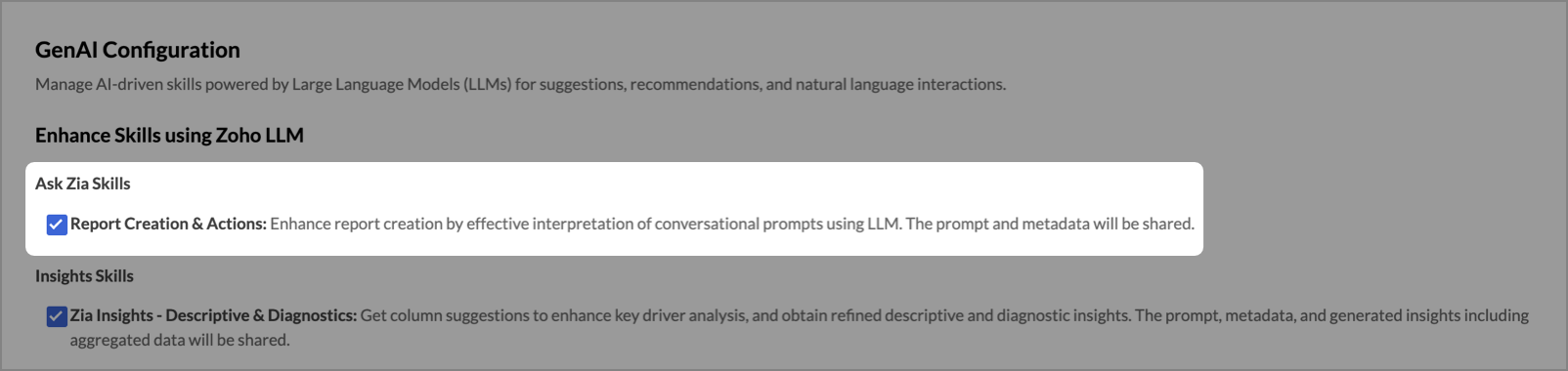
(image via Zoho)
Improved PDF export
The visual quality and structure of reports and dashboards exported in PDF format have been optimized for external distribution.
New data connectors
Zoho Analytics expands its catalog of connectors, making integration with new data sources easier.
Improvements in MCP server extensibility
Updates are added to provide greater flexibility to customize and extend Zoho Analytics capabilities.
Data connectivity via Live Connect
New connections with Databricks (on-premise and cloud servers) and ClickHouse (on-premise servers) via Live Connect.
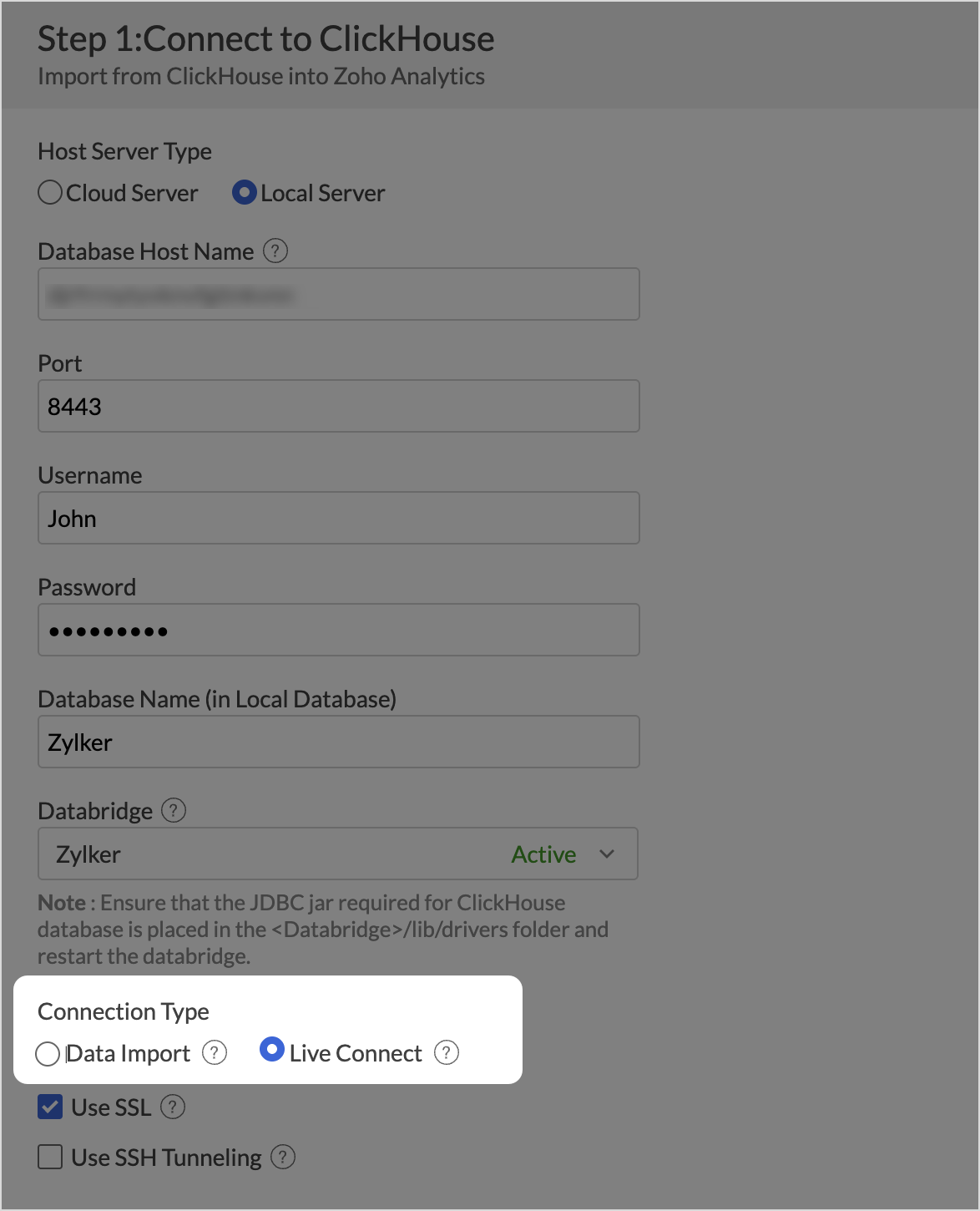
(image via Zoho)
Zoho Sheet evolves: simpler data entry and enhanced collaboration
Zoho Sheet introduces improvements aimed at simplifying data capture and strengthening collaborative work on shared sheets.
Multi-select picklists
You can now select multiple values in a single cell using picklists, displayed as customizable chips.
Integrated webforms
Drag & drop designed forms whose responses are automatically synced with the corresponding sheet.
Collaborative workflows
Workflows to assign reviewers, track progress, and complete processes directly from the spreadsheet.
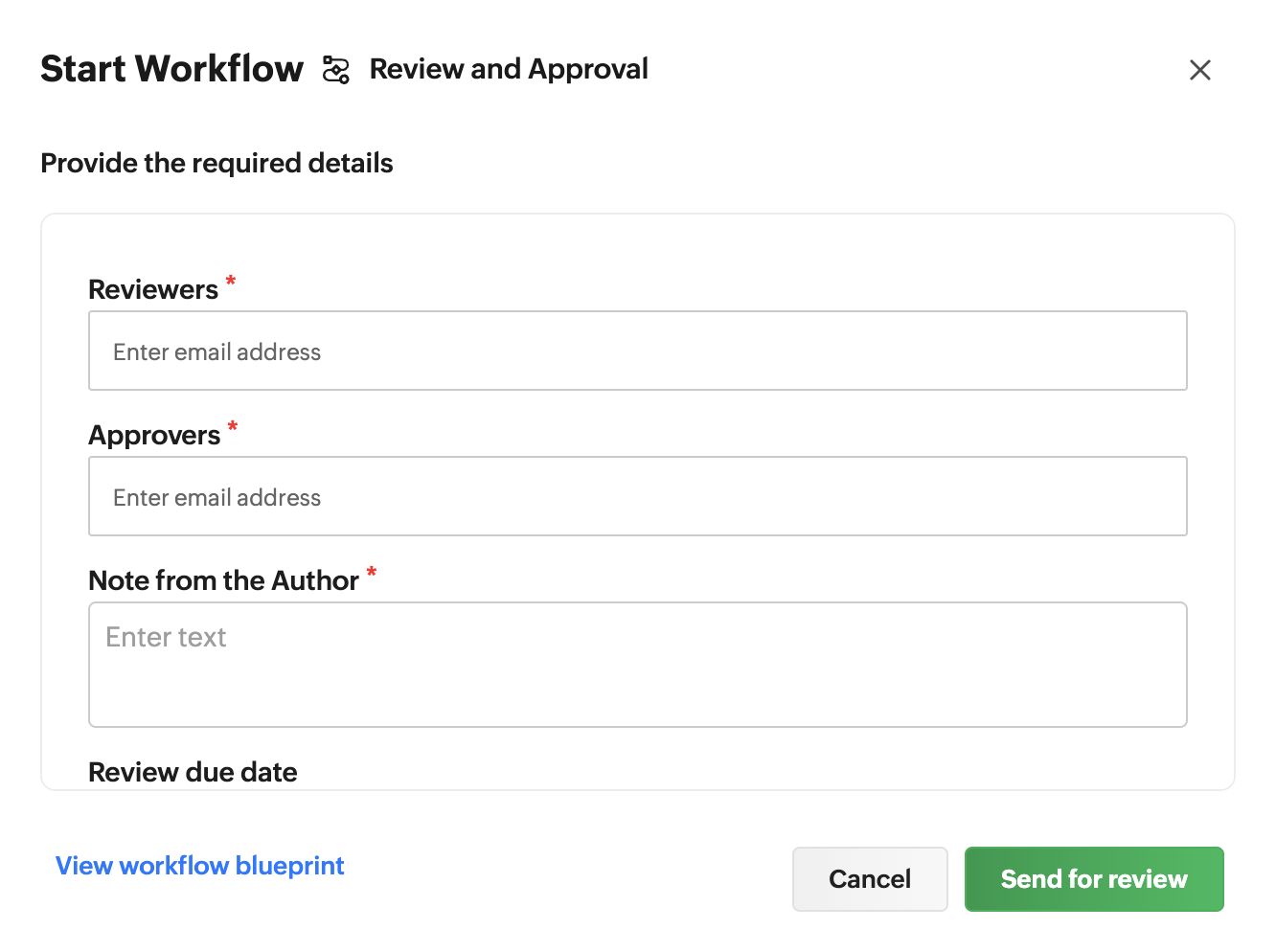
(image via Zoho)
“Mark as Final” option
Allows you to mark a sheet as final to lock editing and prevent accidental changes.
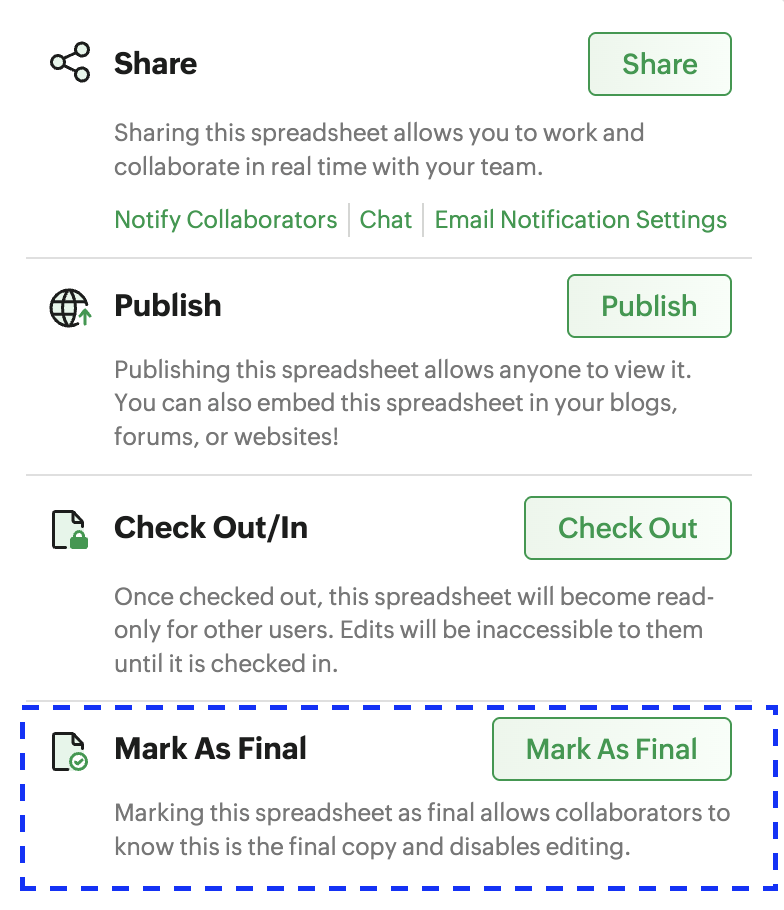
(image via Zoho)
Email notifications on changes
You can now receive email alerts for any modification made in the sheet.
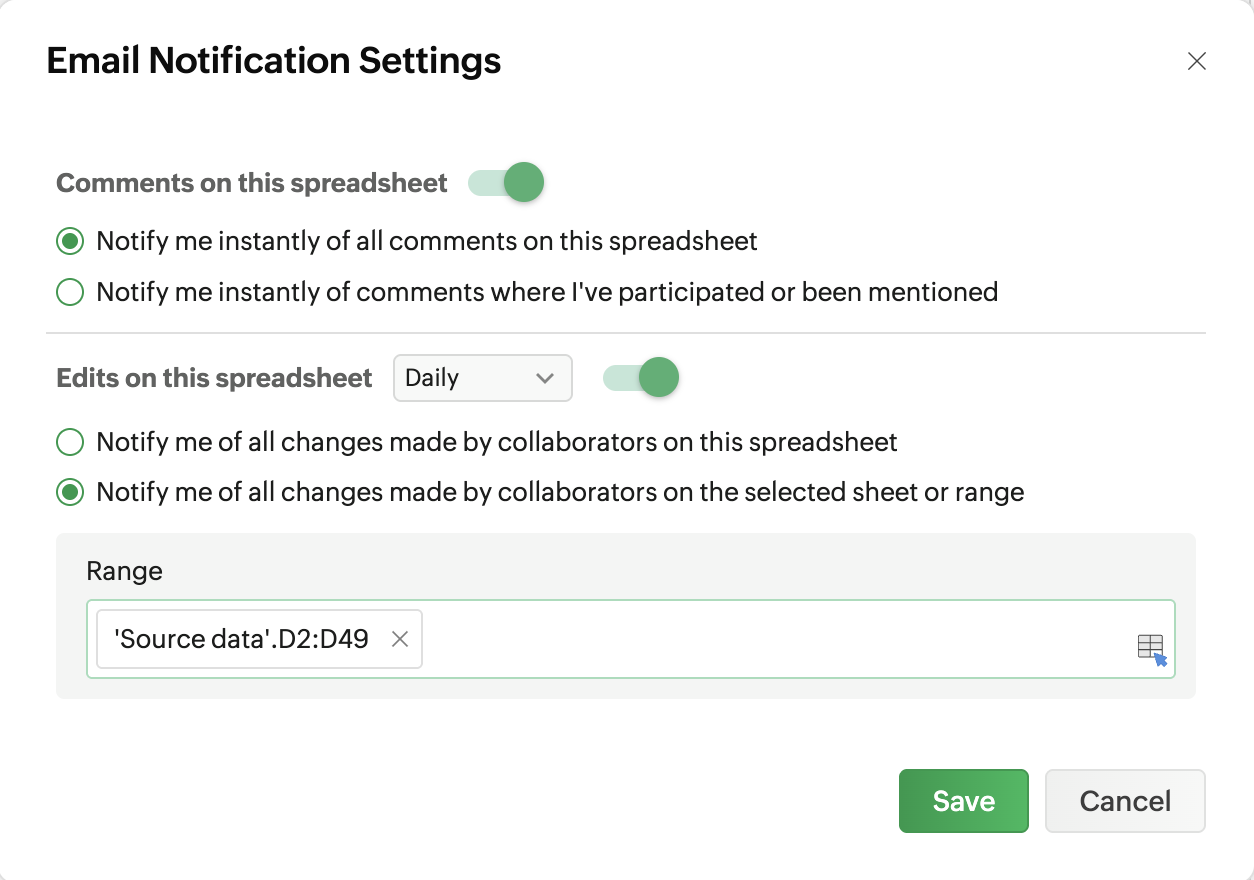
(image via Zoho)
Expanded limits
Up to 10 million cells, 262,000 rows, 2,048 columns, and imported files up to 50 MB.
Zoho Mail for Android brings key calendar improvements
Zoho Mail updates its Android app with calendar improvements that make it easier to manage events and schedule meetings directly from your phone.
Quick event rescheduling
You can now change the date and time of an event by dragging it directly on the calendar, without manually editing it.
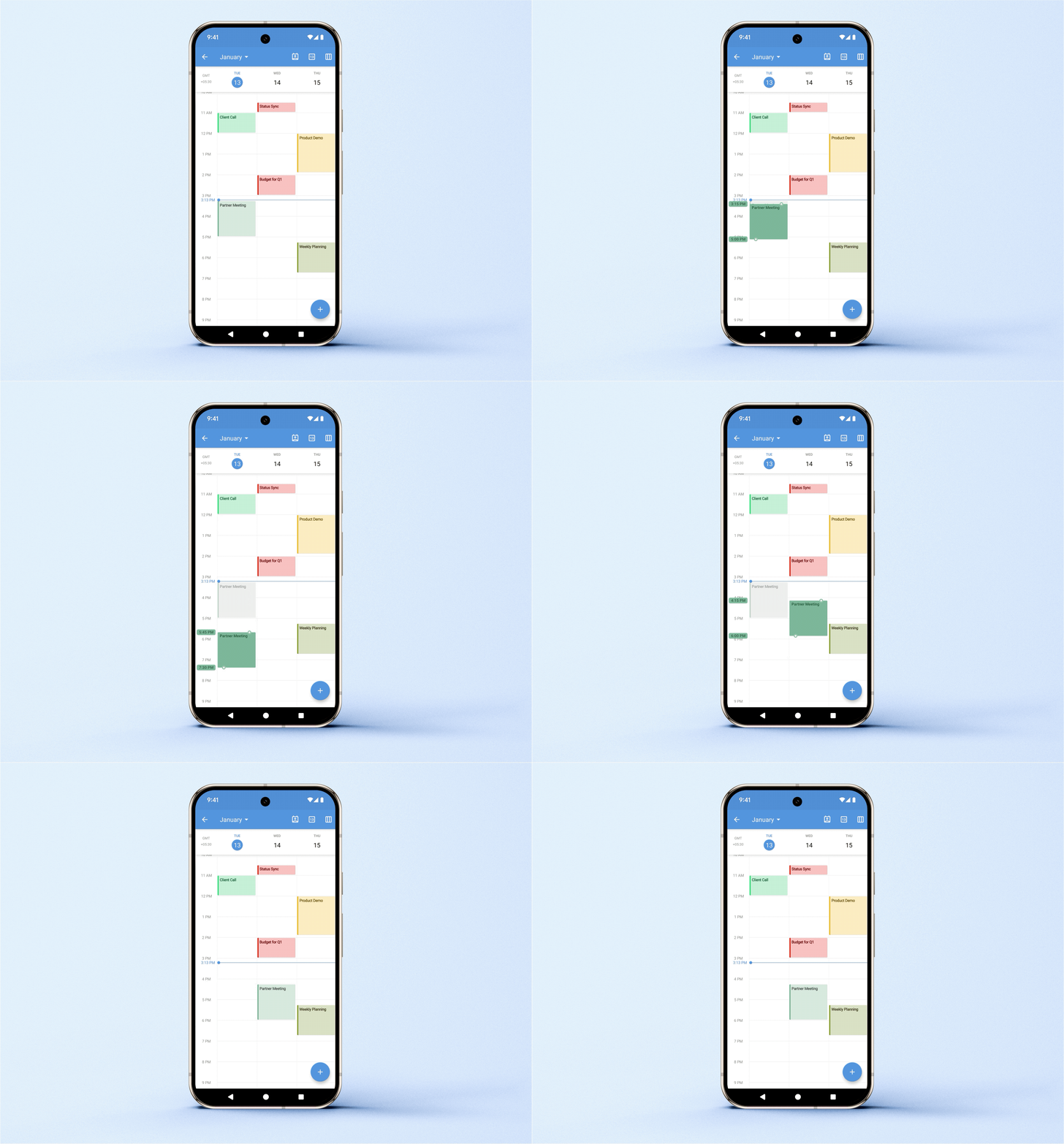
(image via Zoho)
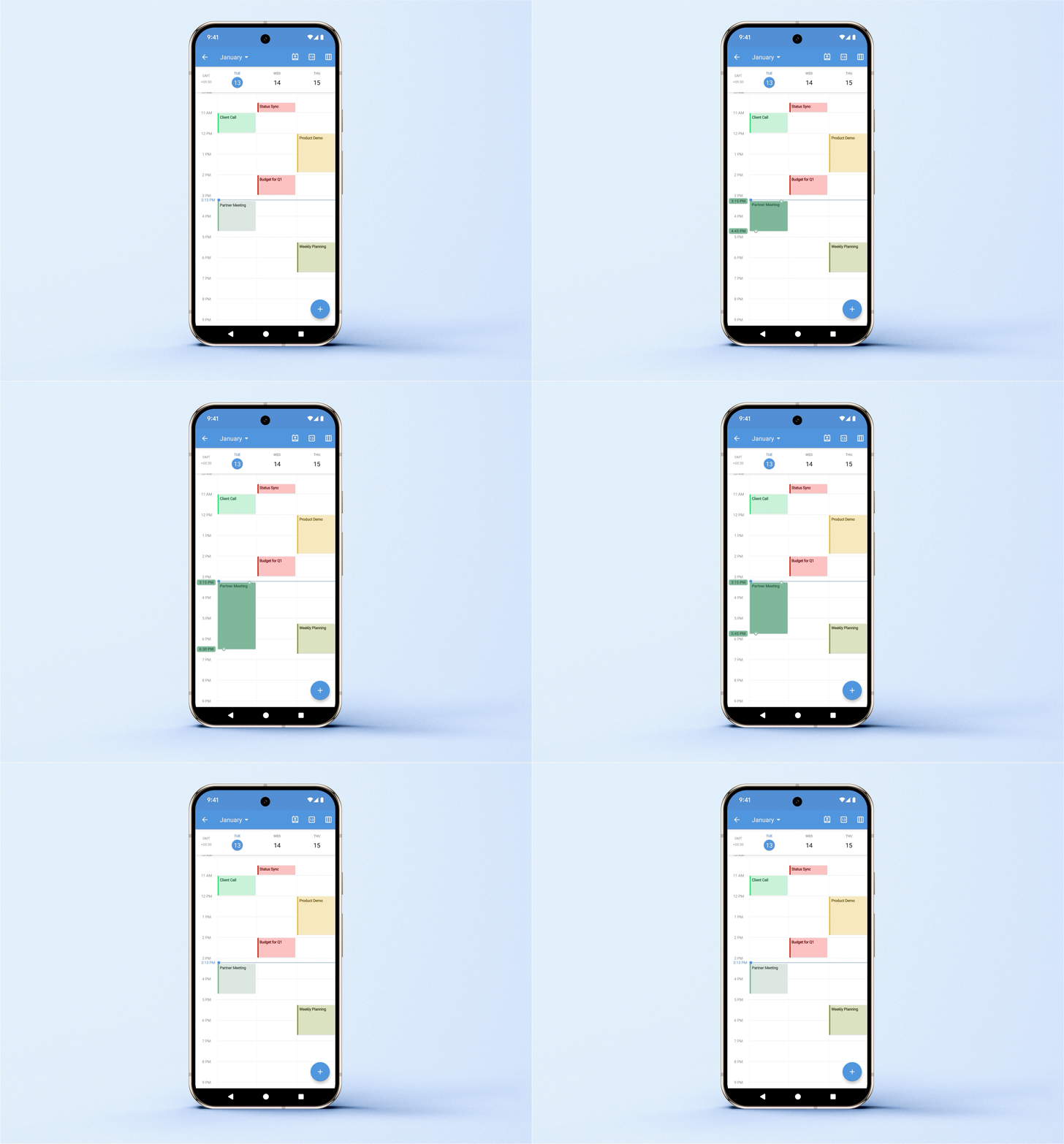
Dynamic duration adjustment
You can lengthen or shorten the duration of events by dragging the top or bottom handles, with immediate update in calendar view.
(image via Zoho)
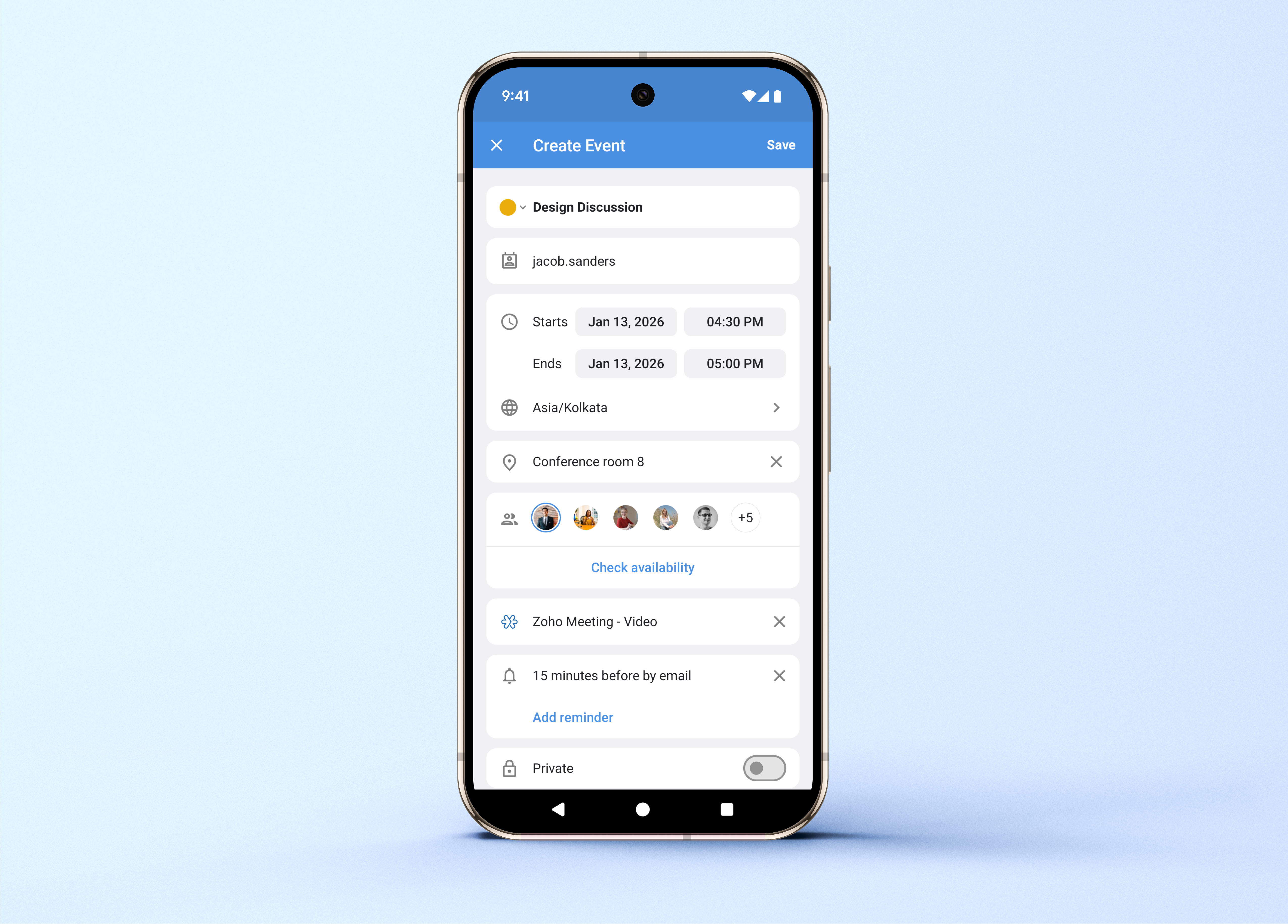
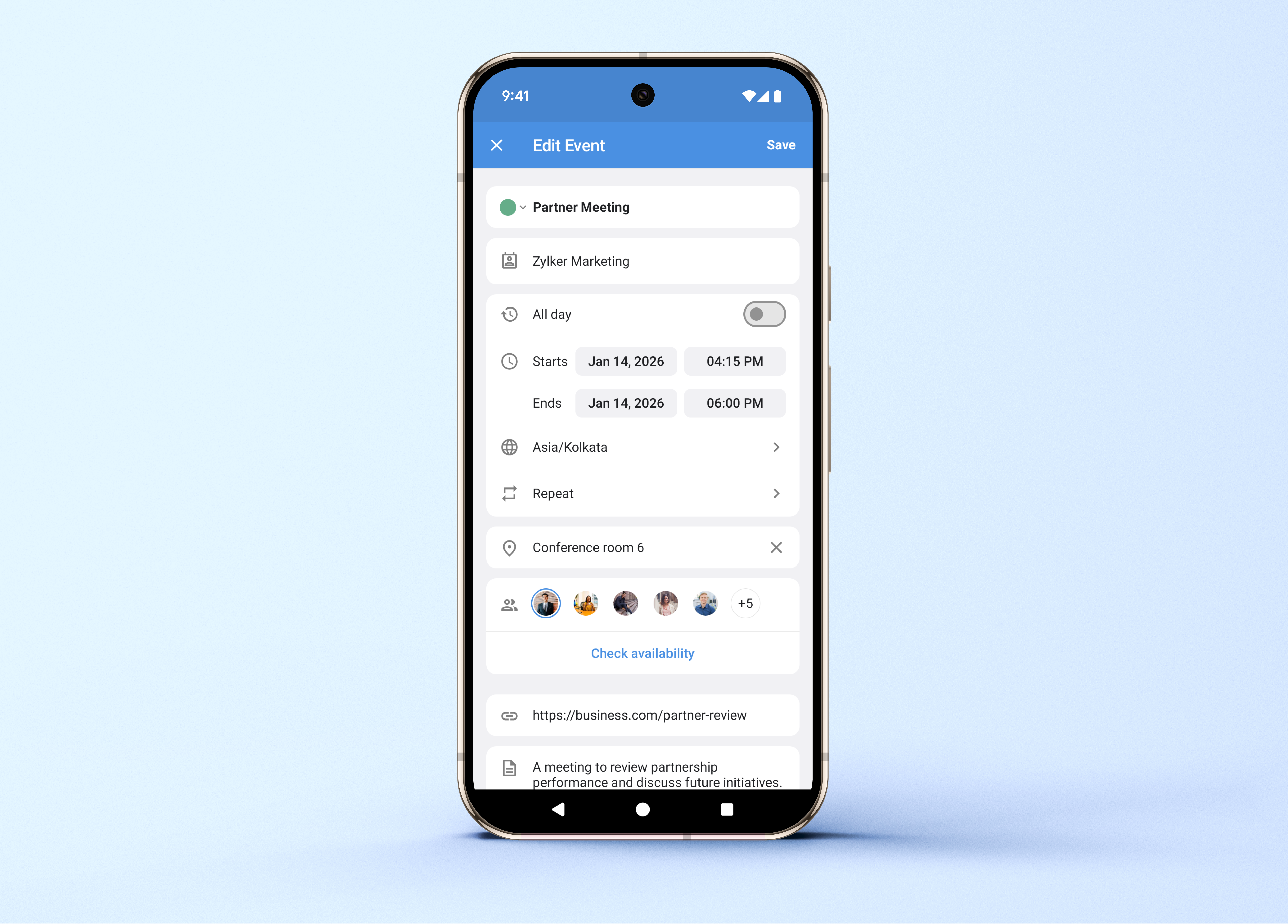
Optimized interface for creating and editing events
The event creation and editing screen is optimized, allowing you to mark events as private, check participant availability, assign colors, and select time zones.
(image via Zoho)
Video conferencing integration
When creating events, you can add Zoho Meeting, Zoom, or Microsoft Teams meetings as the conferencing platform.
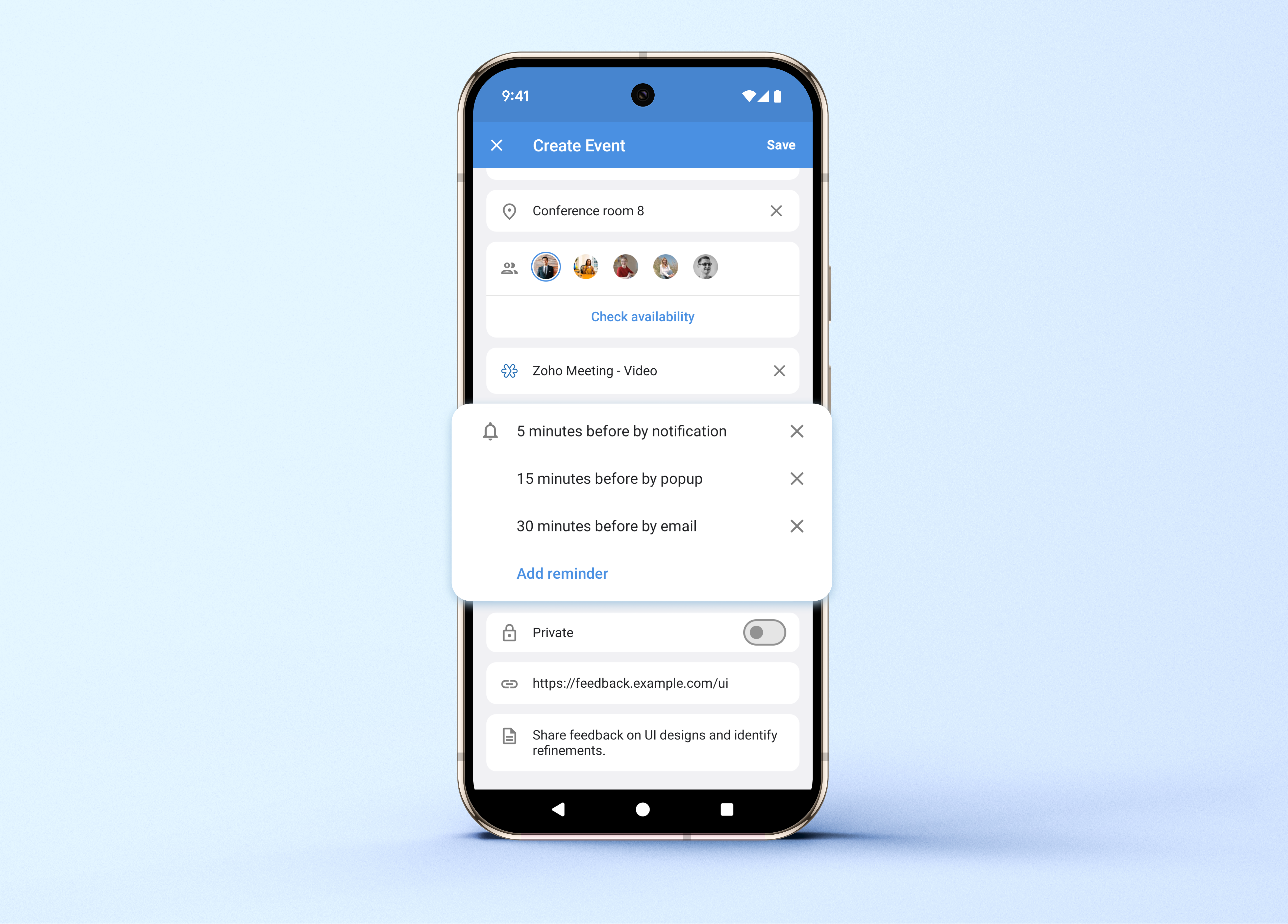
Multiple reminders and custom recurrences
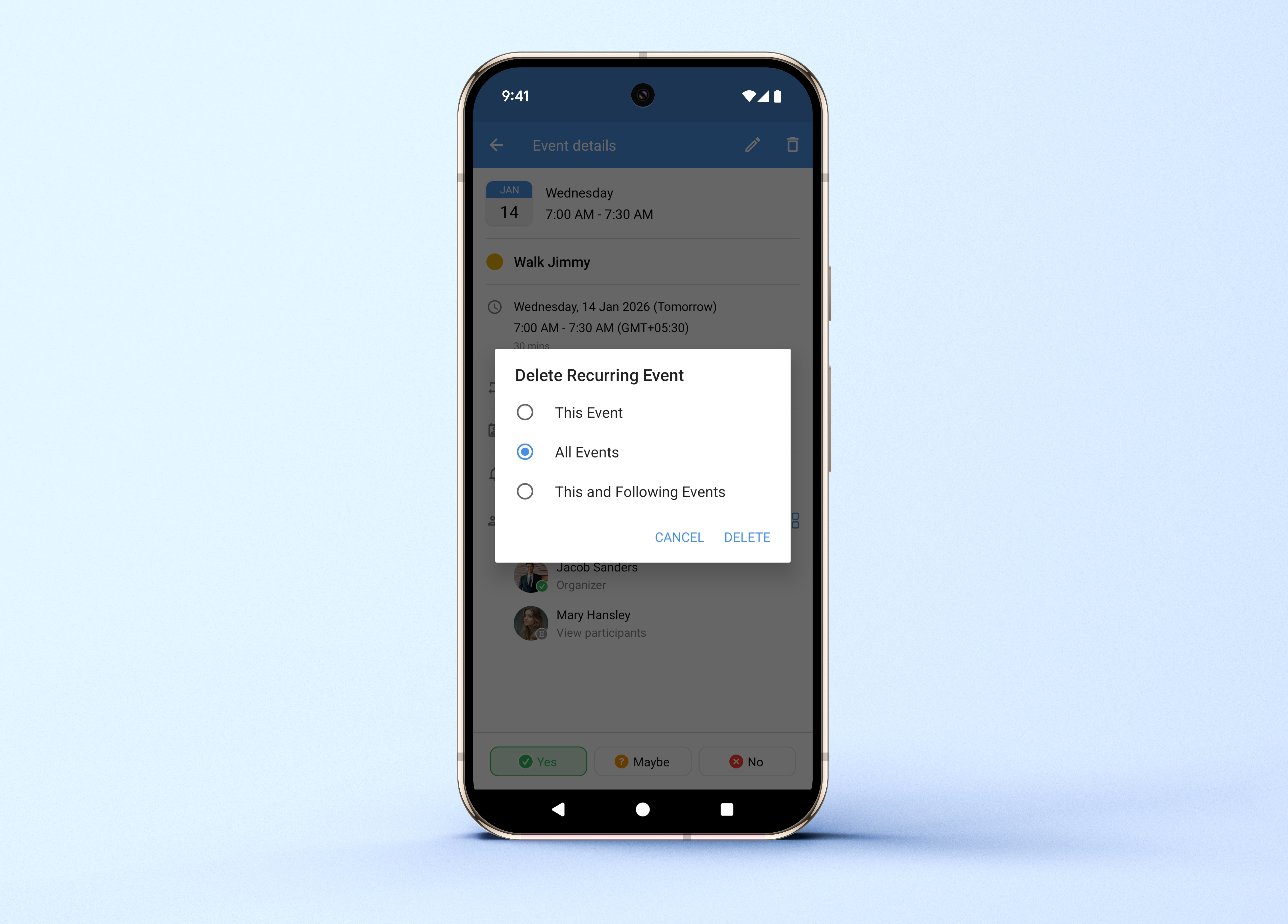
You can now set more than one reminder per event, define custom recurrence patterns, and delete a single occurrence or all future ones without affecting past ones.
(image via Zoho)

Leave a Reply