Welcome to our update, where you’ll stay informed about the latest Zoho news all in one place!
- Zoho CRM: New Query Workbench to explore your data with greater precision
- Zoho FSM: New Telephony to manage calls without switching tabs
- Enhanced data import in Zoho Desk: new interface, updated field mapping and more
- New capabilities to expand connectivity, visualization, and efficiency in Zoho Analytics
- Zoho One adds new security features for stronger, more controlled protection
- Webinars on AI in Zoho, Creator, and Books
Zoho CRM: New Query Workbench to explore your data with greater precision
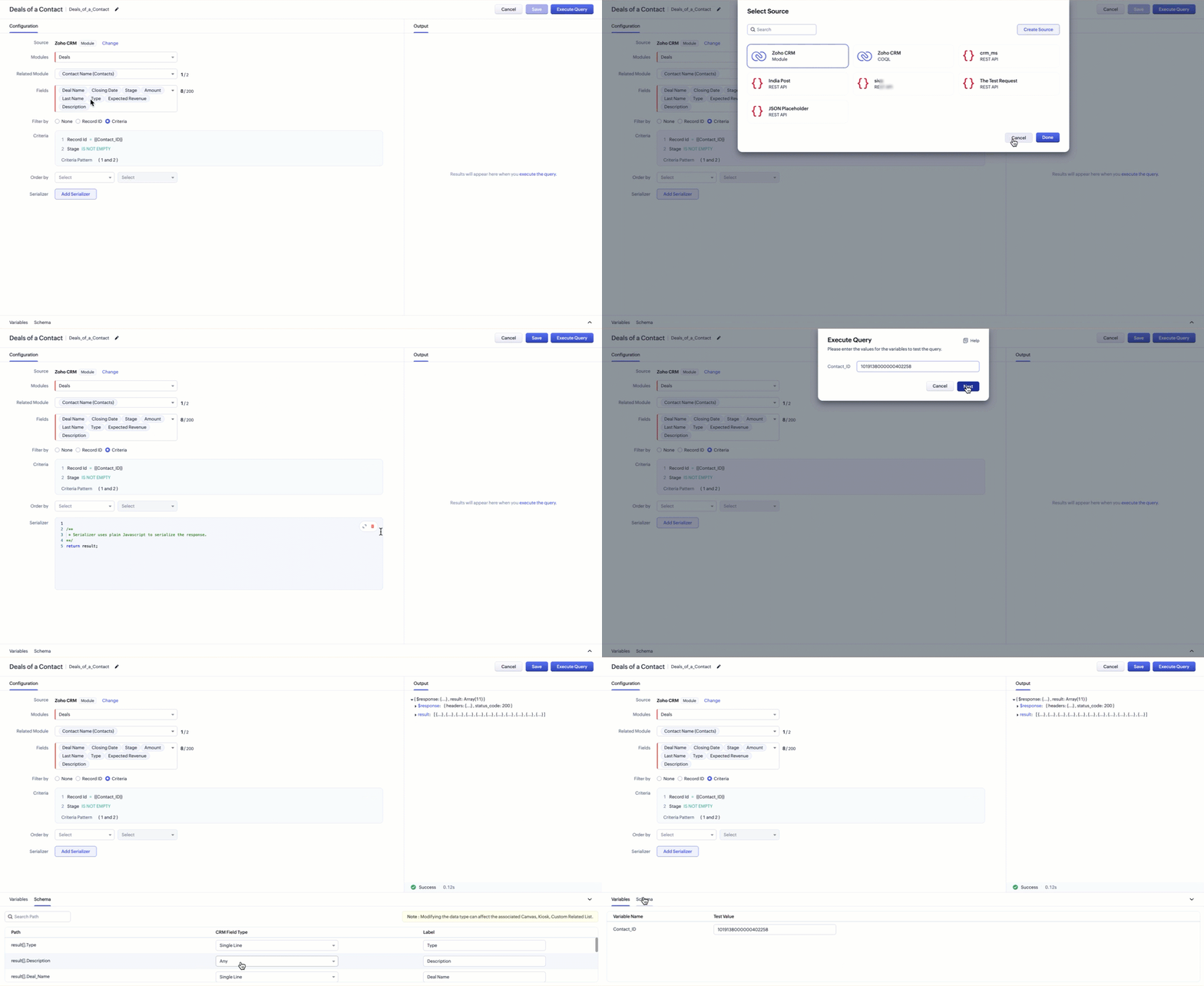
Zoho CRM introduces Query Workbench, a new space designed to help you work with queries inside CRM in a more organized and transparent way. This tool centralizes query execution and testing, allowing you to validate results without relying on external environments.
(image via Zoho)
Key highlights from Zoho:
- A dedicated environment to execute queries related to your CRM data.
- Instant visualization of results to review and adjust your queries.
- A simplified interface that facilitates analysis—especially useful for audits and exploratory work.
With this launch, Zoho CRM provides a more controlled and accessible space for managing your queries, helping you better understand the information stored within your modules.
What’s next?
Zoho says this is only the first phase of the Workbench. Future updates include:
- Expanded sources: support to connect beyond CRM modules, including external databases (SQL, MySQL, etc.) and cloud data services like Amazon and Google Cloud.
- Other enhancements: reorganized tabs for clearer navigation, schema comparison, and compatibility with new field types such as lookup and URL (allowing you to open related records or websites directly from custom related lists).
Zoho FSM: New Telephony to manage calls without switching tabs
Zoho FSM introduces Telephony, an update that integrates call management directly inside the platform. With this enhancement, your team can communicate with customers without switching apps, keeping every interaction tightly integrated with your service workflow.
Configure telephony according to your needs
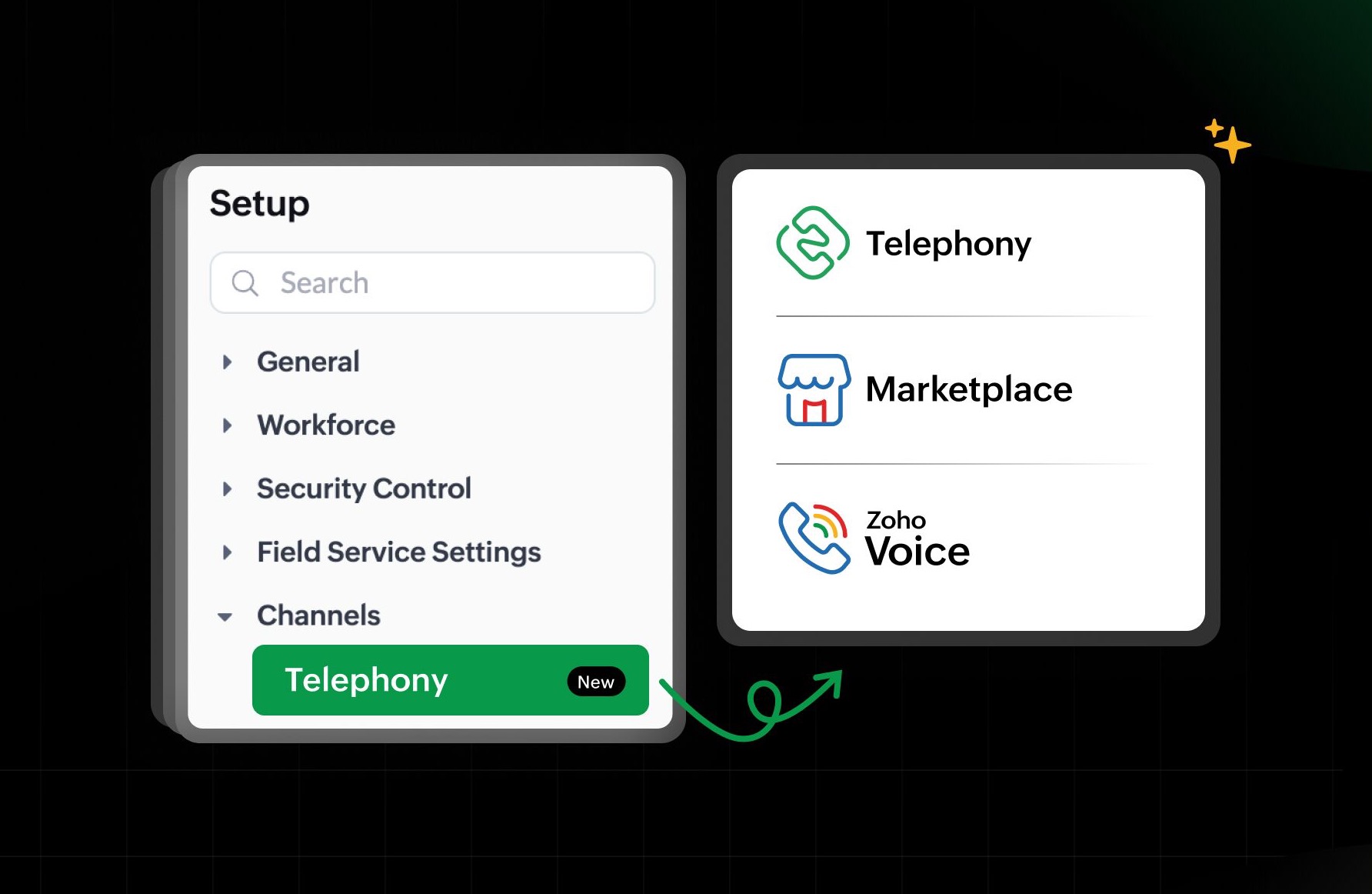
Zoho offers three ways to enable telephony in FSM:
- Zoho’s built-in phone system: a native solution powered by Twilio.
- Integration with Zoho Voice: connect FSM with Zoho’s internal telephony system.
- Telephony Marketplace: link FSM with your cloud telephony provider in one click.
(image via Zoho)
Making calls has never been easier
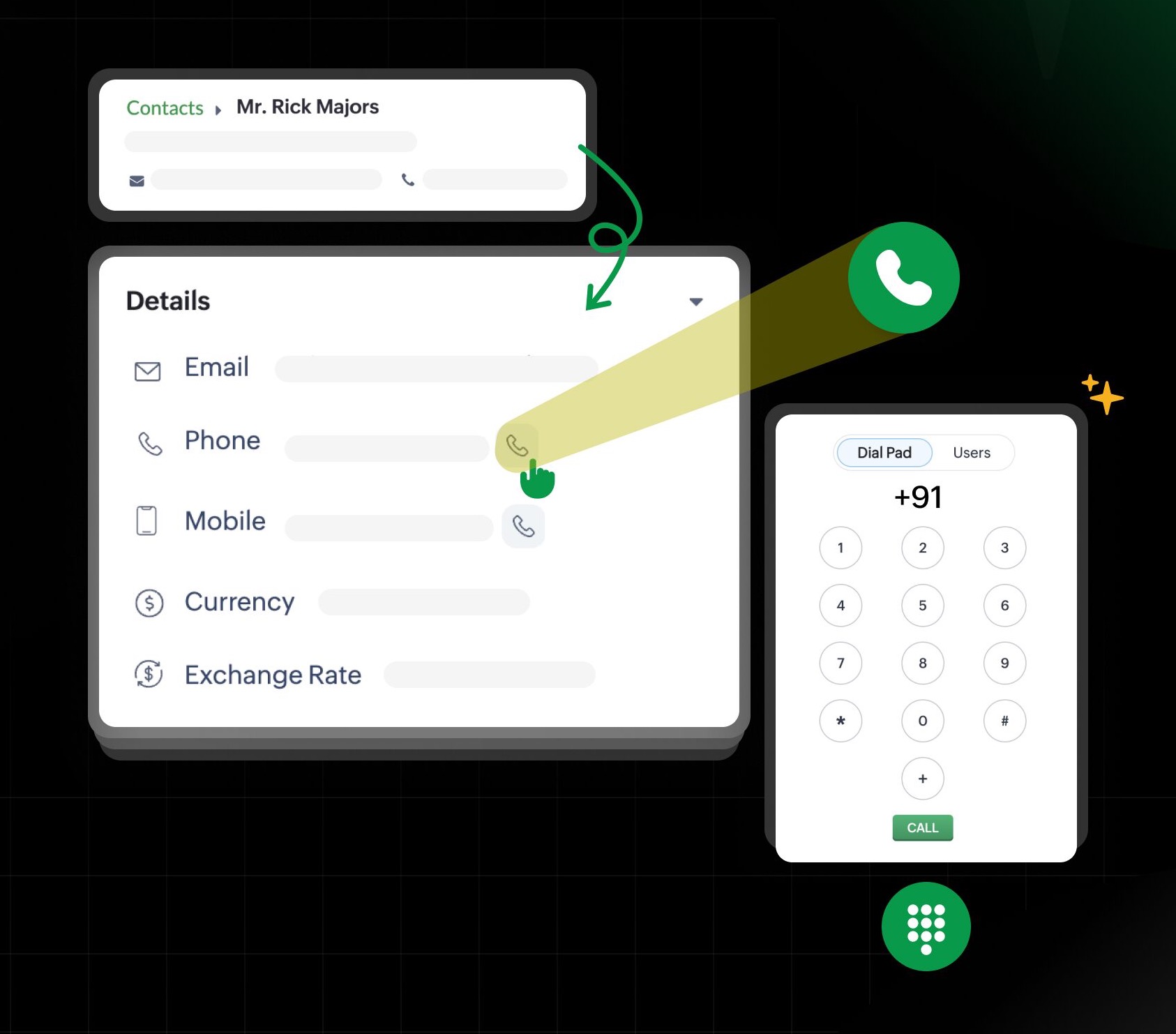
You can initiate calls from key modules such as Contacts, Companies, Requests, Estimates, Work Orders, and Service Appointments. Just click the call icon or use the integrated dialer at the bottom toolbar.
(image via Zoho)
Never miss an incoming call
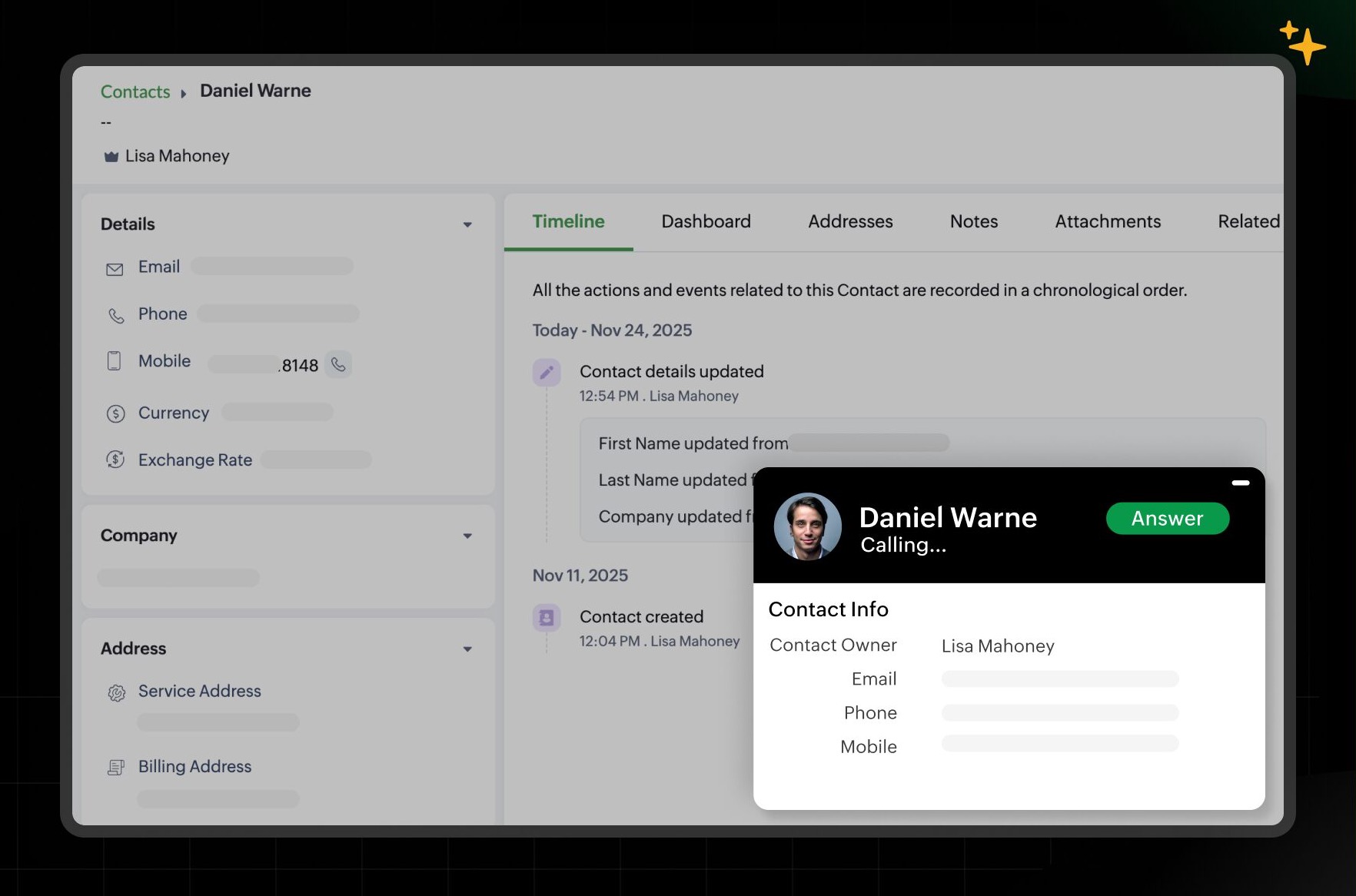
Incoming calls appear as pop-ups inside FSM. Everything is logged in the new Calls module, where you can review past interactions, recordings, voicemails, and more.
(image via Zoho)
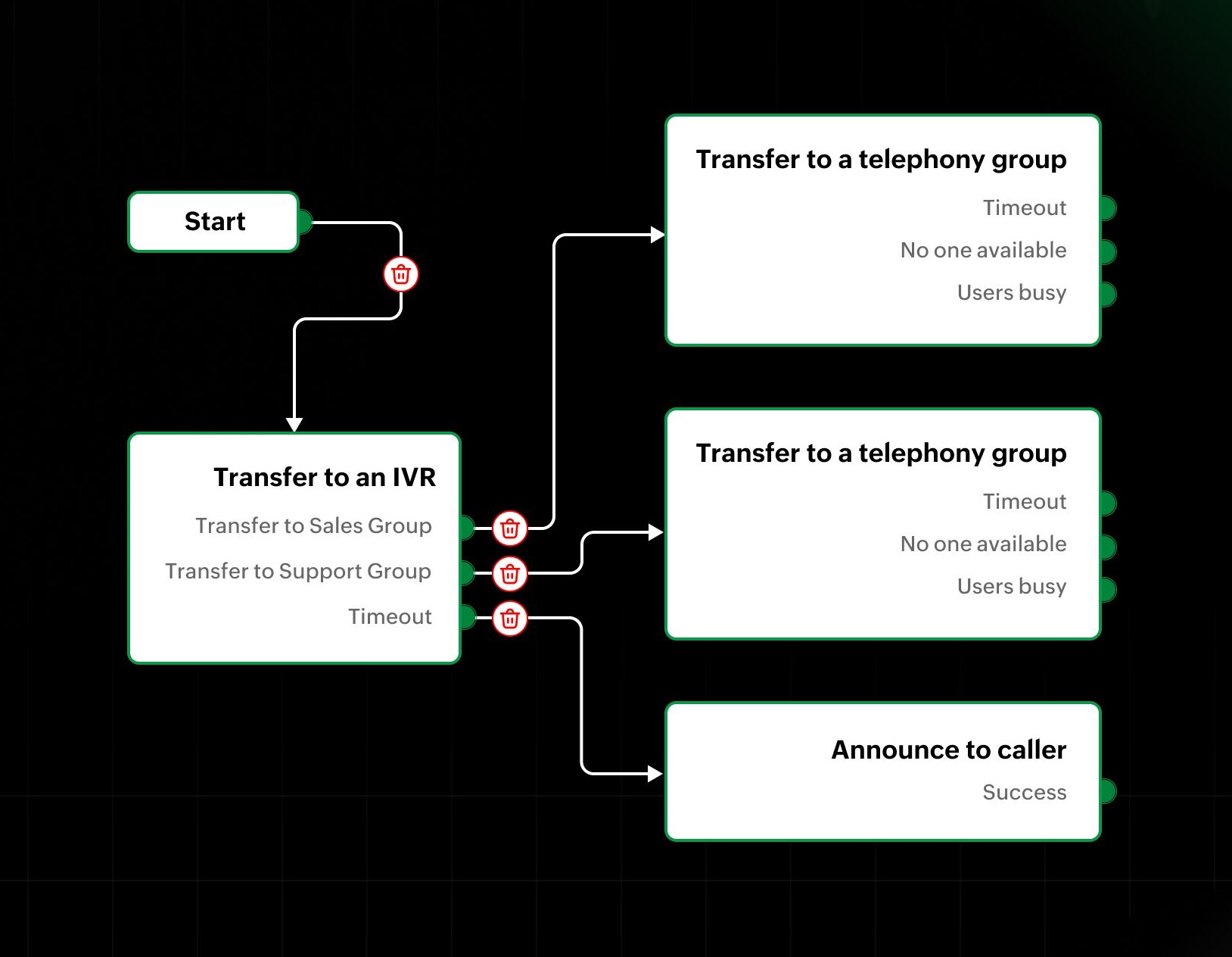
Automate with intelligent call flows
Integrated telephony allows you to define automatic routing for incoming calls. You can configure states such as:
- Transfer to a user
- Transfer to a telephony group
- Transfer to an IVR
- Play a message to the caller
- Send to voicemail
(image via Zoho)
A more integrated communication experience
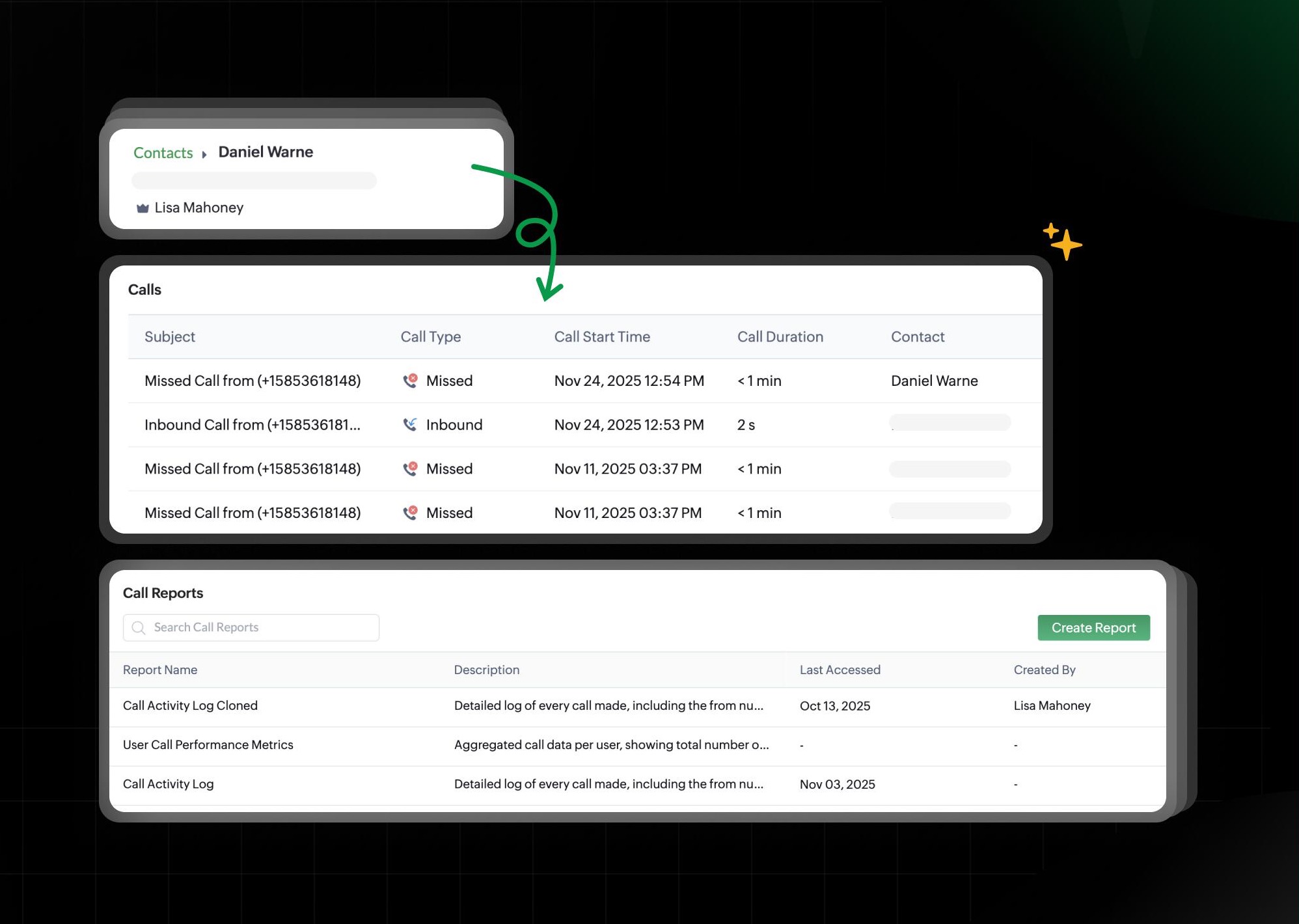
Enabling Telephony adds new capabilities that improve traceability and organization:
- Calls module under the Customers section for reviewing interactions.
- Related list for Channels in Contacts, Companies, and modules such as Requests, Estimates, Work Orders, and Appointments.
- Creation and customization of call records with Module Builder support.
- Automation available for the Calls module, just like any other system module.
- New call reports to analyze performance and activity.
(image via Zoho)
Telephony is available in the Professional edition and currently supported in the U.S., India, EU, Australia, and Canada. Admin permissions are required for setup.
Enhanced data import in Zoho Desk: new interface, updated field mapping and more
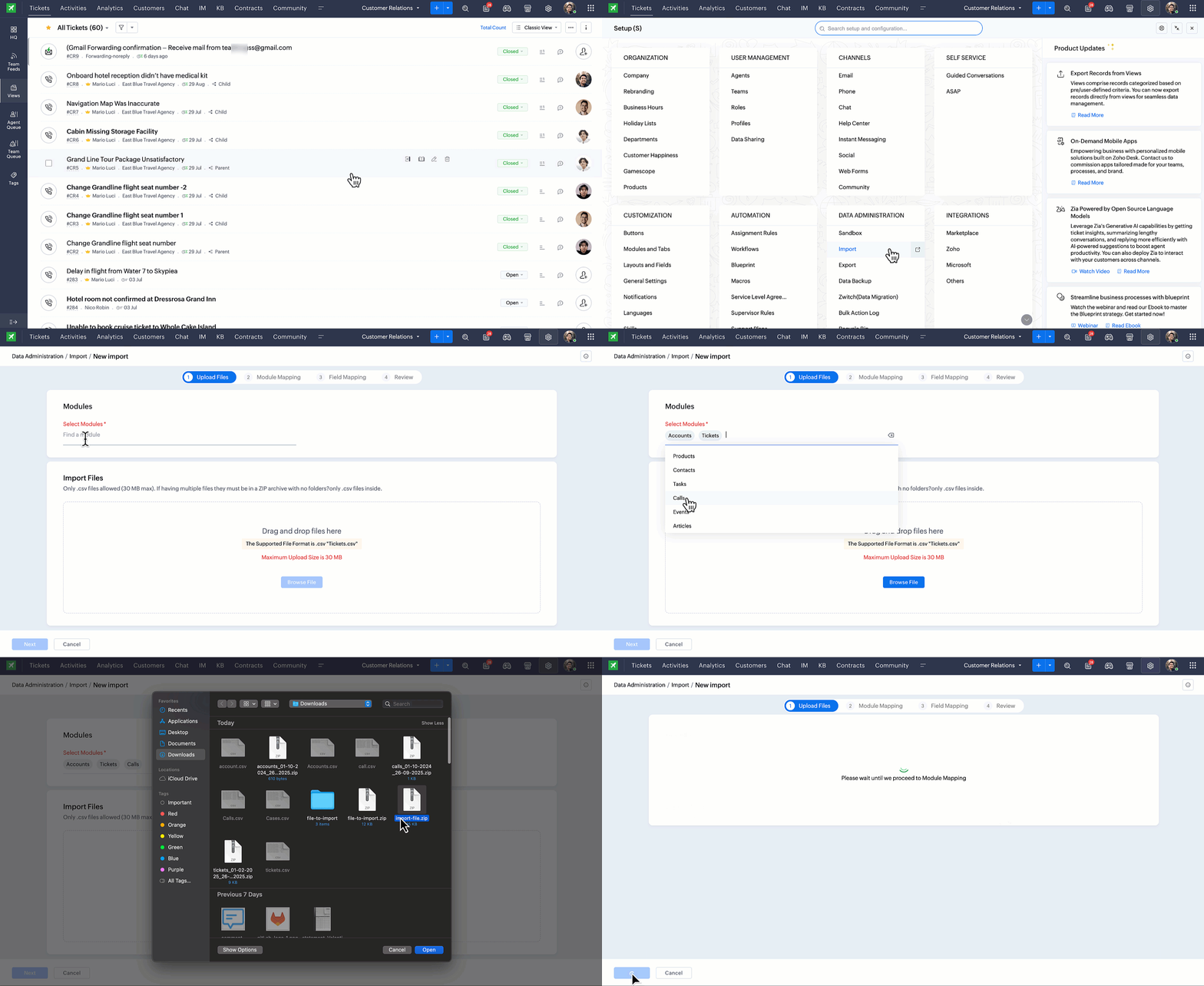
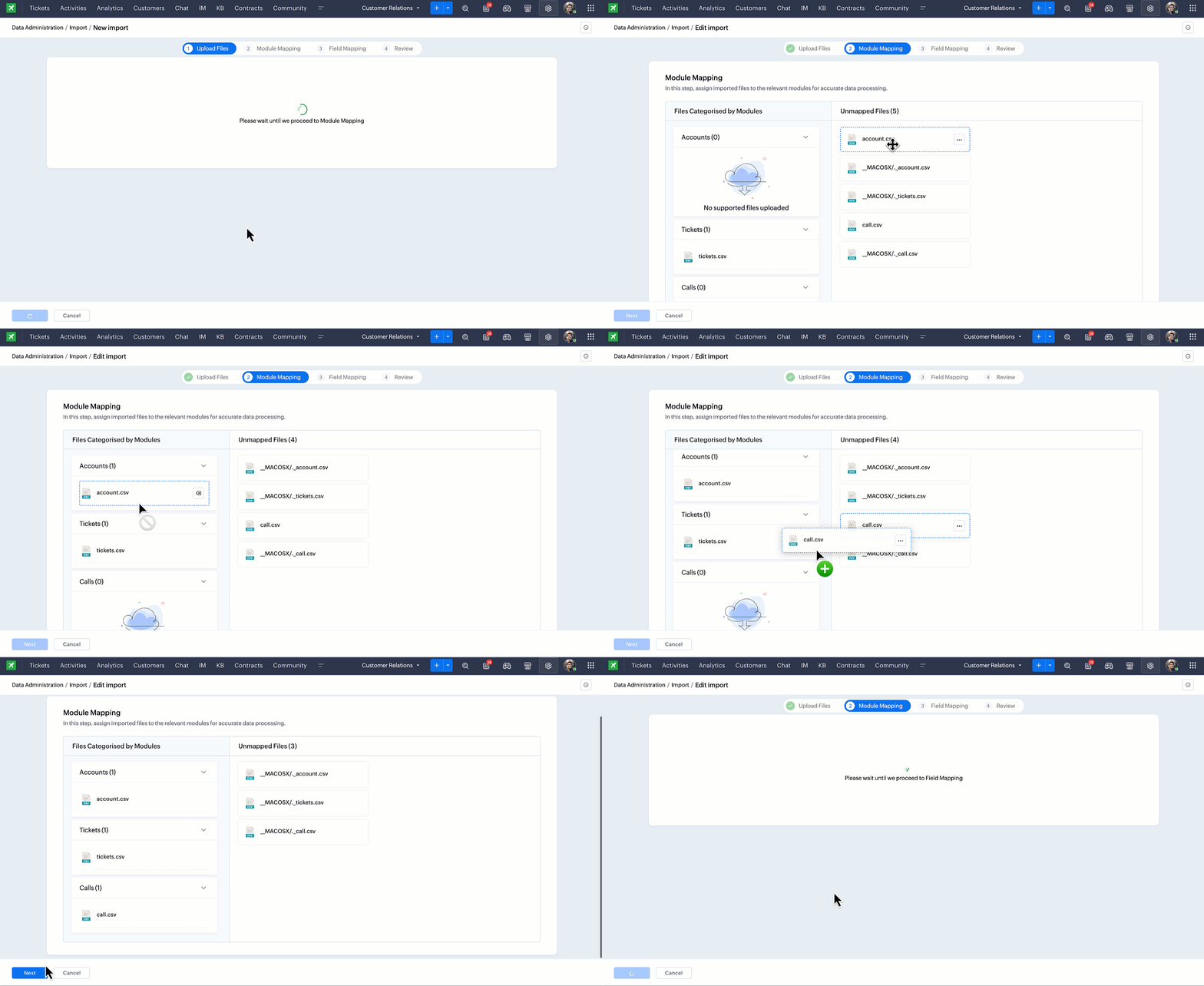
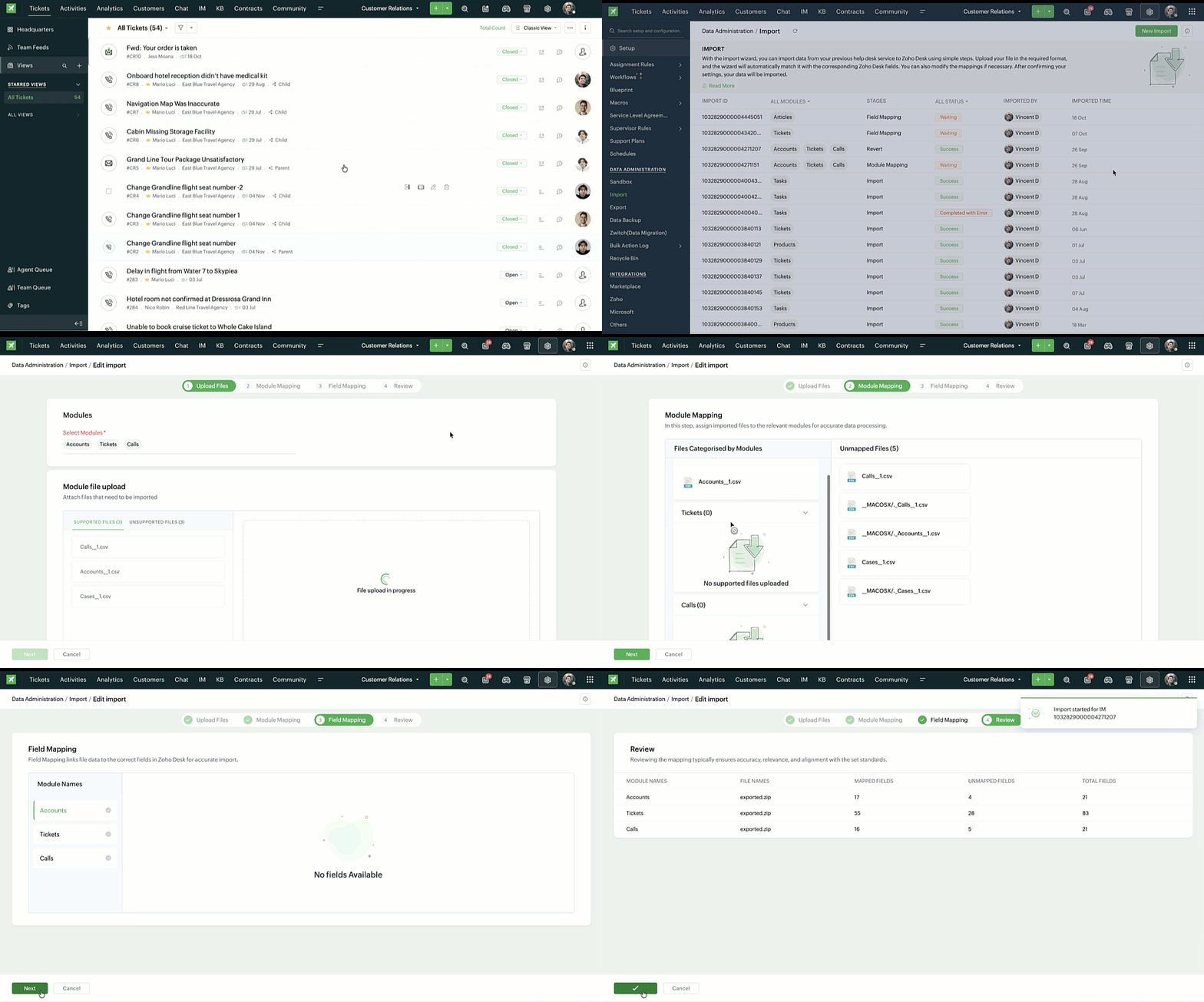
Zoho Desk has completely redesigned its data import process to ensure accurate alignment of file columns and system fields before loading information. The new interface guides users step by step and makes it easier to validate details at each stage.
Main improvements
Simplified import steps: a clearer flow from module selection to final mapping, with improved instructions at every stage.
(image via Zoho)
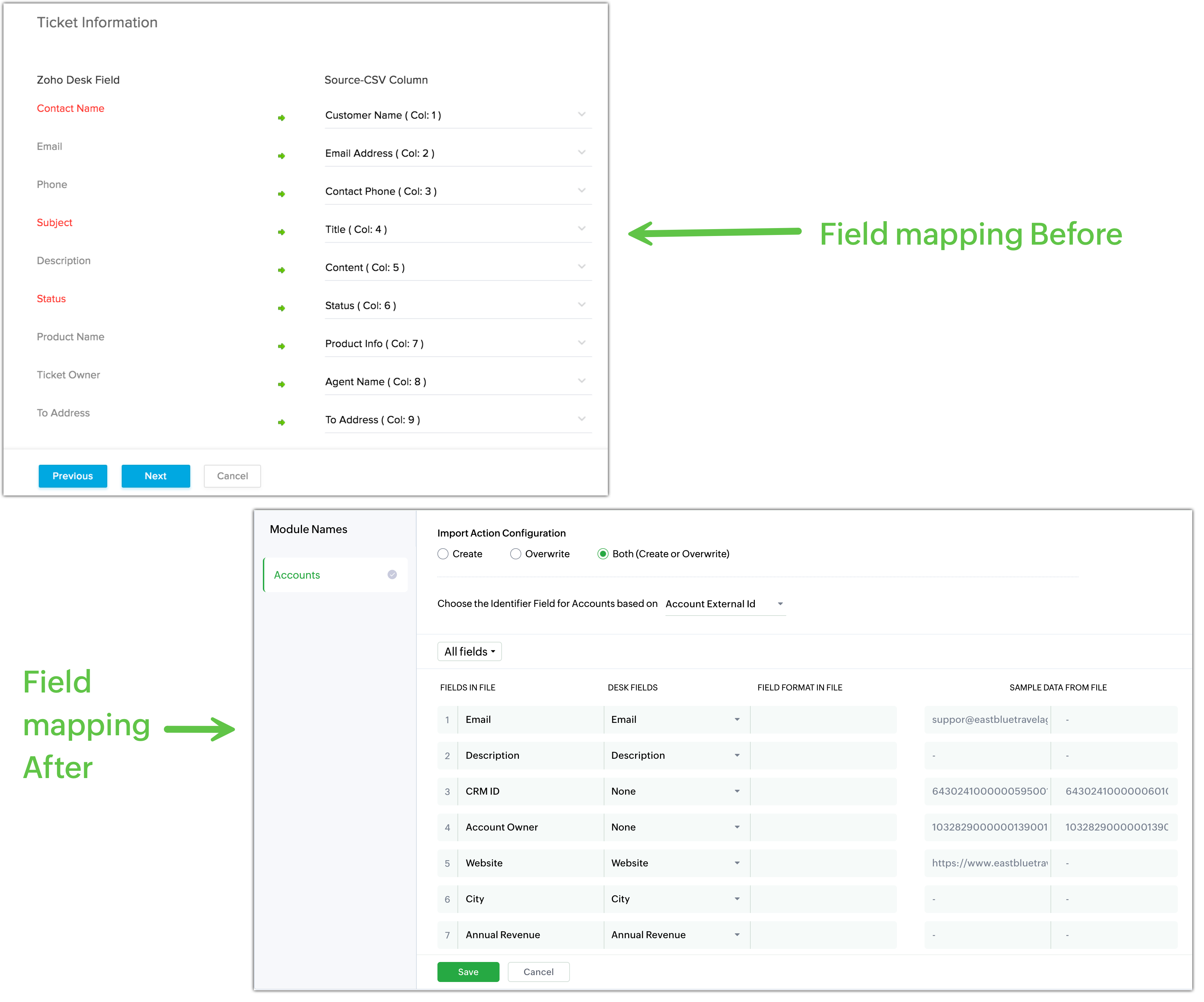
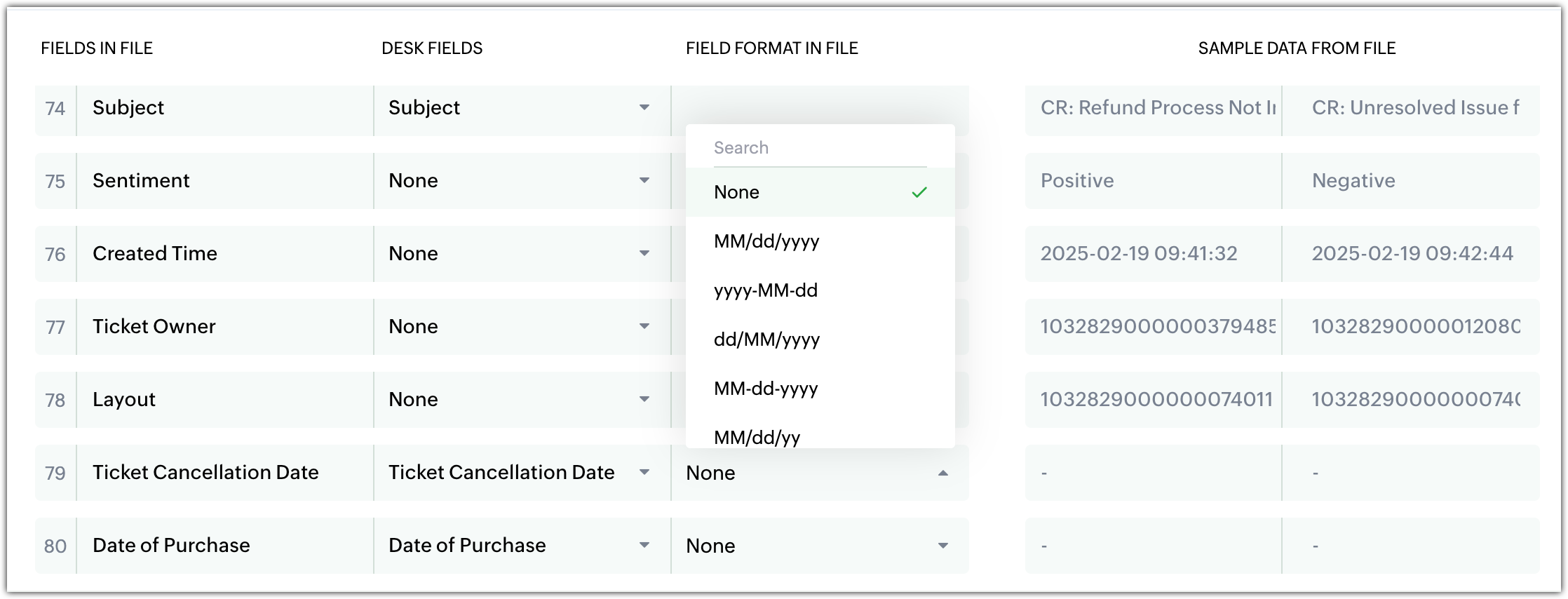
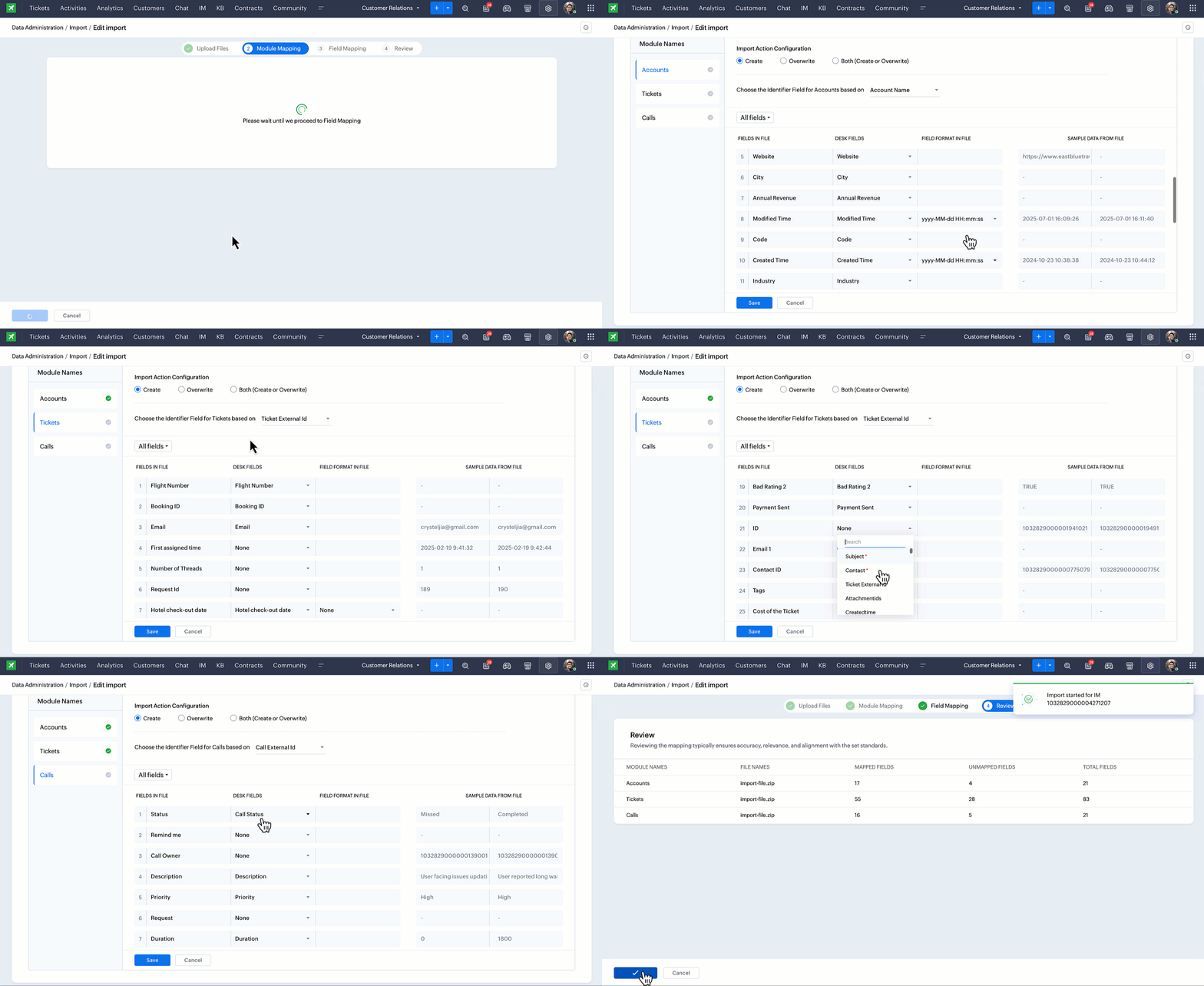
More detailed mapping:
- File field view (columns from uploaded file).
- Desk field view (destination field).
- Field format options (especially dates and times).
- Sample data to verify each match.
(image via Zoho)
(image via Zoho)
(image via Zoho)
(image via Zoho)
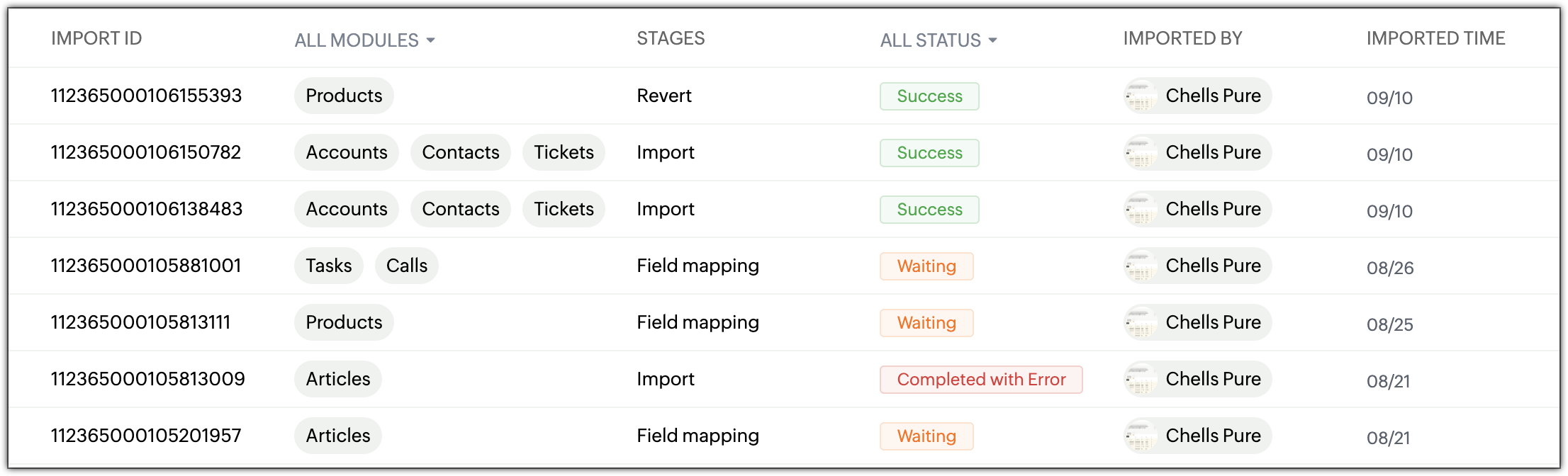
Centralized history
The new Import History page displays:
- Import ID, module, and stage.
- Status (In progress, Success, Error, On hold).
- User who performed the import, plus date/time.
(image via Zoho)
New capabilities
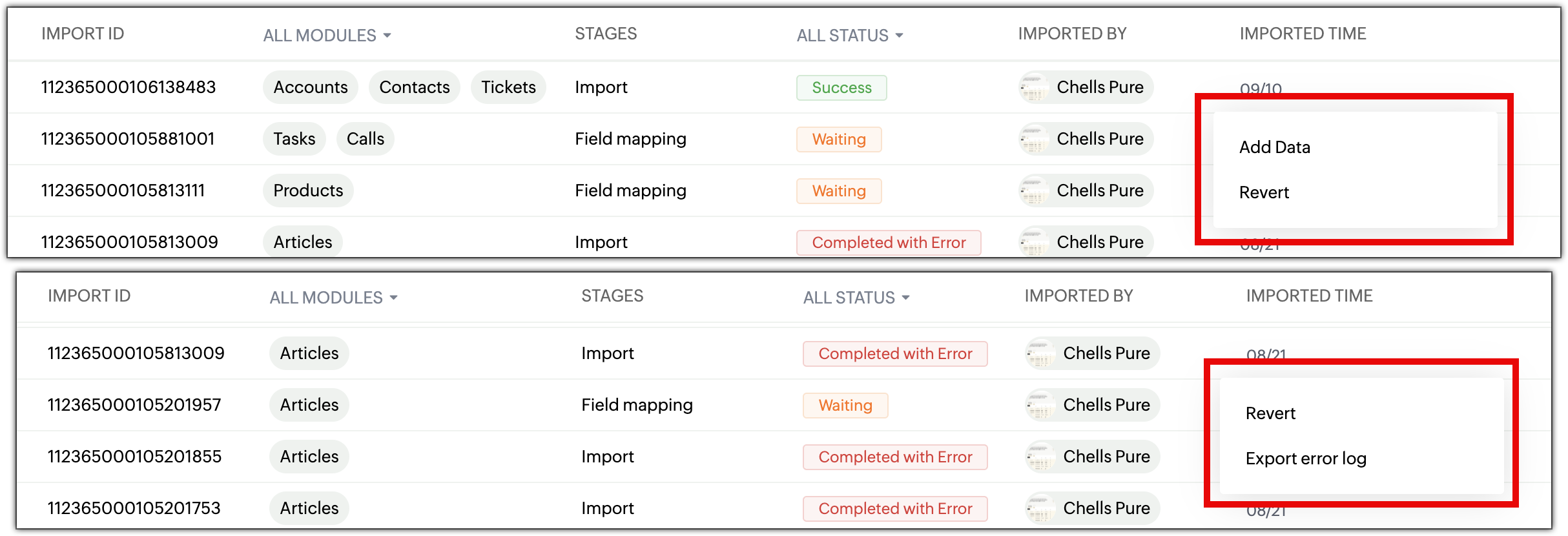
Add data to existing imports: append new records using the same configuration without repeating the process.
(image via Zoho)
Revert imports: undo the last import with a single click.
(image via Zoho)
Detailed error logs: full breakdown of failed rows, enabling corrections and faster re-imports.

(image via Zoho)
Key notes
- You can add data only if the original import was successful.
- Mapping cannot be modified when adding new data.
- Unsupported files (.xls, .pdf, etc.) are automatically rejected.
- The new interface is available across all data centers.
New capabilities to expand connectivity, visualization, and efficiency in Zoho Analytics
Zoho Analytics introduces an update that enhances accessibility, expands data integration, improves analytical precision, and offers a clearer, more efficient experience. These updates strengthen business analytics and accelerate work with large datasets.
Accessibility
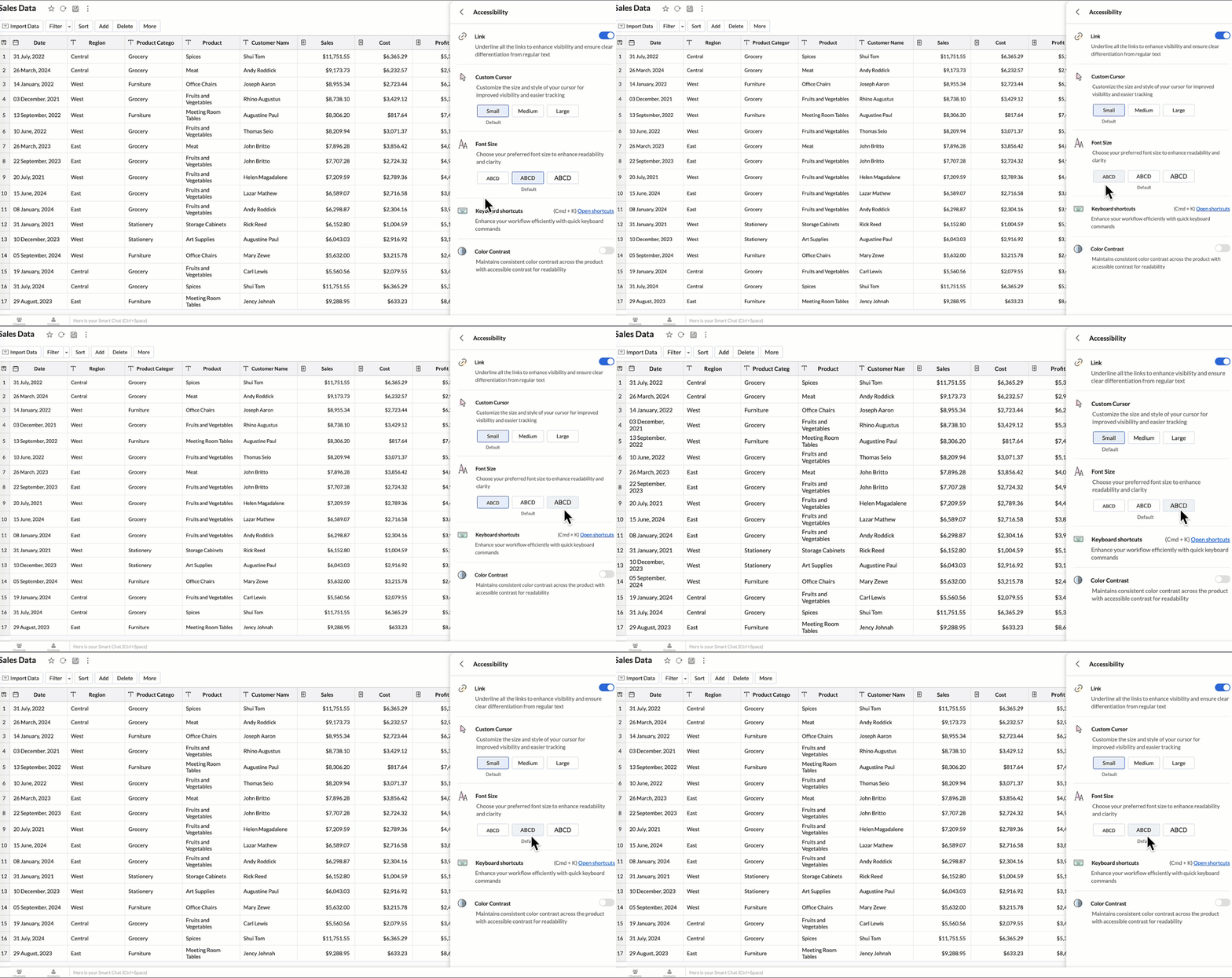
Zoho adds a new accessibility section that allows users to customize the interface to their needs:
- Highlight links for clearer visibility.
- Adjustable cursor size (small, medium, large).
- Global font size adjustment.
- High-contrast mode for improved readability.
- Full list of keyboard shortcuts for faster navigation.
(image via Zoho)
New data connectors
New native integrations expand the analytics ecosystem:
- Qntrl: analyze workflows, approvals, and operational efficiency.
- Asana: track tasks, projects, deadlines, and team performance.
- Zoho Community Spaces: insights into engagement, content, and community growth.
- Zoho Finance (new modules): expanded detail for financial reporting across the suite.
Data sync and Live Connect
Improvements aimed at faster loads and greater accuracy:
- Incremental sync from other workspaces: adds only new or modified data.
- Incremental sync in custom queries: speeds up complex imports.
- Live Connect query tables – Athena: real-time analytics using tables prepared directly in Athena.
Developer Center updates
Capabilities for developers are expanded:
- New SDK with Ruby support for native integrations and automations.
- JS API: programmatically switch tabs to build more dynamic embedded dashboards.
Maps and geographic analysis
Spatial analysis is strengthened with new functions:
- Access individual layers, fix unresolved locations, and use layered maps as filters.
- Improved map tooltips, removing lat/long and showing clearer contextual data.
Reports and visualization
Enhancements that make data exploration more intuitive:
- Drill-down available in public views and embedded views—not just shared reports.
- Widgets now support info icons and tooltips for added context.
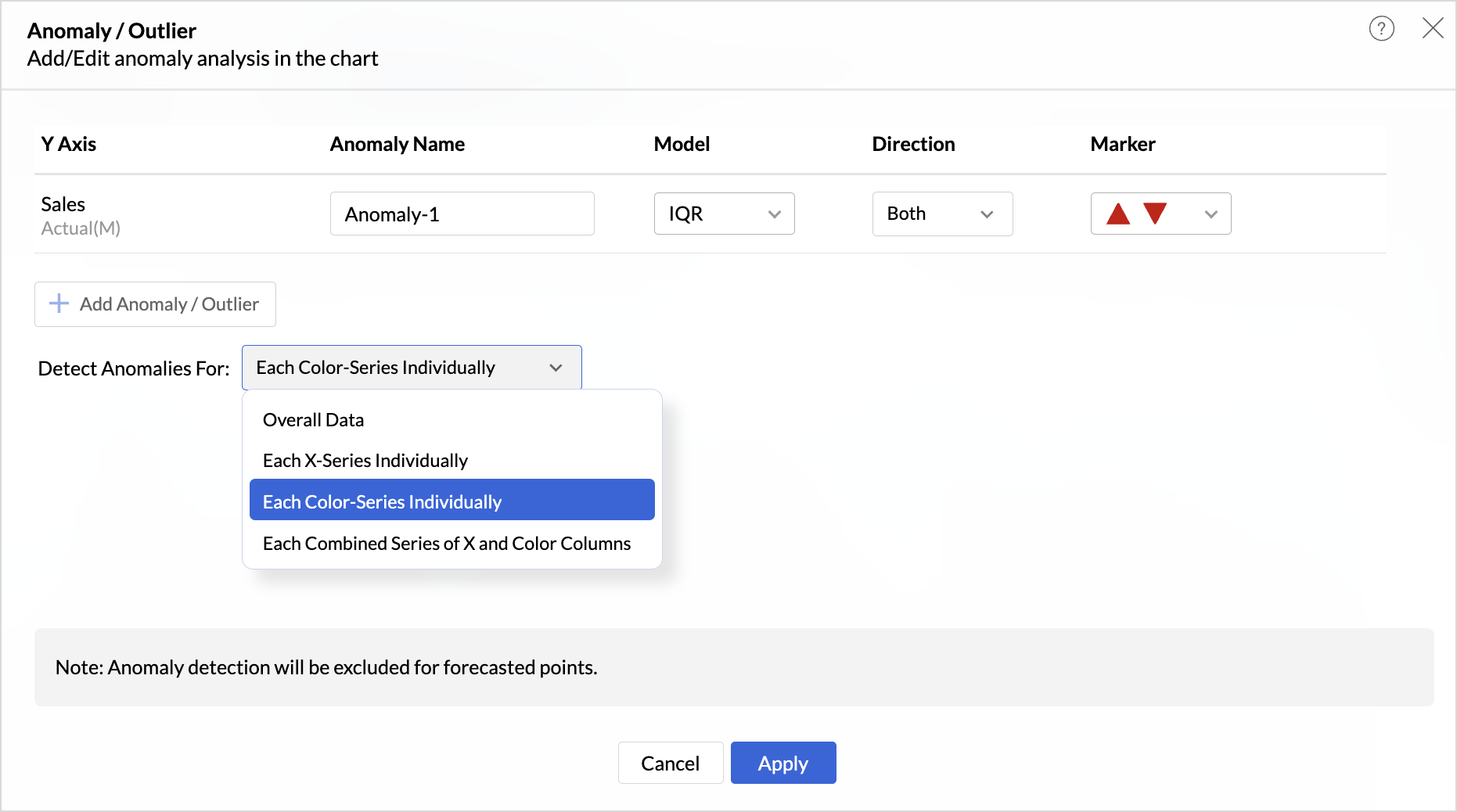
- Anomaly detection for dimensional fields with multiple modes (X-series, color, combined).
(image via Zoho)
New “Group Sort” option to sort complete groups dynamically without relying on hierarchy.
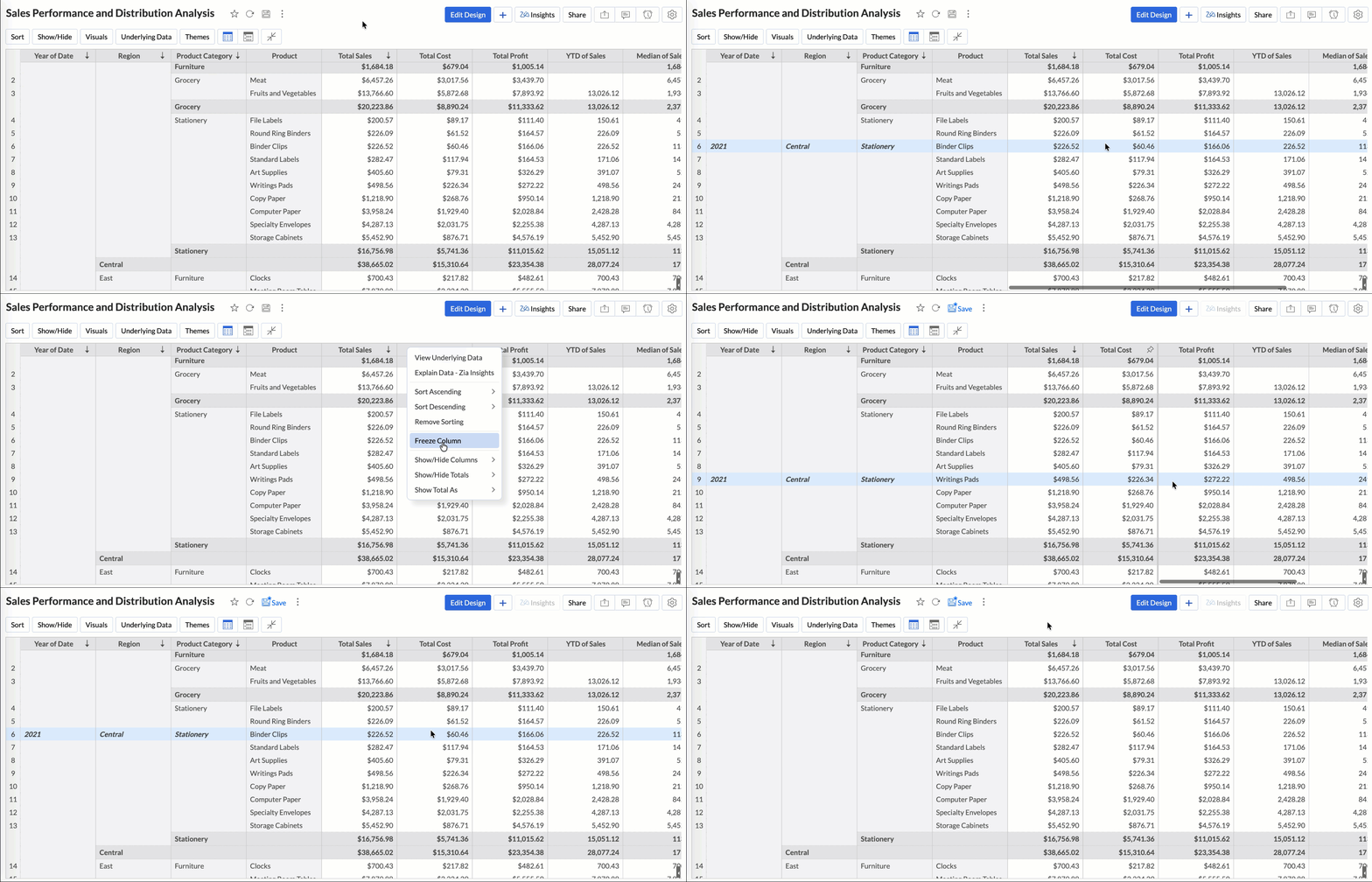
Column freezing available in pivot and summary views for easier comparisons.
(image via Zoho)
Fiscal year settings per report, aligning each report with your organization’s financial calendar.
Dynamic thresholds based on variables, responsive to user filters.
Variable suggestions based on data type to avoid incorrect setups.
AI and machine learning
Internal improvements boost predictive capability:
- AutoML now runs on 128 GB servers (U.S. Data Center), enabling much larger training datasets.
Zia Insights
Enhanced assisted analytics and diagnostics:
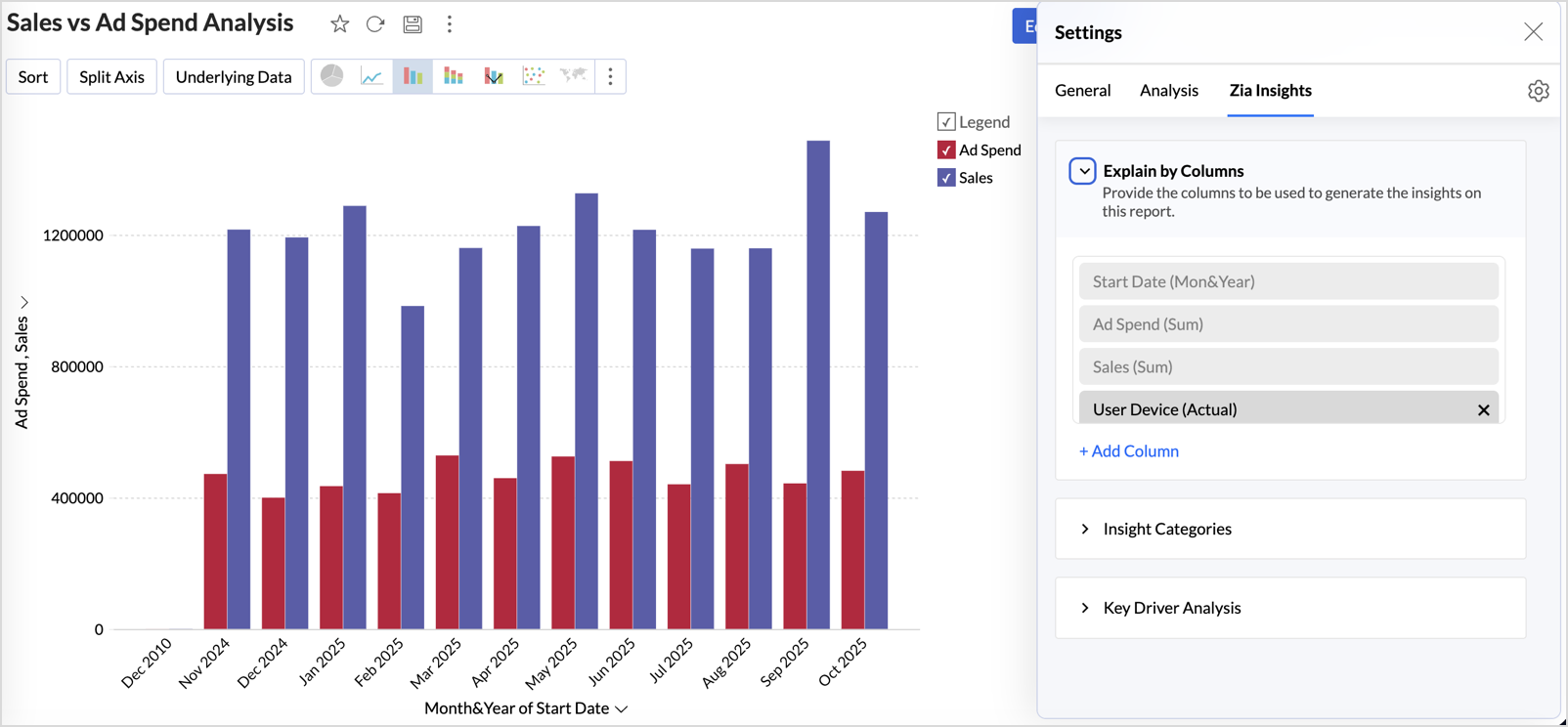
- Advanced customization: select metrics, dimensions, and insight types (contribution, time series, comparisons).
- Diagnostic insights for multiple time-series analyses, including anomalies, period changes, and early/late trend evaluation.
(image via Zoho)
Other updates
- Audit logs for white-label users: all admin actions are now recorded for greater security.
- New language support: Zoho Analytics now supports 29 international languages and 11 Indian languages.
Zoho One adds new security features for stronger, more controlled protection
(image via Zoho)
Zoho One introduces a suite of advanced tools that strengthen data security, improve risk detection, and give organizations greater control over access, identities, and devices.
BYOK: Bring Your Own Key
You can provide your own encryption key to protect data stored in Zoho. This gives you complete control over encryption and enhances protection of your most sensitive information.
Audit Logs: the breadcrumb trail
Expanded logging of administrative and user activity makes it easier to track key actions, supporting internal audits, incident analysis, and compliance.
Anomaly Watch: beyond basic monitoring
Detects unusual behavior in real time, such as unexpected access locations or abnormal activity, helping stop threats before they escalate.
Conditional Access: your intelligent gatekeeper
Define access rules based on context—location, device, risk level, or network type. Access is only granted when conditions set by the organization are met.
Customizable Identity Providers (IDP): sign in your way
Zoho One now supports more external identity providers, allowing organizations to choose how authentication and login processes are managed.
RADIUS (Wi-Fi authentication)
Integration with RADIUS allows Zoho One authentication to be connected to corporate Wi-Fi networks, centralizing access control and enforcing consistent security policies.

Leave a Reply