
SalesIQ adds AI filters to transform your customers’ experience
Have you ever wondered if your bot can read between the lines? That is, tell the difference between someone just asking for business hours, someone ready to buy, or a customer on the verge of frustration? With most bots, the answer is no. Everyone gets the same automated reply, regardless of context. But that’s changing.
At InterConnecta, we’re sharing one of the most powerful new features in Zoho SalesIQ: the new routing system with artificial intelligence filters. Thanks to this update, bots can now detect sentiments, intentions, and key topics in real time. The result? More human interactions, more accurate responses, and most importantly, an experience that makes a lasting impression.
The power behind the change: AI-based routing
SalesIQ already offered the ability to route chats based on user-defined criteria. But now, that capability is enhanced with AI filters that enable smarter decisions, such as:
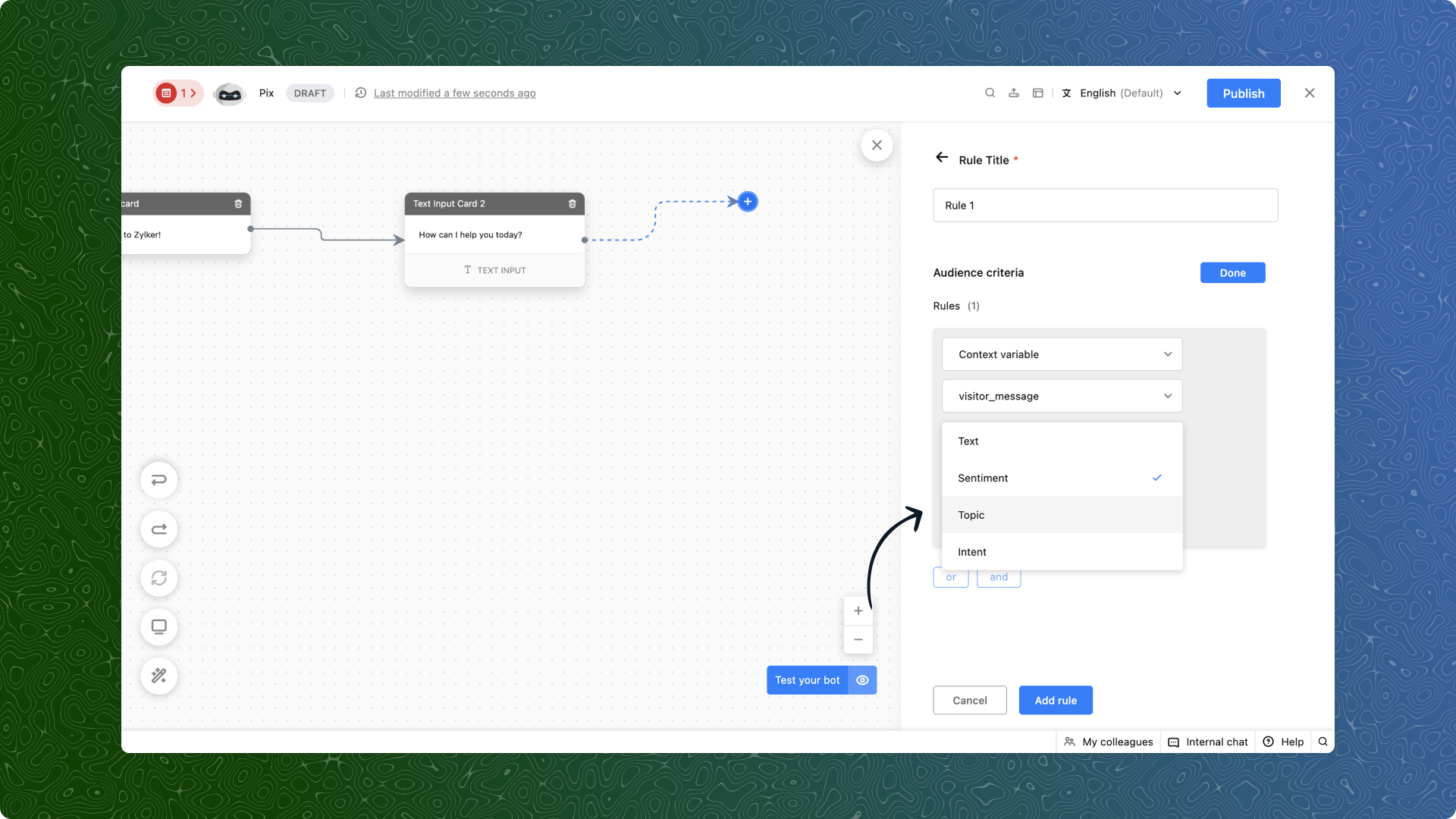
- Sentiment: Is the customer upset, satisfied, or just curious? Now you can detect it automatically and respond accordingly.
- Intention: Are they trying to buy, cancel, or report an issue? AI picks it up and directs the chat to the right team.
- Topic: Define keywords like products or locations, and your bot will know how to steer the conversation properly.
(image via Zoho)
What does this look like in action?
E-commerce
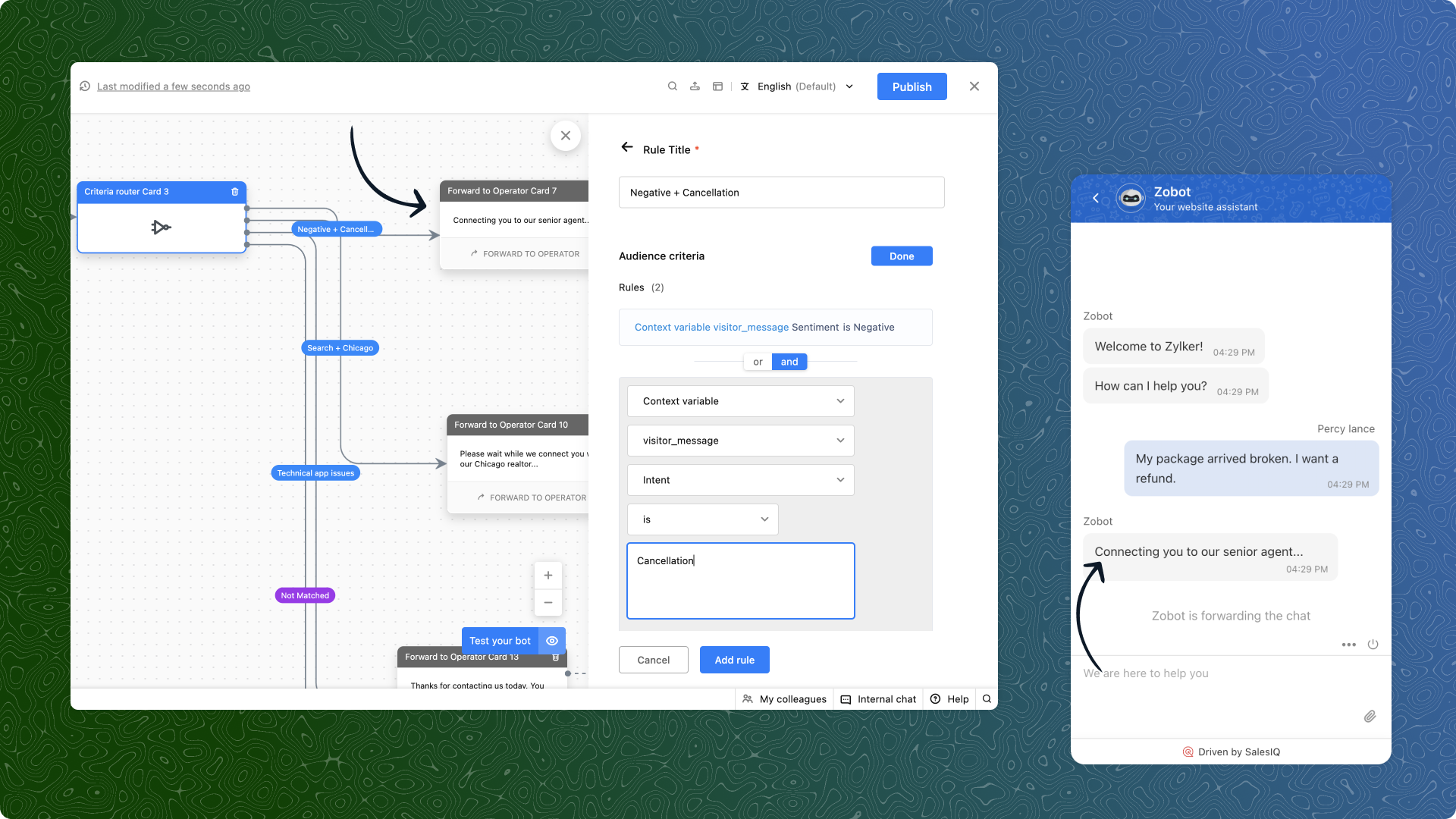
“My order arrived broken. I demand a refund.”
AI detects a negative sentiment and a refund intention. The bot avoids generic responses and immediately routes the chat to the advanced support team.
(image via Zoho)
Real estate
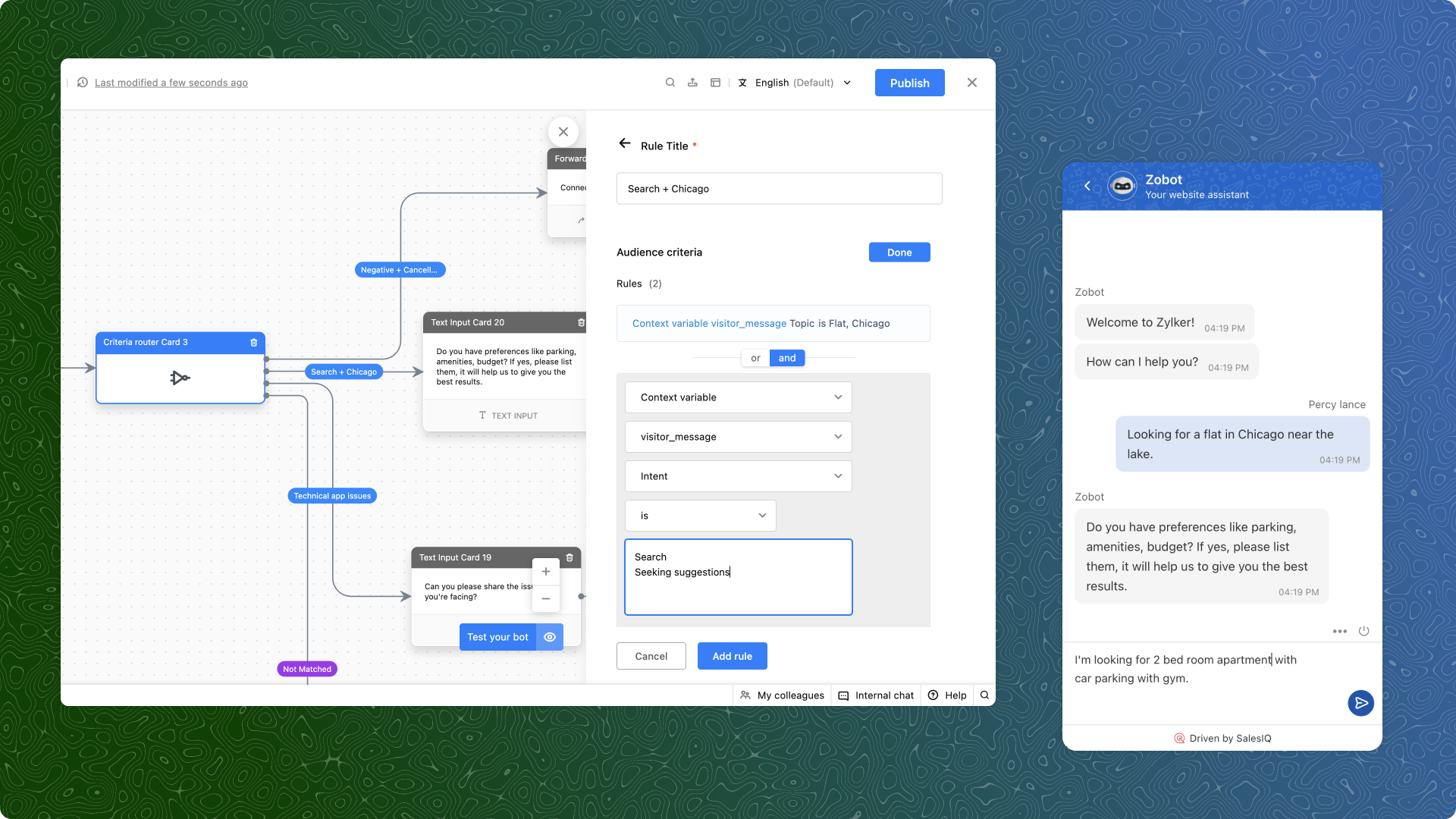
“I’m looking for a two-bedroom apartment in Chicago.”
Topics and search intent are detected. The user is directly connected to an advisor who handles properties in that area.
(image via Zoho)
Technical support
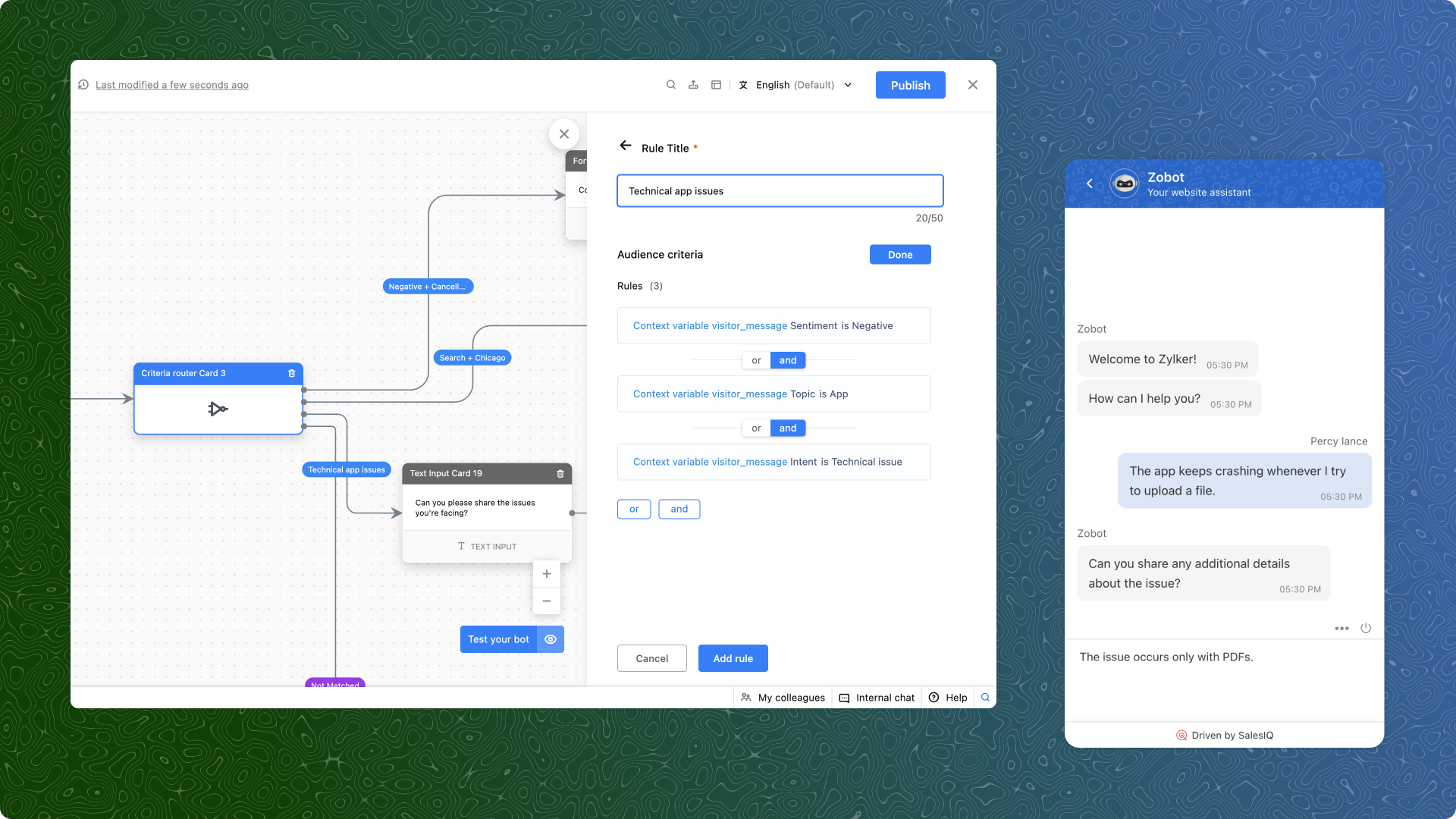
“The app crashes every time I try to upload a file.”
Here, a negative sentiment, a technical intention, and the app topic all come into play. The bot bypasses general support and redirects to the specialized support team.
(image via Zoho)
What do you need to get started?
- Use context variables: Capture the user’s message, store it as a variable in the bot, and use it for criteria-based routing.
- Prioritize your rules: If multiple rules are met, the first one applies. So order your criteria from highest to lowest priority.
- Test and refine: Start with common scenarios in your business, analyze the results, and optimize as needed.
Available only on the Enterprise plan
An important note: this feature is only available for SalesIQ Enterprise plan users. And yes, it also works in multiple languages.
Ready to try it? At InterConnecta we can help you set it up and customize it for your industry.

Leave a Reply