Welcome to our update, where you’ll stay up to date with the latest Zoho news in one place!
- Exporting data is now easier and more flexible: discover the new options in Zoho CRM
- Zoho Analytics gets a revamp with more powerful visualizations and key improvements this September
- Say goodbye to spam in your forms with the arrival of reCAPTCHA v3 in Zoho Forms
- Zoho Books gets updated with new features in billing, reports, and more – September 2025
- Webinars on CRM, Desk, and Cliq
Exporting data is now easier and more flexible: discover the new options in Zoho CRM
Zoho CRM introduces improvements to the Export feature, giving you more control and simplicity when working with your data.
What’s new in exports:
- XLSX format: In addition to the classic CSV, you can now export in XLSX, making it easier to analyze data directly in Excel. While CSV supports up to 200,000 records, the new format allows you to export up to 50,000 with greater compatibility for spreadsheet users.

(image via zoho)
- Field selection: If you don’t need certain data, such as the record ID, you can now easily exclude them when generating the file. This results in a cleaner output tailored to what you actually want to share or analyze.

(image via zoho)
- CSV character set: When exporting in CSV, you can choose the character set to ensure all information — including names or texts in other languages — is properly encoded.

(image via zoho)
- Direct export: No need to go to Settings → Data Administration. Now you can export from the same module, in a pop-up window that lets you choose format and options without interrupting your workflow.

(image via zoho)
- Selected records: From list view, you can select up to 500 specific records and export them immediately. Ideal for working with filters or specific customer segments without exporting the entire module.

(image via zoho)
These improvements make information management faster, more practical, and tailored to your business needs.
Zoho Analytics gets a revamp with more powerful visualizations and key improvements this September
The latest Zoho Analytics update brings improvements that make working with data more visual, flexible, and secure. From project management to dashboard customization, you now have more tools to gain valuable insights and align them with your brand.
Main new features:
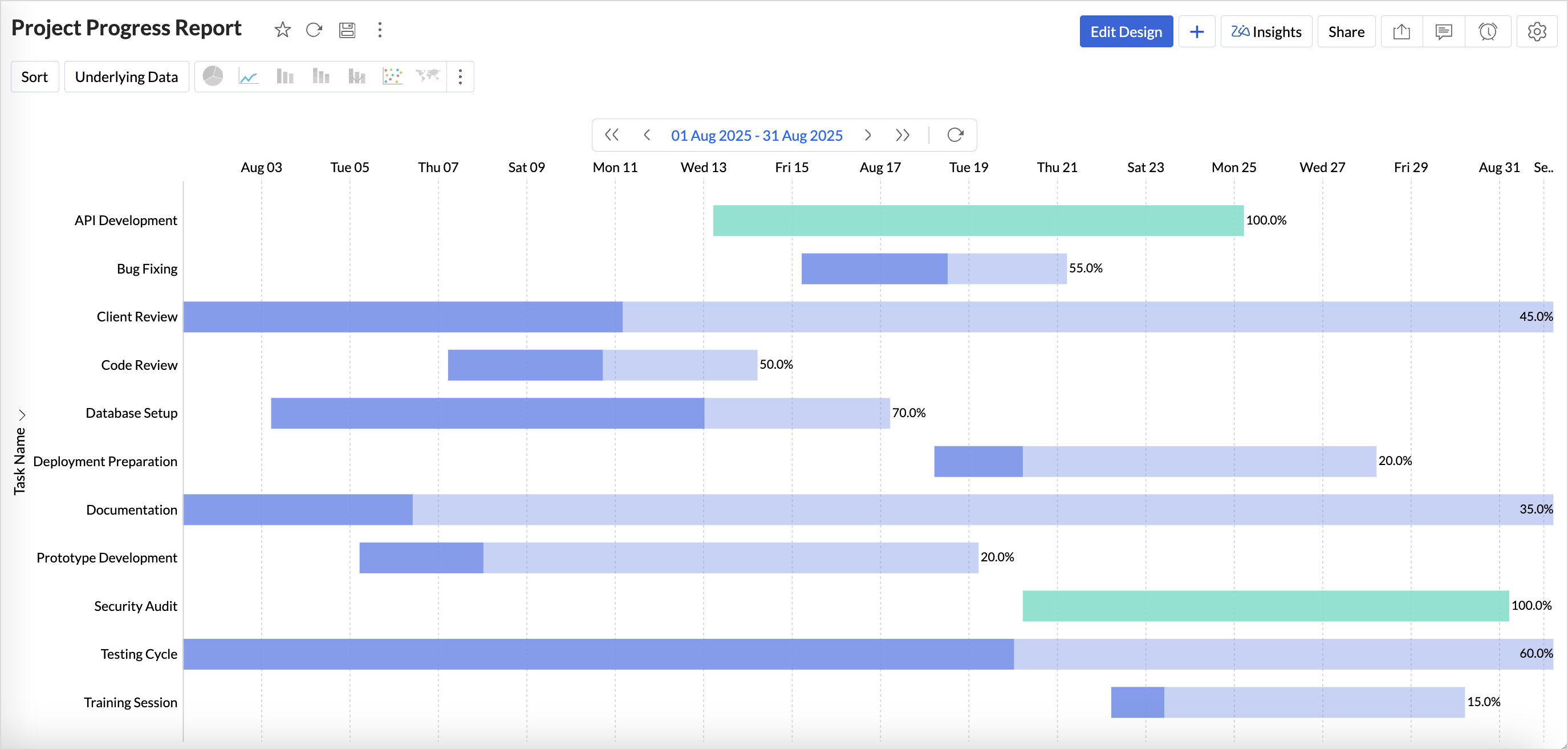
New Gantt chart
Visualize tasks and deadlines in real time, identify delays, and customize views with styles, colors, and flexible date ranges.
(image via zoho)
More supported databases
- Cassandra: import data from this large-scale NoSQL database.
- SAP HANA and ClickHouse in the cloud: connect directly without the need for local servers.
- Snowflake: new authentication options with OAuth and private key for greater security.
- Sync alerts: receive automatic notifications when table imports fail, preventing critical errors.
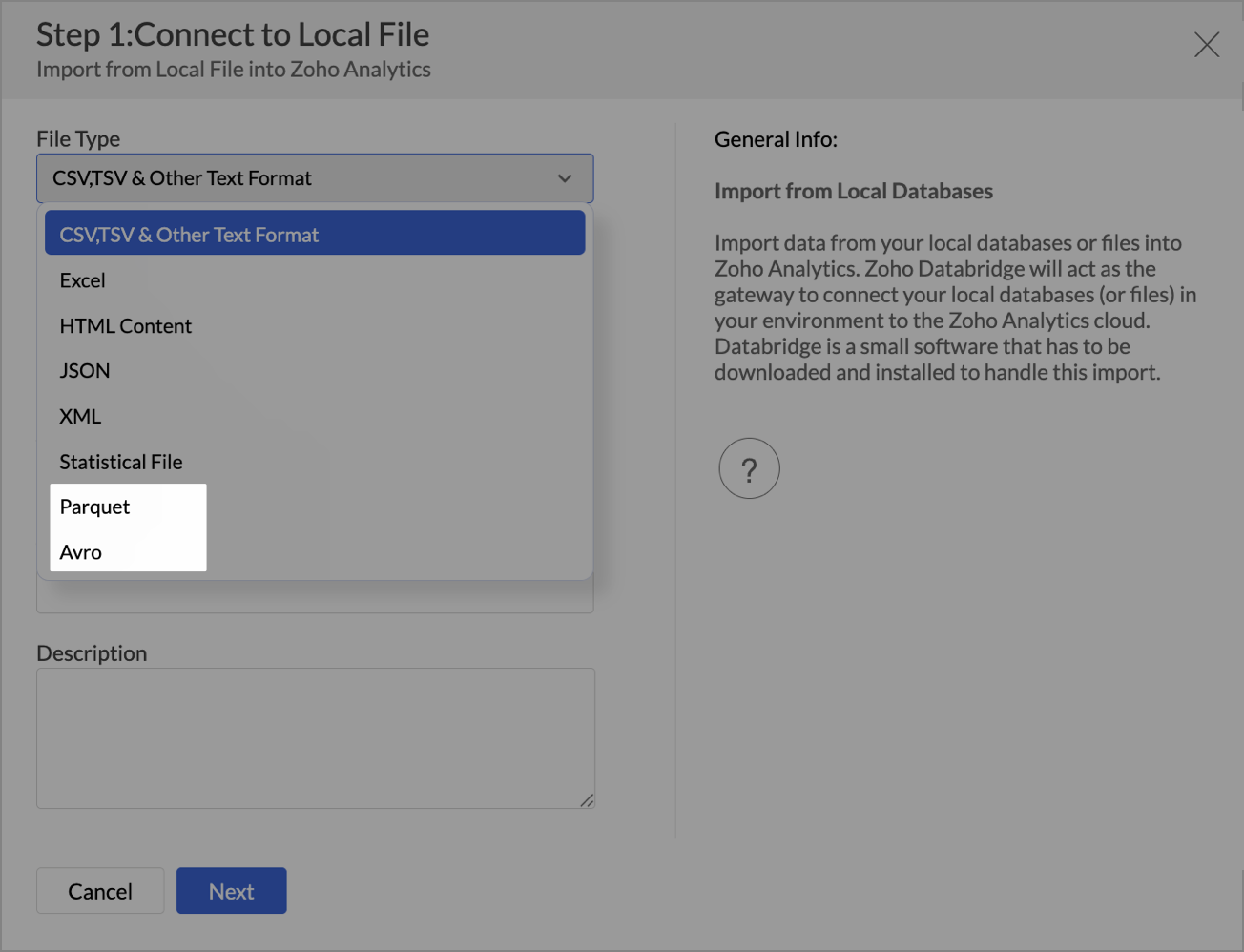
Support for new file formats
You can now import Parquet and Avro, optimized for big data. Large file uploads (over 100 MB) have also been expanded for formats like Excel, JSON, XML, HTML, and statistical files.
(image via zoho)
Improved user management
A new invite-based system has been introduced, providing more control over who accesses your reports and dashboards.
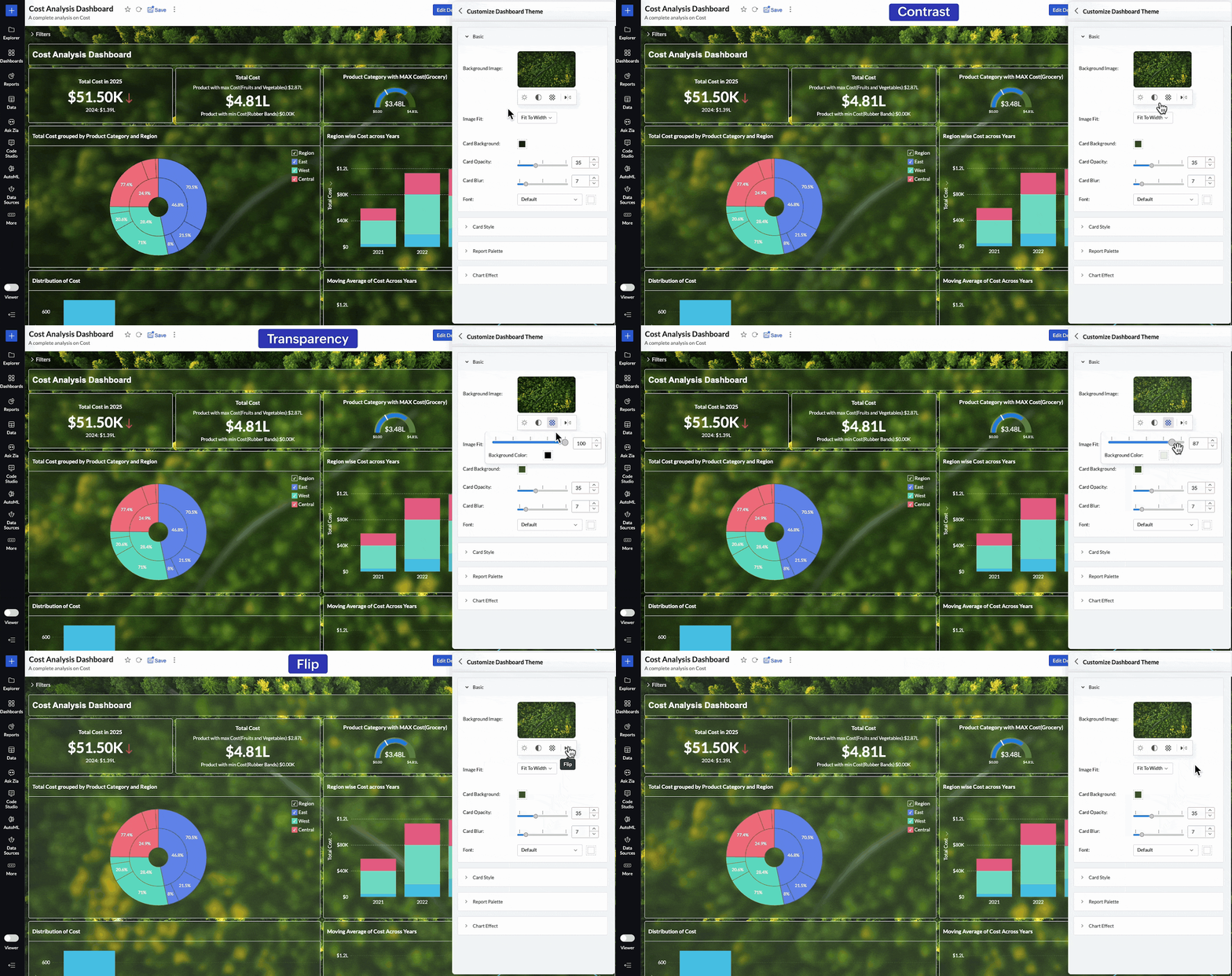
Advanced dashboard customization
Adjust brightness, contrast, transparency, or even flip background images to create visually impactful dashboards aligned with your brand.
(image via zoho)
Smart relationships between tables
New automatic suggestions simplify data modeling by recommending connections based on metadata.
Updated white label experience
- More modern and consistent UI for White Label implementations.
- New white label guide with best practices and examples for maximum customization.
Greater control on mobile devices
Admins can now view access logs in the Mobile BI app, offering more visibility into how reports are consumed on smartphones.
These updates make Zoho Analytics more connected, customizable, and intelligent, allowing you not only to analyze data, but also to deliver safer, more engaging analytics experiences aligned with your organization.
Say goodbye to spam in your forms with the arrival of reCAPTCHA v3 in Zoho Forms
Unlike traditional CAPTCHAs, reCAPTCHA v3 works invisibly, with no checkboxes or challenges that interrupt the user.
- It analyzes the behavior of the person filling out the form and assigns a score between 0.0 and 1.0.
- A score close to 1.0 suggests it’s likely a human; closer to 0.0, likely a bot.
- You define the minimum acceptable threshold (e.g., 0.5) and decide what to do with submissions that don’t meet it.
Control options for suspicious submissions:
- Block the response and show a custom error message.
- Add a second verification using Zoho Forms’ built-in CAPTCHA.
(image via zoho)
Key benefits:
- Fewer spam entries without friction for real users.
- Greater control by defining your own security criteria.
- Smoother and more professional form experience.
With this update, you get an ideal balance between protection and usability, adjusting the security level according to the volume and sensitivity of your forms.
Zoho Books gets updated with new features in billing, reports, and more – September 2025
Zoho Books continues to evolve to offer a more connected and efficient accounting experience. This month brings new integrations, specialized reports, and key improvements that simplify financial and inventory management.
EmaraTax (UAE & USA): file VAT directly from Zoho Books.
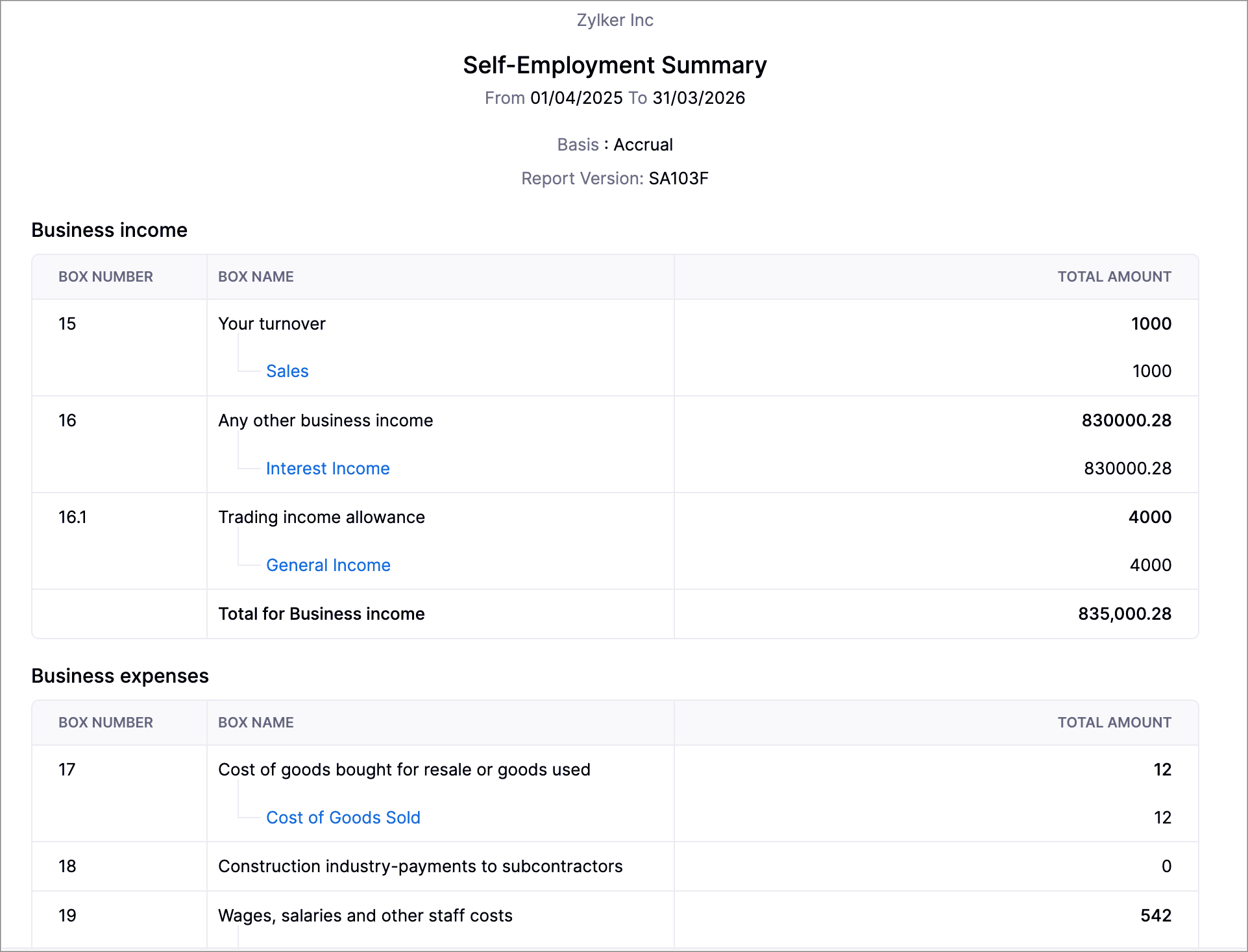
Self-employed report (UK): generate SA103F/SA103S formats for HMRC.
(image via zoho)
New PayNow method (Singapore): fast payments with QR via Stripe.
Journal credits: apply credits to invoices and receipts in different locations.
Inventory reports: summaries and adjustment details, with advanced filters.
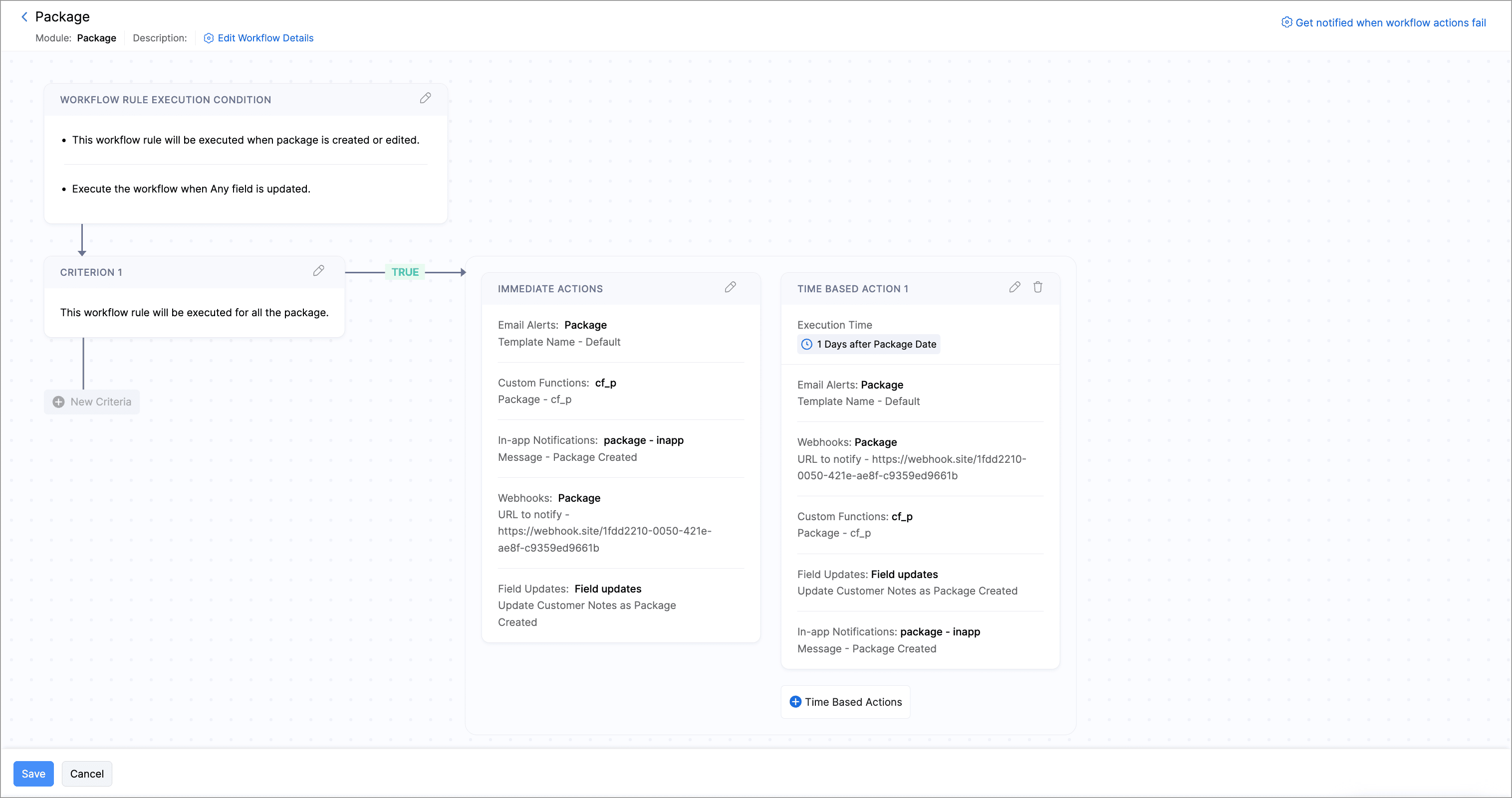
Zoho Inventory: automated workflows, pick list reports, and more customization options in shipments and packages.
(image via zoho)
Additional improvements: new statuses, columns, and notifications (including WhatsApp for purchase orders).

Leave a Reply